![BL Screenshot Gallery [BLSG]](https://cdn.modrinth.com/data/Cdo4b3z6/7e99a08a253af6045451f1e490fd797b34be0899_96.webp)
Community listing page, reviews here may not be monitored by the author.
BL Screenshot Gallery [BLSG]

No reviews yet
A modern in-game screenshot gallery for Minecraft that automatically saves where, when, and what biome every screenshot was taken in, with a clean visual browser directly inside Minecraft.
Community voices
Reviews
No reviews yet. Be the first to review this project!
Get it on
Available Platforms
Compatibility
Supported Environments
Runs entirely on the client. Works on vanilla servers.
About
Project Details
For authors
Embed Badge
If you're the author of this project, you can embed a live badge anywhere that supports HTML or Markdown. It updates automatically whenever ratings change.
Use HTML for any page that supports it, or Markdown for README files and Markdown-based descriptions.
Identifiers
Platform IDs
Resources
External Links
About
Description
BL Screenshot Gallery (BLSG)
A modern in-game screenshot gallery for Minecraft that automatically saves where, when, and what biome every screenshot was taken in — with a clean visual browser directly inside Minecraft.
Perfect for builders, explorers, map makers, SMP players, content creators, and anyone who takes lots of screenshots and later forgets where they were taken.
✨ Features
🖼 In-Game Screenshot Gallery
Press F12 to open a fully integrated screenshot browser without leaving Minecraft.
Features include:
Grid-based gallery view Smooth thumbnail previews Pagination system Search bar Star/favorite screenshots Timeline-style browsing
📍 Automatic Metadata Capture
Every screenshot automatically stores:
World / server name Coordinates (X/Y/Z) Biome Dimension Real-world date & time Minecraft in-game day Multiplayer detection Camera rotation (yaw/pitch)
All metadata is saved into lightweight .json sidecar files next to the screenshot.
🔎 Powerful Search
Search screenshots by:
Filename World name Server name Biome Dimension Title Notes
Example searches:
plains
nether
village
my base
survival server
📝 Titles & Notes
Add custom:
Screenshot titles Personal notes Build reminders Lore/context
Titles appear directly on thumbnails for quick identification.
⭐ Favorites System
Star important screenshots and quickly filter them later.
Perfect for:
Favorite builds Coordinates worth revisiting Progress milestones Rare discoveries
🗑 Delete Screenshots In-Game
Delete screenshots directly from the gallery.
BLSG properly removes:
The PNG image Thumbnail Metadata JSON Gallery entry
without needing to restart Minecraft.
🎨 Clean Modern UI
Designed to feel like a native Minecraft feature.
Includes:
Hover effects Dynamic thumbnails Responsive detail screen Metadata panel Large screenshot preview Minimal visual clutter ⚡ Lightweight No external dependencies Minimal memory usage Metadata stored locally Fast thumbnail loading Optimized caching
🧠 Why Use BLSG?
Vanilla Minecraft screenshots become chaotic over time.
BLSG turns them into a searchable visual archive.
Instead of:
"Where did I build that?"
you get:
"Oh yeah — Plains biome, Day 184, SMP world."
📦 Metadata Example
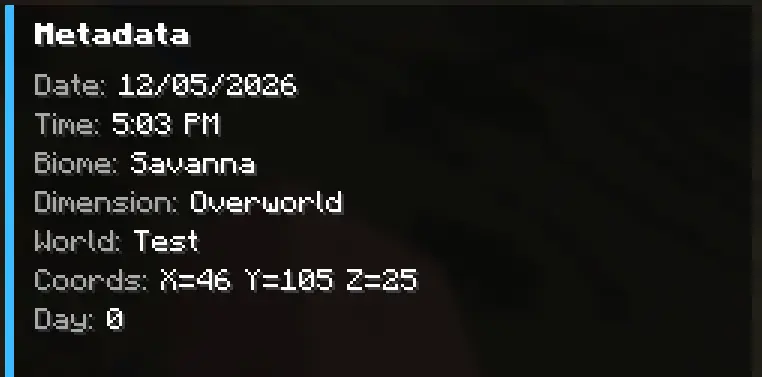
⌨ Default Keybind
Action Key Open Gallery F12
(Keybind can be changed in Minecraft Controls settings.)
🔧 Supported Loader
Fabric
Screenshots
Gallery
-
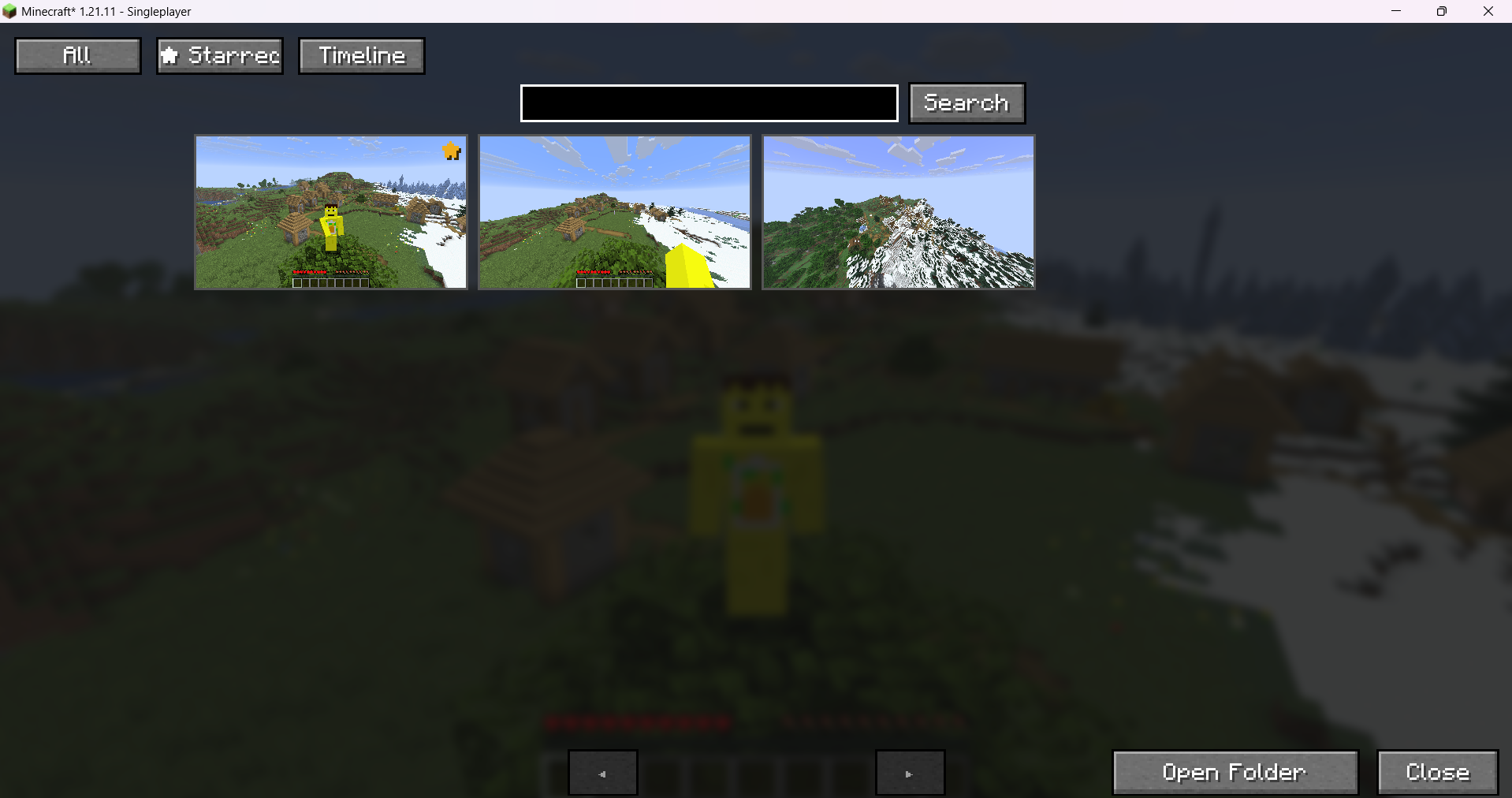 gallery screen
 -
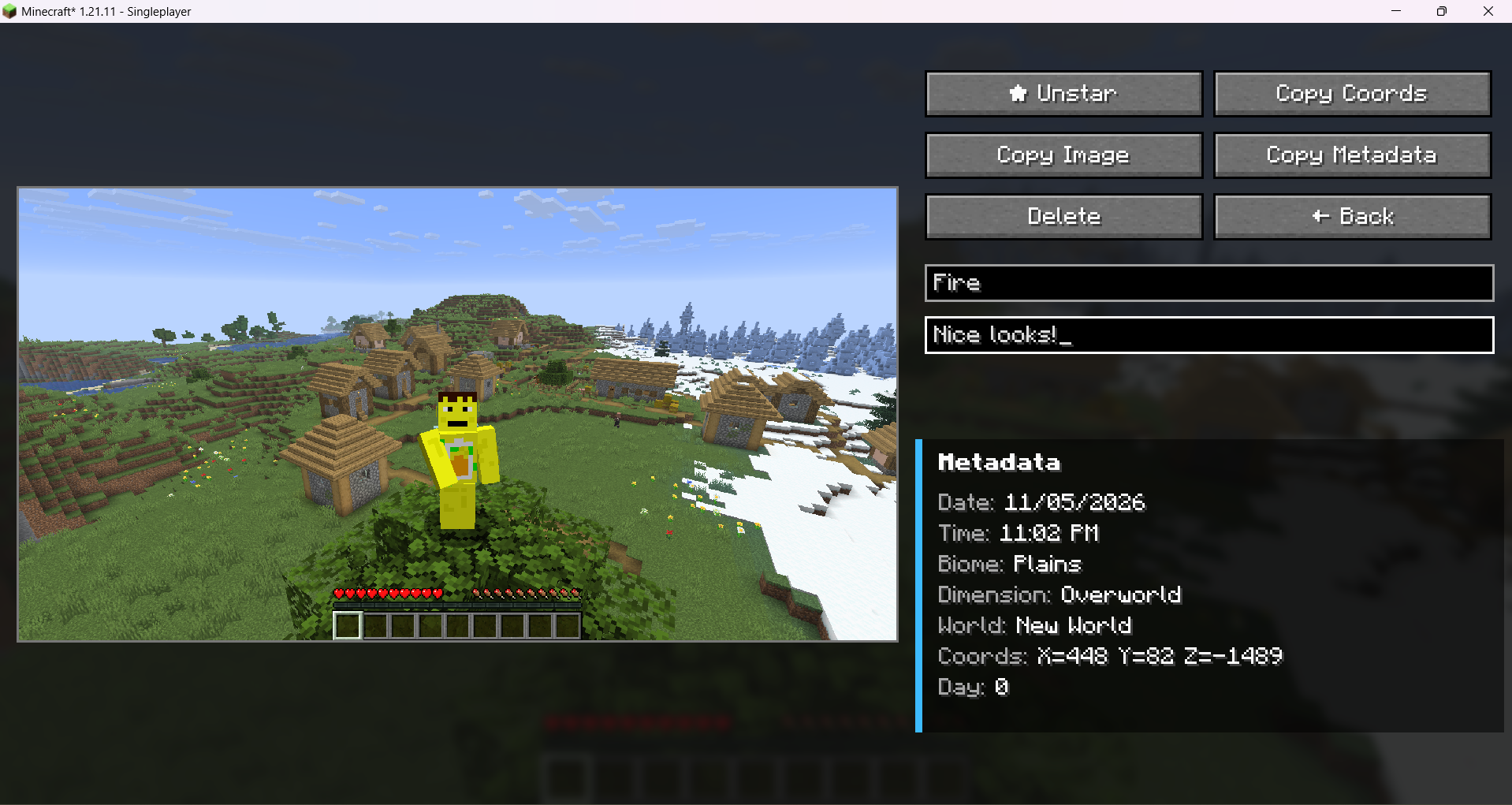 detail screen clicking on a image thumbnail pops up this useful screen
 -
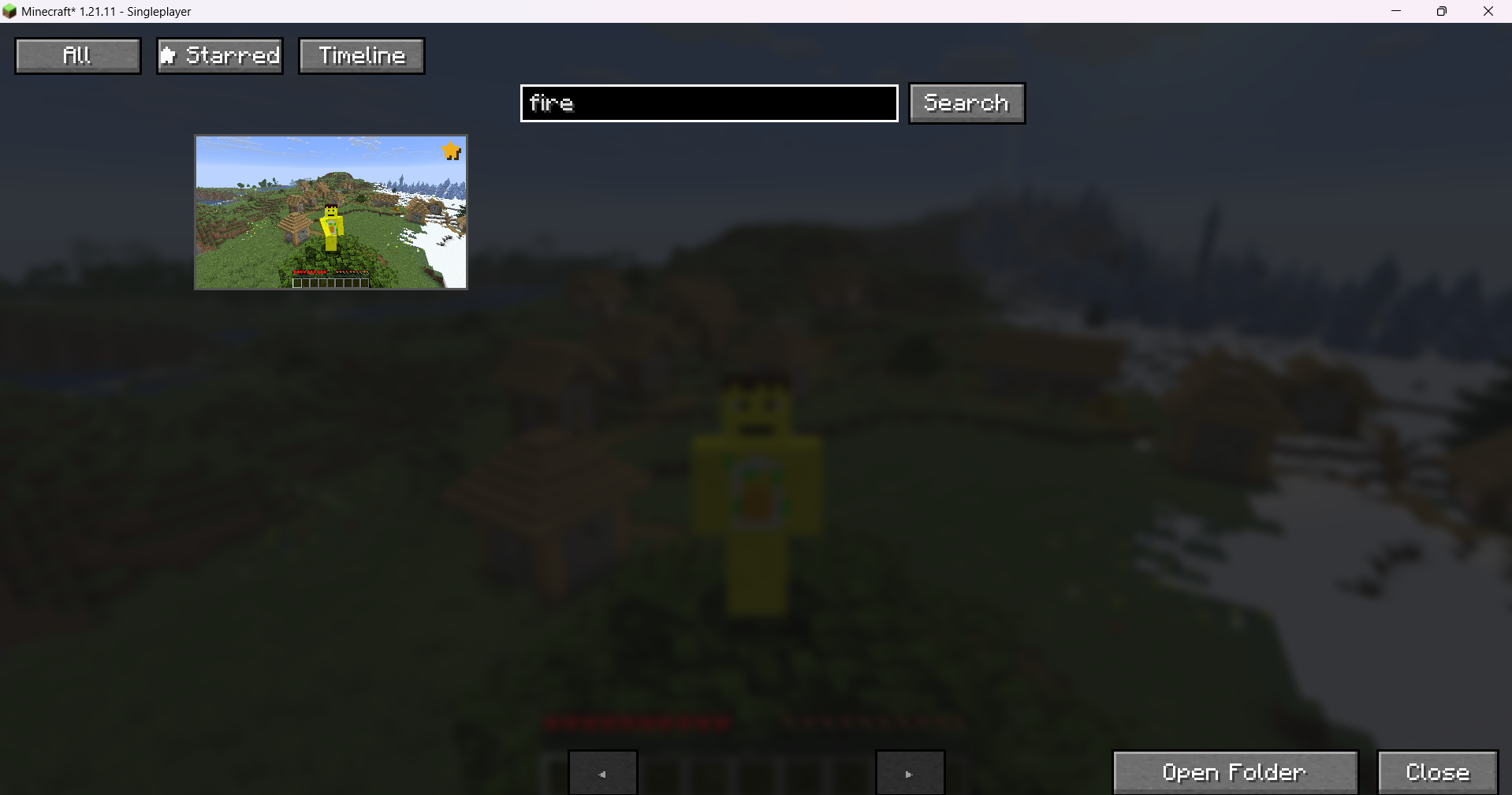 Search Search for particular named screenshots
 -
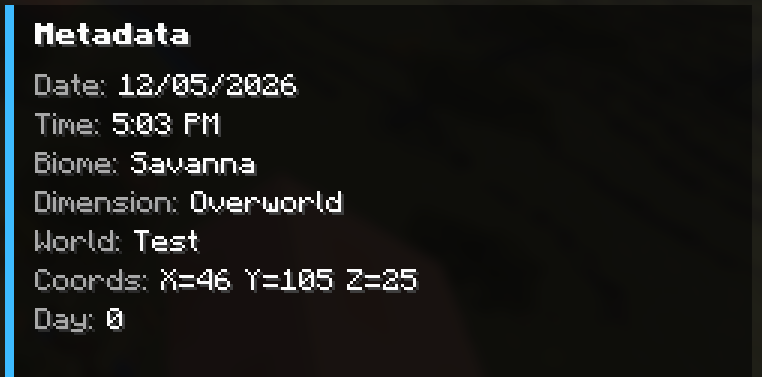 MetaData up close ooo
 -
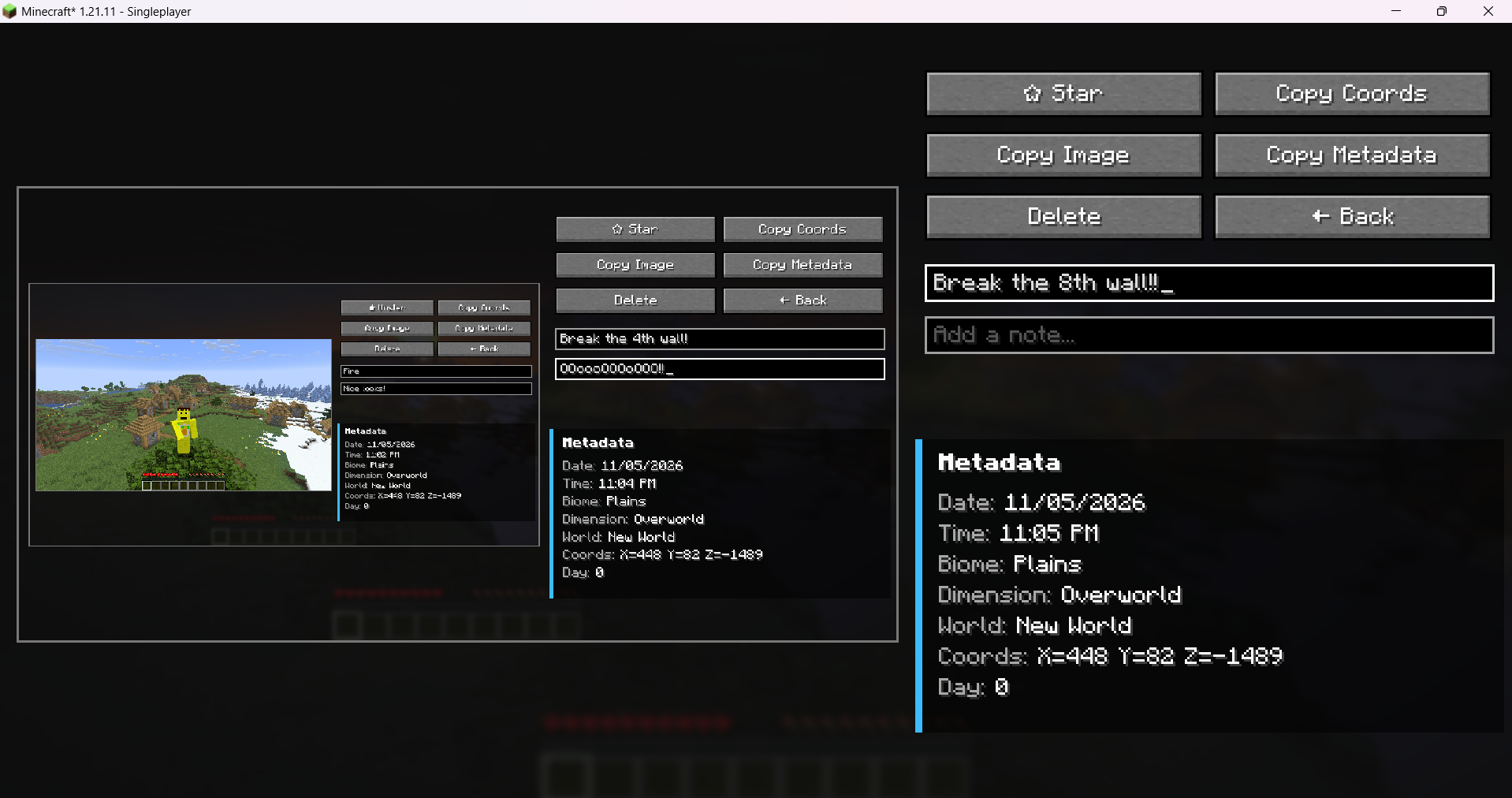
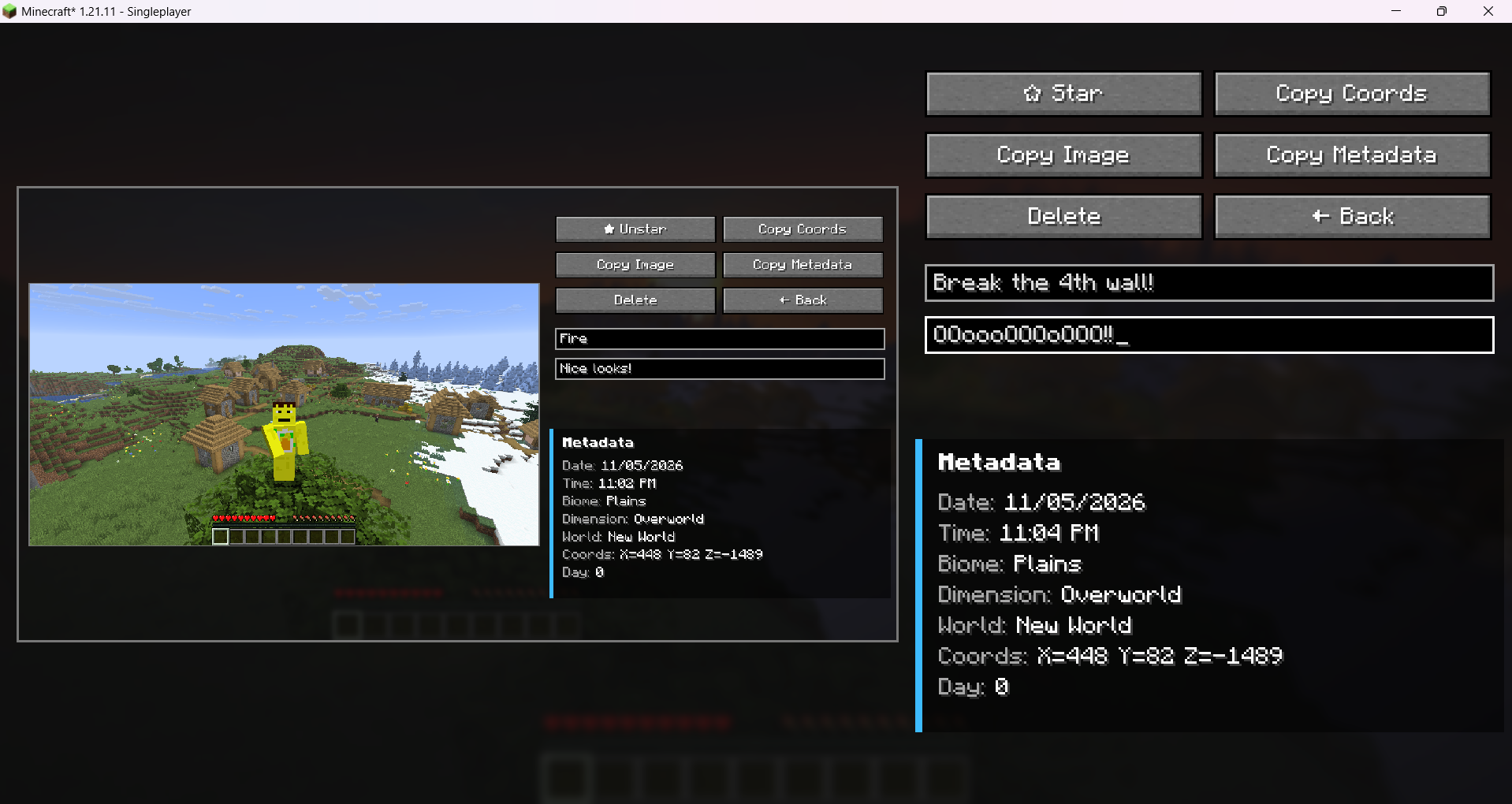 4th wall play around with the mod
 -
 ... ...
Versions
Files
Relations
Project Relations
More like this
Similar Mods
Suggestions use data such as tags, dependencies, dependents, descriptions, titles, and more to rank how much they overlap with this mod.
On ModDex
Community snapshot
By the numbers
Statistics

Want to reach Minecraft players?
We're looking for a server hosting partner to feature here and other parts of the site. Interested? Send us a message!
Get in touchGet it on
Available Platforms
On ModDex
Community snapshot
By the numbers
Statistics
Resources