
Black Adam
No reviews yet
Become the Fierce Black Adam!
Centers around fantasy elements such as spells, rituals, and magical energies, often involving personal empowerment and magical automation.
Includes a large focus on traversing worlds with enhanced world generation, structures, dungeons, and more for players to find unique loot.
Data Packs were introduced to vanilla Minecraft in version 1.13 and allow the server to modify data about the game, or run commands. Data Packs are compatible with all mod loaders.
Forge is a popular mod loader for versions 1.1+ of Minecraft.
Fabric is a mod loader for versions 1.14+ of Minecraft, particularly popular for client side and optimization mods.
Quilt is a fork of the Fabric mod loader. Many Fabric mods are compatible with Quilt and vice versa.
Community voices
Reviews
Click once to include, again to exclude, again to clear
No reviews yet. Be the first to review this project!
Get it on
Available Platforms
 Modrinth
Compatibility
Supported Environments
About
Project Details
For authors
Embed Badge
If you're the author of this project, you can embed a live badge anywhere that supports HTML or Markdown. It updates automatically whenever ratings change.
Use HTML for any page that supports it, or Markdown for README files and Markdown-based descriptions.
Identifiers
Platform IDs
About
Description
🔥Features
You can now become Black Adam in Minecraft! Multiplayer Supported
Buffs:
- You get a Super OP Lightning Weapon
- You can now Fly! Crouch with the Item to go up and Hold Right Click to Go forward
- When You Stop Using The Flight Item, Make Sure To Still Hold It, Otherwise You Will Fall and Die
- After killing Ten Undead Mobs, You get the Rage item, Which Destroys everything around you!
- You are Really Fast and Really Strong
⚙️Procedure
- Craft The Shazam Bolt! Right click it to gain the Power of Shazam!
📥Installation Process
Choose Weather you want it to be a Datapack or a Mod.
Mod: Go to your
.minecraftfolder then find the folder namedmodsand open it. Drop the Warden.jarfile here.
Datapack: Put the pure data pack .zip file into the
datapacksfolder of your Minecraft world. To find your minecraft world, Press your Windows key and search%appdata%. It should come up with a File Folder which you will need to open. After opening it, go to.minecraft, then try and locate yoursavesfolder which you will need to open. This is the folder where you will find your Minecraft world folder.
Screenshots
Gallery
-
 Black Adam Showing the True Power Of Bald Man
 -
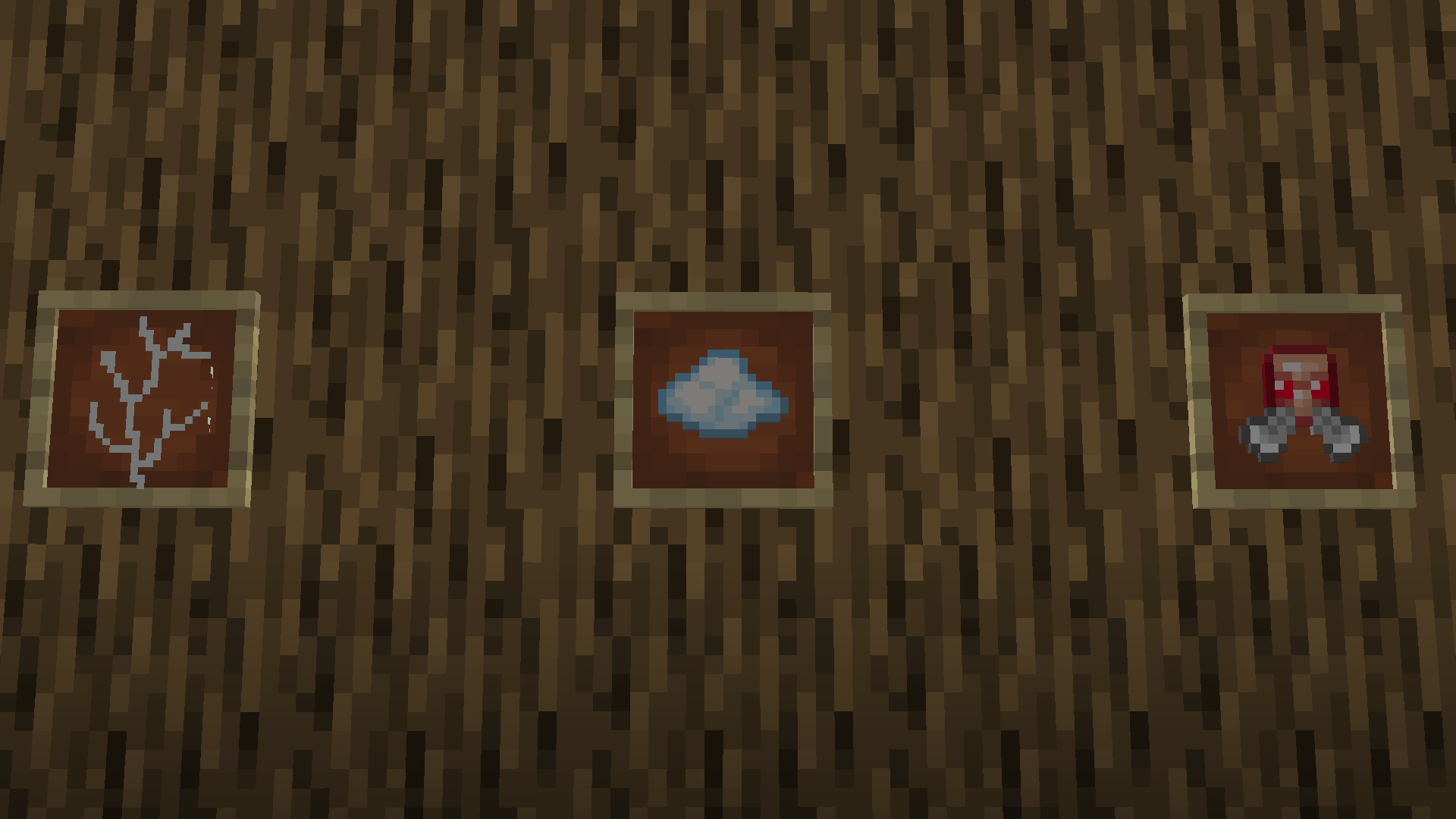 Items All the Special Items In this Datapack
 -
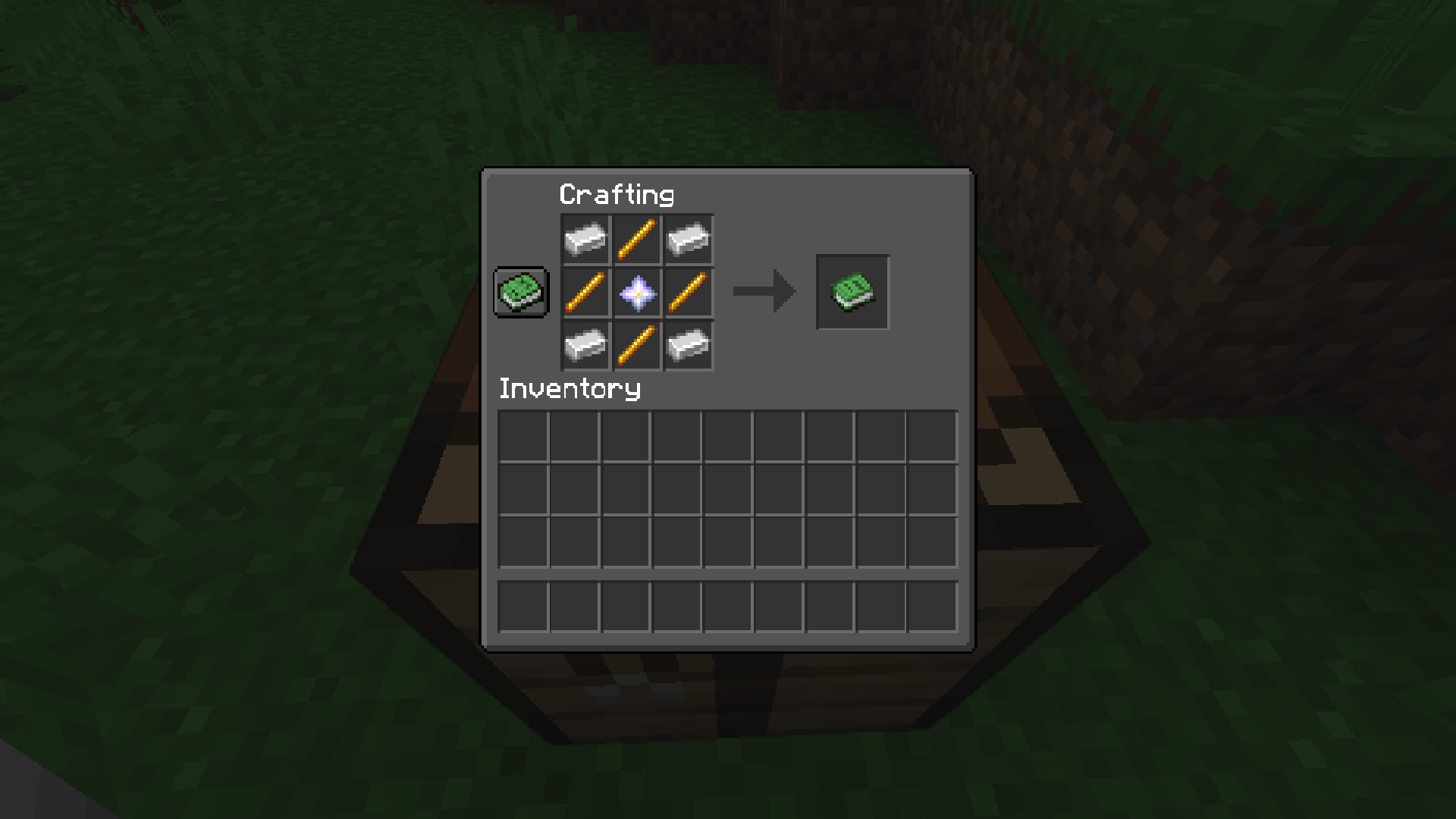 Shazam Recipe The Recipe For the Shazam Bolt
Versions
Files
Relations
Project Relations
More like this
Similar Mods
Suggestions use data such as tags, dependencies, dependents, descriptions, titles, and more to rank how much they overlap with this mod.
On ModDex
Community snapshot
By the numbers
Statistics

Want to reach Minecraft players?
We're looking for a server hosting partner to feature here and other parts of the site. Interested? Send us a message!
Get in touchGet it on
Available Platforms
On ModDex
Community snapshot
By the numbers