Community listing page, reviews may not be monitored by the author.
Black Hole: World Eater

No reviews yet
A black hole that eats the world and hunts you

Community voices
Reviews
No reviews yet. Be the first to review this project!
Get it on
Available Platforms
About
Project Details
For authors
Embed Badge
If you're the author of this project, you can embed a live badge anywhere that supports HTML or Markdown. It updates automatically whenever ratings change.
Use HTML for any page that supports it, or Markdown for README files and Markdown-based descriptions.
Identifiers
Platform IDs
Resources
External Links
About
Description
Black Hole
A black hole that starts tiny, swallows everything and grows forever, and it hunts you. Only the Void Blade can destroy it. When it collapses, everything it swallowed comes back.
Features
- Grows forever. It starts as a tiny dot and grows with every block, animal and item it swallows. There is no size limit.
- Hunts you. It flies towards the nearest player, straight through walls and mountains. Bigger holes are faster.
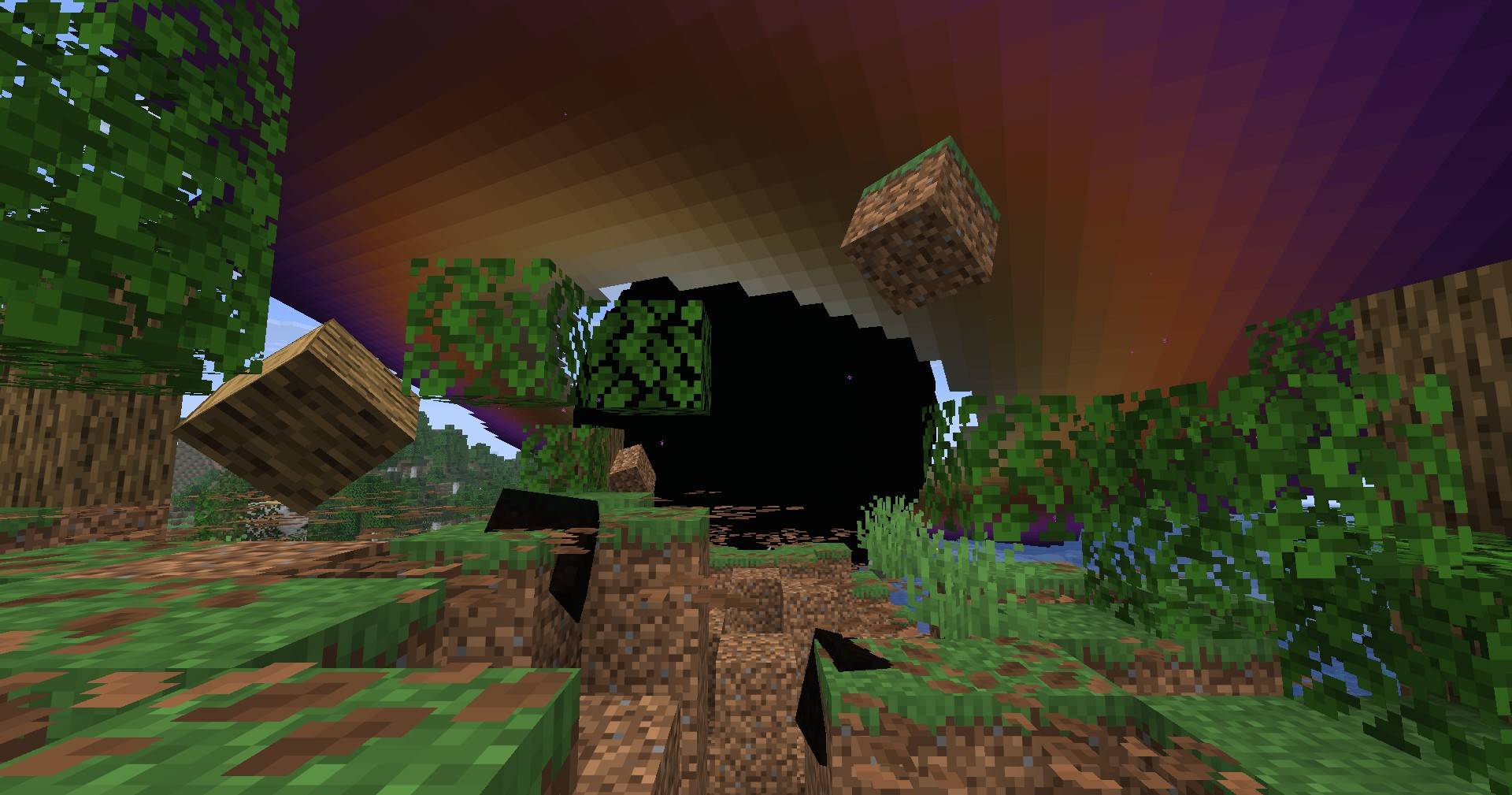
- Pulls everything in. Animals, items and players are dragged towards it, and blocks are ripped out of the ground and spiral into it.
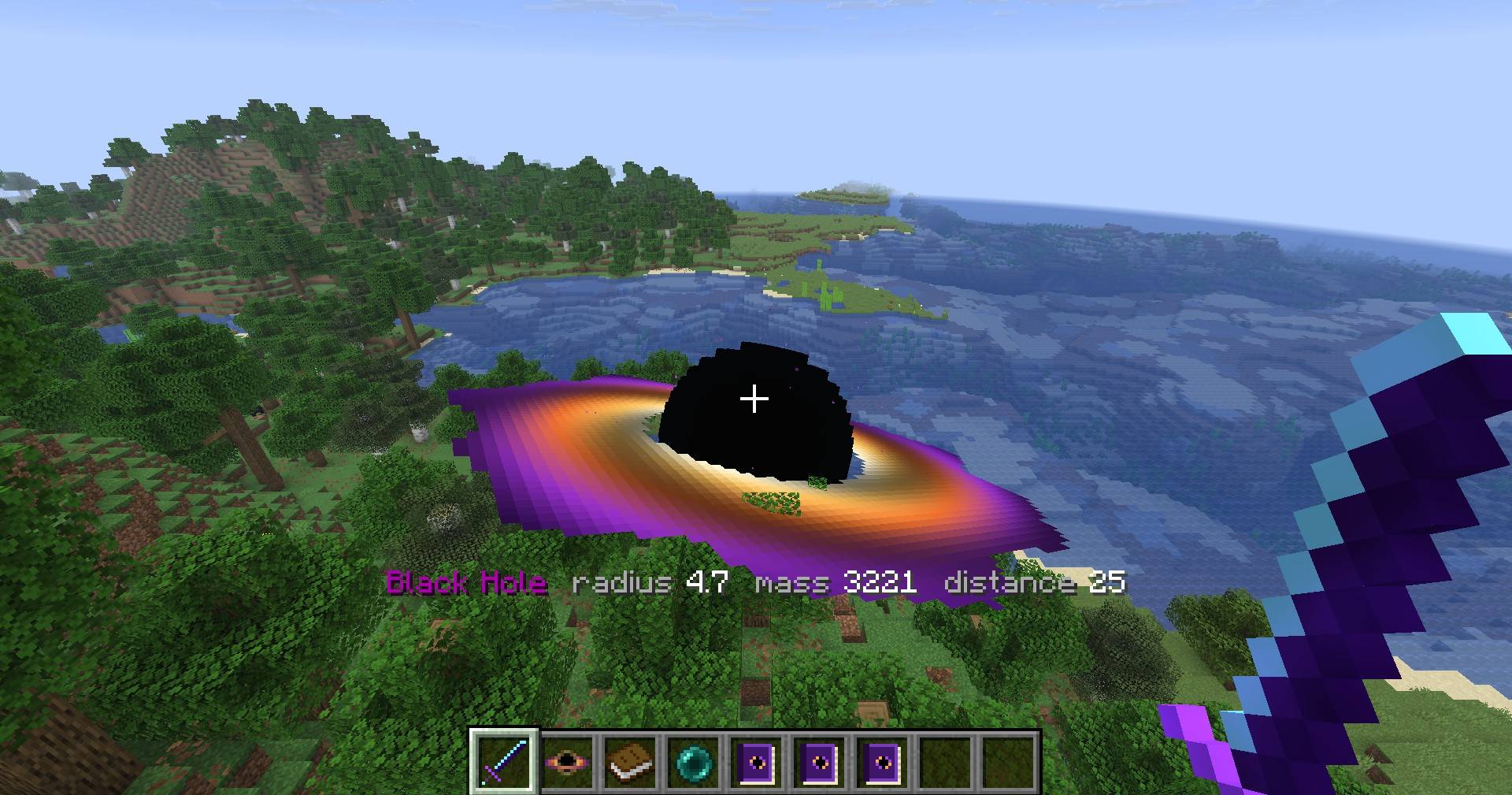
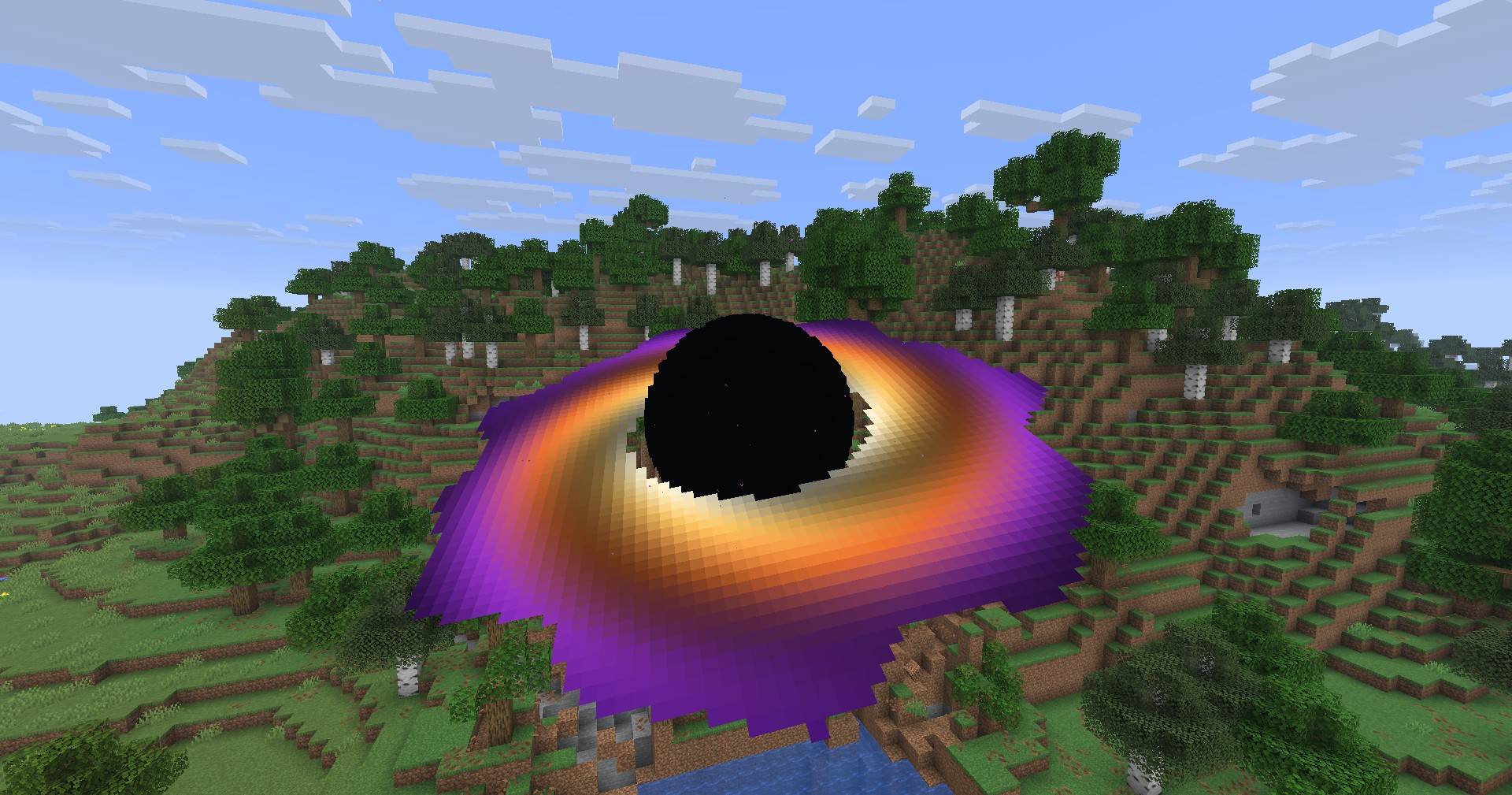
- Looks the part. A black sphere with a glowing, spinning accretion disk, purple particles swirling in and a deep rumble.
- Dangerous. Touching it is a hit: the first takes half your hearts, the second one kills. Players in Creative mode are safe.
- Holes merge. When two black holes meet, the bigger one swallows the smaller one.
- Water is not food forever. It eats lakes and lava pools, but water that flows back into the crater does not make it grow.
- Always informed. An info bar shows the nearest hole's size, mass and distance, from any distance.
- The Void Blade. The only weapon that can destroy a black hole: two hits, whatever its size.
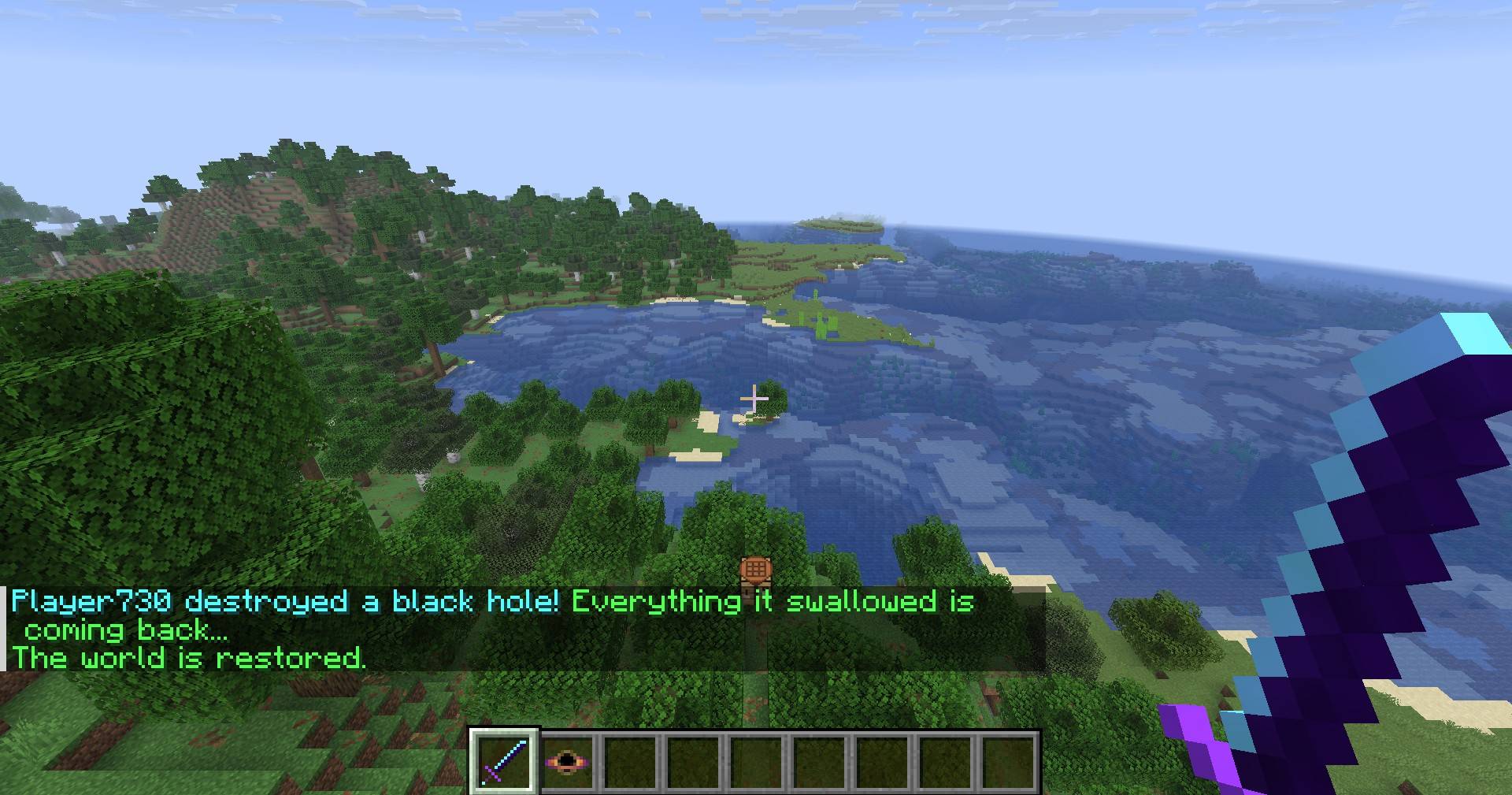
- Everything comes back. When a black hole collapses, the land it ate is put back piece by piece (blocks, water, even chests with their items), and the animals and items it swallowed appear again.
- Black Hole Guide. Every player gets a guide book the first time they join, with the recipes (drawn with item icons), how to use the Void Blade and all commands.
- Keeps going. A black hole keeps its area loaded and keeps hunting even when you are far away, and it is saved with the world.
- Light on your game. Block eating is limited per tick, so even a giant black hole does not freeze the game.
Crafting
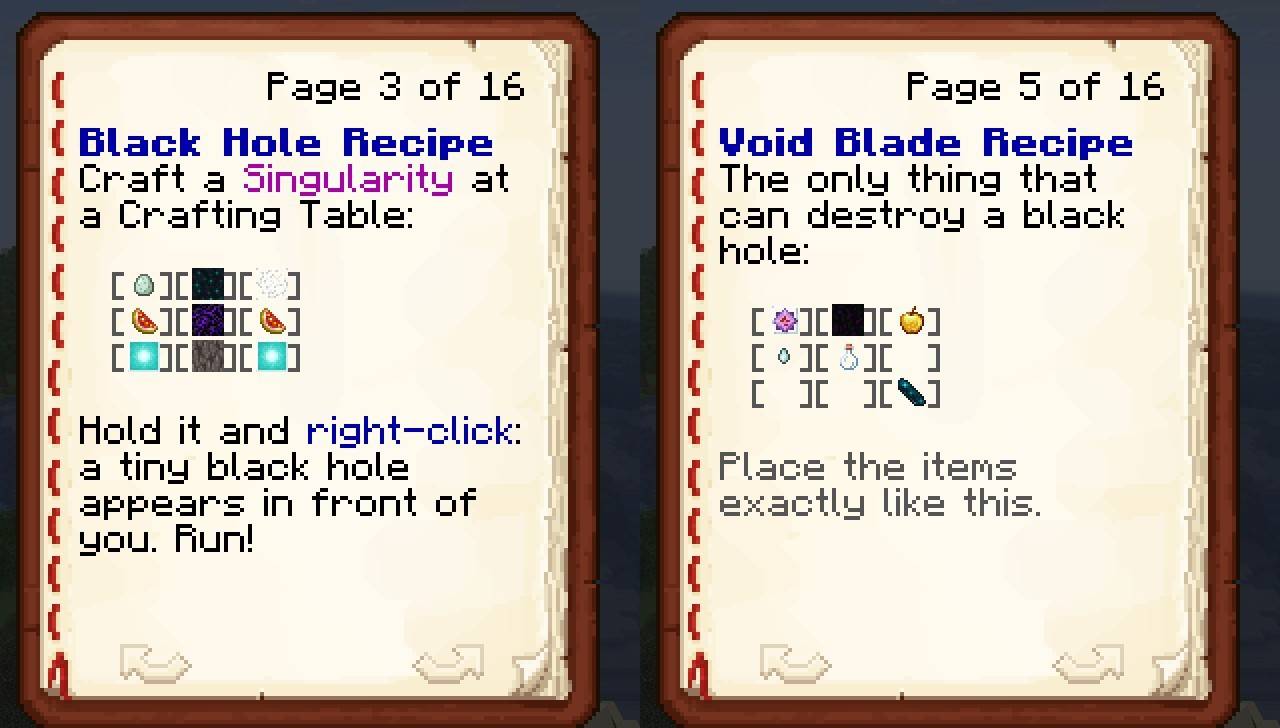
Black Hole
Craft a Singularity at a Crafting Table, then hold it and right-click to release a tiny black hole in front of you. Run!
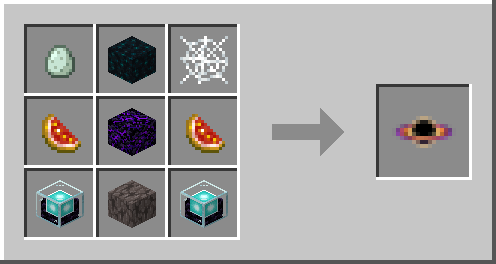
| Blue Egg | Sculk | Cobweb |
| Glistering Melon Slice | Crying Obsidian | Glistering Melon Slice |
| Beacon | Pale Oak Wood | Beacon |
A Pale Oak Log works in place of Pale Oak Wood. The Blue Egg is laid by chickens from cold places. In Creative mode the Singularity is in the Black Hole tab.
Void Blade
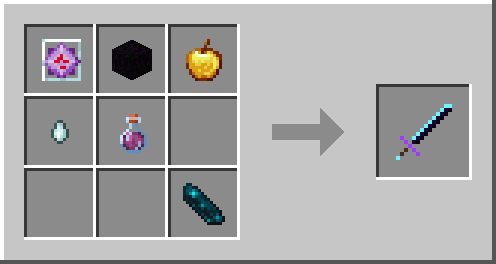
| End Crystal | Dragon Egg | Golden Apple |
| Ghast Tear | Potion of Regeneration | (empty) |
| (empty) | (empty) | Echo Shard |
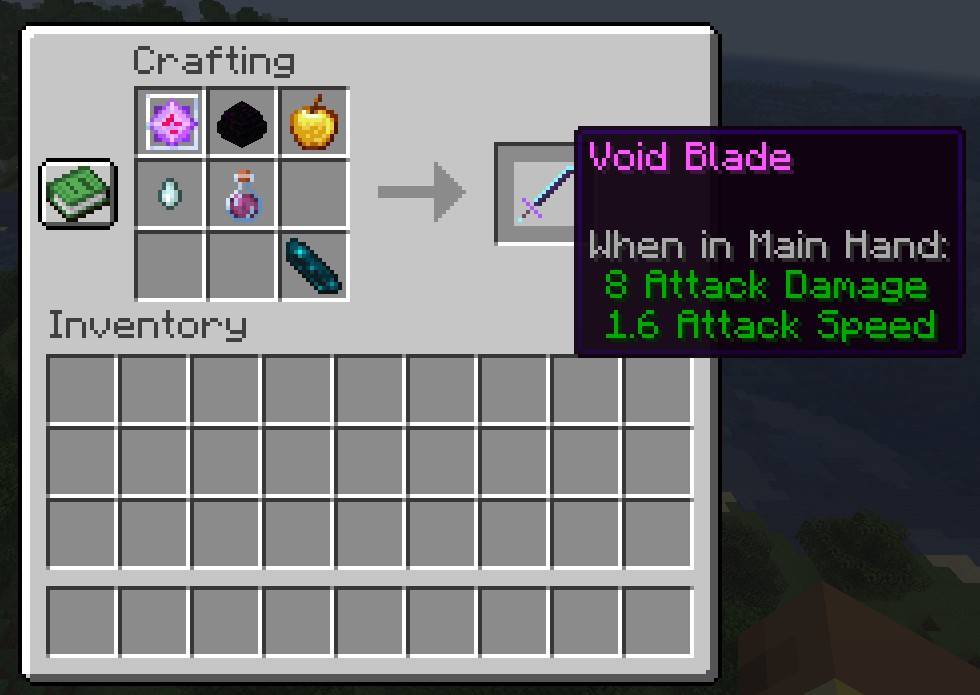
Any Potion of Regeneration works (normal, long or strong), and an Enchanted Golden Apple works too. The Void Blade is also a strong sword: 8 attack damage and 2000 durability.
Black Hole Guide
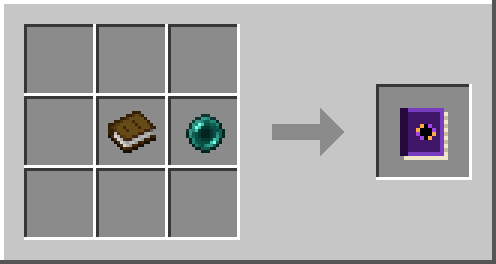
Every player gets the guide automatically. If you lose it, craft a new one from a Book and an Ender Pearl, or use /blackhole guide.
How to destroy a black hole
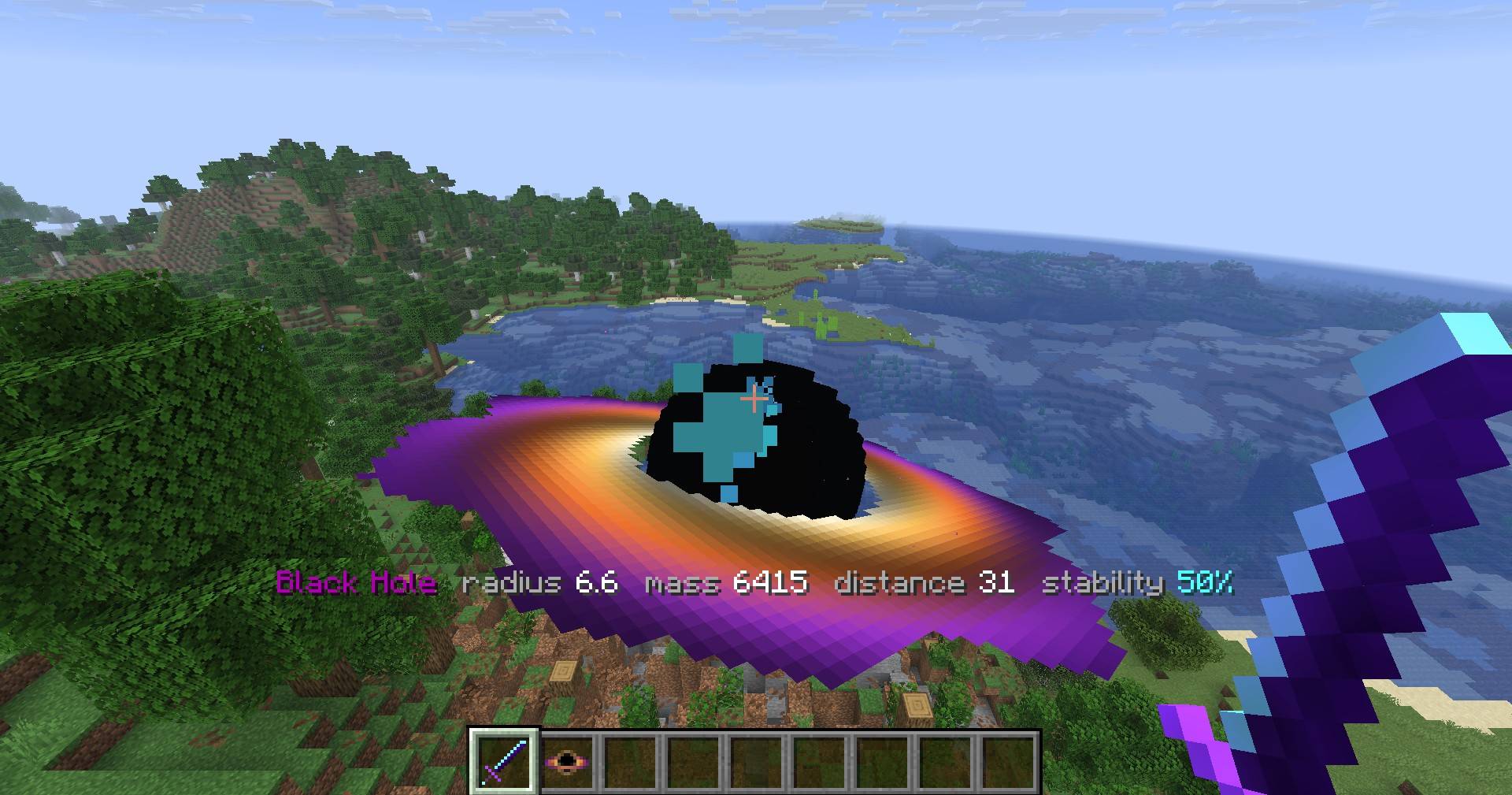
- Hold the Void Blade, aim at the black hole and right-click. A blue beam hits it from up to 48 blocks away.
- Or hit it up close with a normal swing.
- Two hits destroy any black hole. After the first hit the info bar shows stability 50%. Hit again within about 5 seconds, or it recovers.
- When it collapses, everything it swallowed comes back.
Commands
Commands work for operators, and for the owner of a single-player world without turning on cheats.
| Command | What it does |
|---|---|
/blackhole spawn [mass] |
Makes a black hole in front of you |
/blackhole clear |
Destroys all black holes; everything they swallowed comes back |
/blackhole pause / /blackhole resume |
Freezes or unfreezes all black holes |
/blackhole grow [mass] |
Feeds the nearest black hole |
/blackhole speed <number> |
Chase speed: 0 keeps them in place, 1 is normal, up to 10 |
/blackhole blocks_off / /blackhole blocks_on |
Stops or starts eating blocks |
/blackhole info |
Lists all black holes and what they ate |
/blackhole guide |
Gives you the guide book again |
Installation
- Install Fabric Loader for Minecraft 26.3.
- Put this mod and Fabric API (for 26.3) in your
modsfolder. - On a server, install both on the server and on every player's game.
Requirements
- Minecraft Java Edition 26.3
- Fabric Loader 0.19.5 or newer
- Fabric API 0.164.0+26.3 or newer
- Java 25 (included with the official launcher)
Good to know
- Only what a black hole eats after the mod is installed can be brought back.
- Areas far from every player are restored when someone comes near them.
- Swallowed creatures and items come back next to the spot where the black hole collapsed (up to 100 creatures and 100 item stacks per hole).
- Bedrock, barriers, command blocks and structure blocks cannot be eaten.
- Also available for Minecraft Bedrock Edition as an add-on.
Screenshots
Gallery
-
A black hole eating a forest
-
The glowing accretion disk
-
Blocks ripped out of the ground fly into the hole
-
The Void Blade hits: stability 50%
-
Destroyed: everything it swallowed comes back
-
Recipe pages in the Black Hole Guide
-
Crafting the Void Blade
-
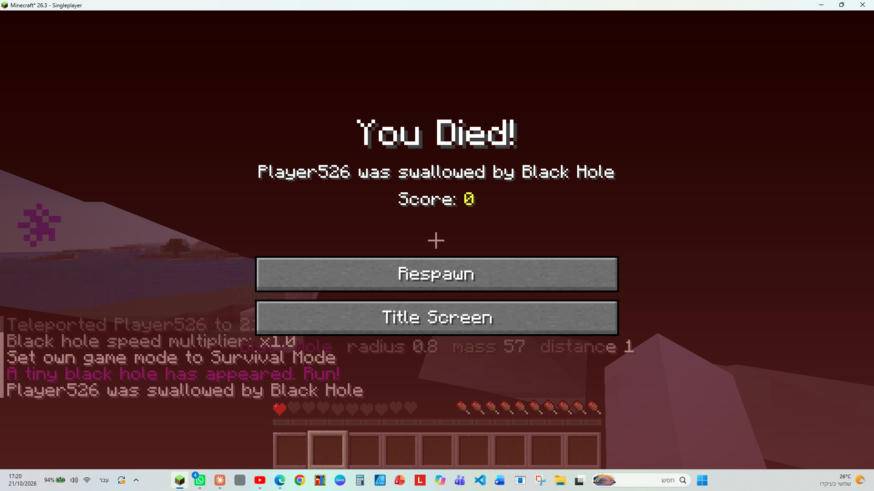 Two hits and you are swallowed
 -
Recipe: Singularity (makes a black hole)
-
Recipe: Void Blade
-
Recipe: Black Hole Guide
Versions
Files
Relations
Project Relations
More like this
Similar Mods
Suggestions use data such as tags, dependencies, dependents, descriptions, titles, and more to rank how much they overlap with this mod.
On ModDex
Community snapshot
By the numbers
Statistics

Get it on
Available Platforms
On ModDex
Community snapshot
By the numbers
Statistics
Resources