Community listing page, reviews here may not be monitored by the author.
BlackView

No reviews yet
One video settings screen for vanilla, Sodium, Sodium Extra and Iris, with named presets that snapshot all of them at once.
Community voices
Reviews
No reviews yet. Be the first to review this project!
Get it on
Available Platforms
About
Project Details
For authors
Embed Badge
If you're the author of this project, you can embed a live badge anywhere that supports HTML or Markdown. It updates automatically whenever ratings change.
Use HTML for any page that supports it, or Markdown for README files and Markdown-based descriptions.
Identifiers
Platform IDs
Resources
External Links
About
Description
BlackView
Vanilla has a video settings screen. Sodium has its own. Sodium Extra has a third. Iris has a fourth. Changing how the game looks means walking through two, three or four separate menus, and there's no vanilla way to save a configuration and come back to it.
BlackView puts all four in one screen and lets you save the whole thing as a named preset.
The screen
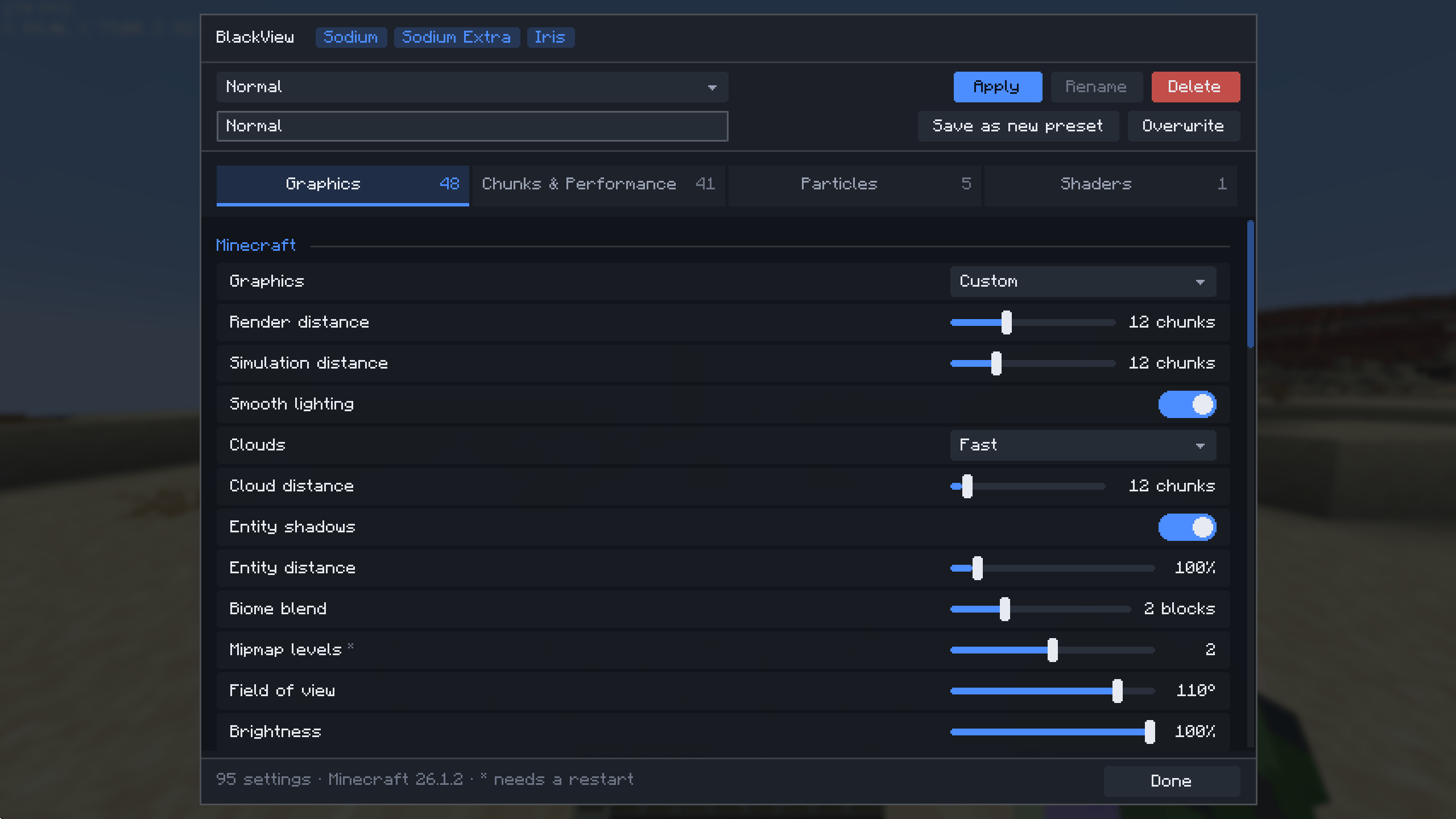
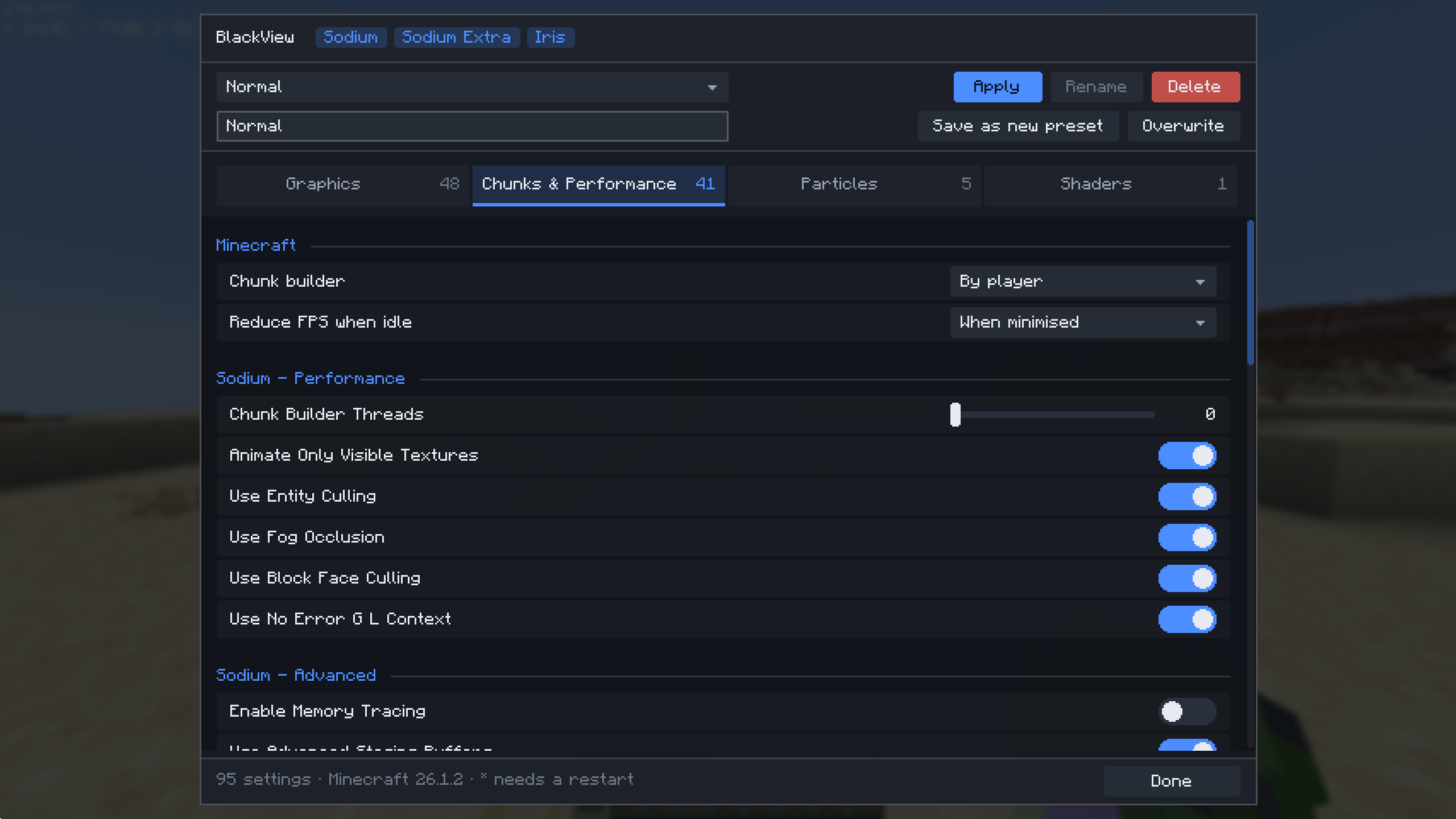
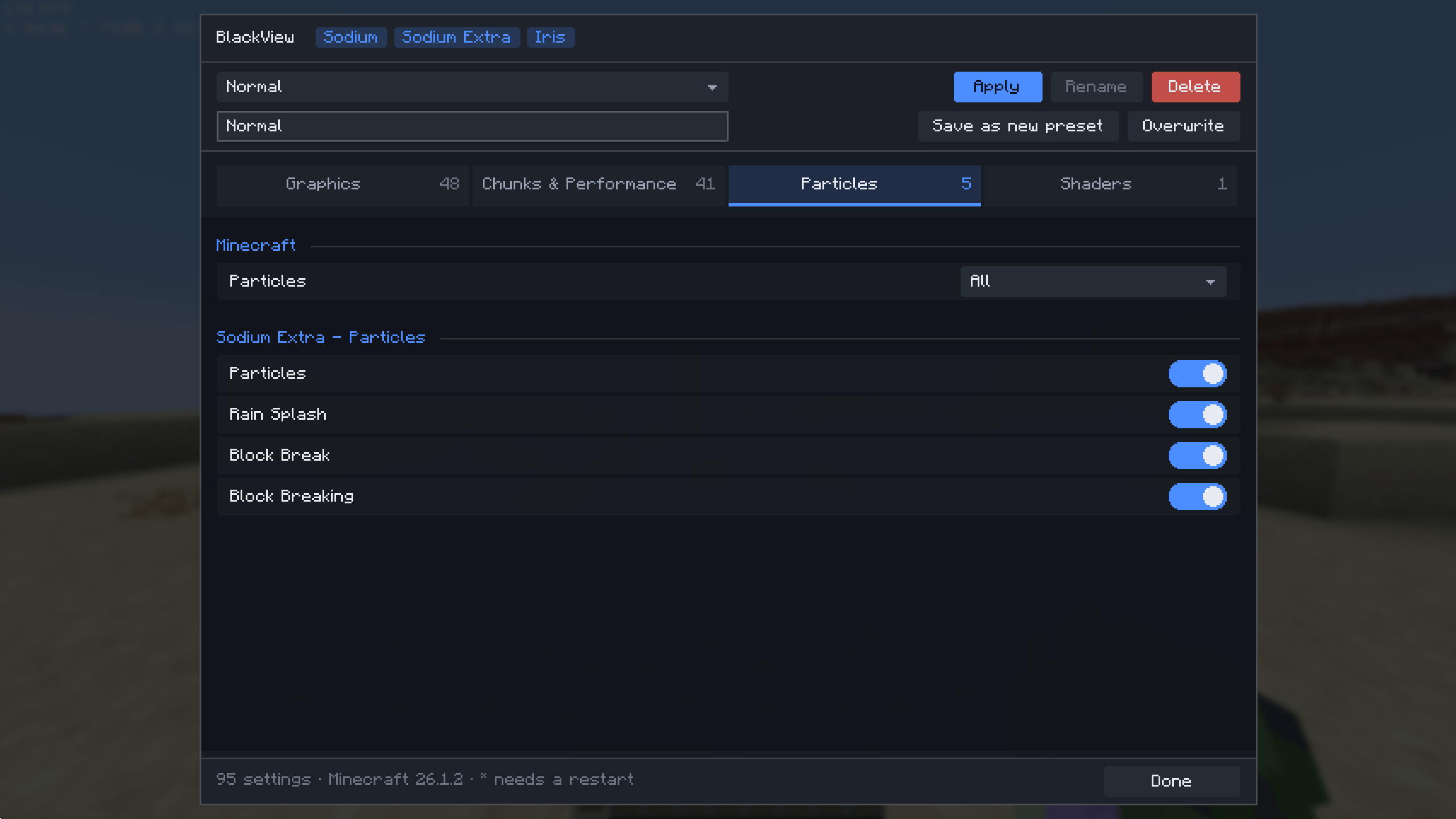
Five tabs, each keeping its own scroll position:
- Graphics — everything vanilla's video settings exposes (render distance, graphics mode, clouds, smooth lighting, entity shadows, biome blend, mipmaps, FOV, brightness, GUI scale, framerate limit, VSync, view bobbing, texture filtering, anisotropy) plus Sodium's quality settings and Sodium Extra's animation and detail toggles.
- Chunks & Performance — Sodium's chunk builder threads and performance options, vanilla's chunk update priority, Sodium Extra's render settings.
- Particles — vanilla particle density and Sodium Extra's per-type toggles.
- Shaders — every pack in
shaderpacks/as a dropdown, plus None. - Presets — save, rename, delete, apply.
With all four mods installed that's 120–180 options. Tabs keep finding one to two clicks instead of a scroll through everything.
Features
- One screen — vanilla, Sodium, Sodium Extra and Iris side by side, so tuning your graphics is a single pass instead of a tour of four menus.
- Presets — save the state of all four mods at once under a name. A
"Shaders" preset at render distance 24, Fabulous,
BSL_v8.2.zipselected; a "Farm" preset at 8, Fast, particles minimal, shaders off. Switch between them without re-tuning anything by hand. - Hotkeys —
Vopens the screen,Ncycles presets. Both rebindable. A toast names the preset that landed, so you can reconfigure mid-game without opening a menu. - Portable presets — plain JSON in
config/blackview/presets/. Values for a mod you don't have are skipped on apply, so a preset made on a modpack still works on a lighter instance. - Settings screen — through ModMenu, if you have it installed.
- Optional everything — Sodium, Sodium Extra and Iris are each optional. If one isn't installed its rows simply aren't there; no greyed-out section, no error.
How it works
BlackView reads and writes the other mods' config files instead of compiling against them, and rewrites only the values it touched. Options are discovered from what's actually in those files rather than hardcoded, so a new Sodium toggle shows up on your next launch. If a config moves or a key is renamed, the affected rows disappear or get a derived label — nothing crashes.
Requirements
| Minecraft | 26.1 – 26.2 |
| Fabric Loader | 0.19.3+ |
| Fabric API | 0.140.0+ |
| Java | 25 |
| ModMenu | 18.0.0+ (optional, for the settings screen) |
| Sodium / Sodium Extra / Iris | optional |
Client-side only. No server install needed, and it works on any server you join.
BlackView is a settings interface — it doesn't raise framerate on its own. It's how you reach, save and reuse the settings of the mods that do.
Screenshots
Gallery
-
 javaw_xKoawqm1ov.png javaw_xKoawqm1ov.png
 -
 javaw_sjYzkG5PN3.png javaw_sjYzkG5PN3.png
 -
 javaw_1EYoBlQ2R1.png javaw_1EYoBlQ2R1.png
 -
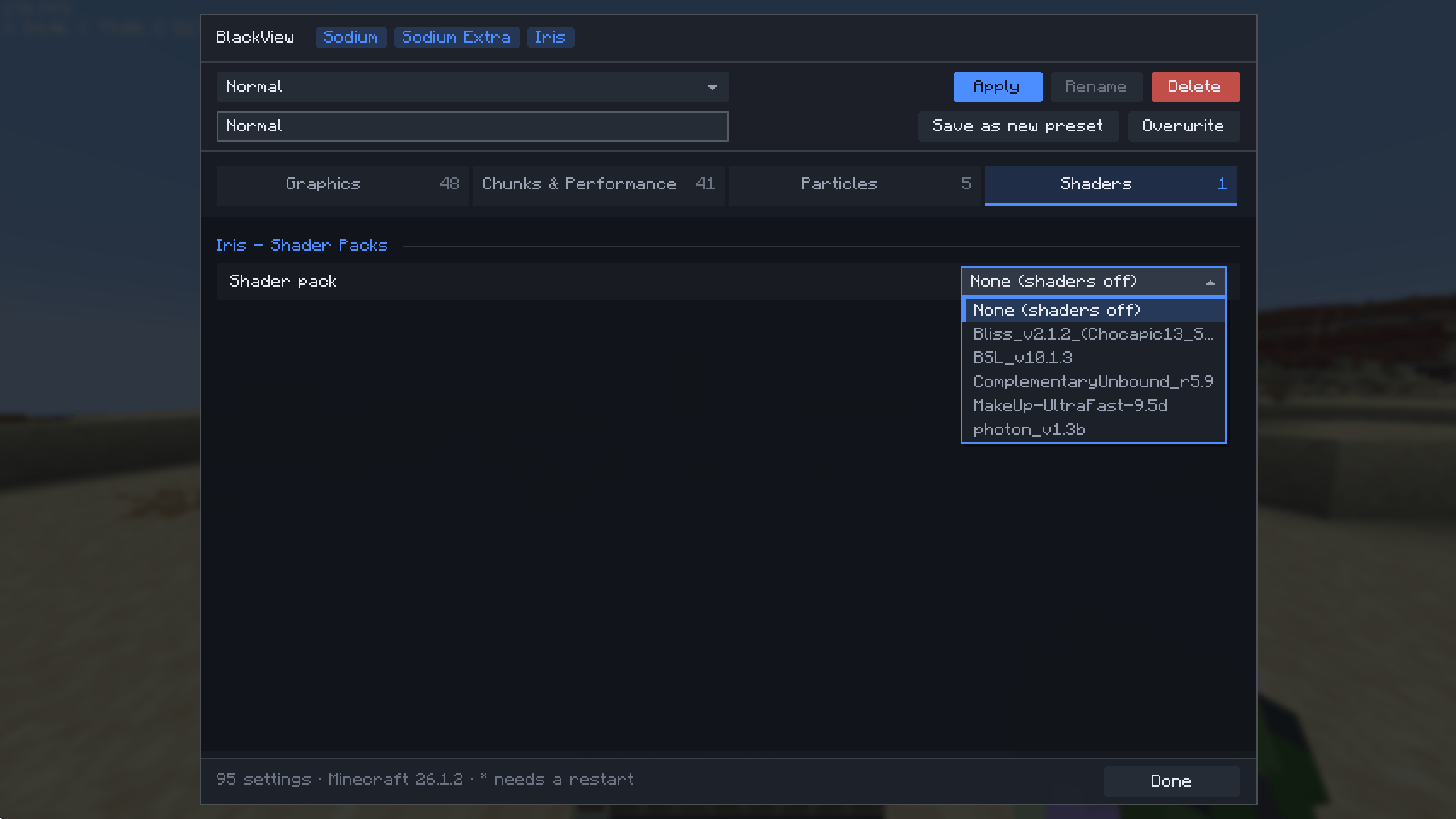 javaw_edxjHNzvn7.png javaw_edxjHNzvn7.png
 -
 javaw_GrCosFvMV0.png javaw_GrCosFvMV0.png
Versions
Files
Relations
Project Relations
More like this
Similar Mods
Suggestions use data such as tags, dependencies, dependents, descriptions, titles, and more to rank how much they overlap with this mod.
On ModDex
Community snapshot
By the numbers
Statistics
Want to reach Minecraft players?
We're looking for a server hosting partner to feature here and other parts of the site. Interested? Send us a message!
Get in touchGet it on
Available Platforms
On ModDex
Community snapshot
By the numbers
Statistics
Resources