
Community listing page, reviews here may not be monitored by the author.
BlockChat

No reviews yet
A social mod for Minecraft where you can instantly send screenshots and videos to friends.

Community voices
Reviews
No reviews yet. Be the first to review this project!
Get it on
Available Platforms
Compatibility
Supported Environments
The author has not specified where this runs.
About
Project Details
For authors
Embed Badge
If you're the author of this project, you can embed a live badge anywhere that supports HTML or Markdown. It updates automatically whenever ratings change.
Use HTML for any page that supports it, or Markdown for README files and Markdown-based descriptions.
Identifiers
Platform IDs
About
Description
Ever wanted to send a quick screenshot or video to your friends within Minecraft?
Yes? This is just for you.
Introducting BlockChat - a social mod for Minecraft.
Instantly send screenshots or videos from within Minecraft to your friends. You don't even need to be on the same server. This works in singleplayer and multiplayer and is compatible with all mods and shaders (must be using a compatible Fabric version).
How does this work?
This is a client-only mod, so you can use this on any server you join. Think of it a little bit like Replay mod or Flashback. However, this doesn't record your world state - it only records what you see. When you take a screenshot or use the video record function, it captures exactly what you see in Minecraft.
After you capture, you'll be able to send it to friends. You can become friends with someone by requesting them first, and they have to accept. Your friends will receive the messages almost instantly if they're in game with a small notification. If they're not playing, they'll see it next time they log in.
First Time Usage
First, make sure you download the correct version for your operating system - for example, if you're on MacOS, download the MacOS versions. After you've installed the mod, press U to open the BlockChat menu.
First, you'll need to sign in. A unique sign in code will be generated, and you'll use that with your Microsoft account to sign in. Once you've signed in with that code, click "I've finished signing in" to sign in to BlockChat.
Once you've signed in, you'll see different tabs, including one for chats, friends, and settings. You can search for anyone in the friends tab, including people who don't have the mod yet. They'll need to accept your friend request before you can send them blocks.
Sending Screenshots
To send a screenshot to someone, press F2. This is the default screenshot key, so it will capture and save it to a file (like normal) but will also allow you to send it if you press U within a few seconds.
Once you open the BlockChat menu, you'll see a preview of the image. You can type in the text box to add a caption. Click and drag the caption to move it around on the image.
Once you're ready, hit Send and choose who you want to send it to. They'll receive it instantly.
Sending Videos
Sending a video to someone is similar to sending a screenshot. To start recording, press J (default key). You'll see a recording icon in the top right corner. The maximum recording time is 30s. Once you're done, press J again to stop recording. You'll see a notification to open BlockChat if you want to send it.
Once you open the BlockChat menu, you'll see a preview of the video. By default, it will include all audio from your computer, including your selected microphone. You can disable the microphone in your settings. Add a caption if you'd like.
Once you're ready, hit Send and choose who you want to send it to. They'll receive it instantly.
Technical Details
This is a complicated mod, so here's a bit more information on how all this works under the hood.
Recording
The recording function uses a separate helper binary for both MacOS and Windows to smoothly record the Minecraft window and computer audio. It bundles the ffmpeg binary to do final muxing before it is sent to the server.
Servers
Because this is a client-only mod, no server modifications are necessary.
All backend infrastructure is hosted on Cloudflare:
- Cloudflare Worker: The public-facing backend entrypoint. It handles login/auth requests and the live BlockChat websocket connection, then routes each player to the right backend state.
- Cloudflare Durable Objects: Per-player live state and logic. Each player gets their own always-consistent backend object that tracks sessions, friends, blocks, recents, and real-time message handling.
- Cloudflare R2: Media storage. It stores the actual screenshots and video blocks, while clients upload to and download from it directly using temporary secure URLs.
+------------------+      +--------------------------------+      +----------------------+      +---------------------------+      +--------------------------------------+
| Sender creates   | ---> | Sender backend creates one     | ---> | Client uploads media | ---> | Backend fans that same    | ---> | Recipient opens it; backend marks   |
| a Block          |      | shared upload + upload URL     |      | directly to R2       |      | Block out to recipients   |      | it viewed, and deletes the shared   |
|                  |      | for all recipients             |      |                      |      |                           |      | R2 media after the last recipient   |
|                  |      |                                |      |                      |      |                           |      | has viewed it                       |
+------------------+      +--------------------------------+      +----------------------+      +---------------------------+      +--------------------------------------+
Authentication
BlockChat uses your Microsoft account to sign in, verify your identity, and validate that you own Minecraft via Microsoft's OAuth 2 device code flow. When you sign in, you'll be prompted to enter a one time code to link your account to Microsoft. This is a similar to flow to many custom launchers, such as Prism.
+------------------+      +----------------------+      +-------------------------+      +--------------------------------------+
| Player starts    | ---> | BlockChat auth       | <--> | Microsoft / Xbox /      | ---> | Player session is stored in the DO; |
| login in the mod |      | endpoints            |      | Minecraft account flow  |      | later the websocket connects and    |
|                  |      |                      |      |                         |      | pushes current state to the client  |
+------------------+      +----------------------+      +-------------------------+      +--------------------------------------+
Troubleshooting & Bugs
If you encounter issues are bugs, please join the Discord and let me know!
Is this safe?
Yes. It's completely open source - the code used there is exactly what's running in the backend, and the releases from GitHub are automatically uploaded here.
Keep in mind that users might be able to modify the client to be able to send arbitrary media, so only add people you trust as friends.
I also have a Privacy Policy and a Terms of Service page that you can view in regards to the backend service. But the gist is that I only use your data for the purposes of mod functionality only and it's not retained, sold, or used in any other way. This doesn't impact your Microsoft/Minecraft account in any way; the authentication flow is used solely to validate your Minecraft identity.
Screenshots
Gallery
-
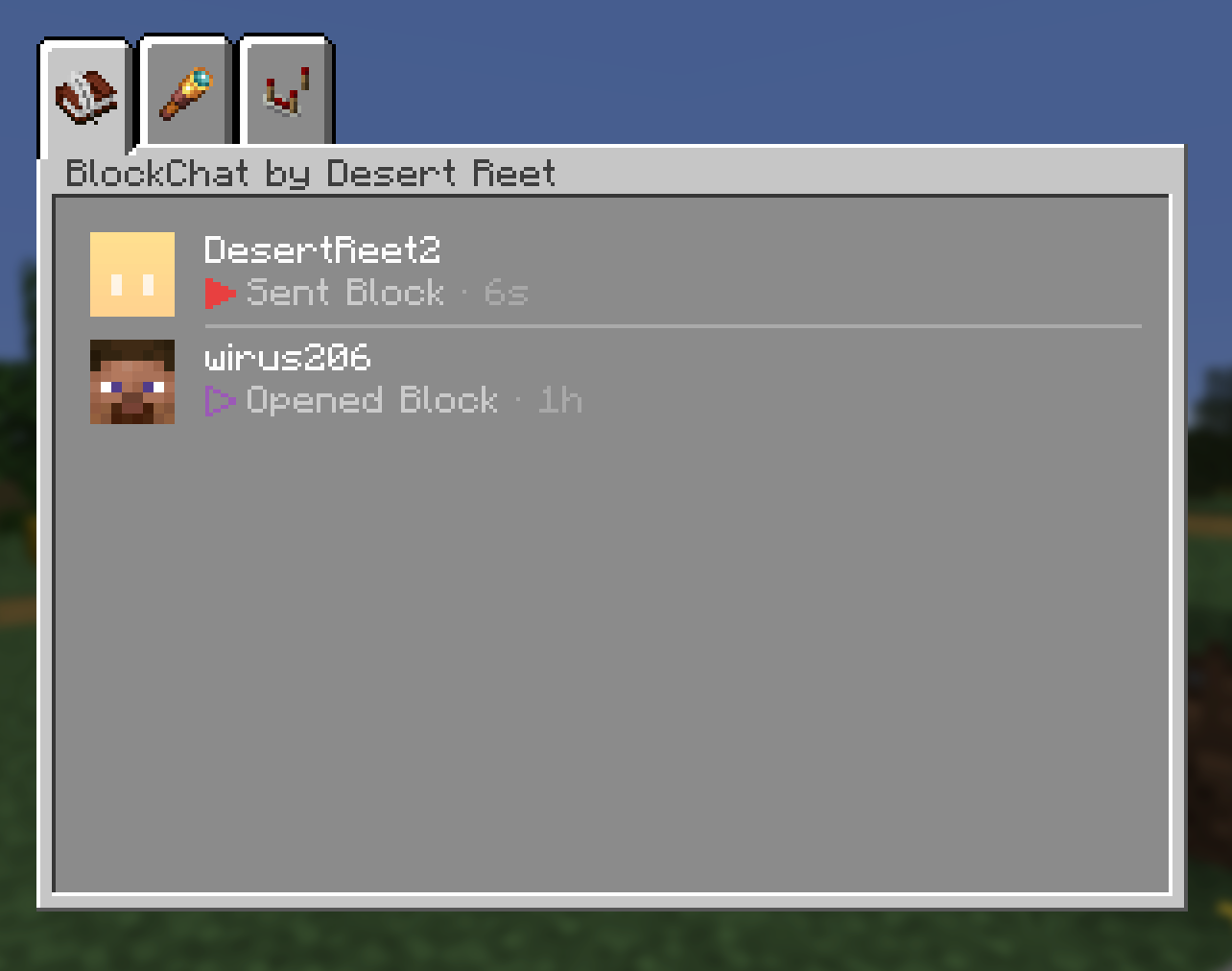 Chat menu
 -
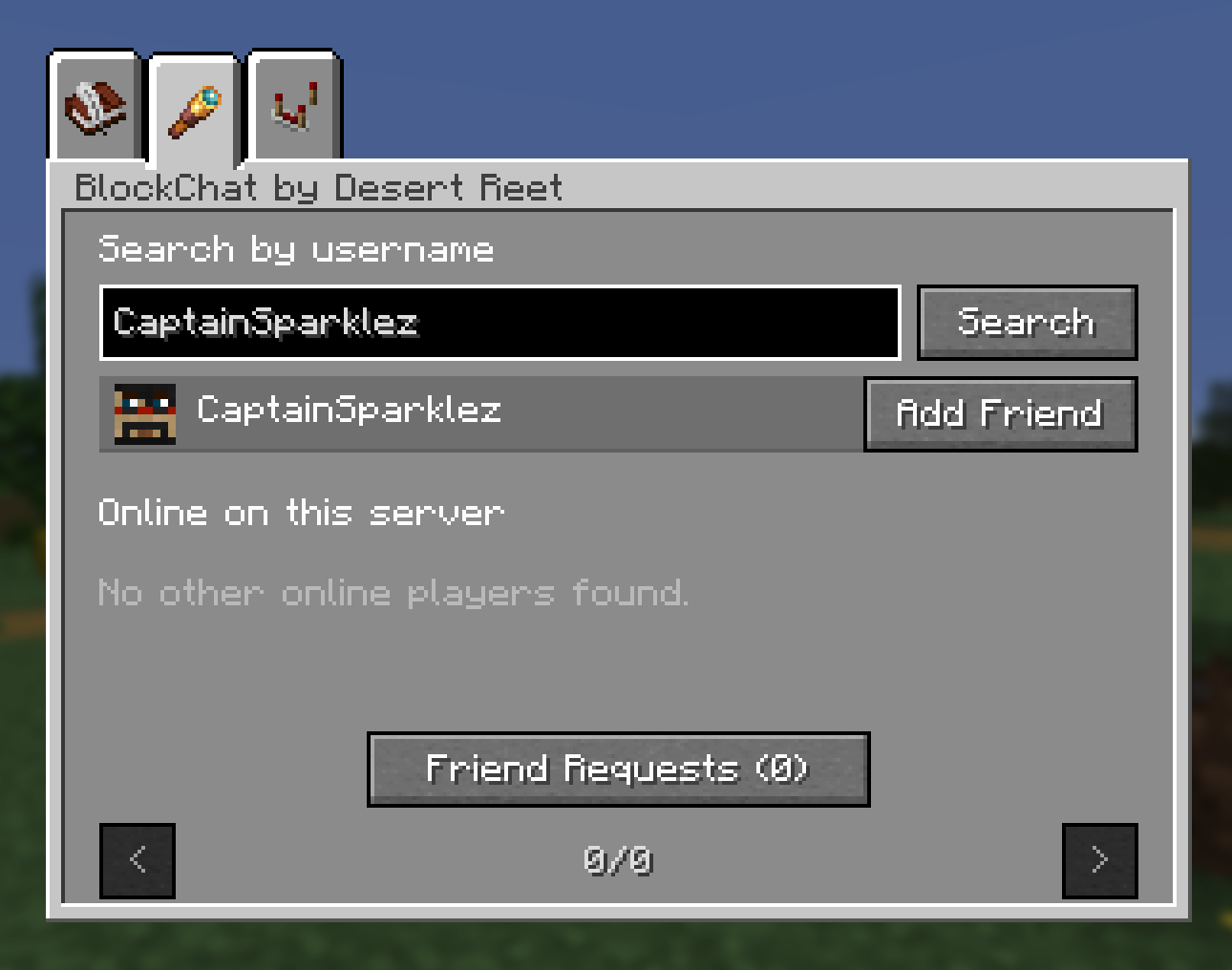 Friends menu
 -
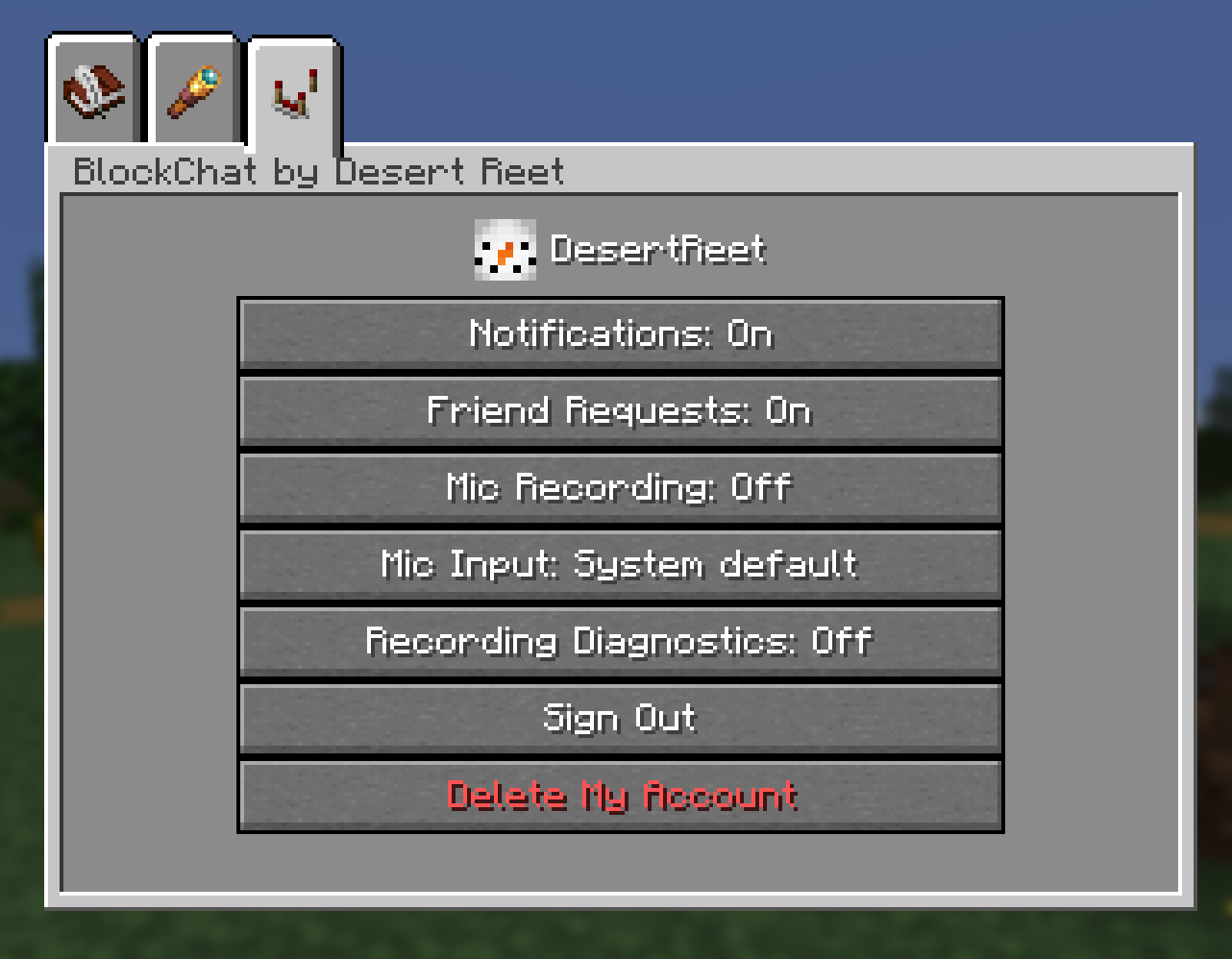 Settings menu
Versions
Files
Relations
Project Relations
More like this
Similar Mods
Suggestions use data such as tags, dependencies, dependents, descriptions, titles, and more to rank how much they overlap with this mod.
On ModDex
Community snapshot
By the numbers
Statistics

 (opens in a new tab)
Get it on
Available Platforms
On ModDex
Community snapshot
By the numbers