Community listing page, reviews here may not be monitored by the author.
Block Clover (Black Clover)

No reviews yet
A Black Clover mod
Community voices
Reviews
No reviews yet. Be the first to review this project!
Get it on
Available Platforms
About
Project Details
For authors
Embed Badge
If you're the author of this project, you can embed a live badge anywhere that supports HTML or Markdown. It updates automatically whenever ratings change.
Use HTML for any page that supports it, or Markdown for README files and Markdown-based descriptions.
Identifiers
Platform IDs
Resources
External Links
About
Description
Block Clover
Block Clover is a Minecraft mod inspired by the anime and manga Black Clover.
Use the NeoForge 1.21.1 version.
The Forge 1.20.1 version is the old port and is no longer the current version.
This mod is still in development!
Links
Questions or suggestions? Add me on Discord: Samuelchr
Subscribe to my YouTube channel
Credits
Big thanks to Telec, Renan, Uzume and wagenboi (VK). This would not have been possible without them.
How to Start
When you enter a new world, your race and magic are rolled.
Your first mission is to visit the Grimoire Tower. Its coordinates appear on the mission tracker in the top-left of the screen.
Travel to the tower and speak to Drouot, the tower master. He gives you your grimoire, which begins your real progression.
After getting a grimoire, you start with one spell and can discover more through combat.
Controls
All controls can be changed in Minecraft’s Controls menu.
- R — Switch spell. Hold to open the spell wheel.
- Z — Use your selected spell. Hold for Mana Output on spells that support charging.
- C — Hold to select a skill.
- V — Use selected skill.
- G — Open the Grimoire Menu.
- H — Hold to select a transformation.
- X — Switch mode. Hold to switch magic if you have multiple attributes.
- B — Dash. (Recommend changing this)
Progression
Your main progression comes from missions, combat, spells, and your squad.
- Complete missions for XP, Yul, Reputation, Merit, and other rewards.
- New normal missions refresh every 10 minutes.
- Defeating Bandits gives Merit and Reputation based on their tier and magic rarity.
- Merit determines your Magic Knight Rank.
- Use spells and fight to earn XP.
- Spend Stat Points, Skill Points, and Mastery Points in the Grimoire Menu.
- Create or join a squad for squad missions, stars, pay, and the Star Festival.
Unlocking Spells
Your grimoire begins with one spell.
New spells are mainly discovered through combat:
- Using spells gives a chance to discover new spells.
- Melee combat can also discover spells, but less often.
- Fighting while low on health increases the chance.
- Having only a few spells makes early discoveries easier.
- Spell Insight increases your chance to discover spells. (Unlocked in the mastery Menu)
- Some powerful spells require other progression before they can be discovered.
Transformations are also discovered and unlocked through progression.
Magic, Races, and Skill Trees
The mod includes magic attributes such as Anti-Magic, Dark, Wind and Light, with more content still in development.
Races affect your base stats and race skill tree. Hybrid races combine two races, receiving averaged base stats and half of both race-tree bonuses.
The Grimoire Menu includes progression for:
- Stats
- Mastery
- Skills
- Spells
- Race
- Missions
- Squads
- Black Market
Screenshots
Gallery
-
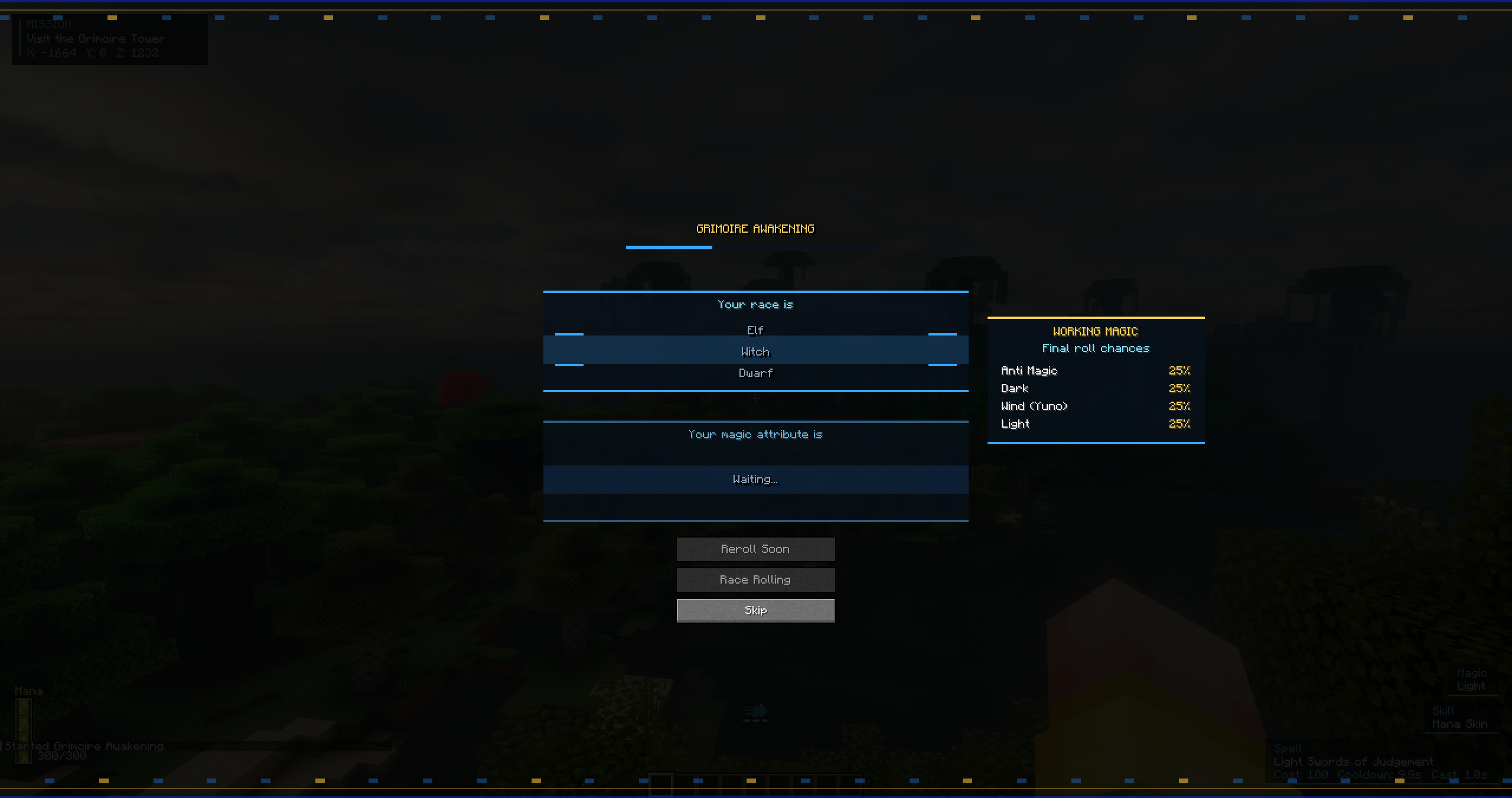 Grimoire Rolling This is how you get your grimoire and Race
 -
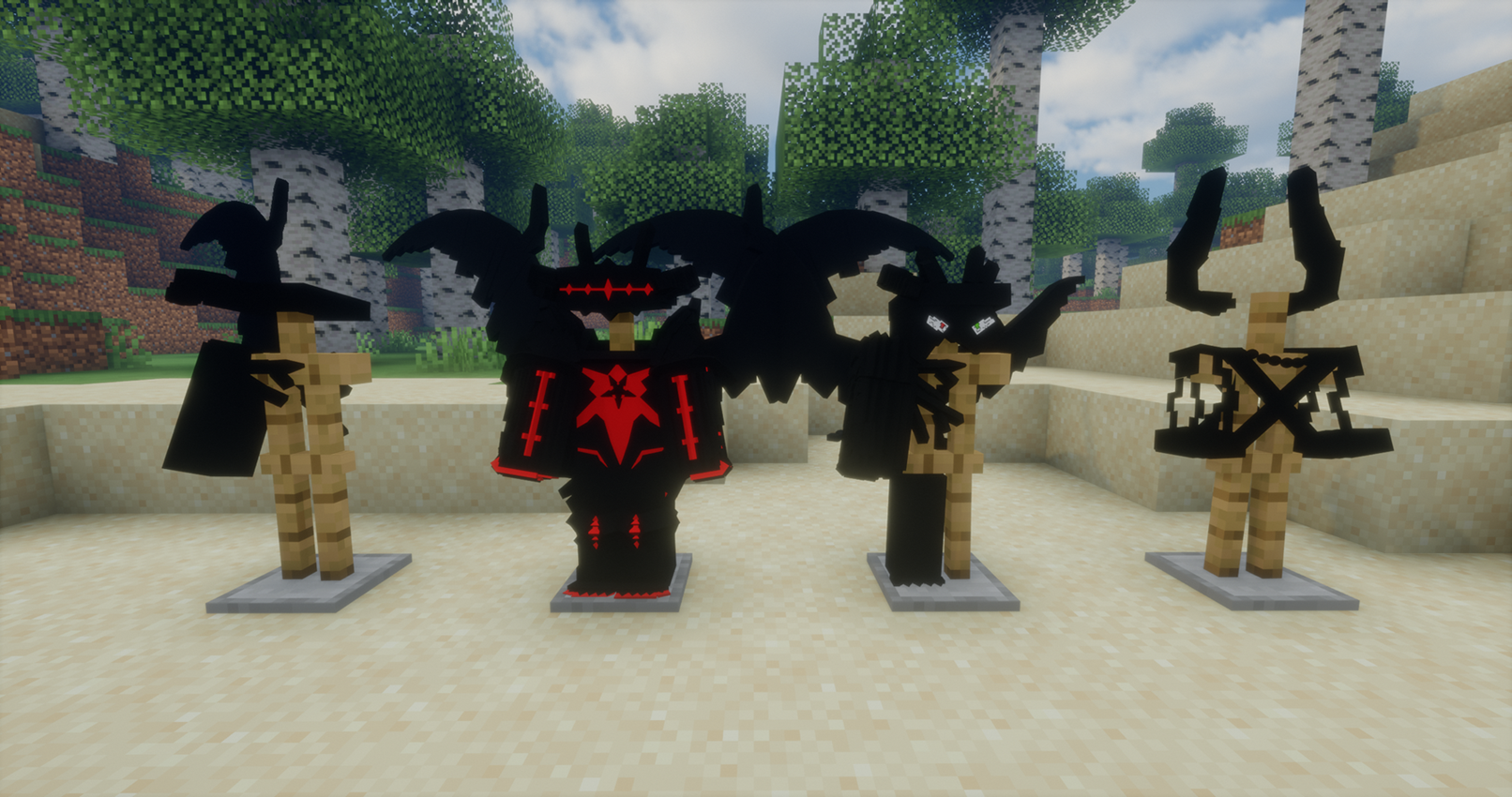 Transformations The Different transformation and how it looks in the mod
 -
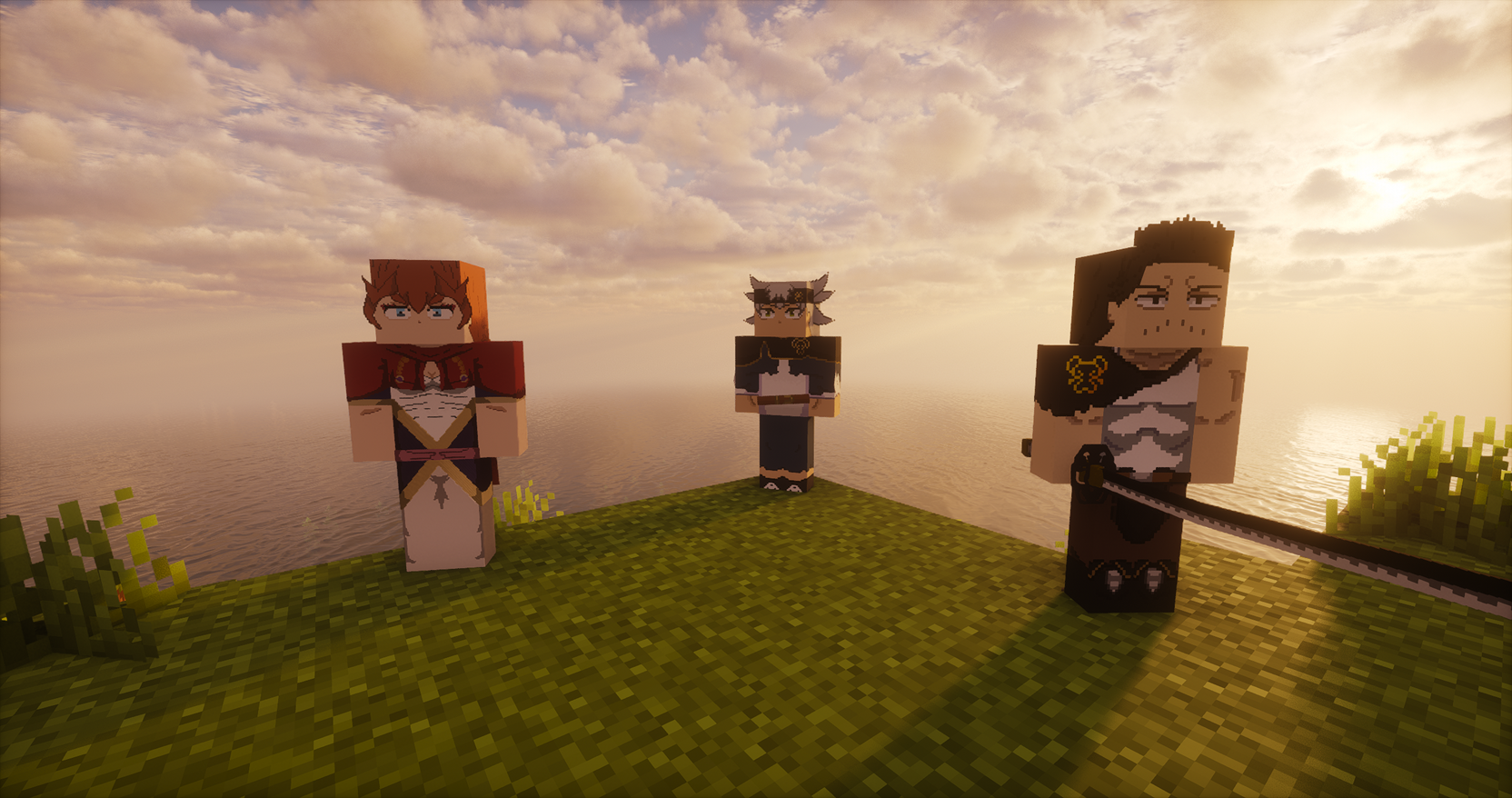 Entities Some of the entities you can encounter in the mod
 -
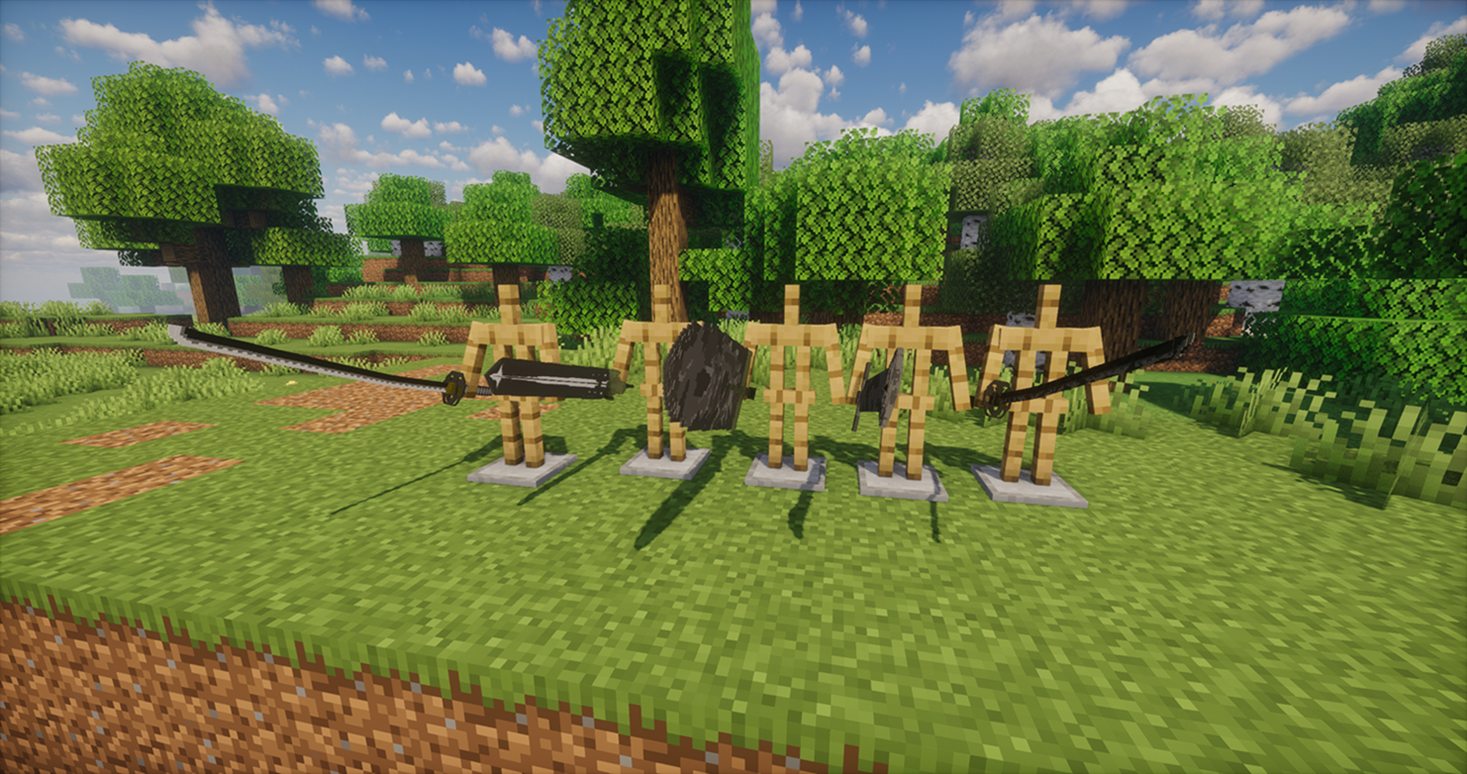 Weapons Some of the weapons found in the mod
 -
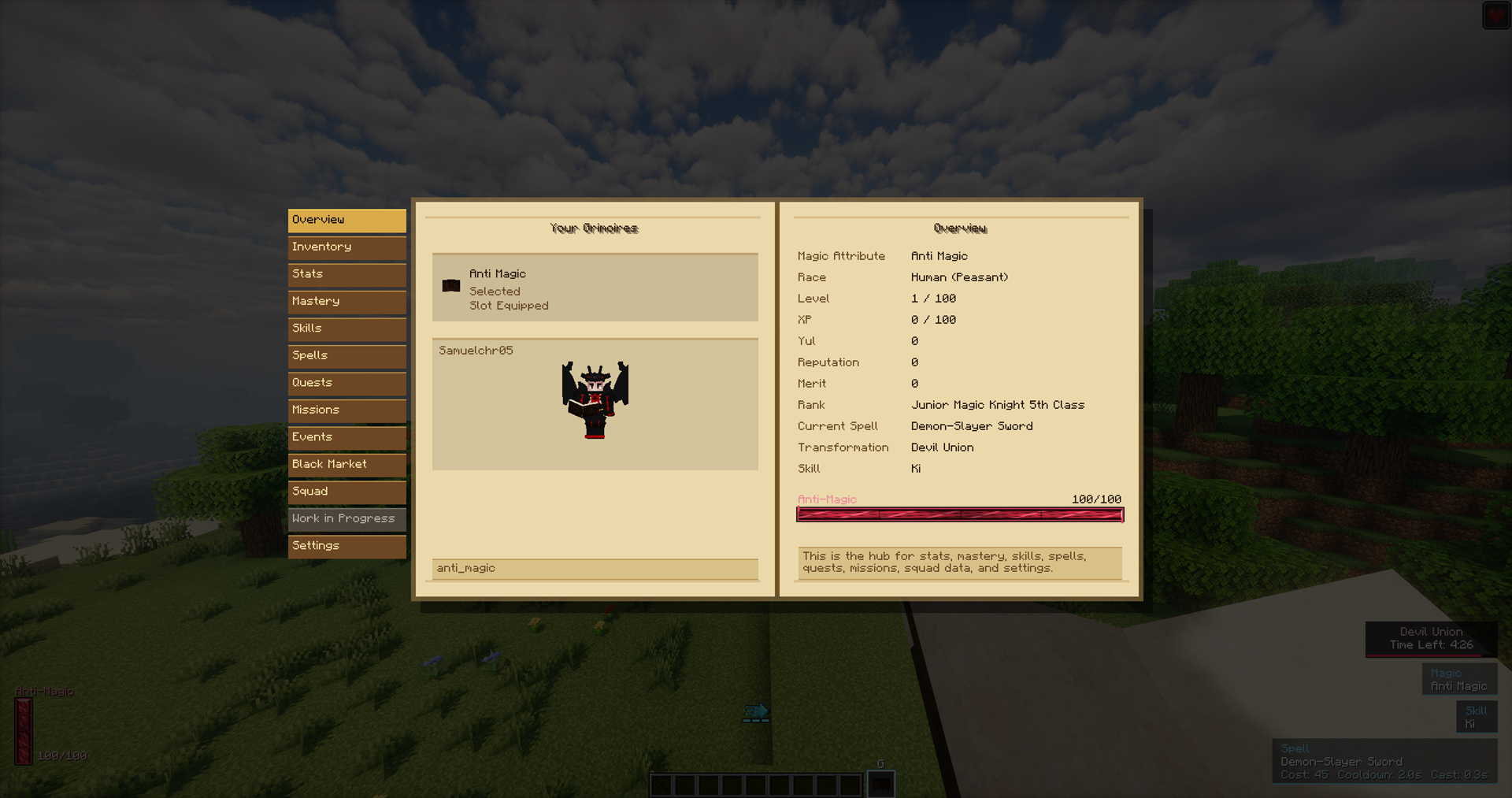 Grimoire Menu This is the Grimoire that helps you on your Journey
Versions
Files
Relations
Project Relations
More like this
Similar Mods
Suggestions use data such as tags, dependencies, dependents, descriptions, titles, and more to rank how much they overlap with this mod.
- Secrets of Daregorn
- Fairy Mine - Fairy Tail
- Kaisen Craft (JJK)
- Avatar: the four elements
- Tensura Mod -That Time I Got Reincarnated as a Slime
- Limbus Company Mine section [LCM]
- BleachCraft
- Genshin Nature RE:Visioned
- Sol's Relic System (Crit System, Stats, and more.)
- Black Clover Republic
- Re:Zero Experience
- ProjectJJK
On ModDex
Community snapshot
By the numbers
Statistics
Want to reach Minecraft players?
We're looking for a server hosting partner to feature here and other parts of the site. Interested? Send us a message!
Get in touchGet it on
Available Platforms
On ModDex
Community snapshot
By the numbers
Statistics
Resources