
Community listing page, reviews here may not be monitored by the author.
Block Morph

No reviews yet
A Minecraft Datapack that lets you transform into customized block structures
Community voices
Reviews
No reviews yet. Be the first to review this project!
Get it on
Available Platforms
Compatibility
Supported Environments
Runs entirely on the server. Also works in singleplayer.
About
Project Details
For authors
Embed Badge
If you're the author of this project, you can embed a live badge anywhere that supports HTML or Markdown. It updates automatically whenever ratings change.
Use HTML for any page that supports it, or Markdown for README files and Markdown-based descriptions.
Identifiers
Platform IDs
Resources
External Links
About
Description
Block Morph
Turn into any block in Minecraft! A datapack that lets you transform into customized block structures or individual blocks.
Important: This data pack requires the resource pack to render block models properly. Make sure to download it alongside the data pack!
Features
Browse Screenshots in the Gallery.
- Become Any Block: Seamlessly morph into block structures in the world.
- Biome-Aware Plant Color: Dynamic biome tinting for plants (grass, short grass, leaves, etc.).
- Multiplayer Compatibility: Have fun sneaking around as a block with your friends!
Dependencies
To use this data pack, make sure you have installed the following required dependencies:
Data Packs
Choose EITHER way to install Bookshelf:
-
Separate Modules:
-
All-in-One Bundle:
-
Resource Packs
- Block Morph Resource Pack (Included under "Supplementary resources")
Usage
Obtain Item
-
Crafting Recipe:
Combine 1x Amethyst Shard, 1x Echo Shard, and 1x Chorus Fruit (shaped). -
Command:
/function block-morph:give/selection_stick
Transform
-
Main Hand (Structure Mode): Hold the selection stick in your main hand, look at a block, and use it (Right-Click) WITHOUT holding Srpint Key (
ctrl) .- If valid, a connected block structure will be created and move to your position.
-
Off Hand (Single-Block Force Mode): Hold the selection stick in your off hand, look at a block, and use it (Right-Click) WITHOUT holding Srpint Key (
ctrl) .- Forces a single-block structure to be created and move to your position, regardless of structure validity.
Untransform
- Hold Srpint Key (
ctrl) while using (Right-Clicking) the selection stick in either hand to restore your human form and place the blocks back.
Align
- Sneak (
Shift) while morphed to instantly snap your position to the block grid.
Config
- Run command
/function block-morph:config/panelto open the config panel. - Run command
/function block-morph:config/debugto open the debug panel for troubleshooting.
Important Notes
-
Collision: Transformed block structures are purely visual and have no collision.
-
Visibility: Your armor and mainhand/offhand held items remain visible while morphed.
Development
Check out the Wiki for developer guides.
Screenshots
Gallery
-
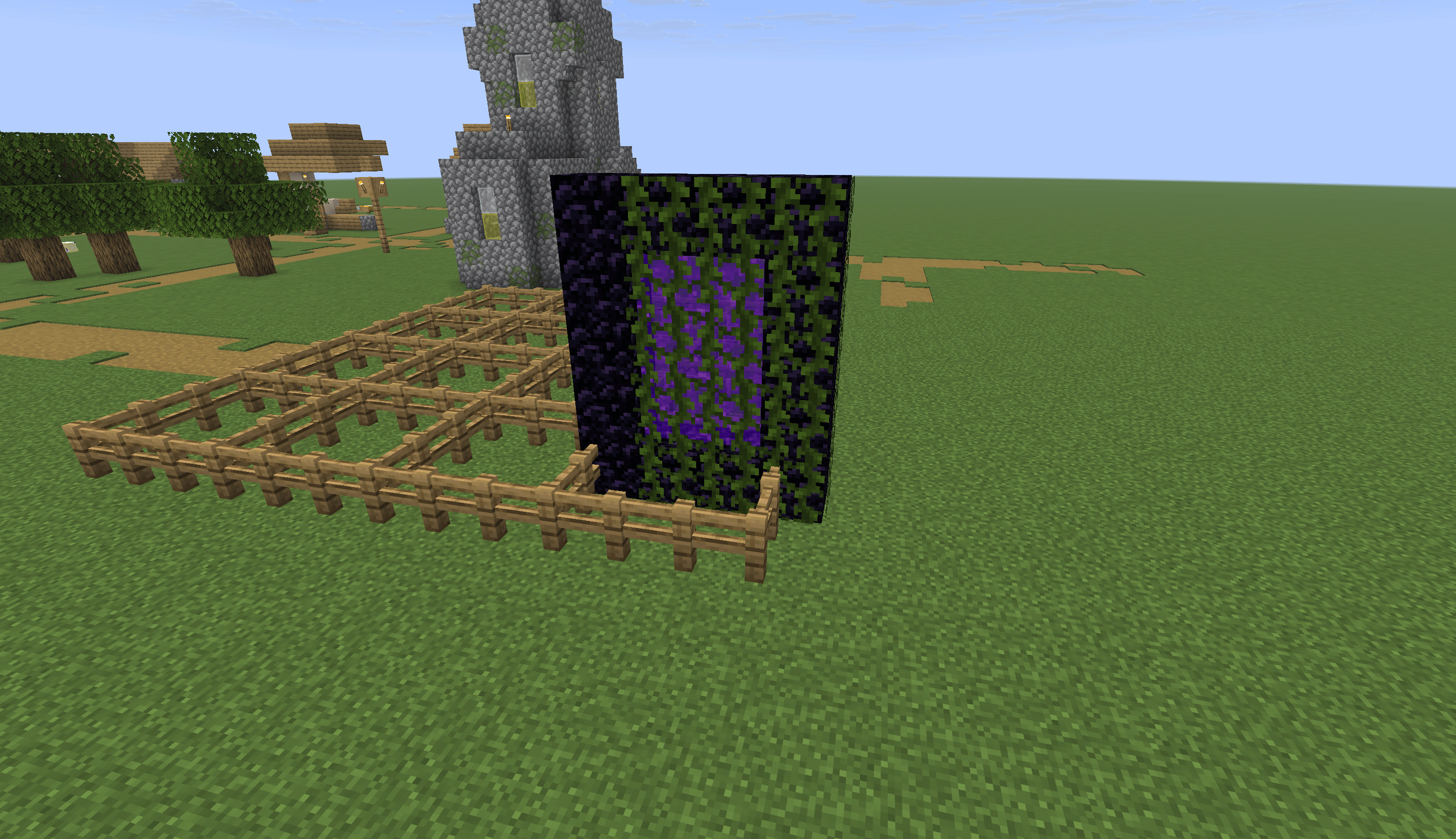 Become a Nether Portal! Unfortunately, you cannot get into nether through this portal
 -
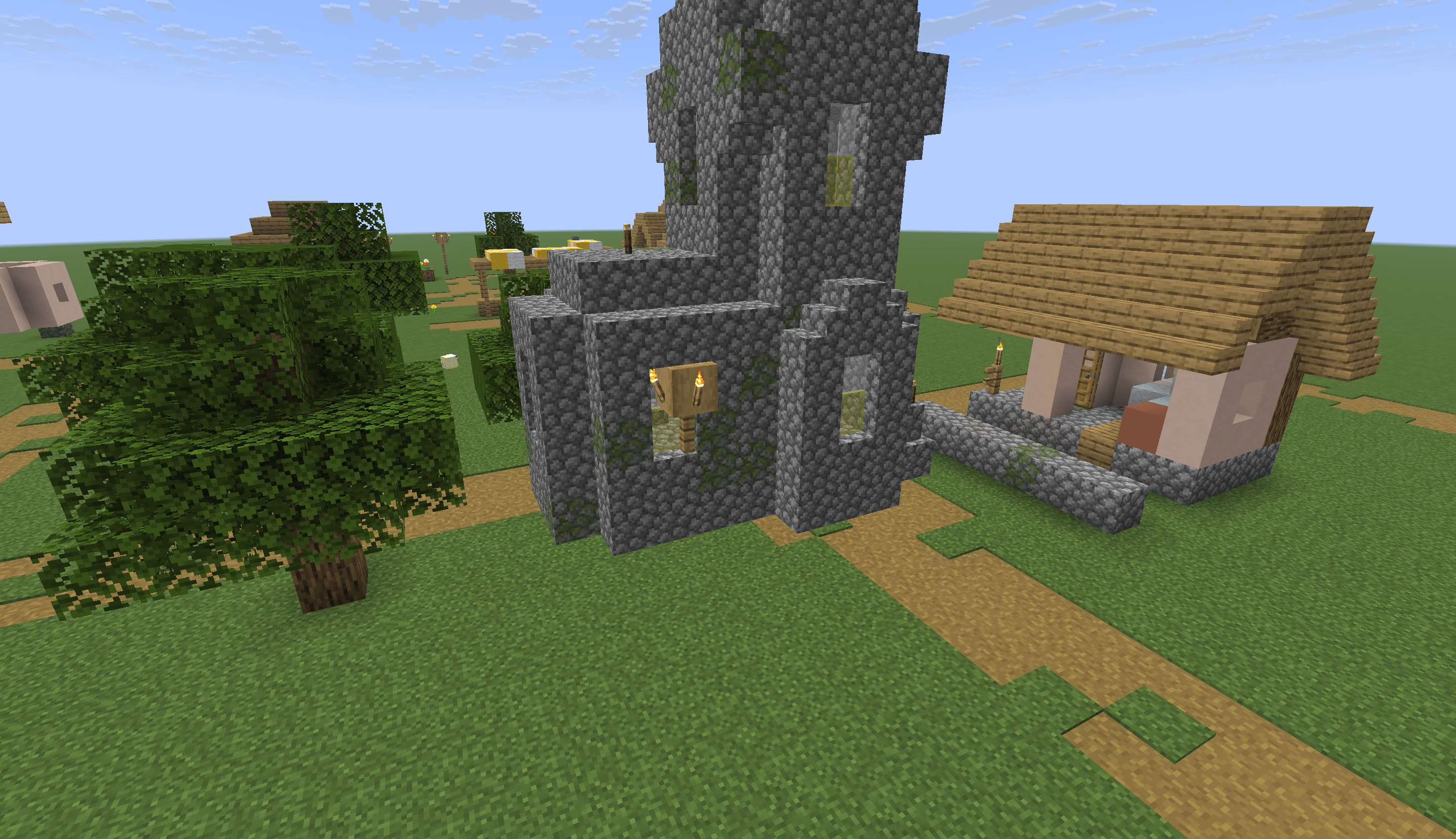 Become a Church! Hard to distinguish it from actual blocks
 -
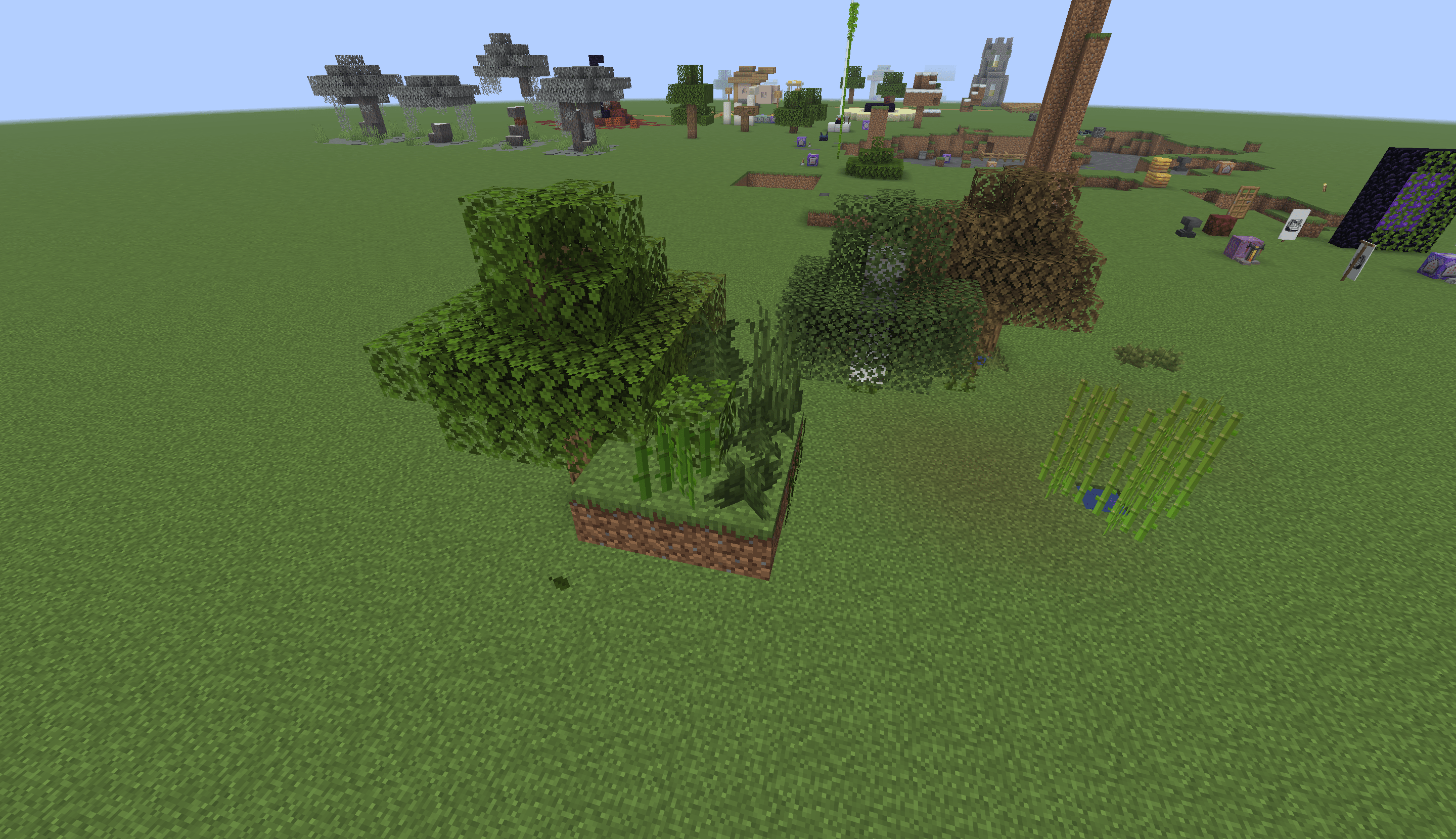 Biome-Aware Plant Color Plains
 -
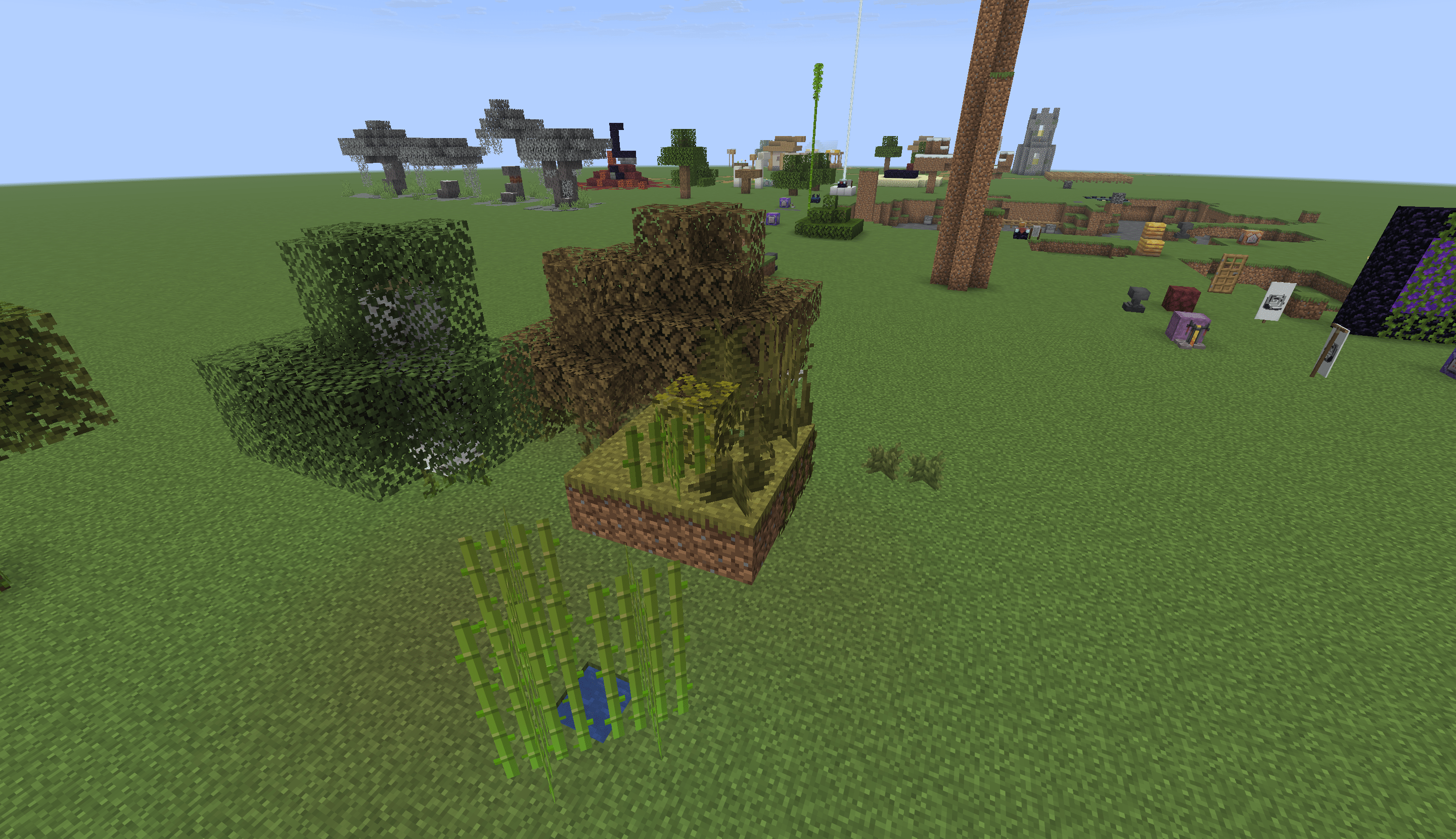 Biome-Aware Plant Color Savannah
 -
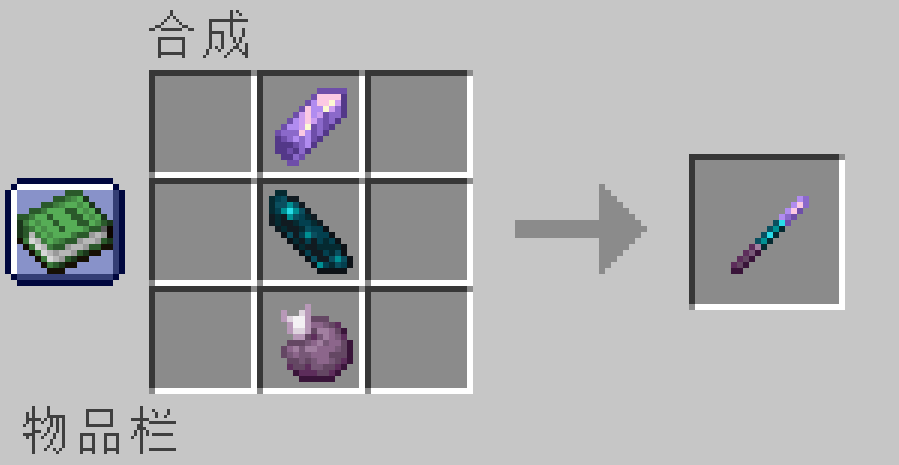 Crafting Recipe for Selection Stick 1x Amethyst Shard, 1x Echo Shard, and 1x Chorus Fruit (shaped)
Versions
Files
Relations
Project Relations
More like this
Similar Mods
Suggestions use data such as tags, dependencies, dependents, descriptions, titles, and more to rank how much they overlap with this mod.
On ModDex
Community snapshot
By the numbers
Statistics

Want to reach Minecraft players?
We're looking for a server hosting partner to feature here and other parts of the site. Interested? Send us a message!
Get in touchGet it on
Available Platforms
On ModDex
Community snapshot
By the numbers
Statistics
Resources