
Community listing page, reviews may not be monitored by the author.
Block Tracker


No reviews yet
Track your items! Scans your entire inventory, including Shulker Box contents.

Community voices
Reviews
No reviews yet. Be the first to review this project!
Get it on
Available Platforms
Compatibility
Supported Environments
Runs entirely on the client. Works on vanilla servers.
About
Project Details
For authors
Embed Badge
If you're the author of this project, you can embed a live badge anywhere that supports HTML or Markdown. It updates automatically whenever ratings change.
Use HTML for any page that supports it, or Markdown for README files and Markdown-based descriptions.
Identifiers
Platform IDs
Resources
External Links
About
Description
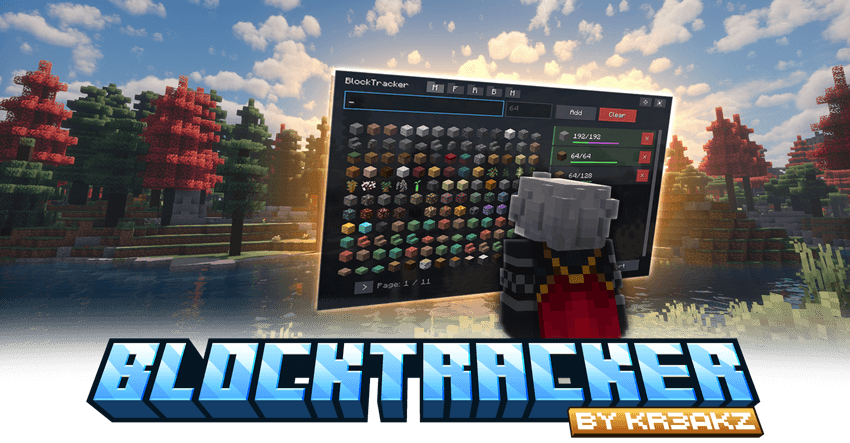
A powerful utility mod for efficient resource management and project tracking in Minecraft.
BlockTracker Advantages
Core Features
- Block-Based To-Do Lists: Define resource goals with target amounts using the newly redesigned in-game GUI.
- Folder & Profile System: No more chaos! Organize your projects using folders (Main, Farming, Redstone, Building, Misc). You can create and save multiple lists (profiles) within each folder.
- Import & Export: Easily share your configurations! This is perfect for creators making tutorials on specific farms or builds. You can simply export the material list and share it with your viewers to import.
- Persistent Tracking: The task list and progress are automatically saved and persist across game sessions.
Killer Feature: Smart Inventory Tracking
- Comprehensive Scan: BlockTracker tracks progress by scanning the entire player inventory and reading the contents of Shulker Boxes held within that inventory.
- Ender Chest Support: It also reads items inside your Ender Chest (and even Shulker Boxes stored inside it), so you don't have to take everything out to see your progress!
- Smart Progress Bars: In the GUI, you can now instantly see where your items are located: A green bar represents the inventory, while a purple bar shows the share inside the Ender Chest.
- Automatic Update: Tasks are automatically marked as complete as soon as the required items are collected.
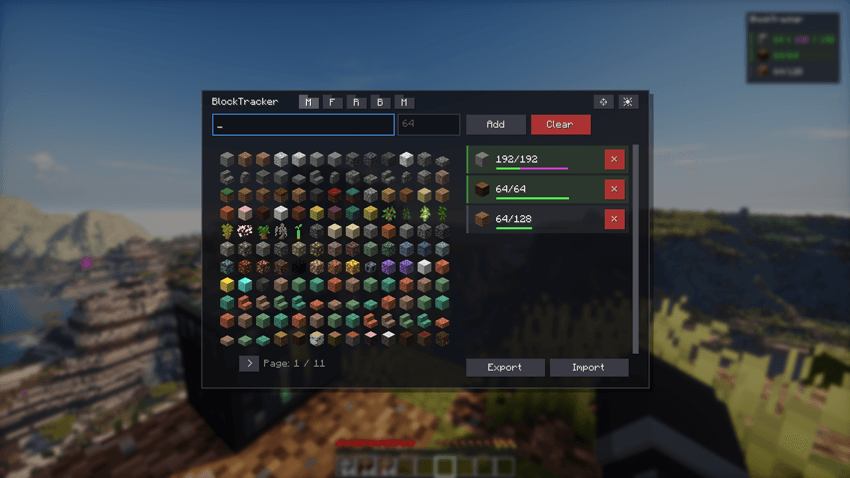
Interface & Control
- HUD Editor: Total freedom! You can now freely move, scale, and align (left/right) the overlay to perfectly fit your screen.
- New Themes: Customize the look of your manager! Choose between Clipboard, Dark, and Transparent themes to suit your preference.
- Toggleable HUD Overlay: A minimalist overlay displays actively tracked items and current progress.
- The overlay can be toggled on or off with a keybind (default: H).
- Management GUI: Access the task manager via keybind (default: B) to add, remove, or reset goals.
- Visual Confirmation: Completed tasks show clear feedback (Green Checkmark/Text).
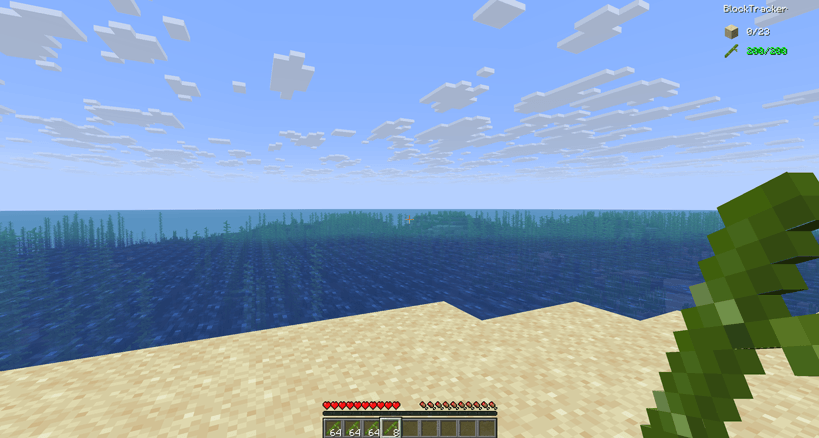
Usage
- Open Manager: Press B (default).
- Toggle Overlay: Press H (default).

A powerful utility mod for efficient resource management and project tracking in Minecraft.
BlockTracker Advantages
Core Features
- Block-Based To-Do Lists: Define resource goals with target amounts using the newly redesigned in-game GUI.
- Folder & Profile System: No more chaos! Organize your projects using folders (Main, Farming, Redstone, Building, Misc). You can create and save multiple lists (profiles) within each folder.
- Import & Export: Easily share your configurations! This is perfect for creators making tutorials on specific farms or builds. You can simply export the material list and share it with your viewers to import.
- Persistent Tracking: The task list and progress are automatically saved and persist across game sessions.
Killer Feature: Smart Inventory Tracking
- Comprehensive Scan: BlockTracker tracks progress by scanning the entire player inventory and reading the contents of Shulker Boxes held within that inventory.
- Ender Chest Support: It also reads items inside your Ender Chest (and even Shulker Boxes stored inside it), so you don't have to take everything out to see your progress!
- Smart Progress Bars: In the GUI, you can now instantly see where your items are located: A green bar represents the inventory, while a purple bar shows the share inside the Ender Chest.
- Automatic Update: Tasks are automatically marked as complete as soon as the required items are collected.

Interface & Control
- HUD Editor: Total freedom! You can now freely move, scale, and align (left/right) the overlay to perfectly fit your screen.
- New Themes: Customize the look of your manager! Choose between Clipboard, Dark, and Transparent themes to suit your preference.

- Toggleable HUD Overlay: A minimalist overlay displays actively tracked items and current progress.
- The overlay can be toggled on or off with a keybind (default: H).
- Management GUI: Access the task manager via keybind (default: B) to add, remove, or reset goals.
- Visual Confirmation: Completed tasks show clear feedback (Green Checkmark/Text).

Technical Details
| Detail | Status |
|---|---|
| Mod Loader | Fabric |
| Game Versions | 1.21.8, 1.21.10, 1.21.11 |
| Type | Client-Side Only |
| Dependency | None |
Usage
- Open Manager: Press B (default).
- Toggle Overlay: Press H (default).
Screenshots
Gallery
-
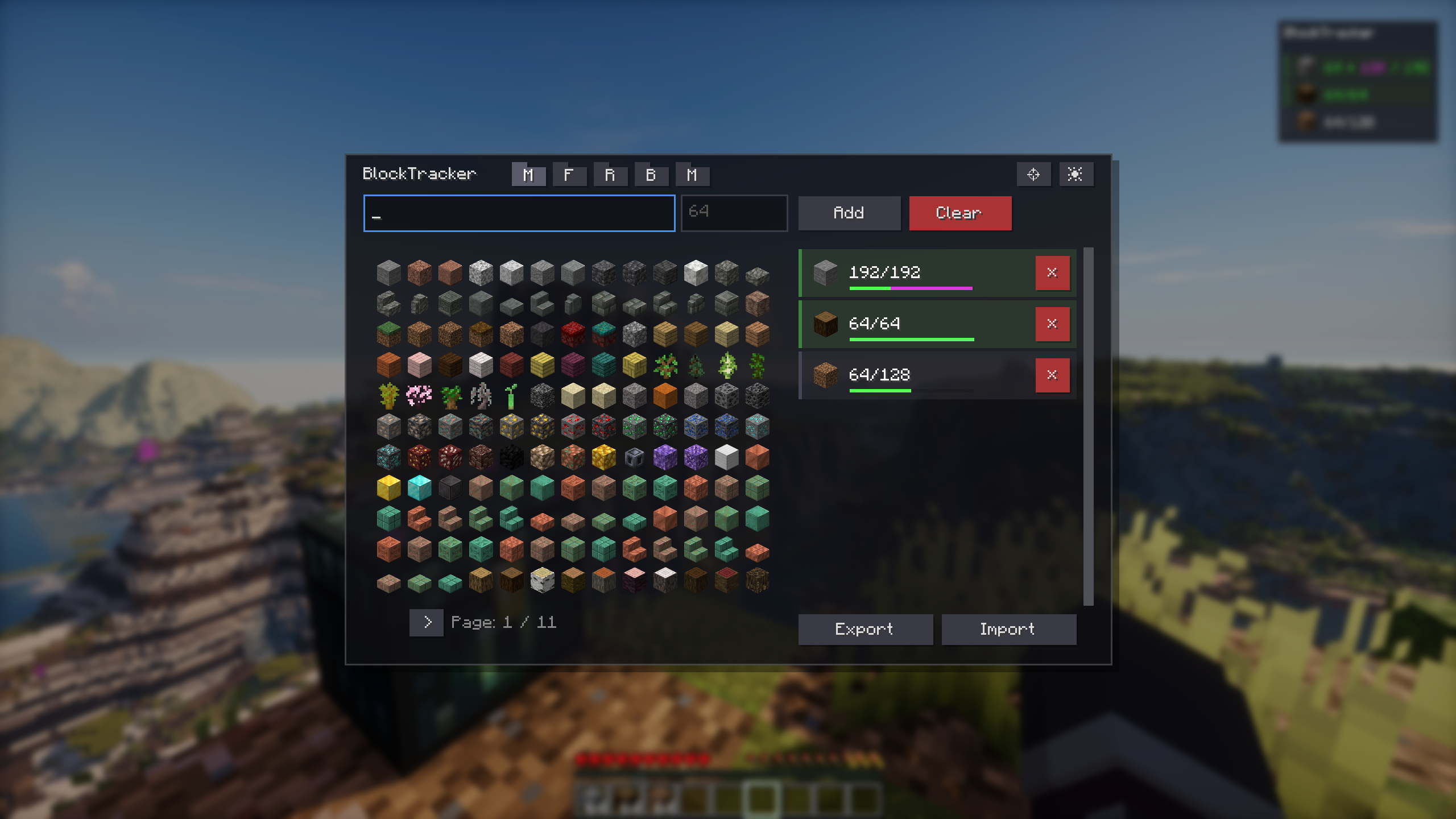 Blocktracker GUI
Versions
Files
Relations
Project Relations
More like this
Similar Mods
Suggestions use data such as tags, dependencies, dependents, descriptions, titles, and more to rank how much they overlap with this mod.
On ModDex
Community snapshot
By the numbers
Statistics

Get it on
Available Platforms
On ModDex
Community snapshot
By the numbers
Statistics
Resources