
Community listing page, reviews may not be monitored by the author.
Blockgame Journal

No reviews yet
A vendor recipe tracking mod for PirateSoftware's Blockgame. Store, track, and manage the recipes you learn.

Community voices
Reviews
No reviews yet. Be the first to review this project!
Get it on
Available Platforms
Compatibility
Supported Environments
Runs entirely on the client. Works on vanilla servers.
About
Project Details
For authors
Embed Badge
If you're the author of this project, you can embed a live badge anywhere that supports HTML or Markdown. It updates automatically whenever ratings change.
Use HTML for any page that supports it, or Markdown for README files and Markdown-based descriptions.
Identifiers
Platform IDs
About
Description
Blockgame Journal
A mod for Blockgame that adds a journal to help you keep track of recipes and other useful information.
This mod uses the same Minecraft version required by the Blockgame server.
This is an unofficial mod for Blockgame and is not affiliated with the Blockgame team.
How to Use
Learning Recipes
When you preview a recipe (right-click) at an vendor's crafting station, the recipe will be added to your journal. Each time you view the recipe, it will be updated with the latest information.
- Items with a red background are items you have not yet learned the recipe for.
- Items with a yellow background are items you have learned the recipe for, but have since been updated.
Viewing the Journal
To open the journal, press J by default, or run the command /journal.
The journal contains several tabs:
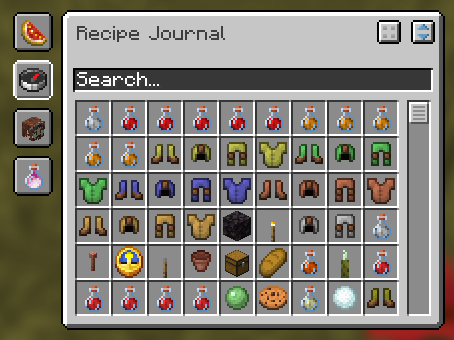
- Favorites: Save your favorite recipes for quick access.
- Global Search: Search all known recipes.
- Vendor Search: Search for vendors and their respective recipes
- Ingredient Search: Search for recipes by their ingredients
Decomposing Items
When you view an item in the journal, you can decompose it into its smallest required components. If a recipe is decomposable, there will be a button in the top right corner of the recipe page.
Requirements
The following are required to run this mod:
In addition, the following mods are recommended:
Screenshots
Gallery
-
Main GUI An example of the main GUI, showing a list of known recipes
-
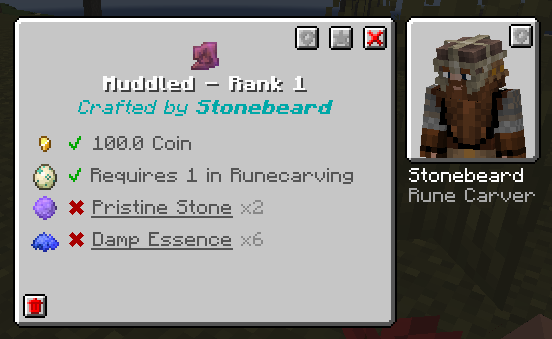 Recipe Viewer An example of a stored recipe. Includes the vendor, cost, required conditions, and ingredients needed to craft.
 -
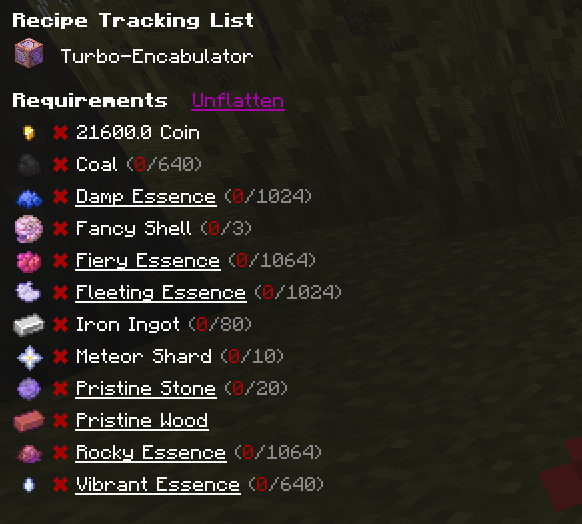 Recipe Tracking Select one or more items to easily track the necessary resources required to craft
 -
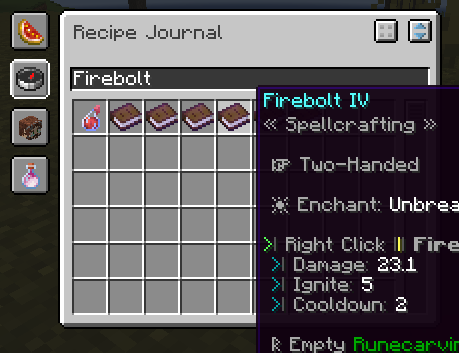 Search Filtering An example of search filtering in the GUI. Uses the names, vendors, and any tooltip information.
 -
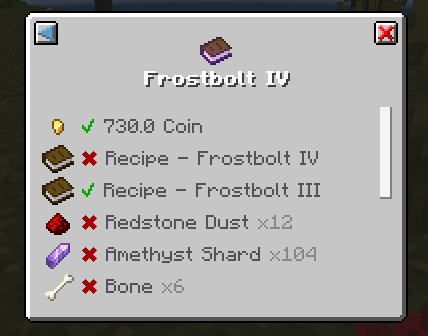 Recipe Decomposition Decompose a recipe to see the base components required for crafting.
 -
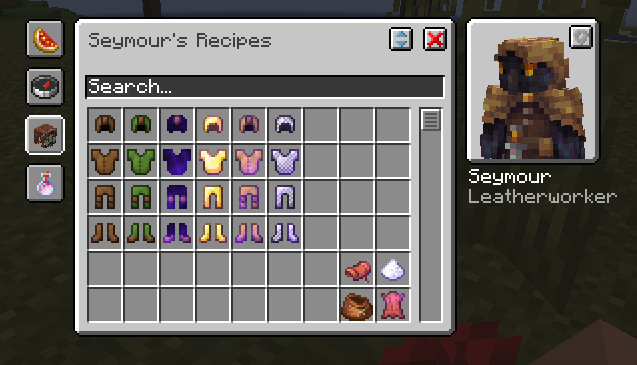 Vendor Searching Advanced search filtering to search known items for a specific vendor.
Versions
Files
Relations
Project Relations
More like this
Similar Mods
Suggestions use data such as tags, dependencies, dependents, descriptions, titles, and more to rank how much they overlap with this mod.
On ModDex
Community snapshot
By the numbers
Statistics


Get it on
Available Platforms
On ModDex
Community snapshot
By the numbers