Community listing page, reviews may not be monitored by the author.
Blocky Music

No reviews yet
Rhythm battles in Minecraft: four-lane note duels against players and mobs, beatmaps from an in-game Workshop, a DJ booth with speakers and cameras, and a beatmap editor.

Community voices
Reviews
No reviews yet. Be the first to review this project!
Get it on
Available Platforms
About
Project Details
For authors
Embed Badge
If you're the author of this project, you can embed a live badge anywhere that supports HTML or Markdown. It updates automatically whenever ratings change.
Use HTML for any page that supports it, or Markdown for README files and Markdown-based descriptions.
Identifiers
Platform IDs
About
Description
Use the microphone on a player or mob, choose a beatmap from the Workshop, and let the battle begin!!!
Photosensitivity warning: DJ booth effects and a beatmap's own effects can flash the whole screen in time with the music, faster than three times per second at high tempos. Spectators and players near a DJ booth can turn them off with "Spectator effects" in the mod's settings; players in a battle always see the chosen beatmap's effects.
Features
- Battles in the style of your favorite rhythm games, against other players or mobs, or in solo play.
- Battle setup: before each battle, both sides choose a beatmap from the server's list or directly from the Workshop, along with gameplay modifiers.
- Workshop: open it with Alt+B or the button on the title screen or in the pause menu. Find the beatmap you want and download it directly in the game.
- In-game publishing: a step-by-step wizard lets you upload your beatmap, song, and cover art to the Workshop without leaving Minecraft.
- Beatmap and FX editor with support for importing osu! beatmaps (.osu / .osz) and Friday Night Funkin' beatmaps, as well as creating beatmaps from scratch.
- DJ booth: play music at parties without challenging anyone to a battle. The DJ booth includes a playlist you can add songs to from the Workshop, an equalizer, and visual effects. You can also connect speakers to extend the music's audible range, as well as cameras that spectators can connect to, making sure the camera operator is earning their paycheck.
- Server beatmaps: each server has its own list of beatmaps. Only server operators, and players they allow, can add beatmaps to the server's list.
Music from the community
The mod comes with no songs. You use your own files or install the beatmaps you choose from the Workshop. In multiplayer, the server you play on also sends you the song of a battle you are in or can hear, and of a DJ booth playing near you.
You are responsible for what you upload. Copyright holders can request the removal of a beatmap; the Workshop rules explain how.
Before installing
- Required on both the client and the server. The network protocol changes between builds, so the server and all players must use the same build.
- Java 21, Minecraft 1.21.1, NeoForge 21.1.219 or newer.
- playerAnimator by KosmX is required on the client; the CurseForge app installs it with the mod. Use version 2.0.4 or newer for Minecraft 1.21.1.
- No FFmpeg or other programs needed: the mod converts MP3, WAV, FLAC, M4A and AAC (Apple Lossless too), Opus, WebM, MKV and MPEG-TS songs to Ogg itself, and makes the 1.5x and 2x speed versions of your beatmaps the same way. Other formats, such as WMA, need converting with another program first.
- The Workshop sends nothing until you allow network access on its first-run screen, and you can turn access off again with the Network access switch on the Workshop's account page. Once allowed, it connects to blocky-music.qwu.world, loads account pictures from qwu.world, and contacts Mojang to sign you in with your Minecraft account and to show the skins of players who wrote server comments. It signs a Minecraft account in by itself, once per game launch, only if that account has already signed in to the Workshop on this computer, and stops when you sign out; if you have never signed in, nothing is sent for this. The privacy policy is linked at the bottom of this page.
- You must be at least 16 to upload, comment, or rate; browsing, downloading, and playing are open to everyone.
- This is a beta: there may be rough edges. Back up your worlds, report bugs and errors, and share your ideas on our forum (the links are at the bottom of this page).
Network and files
The Workshop goes online only after you allow it:
- The Network access switch on the Workshop's account page turns it off again at any time; downloads in progress are then cancelled.
- blocky-music.qwu.world (QwU World) receives your IP address; the mod, Minecraft and NeoForge versions and your operating system's name; your searches; the beatmaps you install or check for updates; your Minecraft name and UUID when you sign in with Minecraft; and, after you sign in, your QwU World account token. Download counts and rate limits store only a shortened IP prefix.
- Automatic sign-in works only for a Minecraft account that has already signed in to the Workshop on this computer: once per game launch, when you open the Workshop, the mod sends its Minecraft name and UUID again (and once more a few seconds later if another login got in the way). Signing out stops it.
- Account pictures load only over https from qwu.world. Mojang's servers sign you in with your Minecraft account and show the skin heads of players who wrote server comments; the skin lookup at api.minecraftservices.com carries the same User-Agent (the mod, Minecraft and NeoForge versions and your system's name). Your Minecraft access token goes only to Mojang, in the same call Minecraft makes when you join a server, and never to QwU World.
- Workshop downloads are beatmap data only: charts, songs, preview clips, cover pictures and their descriptions. A beatmap package is checked by size and SHA-256 before it is installed. The mod never downloads or runs code.
- Outside the Workshop and its switch, the test NPC's settings screen looks a typed player name up at api.minecraftservices.com, with the same User-Agent, and loads that skin from Mojang to preview it.
- No analytics, no advertising, nothing sold. Without network access you can still install .blockymap files by drag-and-drop or from the inbox folder and play your own beatmaps; a Workshop beatmap needs an online check at least once a week before it can be brought into a battle, unless the server already has it.
On your computer:
- Songs are converted inside the game by the mod's own code. The mod's own code starts no programs, and the mod contains no native code.
- The file picker comes from LWJGL, which ships with Minecraft; on macOS and Linux LWJGL shows it through the system's osascript, zenity or kdialog. It opens when you import a .blockymap, pick the song for a Workshop beatmap published without one, choose a cover for an upload, or choose a skin file for the test NPC. "Open folder" and links work the way Minecraft opens folders and links, and links ask you first.
- Everything the mod saves, temporary files included, stays inside the Minecraft folder. It registers no file types, URL schemes or startup entries, and it does not use your microphone or camera: the "microphone" is an in-game item.
License
- Code: MIT.
- Original graphics, models and animations: CC BY-NC 4.0.
Exceptions are listed individually on the license page, linked at the bottom of this page.
NOT AN OFFICIAL MINECRAFT PRODUCT. NOT APPROVED BY OR ASSOCIATED WITH MOJANG OR MICROSOFT. The mod is not affiliated with ppy Pty Ltd (osu!) or The Funkin' Crew (Friday Night Funkin').
Contact: [email protected]
Links
- Mod page: qwu.world/mods/minecraft/blocky-music
- Workshop: blocky-music.qwu.world
- Forum: qwu.world/forum
- Discord: discord.gg/sSENQuz6a7
- Source code: github.com/QwU-World/blocky-music
- Bug reports: github.com/QwU-World/blocky-music/issues
- Privacy policy: qwu.world/privacy
- License: qwu.world/mods/minecraft/blocky-music/license
Screenshots
Gallery
-
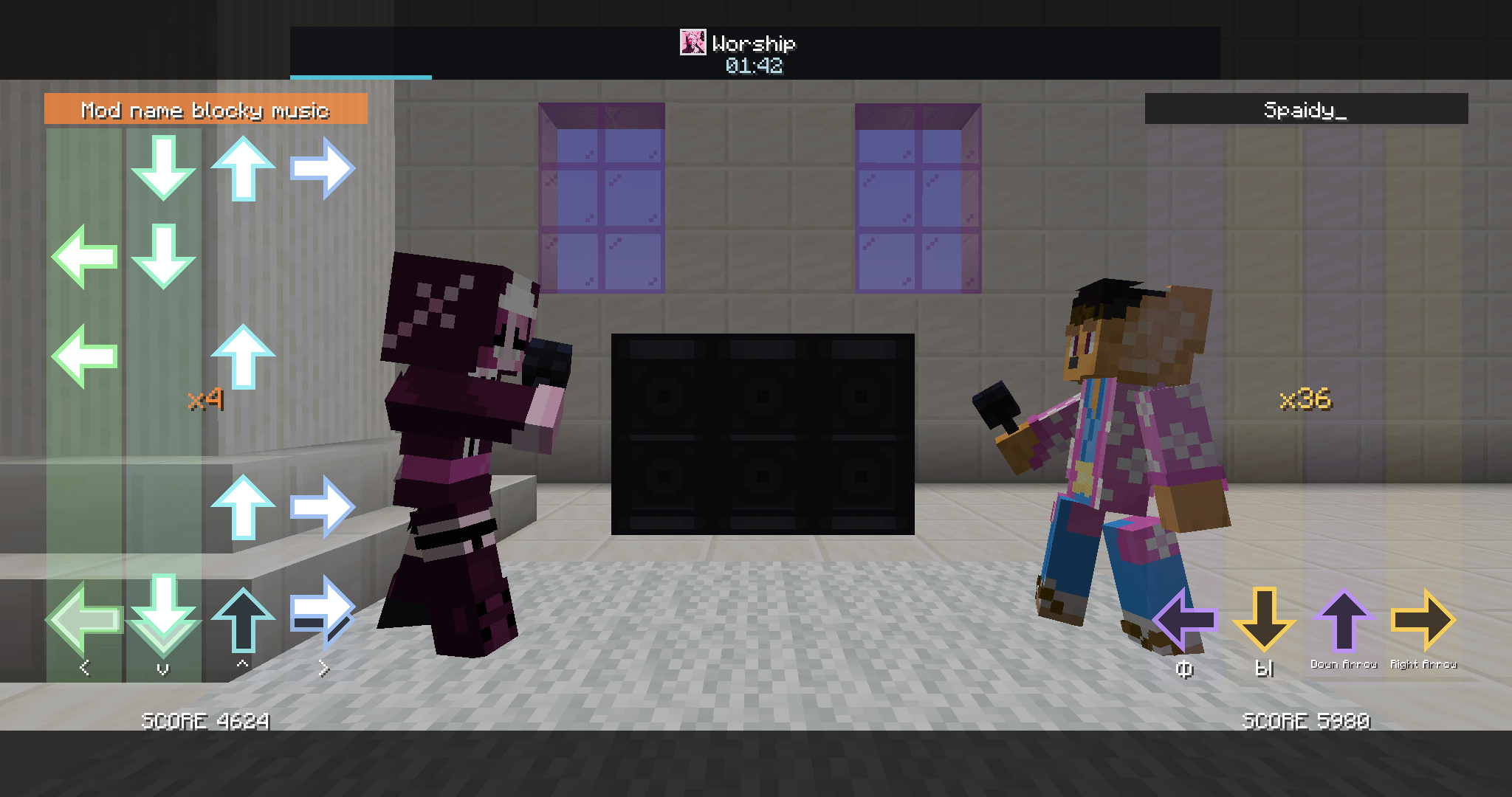 Rhythm battle Two players face off with microphones; each side plays its own four lanes.
-
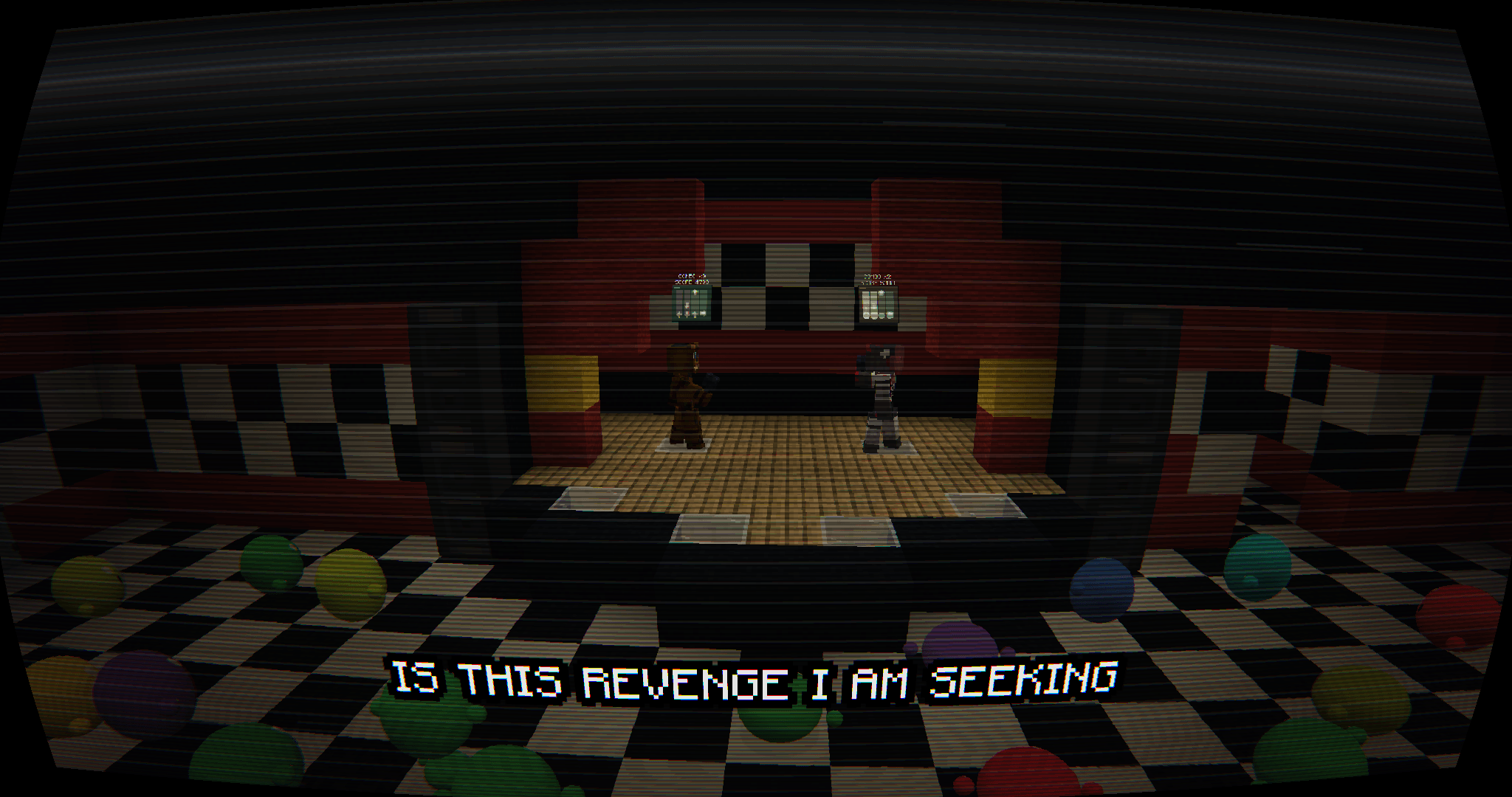 A battle on your own stage Battles run on any build; DJ effects like this VHS filter and on-screen lyrics set the mood.
-
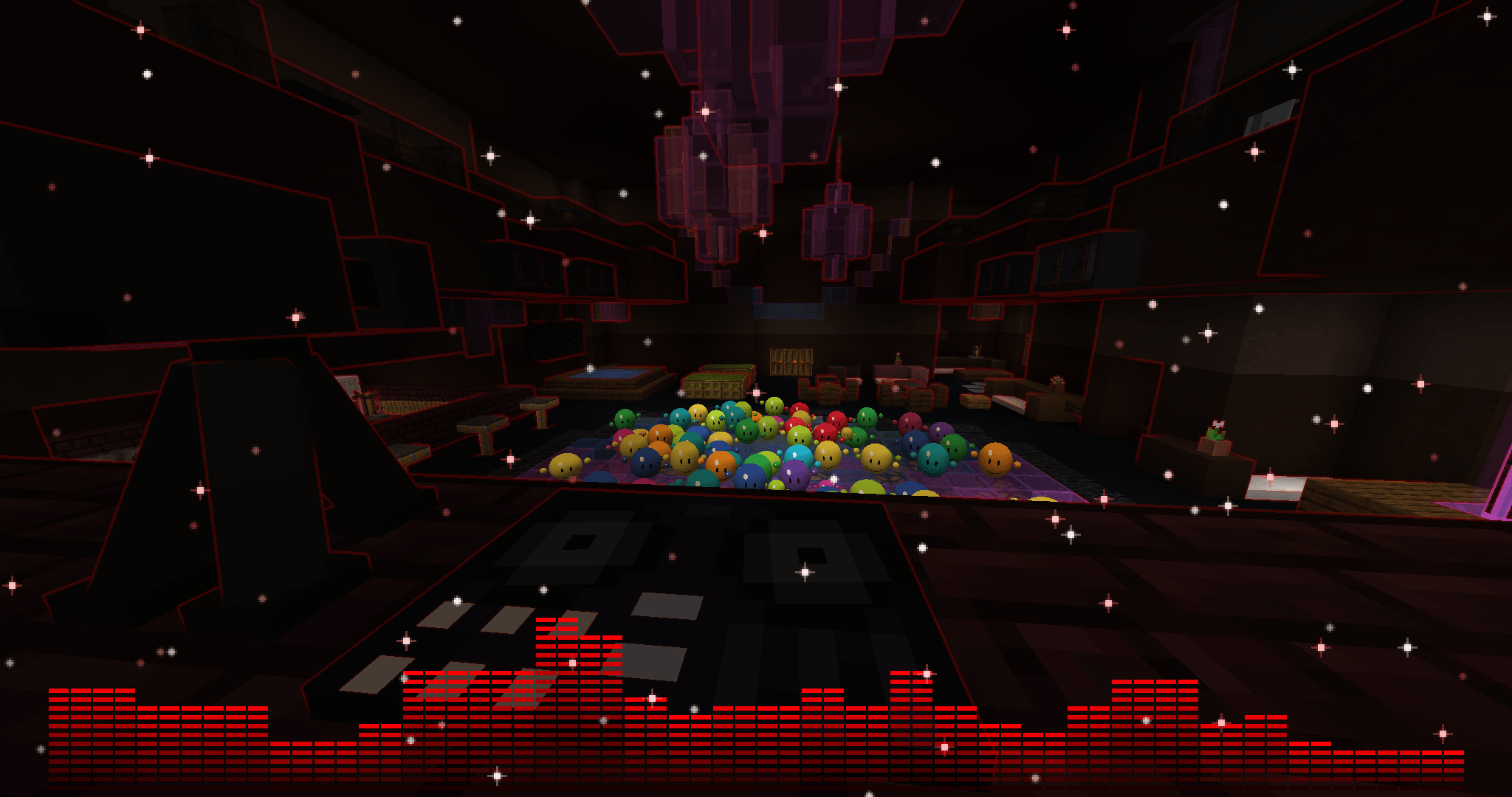 DJ booth Speakers, an equalizer and visual effects; the smiley balls dance to the beat.
-
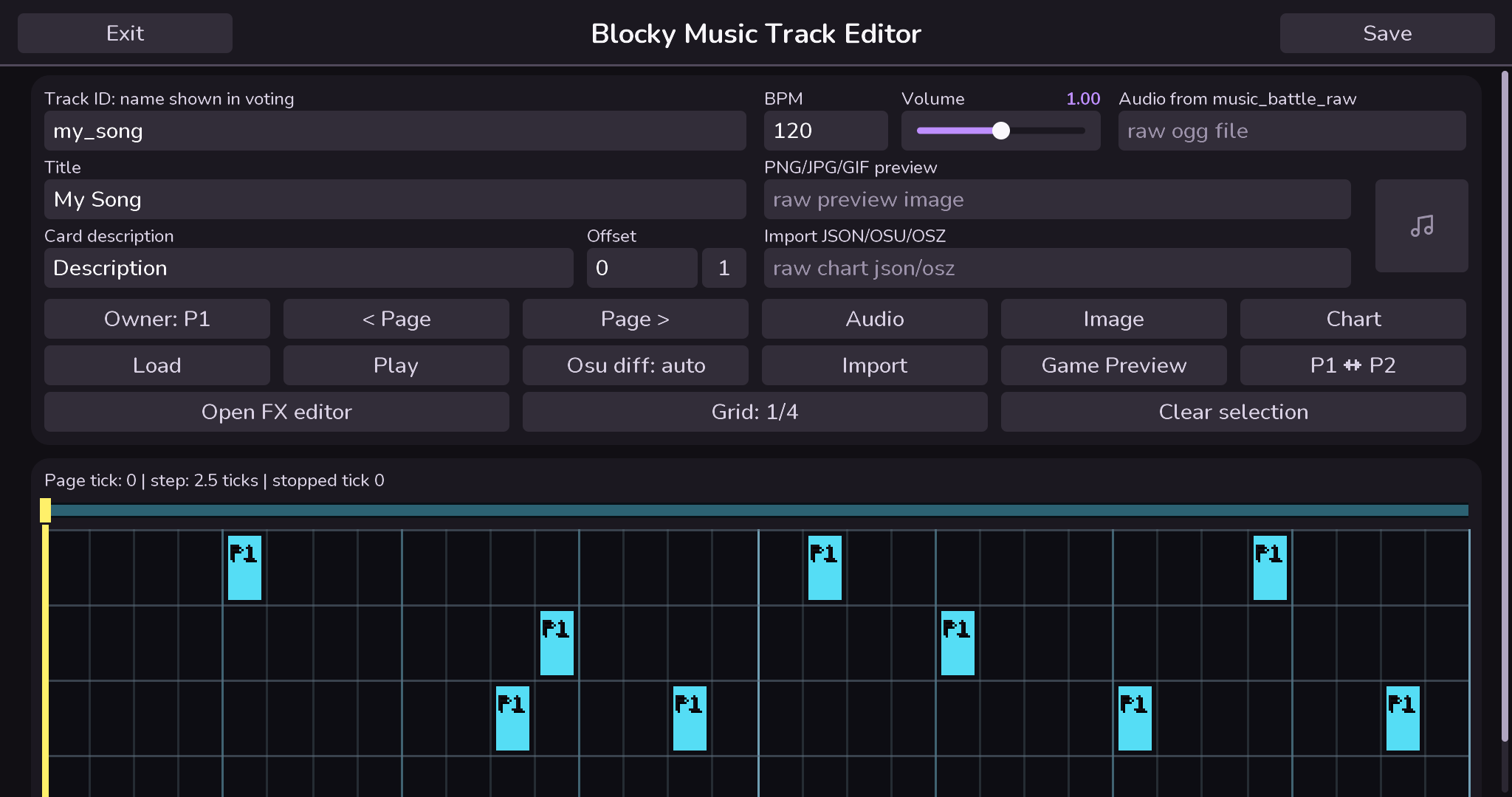 Beatmap editor Make beatmaps in game: notes, holds, BPM and a first-beat offset, with osu! and FNF imports.
-
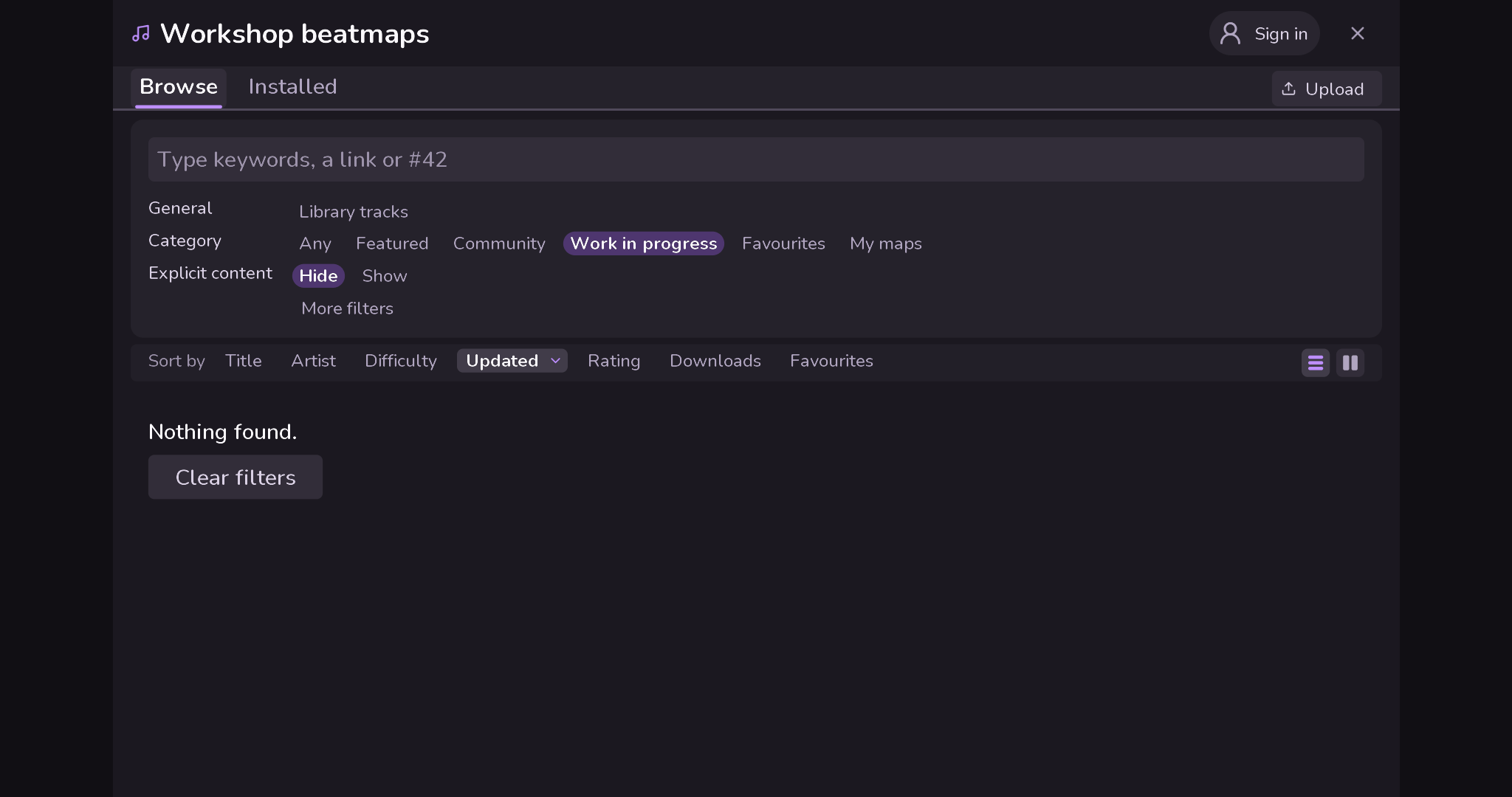 The Workshop in game Search, filter and sort community beatmaps without leaving Minecraft; install one in a press.
Versions
Files
Relations
Project Relations
More like this
Similar Mods
Suggestions use data such as tags, dependencies, dependents, descriptions, titles, and more to rank how much they overlap with this mod.
On ModDex
Community snapshot
By the numbers
Statistics

Get it on
Available Platforms
On ModDex
Community snapshot
By the numbers