
Blueprint HUD
No reviews yet
Having difficulties in tracking the resources needed for your lovely build? use Blueprint HUD for tracking them easily
Fabric is a mod loader for versions 1.14+ of Minecraft, particularly popular for client side and optimization mods.
Community voices
Reviews
Click once to include, again to exclude, again to clear
No reviews yet. Be the first to review this project!
Get it on
Available Platforms
 Modrinth
Compatibility
Supported Environments
About
Project Details
For authors
Embed Badge
If you're the author of this project, you can embed a live badge anywhere that supports HTML or Markdown. It updates automatically whenever ratings change.
Use HTML for any page that supports it, or Markdown for README files and Markdown-based descriptions.
Identifiers
Platform IDs
Resources
External Links
About
Description
📐 Blueprint HUD
Blueprint HUD is the ultimate survival and building companion for Minecraft. Whether you are gathering materials for a massive fortress or keeping track of components for complex redstone machinery, this mod provides a sleek, non-intrusive "to-do list" directly on your screen.
✨ Key Features
Live Progress Tracking: Monitor your inventory in real-time. The HUD shows exactly how many items you have versus how many you need.
Visual Checkmarks: Once you reach your goal, the item is struck through with a satisfying green checkmark, so you know you're ready to build.
The Master Settings GUI: Forget complex commands! Press 'C' to open a unified menu where you can search for any block in the game and add it to your list with a single click.
Fully Customizable Colors: Match your aesthetic. Use the built-in color picker or input custom Hex codes to change the bar, text, and highlight colors.
Drag & Drop HUD: Press 'B' to enter Edit Mode. Click and drag your list anywhere on the screen. It stays where you put it—even after restarting the game!
Survival Balanced: To keep things fair and immersive, dying will reset your "marked as done" progress, serving as a reminder of your lost loot.
🎮 Controls
[B] - Edit Mode: Drag the HUD around or click the red [X] next to items to remove them.
[C] - Settings Menu: Search/Add blocks and customize your RGB colors.
[COMMANDS] -
/blueprint add [block] [count]
/blueprint clear [block] [count(optional)]
🛠 Installation
Ensure you are using the Fabric Loader.
Drop the Blueprint HUD .jar into your mods folder.
Launch the game and start building!
Screenshots
Gallery
-
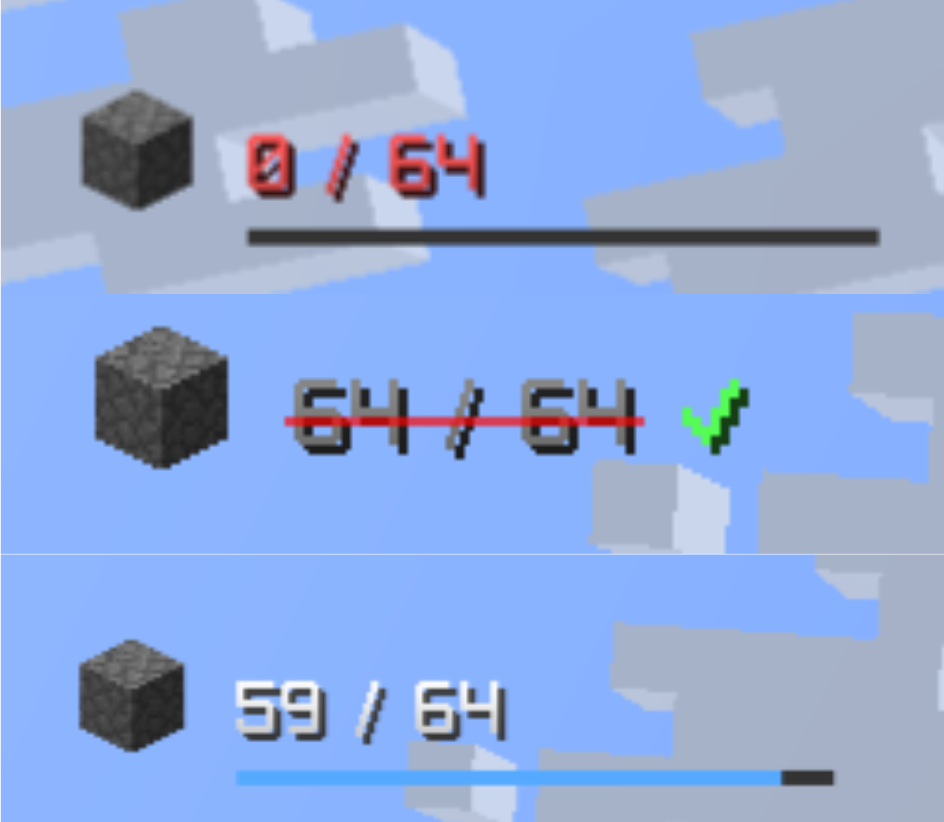 Progress Meter
 -
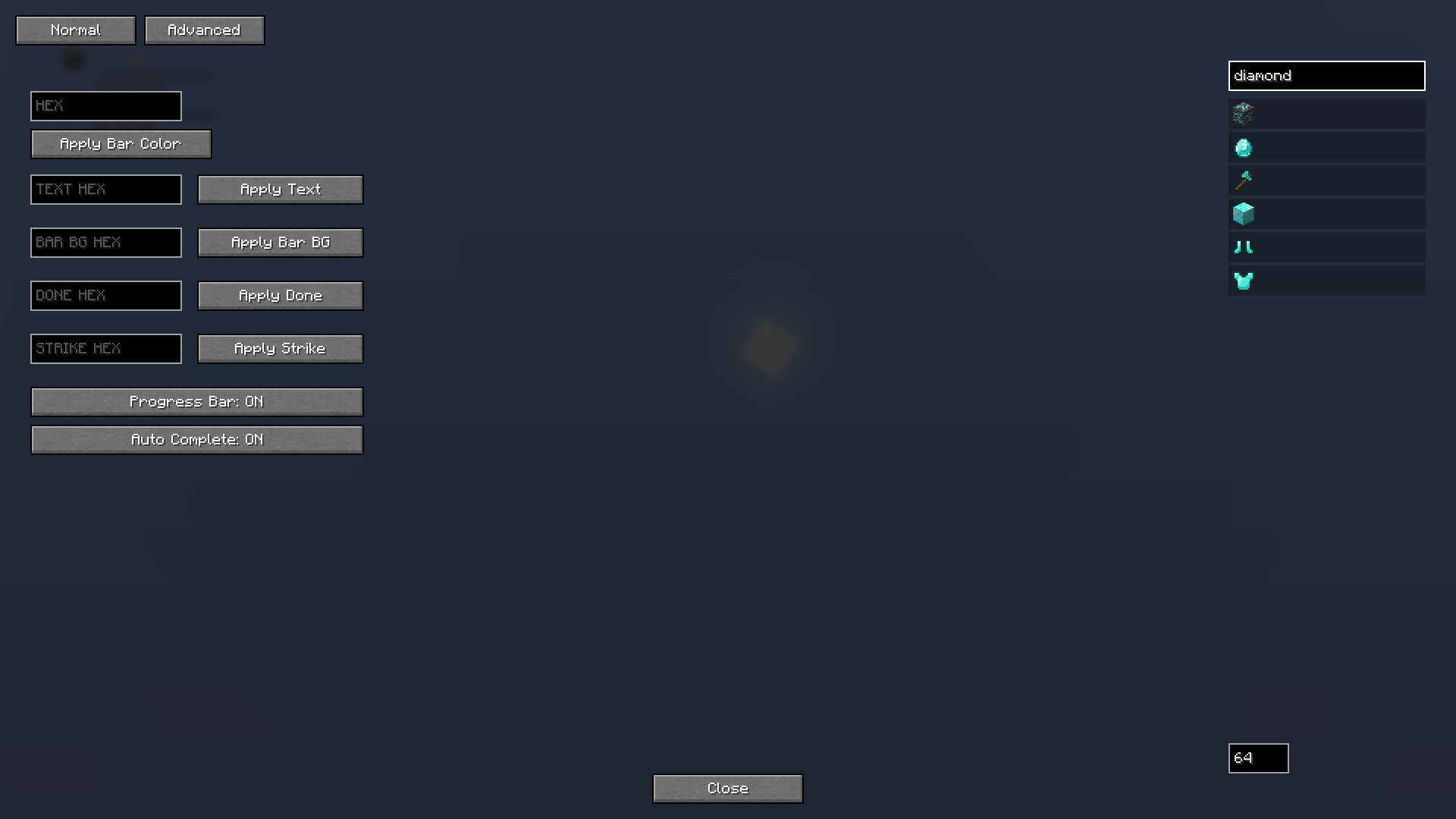 Color Gui ( C ) Gui was customized to make it more of a usable and working in the mod version ( v21.1 )
 -
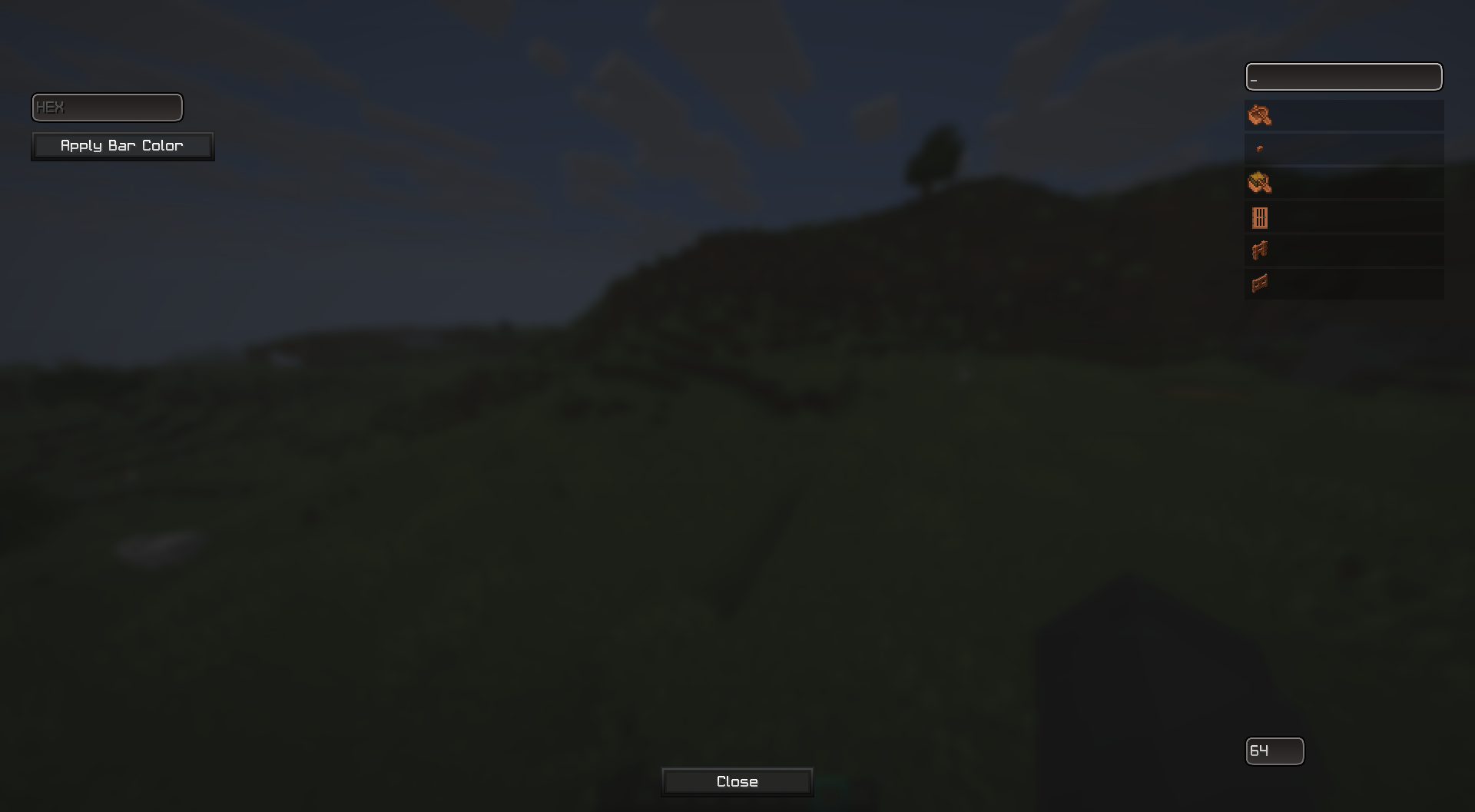 ITEM & COLOR MODE ( C ) add your item and colors by this menu
 -
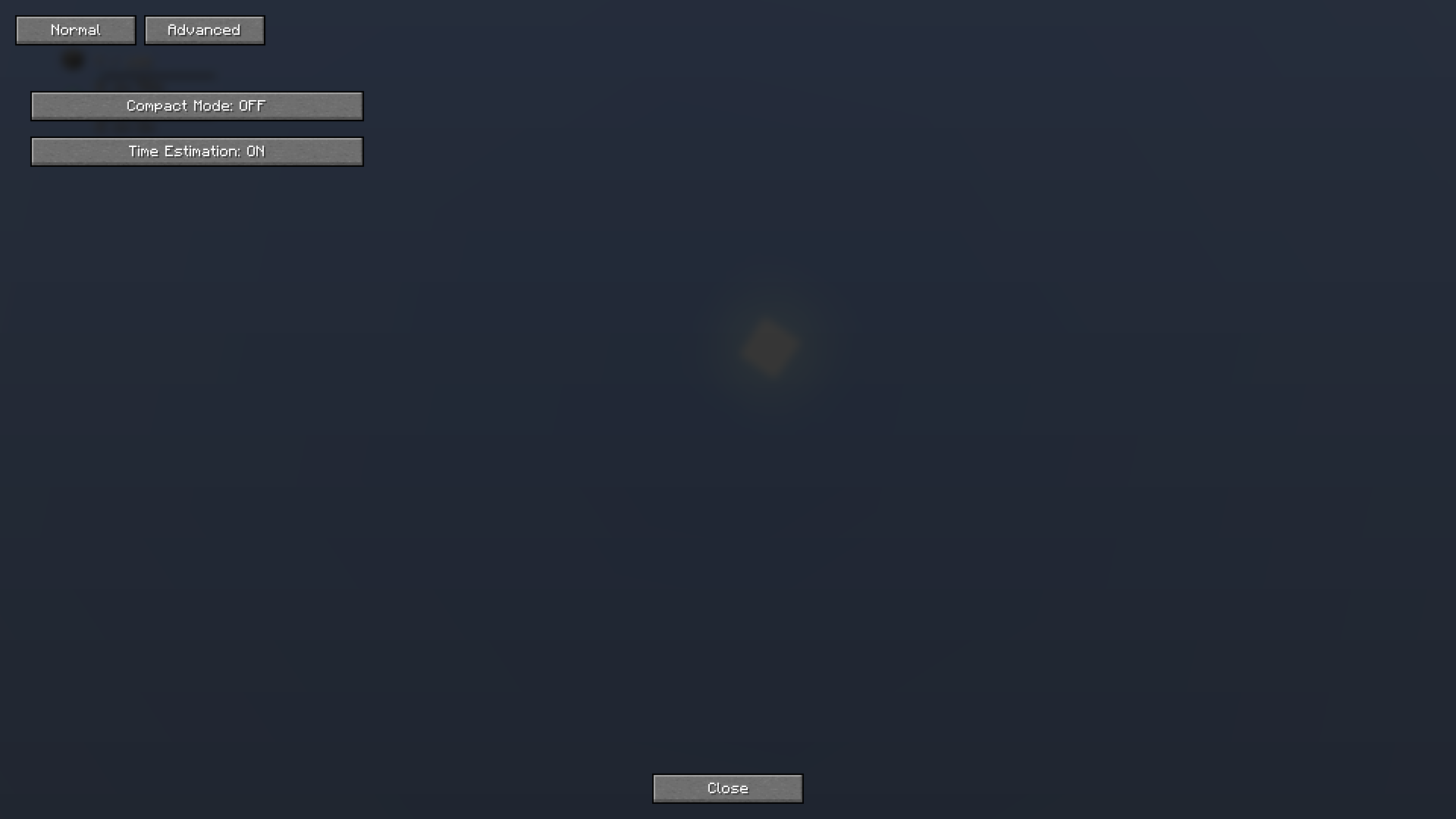 Advance Tab ( C ) a new tab in the Edit menu keybind C.
 -
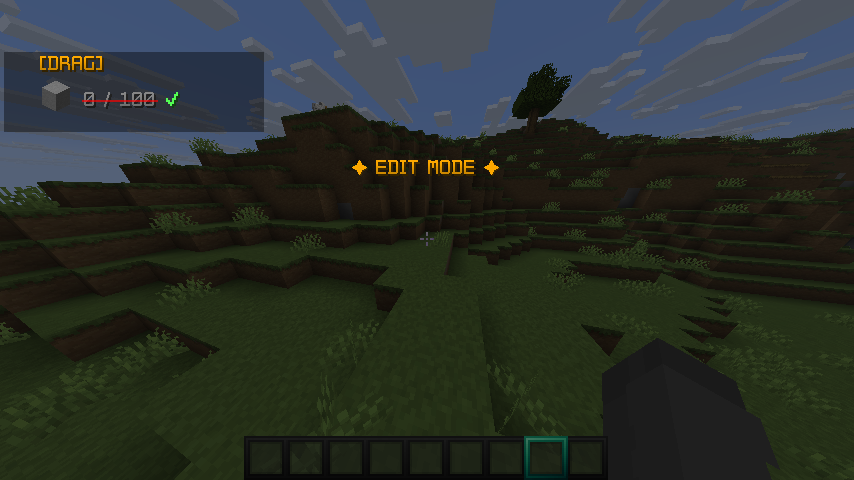 EDIT MODE ( B ) keybind B
 -
 Progress reset After dying there is a warming showing progress reset ( 5 seconds ) and all the resources go down to zero ( picking them will make the progress normal )
Versions
Files
Relations
Project Relations
More like this
Similar Mods
Suggestions use data such as tags, dependencies, dependents, descriptions, titles, and more to rank how much they overlap with this mod.
On ModDex
Community snapshot
By the numbers
Statistics

Want to reach Minecraft players?
We're looking for a server hosting partner to feature here and other parts of the site. Interested? Send us a message!
Get in touchGet it on
Available Platforms
On ModDex
Community snapshot
By the numbers
Statistics
Resources