
BluePrints+
No reviews yet
Smart, reusable blueprints for builders. Capture builds instantly, preview a ghost with rotation/mirror, and place the result as a unit — single‑player and servers.
General improvements to world generation, such as bug fixes, aesthetic overhauls, or misc additions.
Fabric is a mod loader for versions 1.14+ of Minecraft, particularly popular for client side and optimization mods.
Community voices
Reviews
Click once to include, again to exclude, again to clear
No reviews yet. Be the first to review this project!
Get it on
Available Platforms
 Modrinth
Compatibility
Supported Environments
About
Project Details
For authors
Embed Badge
If you're the author of this project, you can embed a live badge anywhere that supports HTML or Markdown. It updates automatically whenever ratings change.
Use HTML for any page that supports it, or Markdown for README files and Markdown-based descriptions.
Identifiers
Platform IDs
Resources
External Links
About
Description
Blueprints+
Smart, reusable blueprints for builders. Capture builds instantly, preview a ghost with rotation/mirror, and place the result as a unit — single‑player and servers.
Features
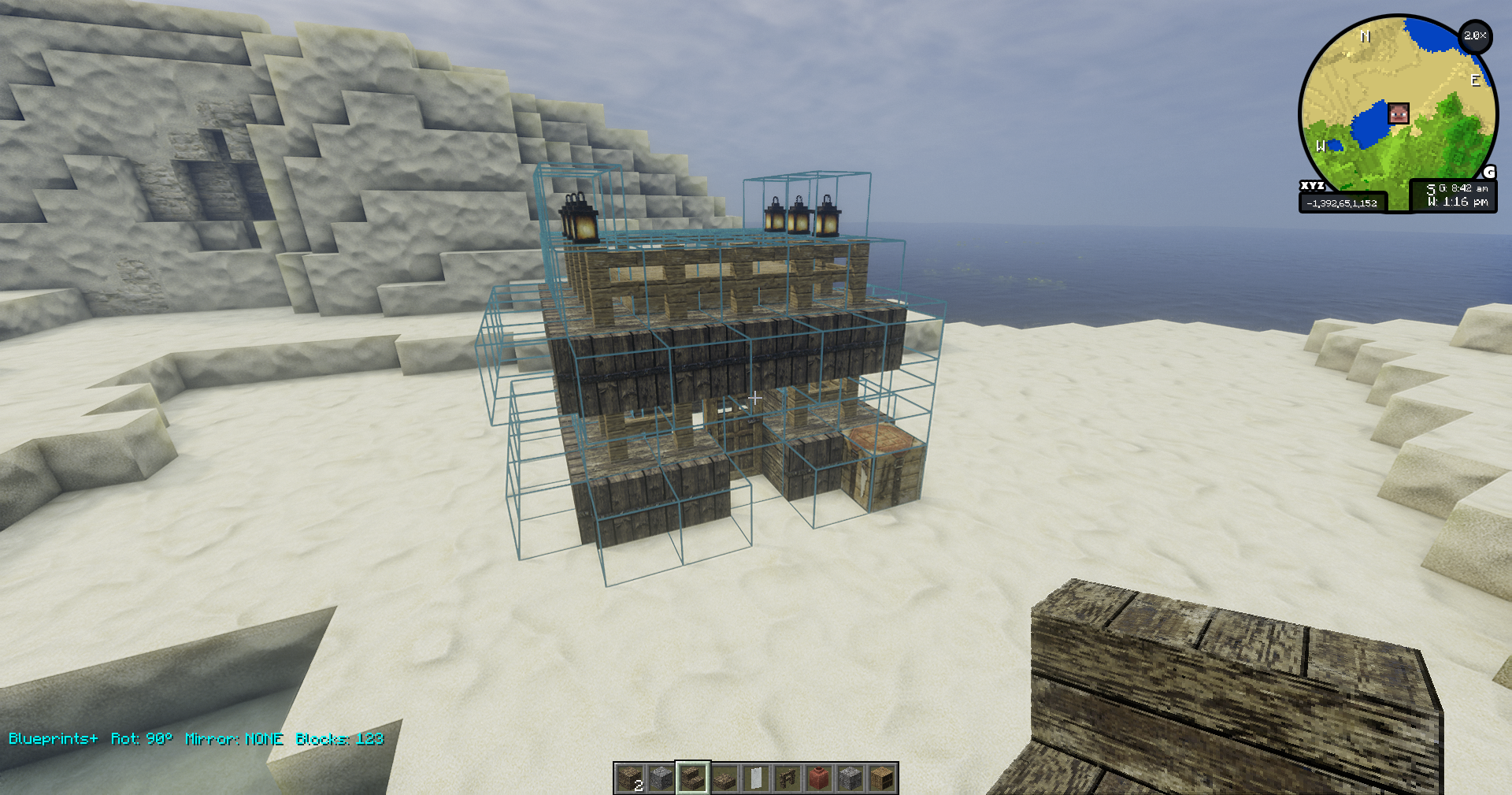
- Ghost Preview (client)
- Toggle a live ghost of your blueprint at the block face under the crosshair.
- Two preview modes: textured blocks + outlines, or outlines‑only (toggle)
- Rotate (90° steps around Y), mirror (X/Z), and nudge in XYZ.
- State‑aware placement (client→server)
- Oriented blocks rotate/mirror with the structure (e.g., FACING, HORIZONTAL_FACING, AXIS, 16‑step rotations, and common directional side properties).
- Doors flip hinge in mirror for a natural result.
- Grab selection (server command)
- /bp grab : capture all blocks attached to the looked‑at block (6‑dir), never ground, never below your start Y, no liquids.
- Hard cap 8000 blocks for safety.
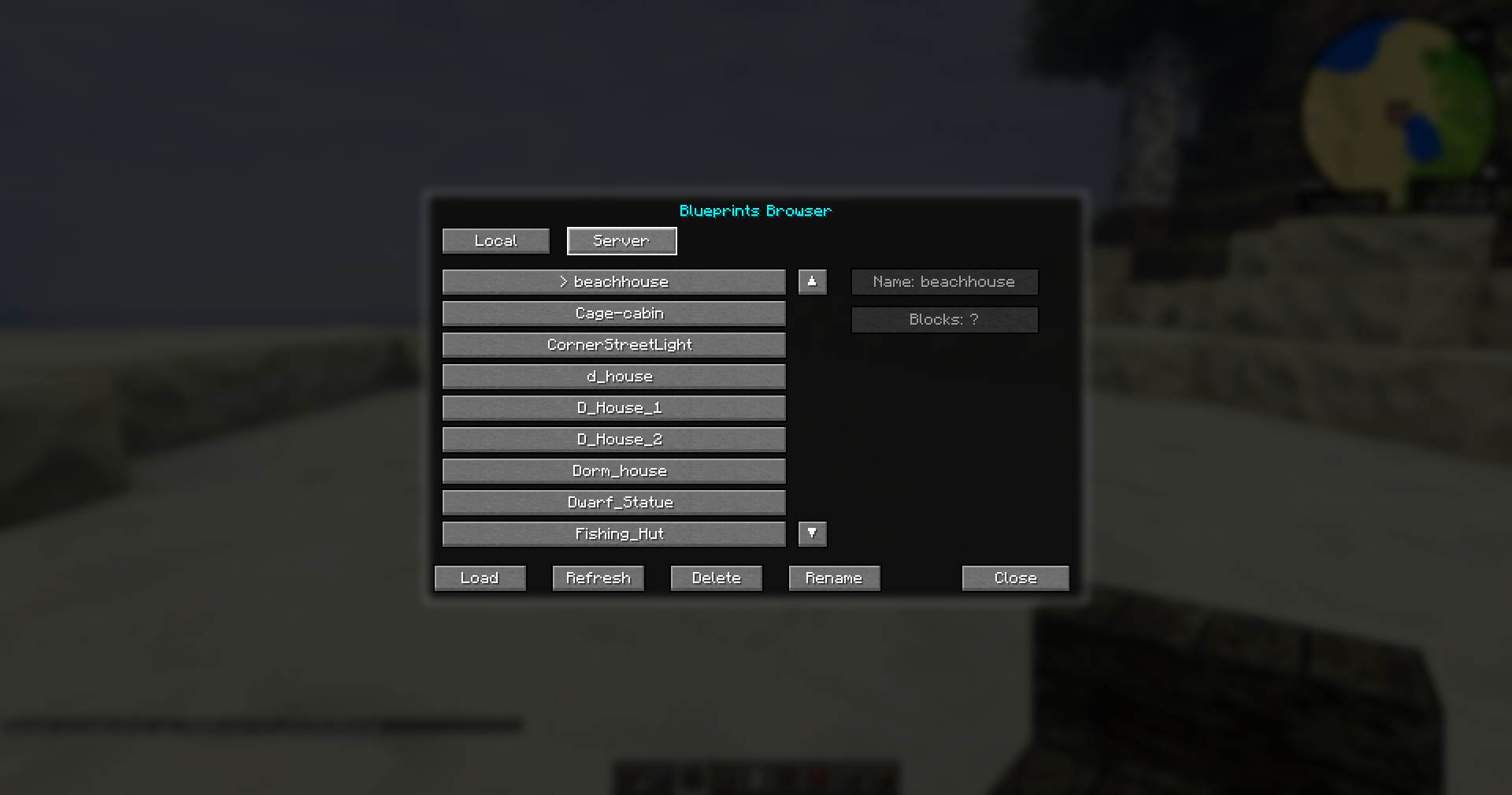
- Local/Server Browser (client)
- Press I to open the Browser window (dialog).
- Tabs: Local (default) and Server.
- Local lists .minecraft/blueprints (dev: run/blueprints). Server lists the server’s blueprints/ via networking.
- Load instantly (no confirmation). Server blueprints stream to the client for preview (no copying required).
- Delete from either tab (Local removes file; Server deletes on server and refreshes list).
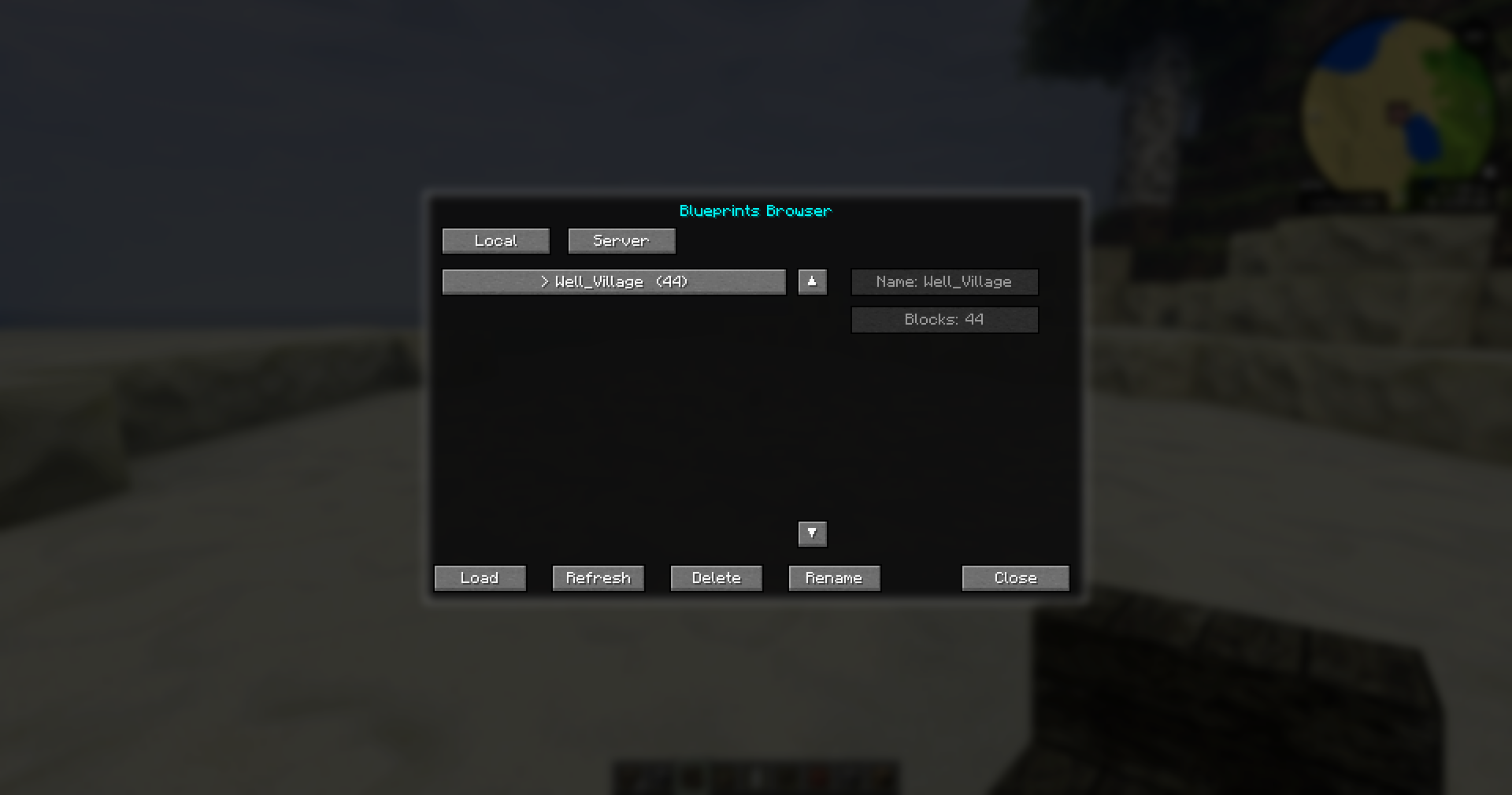
- Rename saved blueprints from either tab (Local renames the file; Server renames on server and refreshes list).
- Keyboard navigation: Up/Down, PageUp/PageDown, Enter (Load), Delete (Remove), R (Refresh), Esc (Close).
- Multiplayer ready
- Client preview + controls, server placement + commands. Install the mod on both client and server for full functionality.
Controls (default)
- Y — Toggle ghost on/off
- U — Rotate CW (hold Shift for CCW)
- T — Mirror cycle (None → X → Z → None)
- Arrow keys — Nudge X/Z
- PageUp / PageDown — Nudge Y
- O — Toggle preview mode (Blocks+Outlines ↔ Outlines‑only)
- I — Open Browser (Local/Server tabs; Load/Refresh/Delete/Close)
- Enter — Place the ghost (server places blocks; ghost auto‑closes)
- Backspace — Cancel/hide ghost
Commands (server)
All /bp commands are server‑side. Creative‑mode required for safety.
- /bp grab — capture attached blocks from the looked‑at block (strict: attached‑only, no ground, no liquids, never below start Y).
- /bp list — list files on the server.
- /bp remove — look at a structure and open a confirm dialog (Enter=Yes, Esc=No) to delete the attached build. Safety: attached‑only, no ground/liquids, never below start Y, cap 8000. Captured files are saved under server_root/blueprints/.nbt.
File locations
- Client Local tab: .minecraft/blueprints/ (dev: run/blueprints/).
- Server tab: server_root/blueprints/ (auto‑listed/streamed).
Rotation & mirroring details
On placement we transform every block’s BlockState to match the preview transform:
- Rotate (Y axis): HORIZONTAL_FACING/FACING, AXIS/HORIZONTAL_AXIS, ROTATION (16‑step), and directional side properties named north/east/south/west (e.g., wall heights) are rotated.
- Mirror (X or Z): HORIZONTAL_FACING/FACING mirrored; door hinge flips LEFT↔RIGHT; directional sides mirrored appropriately.
- Neighbor‑dependent shapes (stairs SHAPE, wall/pane/fence connections) often update naturally after placement. If you find cases that don’t, open an issue and we’ll add targeted rules or a refresh step.
Installation
Client (required):
- Fabric Loader: 0.16.x
- Fabric API: 0.116.4+1.21.1
- Java: 21
- Place blueprintsplus-.jar in .minecraft/mods/.
Server:
- Same Fabric Loader + Fabric API + Java 21.
- Place the same blueprintsplus-.jar in server_root/mods/ and restart.
Note: Client preview works without the server installed, but placement/commands and the Server tab require the server to have the mod.
Troubleshooting
- “Structures don’t rotate on server”: ensure the server mod jar is the same version (+buildN) as the client jar.
- “Browser Server tab shows nothing”: Install the mod on the server and try /bp list in‑game to confirm server files exist.
- “Preview opaque/heavy”: press O to switch to outlines‑only. Distance culling (~128 blocks) is enabled by default.
- “Walls/stairs corners odd after place”: neighbor‑dependent shapes may need a world tick. Report specific blocks if you want exact shaping rules added.
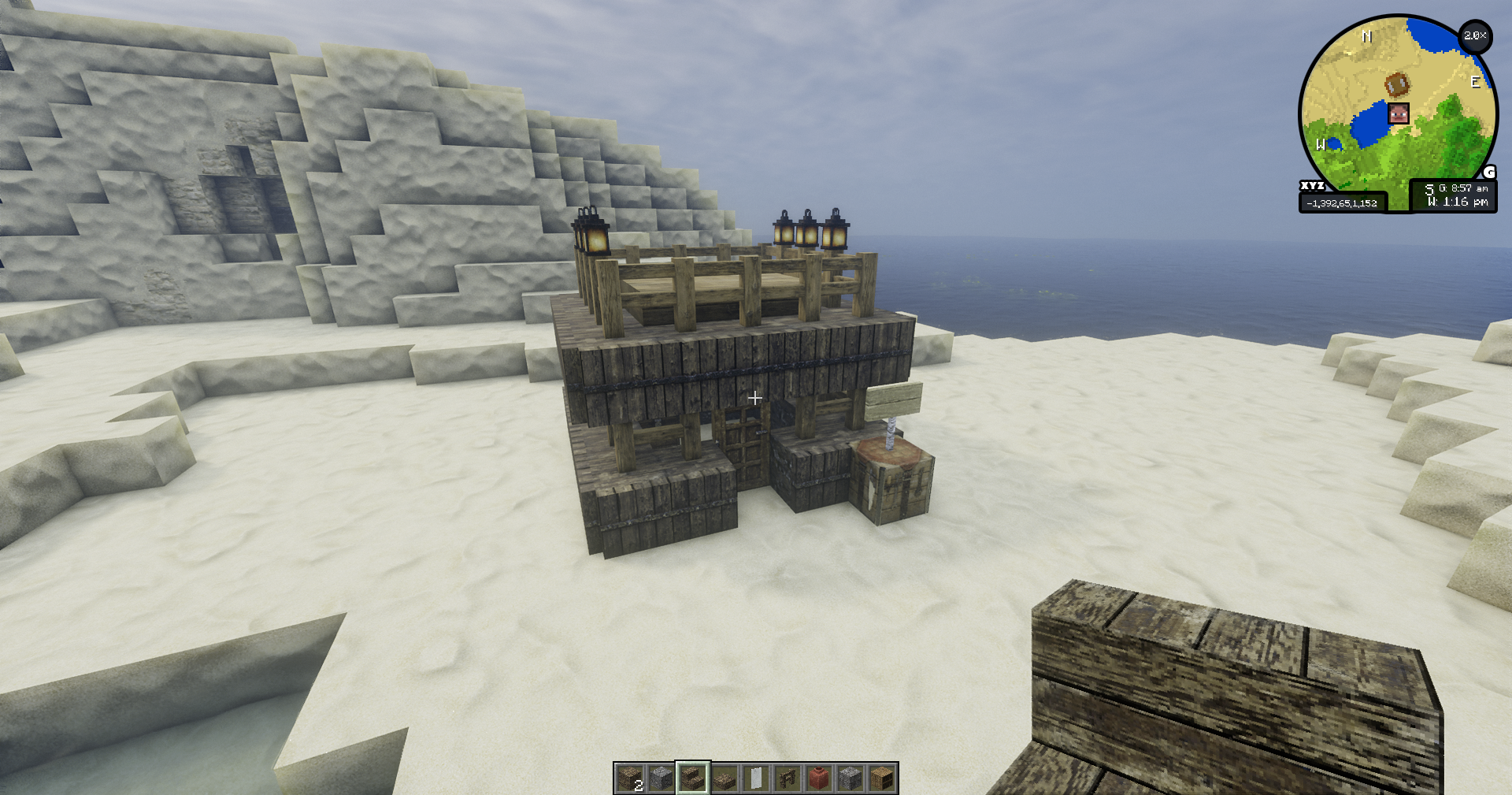
Screenshots
Gallery
Versions
Files
Relations
Project Relations
More like this
Similar Mods
Suggestions use data such as tags, dependencies, dependents, descriptions, titles, and more to rank how much they overlap with this mod.
On ModDex
Community snapshot
By the numbers
Statistics

Want to reach Minecraft players?
We're looking for a server hosting partner to feature here and other parts of the site. Interested? Send us a message!
Get in touchGet it on
Available Platforms
On ModDex
Community snapshot
By the numbers
Statistics
Resources