Community listing page, reviews may not be monitored by the author.
BlueVsRed

No reviews yet
A mod that allows you to divide players into 2 teams and fight each other with new warfare and roleplay features!

Community voices
Reviews
No reviews yet. Be the first to review this project!
Get it on
Available Platforms
About
Project Details
For authors
Embed Badge
If you're the author of this project, you can embed a live badge anywhere that supports HTML or Markdown. It updates automatically whenever ratings change.
Use HTML for any page that supports it, or Markdown for README files and Markdown-based descriptions.
Identifiers
Platform IDs
Resources
External Links
About
Description
*GeckoLib is required for this mod to work
BlueVsRed is a unique mod that mostly serves as a server utility. It adds a new way to setup a battle royale roleplay environment with friends. Spice things up by enabling the mod's dedicated hardcore mode! With a few commands and a few destructive weapons, your Minecraft world becomes a truly maleficent warzone.
Turrets shooting fire bullets at a fast rate, lethal bombs exploding everywhere, and explosive minions running towards you and your friends! That is what the mod BlueVsRed is all about.

Turret
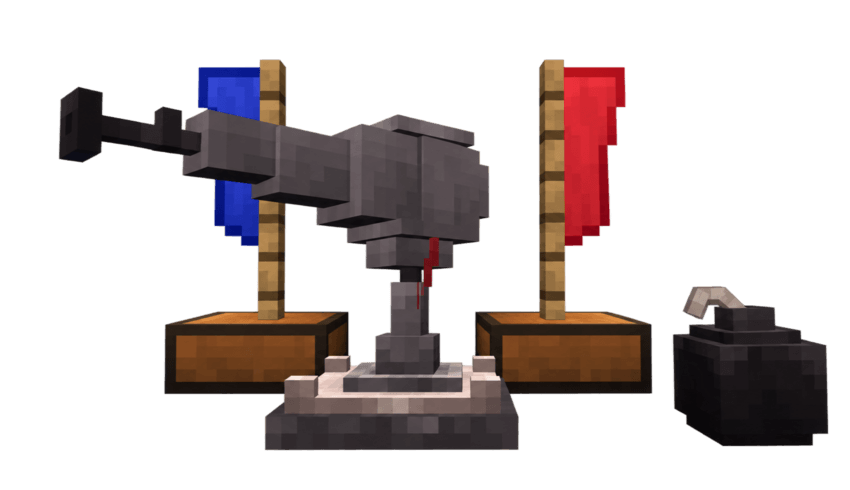
The turret is a great defensive mechanism you can place to protect you base. It attacks every entity in a radius of 60 blocks. If a player from the blue team places a turret, this means that the turret won't attack anyone from the blue team. The same works for the red team. You can craft 2 types of ammo, the normal 'Standard Rounds' and the fire setting 'Incendiary' bullets. This machine shoots fast, and is unbreakable after placing it. So choose it's location wisely!
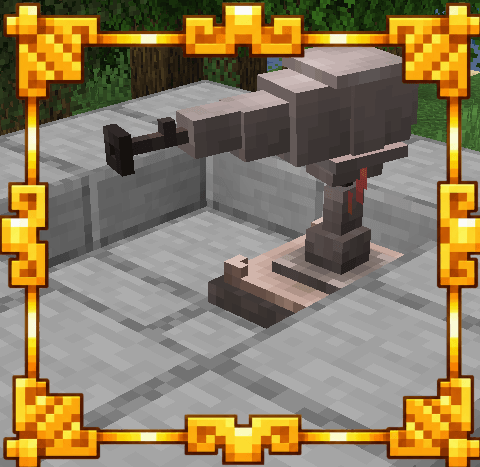
Inside the turret GUI you can place 1 bullet of the ammo type you want the turret to shoot. You will put this on the right tab. On the left tabs you place all the bullets you want of the selected ammo type, this will be the storage.
--The crafting recipe of the turret--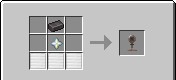
--The crafting recipe of the turret ammo--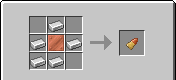
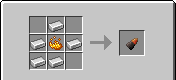
Standard Rounds Incendiary
Time Bomb
The time bomb is a simple bomb that can be crafted and placed, but not broken. When placed it takes 10 minutes to explode. The explosion is 10 times bigger than a normal TNT explosion.
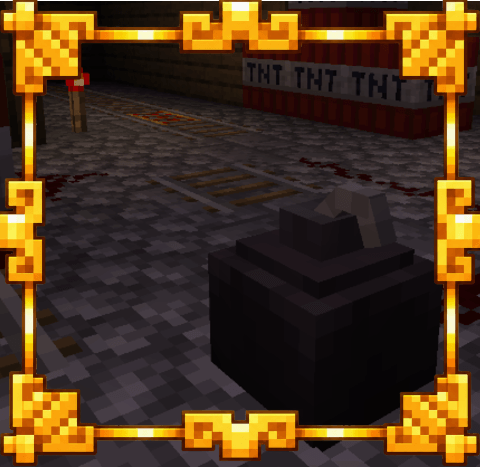
--The crafting recipe of the bomb-- 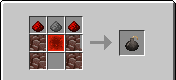
Minions
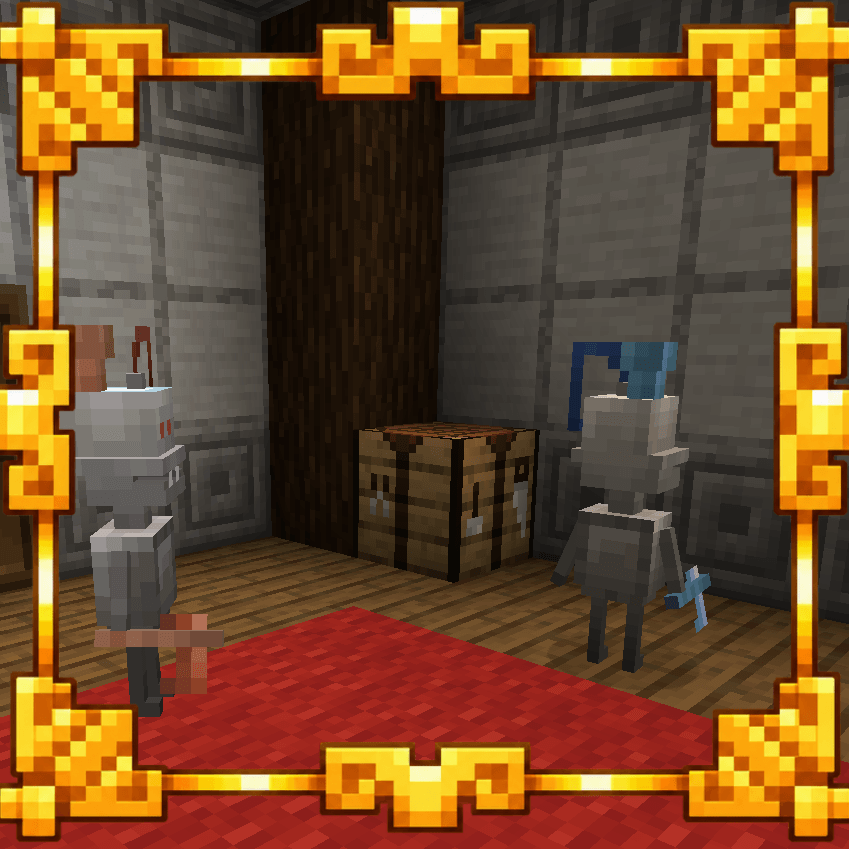
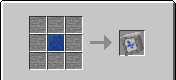
The minions are entities that serve like weapons. You can make a blue minion for example and will immediatly attack every player from the red team. They will attack normally with their axes, and will explode after killing them. But to be able to explode, the minions need to be activated first!
--The Crafting recipe of the minion eggs--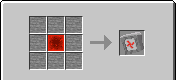
Territory Flags
Territory flags are one of key features of this mod! You can place a flag placed in a direction, and another pointing to the other direction. This will protect the squared area between the two flags from the enemy. This squared area would create a barrier that goes from bedrock to the build limit. So if red flags protect some area, this area will be inaccessible for the blue team. The flags can't be crafted, and can only be obtained in creative mode.

/shop (Open customizable shop)/add <item> tab <tab 1-6> price <price 1-1000> (Add items to shop)/group set <player> red (Set a player to the red team)/group set <player> blue (Set a player to the blue team)/group clear <player> (Reset the team color of a player)/minion summon red (Summon a red minion)/minion summon red charged (Summon a red explosive minion)/minion summon blue (Summon a blue minion)/minion summon blue charged (Summon a blue explosive minion)/minion summon charged red/minion summon charged blue/coins add <player> <amount 1-1000> (Add coins to a player)/economy enable <targets> (Enable the coin economy system on a player)/economy disable <targets> (Disable the coin economy system on a player)/hardcore enable <targets> (Enable 10 lives hardcore on a player)/hardcore disable <targets> (Disable 10 lives hardcore on a player)/give <targets> hardcore
Screenshots
Gallery
Versions
Files
Relations
Project Relations
More like this
Similar Mods
Suggestions use data such as tags, dependencies, dependents, descriptions, titles, and more to rank how much they overlap with this mod.
On ModDex
Community snapshot
By the numbers
Statistics
 (opens in a new tab)
Get it on
Available Platforms
On ModDex
Community snapshot
By the numbers
Statistics
Resources