Community listing page, reviews may not be monitored by the author.
Bones' Villager Utilities

No reviews yet
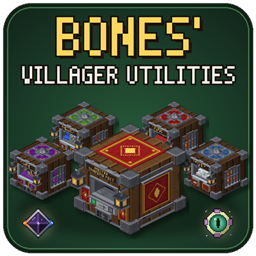
Capture villagers and put them to work: one-block trading post, iron farm, breeder, cobble/obsidian generator and mob research station.

Community voices
Reviews
No reviews yet. Be the first to review this project!
Get it on
Available Platforms
About
Project Details
For authors
Embed Badge
If you're the author of this project, you can embed a live badge anywhere that supports HTML or Markdown. It updates automatically whenever ratings change.
Use HTML for any page that supports it, or Markdown for README files and Markdown-based descriptions.
Identifiers
Platform IDs
Resources
External Links
About
Description
# Bones' Villager Utilities
**Put your villagers to work. No giant contraptions needed.**
Sneak + right-click a villager to pick it up as an item, then drop it into a compact machine block. Trade with a whole village from one block, farm iron, breed villagers, make stone and obsidian, and research mobs for their drops. Everything fits in a single block each, and works with hoppers and pipes.
---
## 🧑🌾 Captured Villagers
- **Sneak + right-click capture**: turns any villager into a Captured Villager item.
- **Keeps everything**: trades, level, XP and gossip are all saved inside the item.
- **Shows what it sells**: the tooltip lists its enchanted trades (e.g. *Mending, Protection III*), and the item renders as a real 3D villager.
- **Release anytime**: place it back in the world to get your villager back.
## 💰 Master Trading Post
- **Up to 25 villagers in one block**: 5 job tabs, each with 5 workstation slots and 5 villager slots.
- **Jobs from workstations**: put a Lectern, Stonecutter, Composter etc. in a tab and the villagers under it take that job.
- **One-click trading**: an emerald button under each villager opens its normal trade window.
- **⭐ Favorite Trades**: star any trade, and the Favorites tab lists them all, grouped by job and showing enchantment names like *Unbreaking III*. Click one to open that trade with your payment already filled in.
- **Owner modes**: *Normal* (others can trade, not change anything), *Vending* (you collect half of every payment) or *Open* (anyone can change villagers).
- **Production Core upgrade**: gives everyone Hero of the Village prices at this post.
## ⚙️ Iron Farm
- **Up to 5 villagers (any job)**: they work on one shared cycle, and more villagers means a faster cycle.
- **Makes iron**: 3–5 Iron Ingots per villager each cycle, and sometimes a Poppy.
- **Production Core**: twice as fast.
## ❤️ Villager Breeder
- **Two adult villagers + food = a baby villager**, delivered as a Captured Villager.
- **Food**: Bread, Carrots, Potatoes or Beetroot (24 food points per baby, Bread counts as 4).
- **Production Core**: breeds twice as fast.
## 🪨 Cobblestone Generator
- **A Mason villager + a Water Bucket + a Lava Bucket**: the buckets are never used up.
- **Three modes**: Stone, Cobblestone or Obsidian.
- **Production Core**: unlocks Obsidian and doubles the speed of Stone and Cobblestone.
## 🧪 Villager Research Station
- **A Cleric villager researches mobs** using mob samples and Lapis Lazuli. Research comes first, then Mastery.
- **Mastered mobs produce their drops for good**: no mobs are ever spawned.
- **Run as many researches at once as you like**.
- **Mobs**: Zombie, Skeleton, Spider, Creeper, Blaze, Wither Skeleton, Ghast and Enderman.
## 💎 Cores (upgrades)
- **Production Core**: Cobblestone Generator: Obsidian + 2x speed. Iron Farm and Breeder: 2x speed. Trading Post: Hero of the Village prices.
- **Advanced Research Core**: 2x research and mastery speed.
- **Nether Research Core**: 2x speed + unlocks Nether mobs.
- **End Research Core**: 2x speed + unlocks Nether and End mobs.
## 🔧 Every block
- **Hoppers and pipes work on every side**: they feed in what the machine needs and pull the output out.
- **Auto-Eject**: tick it to push output into a chest underneath.
- **Never drops items**: a full machine pauses until there's room.
- **Keeps its contents** when you break it and place it again.
- **Settings side tab**: turn the block's sound off, and switch machines off (paused, nothing lost).
- **[i] How-to tab** in every screen explains that block.
- **Own creative tab** with every block and item.
## 🖥️ 3D or 2D models
- **Detailed 3D models by default.** Switch *Machine Models* to **2D** for simple textured cubes that are lighter on low-end PCs.
- **Where to find it**: Video Settings, the mod's Config screen, or Sodium's own settings page.
## 🤝 Plays nicely with other mods
- **Easy Villagers**: machines accept its villager items, the Breeder can output them, and our sneak-click capture switches off automatically so the two don't fight over the same click (all changeable in the config).
- **Sodium**: the 2D/3D switch shows up in Sodium's Video Settings.
- **Pipes from any mod**: every block exposes standard item handlers, so pipes and hoppers just work.
- **Recipe viewers (JEI, EMI…)**: all recipes are normal crafting recipes, so they show up as usual.
---
**Requires:** NeoForge 21.1+ · Minecraft 1.21.1
**Optional:** Easy Villagers, Sodium, JEI / EMI
---
*Made for the Vintage Virtual Vibes modpack. Feel free to use it in your own packs.*
Screenshots
Gallery
Versions
Files
Relations
Project Relations
More like this
Similar Mods
Suggestions use data such as tags, dependencies, dependents, descriptions, titles, and more to rank how much they overlap with this mod.
On ModDex
Community snapshot
By the numbers
Statistics

Get it on
Available Platforms
On ModDex
Community snapshot
By the numbers
Statistics
Resources