
Community listing page, reviews here may not be monitored by the author.
Boshy's BTE Utils

No reviews yet
Boshy's BTE Utils is a mod that makes building inside of the Build the Earth project easier by allowing users to visualise their TPLL points with markers, along with other features such as image overlays, automatic TPLL by KML files, and more!
Community voices
Reviews
No reviews yet. Be the first to review this project!
Get it on
Available Platforms
Compatibility
Supported Environments
Runs entirely on the client. Works on vanilla servers.
About
Project Details
For authors
Embed Badge
If you're the author of this project, you can embed a live badge anywhere that supports HTML or Markdown. It updates automatically whenever ratings change.
Use HTML for any page that supports it, or Markdown for README files and Markdown-based descriptions.
Identifiers
Platform IDs
Resources
External Links
About
Description
Boshys-BTE-Utils
Boshys BTE Utils is a mod that makes building inside of the Build the Earth project easier by allowing users to visualise their TPLL points with markers, along with other features such as image overlays, automatic TPLL by KML files, and more!
- This mod works on Minecraft version 1.21.10 and 26.2 on Fabric.
- This mod also requires Mod Menu, Cloth Config, and Fabric API.
How to connect TPLL to a keybind:
- Open the controls menu within Minecraft, and set the keybind that you want to use tpll with.
- Copy the coordinates from either Google Earth pro or Google Maps. If the format is compatible with tpll, then it'll work!
How to add a marker and connect the markers with lines:
- In the Mod Menu information about Boshys-BTE-Utils, you can see how to add a marker, and how to connect them with lines, and how to remove them.
- To add a marker, use
/boshys-bt-utils addMarkerat the position where you want the marker to be - To remove all markers, use
/boshys-bt-utils clearMarkers - To remove just a single marker, right click to select the marker and press delete. You cannot select a marker when holding a block or item.
- To connect two markers manually, select the two markers you are connected and a line will appear
- You can edit the colour of the lines, and markers inside the mod settings found in ModMenu
How to import markers from Google Earth KML Files:
- In the Mod Menu section labeled "KML Importing", you can change the file path where KML Files are detected from. You can also find this file path using
/boshys-bt-utils markerFileLocation - To start importing the KML, use
/boshys-bt-utils importKML <file>, and make sure you don't move until the import is finished, or the tpll markers could be placed in the wrong area. - You can import multiple KML files using
/boshys-bt-utils importMultipleKMLs <file>... - To stop KML imports from happening, you can use
/boshys-bt-utils stopImport. This will cancel all imports queued and currently importing.
How to add overlays:
- Overlays can be helpful for visualising blueprints for interiors of buildings.
/boshys-bt-utils overlay new <file>is the command to add an image as an overlay at where you are standing/boshys-bt-utils overlay corneris the command to move an overlay's corner to warp the size of an overlay/boshys-bt-utils overlay moveToPlayeris the command to move the overlay to where you are standing by the anchor point.
Screenshots
Gallery
-
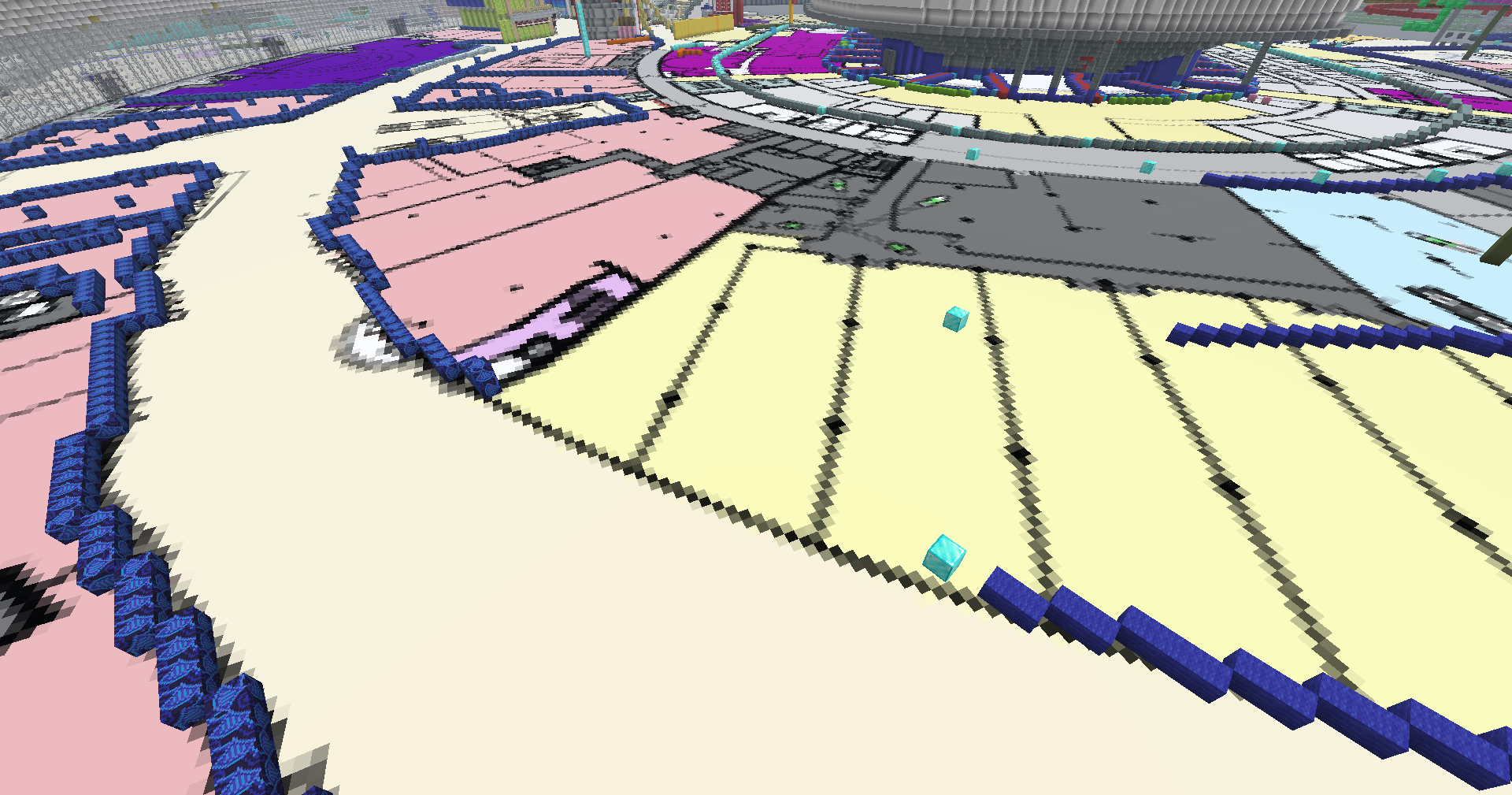 Overlay Image of how overlays can be used as blueprints in game
 -

-
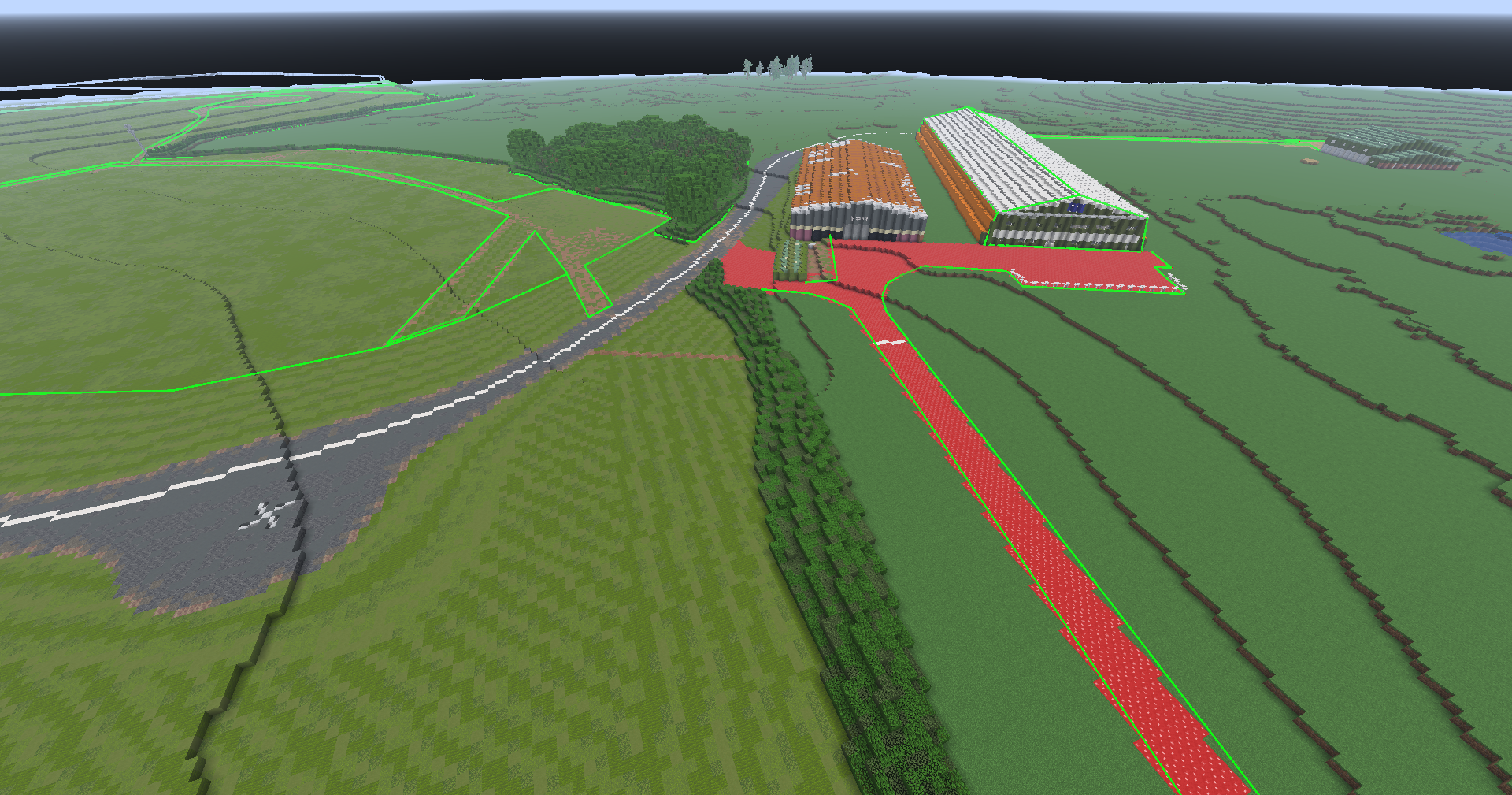 Markers and Lines Example of how lines are visualised in game
 -
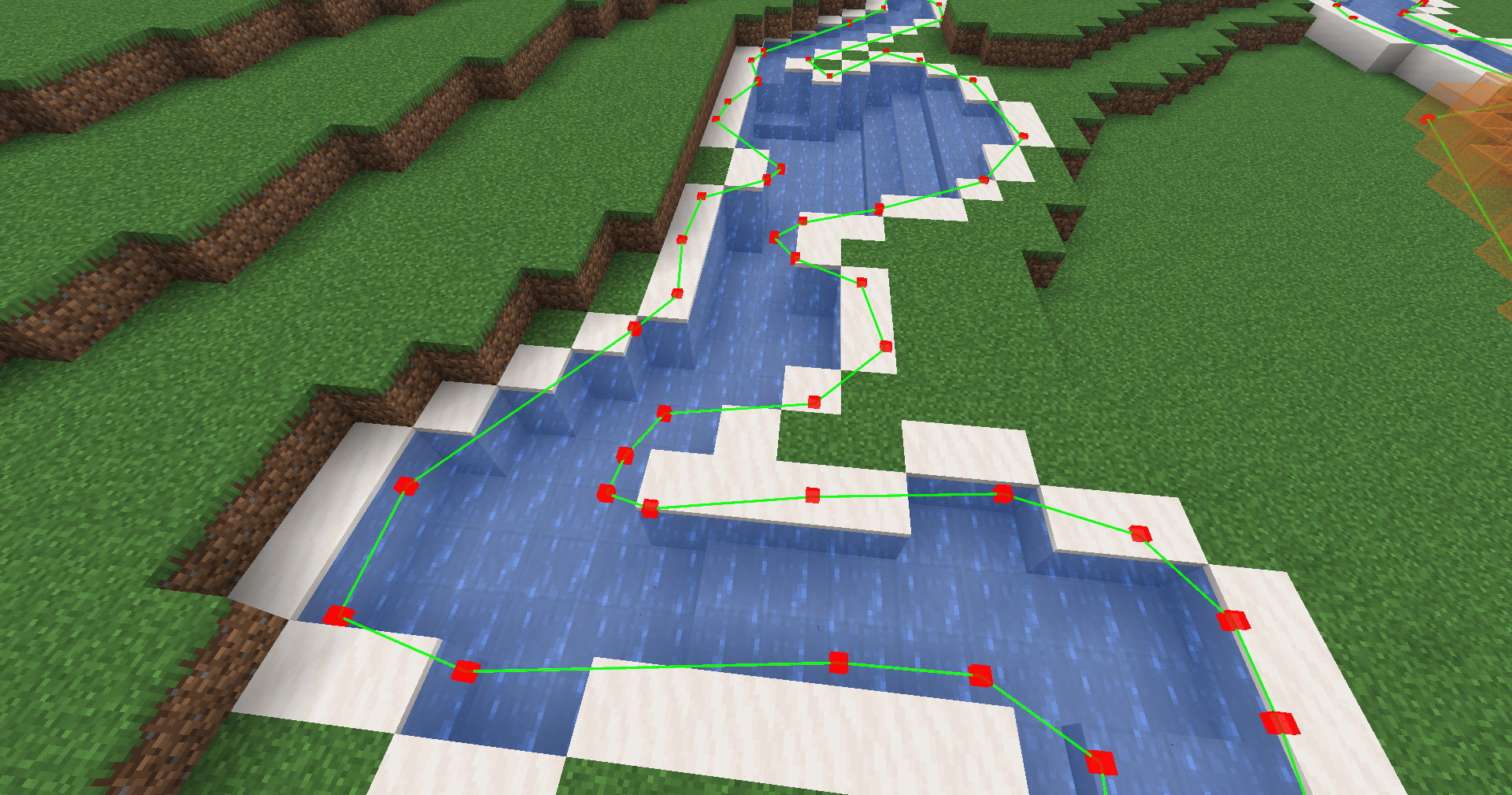 Markers Close up visual of how markers and lines visualise TPLL.
Versions
Files
Relations
Project Relations
More like this
Similar Mods
Suggestions use data such as tags, dependencies, dependents, descriptions, titles, and more to rank how much they overlap with this mod.
On ModDex
Community snapshot
By the numbers
Statistics

Want to reach Minecraft players?
We're looking for a server hosting partner to feature here and other parts of the site. Interested? Send us a message!
Get in touchGet it on
Available Platforms
On ModDex
Community snapshot
By the numbers
Statistics
Resources