
Community listing page, reviews may not be monitored by the author.
Bounty Hunt


No reviews yet
This mod allows you to use a Bounty system on your server using diamonds!

Community voices
Reviews
No reviews yet. Be the first to review this project!
Get it on
Available Platforms
Compatibility
Supported Environments
Runs entirely on the server. Also works in singleplayer.
About
Project Details
For authors
Embed Badge
If you're the author of this project, you can embed a live badge anywhere that supports HTML or Markdown. It updates automatically whenever ratings change.
Use HTML for any page that supports it, or Markdown for README files and Markdown-based descriptions.
Identifiers
Platform IDs
About
Description
Bounty Hunt
About Bounty Hunt
A server side mod that allows you to add a bounty system to your server using in game items. No need for a currency mod, keep it vanilla! Players can set a bounty using commands and accessing a GUI to set a bounty. Once a player who has a bounty gets eliminated, the player who eliminated them can claim their bounty!
Questions? Ideas? Come join my discord!



Requirement
- Fabric API
Features
- Set A bounty on someone using anything in the game
- All players online will see a bounty when it gets set if the amount is high enough
- A Bounty board to see who all has bounties
- An announcement when a bounty is set to the whole server
- Increase bounties after setting them
Commands
| Command | Description | Permission Level |
|---|---|---|
| /setBounty <player\> | Allows the player to set a bounty with diamonds via a GUI | Everyone |
| /claimbounty | Allows the player to claim a bounty with diamonds via a GUI | Everyone |
| /bountyboard | Allows the player to see all the bounties that are currently active | Everyone |
| /helpbounty | Shows all the commands for Bounty Hunt | Everyone |
| /adjustbounty | Allows the player to change a previously set bounty via a GUI | Everyone |
| /bountyItemType <diamonds/iron/gold/ emerald/lapis/copper/netherite> |
Set the currency to a preset mineral | Level 3 |
| /bountyItemType custom <ingot\> | Set the currency to a custom item with no block variant allowed | Level 3 |
| /bountyItemType custom <ingot\> <block\> <ingotToBlockAmount\> | Set the currency to a custom item with a block variant with the amount of the single item to the block variant | Level 3 |
| /bountyItemType confirm | Confirm the currency change when there are bounties already in place, will change current bounties currency to the new one | Level 3 |
| /bountyAnnouncement <amount/Default> | Set the amount(ingot) it takes when setting a bounty to announce it to the whole server, custom amount or Default to change it to the default value | Level 3 |
How To Use
- To set a bounty on a player, that player needs to be online. Once they are simple type /setbounty {player}
- Once a player has a bounty on them, simply hunt them down and bring them to 0 hearts. Once they are dead you will be notified to claim the reward
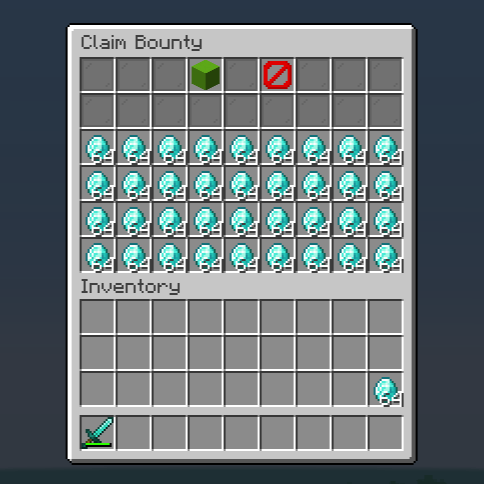
- Once you have a reward, simply type /claimbounty
- Make sure to have enough inventory space to claim all the diamonds or they will be spit out on the floor
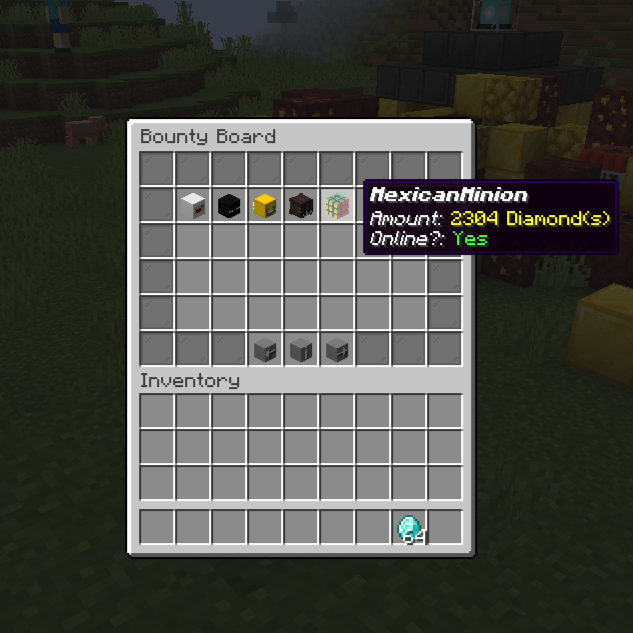
- To see all the bounties that are currently active, type /bountyboard
In Depth
- The bounty system uses diamonds as the currency. This can be changed to any mineral using the /bountyItemType command
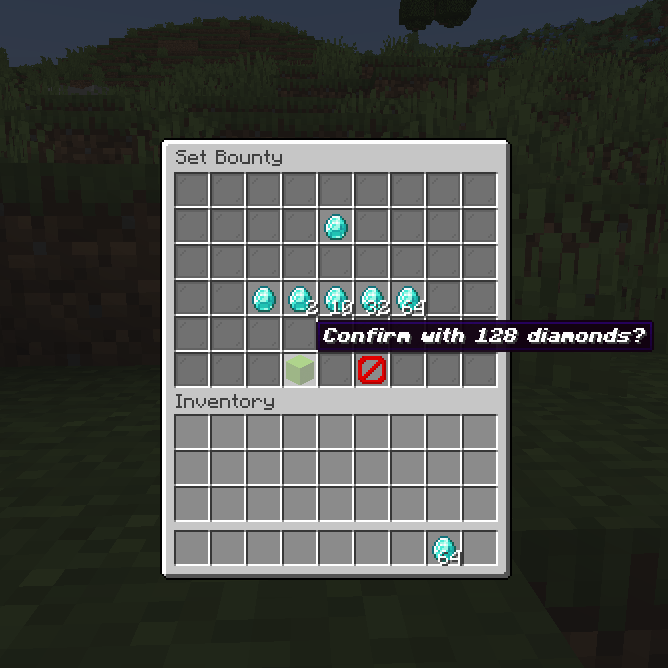
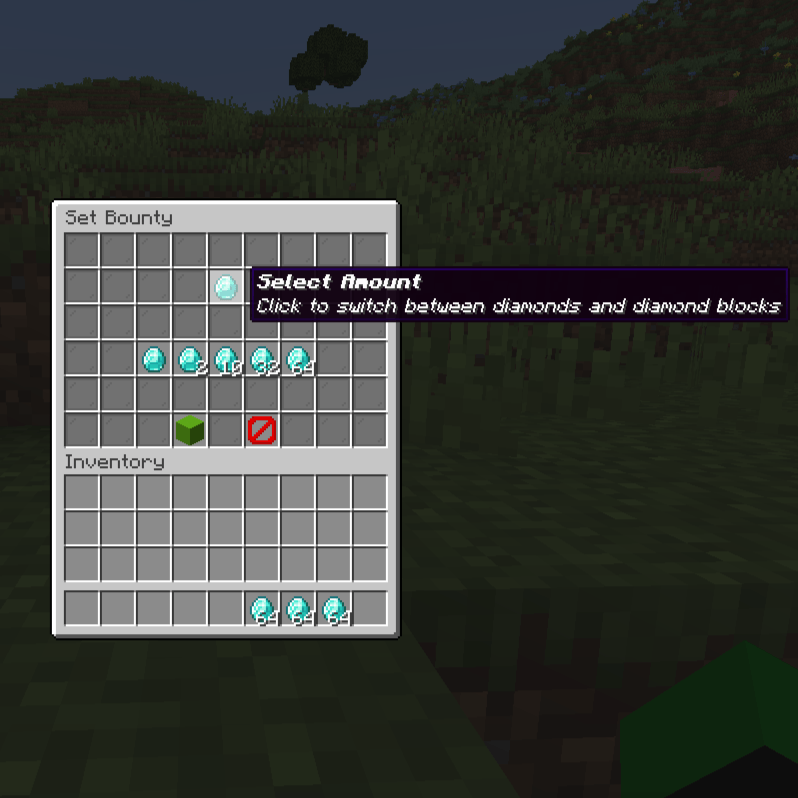
- The bounty system uses a GUI to set and claim bounties
- An announcement will be made to the whole server when a bounty is set if the amount of diamonds is greater than the value set in the /bountyAnnouncement command (Default is 576 ingots, equivalent to 9 stack of the ingot type or 1 stack of the block type)
- The Bounty Board will show all the bounties that are currently active
- The Adjust Bounty GUI allows you to increase the price of a previously set bounty when the target player is online
Config file
This is the default config file for Bounty Hunt
{
  "itemIngot": 764,
  "ingotToBlockAmount": 9,
  "announceAmount": 576,
  "onlyIngot": false,
  "itemBlock": 77
}- itemIngot: The item id for the ingot type
- ingotToBlockAmount: The amount of ingots it takes to make a block
- announceAmount: The amount of ingots it takes to announce a bounty to the whole server
- onlyIngot: If the currency is only ingots
- itemBlock: The item id for the block type
The config file will be created once the mod is run for the first time located in the bountyhunt folder. All the values can be changed in game using the /bountyItemType and /bountyAnnouncement commands. No need to change the config file manually.
Bounty Hunt
About Bounty Hunt
A server side mod that allows you to add a bounty system to your server using in game items. No need for a currency mod, keep it vanilla! Players can set a bounty using commands and accessing a GUI to set a bounty. Once a player who has a bounty gets eliminated, the player who eliminated them can claim their bounty!
Questions? Ideas? Come join my discord!


Requirement
- Fabric API
Features
- Set A bounty on someone using anything in the game
- All players online will see a bounty when it gets set if the amount is high enough
- A Bounty board to see who all has bounties
- An announcement when a bounty is set to the whole server
- Increase bounties after setting them
Commands
| Command | Description | Permission Level |
|---|---|---|
| /setBounty <player> | Allows the player to set a bounty with diamonds via a GUI | Everyone |
| /claimbounty | Allows the player to claim a bounty with diamonds via a GUI | Everyone |
| /bountyboard | Allows the player to see all the bounties that are currently active | Everyone |
| /helpbounty | Shows all the commands for Bounty Hunt | Everyone |
| /adjustbounty | Allows the player to change a previously set bounty via a GUI | Everyone |
| /bountyItemType <diamonds/iron/gold/ emerald/lapis/copper/netherite> |
Set the currency to a preset mineral | Level 3 |
| /bountyItemType custom <ingot> | Set the currency to a custom item with no block variant allowed | Level 3 |
| /bountyItemType custom <ingot> <block> <ingotToBlockAmount> | Set the currency to a custom item with a block variant with the amount of the single item to the block variant | Level 3 |
| /bountyItemType confirm | Confirm the currency change when there are bounties already in place, will change current bounties currency to the new one | Level 3 |
| /bountyAnnouncement <amount/Default> | Set the amount(ingot) it takes when setting a bounty to announce it to the whole server, custom amount or Default to change it to the default value | Level 3 |
How To Use
- To set a bounty on a player, that player needs to be online. Once they are simple type /setbounty {player}
- Once a player has a bounty on them, simply hunt them down and bring them to 0 hearts. Once they are dead you will be notified to claim the reward
- Once you have a reward, simply type /claimbounty
- Make sure to have enough inventory space to claim all the diamonds or they will be spit out on the floor
- To see all the bounties that are currently active, type /bountyboard
In Depth
- The bounty system uses diamonds as the currency. This can be changed to any mineral using the /bountyItemType command
- The bounty system uses a GUI to set and claim bounties
- An announcement will be made to the whole server when a bounty is set if the amount of diamonds is greater than the value set in the /bountyAnnouncement command (Default is 576 ingots, equivalent to 9 stack of the ingot type or 1 stack of the block type)
- The Bounty Board will show all the bounties that are currently active
- The Adjust Bounty GUI allows you to increase the price of a previously set bounty when the target player is online
Config file
This is the default config file for Bounty Hunt
{
  "itemIngot": 764,
  "ingotToBlockAmount": 9,
  "announceAmount": 576,
  "onlyIngot": false,
  "itemBlock": 77
}
- itemIngot: The item id for the ingot type
- ingotToBlockAmount: The amount of ingots it takes to make a block
- announceAmount: The amount of ingots it takes to announce a bounty to the whole server
- onlyIngot: If the currency is only ingots
- itemBlock: The item id for the block type
The config file will be created once the mod is run for the first time located in the bountyhunt folder.
All the values can be changed in game using the /bountyItemType and /bountyAnnouncement commands. No need to change the config file manually.
Screenshots
Gallery
-
 2024-02-19_23.26.22.png 2024-02-19_23.26.22.png
 -
 2024-02-19_23.26.01.png 2024-02-19_23.26.01.png
 -
 2024-01-31_18.01.01.png 2024-01-31_18.01.01.png
 -
 2024-02-19_23.27.26.png 2024-02-19_23.27.26.png
 -
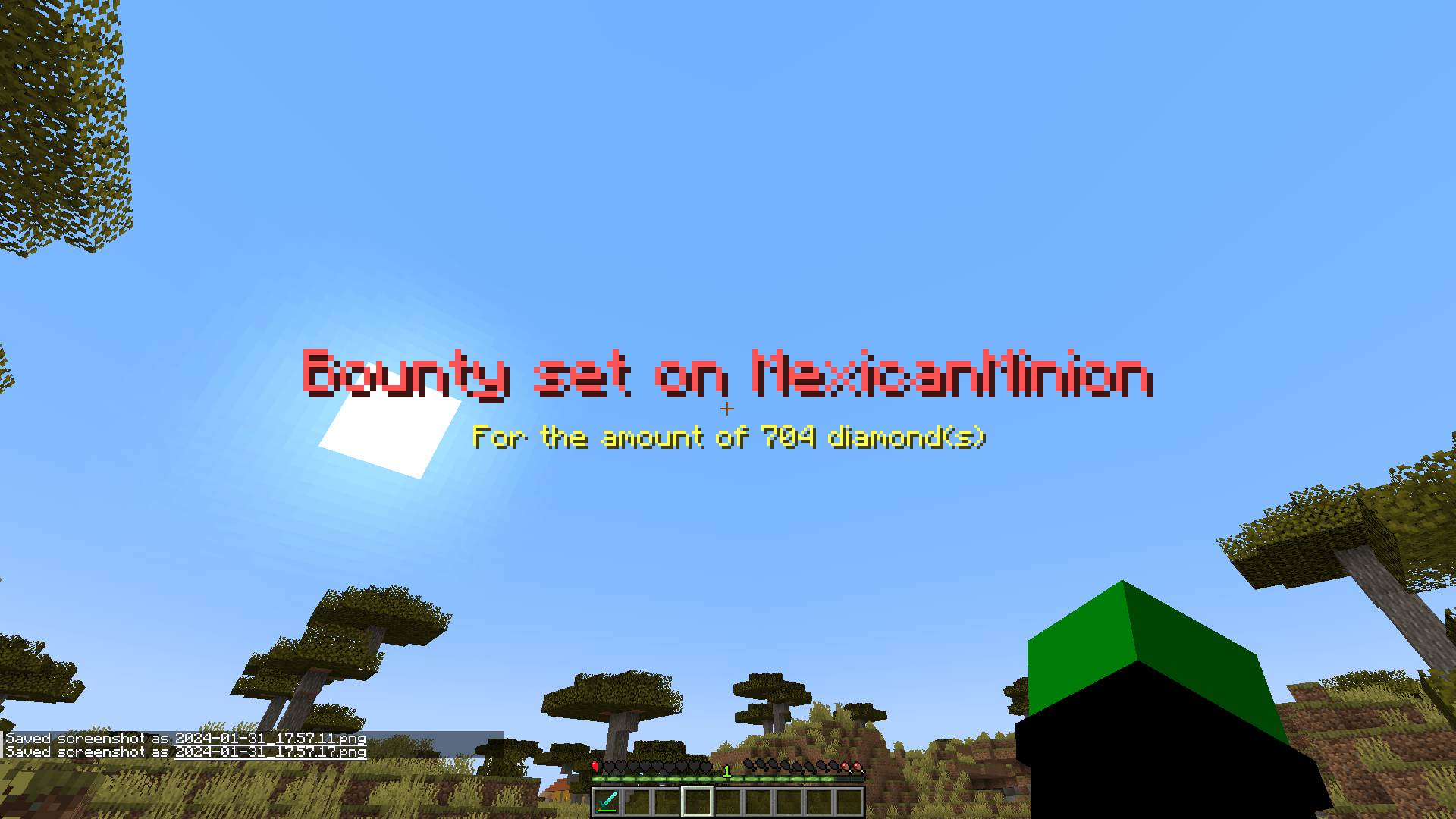 2024-01-31_17.57.18.png 2024-01-31_17.57.18.png
-
 Set Bounty | Select/Change Amount How it looks like to set a bounty
 -
 Set Bounty | Confirm How to confirm a bounty
 -
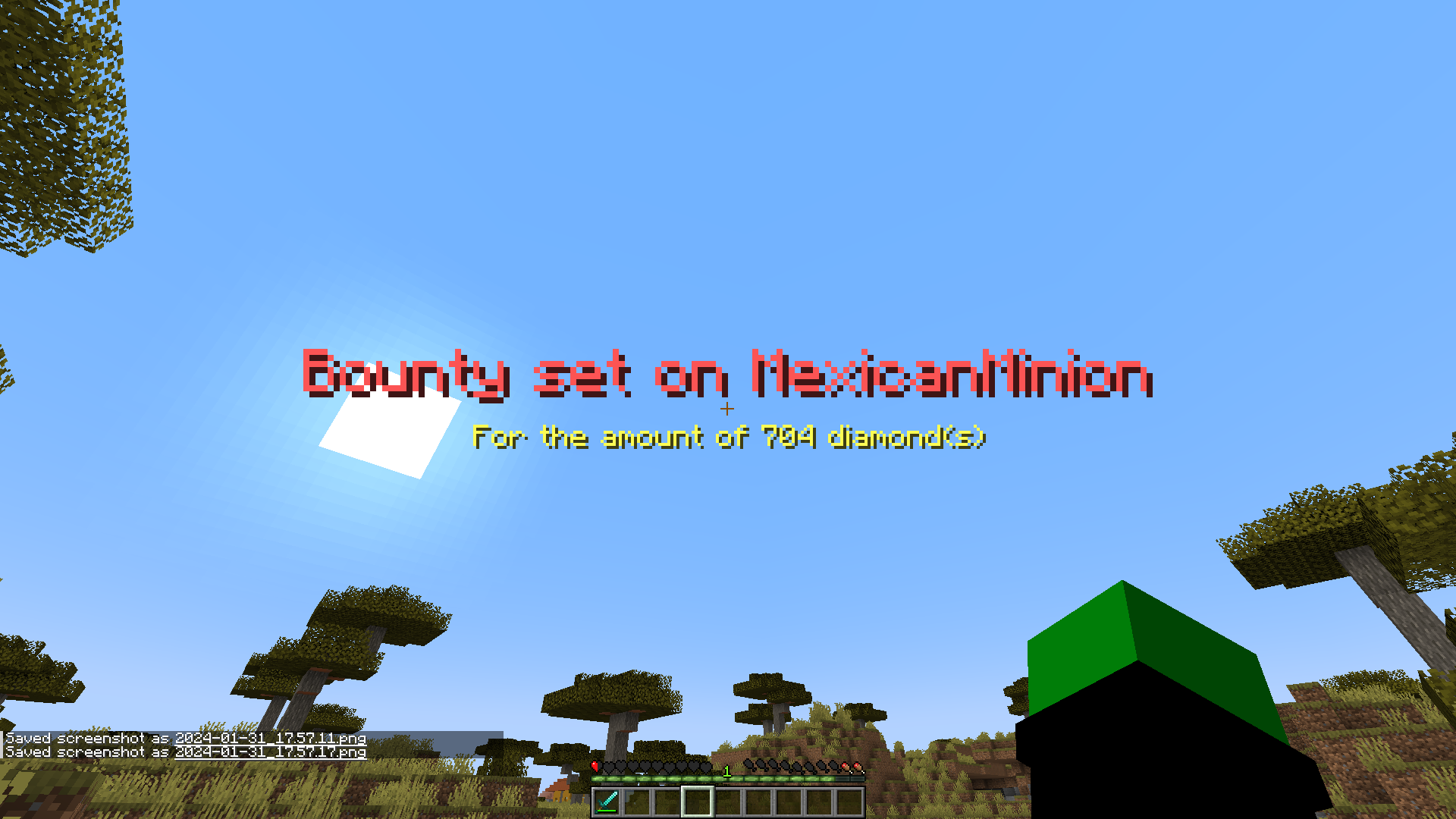 Bounty Announcement What all players see when a bounty is set
 -
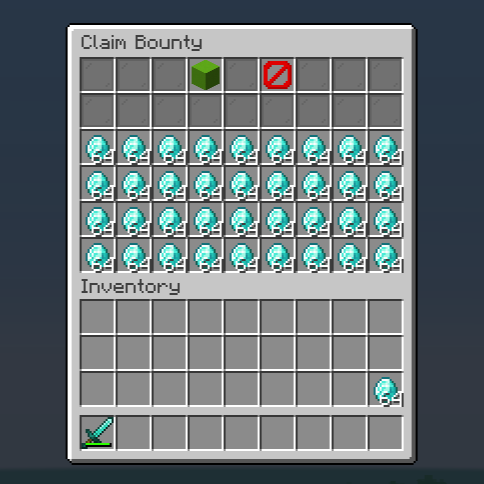 Claim Bounty How the screen looks like when you go to claim a bounty
 -
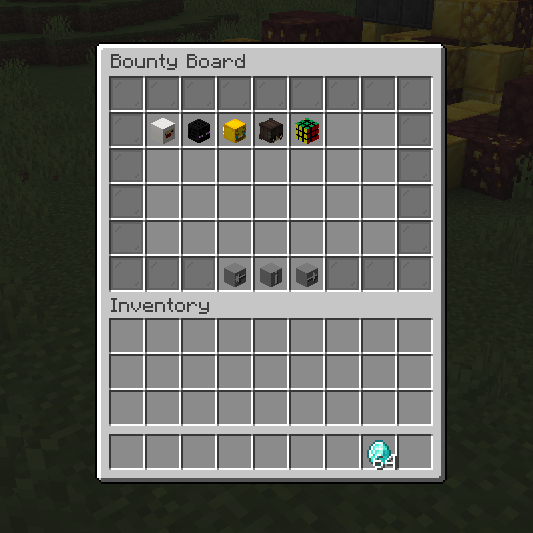 Bounty Board How the Bounty Board looks
 -
 Bounty Board | Head How the information looks like
Versions
Files
Relations
Project Relations
More like this
Similar Mods
Suggestions use data such as tags, dependencies, dependents, descriptions, titles, and more to rank how much they overlap with this mod.
On ModDex
Community snapshot
By the numbers
Statistics

Get it on
Available Platforms
On ModDex
Community snapshot
By the numbers