Community listing page, reviews may not be monitored by the author.



Community voices
Reviews
No reviews yet. Be the first to review this project!
Get it on
Available Platforms
Compatibility
Supported Environments
Must be installed on both the client and the server.
About
Project Details
For authors
Embed Badge
If you're the author of this project, you can embed a live badge anywhere that supports HTML or Markdown. It updates automatically whenever ratings change.
Use HTML for any page that supports it, or Markdown for README files and Markdown-based descriptions.
Identifiers
Platform IDs
Resources
External Links
About
Description
DISCLAIMER : IF YOU WANT THE ANIMATIONS, USE THE NEOFORGE VERSION
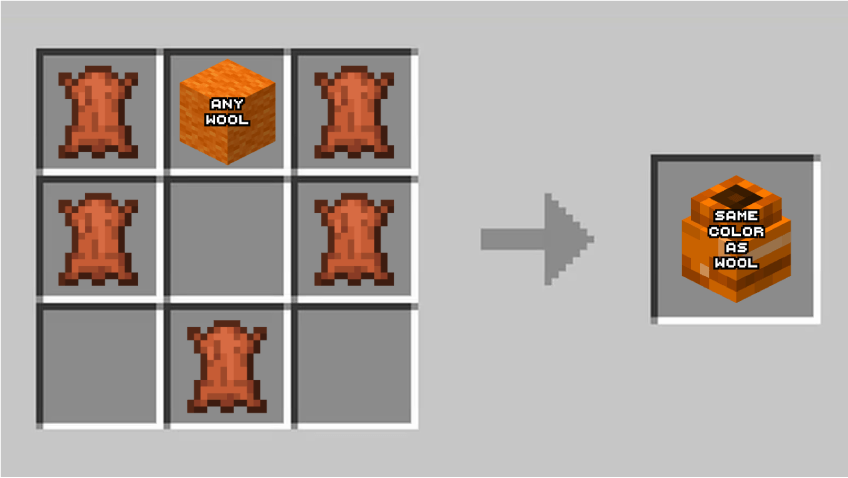
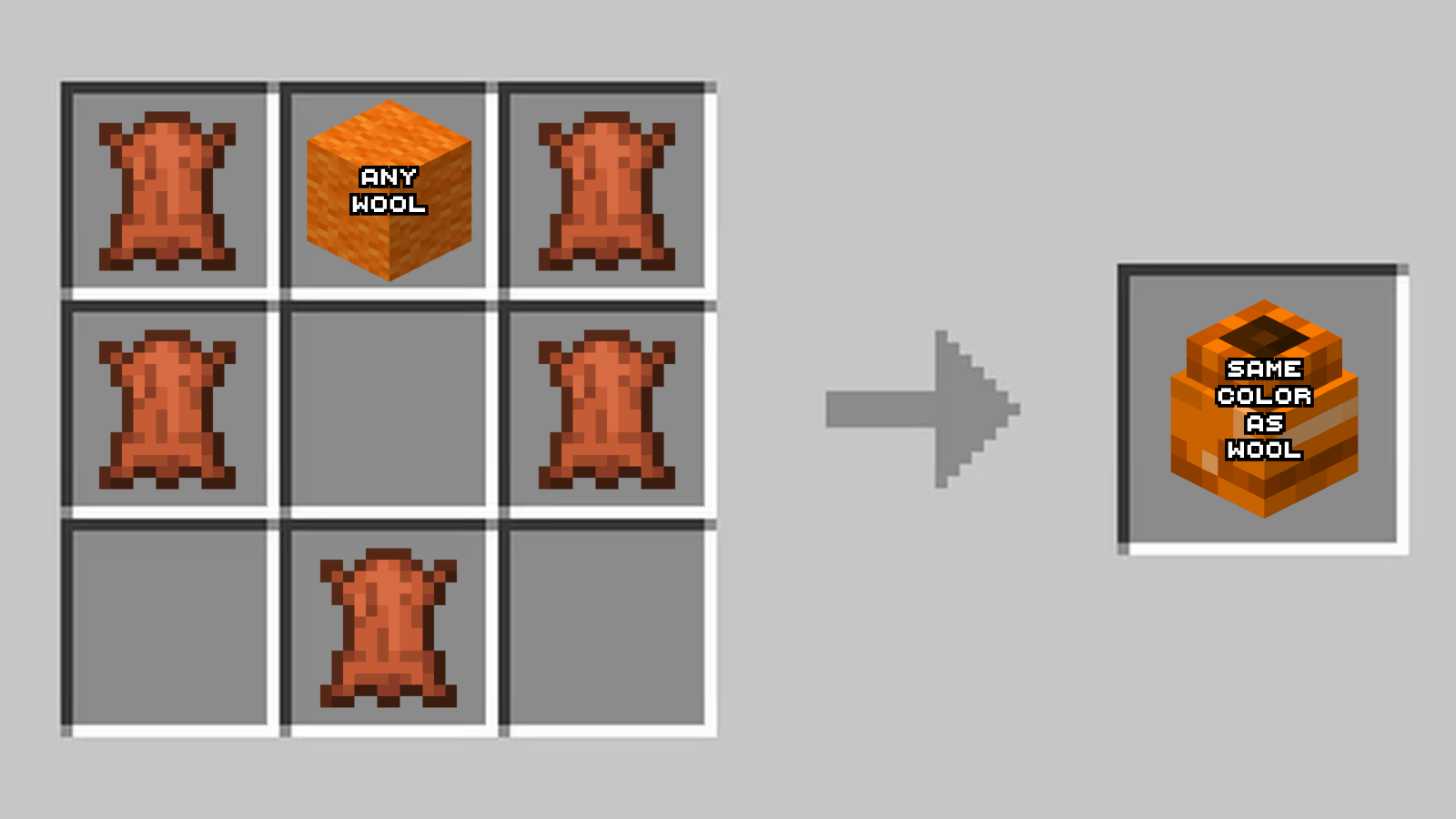
First of all you will need to get two boxing gloves, using this recipe:
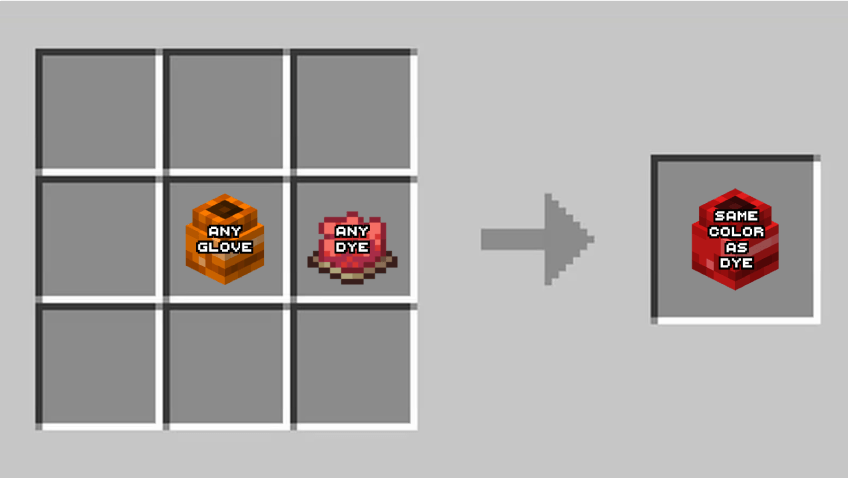
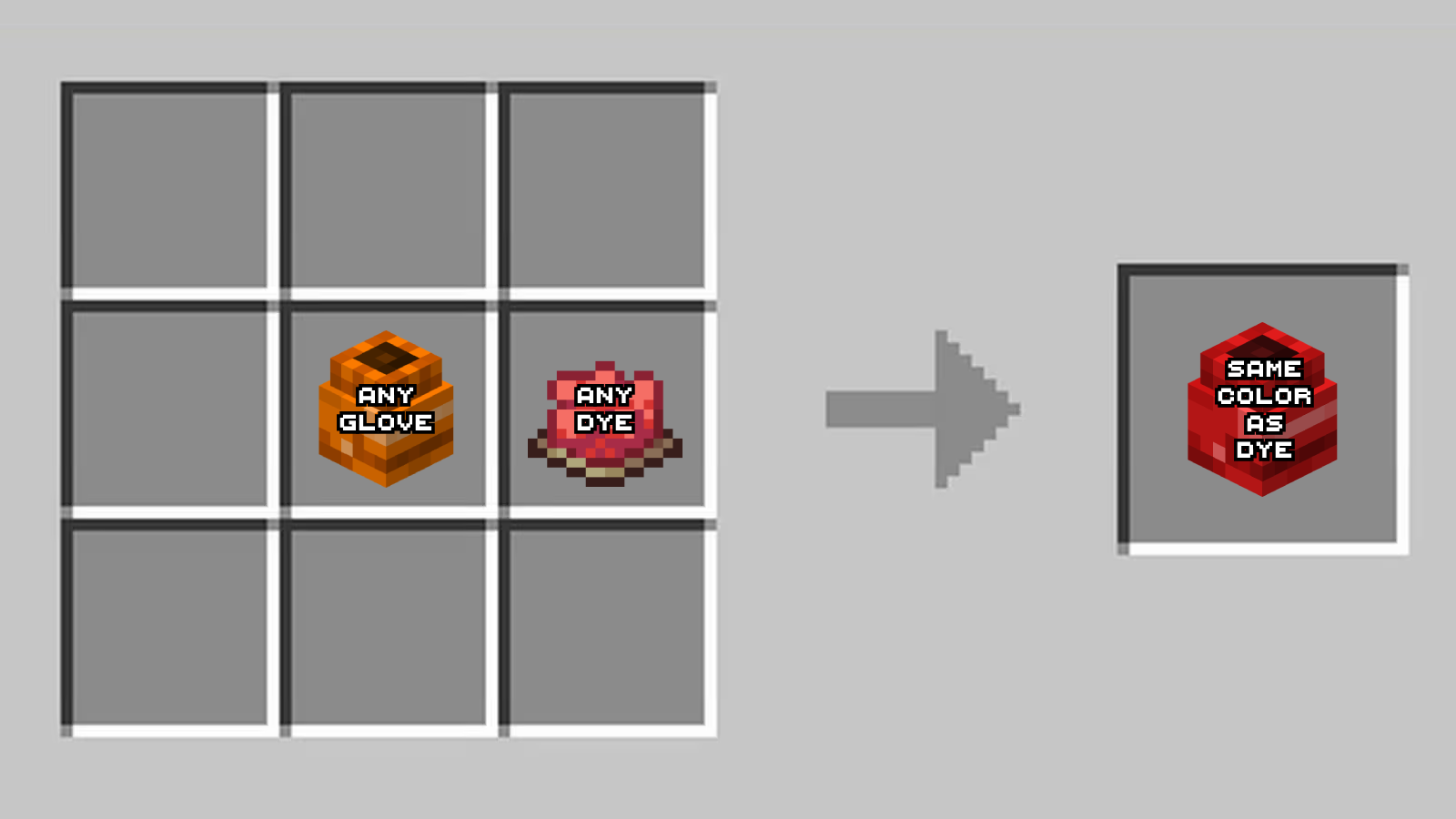
If you want to change the glove's color, you can use this recipe:
Once you have two gloves, you'll need to put them in both your main-hand and your off-hand. You will look like this and on the left of your hotbar, you'll see a bar. This bar goes up when you hit an enemy, but if you get hit, the bar goes down to zero. This works like a combo system.
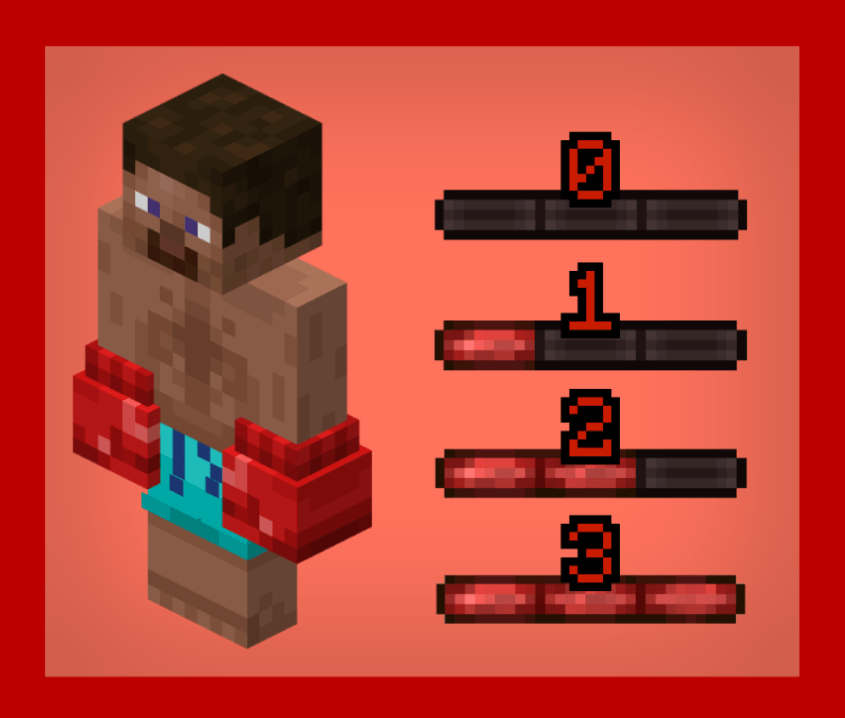
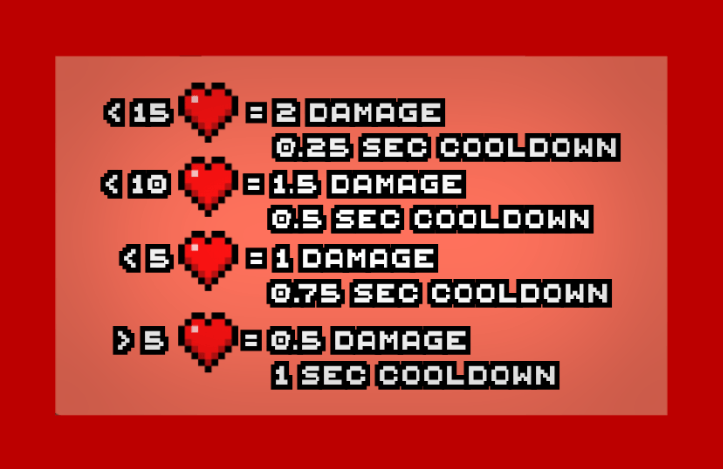
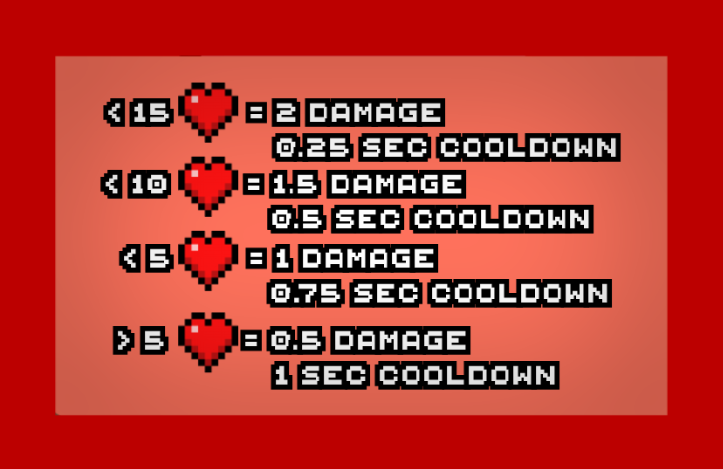
To hit with your gloves, you'll need to right click, and right click, NOT left click like a vanilla hit. When you right click, either your right or left hand will swing at the enemy. You will get a cooldown and damage the enemy depending on your health. Here's the chart :
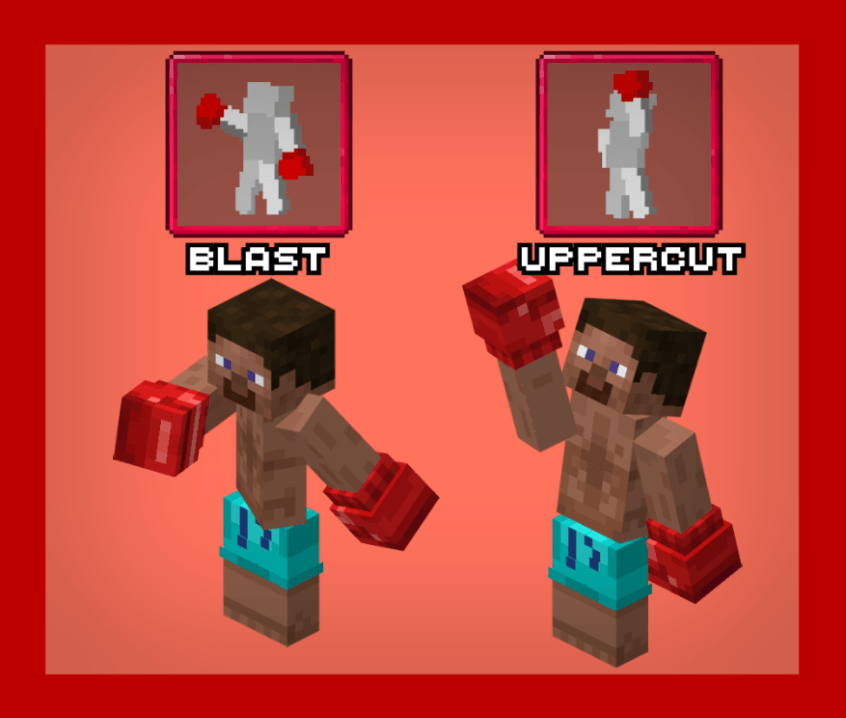
Once you have a full bar, you can either press the keybind U or I. If you press U, you'll activate the uppercut, and the next time you hit an enemy, he'll get knocked up farther than usual. If you press I, you'll activate the blast. When you hit a enemy, he will be knocked back far. Each of these special attacks have custom animations, and once you use them, your bar will go back down to zero
Lasty, when you press the keybind R, you will be able to block. When you block, you will see 3 shield icons appear under your crosshair. These act as "strikes". When you get hit while blocking, you'll be knocked back less than usual, and you will take no damage, but you will lose one of the shields. When you have 0 shields, you'll automaticaly stop blocking.
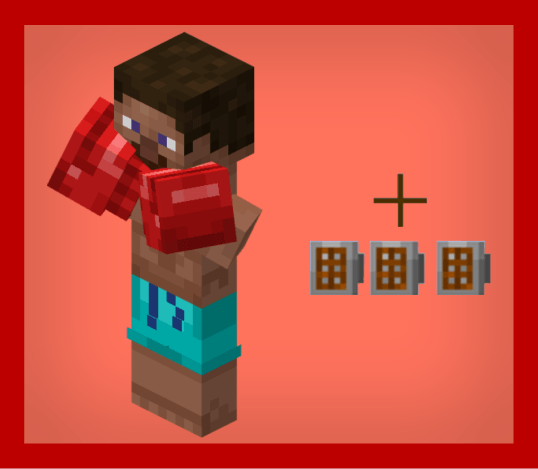
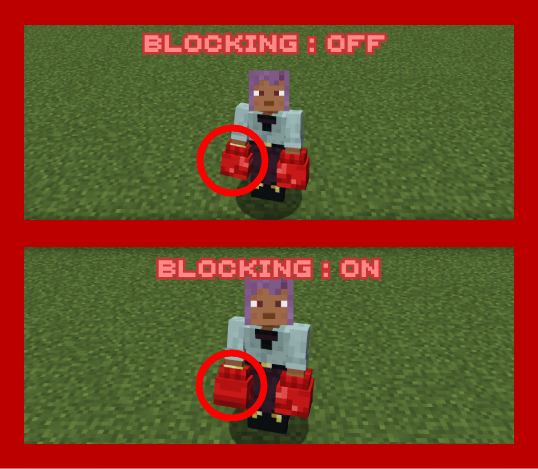
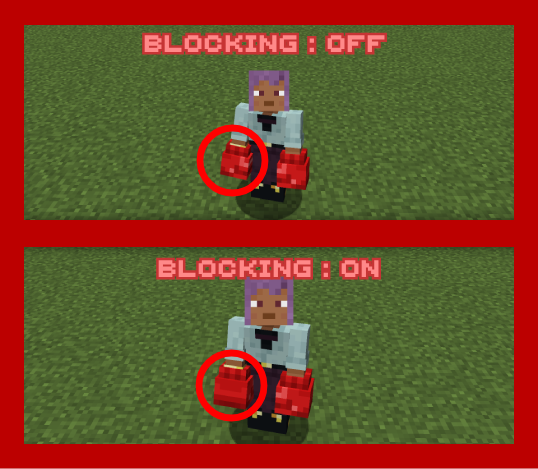
Forge isn't compatible with my method for animations, the blocking will work the same but look like this for other players:
Trailer
Wiki
First of all you will need to get two boxing gloves, using this recipe:
If you want to change the glove's color, you can use this recipe:
Once you have two gloves, you'll need to put them in both your main-hand and your off-hand. You will look like this and on the left of your hotbar, you'll see a bar. This bar goes up when you hit an enemy, but if you get hit, the bar goes down to zero. This works like a combo system.
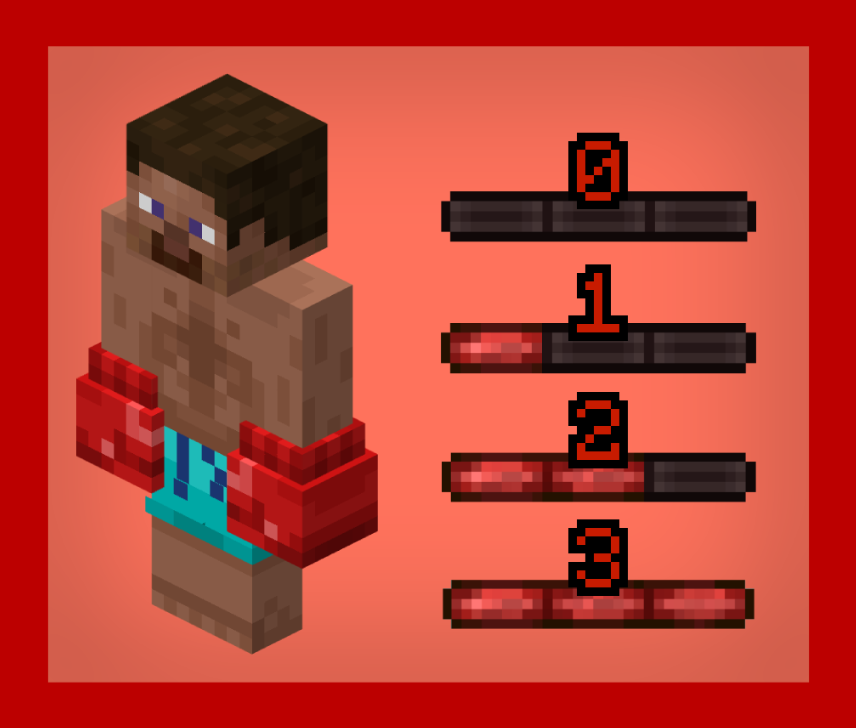
To hit with your gloves, you'll need to right click, and right click, NOT left click like a vanilla hit. When you right click, either your right or left hand will swing at the enemy. You will get a cooldown and damage the enemy depending on your health. Here's the chart :
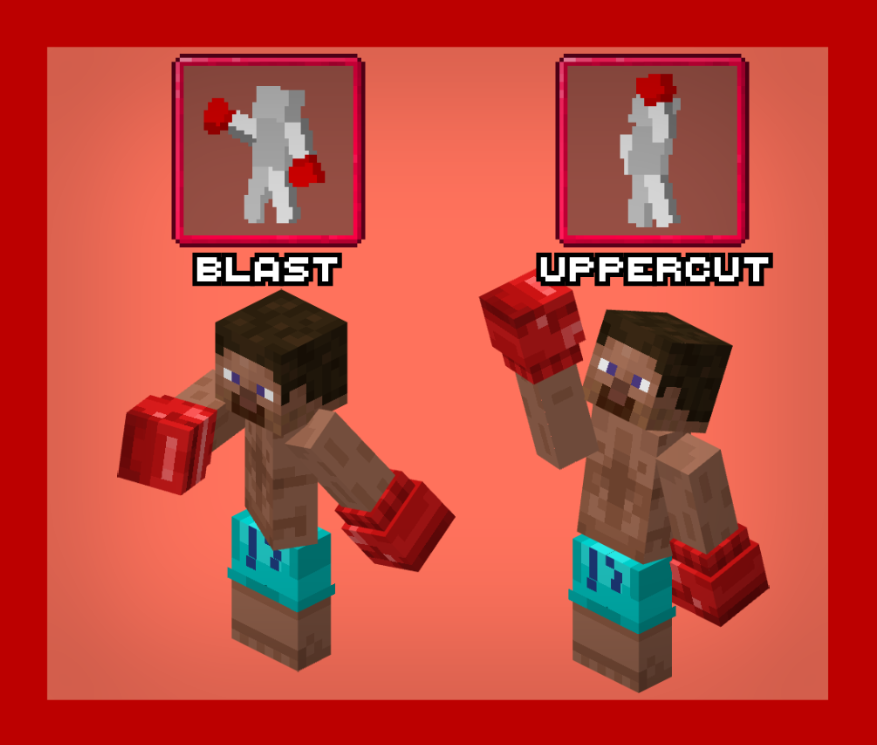
Once you have a full bar, you can either press the keybind U or I. If you press U, you'll activate the uppercut, and the next time you hit an enemy, he'll get knocked up farther than usual. If you press I, you'll activate the blast. When you hit a enemy, he will be knocked back far. Each of these special attacks have custom animations, and once you use them, your bar will go back down to zero
Lasty, when you press the keybind R, you will be able to block. When you block, you will see 3 shield icons appear under your crosshair. These act as "strikes". When you get hit while blocking, you'll be knocked back less than usual, and you will take no damage, but you will lose one of the shields. When you have 0 shields, you'll automaticaly stop blocking.
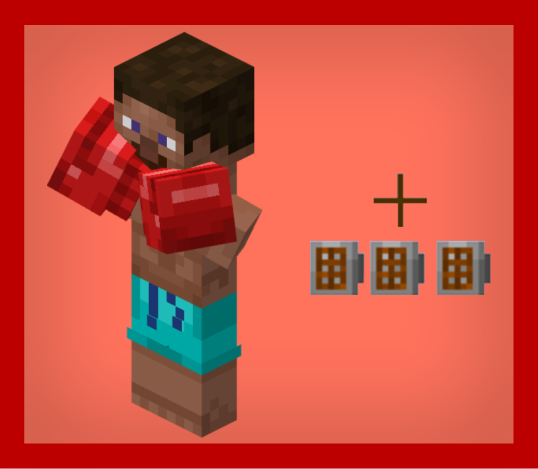
Forge isn't compatible with my method for animations, the blocking will work the same but look like this for other players:
Screenshots
Gallery
Versions
Files
Relations
Project Relations
More like this
Similar Mods
Suggestions use data such as tags, dependencies, dependents, descriptions, titles, and more to rank how much they overlap with this mod.
On ModDex
Community snapshot
By the numbers
Statistics
 (opens in a new tab)
Get it on
Available Platforms
On ModDex
Community snapshot
By the numbers
Statistics
Resources