
Community listing page, reviews may not be monitored by the author.
BSP SERVER UTILITIES

No reviews yet
Server utilities to help servers run rule screens, kick afk players, report admin actions to prevent abuse and more

Community voices
Reviews
No reviews yet. Be the first to review this project!
Get it on
Available Platforms
About
Project Details
For authors
Embed Badge
If you're the author of this project, you can embed a live badge anywhere that supports HTML or Markdown. It updates automatically whenever ratings change.
Use HTML for any page that supports it, or Markdown for README files and Markdown-based descriptions.
Identifiers
Platform IDs
Resources
External Links
About
Description
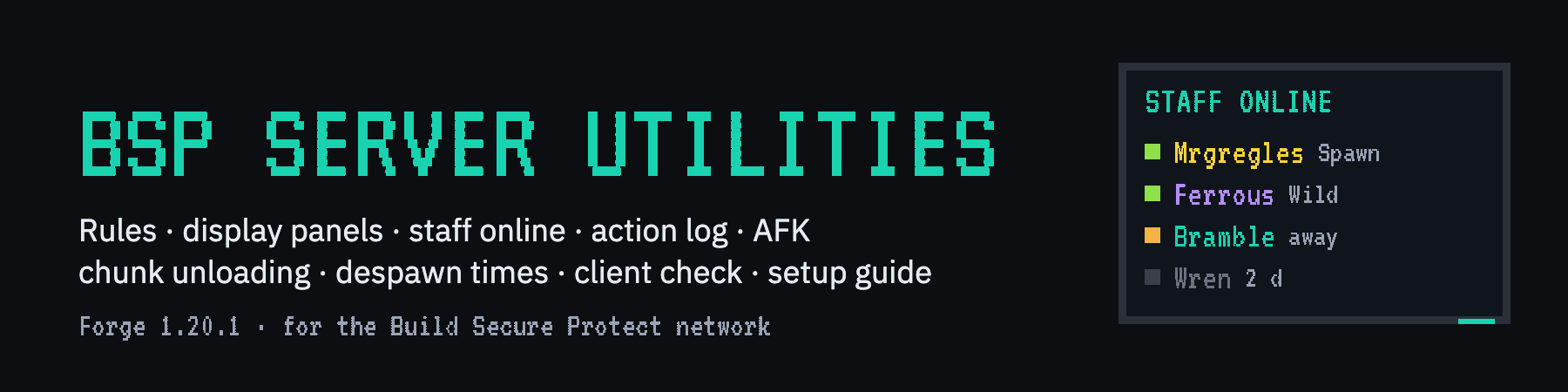
BSP-Server Utilities is the server's own toolkit: the things a network needs that a gameplay mod or a single-player world never does. New players read and tick the rules before they can move; Display Panels join into big wall screens that show text, pictures, who of the staff is online, or a live log of what staff do; every command staff run is logged and shared across the network, so players can see nobody abuses their powers; idle players are marked AFK, and kicked if you want; the chunks other mods keep loaded for a player's machines unload while that player is away; things dropped on the ground go after a set time even where nobody is near, with a clear for one server or all; players who join with a blocked mod or an xray pack are turned away with a list of what to remove; every new player is counted and welcomed by name and number on every server; and a setup guide walks admins through all of it. Made for the Build Secure Protect network; works on any Forge 1.20.1 server.
Requires: Minecraft 1.20.1, Forge 47 or newer, Java 17. Needed on the client and the server, the same version on both. Optional: BSP-Core 1.4.0 or newer (its database, Redis and server name, three boards for its Score Screens; its full jar carries the MySQL driver), LuckPerms (staff groups; the LuckPerms Forge mod), BSP-InventorySync (the rules popup waits for your inventory), BSP-Region Guard (claim owners for chunk unloading).
For players: joining
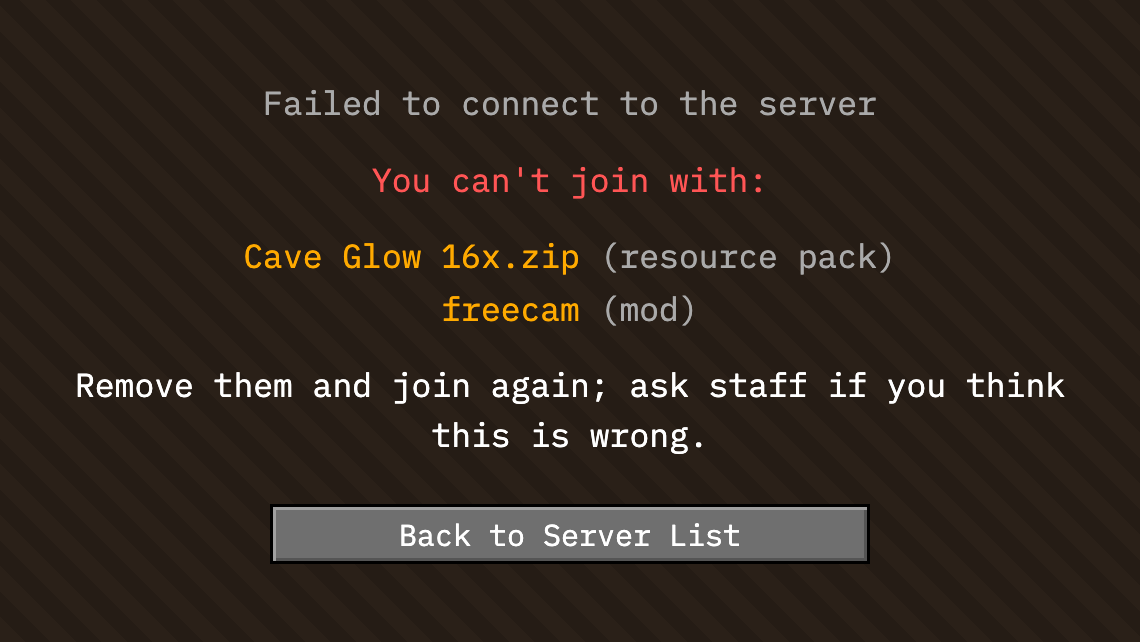
While you connect, your game tells the server which mods, resource packs and shader it has, how bright it is set, and whether ordinary stone, deepslate and dirt still look solid. If something is on the server's block list (an xray mod, freecam, a pack the admins blocked) or your stone looks see-through, whatever the pack is called, you are not let in and you are told exactly what to remove. Switching such a pack on while playing gets you kicked with the same message. What your game reports stays within the server's network, for its admins.
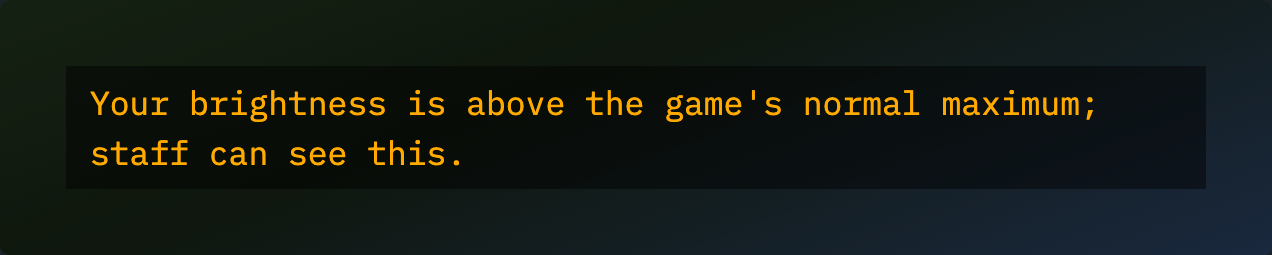
Brightness turned past the slider's top (a fullbright edit) does not keep you out, but you are told the staff can see it.
For players: the rules
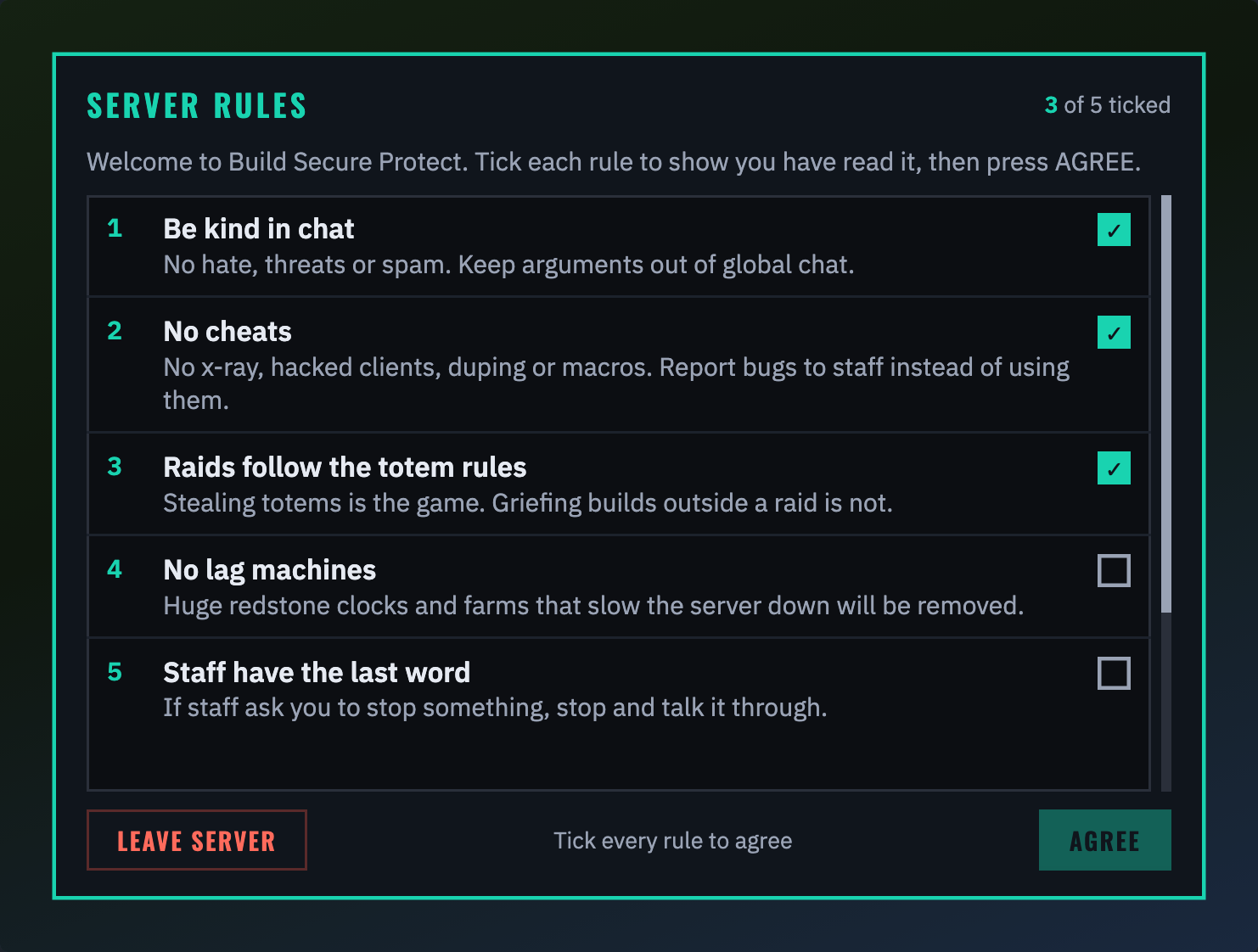
The first time you join the network, once your inventory has arrived, the server's rules appear. Until you answer you stay where you are: no building, using, fighting, chatting or commands, and nothing can hurt you. Tick the box beside each rule (a click anywhere on the row ticks it), and AGREE lights up when every box is ticked. LEAVE SERVER takes you off the server with the admin's message, and the rules are waiting next time. You agree once for every server on the network; the admins can ask everyone again when the rules change.
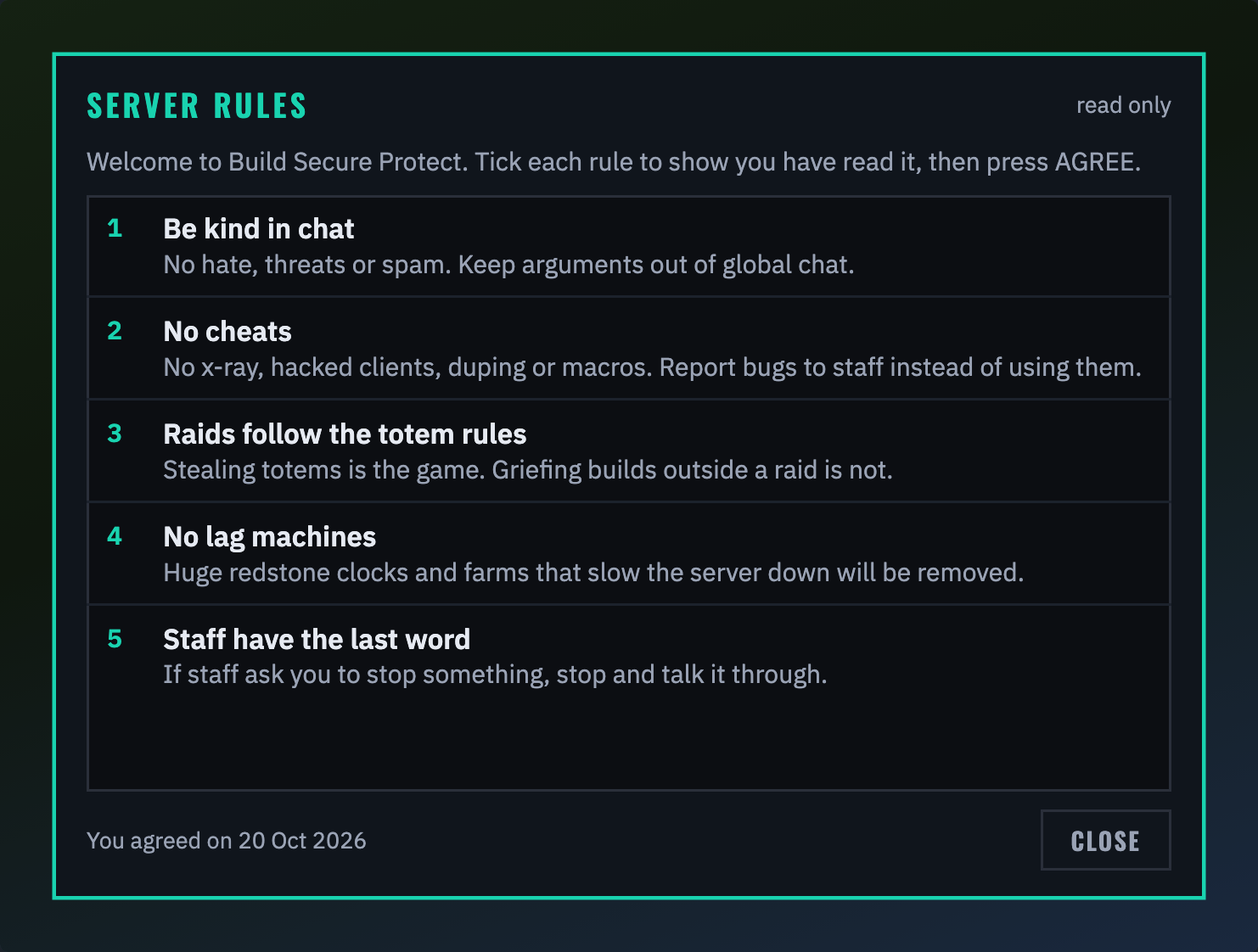
Type /rules any time to read them again, with the date you agreed.
For players: what the panels show
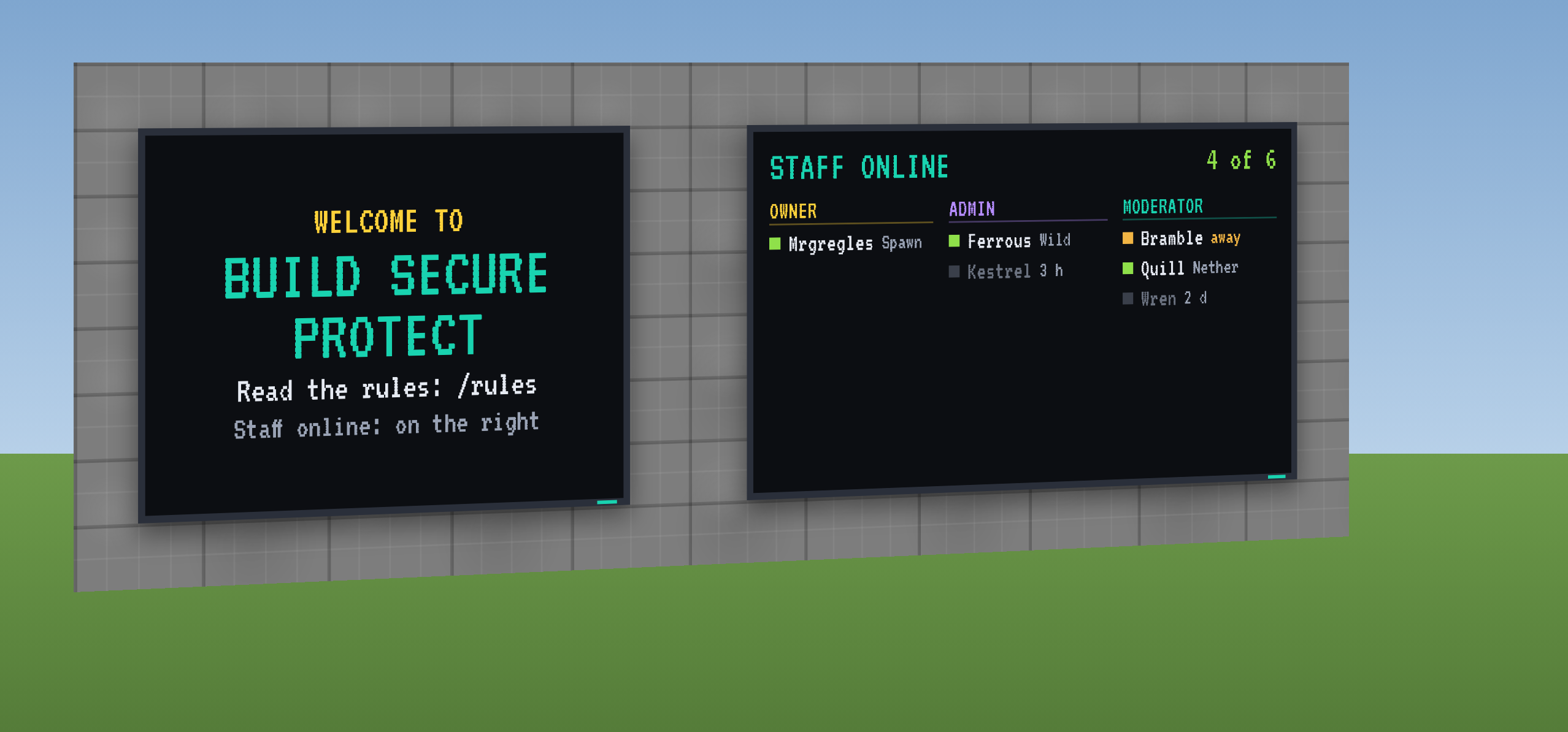
Around the server you will find Display Panels: wall screens made of blocks, lit at full brightness, showing whatever the admins put on them. A welcome, the rules in short, a map of spawn, or one of the three live faces below.
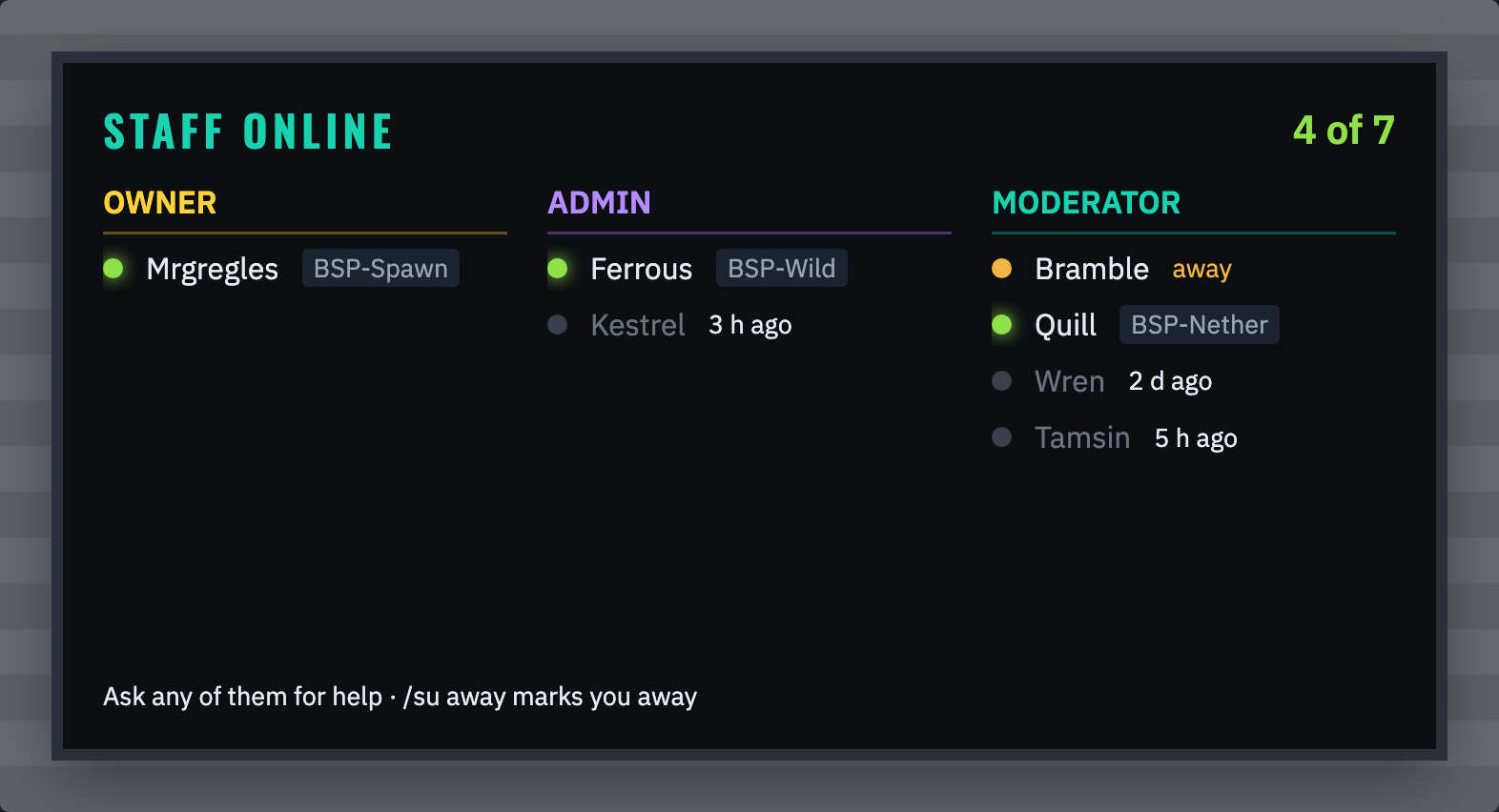
Staff online: who of the staff is around, by role. A green dot and the server they are on when online, amber when they are away, grey with how long ago they were last seen when they are offline. Ask any of the green ones for help.
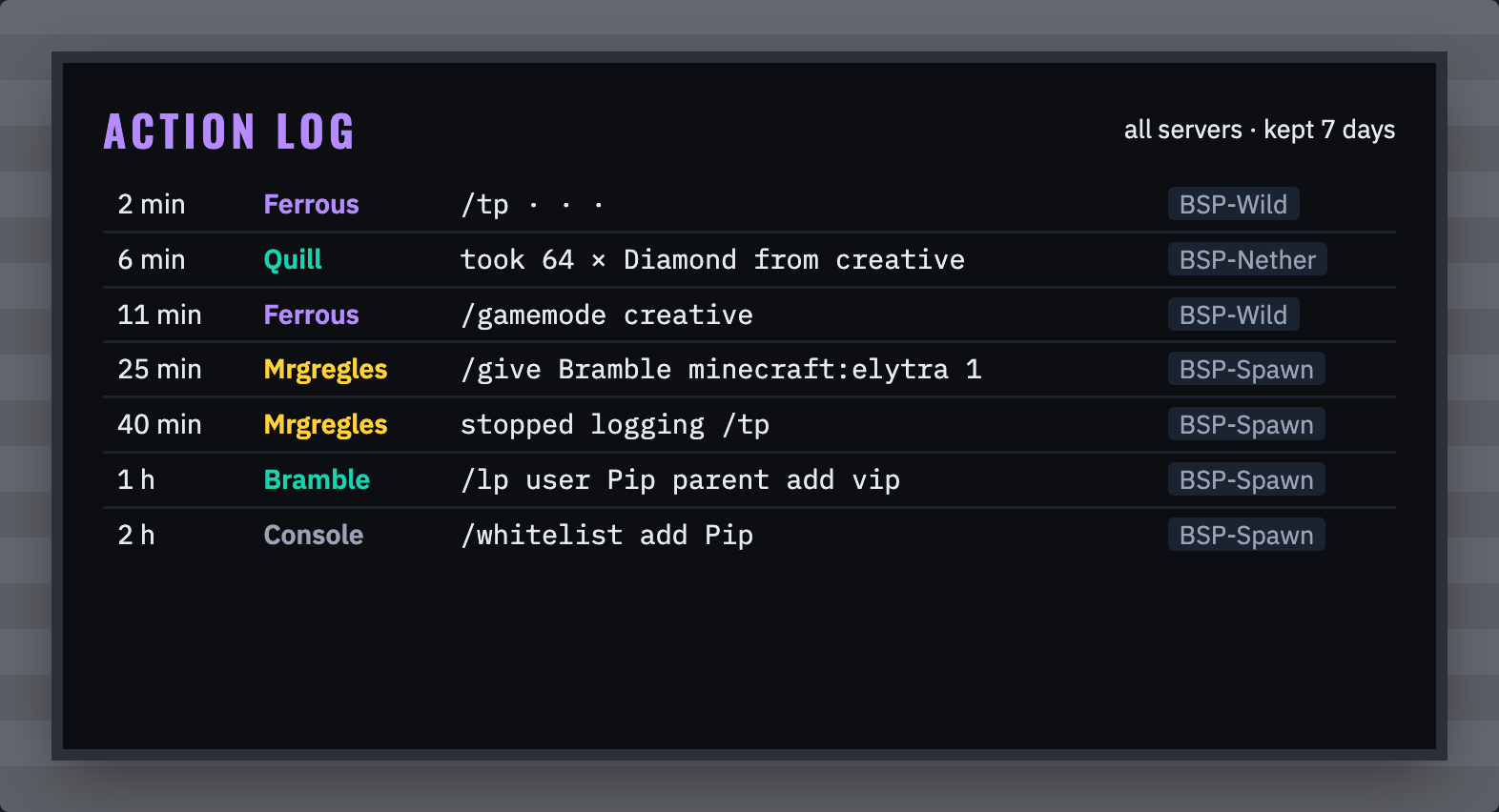
Action log: what staff did, newest first: how long ago, who, what, and on which server. Teleports and other commands with coordinates show them hidden, so nobody learns where a base is.
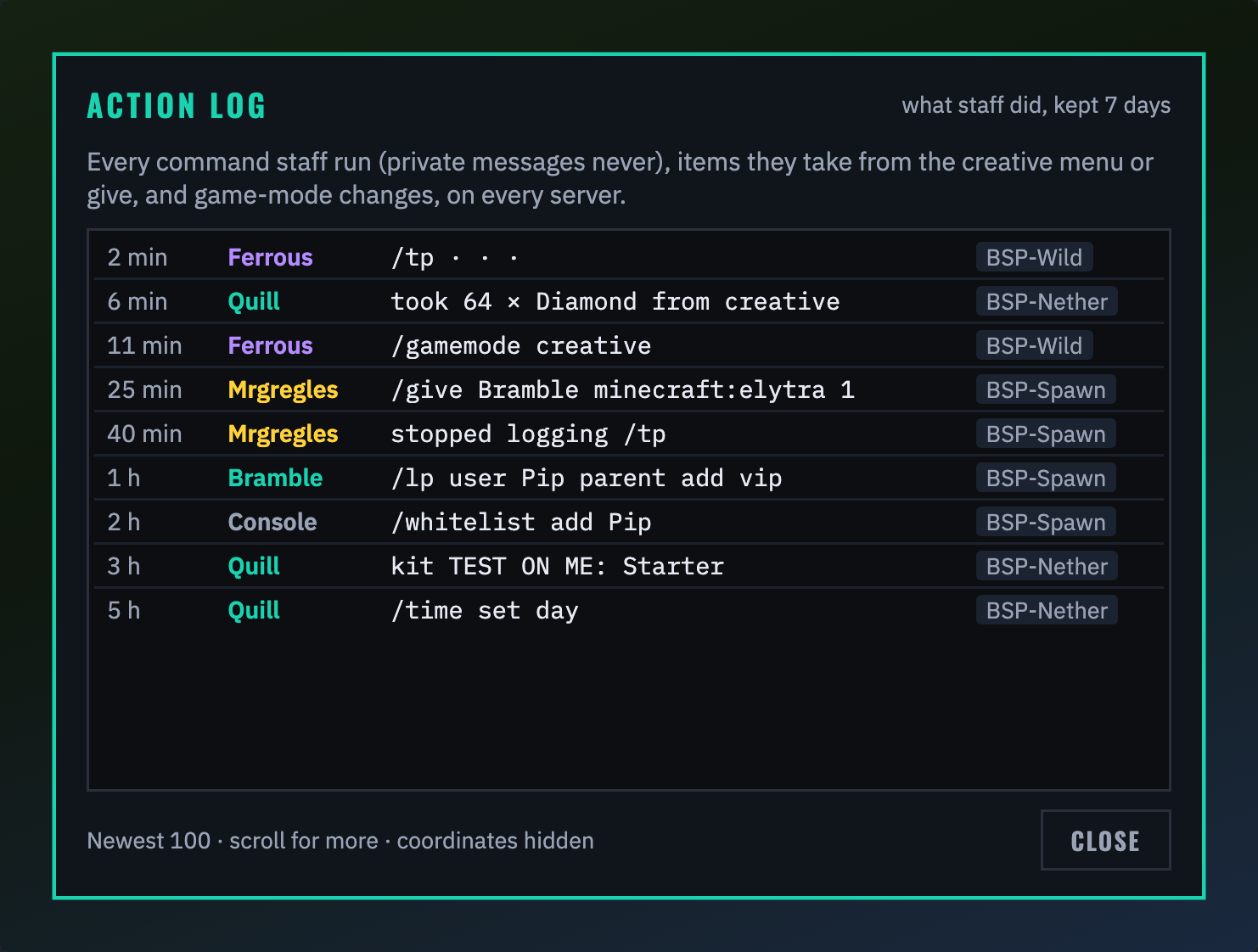
Type /actionlog to read the newest 100 entries yourself. Every command staff run is in it (private messages never), with the items they take from the creative menu or give and every game-mode change, from every server, for a week. Nobody can edit or delete an entry, staff included.
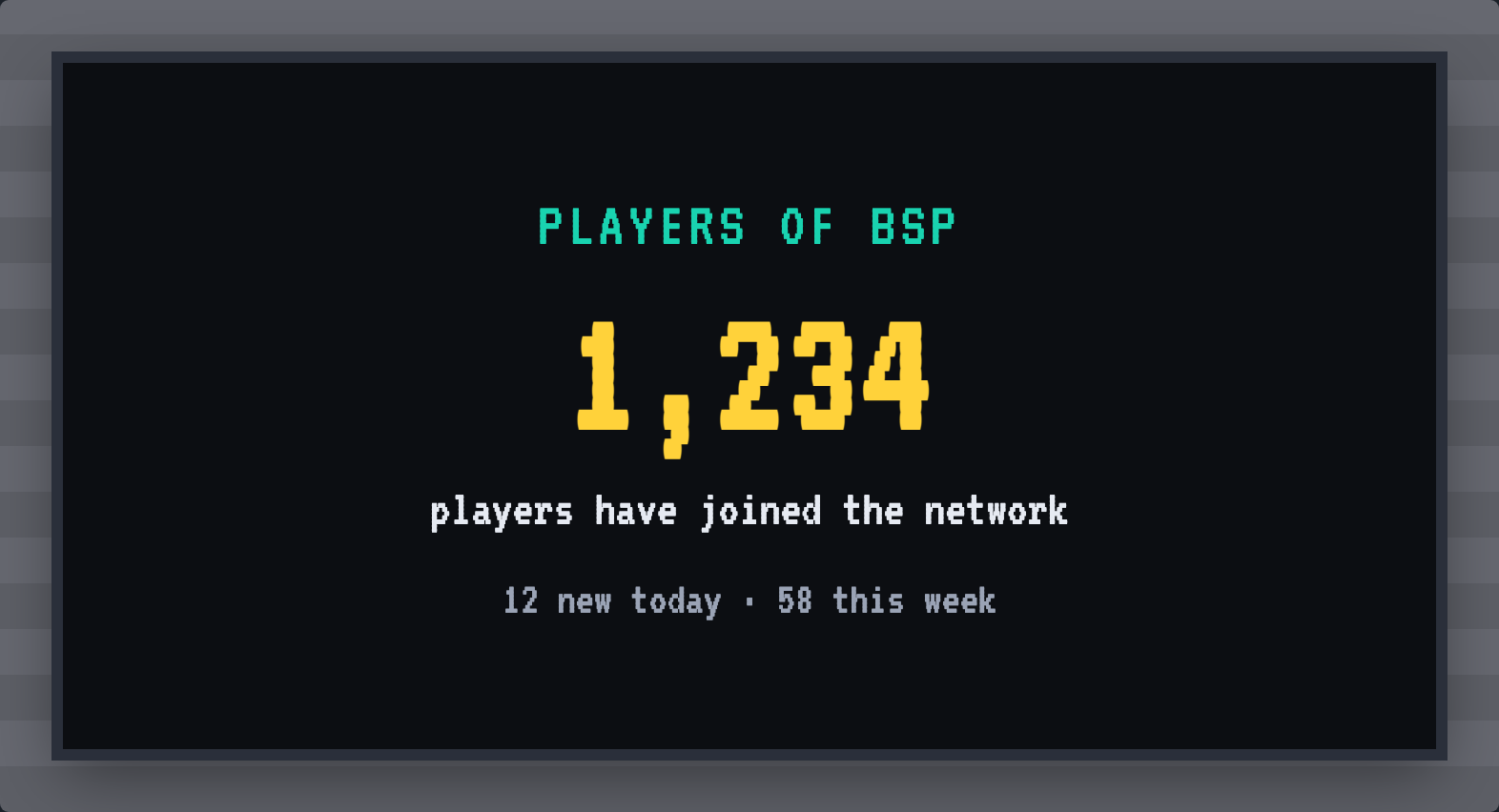
Player count: how many players have ever joined the network, with how many are new today and this week.
For players: the player count

The first time someone joins the network, everyone on every server reads a gold welcome with their name and their number: you are player number 1,235 on BSP. On the other servers the line starts with the server they joined, in grey.
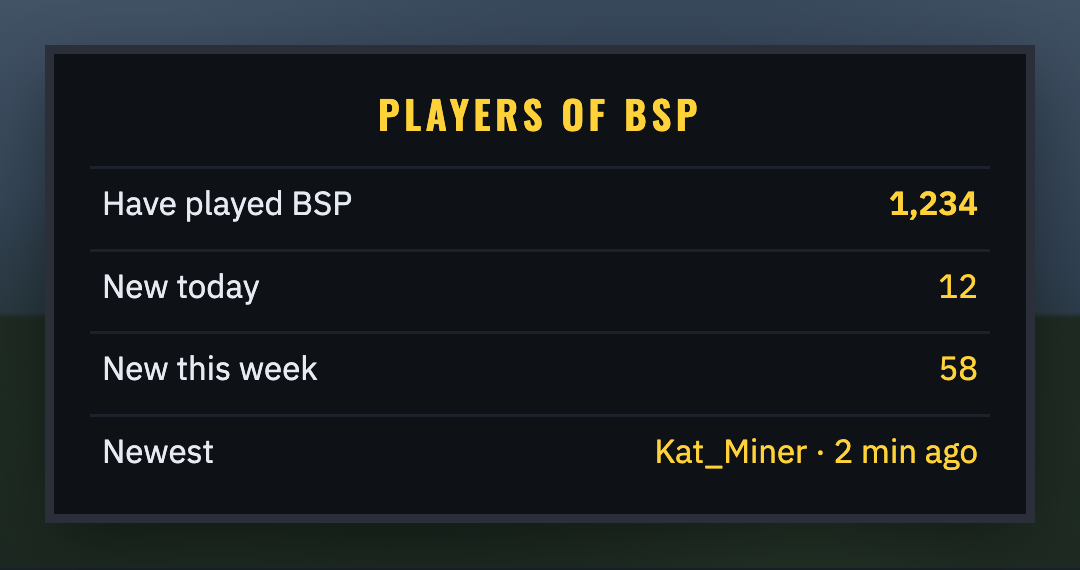
The number is on the PLAYERS board of the Score Screens around the server (with how many are new today and this week, and the newest player) and on Player count panels. Everyone counts once, however many servers they play on.
For players: AFK
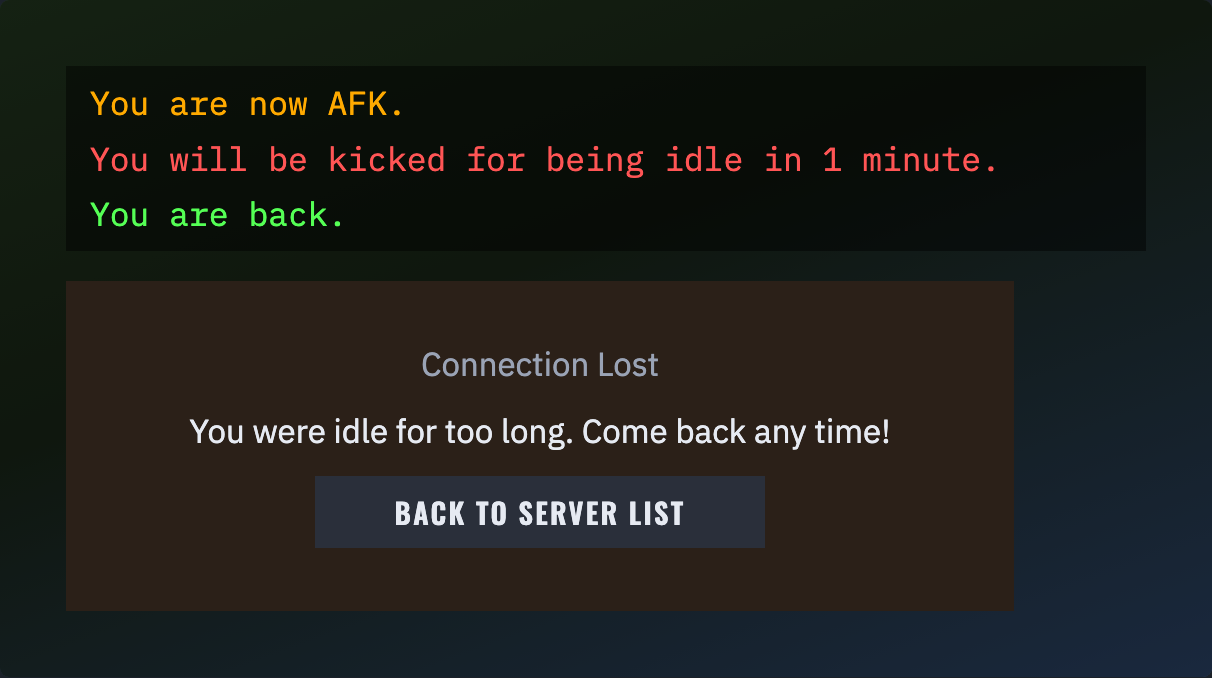
Stand idle for 5 minutes and you are marked AFK; turn your head or do anything and you are back. Floating in water or riding a minecart in a loop does not count as doing something. Type /afk to be AFK at once. If the server kicks idle players, you are warned a minute before.
For players: your machines while you are away

If your machines keep chunks loaded (an RFTools Builder, a Mekanism machine with an Anchor upgrade, an AE2 spatial anchor, a Flux point and the like), those chunks unload once you have been away from the server for 5 minutes, so the server runs smoothly for whoever is on. Moving to another server on the network counts as away. Your Shatter Totem and projector chunks always stay loaded. When you come back your machines' chunks load again within a few seconds, and you are told so.
For players: things on the ground
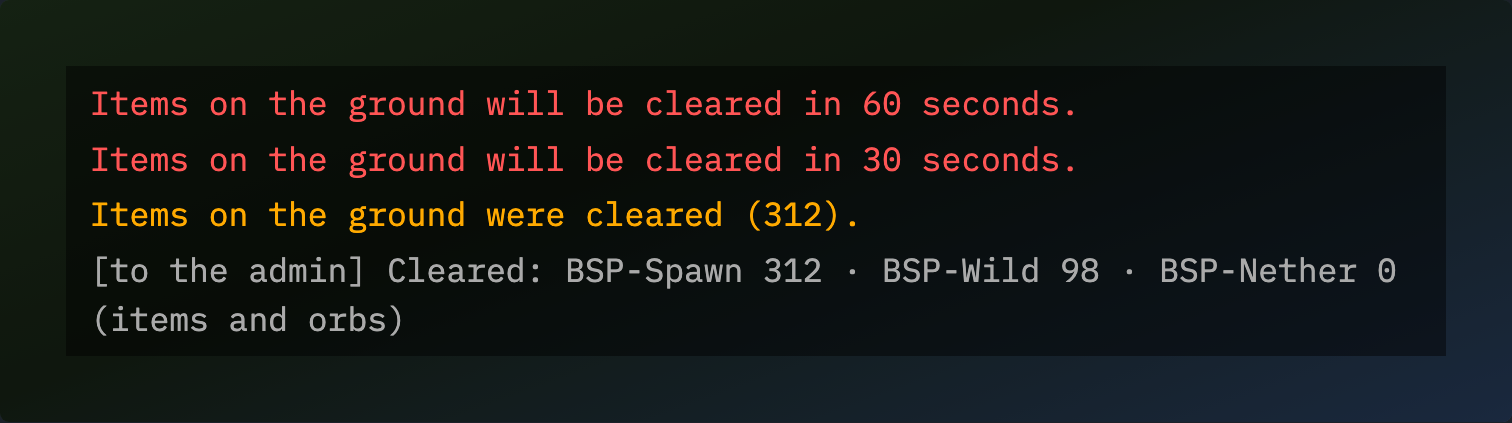
Dropped items and experience orbs last 5 minutes of the server's time whether or not anyone is near, so piles left where nobody goes are gone by the time someone passes; your death drops last 15 minutes, time to run back for them. A Shatter Totem on the ground is never removed. When an admin clears the ground you are warned 60 and 30 seconds before.
For admins: setting up
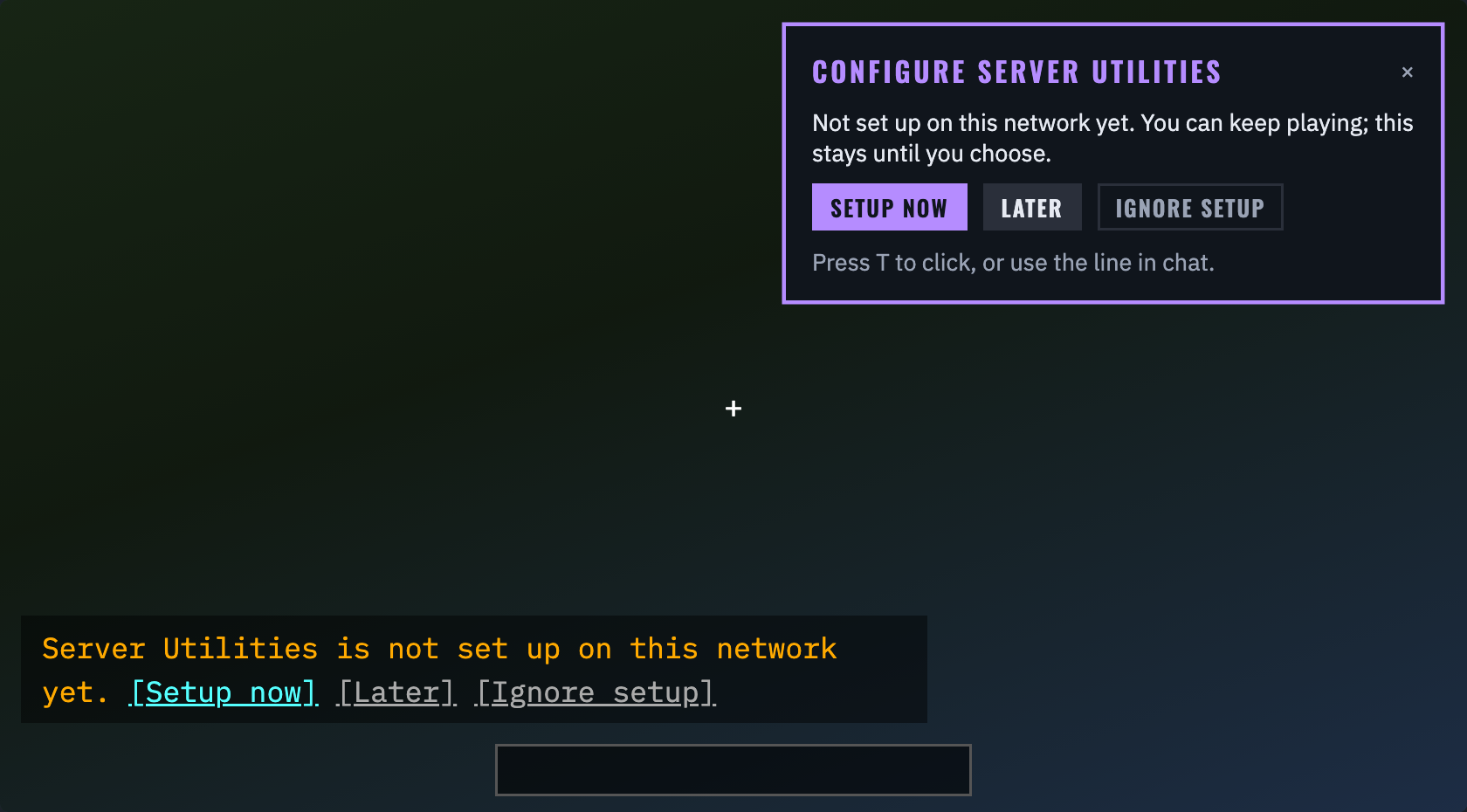
When an operator or BSP-Core admin joins and something is not set up yet, a card waits in the top right corner (and a line in chat): SETUP NOW, LATER or IGNORE SETUP. The game goes on; press T to click it. LATER brings it back at your next join; IGNORE stops it for you (other admins are still asked).
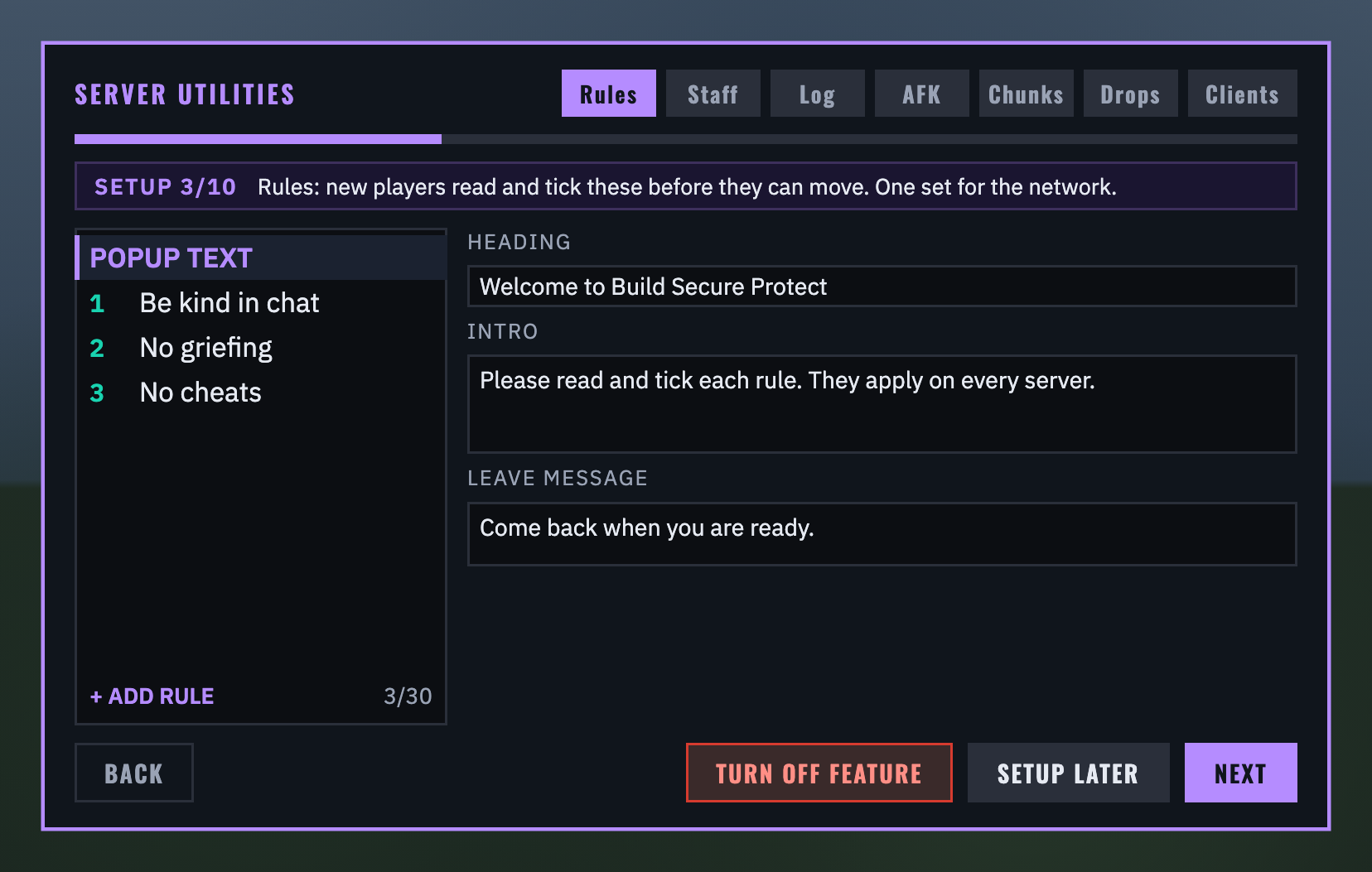
SETUP NOW opens the admin panel as a guide, one page per feature: Welcome (this server's name, written to its config file, and the storage it shares), staff groups, rules, the action log, AFK, chunk unloading, despawn times, the client check, display panels and the player counter. Each page is that feature's own tab with BACK, TURN OFF FEATURE, SETUP LATER and NEXT at the foot. Turning a feature off stops it on every server: no rules popup, nothing logged (asked twice), vanilla despawning, nobody checked at login, empty staff panels, dark display panels, or nobody counted or welcomed.
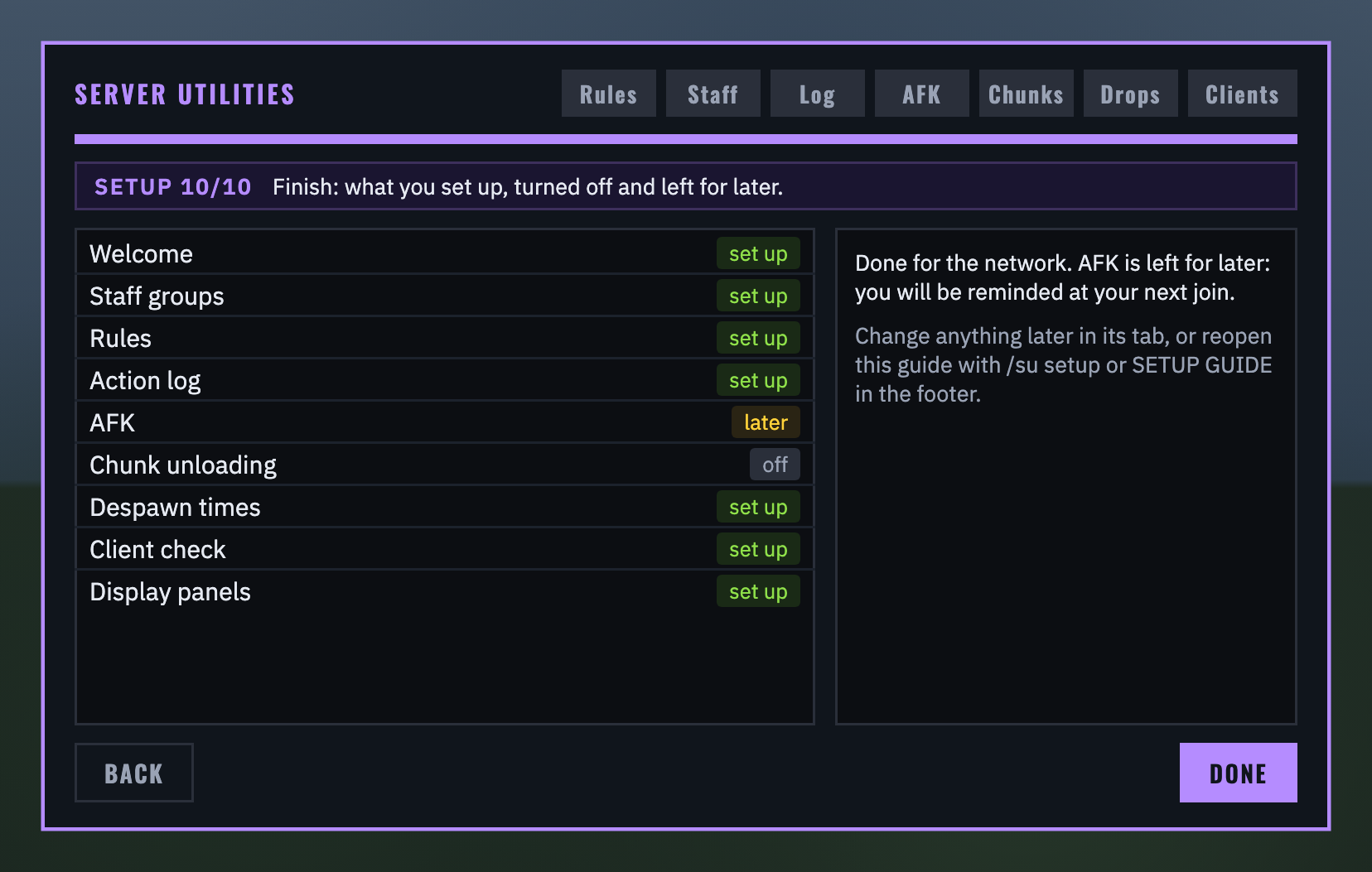
Finish lists every feature as set up, off or later. Anything left for later is offered again at your next join; close the guide part way and the rest waits too. Most settings are shared, so the other servers on the network only ask for their own name. /su setup or SETUP GUIDE on the RULES tab opens it again.
For admins: the admin panel
Operators and BSP-Core admins type /serverutils (or /su): seven tabs, RULES, STAFF, LOG, AFK, CHUNKS, DROPS and CLIENTS.
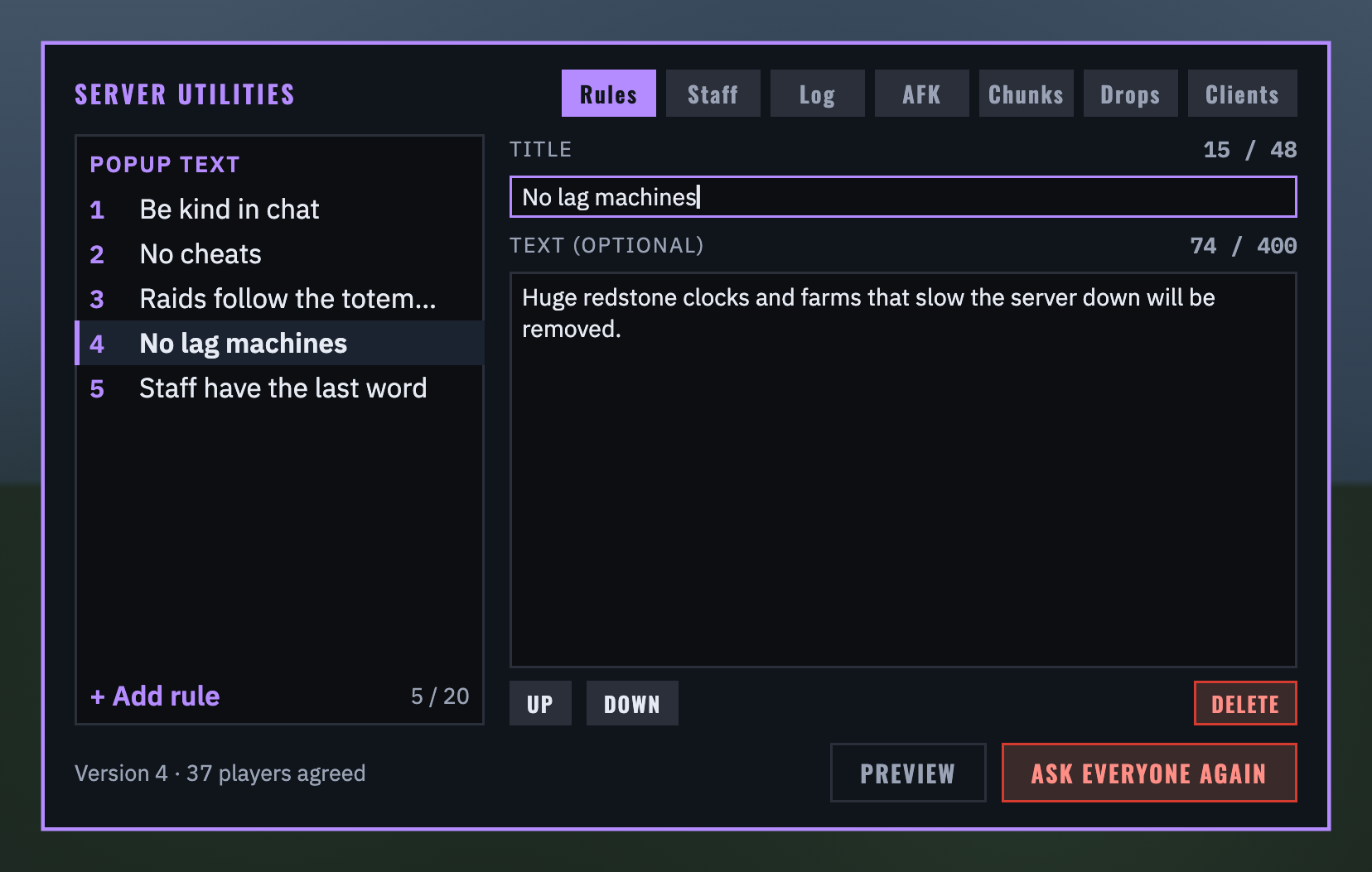
RULES: the popup's heading, intro and leave message on the first row, then the rules in order. Pick a row to edit its title and text (counters show the limits: 20 rules, titles of 48 characters, text of 400); UP, DOWN and DELETE beside them. PREVIEW shows the popup exactly as players will see it. ASK EVERYONE AGAIN (a second click to confirm) asks every player again, those online at once. The footer shows how many players on the network agreed. What you type saves itself a second after you stop.
For admins: Display Panels
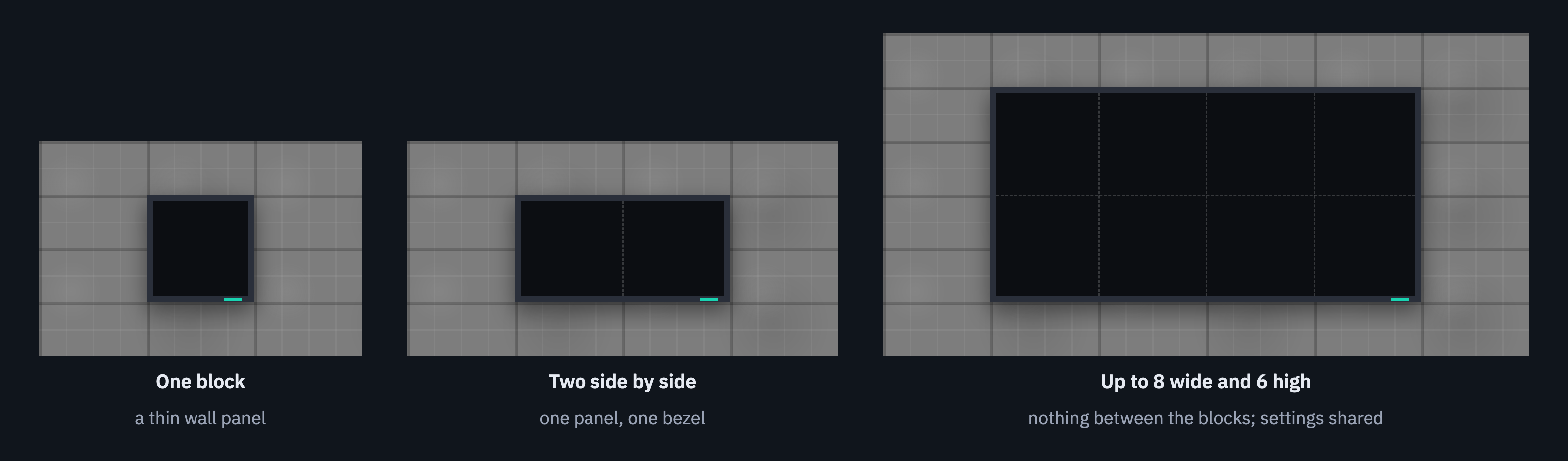
The Display Panel is in the Functional Blocks tab of the creative menu (there is no recipe). Place blocks side by side and above each other on a wall: they join into one panel, up to 8 wide and 6 high, with a single slim bezel round the outside. Every block keeps the panel's settings, so it survives breaking or adding blocks. Only admins can place, set up or break panels; pistons and explosions leave them alone. Right-click a panel to set it up:
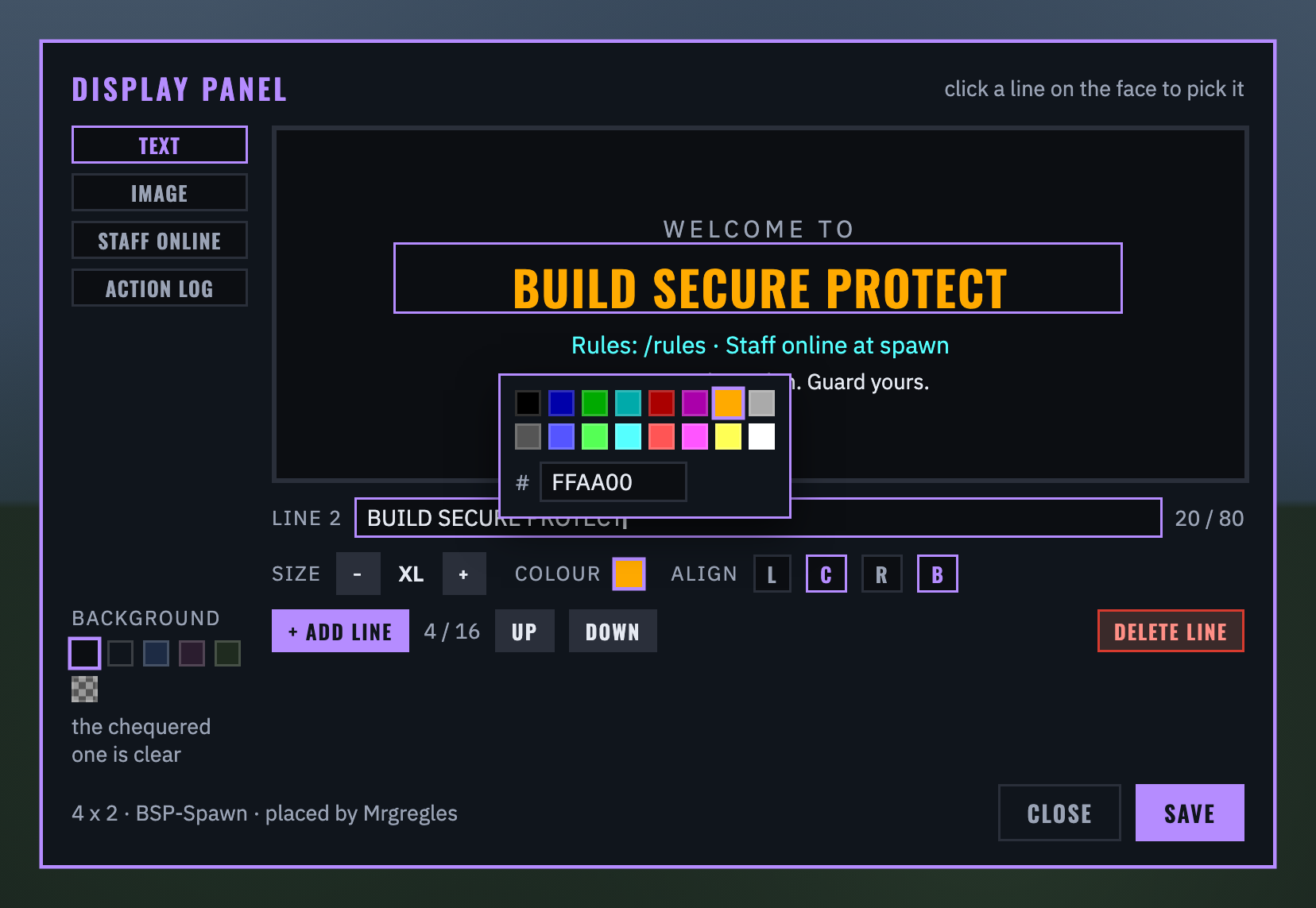
Text: the face at the top as players will see it; click a line to pick it. Each line has its text (80 characters, & colour codes allowed), a size (S, M, L or XL, scaling with the panel), a colour (the 16 chat colours or any #RRGGBB), alignment and bold. Up to 16 lines; a dark background or a clear one. Nothing changes in the world until you press SAVE.
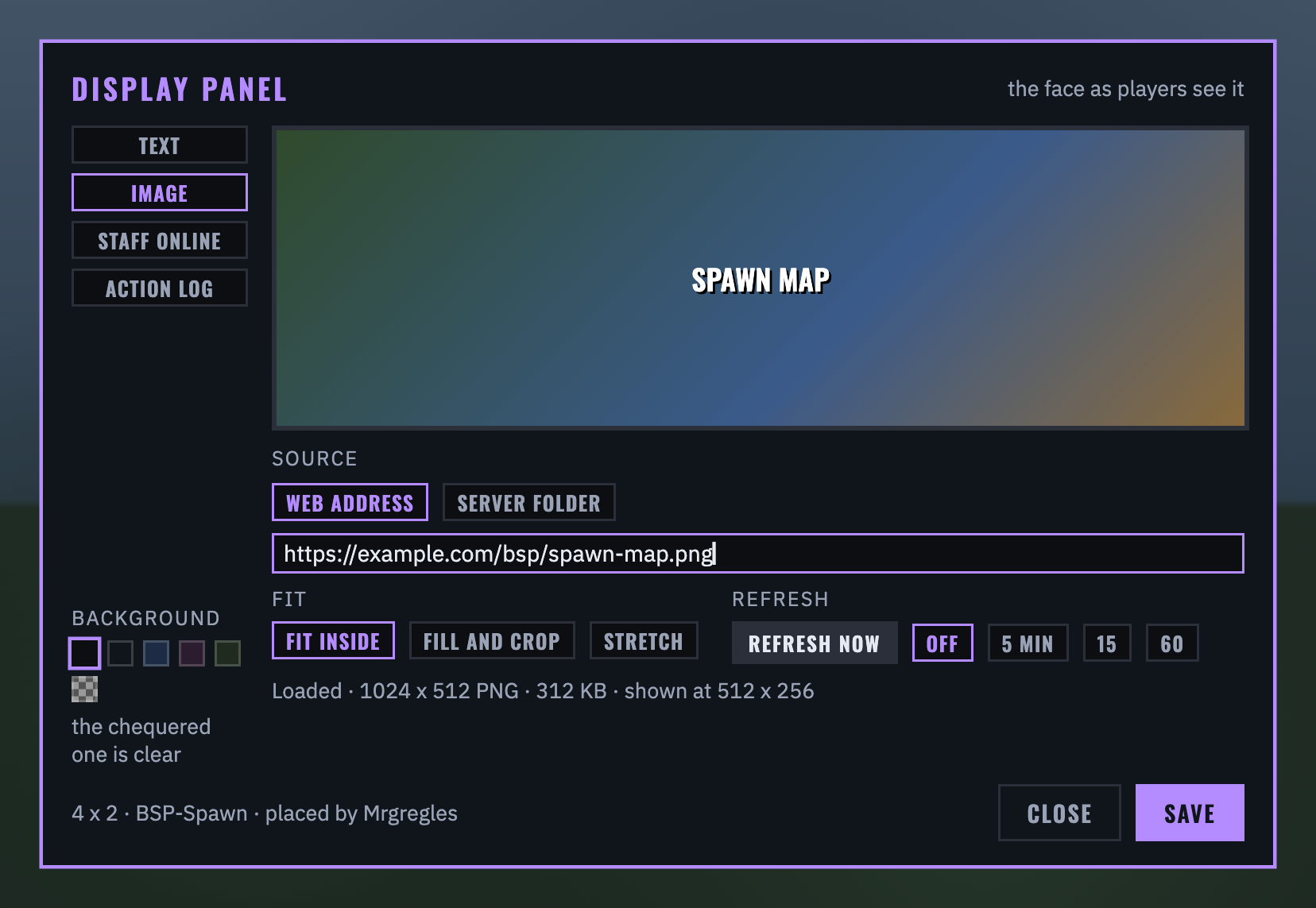
Image: a web address, or a file you put in config/bsp_server_utilities/images/ on that server (PNG, JPEG or the first frame of a GIF, up to 4 MB). Fit it inside the panel, fill and crop, or stretch. The server fetches the picture and sends it to players itself, so players never connect to the address. REFRESH NOW loads it again, and a timer can refresh it every 5, 15 or 60 minutes. The footer says what was loaded, or why it failed.
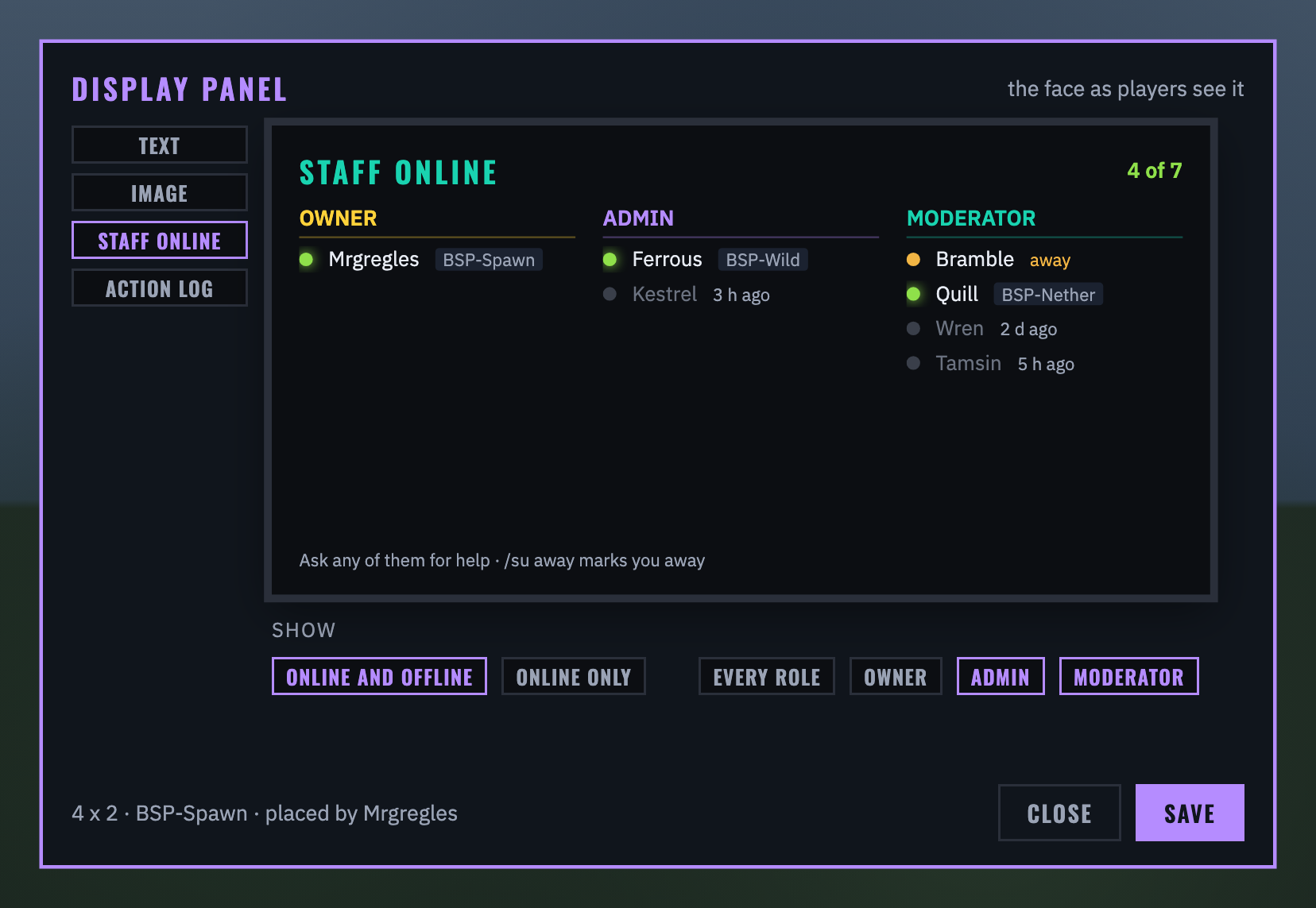
Staff online: show online and offline staff, or online only, and which roles.
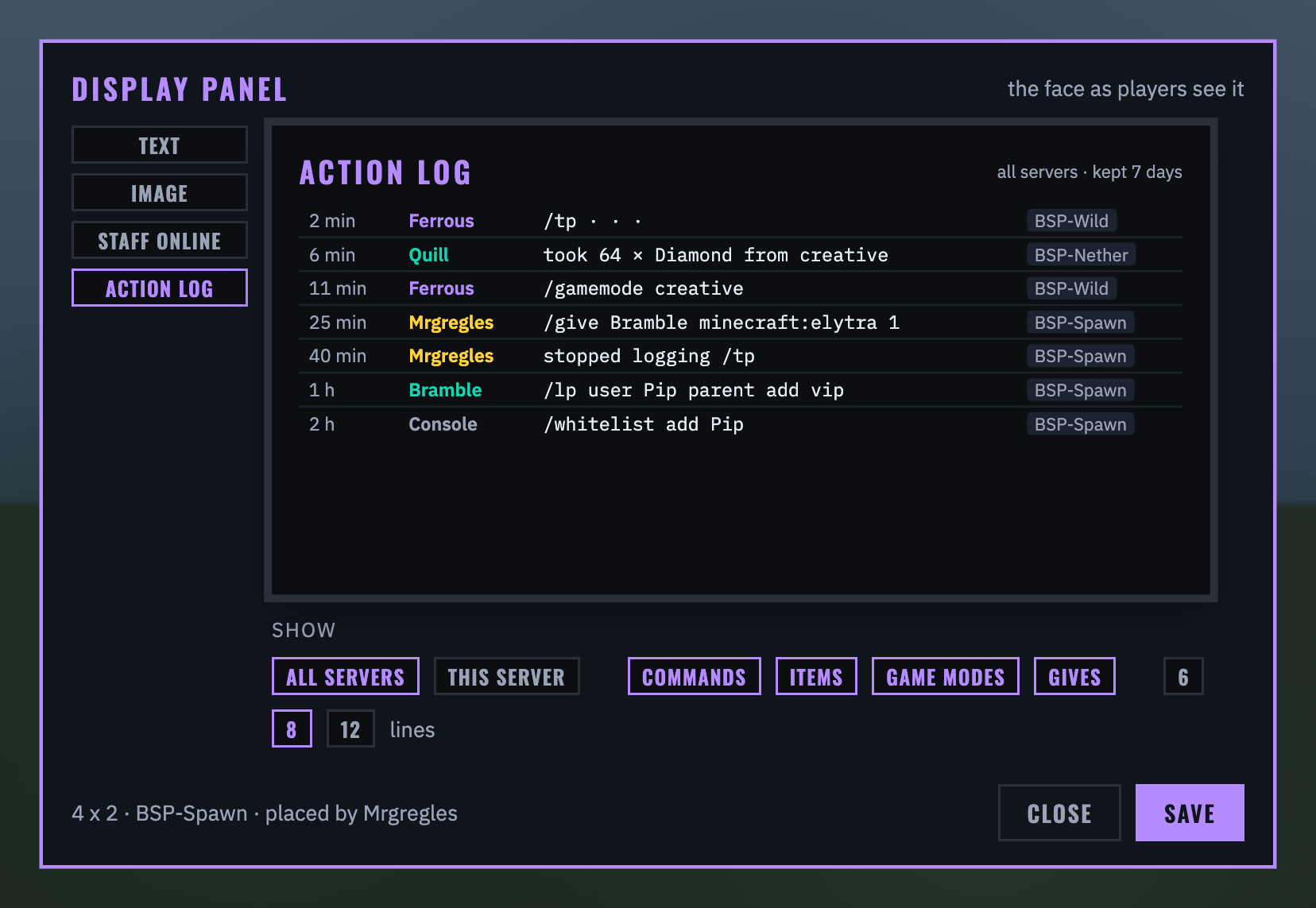
Action log: every server or only this one, which kinds of entry (commands, creative items, game modes, gives, switches), and 6, 8 or 12 lines.
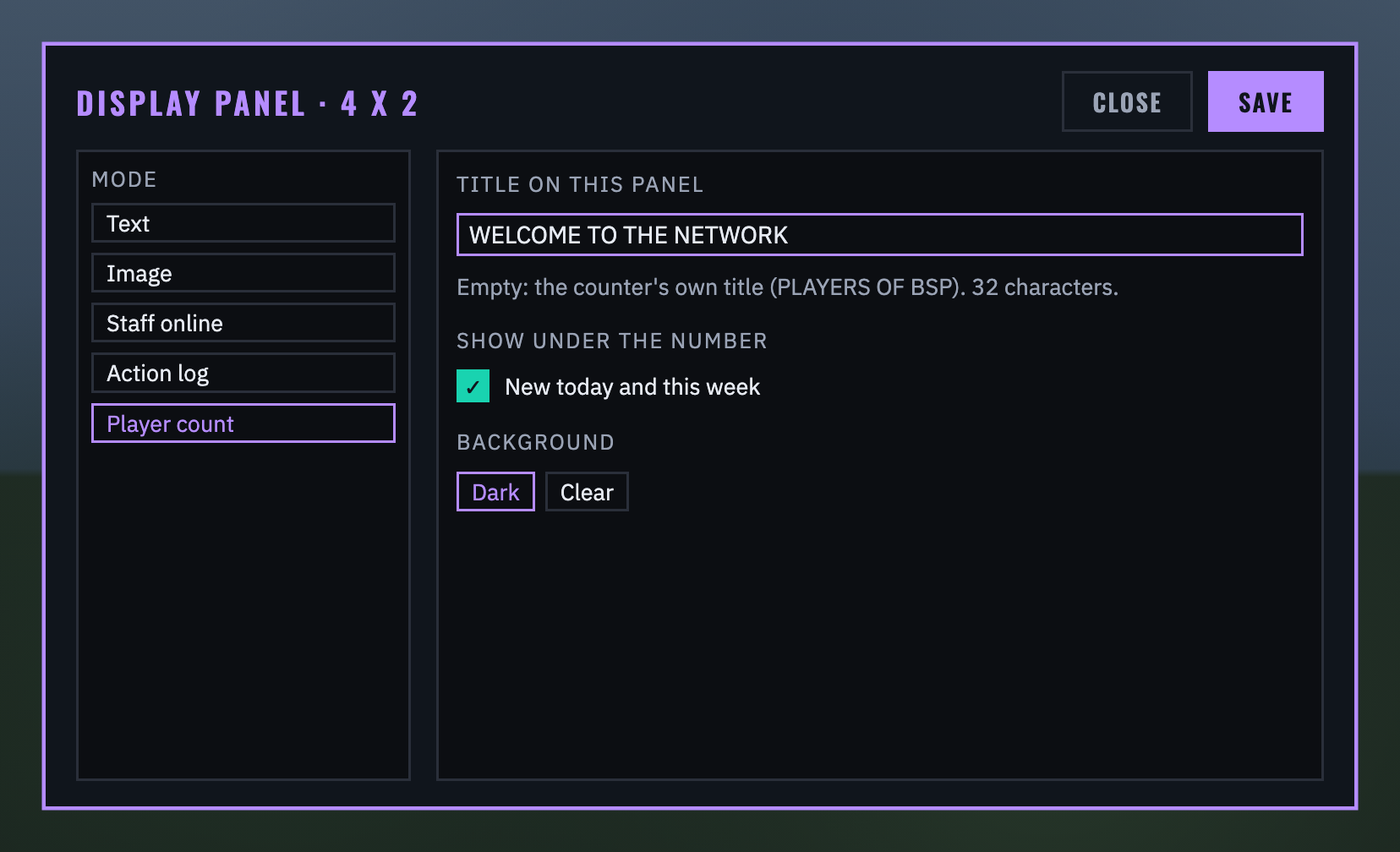
Player count: a title of this panel's own (32 characters; empty shows the counter's title), and whether the new counts show under the number.
For admins: staff
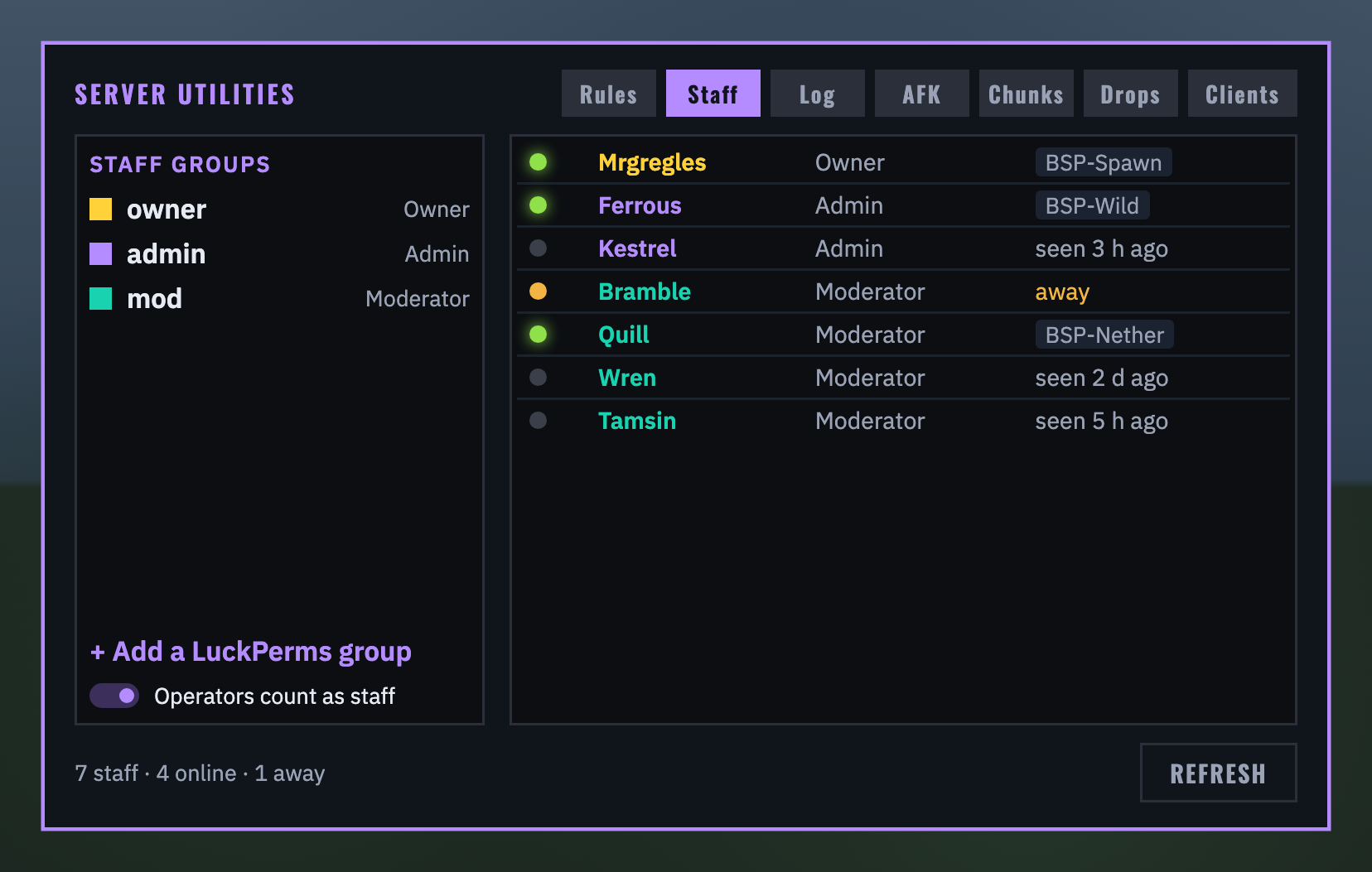
STAFF: the staff groups on the left, highest first, and everyone on the right with their role and where they are: members of those LuckPerms groups (offline ones too) and operators who have played, unless you switch operators off.
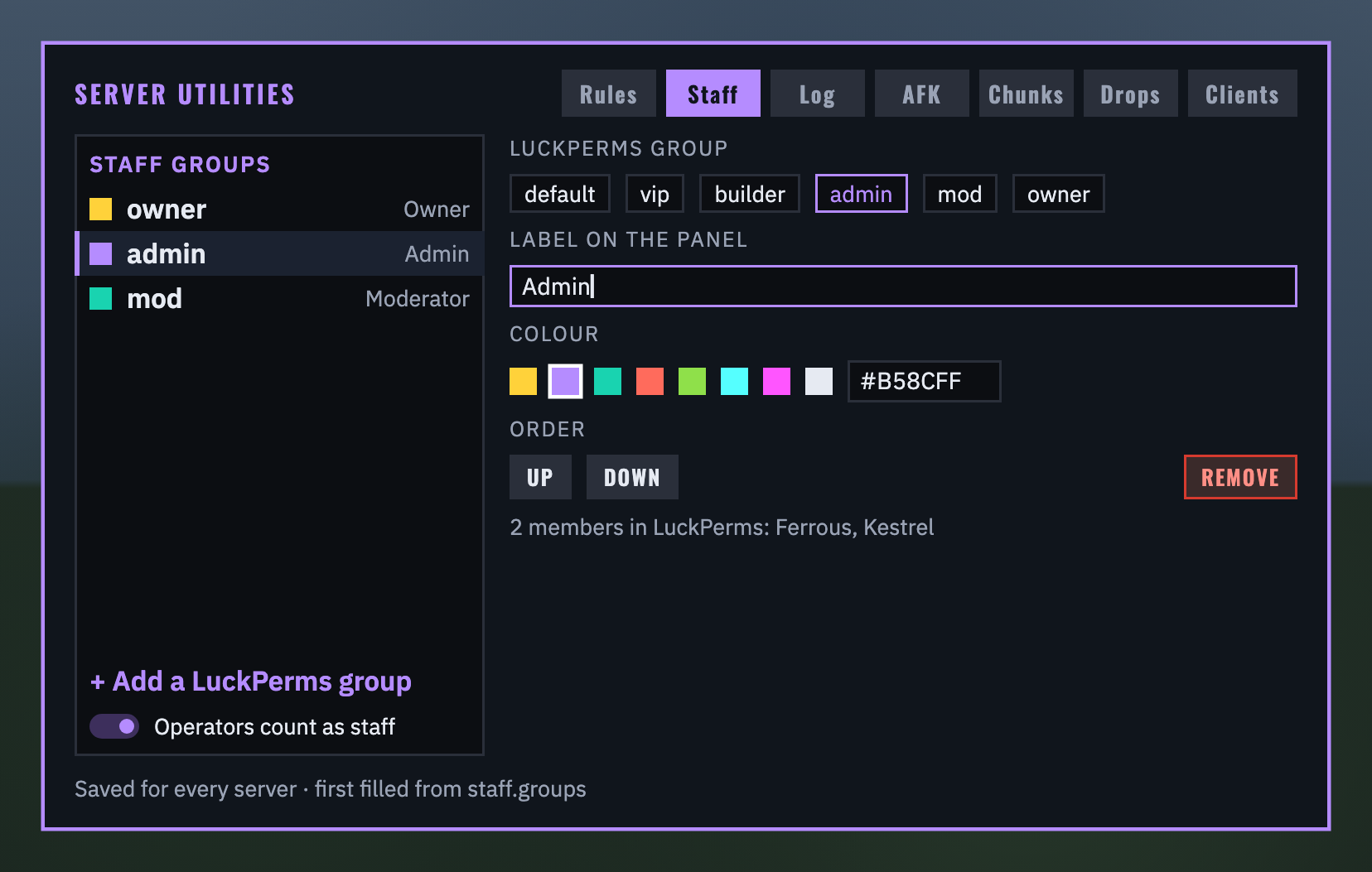
Pick a group (or + Add a LuckPerms group) to choose its LuckPerms group, the label panels show, its colour and its place in the order; REMOVE wants a second click. The groups are saved for every server. Staff mark themselves away with /su away, and staff who go AFK show as away until they are back.
For admins: the action log
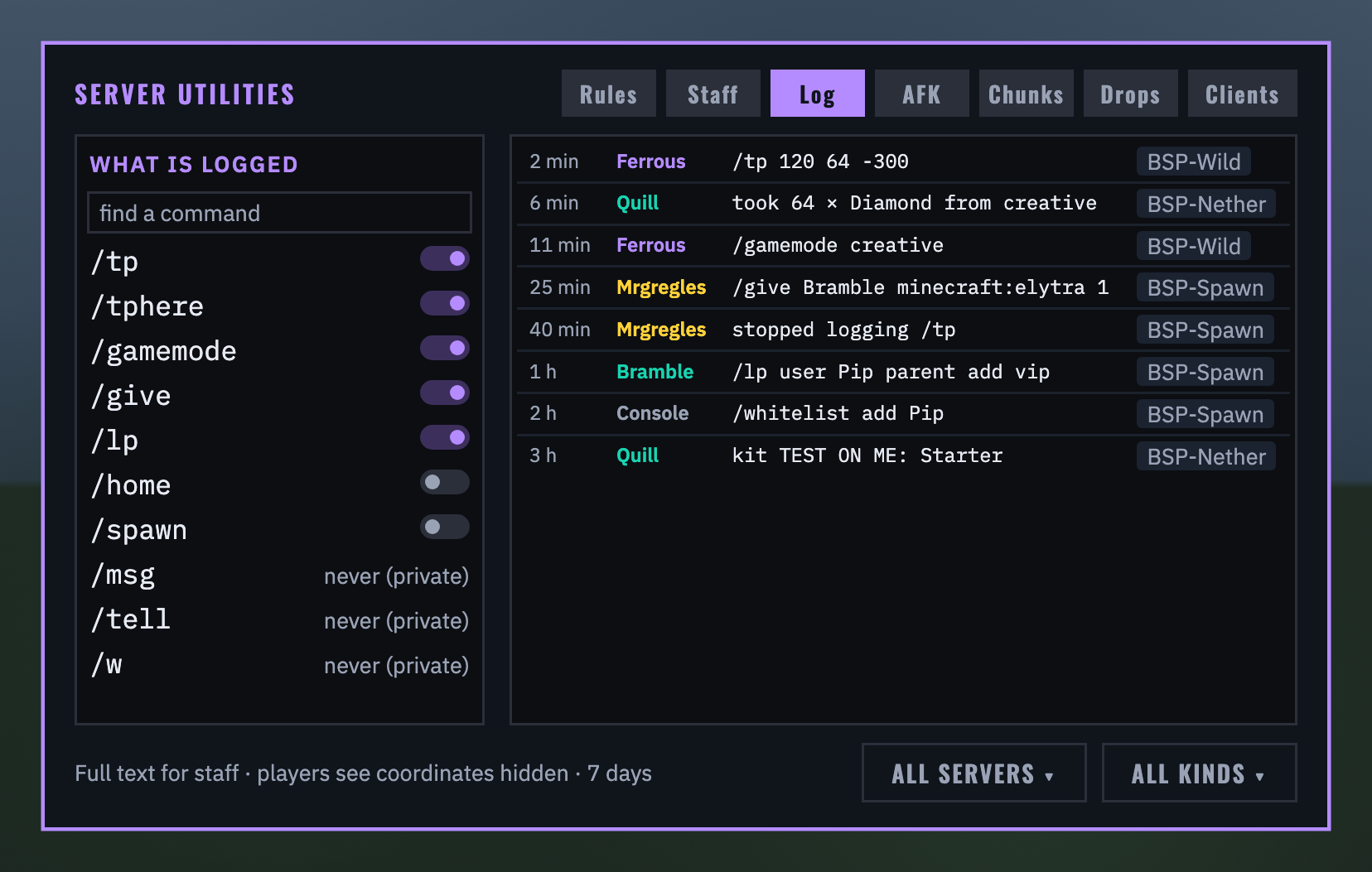
LOG: on the left, every command the server knows with a switch; find one by typing. Turn off the ones you would rather not log (teleports, say, so helping a player at their base does not reveal it). Turning a switch off or on is itself written in the log, so it can never be done quietly. Private messages are never logged and have no switch. On the right, the newest entries in full text, coordinates and all, with filters for the server and the kind; hover a long line to read all of it. Entries are kept for 7 days (log.keepDays).
For admins: AFK
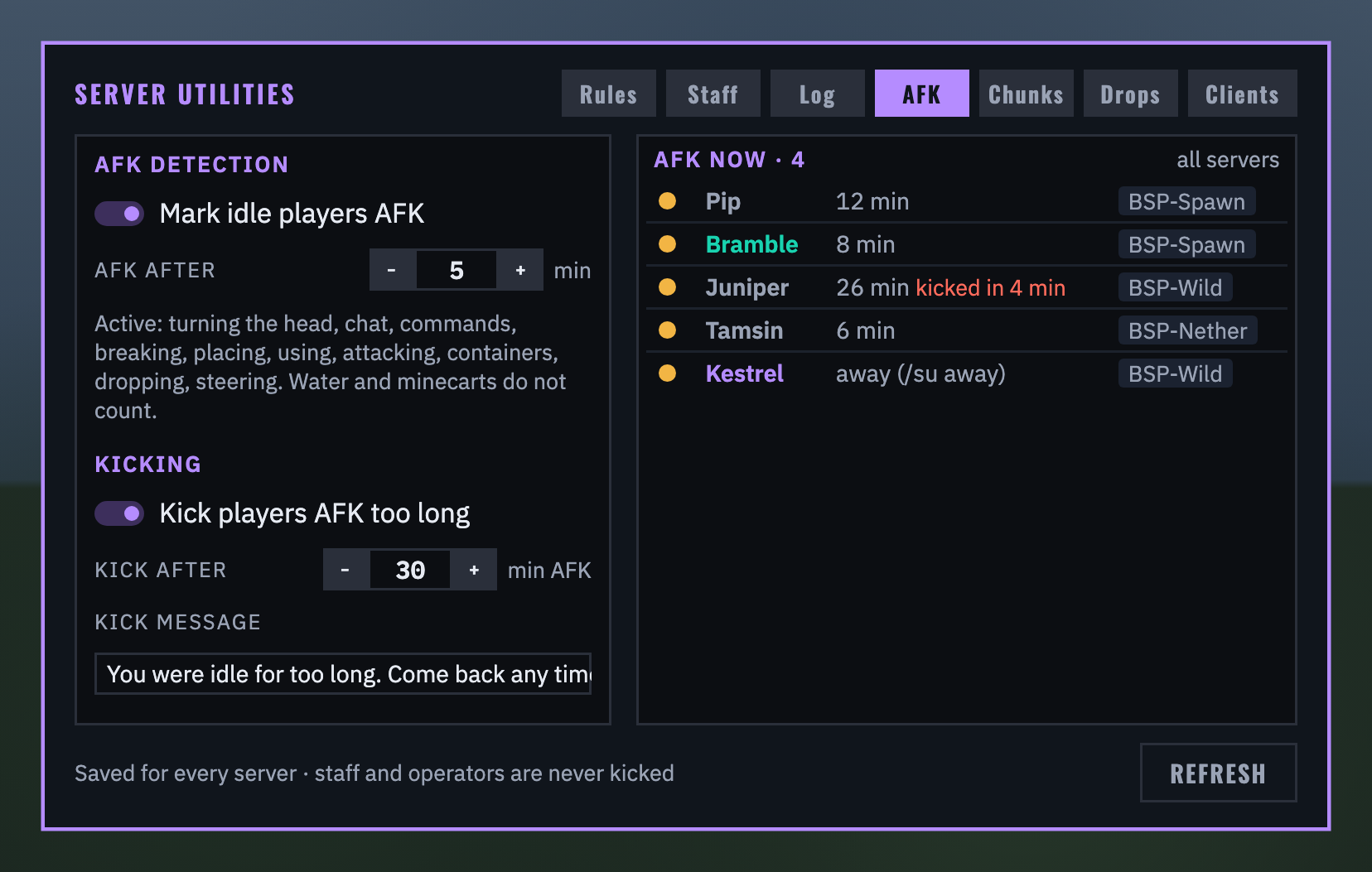
AFK: whether idle players are marked AFK and after how many minutes (1 to 60); whether players AFK too long are kicked (off to begin with), after how many minutes AFK (5 to 240), and the message they see. Staff and operators are never kicked. On the right, everyone AFK on any server, how long, where, and a red countdown beside anyone close to a kick.
For admins: chunk loading
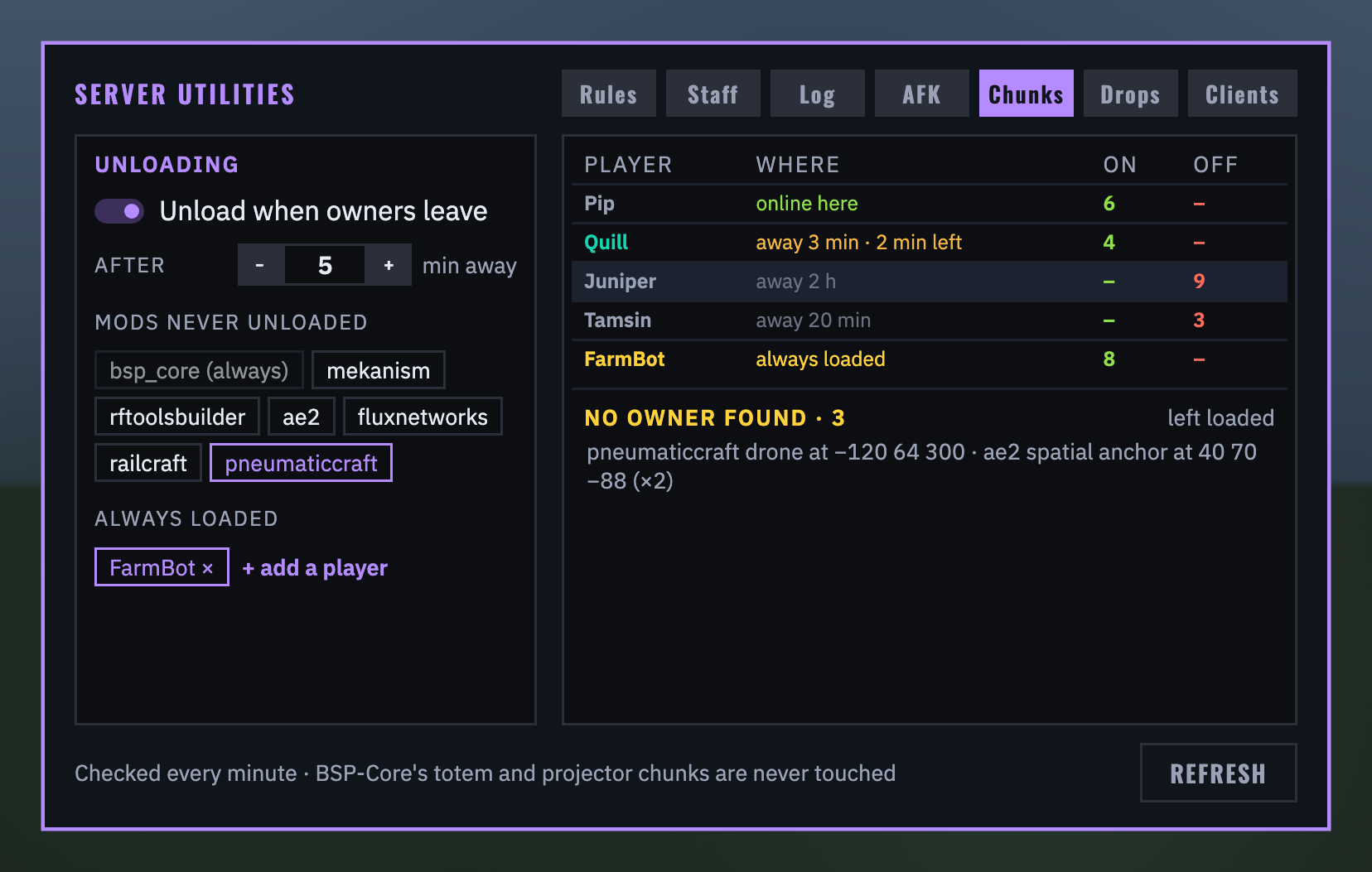
CHUNKS: the chunks other mods keep loaded through Forge, by whose machine holds them. Each machine's owner is found from the machine's own saved owner (most chunk-loading mods keep one), else from who placed it (recorded from the day this mod is installed), else from the BSP-Region Guard claim it stands in. On the left: the switch, how many minutes away before a player's chunks unload (1 to 60, 5 to begin with), mods never unloaded (click a chip; BSP-Core's always), and players always loaded (a server farm account, say). On the right: everyone with machines here, where they are, and how many chunks are on and off; below, machines whose owner could not be found, with UNLOAD and RESTORE. Every minute the server checks; a mod that puts its ticket back is caught at the next check, and unloaded chunks stay unloaded across restarts until their owner returns. Temporary loads (teleports, trains, world generation), /forceload and plugin chunks are left alone.
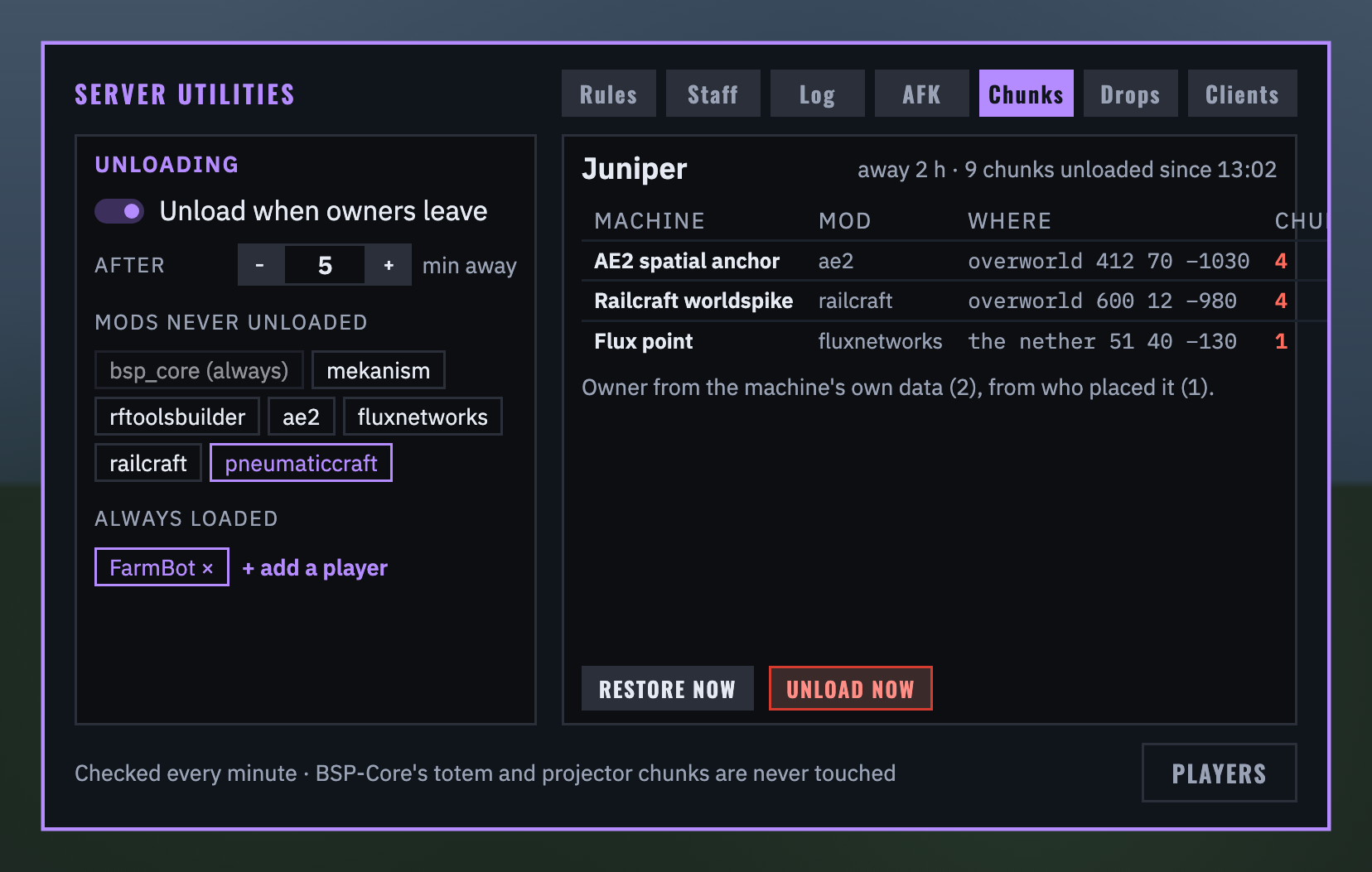
Click a player for their machines: the mod, where, and how many chunks; RESTORE NOW brings them back (and they stay until the player next joins and leaves), UNLOAD NOW unloads them at once (a second click to confirm).
For admins: dropped items
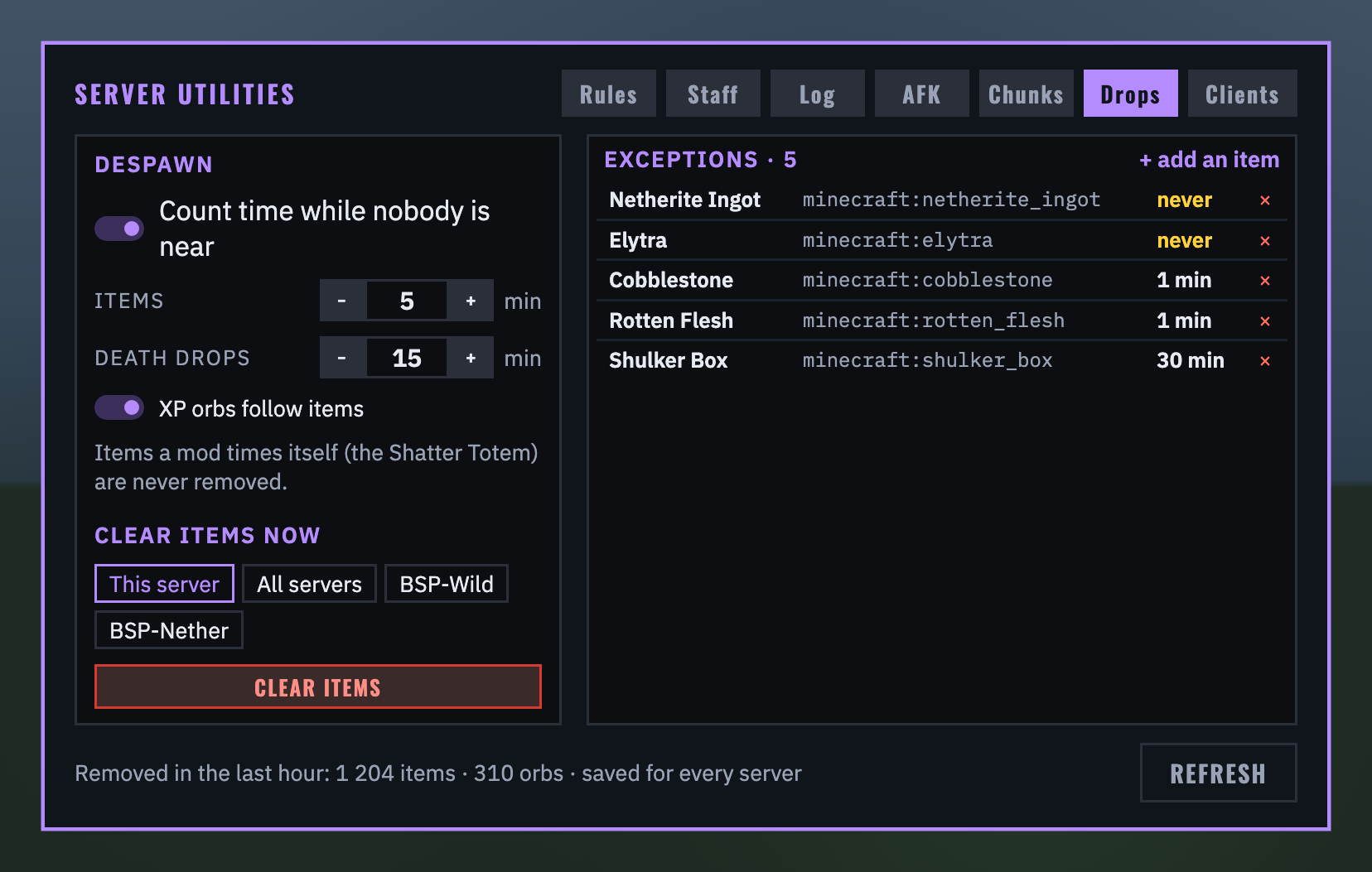
DROPS: how long items and experience orbs last (1 to 60 minutes) and a player's death drops (1 to 60), counted on the server's running clock whether or not anyone is near; switch that off to count only while players are near, as vanilla does. Nothing counts per item: each is stamped once when it drops and checked every 5 seconds (5,000 items take under 2 ms). Items whose mod gives them a lifespan of their own, and BSP-Core's items, are never removed. CLEAR ITEMS NOW clears this server, every server, or one by name (or /su clearitems here | all | <server>): players there are warned at 60 and 30 seconds, then every dropped item and orb goes, and items in chunks not loaded at the time go when their chunk next loads; each server reports its count to you. The footer counts what went in the last hour.
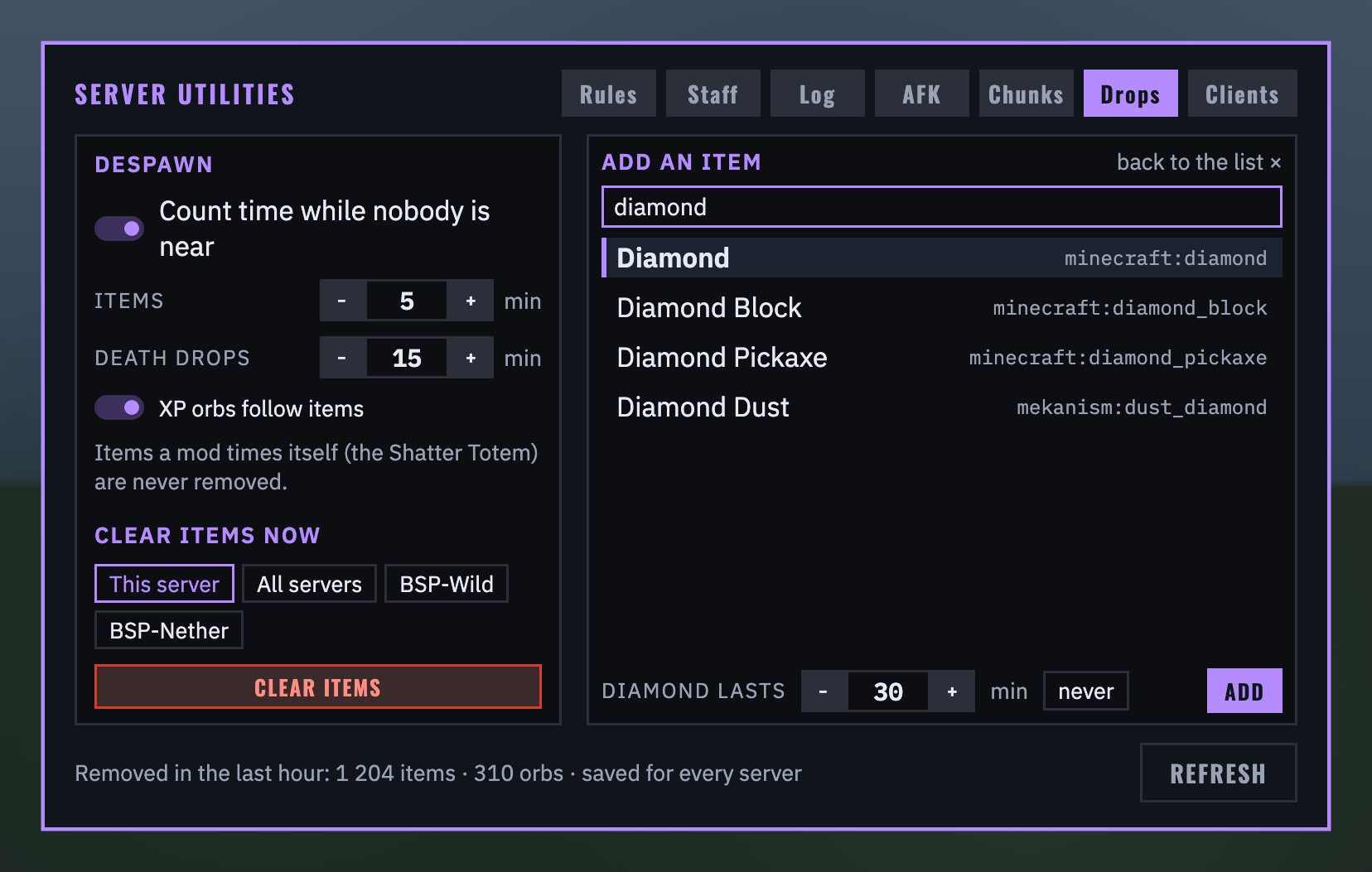
Exceptions: + add an item opens a search over every item in the pack, by name or id; give the picked item its own time (1 to 120 minutes) or NEVER. Never items are kept by a clear too.
For admins: the player counter
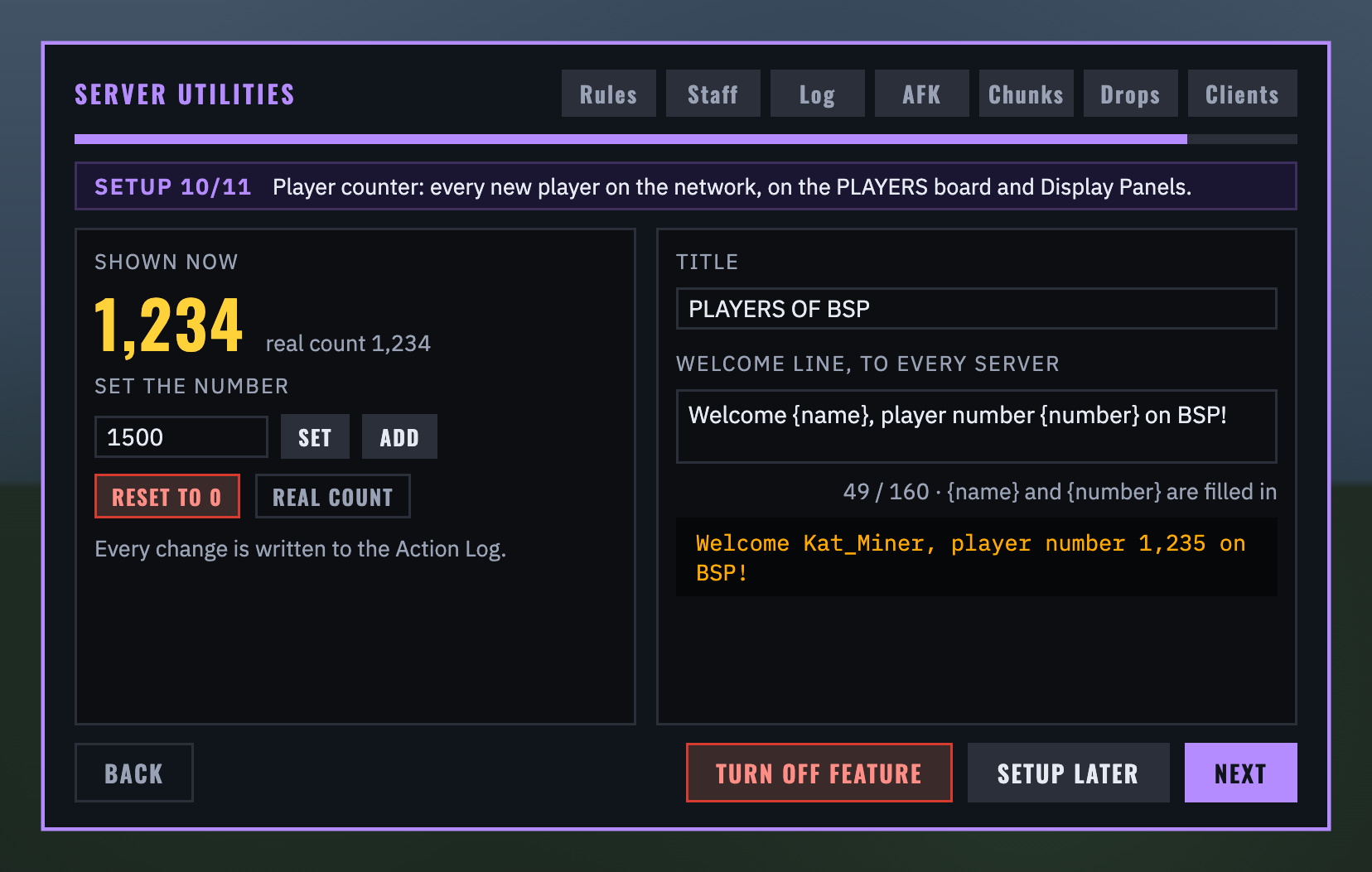
The setup guide's Player counter page (or /su players in chat) shows the number and the real count. The number shown is the real count plus an adjustment you set: SET a number, ADD to it (a minus takes away, never below 0), RESET TO 0 to count from now (a second click to confirm), or REAL COUNT to go back; the real list of who joined is never lost. Under the title (shared by the board and every panel without its own) you type the welcome line's words, with {name} and {number} filled in (160 characters), and see the line as it will read. Every change is written in the action log under your name. Counting starts the day the mod is installed; a player refused by the client check never joined, so never counts. TURN OFF FEATURE stops the counting and the welcome, and the board and panels show nothing.
For admins: the client check
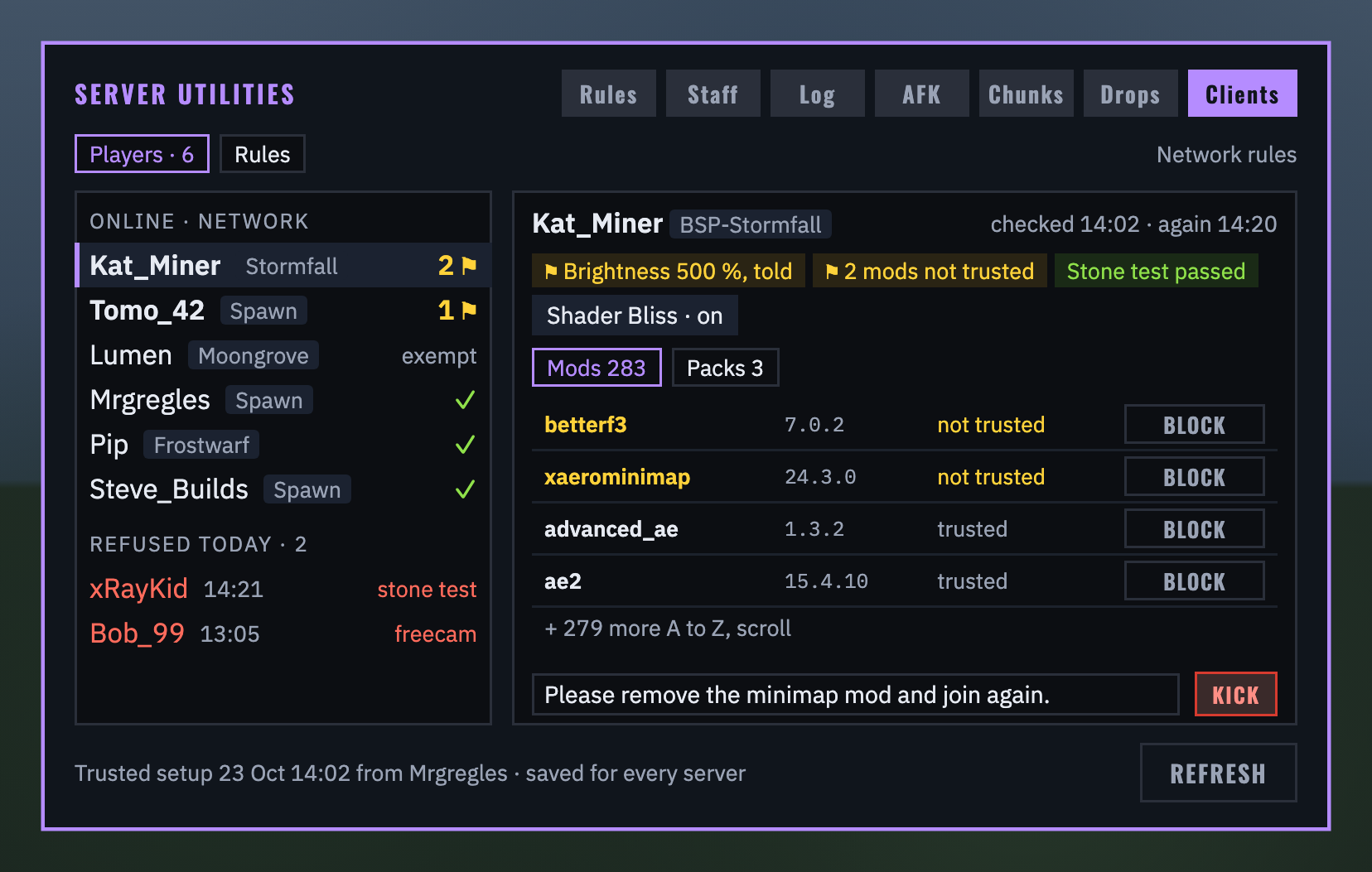
CLIENTS: everyone on the network with what their game reported, flagged players first. Flags never keep anyone out on their own: mods not in your trusted setup, mod files that differ from it, packs not in it, brightness past the top, mods Forge listed that the report left out. Pick a player for their mods, unusual ones first in gold, each with BLOCK (a second click), and KICK with a reason they read ("Removed by staff"). Today's refusals across the network sit under the players.
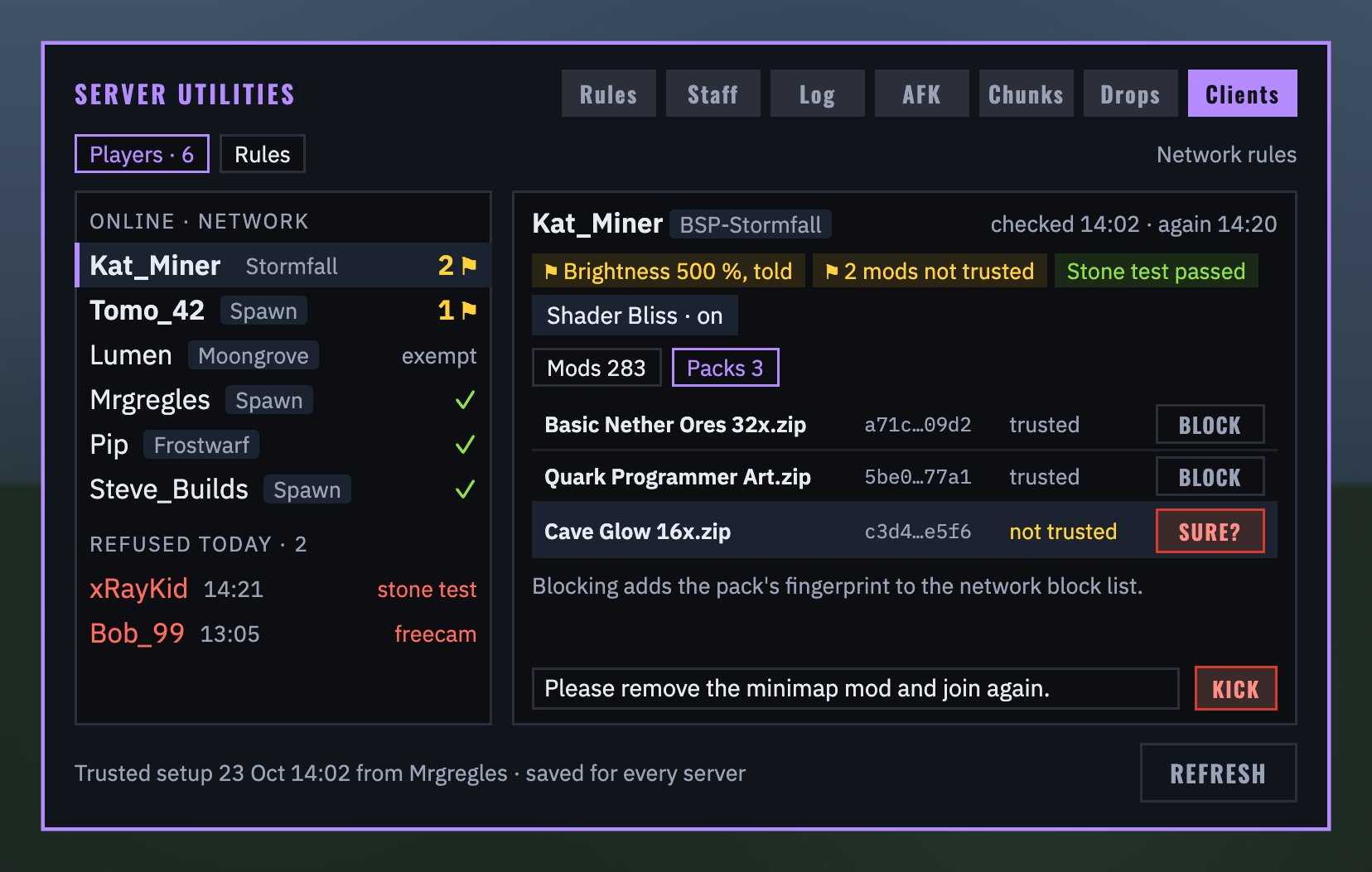
Their resource packs, with each file's fingerprint: BLOCK a pack and it is refused whatever it is renamed to. Blocking something a player already has kicks nobody; they are refused at their next join.
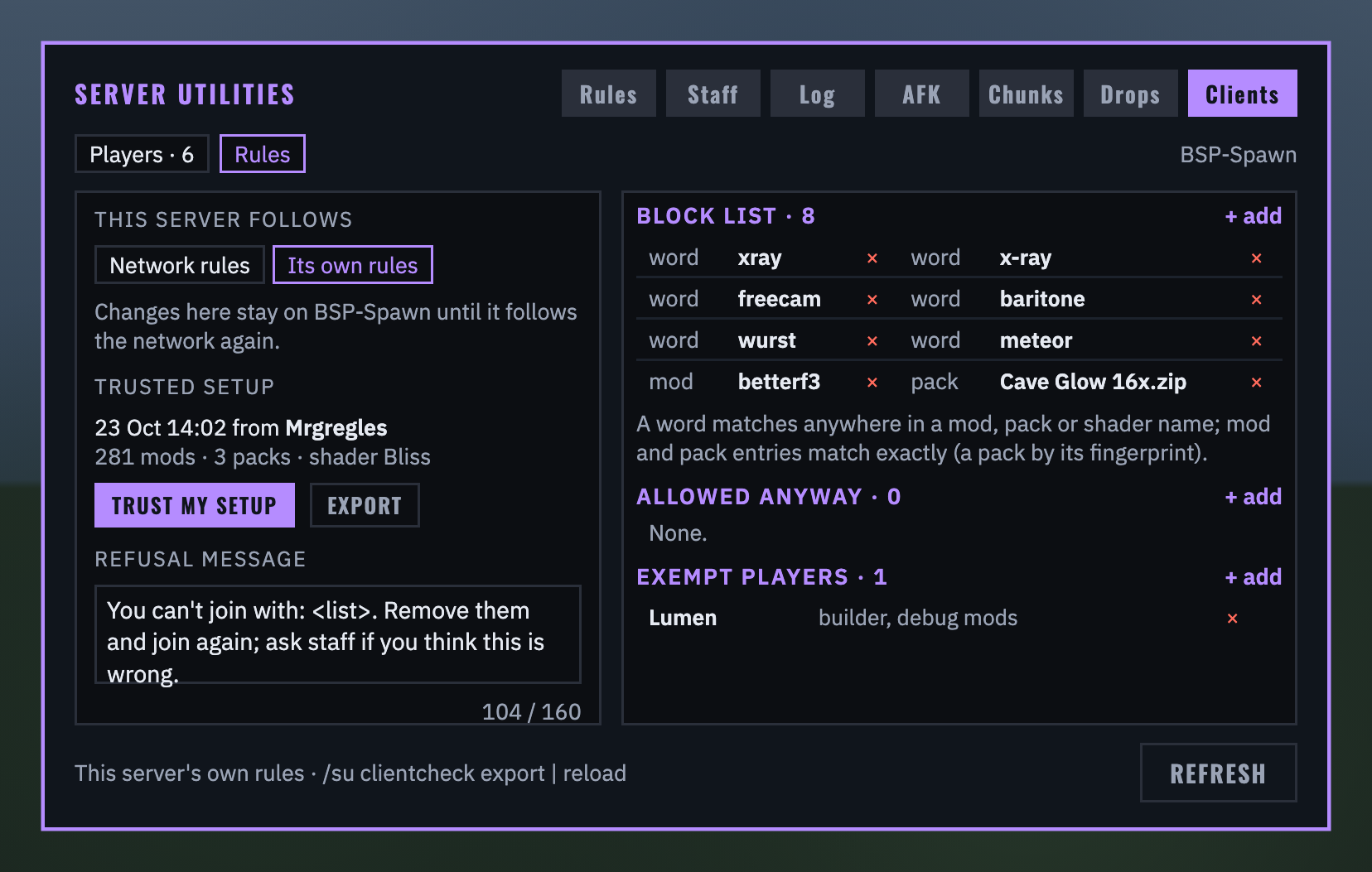
RULES: the network's rules or this server's own (starting as a copy); TRUST MY SETUP takes your own game as the pack's setup, and EXPORT writes it to config/bsp_server_utilities/trusted_setup.json, which another server reads when you drop it in (/su clientcheck reload). The refusal message, the block list (a word matched anywhere in a mod, pack or shader name, or an exact mod id; starts with xray, x-ray, freecam, baritone, wurst and meteor), names allowed anyway, and exempt players. Refusals and kicks go to the LOG tab as Client check entries, for staff only.
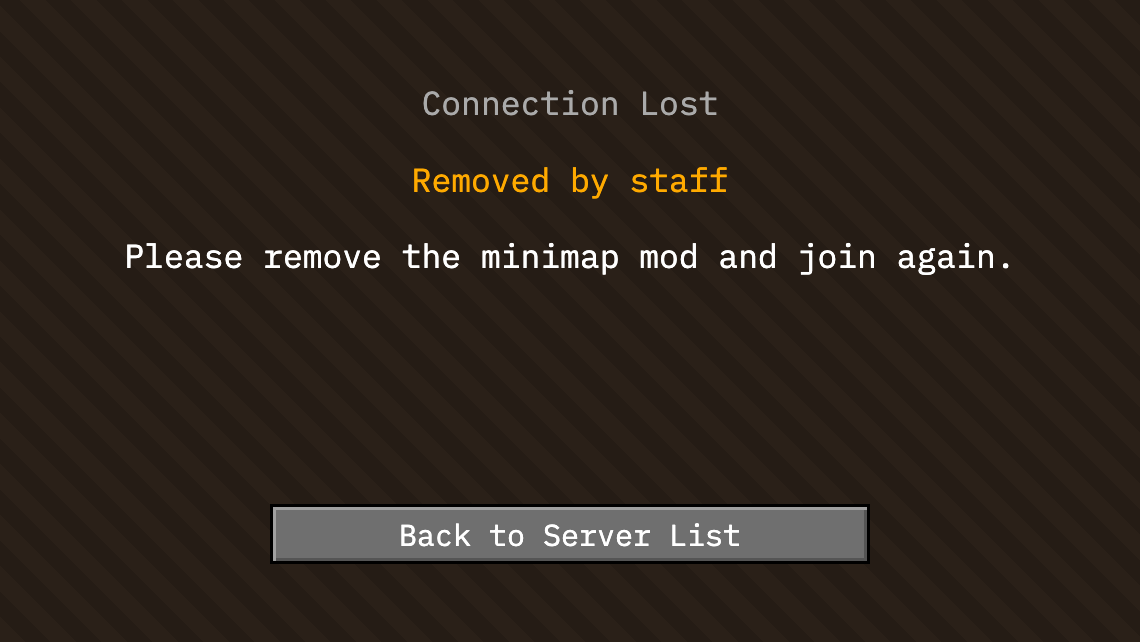
A deterrent, not proof: a game built on purpose to lie can lie. It stops downloaded xray packs, renamed packs and cheat mods dropped into the mods folder.
A network of servers
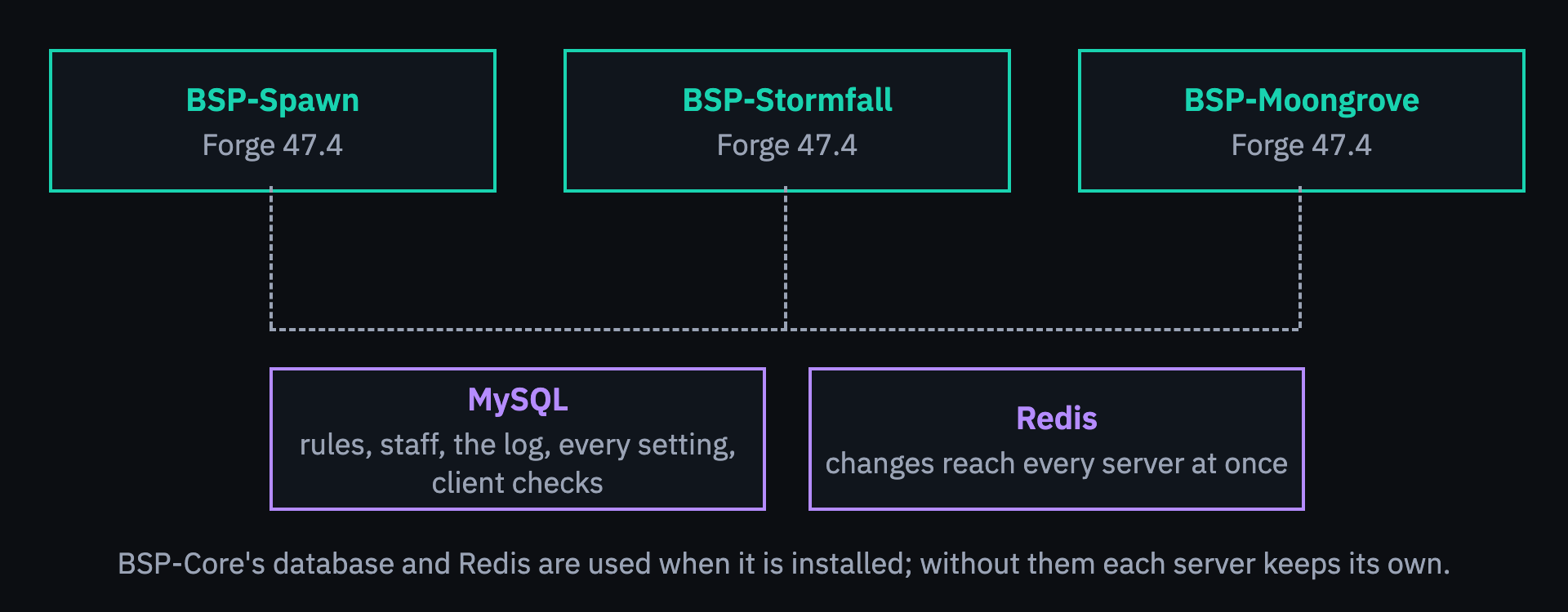
With BSP-Core installed and its storage on MySQL, nothing needs setting up: the mod uses BSP-Core's database, Redis and server name, with tables of its own (prefix bsp_su_). The rules and who agreed to them, the staff groups, when staff were last seen, the action log and its switches, the AFK, chunk and drop settings, the client check's rules and trusted setup, who has joined the network and the counter's settings, and how far the setup guide got are shared; changes reach every server within a second or two through Redis, and within seconds through the database when Redis is off. Each server tells the others who of the staff is online, who is AFK, and what each player's game reported. Without BSP-Core, fill in serverconfig/bsp_server_utilities-server.toml yourself, or leave storage local and every server keeps its own. No database driver is bundled: BSP-Core's full jar (not its -slim jar) provides one.
With the other BSP mods
- BSP-Core: its database, Redis and server name; its admins can edit; its admin kit gives go into the action log; STAFF ONLINE, ACTION LOG and PLAYERS are boards you can pick on its Score Screens; its totem and projector chunks are never unloaded and its items never removed from the ground.
- BSP-InventorySync: the rules popup waits until a player's inventory has arrived, so nothing is lost while they read.
- BSP-Region Guard: the owner of the claim a chunk-loading machine stands in, when the machine itself does not say whose it is.
- LuckPerms: staff are the members of the groups you pick in the STAFF tab.
Commands
| Command | Who | What |
|---|---|---|
/rules |
everyone | the rules, read only |
/actionlog |
everyone | the newest 100 log entries, coordinates hidden |
/afk |
everyone | AFK until your next action |
/su away |
staff | show as away on the staff panels, until typed again |
/serverutils, /su |
operators, BSP-Core admins | the admin panel |
/su status |
operators, BSP-Core admins | storage, server name, LuckPerms, BSP-Core, staff groups, AFK, chunk and drop settings, the client check, the player counter, the setup guide |
/su setup [now | later | ignore] |
operators, BSP-Core admins | the setup guide |
/su players [set <n> | add <n> | reset | true] |
operators, BSP-Core admins | the player count: show it, set it, add to it, reset it to 0, or go back to the real count |
/su client <player> |
operators, BSP-Core admins | what a player's game reported and what the check made of it |
/su clientcheck export | reload |
operators, BSP-Core admins | write or read trusted_setup.json |
/su clearitems here | all | <server> |
operators, BSP-Core admins | clear dropped items after a 60-second warning |
/su rules list | add <title> [text] | remove <n> | status | reset <player> | askagain |
operators, BSP-Core admins | the rules from chat or the console |
Links
Source and docs: https://github.com/Build-Secure-Protect/BSP-Server-Utilities. Issues and ideas welcome there. MIT licensed.
Screenshots
Gallery
Versions
Files
Relations
Project Relations
More like this
Similar Mods
Suggestions use data such as tags, dependencies, dependents, descriptions, titles, and more to rank how much they overlap with this mod.
On ModDex
Community snapshot
By the numbers
Statistics

Get it on
Available Platforms
On ModDex
Community snapshot
By the numbers
Statistics
Resources