Community listing page, reviews here may not be monitored by the author.
Builder's Shulkers


No reviews yet
Open your shulker boxes from your inventory, and hold one in your hotbar to place blocks straight from it !
Community voices
Reviews
No reviews yet. Be the first to review this project!
Get it on
Available Platforms
Compatibility
Supported Environments
Must be installed on both the client and the server.
About
Project Details
For authors
Embed Badge
If you're the author of this project, you can embed a live badge anywhere that supports HTML or Markdown. It updates automatically whenever ratings change.
Use HTML for any page that supports it, or Markdown for README files and Markdown-based descriptions.
Identifiers
Platform IDs
Resources
External Links
About
Description
Builder's Shulkers lets you use a shulker box's contents without ever placing it down. Open and rearrange one straight from your inventory, and place blocks from a shulker held in your hotbar while you build.
Build straight from your hotbar
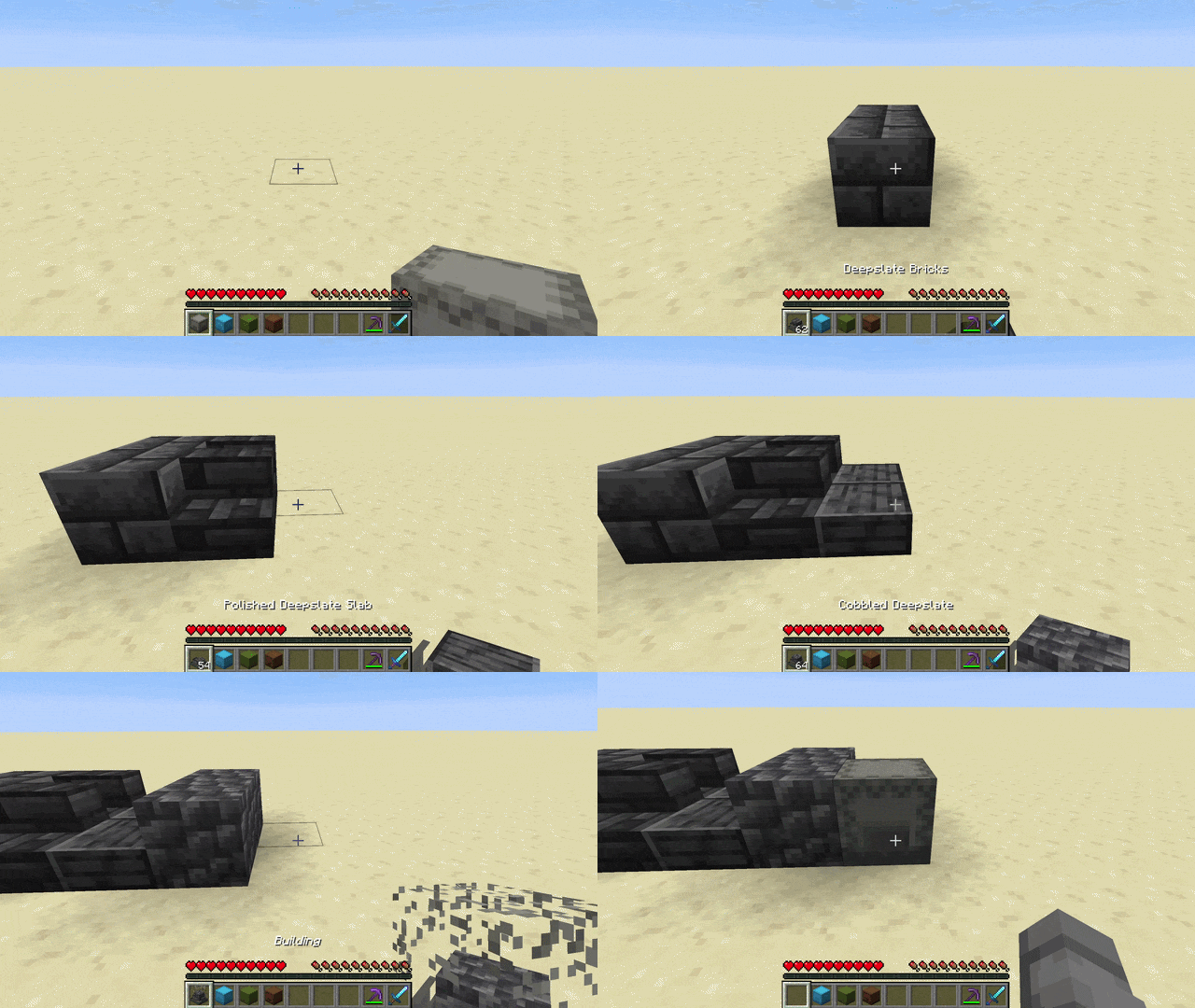
- Hold a shulker box in your hotbar and press Ctrl + right-click to enter Pocket-Build mode
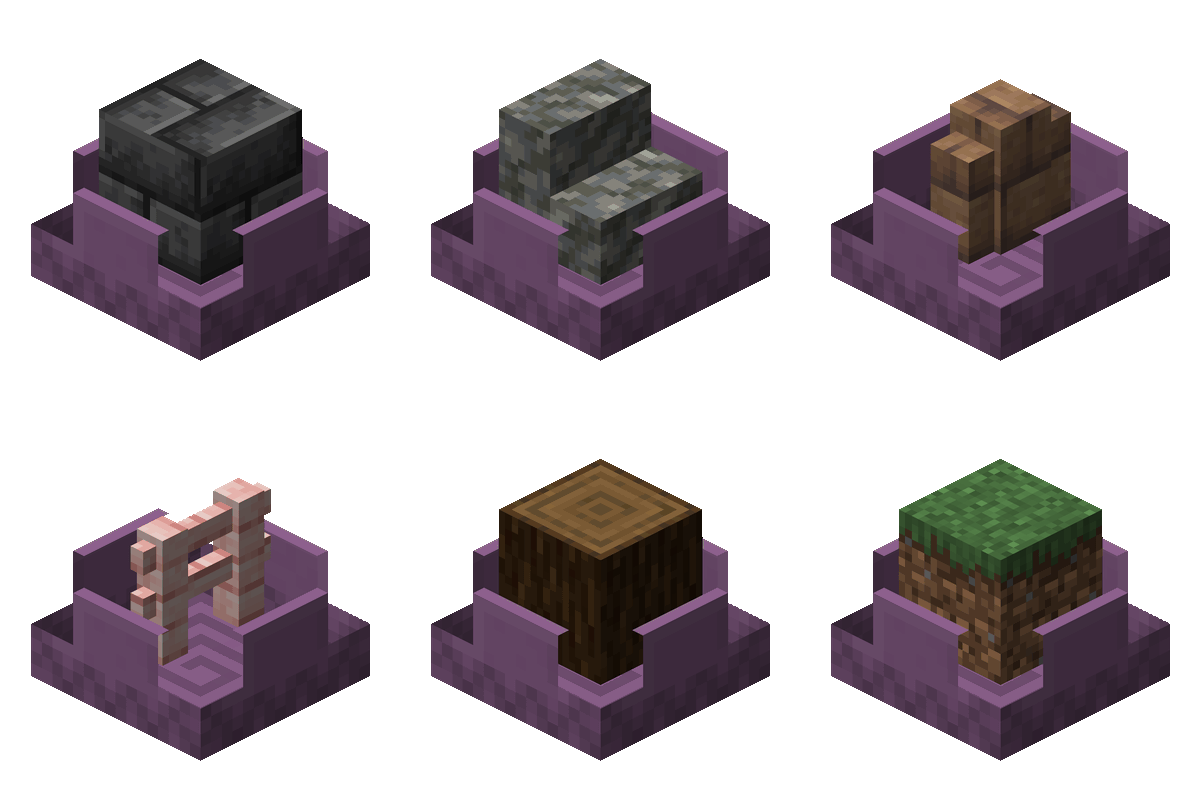
- Scroll the mouse wheel to select the previous/next different block inside the box. Its name and count show by your hotbar, and the box opens with a dissolving lid that reveals the selected block rendered inside it
- Right-click to place that block straight from the box while the box stays in your hand
- Middle-click a block you already have in the box to jump straight to it
- Hold Ctrl to peek at the box's full contents in an overlay above your hotbar
Open shulker boxes from your inventory
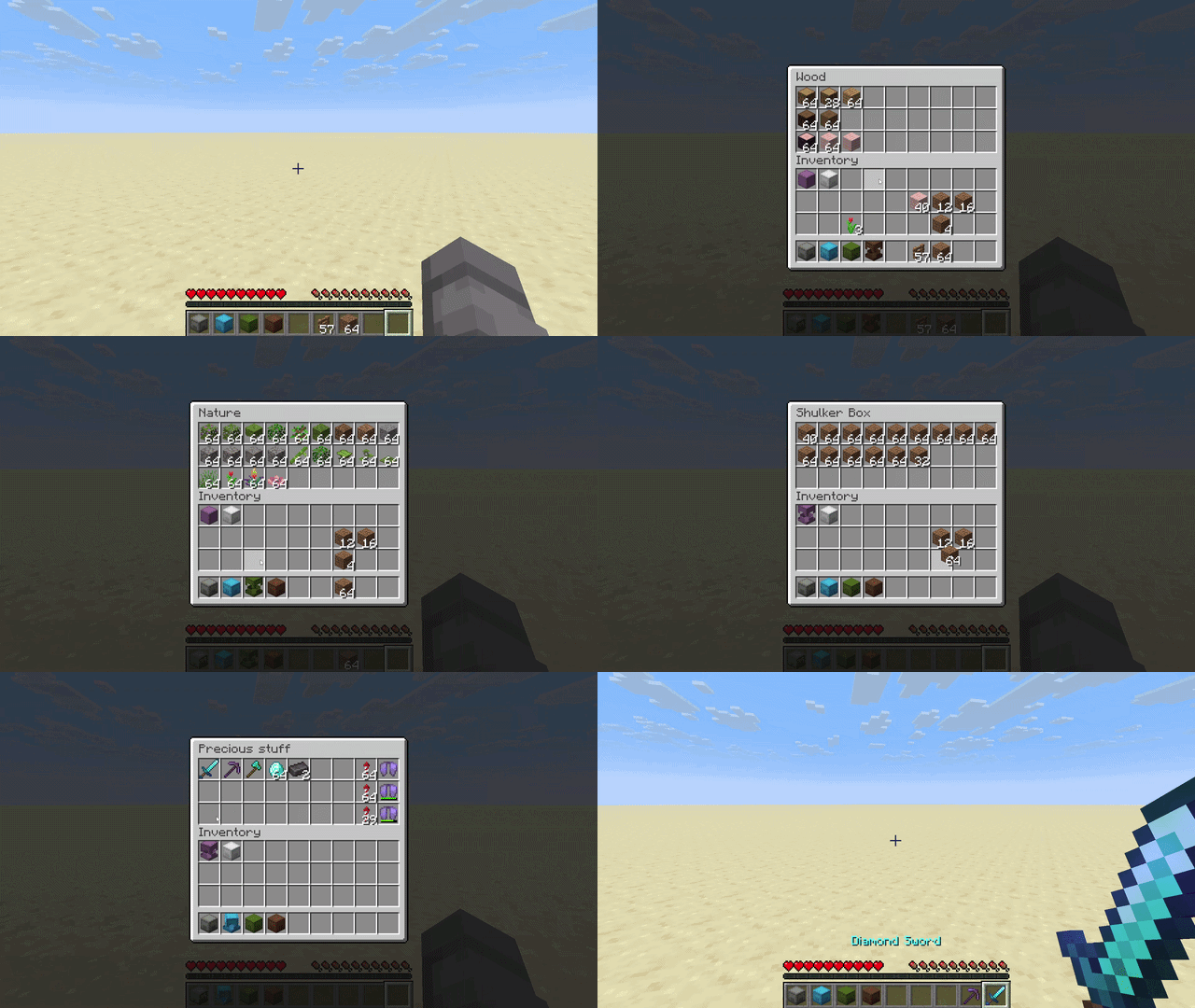
- Right-click a shulker box in your inventory to open it
- Move items in and out with all the usual controls: left and right click, shift-click, drag, hotbar number keys, and drop
- Close it with Escape, or by right-clicking the same shulker again
- While one is open, you can right-click another to switch straight to it
- There are open and close sounds, and the lid smoothly animates
Multiplayer
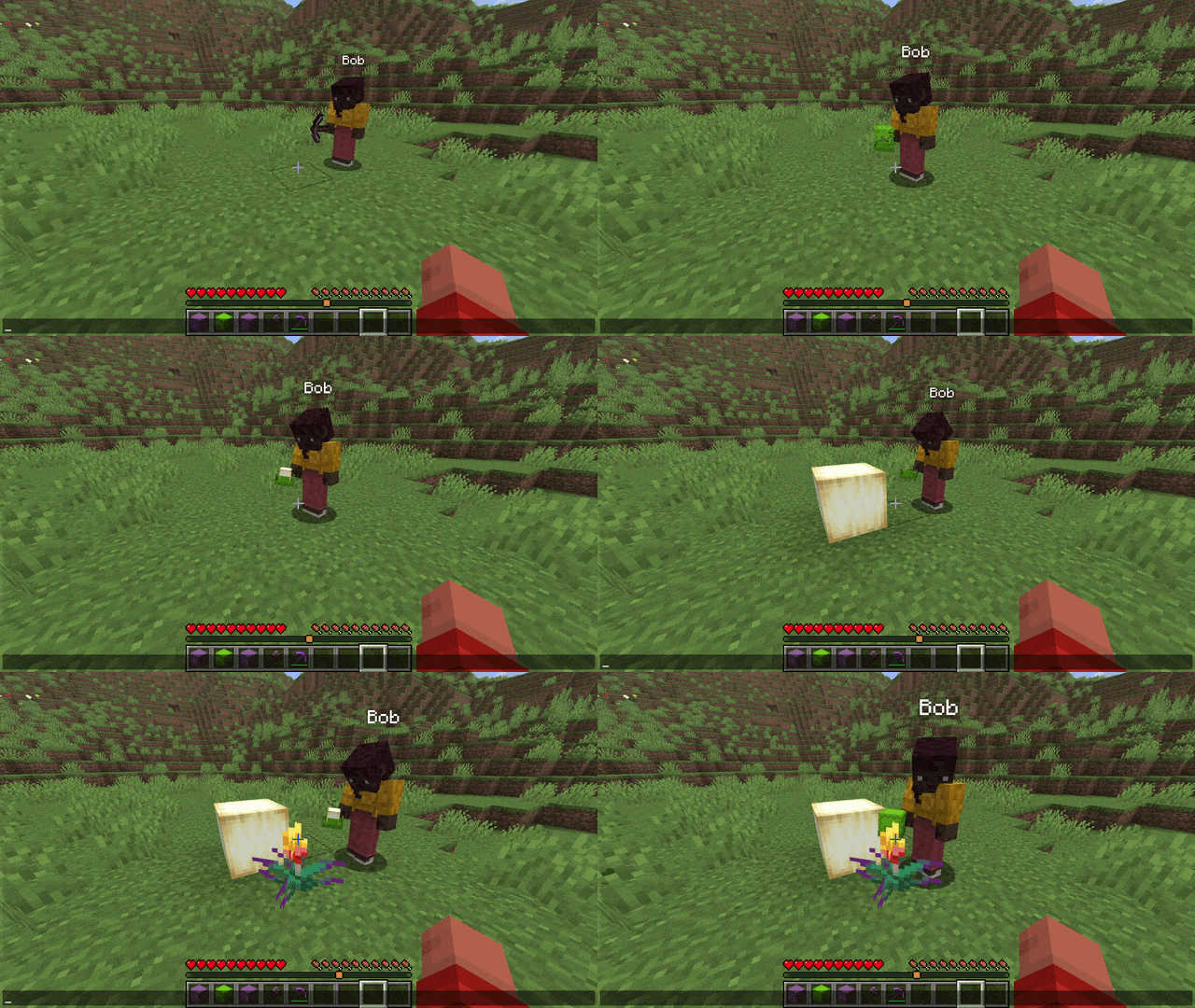
- Works in multiplayer, including the lid animations on shulkers other players hold
- Players without the mod can still join the server normally: they simply do not see the extra animations and sounds
Customization
- Settings screen: Press B (rebindable) to open it and tune the cosmetics: lid animations, the lid effect (dissolve, disappear, or stay solid), the block rendered inside the box and its count, the open/close sounds, and more.
- Custom keybinds: Every control lives in Options -> Controls under "Builder's Shulkers" and can be rebound or unbound: the Pocket-Build hold key (default Left Control), a peek key (default Left Control), and a single-press "Toggle Pocket-Build" (unbound by default) to enter and leave the mode with one button (handy on a controller or on touch).
- Gamerules: Server admins can turn the access from inventory and Pocket-Build features on or off.
Designed to fit in
- Vanilla+: improves shulker handling without changing how the game looks or feels
- Built on the vanilla shulker container (same screen, same data), so it plays nicely with most other mods, and it works with shulker boxes added by other mods
Safe by design
- Everything that moves items is handled by the server, so your items can never be duplicated
Requirements
- Minecraft version between 1.21.9 and 26.3
- Fabric Loader and Fabric API, or Neoforge
Put this mod and Fabric API in your mods folder.
Open source
Builder's Shulkers is open source.
- Code: https://github.com/Moncef-dev/builders-shulkers
- Found a bug or have an idea? Send it here: https://github.com/Moncef-dev/builders-shulkers/issues
Builder's Shulkers lets you use a shulker box's contents without ever placing it down. Open and rearrange one straight from your inventory, and place blocks from a shulker held in your hotbar while you build.
Build straight from your hotbar
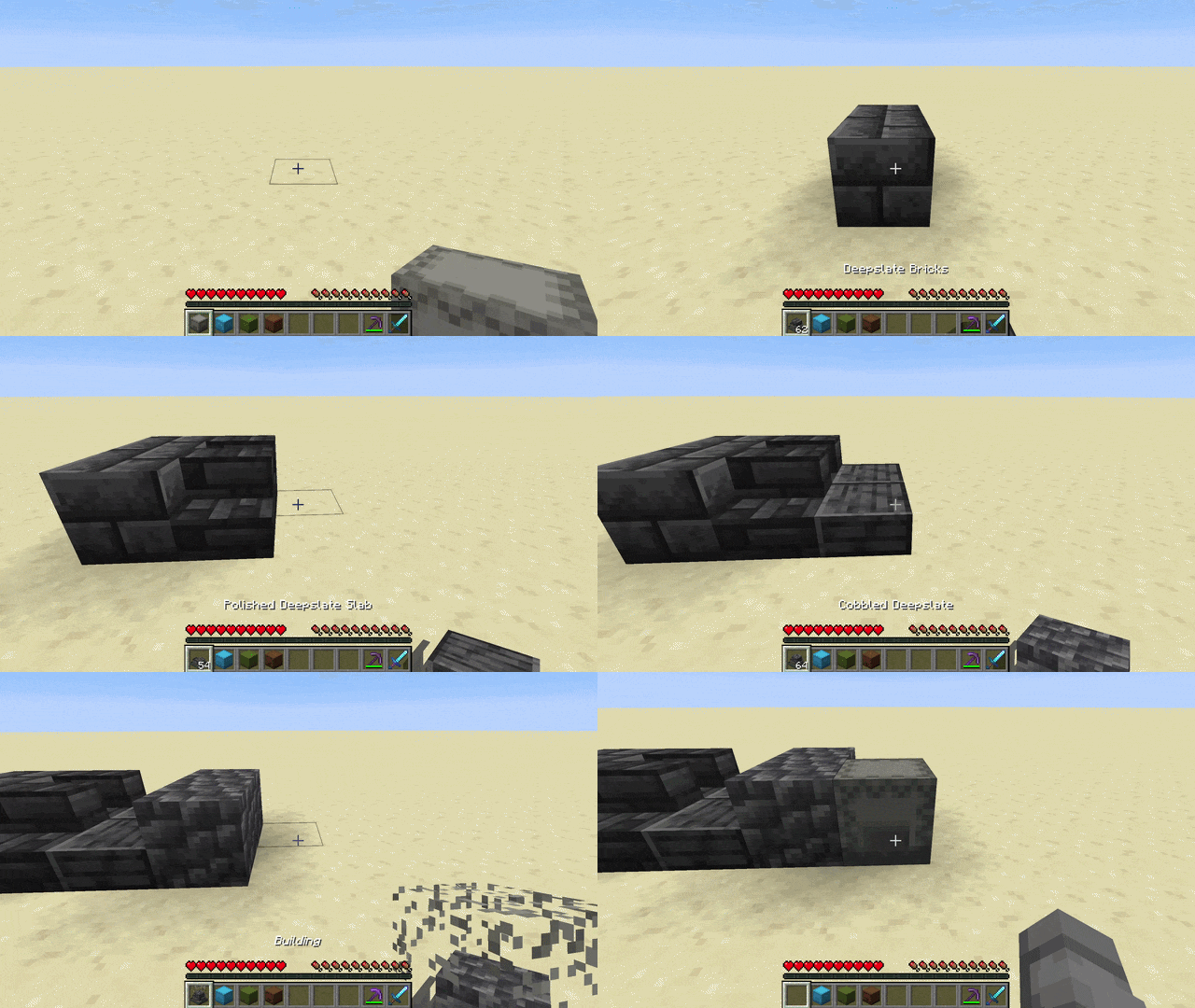
- Hold a shulker box in your hotbar and press Ctrl + right-click to enter Pocket-Build mode
- Scroll the mouse wheel to select the previous/next different block inside the box. Its name and count show by your hotbar, and the box opens with a dissolving lid that reveals the selected block rendered inside it
- Right-click to place that block straight from the box while the box stays in your hand
- Middle-click a block you already have in the box to jump straight to it
- Hold Ctrl to peek at the box's full contents in an overlay above your hotbar
Open and manage shulker boxes from your inventory
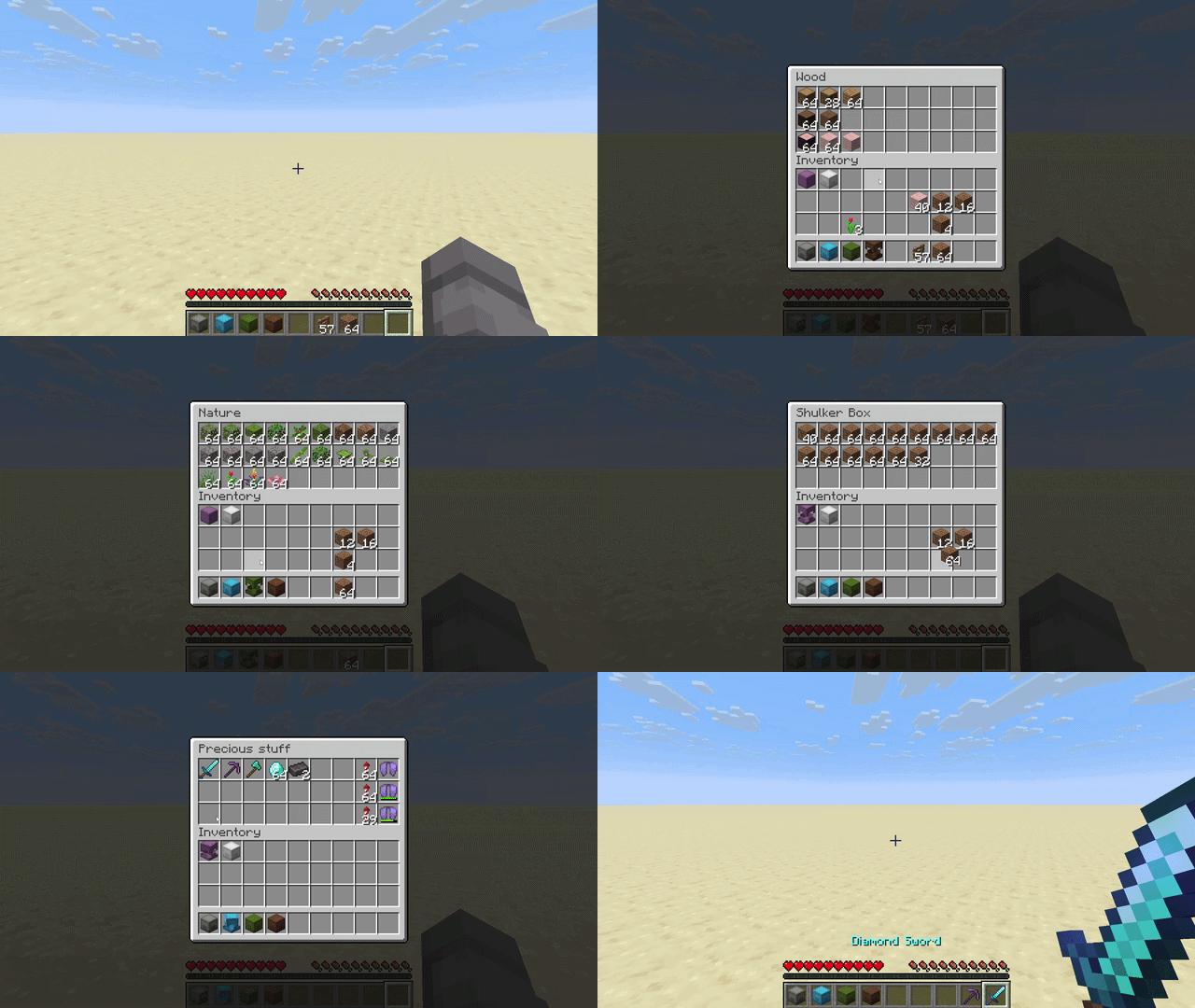
- Right-click a shulker box in your inventory to open it
- Move items in and out with all the usual controls: left and right click, shift-click, drag, hotbar number keys, and drop
- Close it with Escape, or by right-clicking the same shulker again
- While one is open, you can right-click another to switch straight to it
- There are open and close sounds, and the lid smoothly animates
Multiplayer
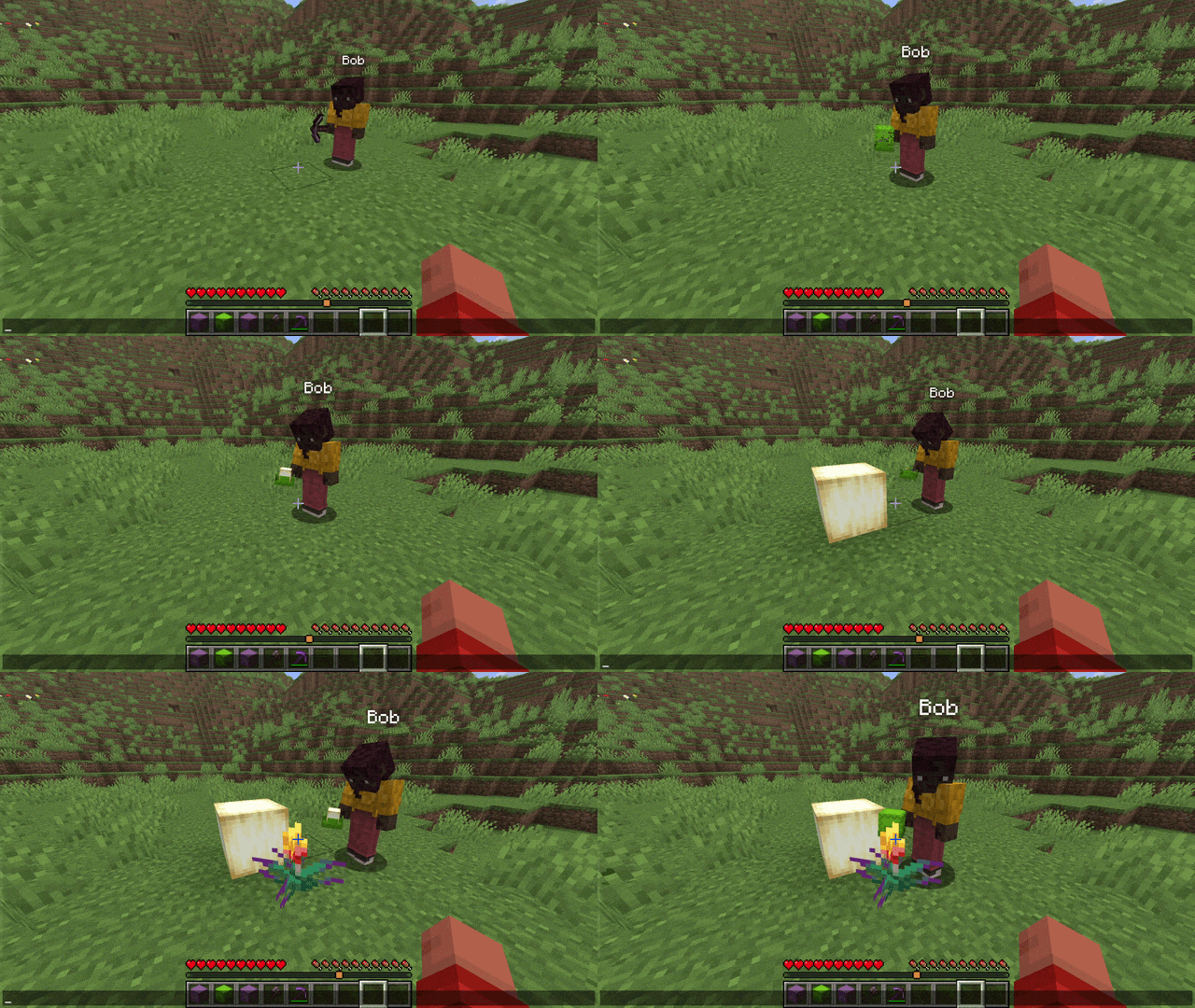
- Works in multiplayer, including the lid animations on shulkers other players hold
- Players without the mod can still join the server normally: they simply do not see the extra animations and sounds
Designed to fit in
- Vanilla+: improves shulker handling without changing how the game looks or feels
- Built on the vanilla shulker container (same screen, same data), so it plays nicely with most other mods, and it works with shulker boxes added by other mods
Customization
- Settings screen: Press B (rebindable) to open it and tune the cosmetics: lid animations, the lid effect (dissolve, disappear, or stay solid), the block rendered inside the box and its count, the open/close sounds, and more.
- Custom keybinds: Every control lives in Options -> Controls under "Builder's Shulkers" and can be rebound or unbound: the Pocket-Build hold key (default Left Control), a peek key (default Left Control), and a single-press "Toggle Pocket-Build" (unbound by default) to enter and leave the mode with one button (handy on a controller or on touch).
- Gamerules: Server admins can turn the access from inventory and Pocket-Build features on or off.
Safe by design
- Everything that moves items is handled by the server, so your items can never be duplicated
Requirements
- Minecraft 26.1.x or 26.2
- Fabric Loader and Fabric API
Put this mod and Fabric API in your mods folder.
Open source
Builder's Shulkers is open source.
- Code: https://github.com/Moncef-dev/builders-shulkers
- Found a bug or have an idea? Send it here: https://github.com/Moncef-dev/builders-shulkers/issues
Screenshots
Gallery
-
Pocket-Build Enter Pocket-Build mode by pressing Ctrl+right-click to place blocks directly from your shulker !
-
Shulker-Inventory Manage shulker boxes in your inventory by pressing right-click while hovering one !
-
Multiplayer Animations Animations completely works in multiplayer !
-
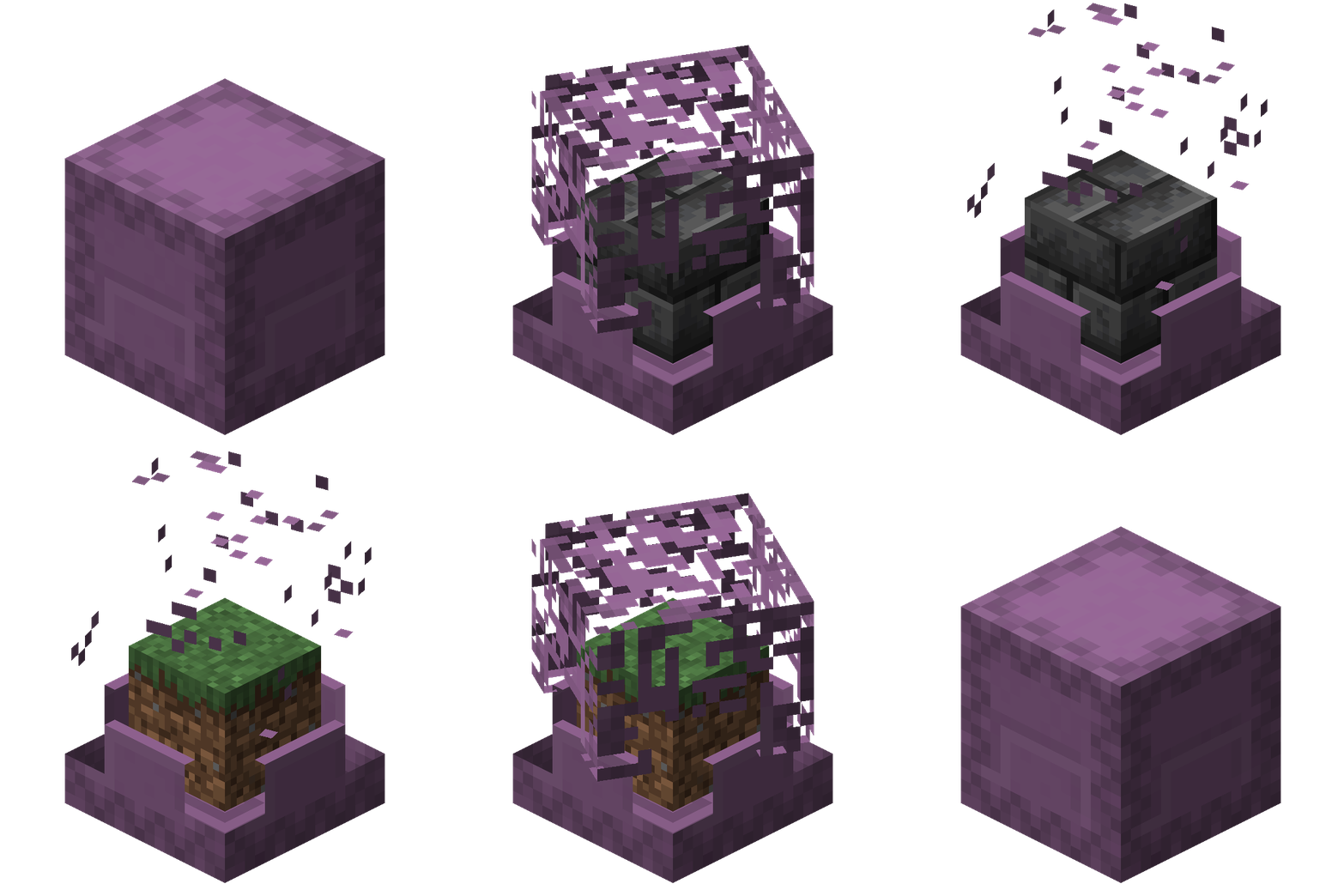 Pocket-Build Render This is a showcase of the shulker animations on the GUI and in your hand when entering, using and exiting Pocket-Build mode
 -
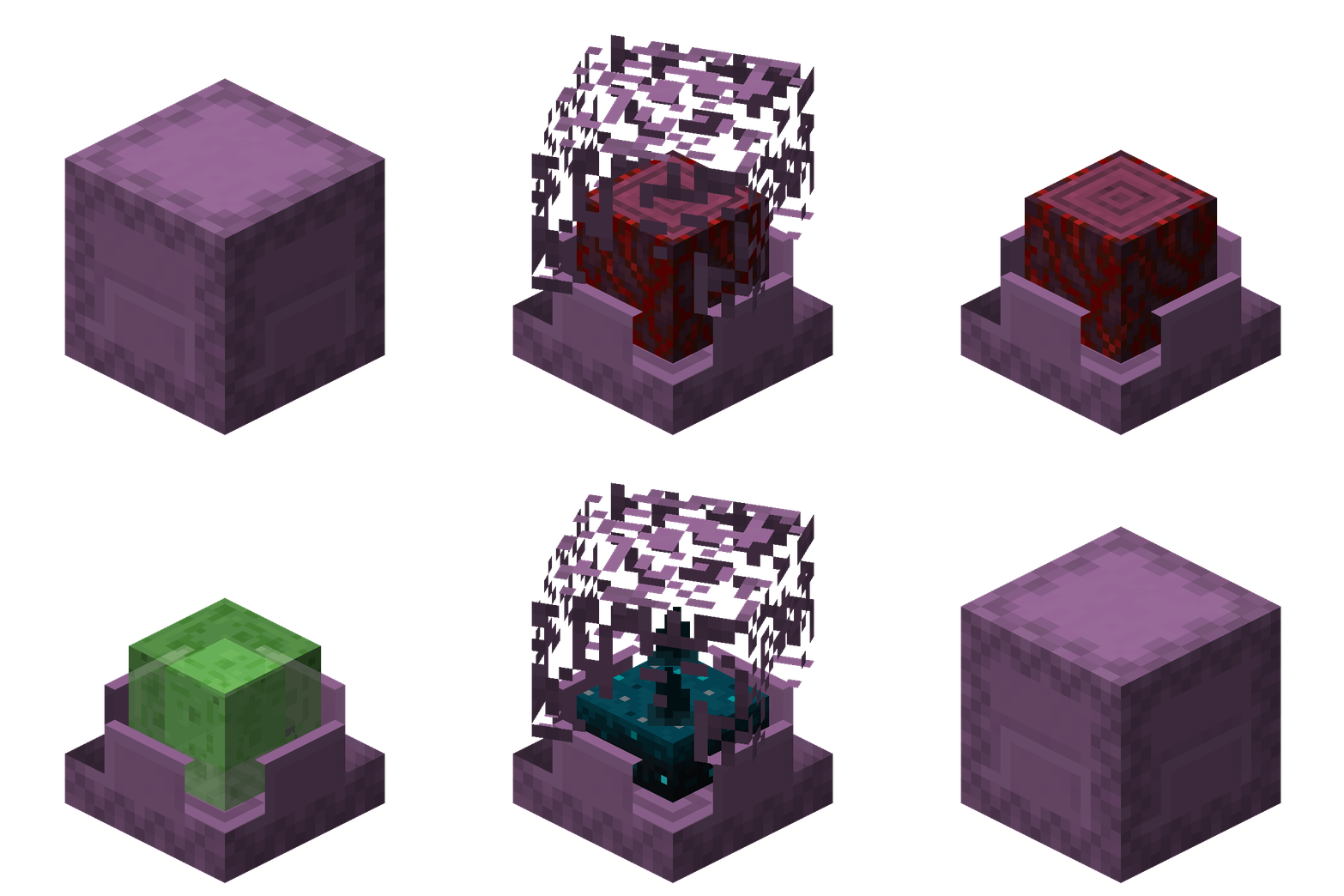 Pocket-Build Render This is a showcase of the shulker animations on the GUI and in your hand when entering, using and exiting Pocket-Build mode
-
Pocket-Build Enter Pocket-Build mode by pressing Ctrl+right-click to place blocks directly from your shulker !
-
Shulker-Inventory Manage shulker boxes in your inventory by pressing right-click while hovering one !
-
Multiplayer Animations Animations completely works in multiplayer !
-
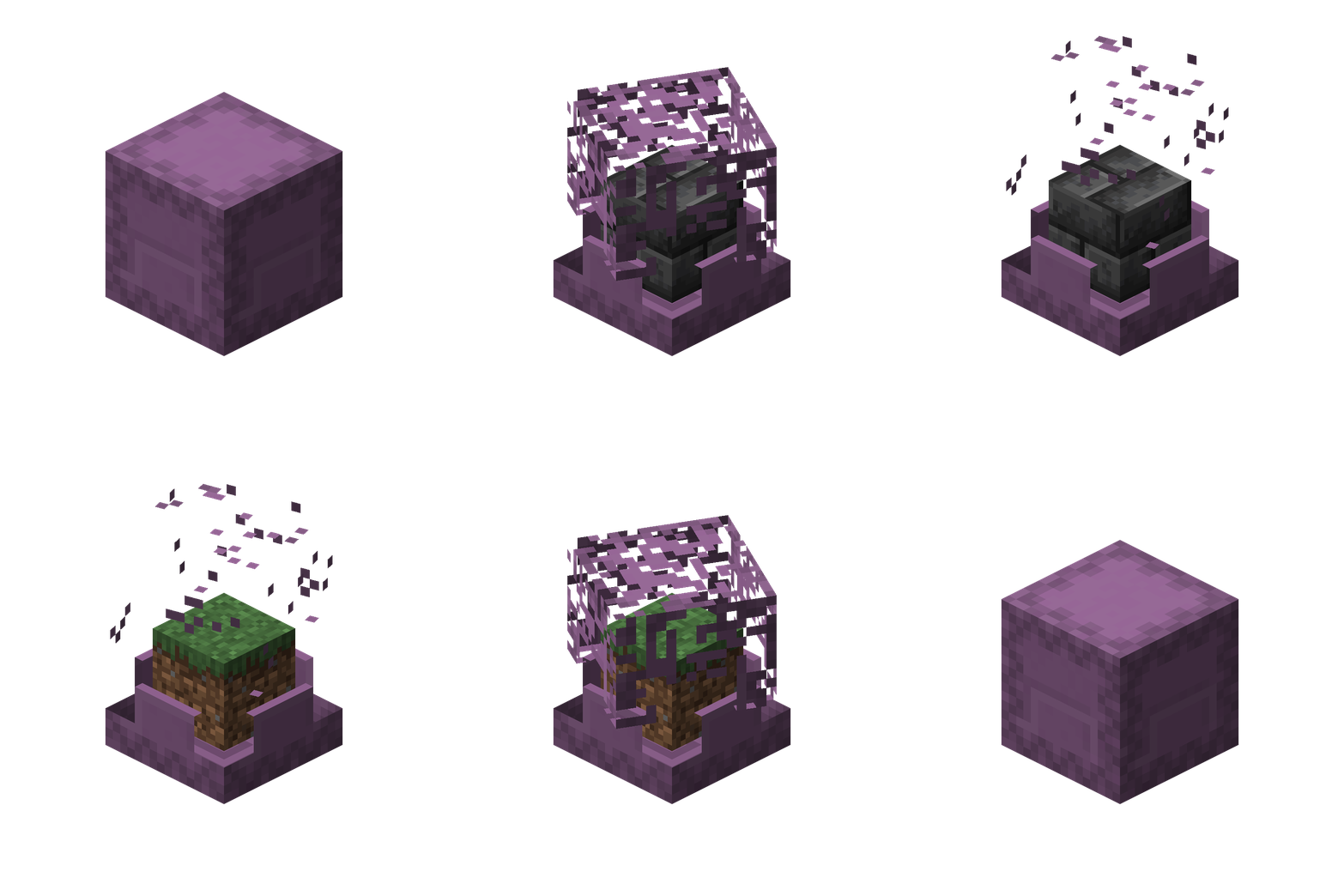 Pocket-Build Render This is a showcase of the shulkers animations on the GUI and in your hand when entering, using and exiting Pocket-Build mode
 -
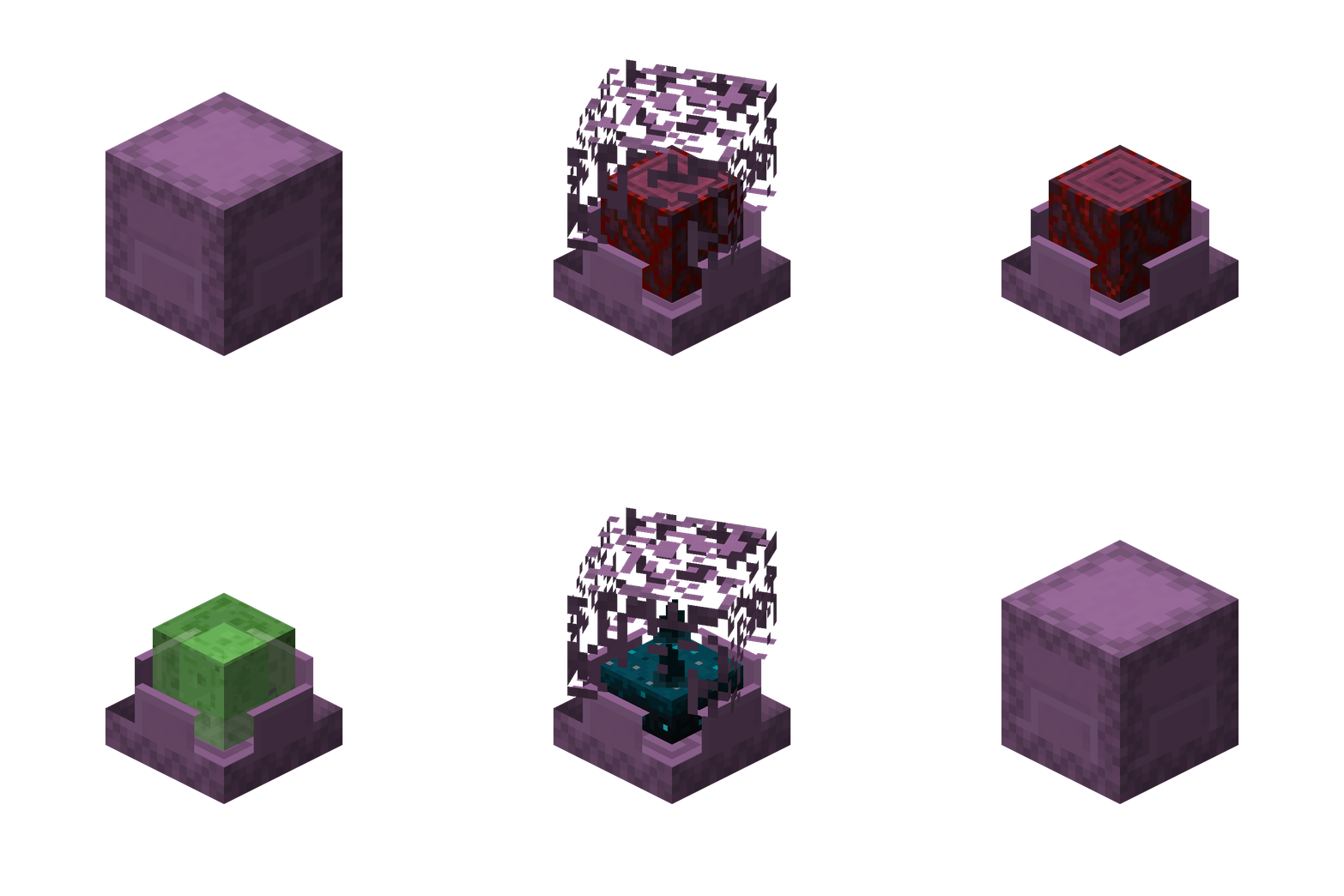 Pocket-Build Render This is a showcase of the shulkers animations on the GUI and in your hand when entering, using and exiting Pocket-Build mode
Versions
Files
Relations
Project Relations
More like this
Similar Mods
Suggestions use data such as tags, dependencies, dependents, descriptions, titles, and more to rank how much they overlap with this mod.
On ModDex
Community snapshot
By the numbers
Statistics
Want to reach Minecraft players?
We're looking for a server hosting partner to feature here and other parts of the site. Interested? Send us a message!
Get in touchGet it on
Available Platforms
On ModDex
Community snapshot
By the numbers
Statistics
Resources