
Community listing page, reviews here may not be monitored by the author.
Calc2MC


No reviews yet
For if you ever don't have a controller nearby...
Community voices
Reviews
No reviews yet. Be the first to review this project!
Get it on
Available Platforms
Compatibility
Supported Environments
Runs entirely on the client. Works on vanilla servers.
About
Project Details
For authors
Embed Badge
If you're the author of this project, you can embed a live badge anywhere that supports HTML or Markdown. It updates automatically whenever ratings change.
Use HTML for any page that supports it, or Markdown for README files and Markdown-based descriptions.
Identifiers
Platform IDs
About
Description
Calc2MC
This mod adds one very… interesting feature. Support to use your calculator as a controller for minecraft. It just needs this mod and a separate app running on your calculator to work, with instructions at the bottom of the page. Also a part of this mod are customisable keybinds for the calculator and support to move around menus and use your mouse so you never have to put down the calculator.
Support & Compatibility
This mod only supports the Texas Instruments TI 84 Plus CE & the Texas Instruments TI‑84 Plus CE‑T Python Edition calculators.
Installation (IMPORTANT)
This mod requires a separate program running on your calculator in order to work properly.
1. Install Cesium / enable ASM programs
Before installing the calculator app, you’ll need to set up a shell such as Cesium on your calculator.
You can follow one of these tutorials:
2. Install the Calc2MC calculator program
- Download the latest Calc2MC calculator files from here. (MCCTRL.8xp)
- Connect your calculator to your computer using the USB cable.
- Open TI Connect CE
- Drag the Calc2MC files onto your calculator.
- Launch the program through Cesium.
3. Install the Minecraft mod
- Install the Minecraft mod like any normal Fabric/Forge mod.
- Start the Calc2MC program on your calculator FIRST.
- Launch Minecraft.
- Enjoy controlling Minecraft with your calculator.
Issues
If you face any issues and/or bugs feel free to report them in the bug tracker.
Calc2MC
This mod adds one very... interesting feature. Support to use your calculator as a controller for minecraft. It just needs this mod and a separate app running on your calculator to work, with instructions at the bottom of the page. Also a part of this mod are customisable keybinds for the calculator and support to move around menus and use your mouse so you never have to put down the calculator.
Support & Compatibility
This mod only supports the Texas Instruments TI 84 Plus CE & the Texas Instruments TI‑84 Plus CE‑T Python Edition calculators.
e.g. one of these

Installation (IMPORTANT)
This mod requires a separate program running on your calculator in order to work properly.
1. Install Cesium / enable ASM programs
Before installing the calculator app, you’ll need to set up a shell such as Cesium on your calculator.
You can follow one of these tutorials:
2. Install the Calc2MC calculator program
- Download the latest Calc2MC calculator files from here. (MCCTRL.8xp)
- Connect your calculator to your computer using the USB cable.
- Open TI Connect CE
- Drag the Calc2MC files onto your calculator.
- Launch the program through Cesium.
3. Install the Minecraft mod
- Install the Minecraft mod like any normal Fabric/Forge mod.
- Start the Calc2MC program on your calculator FIRST.
- Launch Minecraft.
- Enjoy controlling Minecraft with your calculator.
Issues
If you face any issues and/or bugs feel free to report them in the bug tracker.
Screenshots
Gallery
-
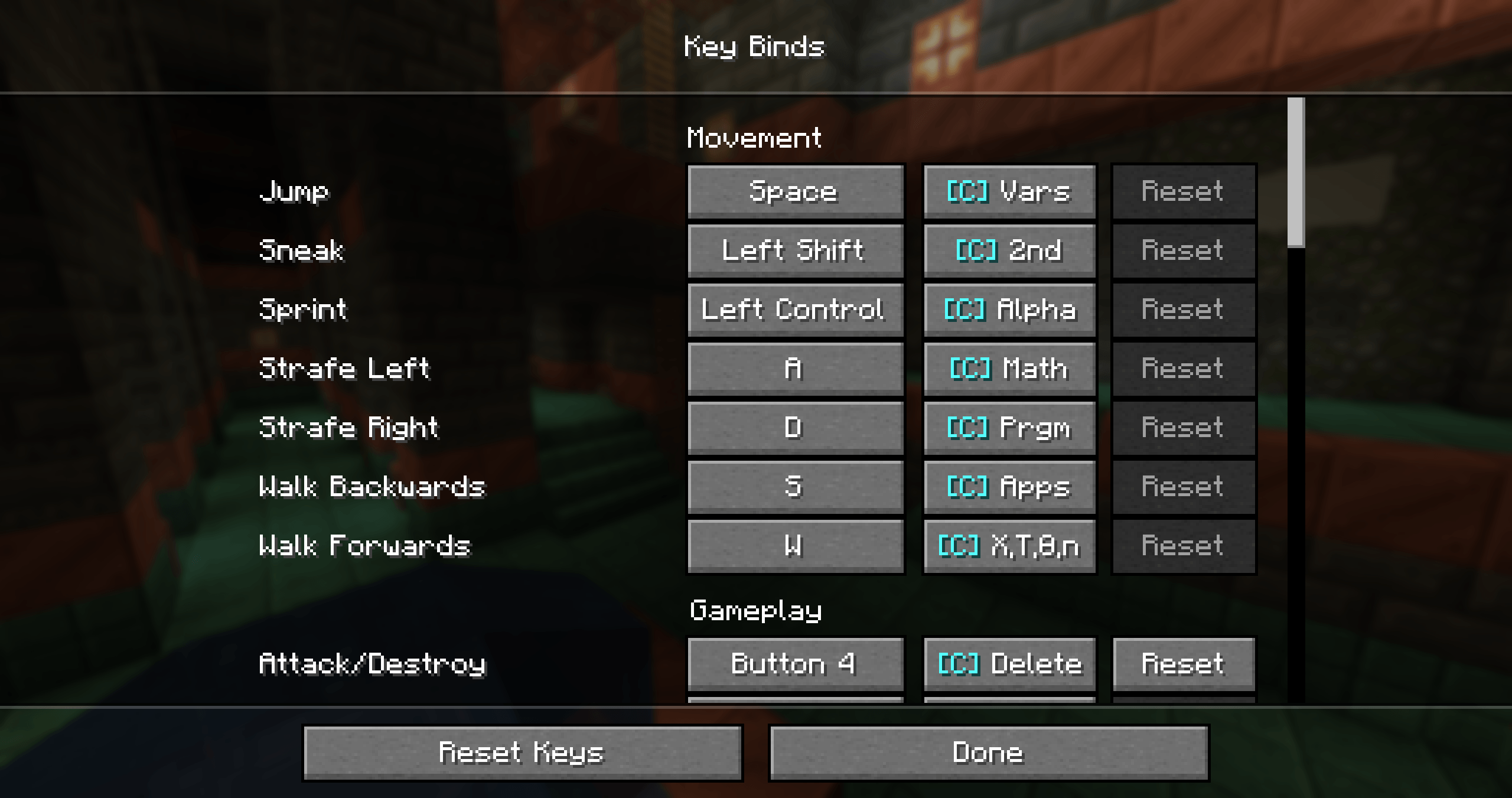 Keybinding Screen
 -
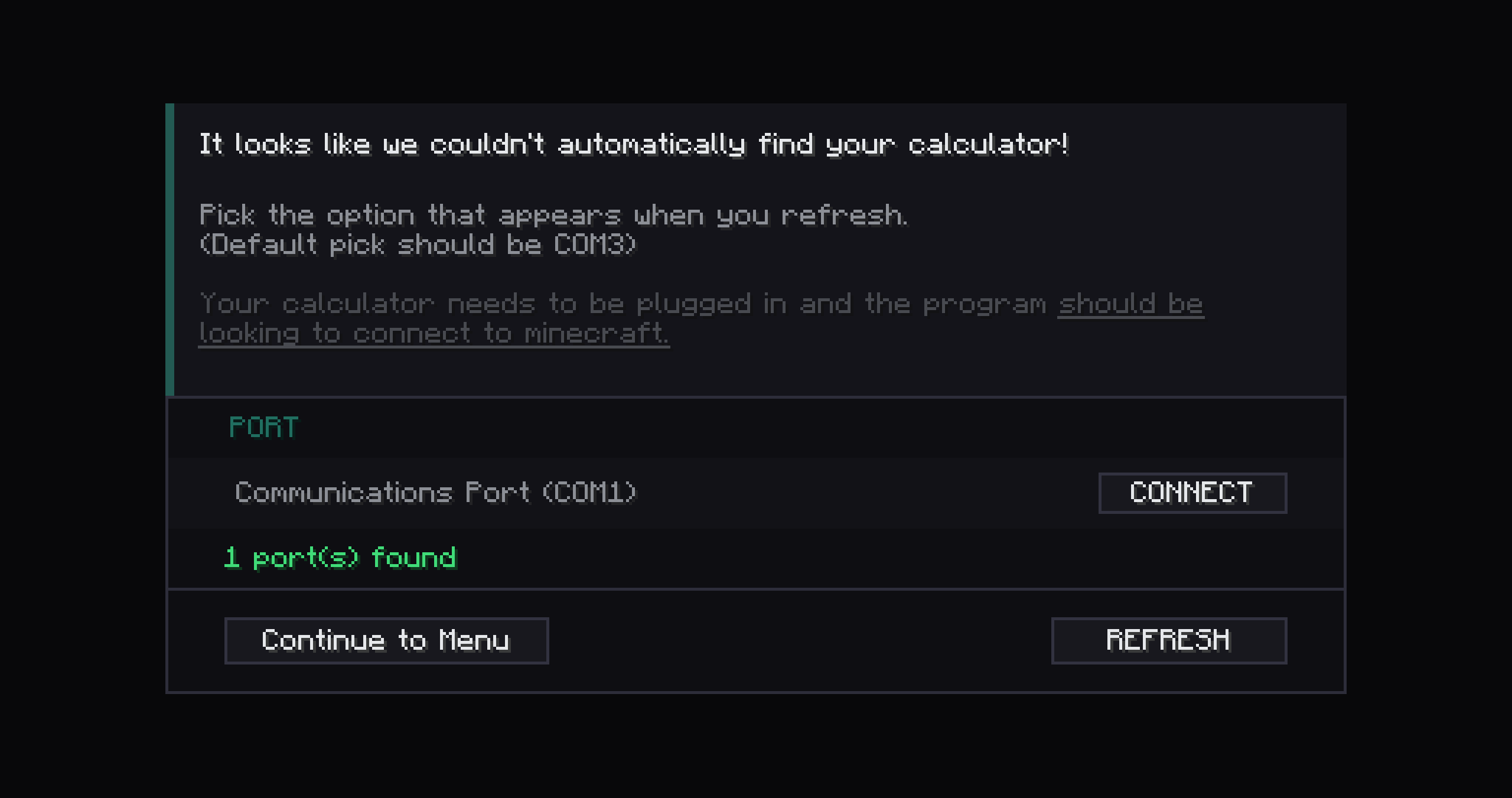 Calc not found screen
-
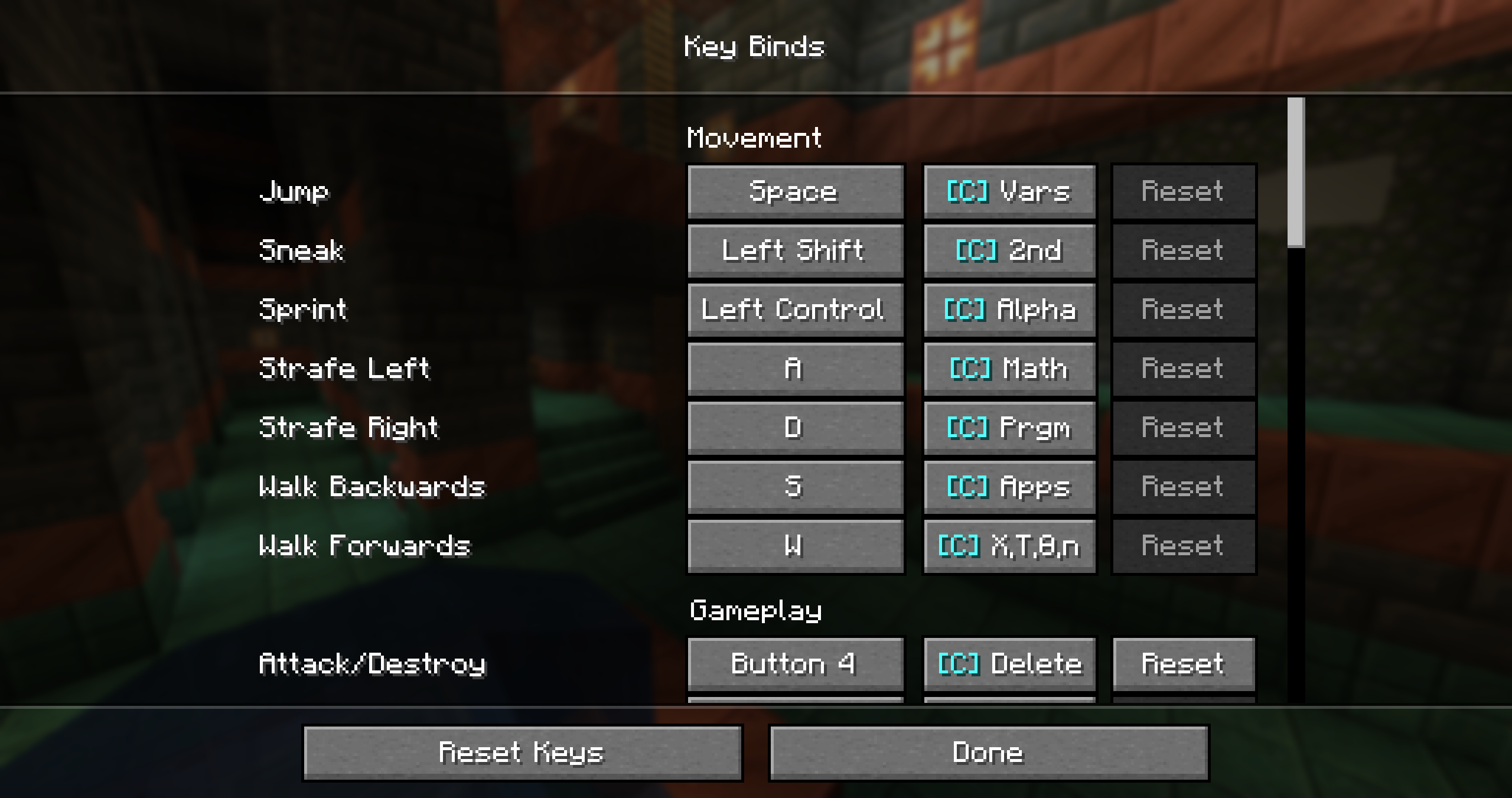 Keybind Settings
 -
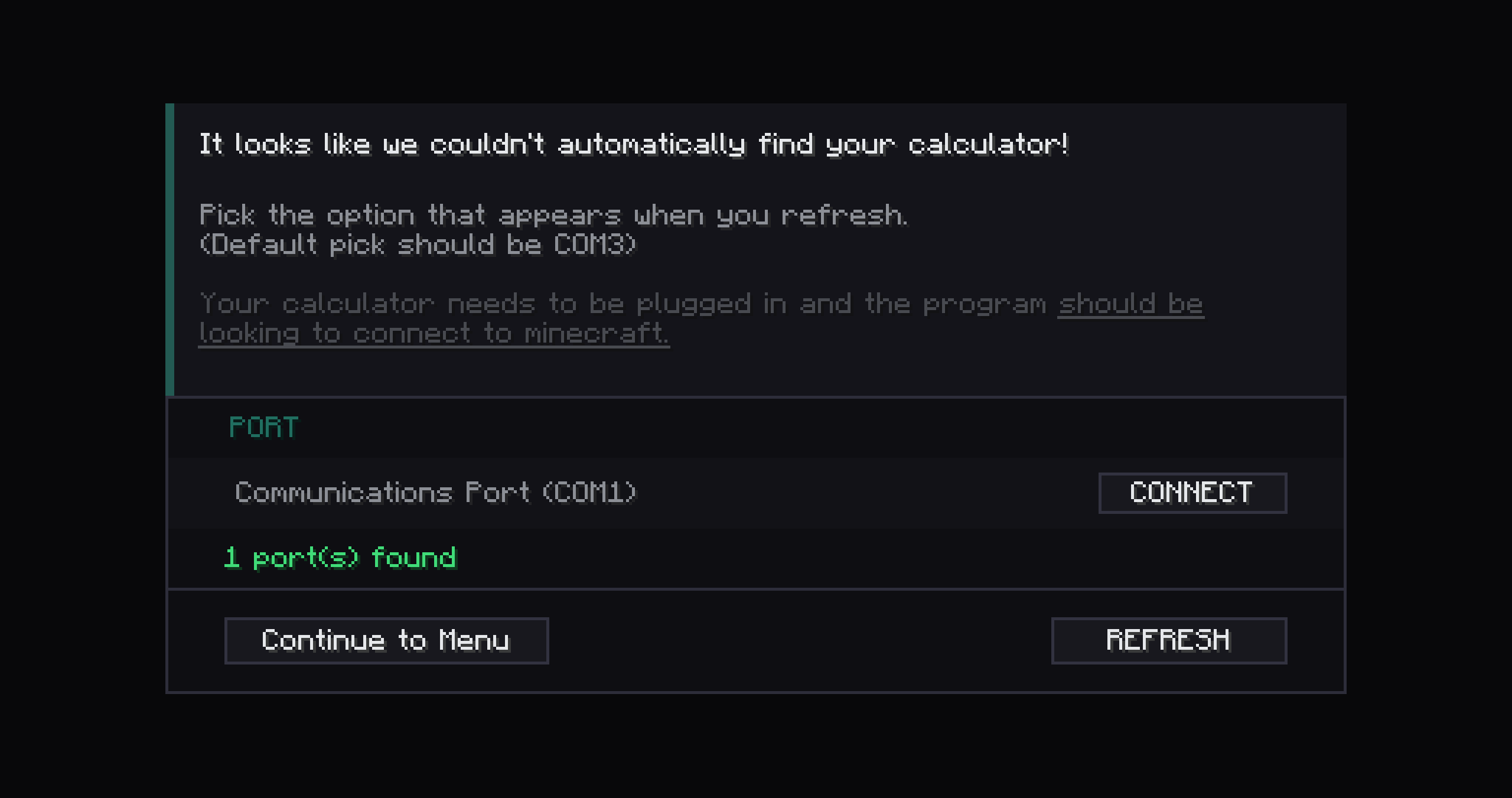 Calc not found screen
Versions
Files
Relations
Project Relations
More like this
Similar Mods
Suggestions use data such as tags, dependencies, dependents, descriptions, titles, and more to rank how much they overlap with this mod.
On ModDex
Community snapshot
By the numbers
Statistics
Want to reach Minecraft players?
We're looking for a server hosting partner to feature here and other parts of the site. Interested? Send us a message!
Get in touchGet it on
Available Platforms
On ModDex
Community snapshot
By the numbers