
Community listing page, reviews here may not be monitored by the author.
Calculus

No reviews yet
Learn Calculus!

Community voices
Reviews
No reviews yet. Be the first to review this project!
Get it on
Available Platforms
About
Project Details
For authors
Embed Badge
If you're the author of this project, you can embed a live badge anywhere that supports HTML or Markdown. It updates automatically whenever ratings change.
Use HTML for any page that supports it, or Markdown for README files and Markdown-based descriptions.
Identifiers
Platform IDs
Resources
External Links
About
Description
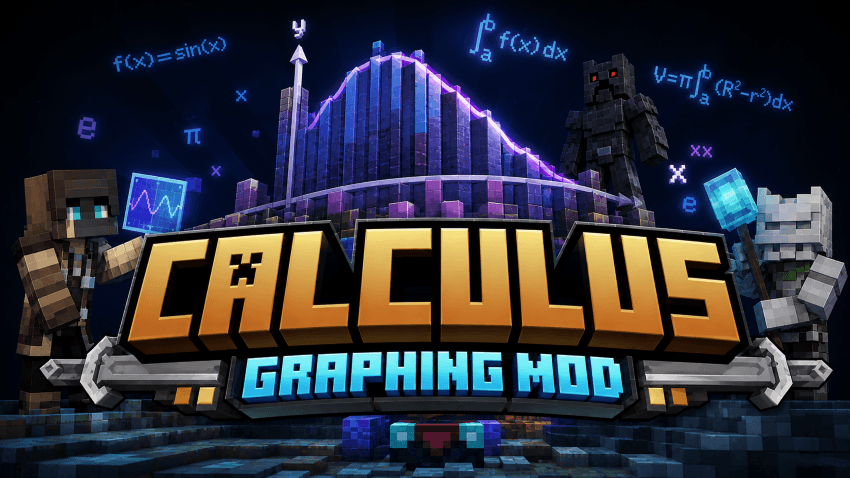
3D in-world graphing of Riemann sums, solids of revolution, and the disk / washer / shell methods. Drop a block, type a function, watch the integral come to life.
Place the Graph Block, right-click to enter a function and bounds, and a textured 3D figure rises out of the block — slices, disks, shells, or a full solid of revolution around any axis. Right-click the block with cobblestone (or anything else) and the figure repaints in that block's texture, tiled across the slices like one continuous wall. Build to teach, decorate, or just see what sin(x*pi) * exp(-x/3) actually looks like in three dimensions.
✨ Features
- Seven visualization methods: Riemann (left/right/mid), Trapezoid, Disk, Washer, Shell, and a generalised Solid of Revolution around any horizontal or vertical line
- Full math parser — trig, inverse trig, hyperbolic,
sqrt,cbrt,abs(with|x|syntax),floor/ceil/round/sign, two-argpow/atan2/min/max/hypot/mod/log(a, base), plus constantspi,tau,e,phi - Right-click with any block in hand to repaint the figure with that block's texture (tinted correctly so leaves stay green, redstone stays red, etc.)
- Texture tiles per world unit — slices share one continuous "wall" of the chosen block instead of each showing its own copy
- Slice fill and trace line colours both configurable as hex
- Opaque, depth-writing geometry — slices stack correctly from every angle
- Auto-rotate with adjustable speed (degrees/sec, signed for direction); pause and resume from the exact same angle
- Configurable X / Y scale, slice count (1 – 256), and toggleable axis lines + curve overlay
- Graph automatically lifts above the block when the function dips below zero so you can see the part below the y-axis
- Scrollable in-world configuration screen with live Enter-to-apply; auto-rotate toggle applies instantly
- Sneak-right-click cycles methods inline without opening the menu
📖 How to use it
- Place the Graph Block.
- Right-click empty-handed → opens the configuration screen. Set
f(x), boundsa&b, slice count, scale, fill / trace colors, method, and rotation. Press Enter or Done. - Sneak-right-click → cycles the method inline (Riemann → Trapezoid → Disk → Washer → Shell → Revolve).
- Right-click holding a block → that block's texture paints onto the figure, tiled across slices like one continuous wall. Right-click holding the Graph Block itself to clear the texture override.
- Mouse wheel in the menu scrolls through the form (it never accidentally cycles a setting).
❓ FAQ
What math syntax is supported?
Operators: + - * / ^ %, parentheses, |x| for absolute value.
Functions: sin/cos/tan/sec/csc/cot, their inverses,
Hyperbolics: exp/ln/log/log2, sqrt/cbrt/abs/floor/ceil/round/trunc/sign,
Two-arg: pow/atan2/mod/max/min/hypot/log(a,base). Constants: pi tau e phi. The variable is always x.
How do I revolve a region around a non-zero axis?
Pick the Solid of Revolution method, set f(x) = top curve, g(x) = bottom curve, rev axis = horizontal or vertical, and rev offset c = the line's offset. e.g. f = sqrt(9 - x^2), g = 0, axis = horizontal, c = -2 gives a hemisphere shifted up by 2.
Can I add this to my modpack?
Yes.
🐛 Bugs & Support
Report issues on the GitHub issue tracker. Please include the loader (Fabric / NeoForge), MC version, the function string you typed, and a latest.log.
Screenshots
Gallery
Versions
Files
Relations
Project Relations
More like this
Similar Mods
Suggestions use data such as tags, dependencies, dependents, descriptions, titles, and more to rank how much they overlap with this mod.
On ModDex
Community snapshot
By the numbers
Statistics
 (opens in a new tab)
Get it on
Available Platforms
On ModDex
Community snapshot
By the numbers
Statistics
Resources