
Camera Command
No reviews yet
Bring Bedrock Edition's /camera command to Java Edition.
Fabric is a mod loader for versions 1.14+ of Minecraft, particularly popular for client side and optimization mods.
Community voices
Reviews
Click once to include, again to exclude, again to clear
No reviews yet. Be the first to review this project!
Get it on
Available Platforms
 Modrinth
Compatibility
Supported Environments
About
Project Details
For authors
Embed Badge
If you're the author of this project, you can embed a live badge anywhere that supports HTML or Markdown. It updates automatically whenever ratings change.
Use HTML for any page that supports it, or Markdown for README files and Markdown-based descriptions.
Identifiers
Platform IDs
Resources
External Links
About
Description

Bring Bedrock Edition's /camera command to Java Edition.
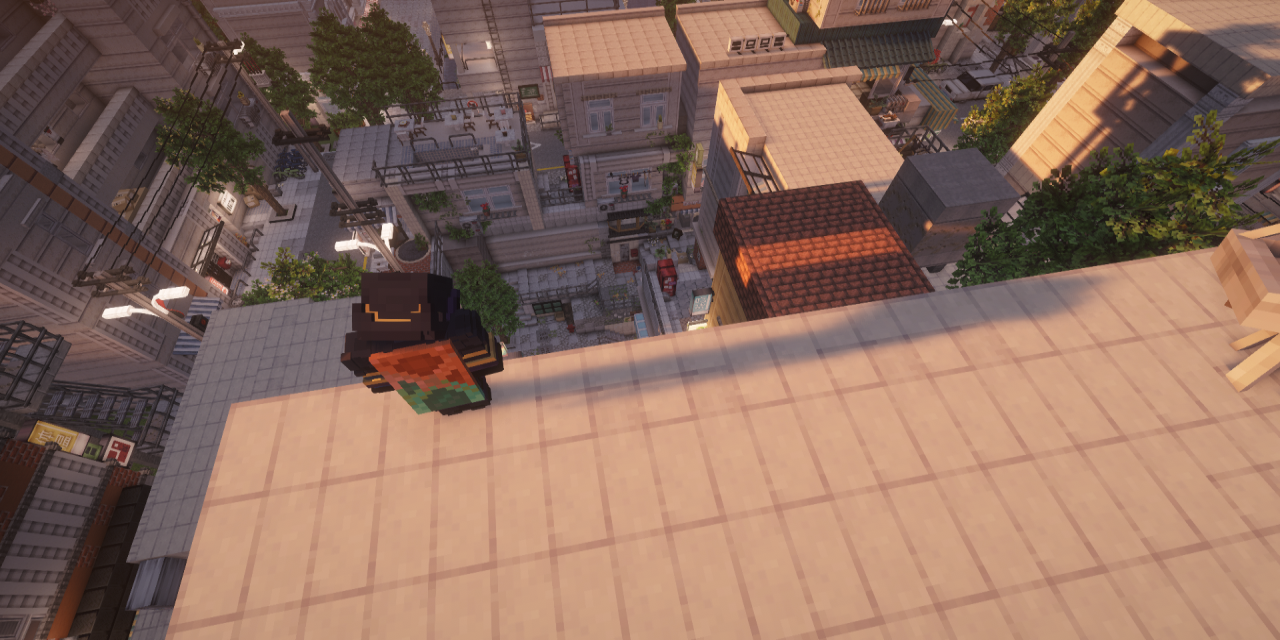
Camera Mod gives server operators full control over the player's camera - move it anywhere in the world, animate it with smooth easing, switch perspectives, and trigger cinematic screen fades. All without touching the player's actual position or sending anything suspicious to anti-cheat systems.
Features
/camera set - Camera Control
Place the camera at any position with optional rotation and smooth easing.
/camera set @p free ease 2 in_out_expo pos ~ ~10 ~ rot 90 0
/camera set @p third_person
/camera set @p first_person
Presets: first_person · third_person · third_person_front · free
Easing functions (30+): linear · spring · in_quad · out_quad · in_out_quad · in_cubic · out_cubic · in_out_cubic · in_quart · in_out_quart · in_sine · out_sine · in_out_sine · in_expo · out_expo · in_out_expo · in_circ · in_out_circ · in_back · out_back · in_out_back · in_elastic · out_elastic · in_out_elastic · in_bounce · out_bounce · in_out_bounce · and more
Rotation supports ~ (relative to current rotation):
rot 90 0      - absolute
rot ~ ~       - keep current
rot ~10 ~-45  - relative offset
Coordinates support ~ and ^:
pos ~ ~5 ~        - 5 blocks above current position
pos ^ ^ ^10       - 10 blocks forward from facing direction
/camera fade - Screen Fade
Trigger a full-screen color fade with configurable timing.
/camera fade @p time 0.5 1.0 0.5 color 0 0 0   - black fade
/camera fade @p time 0.2 0.1 0.3 color 1 1 1   - white flash
/camera clear - Reset
Instantly return the camera to vanilla behaviour.
/camera clear @p
Example - Cinematic Sequence
camera fade @p time 0 0.5 0.7 color 0 0 0
execute as @p at @s run camera set @p free ease 0.1 in_out_expo pos ~ ~3 ~ rot 90 0
camera fade @p time 0 0.1 0.2 color 1 1 1
execute as @p at @s run camera set @p free ease 3 in_out_quad pos ~ ~100 ~ rot 90 0
camera fade @p time 0.5 1.0 0.5 color 0 0 0
camera clear @p
Permissions
All /camera commands require operator level 2.
This mod was made exclusively for personal use and will not receive any updates. No support, no new versions - use as-is.
Screenshots
Gallery
Versions
Files
Relations
Project Relations
More like this
Similar Mods
Suggestions use data such as tags, dependencies, dependents, descriptions, titles, and more to rank how much they overlap with this mod.
On ModDex
Community snapshot
By the numbers
Statistics

Want to reach Minecraft players?
We're looking for a server hosting partner to feature here and other parts of the site. Interested? Send us a message!
Get in touchGet it on
Available Platforms
On ModDex
Community snapshot
By the numbers
Statistics
Resources