
Community listing page, reviews here may not be monitored by the author.
Camera Monitoring Fully Customizable + Screens

No reviews yet
Professional CCTV for Minecraft: PTZ security cameras, live monitor screens that auto-switch to whoever is on camera, patrol and motion tracking modules, alarms and permissions. Fabric, NeoForge and Forge, 1.20.1 to 26.3.
Community voices
Reviews
No reviews yet. Be the first to review this project!
Get it on
Available Platforms
About
Project Details
For authors
Embed Badge
If you're the author of this project, you can embed a live badge anywhere that supports HTML or Markdown. It updates automatically whenever ratings change.
Use HTML for any page that supports it, or Markdown for README files and Markdown-based descriptions.
Identifiers
Platform IDs
Resources
External Links
About
Description
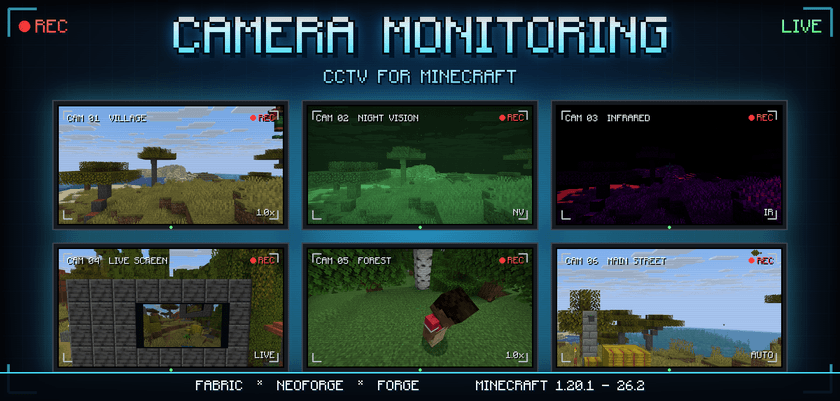
📹 Real security cameras. Real live screens. A real CCTV network.
Camera Monitoring adds a complete surveillance system to Minecraft: Pan/Tilt/Zoom cameras, monitor screens that show the live picture in the world, a control station, handheld remotes, plug-in camera modules, alarms and passwords.
Hang a camera over your base, put a video wall in your bunker, and watch who walks up to the door. 🔴 REC
Fabric · NeoForge · Forge | Minecraft 1.20.1 → 26.3 | Singleplayer & servers

- 📷 Security & Dome cameras — smooth Pan/Tilt with no snapping, progressive zoom (up to 4x on the security camera, 8x on the dome), status LED and sounds. Mount them on walls and ceilings.
- 👁️ Look through any camera — aim with the mouse, zoom with the wheel, switch cameras with the arrow keys. Your body stays where you were standing, so other cameras can see you at the desk.
- 🖥️ Monitoring Station — one control hub for the whole network: name, status, modules, alarms and permissions of every camera.
- 📱 Remote monitors — Basic (64 blocks), Advanced (256 blocks) and Professional (unlimited, across dimensions).
- 🧩 3 module slots per camera — turn any camera into a night-vision, thermal, tracking or patrolling unit.
- 🌐 Built for servers — every permission, password and camera state is checked on the server. Clients are never trusted.

Place a Monitor Screen and it shows the camera's picture live, inside the world — people, mobs, the day turning to night, all of it.
- 📐 From 1×1 up to a 16×9 video wall, refreshing at up to 20 fps.
- 🔁 Auto-switching — one screen, up to 64 cameras. It jumps to whichever camera has a player in view, or cycles through them when everything is quiet.
- 🎬 Build a real security room: a wall of screens, each watching a different corner of your base.
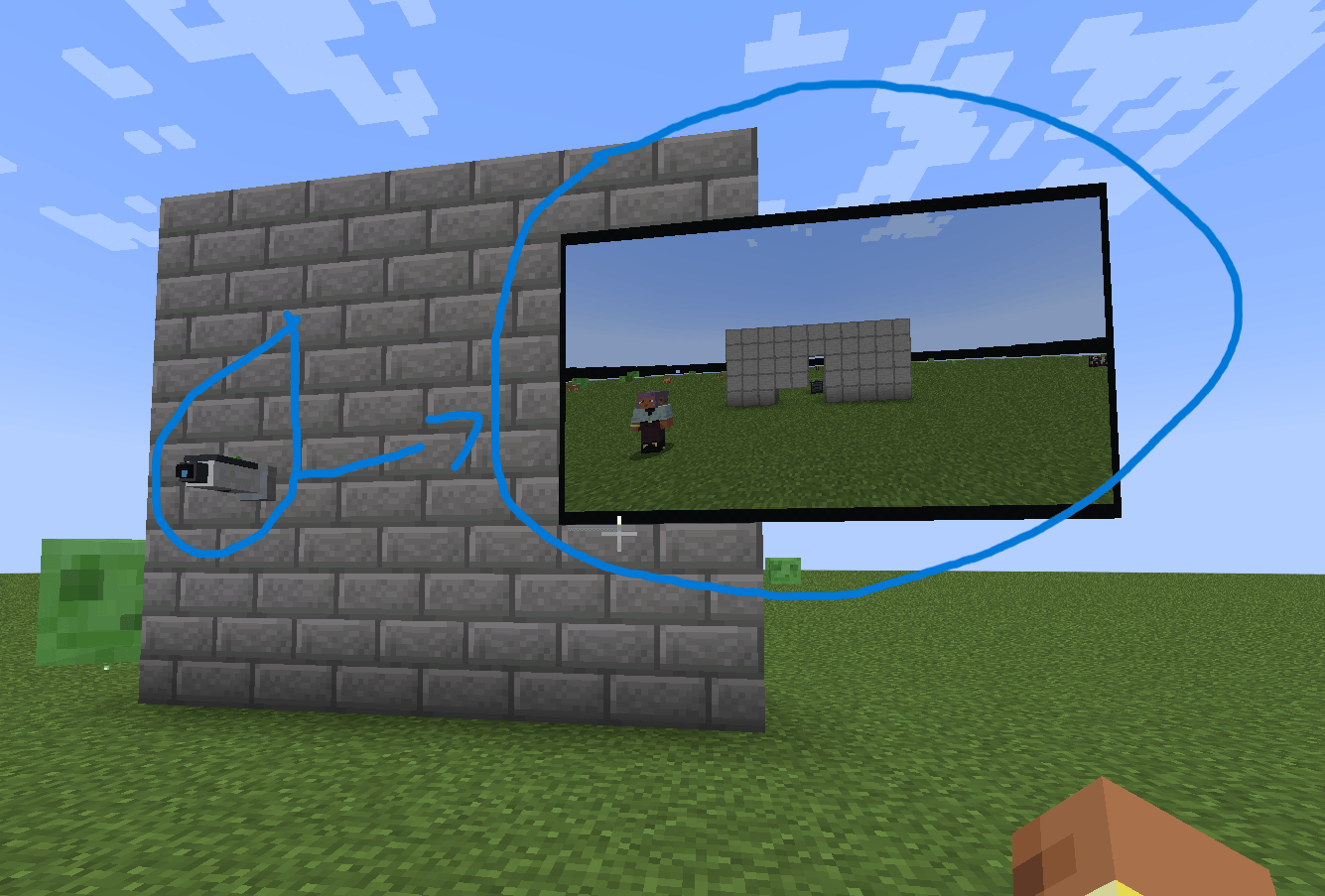
A camera on the wall, and its live picture on the screen next to it.


| 🎯 Entity Detector | Turns the camera into a detection unit: players, mobs, animals, monsters or your own filter, with radius, sensitivity and cooldown. Cameras never detect anything without it. |
| 🌙 Night Vision | A green low-light picture that sees in the dark. Gain and tint are adjustable. |
| 🔥 Infrared | A thermal heat map with 4 palettes (Ironbow, White Hot, Black Hot, Rainbow). Works at midnight. |
| 🏃 Motion Tracking | Follows whatever it detects and glides back to its home position when it leaves. |
| 🔍 Zoom Enhancement | Raises the camera's maximum zoom. |
| 🎧 Audio | Hear the sounds around the camera while you watch it. |
| ↔️ Patrol | The camera sweeps side to side on its own. Width, speed and pause are adjustable. |

- 🚨 Alarms with the camera name, what was seen, where and when — sent only to authorized players, never to the whole server.
- 🔐 Passwords on stations and on individual cameras, plus roles: Administrator, Operator and View-Only.
- 📋 Event log — detections, access attempts, wrong passwords and configuration changes, readable from the station.
- ⚙️ Admin tools —
/cameramonitoring(or/cm) to list, view, rename, link, enable or remove cameras and read the logs, and a server config for camera limits, view distance and alarms.

Everything is craftable in survival, from iron, redstone, amethyst and glass. Any recipe viewer (JEI / REI / EMI) shows every recipe in game.
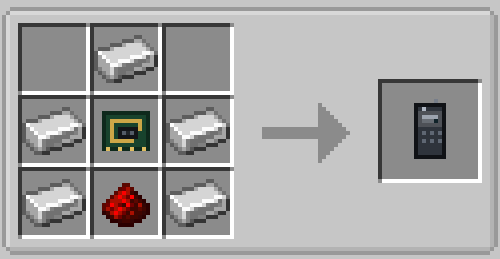
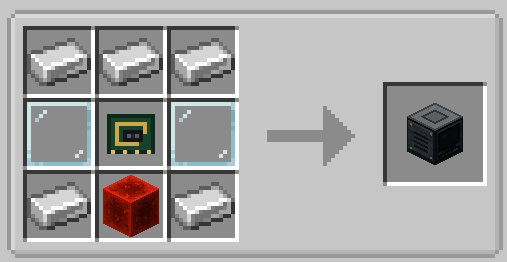

- 📺 Bigger video walls: a monitor screen can now be up to 16×9 blocks.
- 🔁 Auto-switch holds up to 64 cameras, and a camera that was broken drops out of the list on its own.
- 🎯 Motion Tracking works on its own (it follows players without an Entity Detector), and the Standard Camera has 3 module slots.
- 🛠️ Fixed: Fabric 1.21.4 – 1.21.8 closed when entering a world. Thanks for the reports!
- 🆕 New versions: Fabric & Forge 1.20.2–1.20.4, Fabric & NeoForge 1.20.6, Fabric & NeoForge 1.21, 1.21.2, 1.21.3, 1.21.9, 1.21.10, 26.3 and Forge 1.21.3, 1.21.4, 1.21.5, 1.21.8, 1.21.9, 1.21.10, 1.21.11, 26.1, 26.1.1, 26.1.2, 26.2, 26.3.
- From 1.2.0: the Patrol Module, auto-switching screens, and fixes for cameras going "Offline" and "NO SIGNAL".

| Fabric (needs Fabric API) | 1.20.1 · 1.20.2 · 1.20.3 · 1.20.4 · 1.20.6 · 1.21 · 1.21.1 · 1.21.2 · 1.21.3 · 1.21.4 · 1.21.5 · 1.21.6 · 1.21.7 · 1.21.8 · 1.21.9 · 1.21.10 · 1.21.11 · 26.1 · 26.1.1 · 26.1.2 · 26.2 · 26.3 |
| NeoForge | 1.20.6 · 1.21 · 1.21.1 · 1.21.2 · 1.21.3 · 1.21.4 · 1.21.5 · 1.21.6 · 1.21.7 · 1.21.8 · 1.21.9 · 1.21.10 · 1.21.11 · 26.1 · 26.1.1 · 26.1.2 · 26.2 · 26.3 |
| Forge | 1.20.1 · 1.20.2 · 1.20.3 · 1.20.4 · 1.21.1 · 1.21.3 · 1.21.4 · 1.21.5 · 1.21.8 · 1.21.9 · 1.21.10 · 1.21.11 · 26.1 · 26.1.1 · 26.1.2 · 26.2 · 26.3 |
Install it on both the client and the server. Grab the file for your version and loader in the Files tab. ⬇️
🎥 Video: watch Camera Monitoring in action
Somebody is always watching. 📹
Found a bug or have an idea for a new module? Leave a comment — every one is read!
Screenshots
Gallery
-
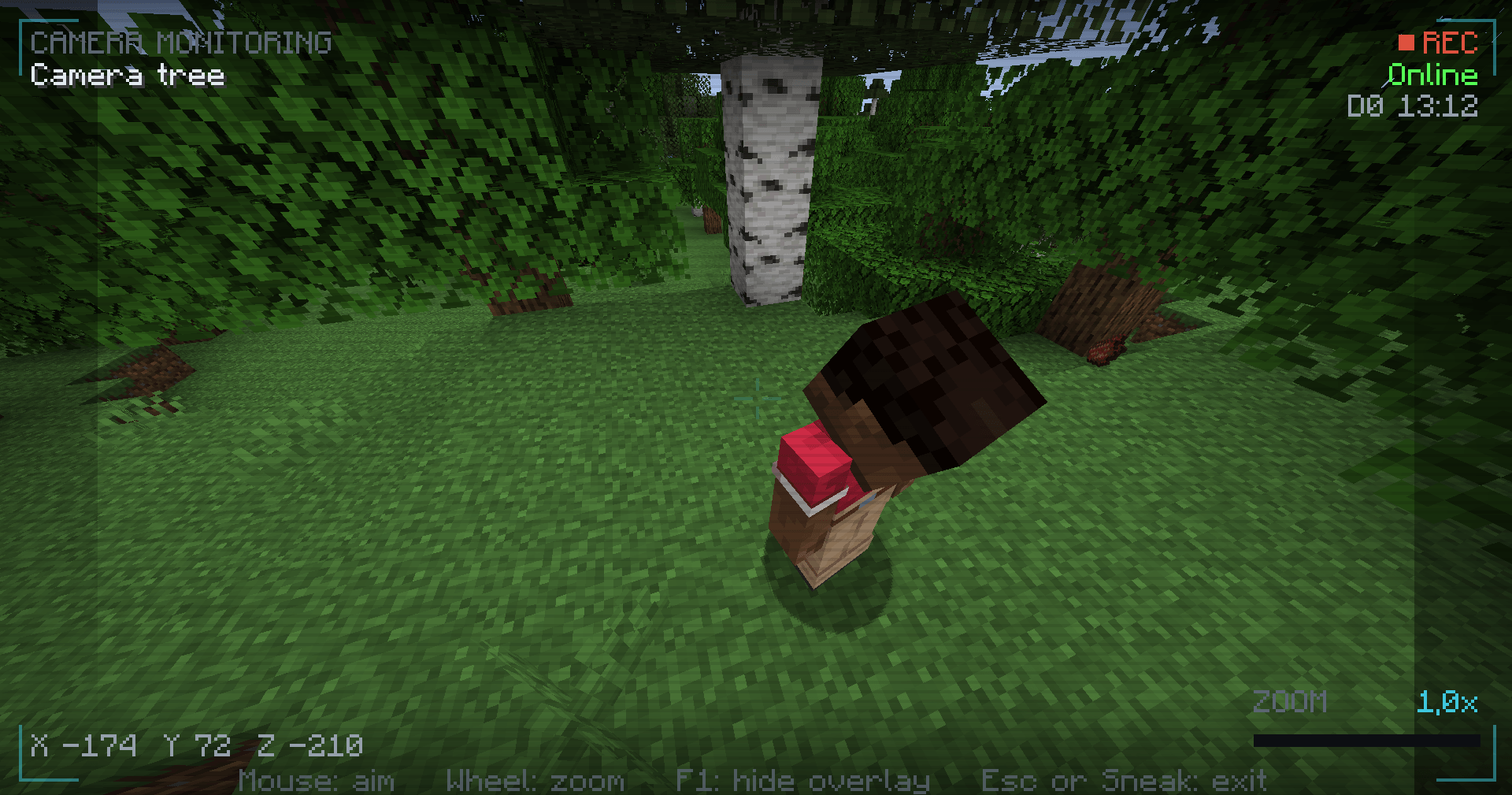 camera hud 2026-09-08_05.41.58.png
 -
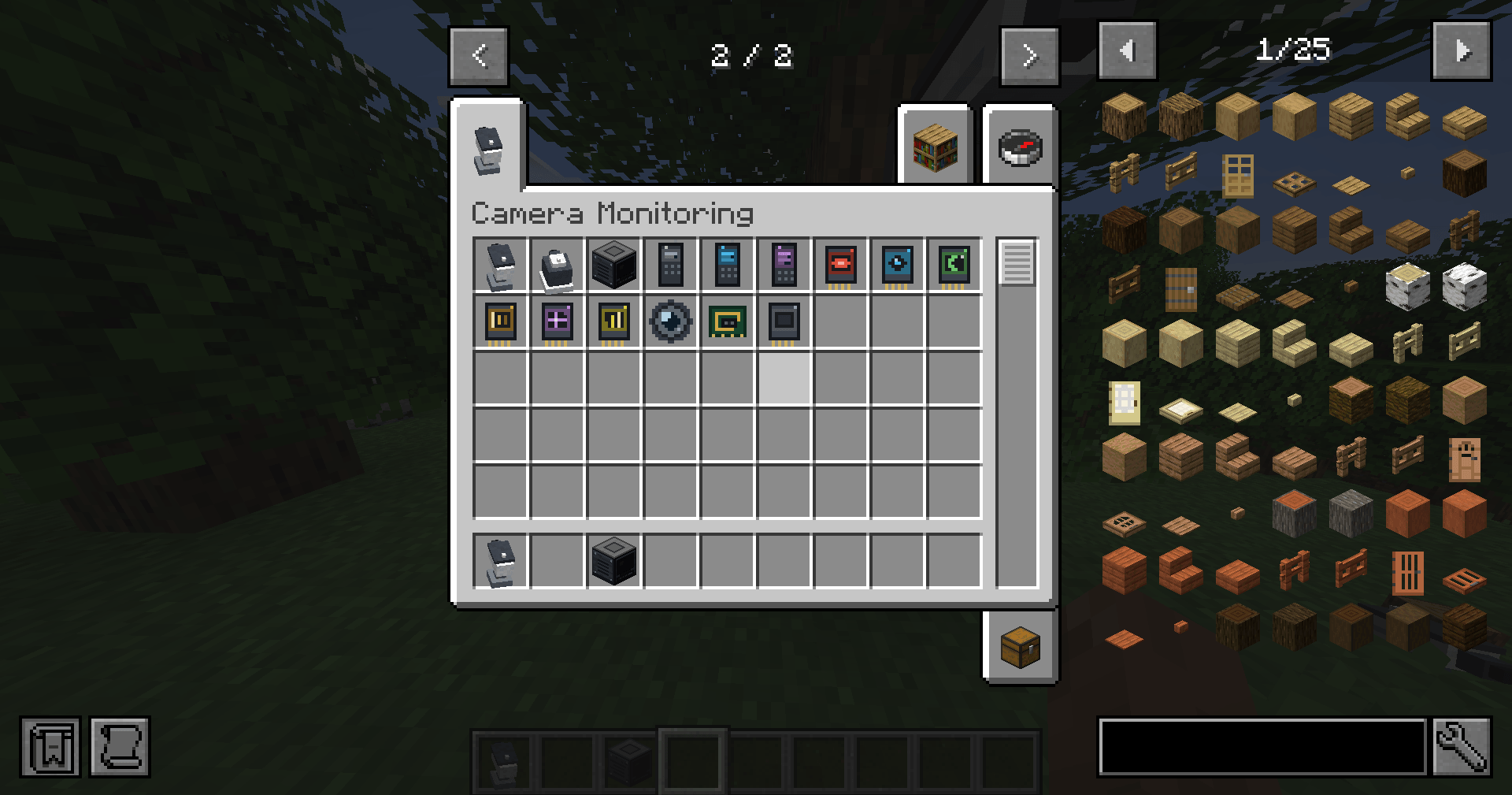 items! 2026-09-08_05.41.47.png
 -
remote control
-
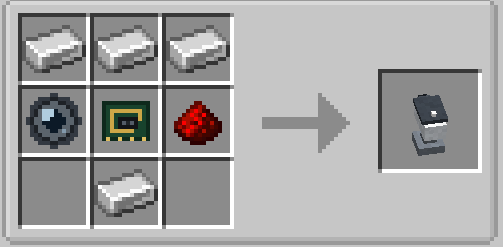 camera
 -
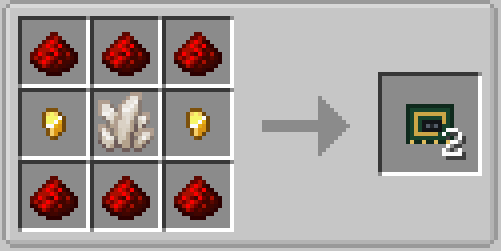 control circuit
 -
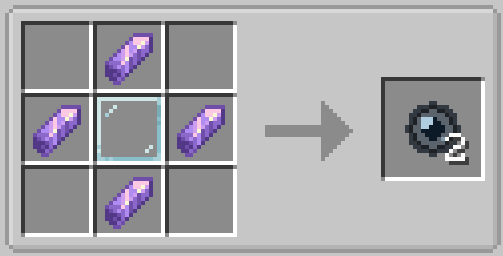 camera lens
 -
monitoring station
-
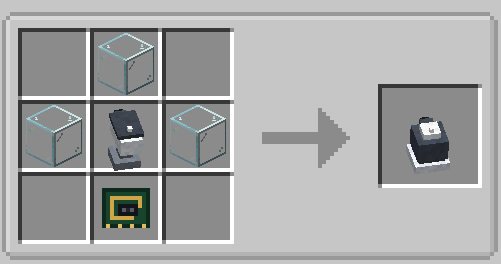 security cam detector
 -
screen + camera sync
-
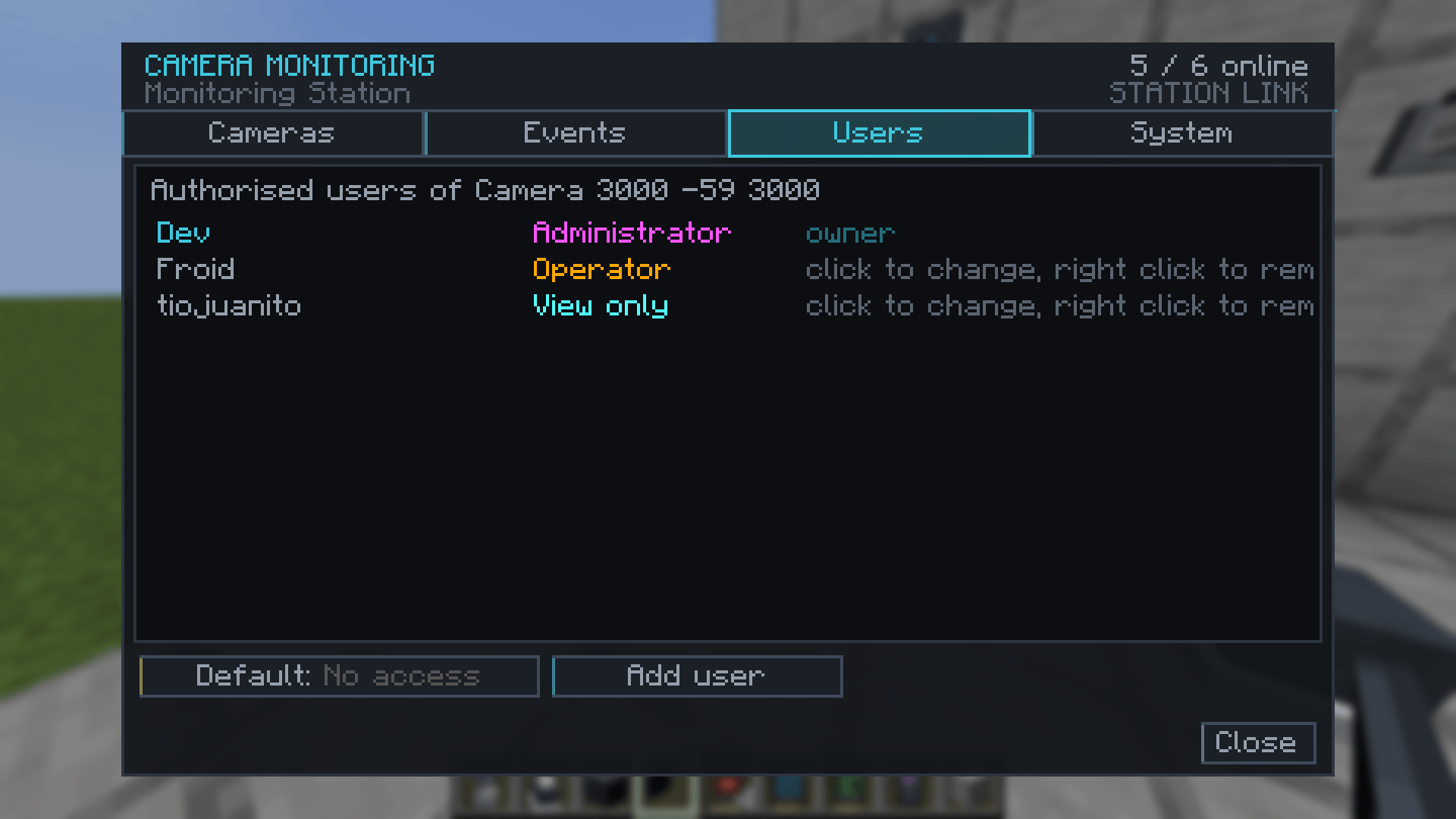 Users settings! 3 categories
Versions
Files
Relations
Project Relations
More like this
Similar Mods
Suggestions use data such as tags, dependencies, dependents, descriptions, titles, and more to rank how much they overlap with this mod.
On ModDex
Community snapshot
By the numbers
Statistics
Want to reach Minecraft players?
We're looking for a server hosting partner to feature here and other parts of the site. Interested? Send us a message!
Get in touchGet it on
Available Platforms
On ModDex
Community snapshot
By the numbers
Statistics
Resources