
Community listing page, reviews here may not be monitored by the author.

Community voices
Reviews
No reviews yet. Be the first to review this project!
Get it on
Available Platforms
Compatibility
Supported Environments
Must be installed on both the client and the server.
About
Project Details
For authors
Embed Badge
If you're the author of this project, you can embed a live badge anywhere that supports HTML or Markdown. It updates automatically whenever ratings change.
Use HTML for any page that supports it, or Markdown for README files and Markdown-based descriptions.
Identifiers
Platform IDs
Resources
External Links
About
Description
CamoCraft is a server-controlled hide-and-seek minigame for Fabric. Hiders can repaint their appearance, disguise themselves as blocks, use custom poses, and unlock tactical abilities. Hunters receive purpose-built tracking and capture tools, limited ammunition, and a race against the round timer.
The mod includes the complete game loop, synchronized disguises, role-specific interfaces, and configurable round times.
Two camouflage modes
Classic mode (like Meccha Chameleon)
Paint your player skin to match the environment, rotate your disguised model precisely, and choose from nine custom poses. Each pose uses a matching server-side hitbox, so low poses fit into crawling spaces while standing poses keep the normal player dimensions.
Block mode
Become a paintable cube and build a disguise one face at a time. Block rotation snaps to 90-degree steps, allowing the painted faces and the physical disguise to remain aligned with the world.
Painting tools
The built-in paint editor provides:
- Brush for face-based pixel painting
- 3D Brush for smooth strokes across model seams
- Fill for recoloring one connected region
- Picker for sampling an existing color
- Face Copy with copy, paste, and 90-degree rotation
- Undo and redo history
- A smooth hue selector, saturation and brightness area, brush-size control, and recent colors
- A rotatable and zoomable live preview
- Individual body-part visibility controls for reaching hidden surfaces
Painted appearances are synchronized by the server and are also preserved by block disguises and clones.
Hider tools
- Pose wheel: choose one of nine visual poses or return to the default stance.
- Precision rotation: turn the disguised model without moving your actual position.
- Whistle: create a moving positional sound that hunters can follow.
- Clone: place a decoy that copies your current appearance, pose, position, and visual rotation.
- Invisibility: spend an earned charge to disappear from hunters for three seconds.
- Freecam: inspect the configured play area while your body remains in place. Hider abilities are disabled while freecam is active.
During search time, hiders earn points while they are within a hunter's possible line of sight. Clone charges are awarded every 50 points, and invisibility charges every 75 points.
Hunter tools
- A server-authoritative paintball gun for capturing real hiders and destroying clones
- Limited ammunition with a clear HUD and timed refills
- A protected close-range check with a cooldown
- A toggleable crawling stance for searching low spaces
- Round timers, role indicators, capture feedback, and end-of-round results
Hunters begin with five shots, regain one shot every minute, and receive two shots after capturing a hider.
Default controls
All keybinds can be changed in Minecraft's Controls menu. The in-game guide automatically displays the currently assigned keys.
| Control | Action |
|---|---|
| Y | Open the scrollable CamoCraft guide |
| F | Open or close paint mode |
| R | Open the hider pose wheel |
| Q | Toggle hider freecam or hunter crawling |
| 1 | Whistle as a hider |
| 2 | Place an earned clone |
| 3 | Use an earned invisibility charge |
| LMB + A/D | Rotate the disguised model while stationary |
| RMB | Fire the hunter's paintball gun |
The first time a player enters a world, a flashing prompt points them to the Y help menu. The guide remains available later and contains separate Painting, Hider, and Hunter tabs.
Server setup
CamoCraft must be installed on both the server and every participating client.
- Stand at the intended center of the play area.
- Run
/map <radius>to configure the map and world border. - Start a round with one of the commands below.
| Command | Purpose |
|---|---|
/start [hidetime] [searchtime] [reviewtime] |
Start a Classic round |
/startblock [hidetime] [searchtime] [reviewtime] |
Start a Block round |
/hunter <player> |
Select the hunter for the next round |
/stop |
Stop the current round |
/map reset |
Remove the configured map and world border |
Time values are entered in seconds. Commands require gamemaster-level permission.
This is not a client-side cheat mod. Freecam, movement restrictions, disguises, abilities, ammunition, hit detection, scoring, and round state are controlled or validated by the server and only operate inside a CamoCraft round.
Can I change the controls?
Yes. Every CamoCraft keybind is available in Minecraft's Controls menu. The Y guide updates to show your current bindings.
Does the freecam work outside the minigame?
No. It is a server-authorized hider feature restricted to the active search phase and the configured map.
Important
CamoCraft is a Fabric mod for Minecraft: Java Edition. It is not an official Minecraft product and is not approved by or associated with Mojang or Microsoft.
Screenshots
Gallery
-
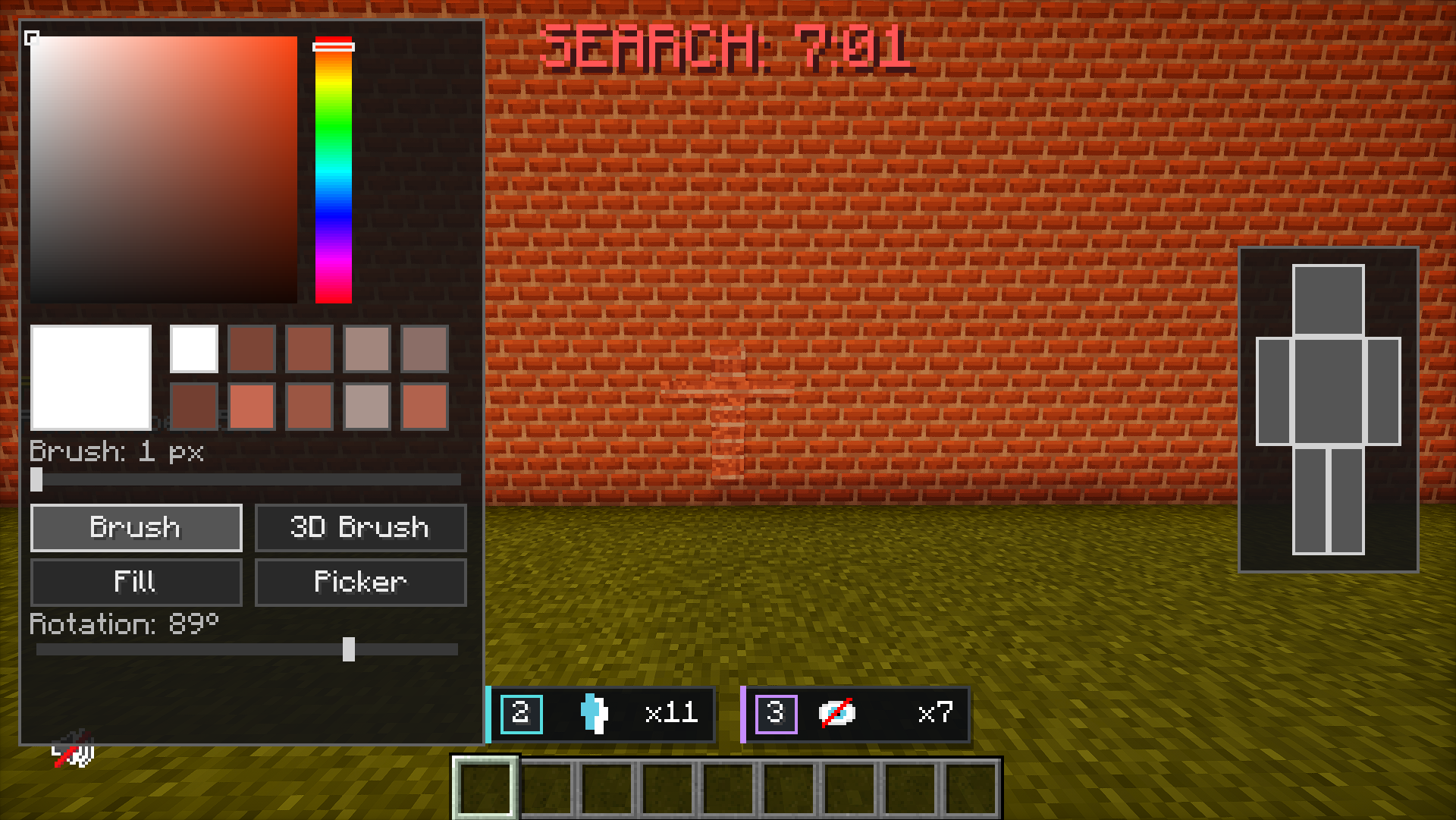 Paint menu in normal mode
 -
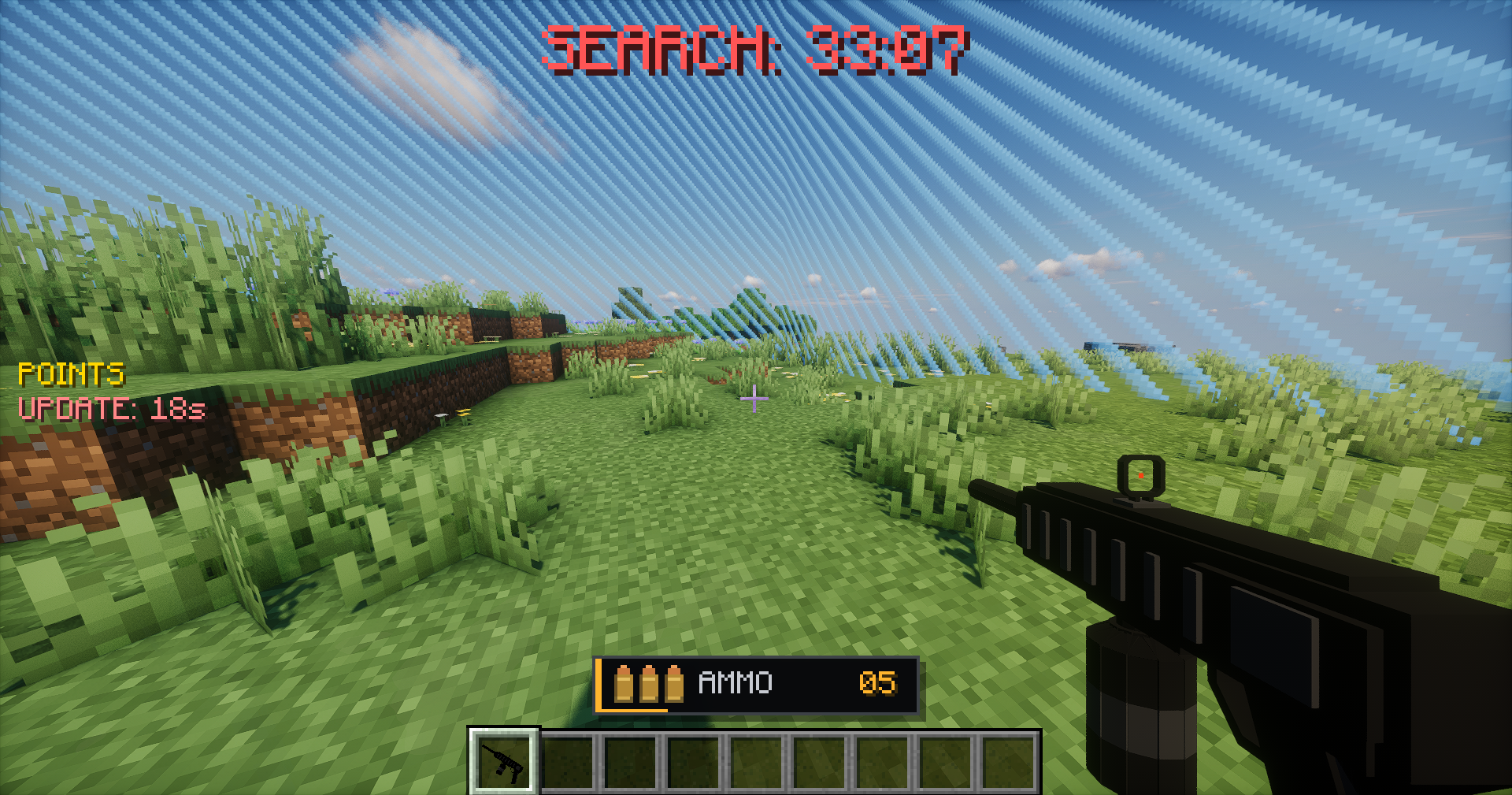 Hunter
 -
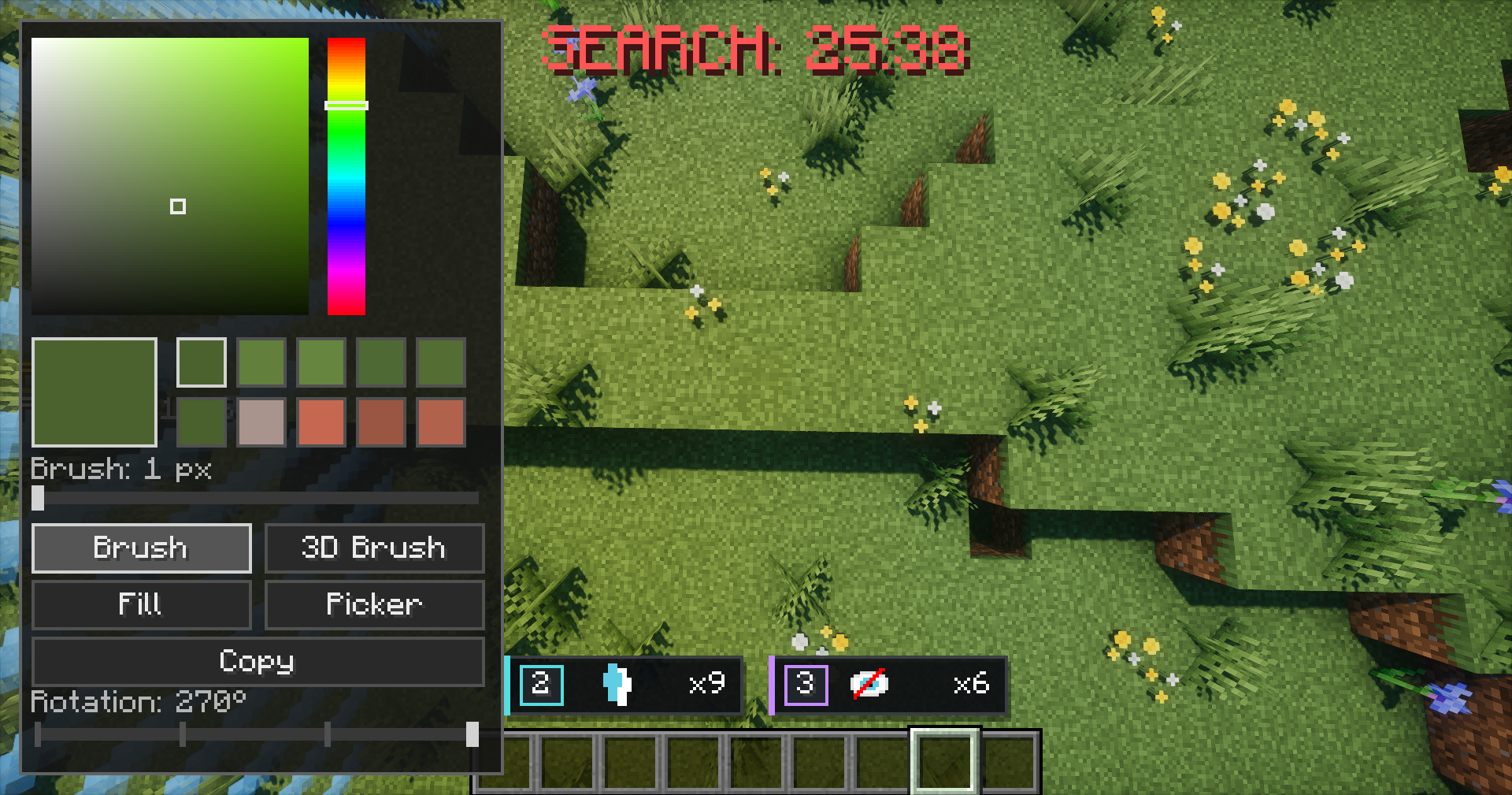 Paint menu in block mode
Versions
Files
Relations
Project Relations
More like this
Similar Mods
Suggestions use data such as tags, dependencies, dependents, descriptions, titles, and more to rank how much they overlap with this mod.
On ModDex
Community snapshot
By the numbers
Statistics

Want to reach Minecraft players?
We're looking for a server hosting partner to feature here and other parts of the site. Interested? Send us a message!
Get in touchGet it on
Available Platforms
On ModDex
Community snapshot
By the numbers
Statistics
Resources