
Camp Board
No reviews yet
A physical project board for tracking shared builds, tasks, suggestions, locations, and materials on Fabric servers.
Fabric is a mod loader for versions 1.14+ of Minecraft, particularly popular for client side and optimization mods.
Community voices
Reviews
Click once to include, again to exclude, again to clear
No reviews yet. Be the first to review this project!
Get it on
Available Platforms
 Modrinth
Compatibility
Supported Environments
About
Project Details
For authors
Embed Badge
If you're the author of this project, you can embed a live badge anywhere that supports HTML or Markdown. It updates automatically whenever ratings change.
Use HTML for any page that supports it, or Markdown for README files and Markdown-based descriptions.
Identifiers
Platform IDs
Resources
External Links
About
Description
Camp Board
A physical project board for camps, towns, SMPs, and community builds.
Camp Board adds a placeable in-world board where players can organize shared projects, track tasks, list needed materials, suggest new builds, and keep completed work archived without relying on Discord pins, signs everywhere, or memory alone.
What It Does
Camp Board is built for collaborative servers where players are constantly asking:
- What are we building next?
- What materials do we still need?
- Who is helping with this project?
- Where is this build located?
- What ideas have players suggested?
Place a Camp Board, open it, and use it as a shared planning hub.
Features
Physical Camp Board
- Placeable Camp Board block
- Freestanding placement
- Wall-mounted placement
- Custom model and texture
- Opens an in-game project board UI
Project Tracking
- Create official server projects
- Track project descriptions
- Assign project leaders
- Set project status
- Archive completed or inactive projects
Project statuses include:
- Planned
- Active
- Paused
- Back Burner
- Completed
- Archived
Tasks
Break projects into smaller tasks so players can see what needs doing.
Players can mark that they are helping with a task, and project leaders/admins can mark tasks as complete.
Materials
Track requested materials for large builds.
Camp Board uses virtual material storage so players can contribute items directly through the board and withdraw them later if needed.
Useful for builds planned with tools like Litematica, where you know exactly how many blocks are needed.
Suggestions
Players can submit project suggestions separately from official projects.
Admins can review suggestions and decide what should become an official project.
Locations
Projects can store build coordinates.
Camp Board automatically pairs Overworld and Nether coordinates so players can plan routes from either dimension.
Archive
Completed and inactive projects can be moved into the archive instead of being deleted.
Keep the board clean without losing the history of what your server has built.
Server Friendly
Camp Board is designed for small, trust-based servers.
Data is saved as editable JSON inside the world folder:
serverconfig/campboard/
Per-board project data is stored in:
serverconfig/campboard/boards/
The mod also includes automatic backups and admin maintenance commands.
Integrations
JEI
Camp Board includes optional JEI support.
With JEI installed, Camp Board can appear in search with extra info and recipe support.
Mod Menu
Camp Board includes optional Mod Menu support for basic configuration.
Crafting Recipe
| Slot | Item |
|---|---|
| Top Left | Spruce Planks |
| Top Middle | Spruce Planks |
| Top Right | Spruce Planks |
| Middle Left | Spruce Planks |
| Center | Book |
| Middle Right | Spruce Planks |
| Bottom Left | Chest |
| Bottom Middle | Birch Sign |
| Bottom Right | Chest |
Recipe layout:
| Spruce Planks | Spruce Planks | Spruce Planks |
| Spruce Planks | Book | Spruce Planks |
| Chest | Birch Sign | Chest |
Requirements
- Minecraft Java 26.1.2
- Fabric Loader 0.18.4 or newer
- Fabric API 0.150.0+26.1.2 or newer
- Java 25
Install Info
Camp Board must be installed on both the server and every client joining the server.
- Environment: Client and Server
- Requirement: Required on both
Good For
- SMP servers
- Town projects
- Community builds
- Build planning
- Material collection
- Shared task boards
- Camp/village coordination
Notes
This is an early beta release intended for testing before use on a live server.
Back up your world before installing any new mod on a server.
Screenshots
Gallery
-
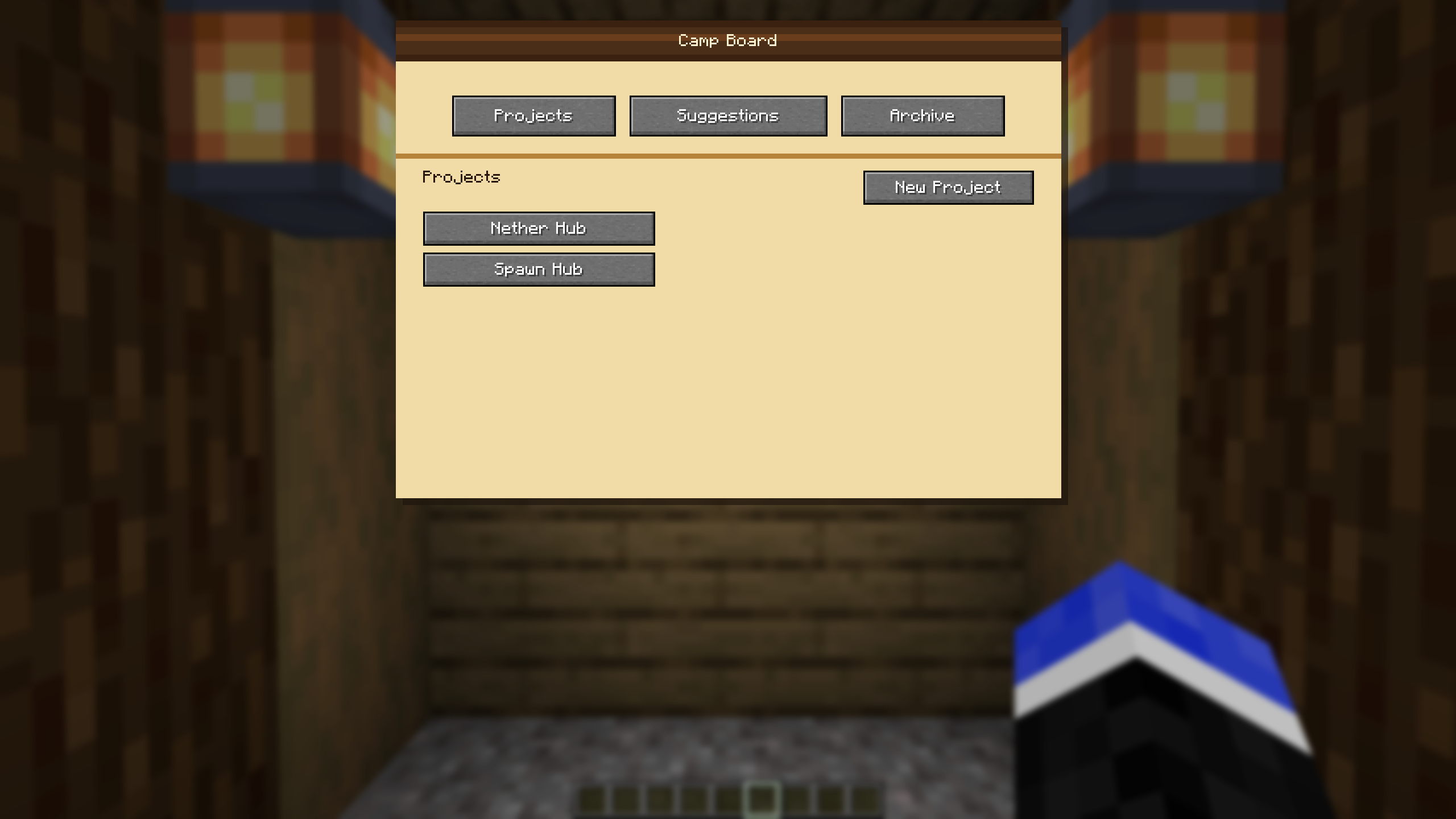 Main Project Screen Projects that are added are displayed on the main project screen.
 -
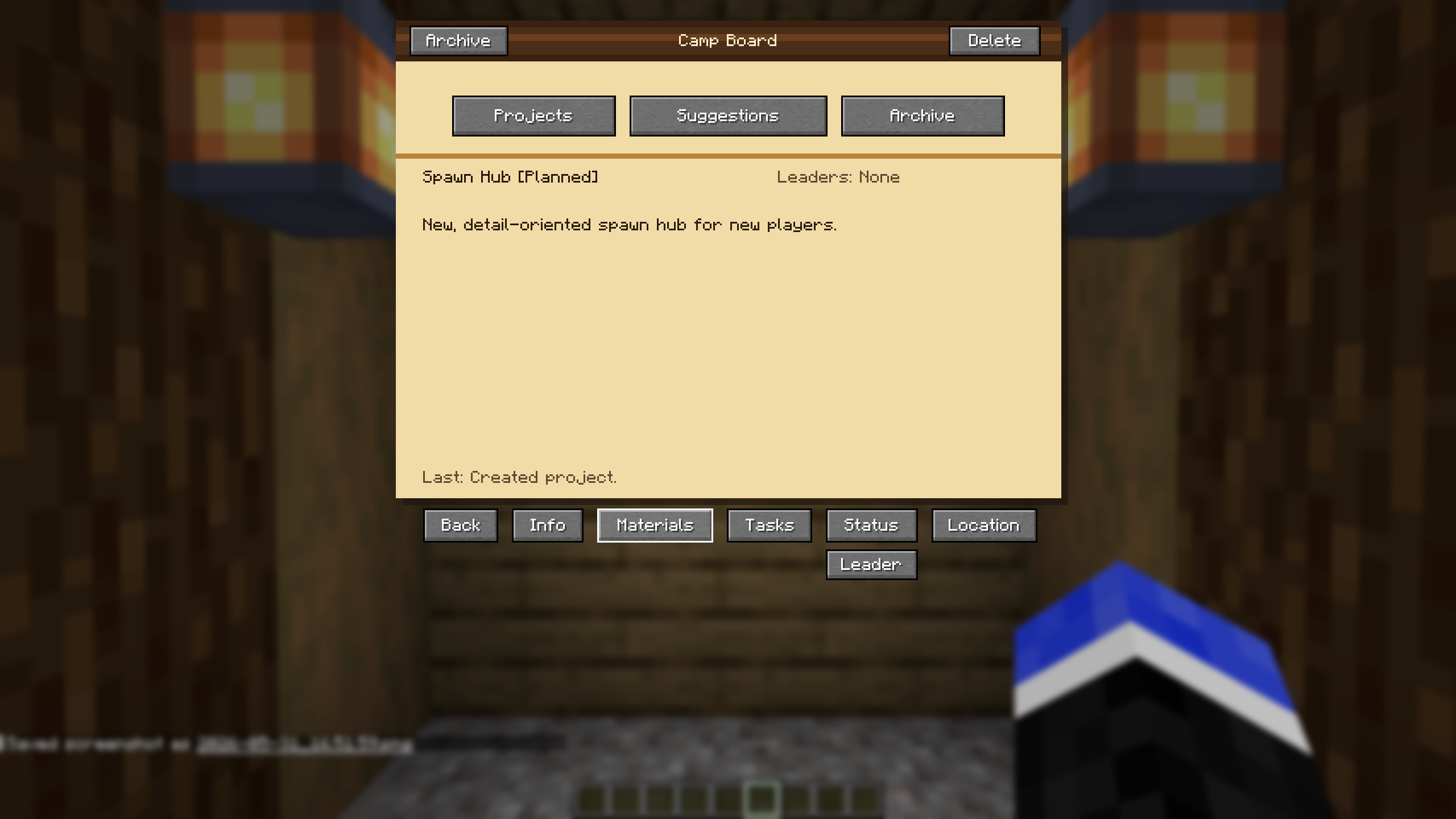 Info Screen Inside each project is an Info screen. This displayer the name, the status of the project, the Leader(s), and a description.
 -
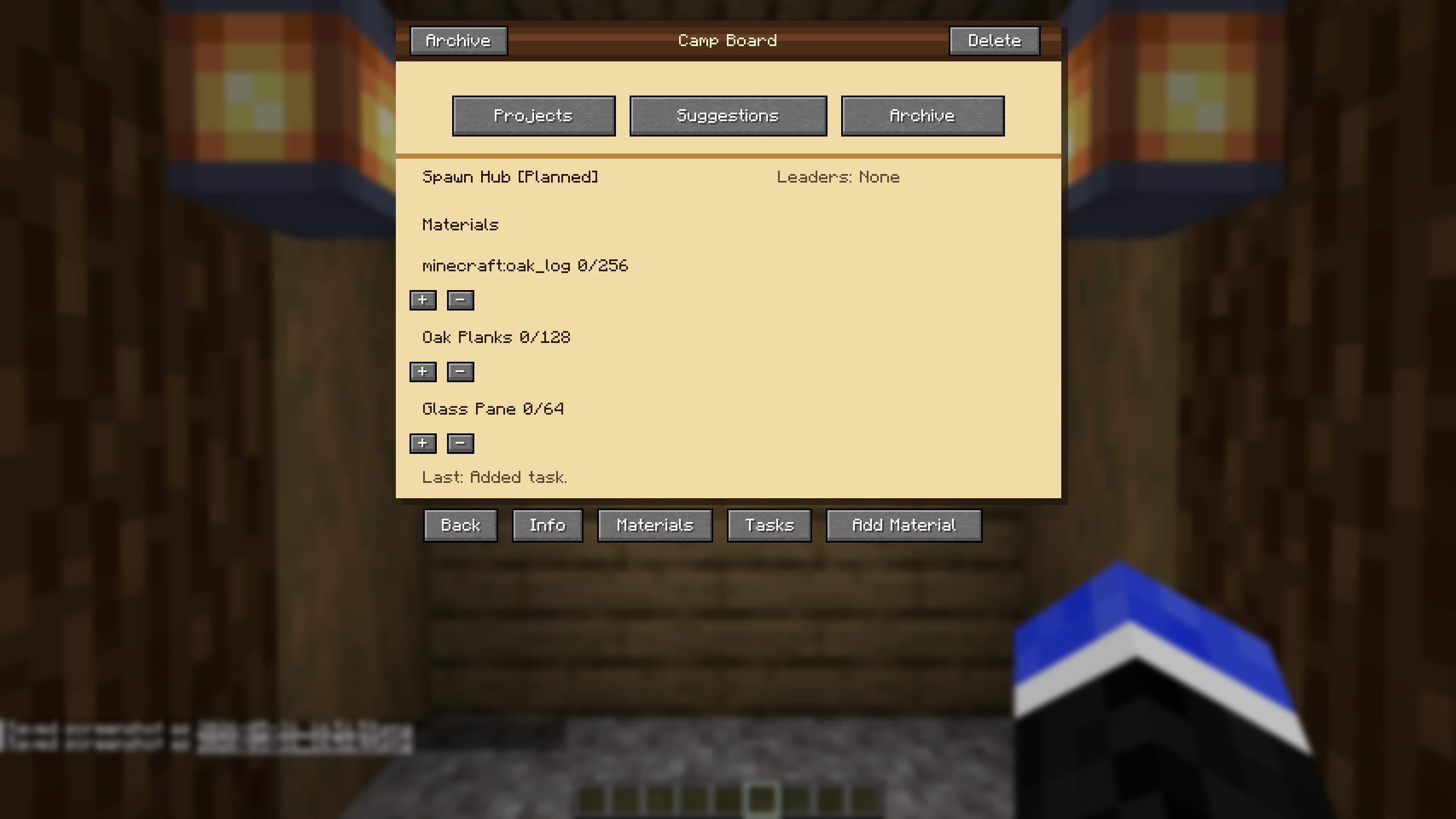 Materials Page The Materials page lists all resource needed to be gathered. 3 resources are listed at a time per page. If more are added, it adds a new page to navigate to. You can use standard text like "Oak Planks" or "minecraft:oak_planks", both will work.
 -
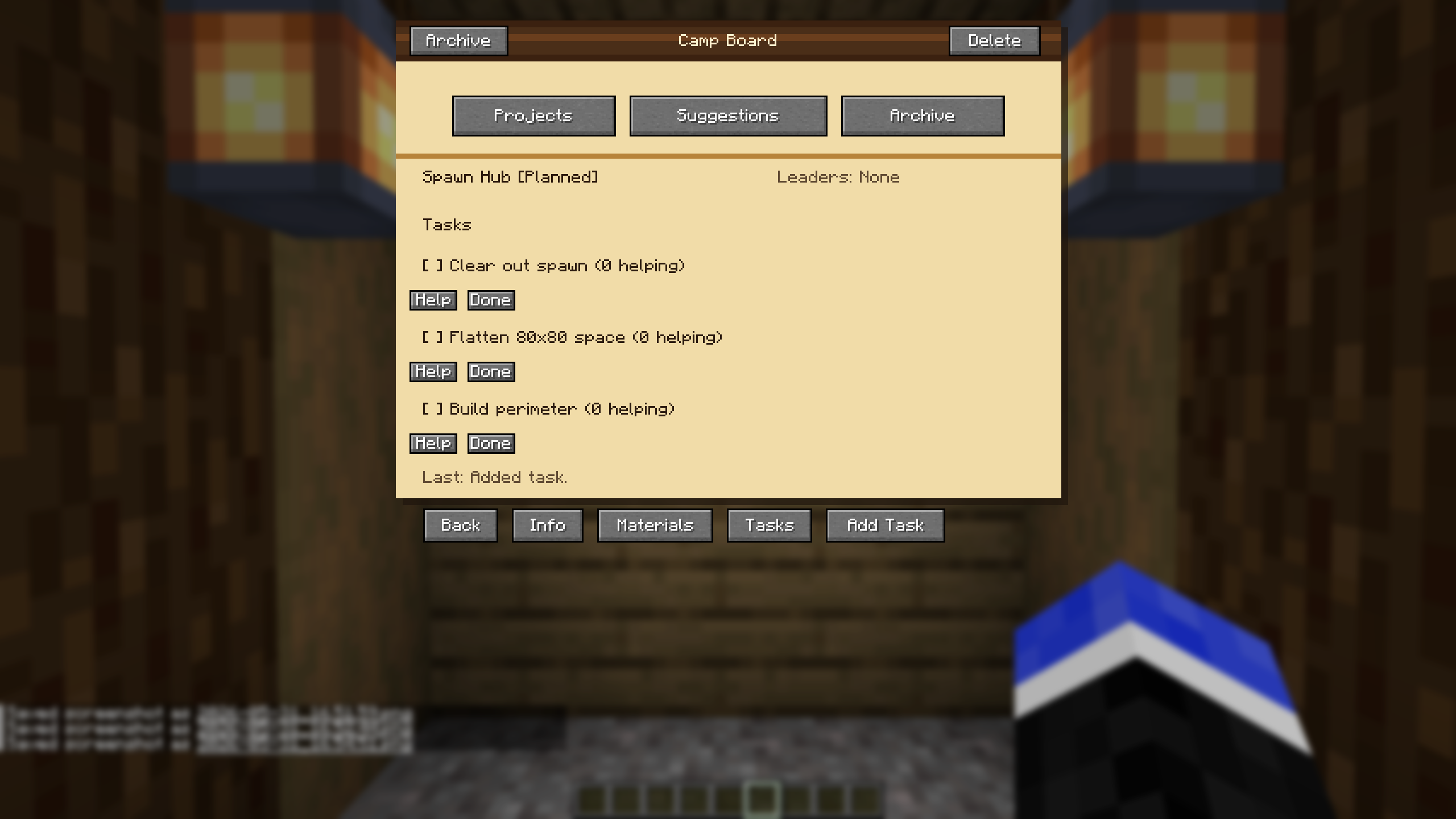 Tasks Page The Tasks page displays any tasks needed to be done for the project. You can select "Help" to list yourself as a helper. Selecting "Done" will mark the tasks as complete. After 3 tasks are added, a new page will be added with more tasks.
 -
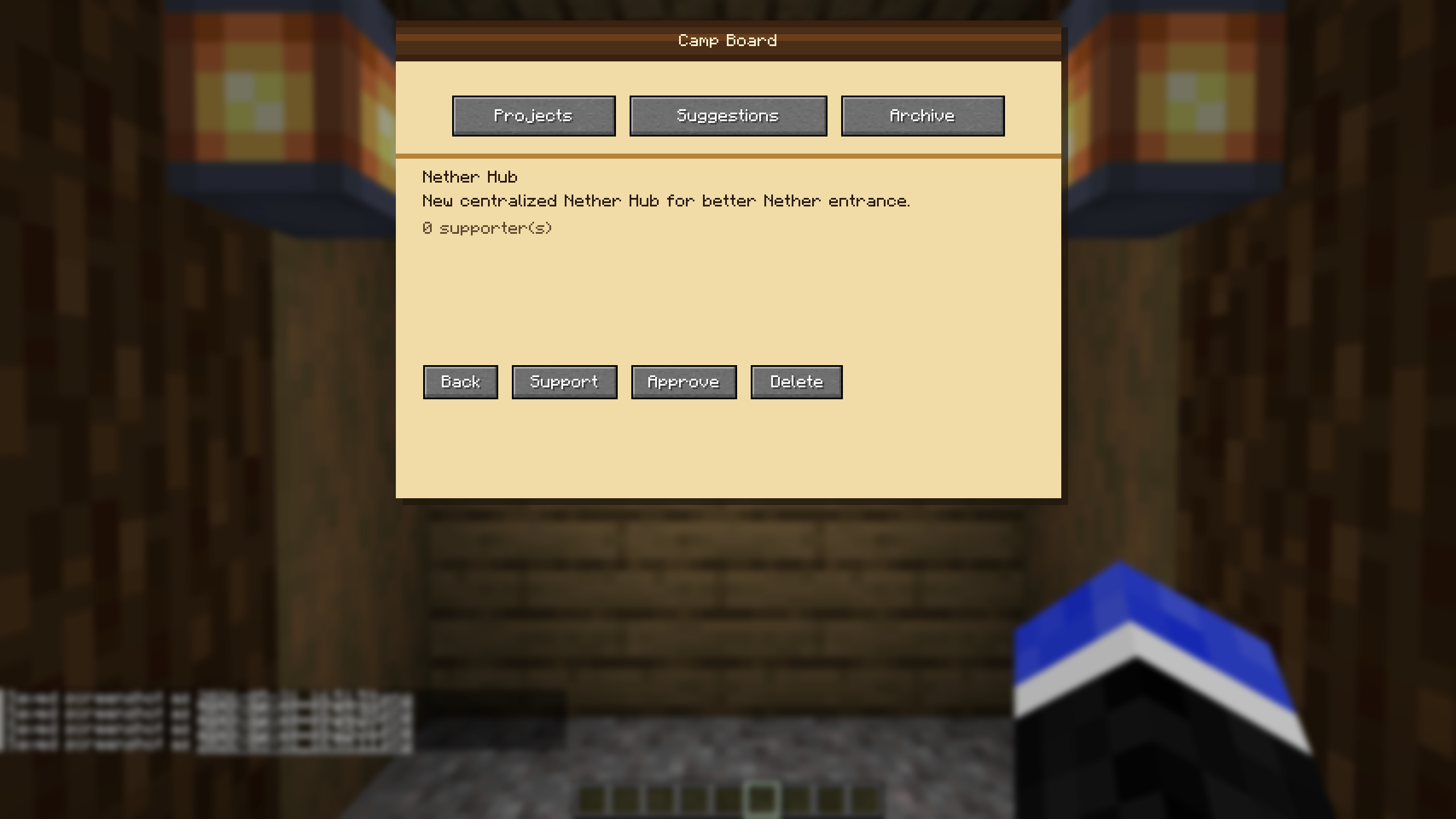 Suggestions Page By default, only admins on the server can create the project (configurable). The suggestions page allows for any player to create a suggestion for a project. Admins can refuse or reject the suggestions.
 -
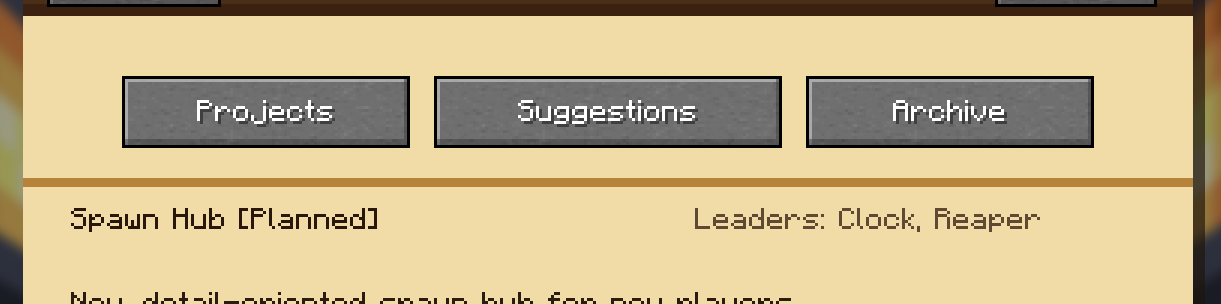 Leaders Admins can select 1-3 Leaders for a project. Click the "Leaders" button, and type in a username or nickname, either is fine, and it will be displayed on the project info page.
 -
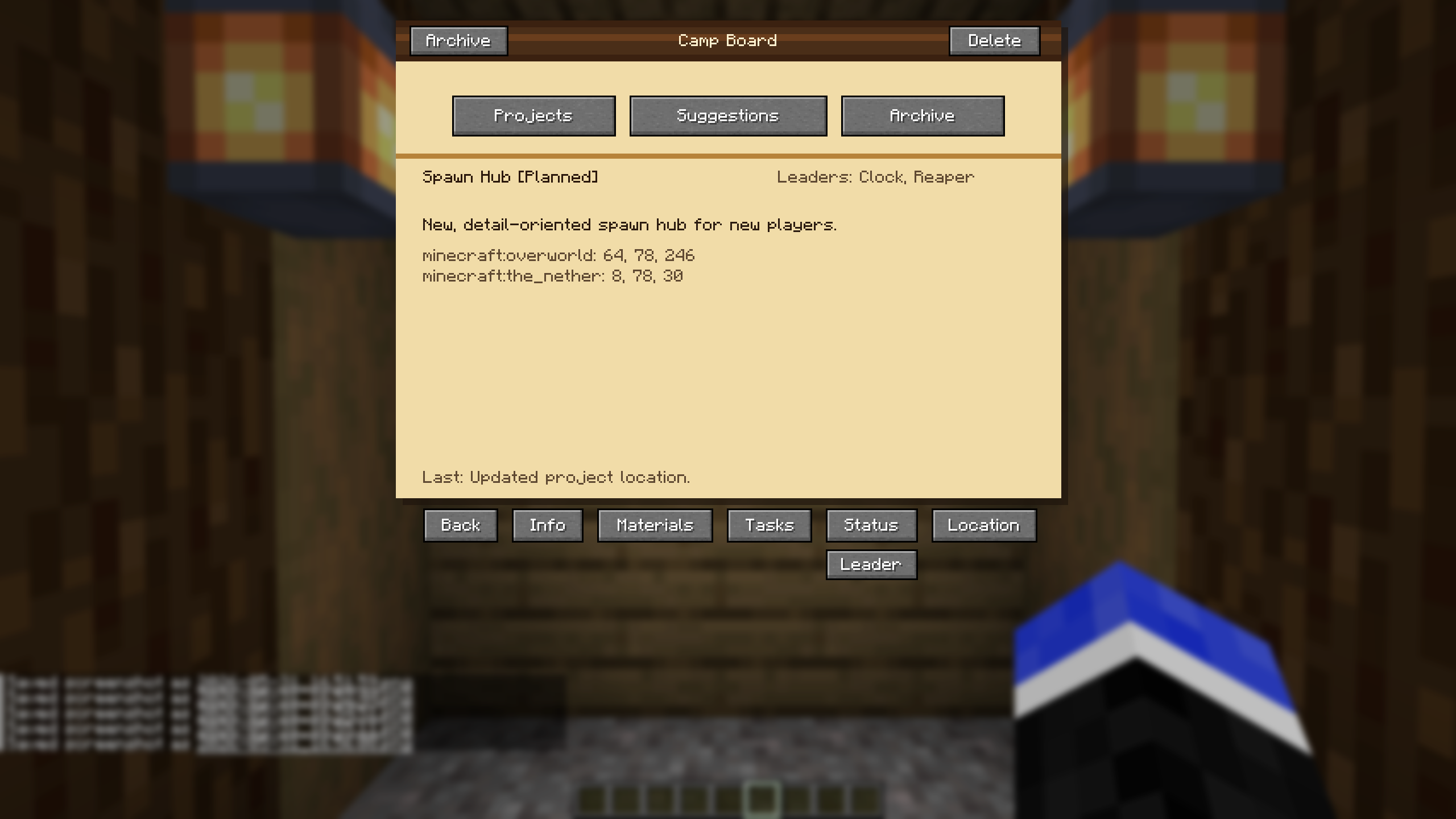 Locations Page The location page allow Admin/Leader(s) to select the location for the project. It will prompt you to input the Dimension and corresponding coordinates. It will then display coordinates for the Overworld and Nether, for quick travel to/from.
 -
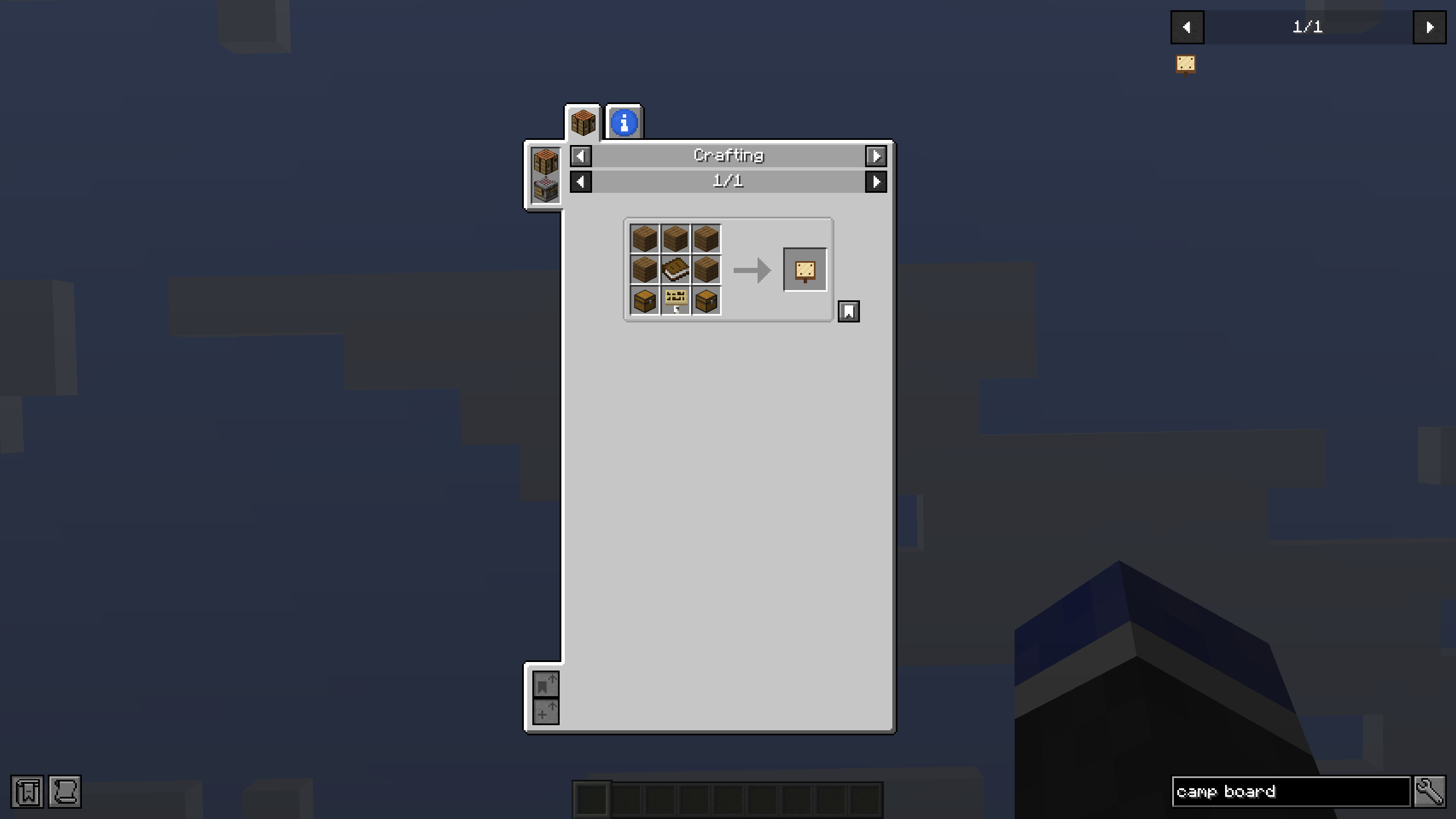 JEI Compatible Camp Board is compatible with JEI. It will be displayed in the JEI sidebar, and also provides an info page so players can see a description of the new item.
 -
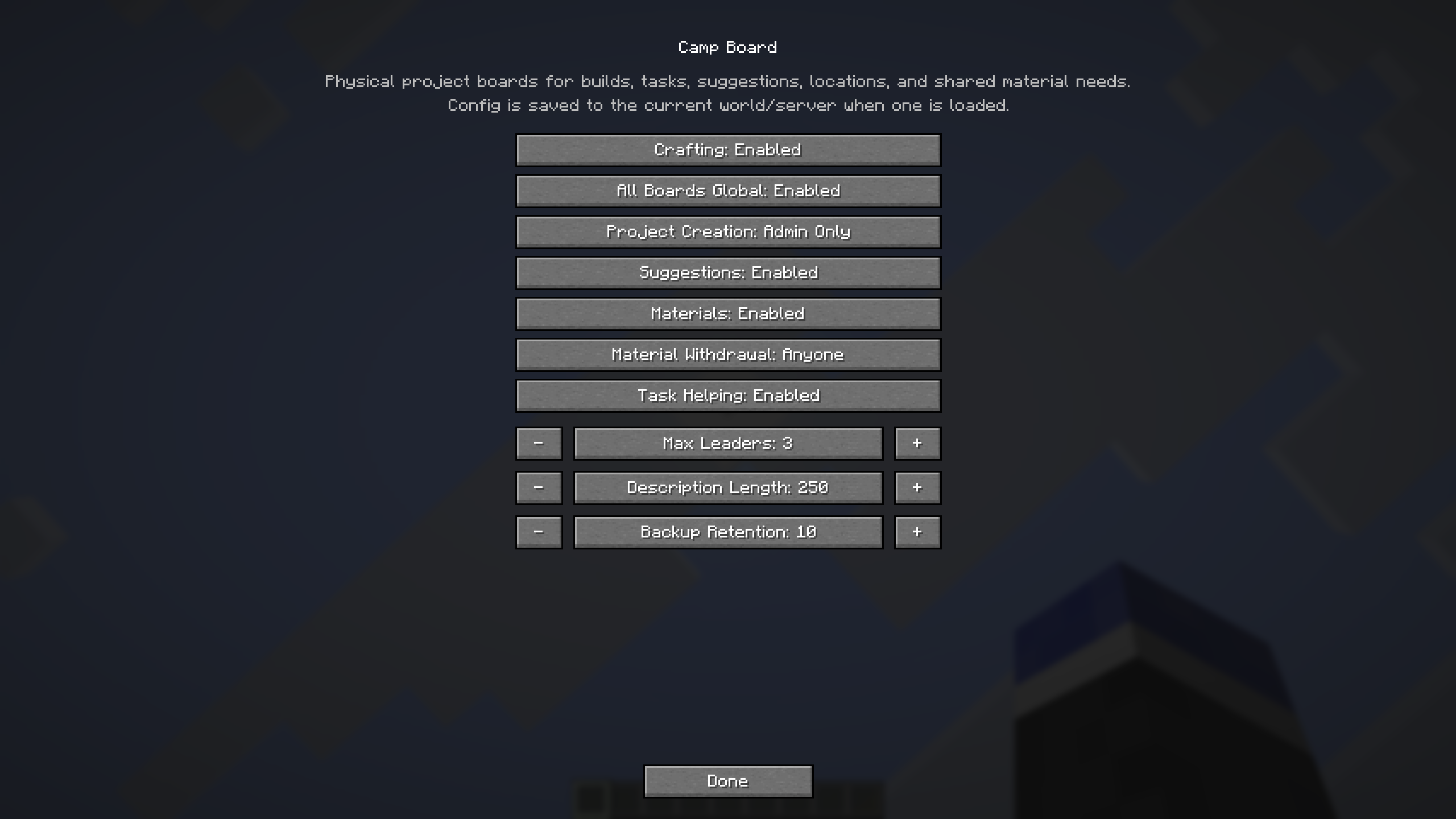 Mod Menu Compatible Camp Board is compatible, and configurable, with Mod Menu. This allows for easy adjustment and toggles to fit your server's play-style.
Versions
Files
Relations
Project Relations
More like this
Similar Mods
Suggestions use data such as tags, dependencies, dependents, descriptions, titles, and more to rank how much they overlap with this mod.
On ModDex
Community snapshot
By the numbers
Statistics

Want to reach Minecraft players?
We're looking for a server hosting partner to feature here and other parts of the site. Interested? Send us a message!
Get in touchGet it on
Available Platforms
On ModDex
Community snapshot
By the numbers
Statistics
Resources