Community listing page, reviews here may not be monitored by the author.
Canals

No reviews yet
Build canals out of any blocks, to make fluids flow for hundreds of blocks

Community voices
Reviews
No reviews yet. Be the first to review this project!
Get it on
Available Platforms
About
Project Details
For authors
Embed Badge
If you're the author of this project, you can embed a live badge anywhere that supports HTML or Markdown. It updates automatically whenever ratings change.
Use HTML for any page that supports it, or Markdown for README files and Markdown-based descriptions.
Identifiers
Platform IDs
About
Description
This mod lets you build canals, which can be used to transport flowing fluids about 12x further than vanilla. The canals can be made up to 3 blocks wide, and can be made of almost any vanilla block that seems watertight, such as bricks, clay, or glass. You can use them for almost any liquids - water, lava, and fluids from other mods.
This mod requires Statement Library.
The mod is incompatible with Immersive Engineering, and there seems to be a problem with Twilight Forest portals sometimes not activating. It works with Optifine, though.
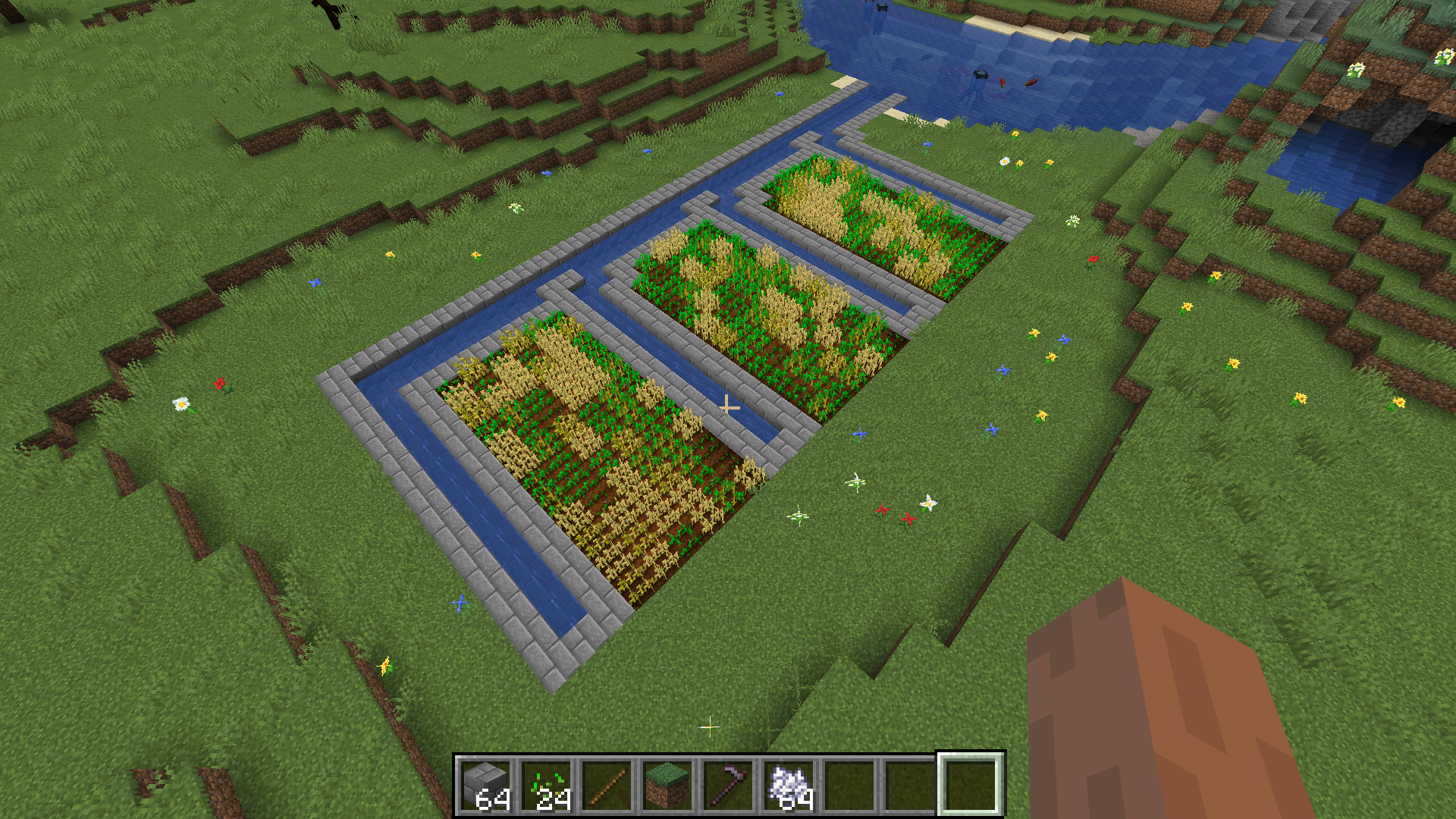
Here's an example of some canals. In this picture, the only source blocks are the ones in the river:
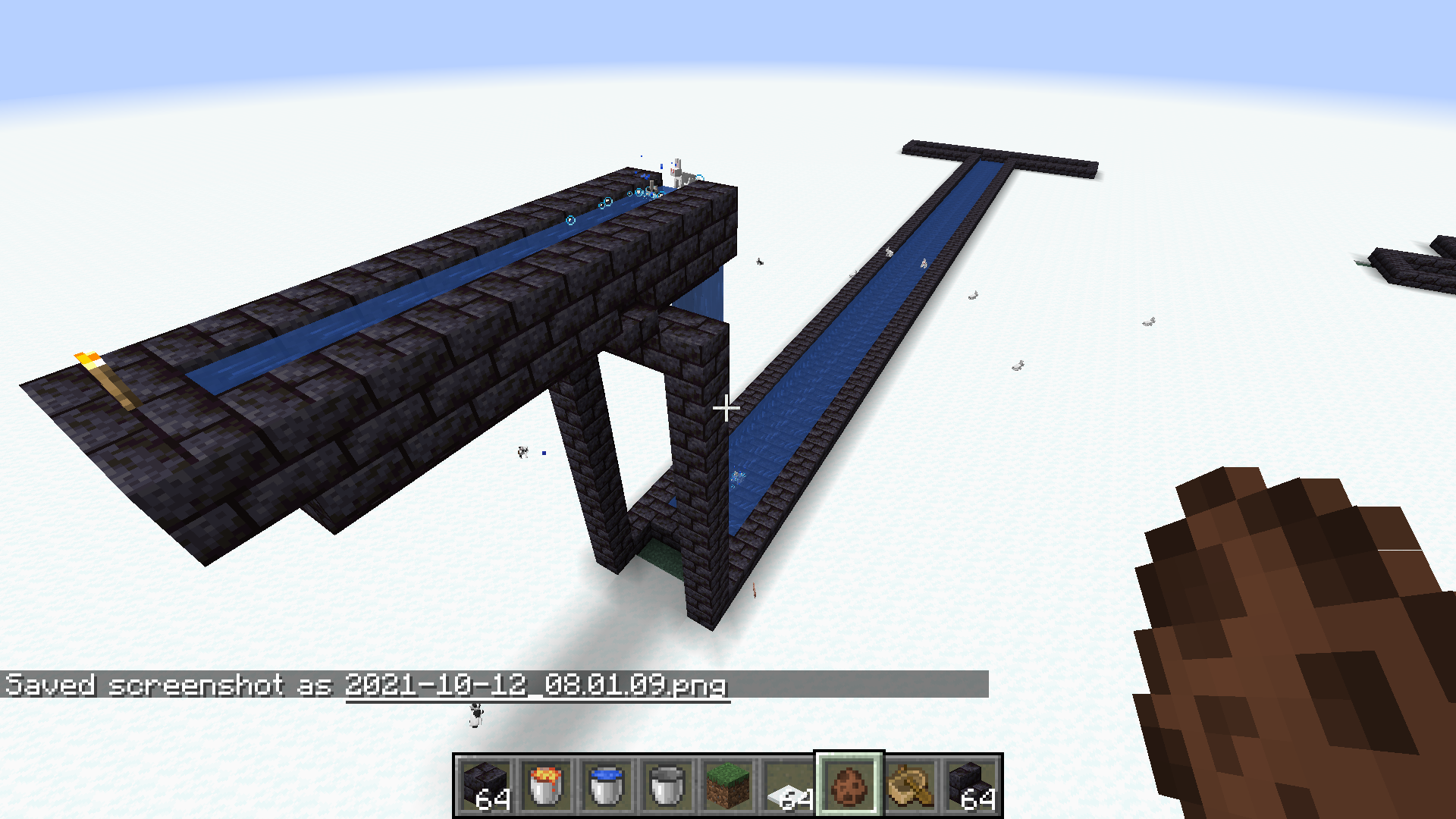
In this picture, there is only 1 source block, on the left:
Why not just use more fluid source blocks?
You can use canals to push items and mobs across long distances, without doing that nonsense with the signs and the ice blocks. You can also create a faster route for boats, since the water is flowing along the entire canal. Also, it looks better.
This was originally made to go alongside other mods that make this sort of thing necessary, like Stationary Source Blocks and Give Me Water Or Give Me Death. See also Create Irrigation.
How do I build a canal?
You need to place down a base, which can be up to 3 blocks wide and made of any blocks with the tag canal_base; here is a list of blocks that currently have that tag. You then need to surround the sides with 1-high walls made of any block with the tag canal_wall; list is here. There's a more detailed explanation at the bottom.
How can I build a canal with blocks that don't have those tags?
You can add the tags with some resource files. You can also send me a list of the IDs (similar to the ones in those files) and I'll add them. This works for blocks from other mods.
What if I want it to flow even further?
You can put a drop in your canal, by 1 y-level, which will replenish the level back up to the maximum. (This also works in vanilla, though you have to go pretty far down to irrigate a large area.)
Does it work for other liquids? Is it compatible with other mods?
Water and lava work, and most modded fluids will work. You can use modded blocks to build the canals if you add the tags to them. This mod will not be compatible with any mods that try to overwrite how vanilla fluids work (e.g. Water Physics Overhaul or Fluid Physics). There is also a known incompatibility with Immersive Engineering.
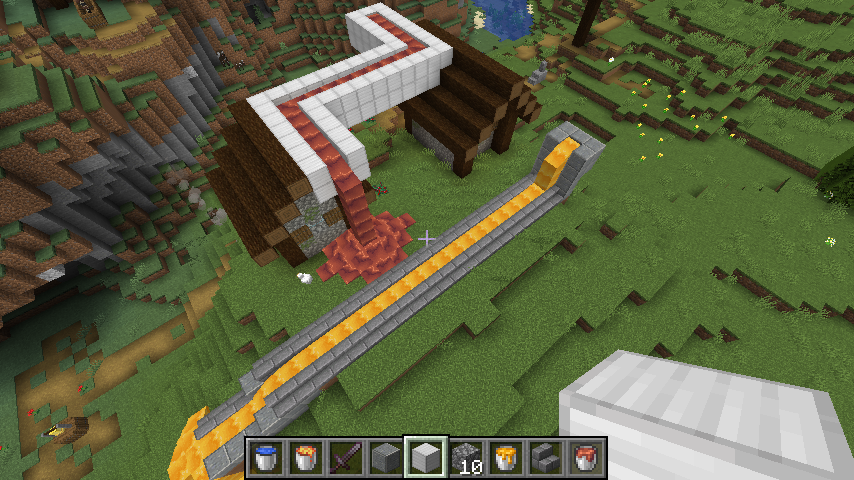
Here's some canals filled with chocolate and honey from Create:
How exactly does the water level work?
In vanilla, all flowing fluids have a level, which is from 1 (shallow) to 8 (deep). As it flows further, the level decreases, until it reaches level 1, when it stops spreading. This mod adds a new "fine level" property to fluids, which is usually 12 times the level. When water flows into a position that is not considered "in a canal", the level will decrease by 1 and the fine level will be set to 12 times the new level. When water flows into a position that is "in a canal", the fine level will decrease by 1, but the level will not decrease, unless the fine level crosses a multiple of 12.
What determines whether the fluid will flow far / whether a position is "in a canal"?
Generally, you need a canal base underneath it, and valid canal walls on at least 2 sides. So your canal can turn by 90 degrees without losing fluid, especially if you smooth out the turn, but trying to split a 1-wide canal will generally make you lose 1 level, or 12 fine levels.
To determine if a position is in a canal, we first check the block below. If that's not a valid canal base block, it's not in a canal. Next, we check the 4 horizontal directions around the block. In each direction, we scan out 3 blocks, checking each space. If a space is air or fluid, we just go on to the next of the 3 blocks in the line. If it's not air or fluid, but it's also not a valid canal wall, then we're not in a canal. If it is a valid canal wall, we increment a counter and move on to the next direction. If the counter ends up at 2 or above, and we haven't found any invalid walls, then we're in a canal.
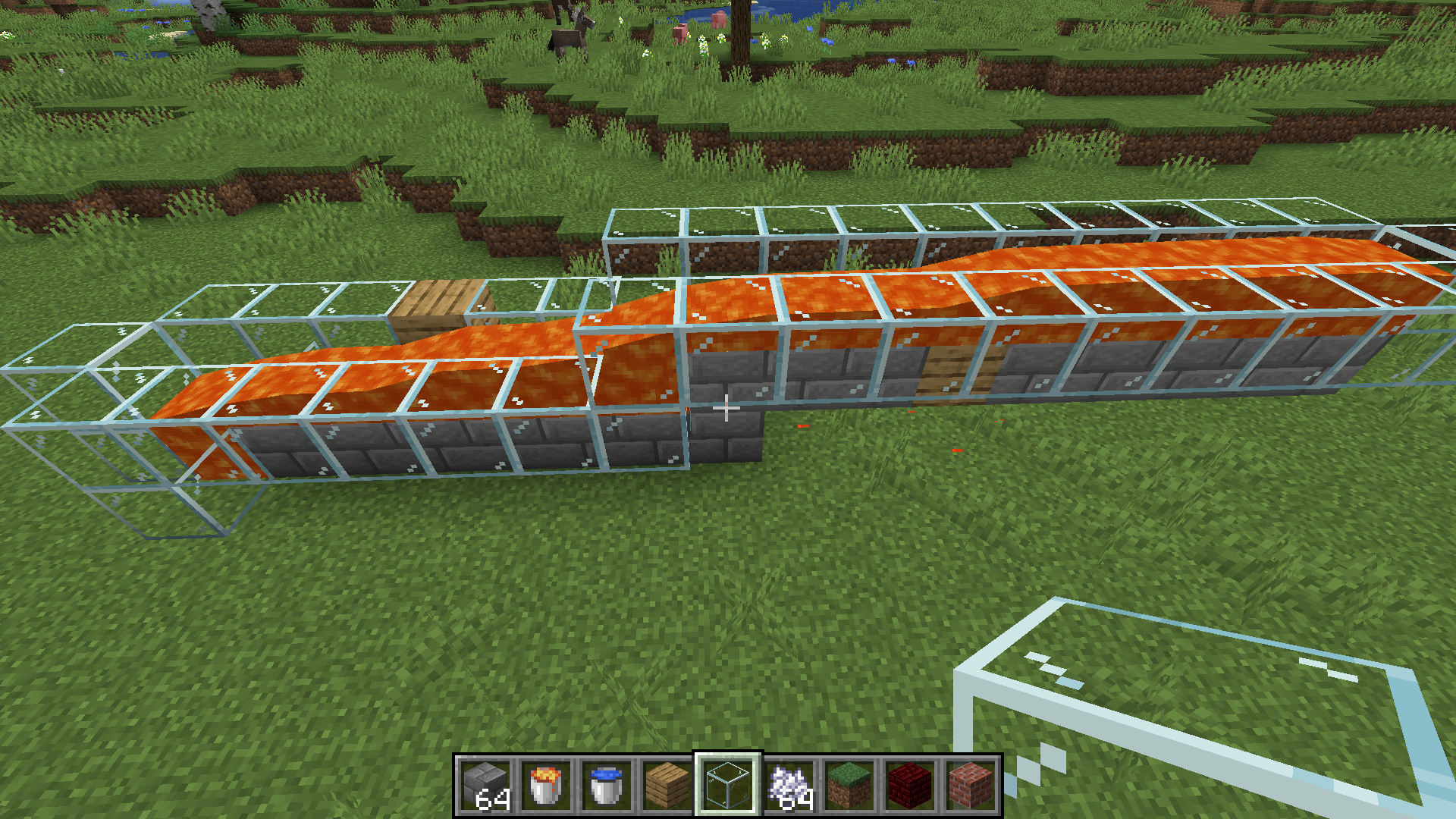
This image shows how the lava level drops much faster when you try to use planks for the walls or base of the canal:
The idea for this mod comes from Aqueducts for 1.12, by BordListian.
Screenshots
Gallery
-
Canals filled with chocolate and honey from Create
-
Example You can see the fluid drops much more at the planks, because planks are not a valid base or wall block for a canal.
-
Example of using canals to irrigate farmland My other mod "Give Me Water Or Give Me Death" can change the max distance between farmland and water, allowing for wider spacing between the canals.
-
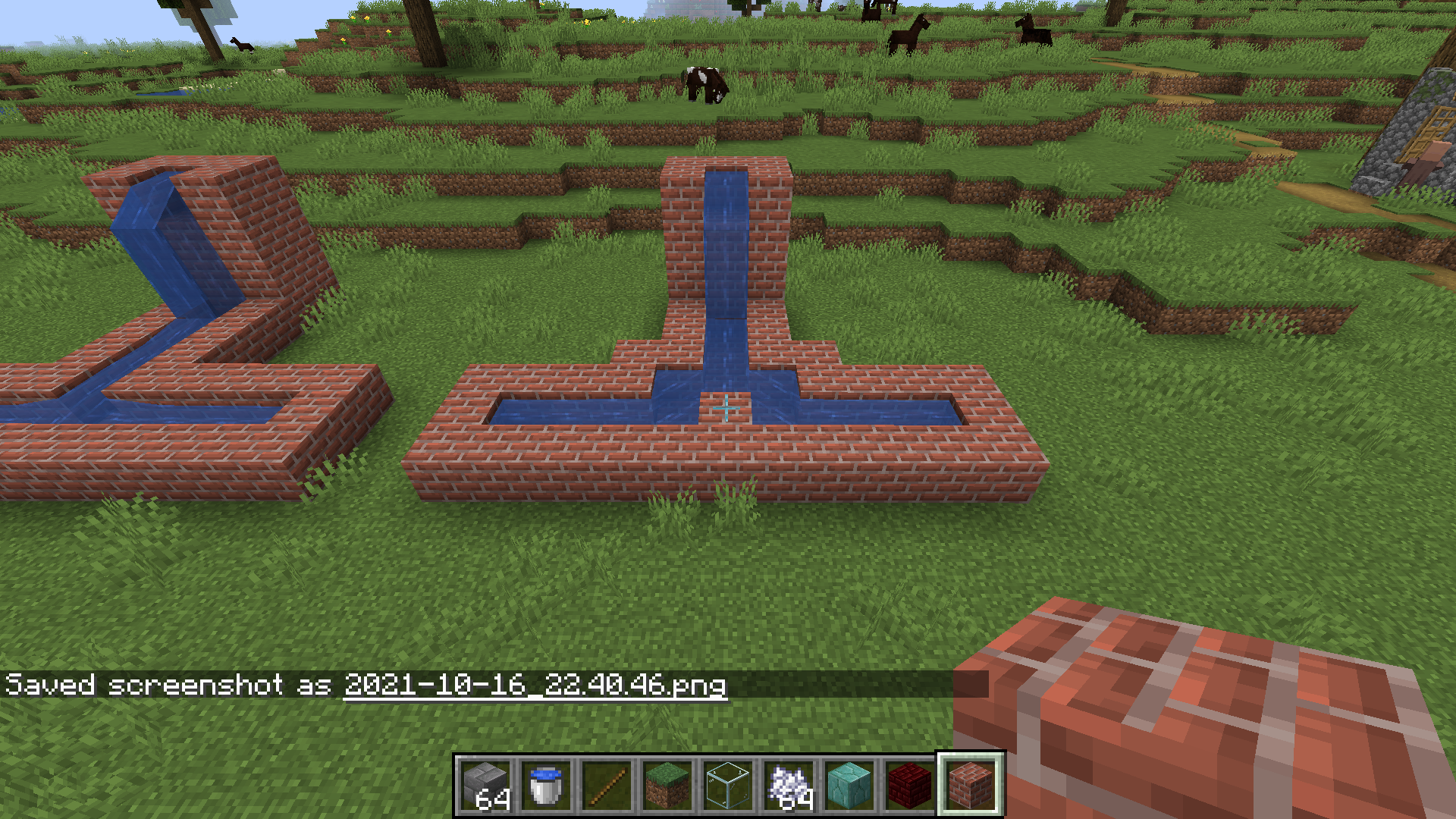 Two ways to split a canal On the left, the junction space is not "in a canal", so the water level falls further
 -
A long 3-wide water canal, with some rabbits flowing down it. The entire canal has only one source block, on the far left.
-
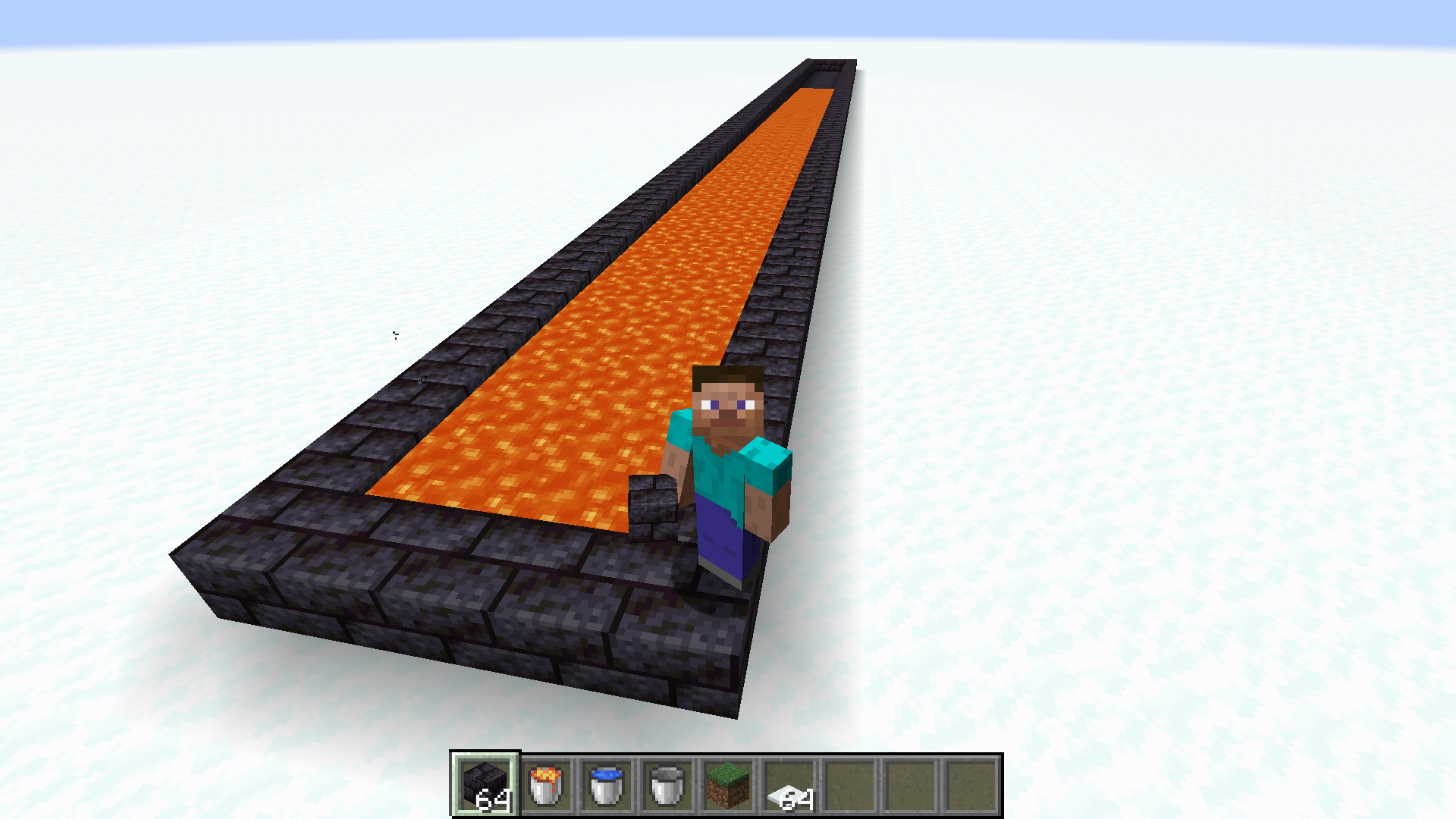 Lava flowing in a 3-wide lava canal. There are only 3 source blocks in this picture.
Versions
Files
Relations
Project Relations
More like this
Similar Mods
Suggestions use data such as tags, dependencies, dependents, descriptions, titles, and more to rank how much they overlap with this mod.
On ModDex
Community snapshot
By the numbers
Statistics
 (opens in a new tab)
Get it on
Available Platforms
On ModDex
Community snapshot
By the numbers