
Community listing page, reviews here may not be monitored by the author.
CanvasGLSL


No reviews yet
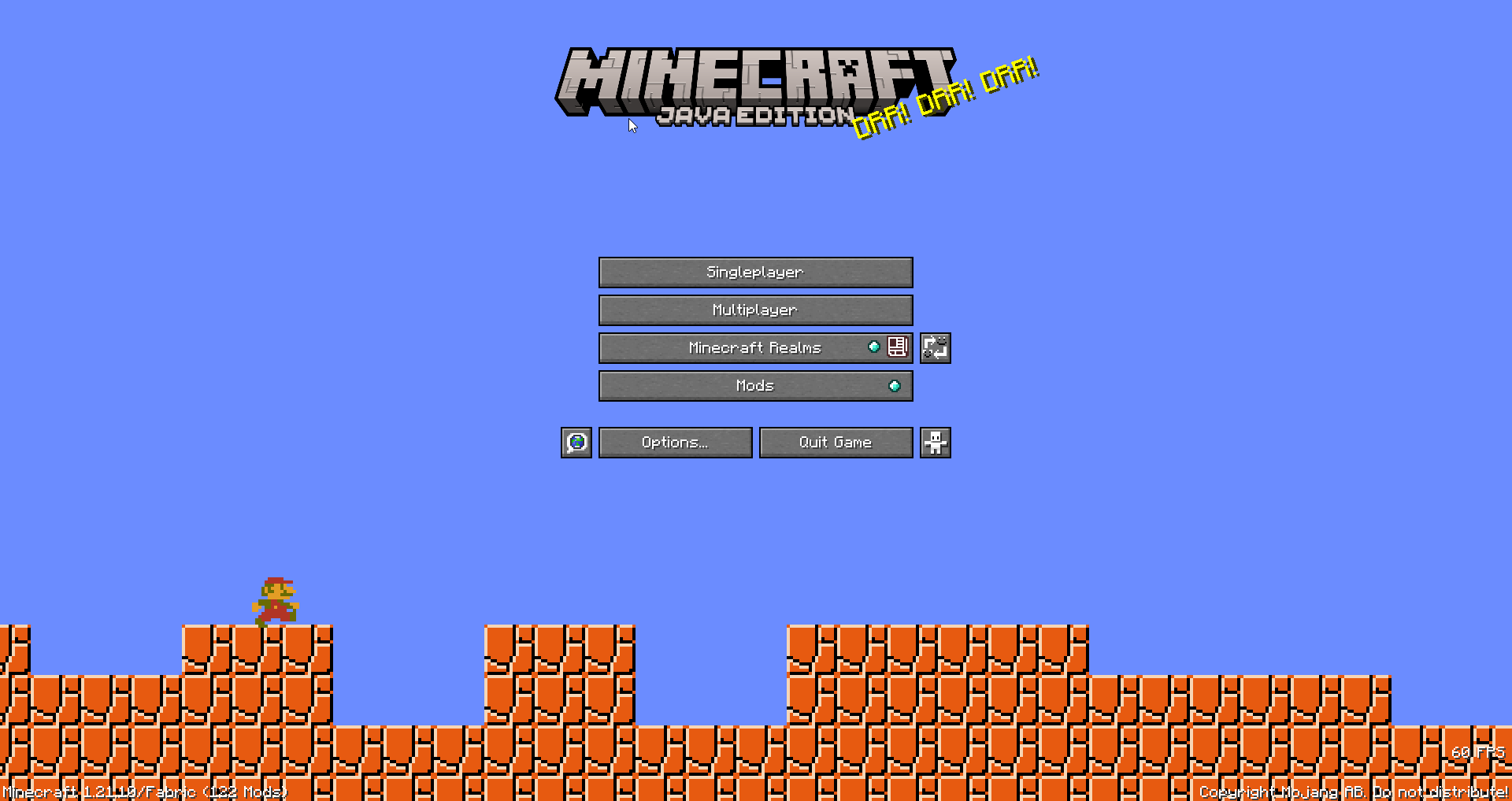
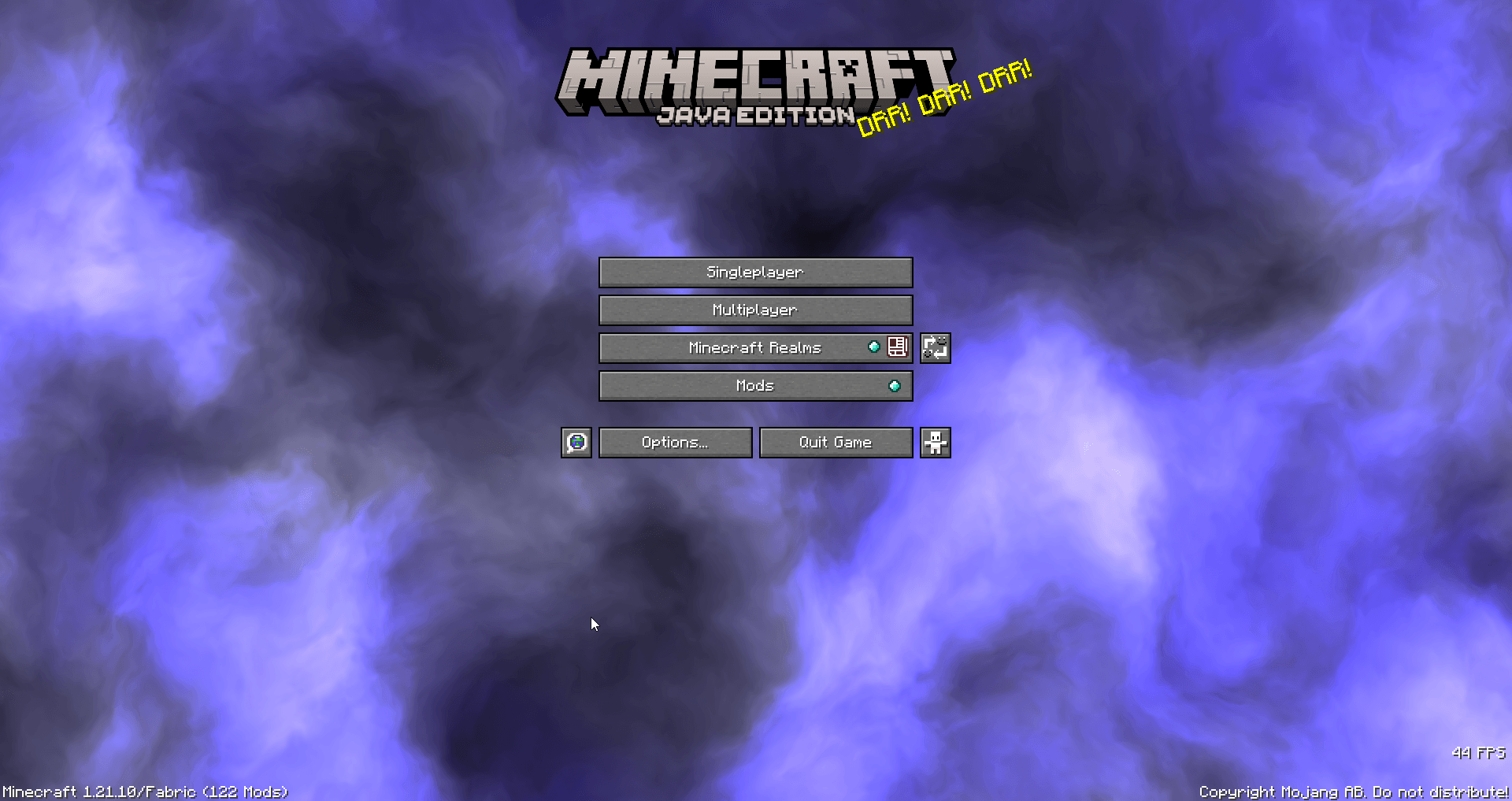
Replace every menu background with custom GLSL shaders. with a live, in-game shader editor with syntax highlighting, auto-compile, Shadertoy support, and shader file management.
Community voices
Reviews
No reviews yet. Be the first to review this project!
Get it on
Available Platforms
Compatibility
Supported Environments
Runs entirely on the client. Works on vanilla servers.
About
Project Details
For authors
Embed Badge
If you're the author of this project, you can embed a live badge anywhere that supports HTML or Markdown. It updates automatically whenever ratings change.
Use HTML for any page that supports it, or Markdown for README files and Markdown-based descriptions.
Identifiers
Platform IDs
About
Description
CanvasGLSL
Replace Minecraft's menu backgrounds with custom GLSL shaders. Includes a built-in shader editor with syntax highlighting.
Features
- Live shader editor (press
Insertto open) - Works on all menu screens (title, singleplayer, multiplayer, options, etc.)
- Shadertoy compatible - paste shaders directly from Shadertoy
- Auto-compile or manual compile modes
- File manager for organizing shaders
- Syntax highlighting
Installation
- Install Fabric loader for Minecraft 1.21.10
- Download the latest release JAR
- Put it in your
.minecraft/modsfolder - Launch the game
Usage
Opening the Editor
Press Insert while in any menu to open the shader IDE. Press Insert or Esc to close it.
Writing Shaders
Shaders are saved in .minecraft/canvasglsl/. You can create folders to organize them.
Supported uniforms:
uniform float iTime;- Time in secondsuniform vec3 iResolution;- Screen resolution (width, height, aspect)uniform vec4 iMouse;- Mouse position (x, y, click x, click y)uniform int iFrame;- Frame counteruniform sampler2D iChannel0;- Procedural noise textures (iChannel0 through iChannel3)uniform float iTimeDelta;- Time since last frameuniform vec4 iDate;- Current date/time (year, month, day, seconds)uniform float iSampleRate;- Audio sample rate (44100)
Example shader:
void mainImage(out vec4 fragColor, in vec2 fragCoord) {
    vec2 uv = fragCoord / iResolution.xy;
    vec3 col = 0.5 + 0.5 * cos(iTime + uv.xyx + vec3(0, 2, 4));
    fragColor = vec4(col, 1.0);
}
Using Shadertoy Shaders
- Copy shader code from Shadertoy
- Paste into the editor
- Click "Compile" or enable auto-compile
- Done! The shader will render as your menu background
Controls
Insert- Toggle shader editorEsc- Close editorCtrl+S- Save current shader- Compile button - Compile shader manually
- Auto-compile toggle - Auto-compile on save
CanvasGLSL
Replace Minecraft's menu backgrounds with custom GLSL shaders. Includes a built-in shader editor with syntax highlighting.
Features
- Live shader editor (press
Insertto open) - Works on all menu screens (title, singleplayer, multiplayer, options, etc.)
- Shadertoy compatible - paste shaders directly from Shadertoy
- Auto-compile or manual compile modes
- File manager for organizing shaders
- Syntax highlighting
Installation
- Install Fabric loader for Minecraft 1.21.10
- Download the latest release JAR
- Put it in your
.minecraft/modsfolder - Launch the game
Usage
Opening the Editor
Press Insert while in any menu to open the shader IDE. Press Insert or Esc to close it.
Writing Shaders
Shaders are saved in .minecraft/canvasglsl/. You can create folders to organize them.
Supported uniforms:
uniform float iTime;- Time in secondsuniform vec3 iResolution;- Screen resolution (width, height, aspect)uniform vec4 iMouse;- Mouse position (x, y, click x, click y)uniform int iFrame;- Frame counteruniform sampler2D iChannel0;- Procedural noise textures (iChannel0 through iChannel3)uniform float iTimeDelta;- Time since last frameuniform vec4 iDate;- Current date/time (year, month, day, seconds)uniform float iSampleRate;- Audio sample rate (44100)
Example shader:
void mainImage(out vec4 fragColor, in vec2 fragCoord) {
    vec2 uv = fragCoord / iResolution.xy;
    vec3 col = 0.5 + 0.5 * cos(iTime + uv.xyx + vec3(0, 2, 4));
    fragColor = vec4(col, 1.0);
}
Using Shadertoy Shaders
- Copy shader code from Shadertoy
- Paste into the editor
- Click "Compile" or enable auto-compile
- Done! The shader will render as your menu background
Controls
Insert- Toggle shader editorEsc- Close editorCtrl+S- Save current shader- Compile button - Compile shader manually
- Auto-compile toggle - Auto-compile on save
Screenshots
Gallery
-
 030a38cf1bbbbdad0b9b8ac0cf2df8517fa221ed.png 030a38cf1bbbbdad0b9b8ac0cf2df8517fa221ed.png
 -
 ea558c98a1bd552a71627ed7be7a7a14b058914a.png ea558c98a1bd552a71627ed7be7a7a14b058914a.png
Versions
Files
Relations
Project Relations
More like this
Similar Mods
Suggestions use data such as tags, dependencies, dependents, descriptions, titles, and more to rank how much they overlap with this mod.
On ModDex
Community snapshot
By the numbers
Statistics
Want to reach Minecraft players?
We're looking for a server hosting partner to feature here and other parts of the site. Interested? Send us a message!
Get in touchGet it on
Available Platforms
On ModDex
Community snapshot
By the numbers