
Capital
No reviews yet
YOU CAN SELL AND BUY ANYTHING YOU WANT!!! Clientside
Includes systems for trading and managing economies.
Fabric is a mod loader for versions 1.14+ of Minecraft, particularly popular for client side and optimization mods.
Community voices
Reviews
Click once to include, again to exclude, again to clear
No reviews yet. Be the first to review this project!
Get it on
Available Platforms
 Modrinth
Compatibility
Supported Environments
About
Project Details
For authors
Embed Badge
If you're the author of this project, you can embed a live badge anywhere that supports HTML or Markdown. It updates automatically whenever ratings change.
Use HTML for any page that supports it, or Markdown for README files and Markdown-based descriptions.
Identifiers
Platform IDs
Resources
External Links
About
Description
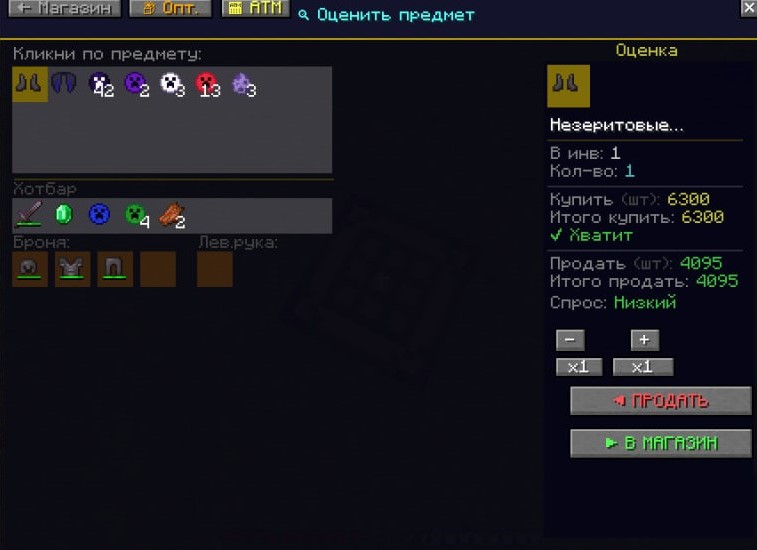
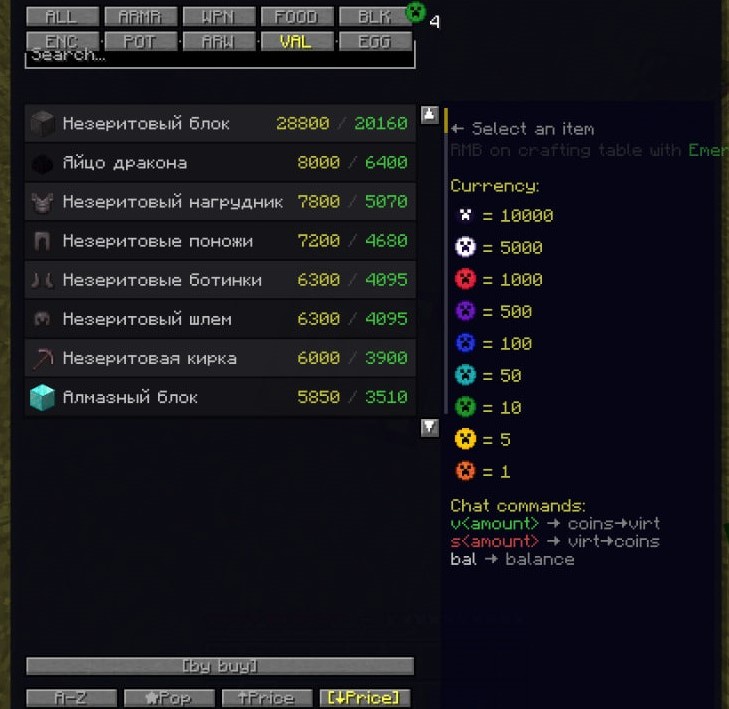
YOU CAN SELL AND BUY EVERYTHING!!! This mod allows you to buy and sell items through a custom graphical interface. This mod runs client-side and does not require server installation. All actions are performed using the /give (give an item) and /clear (remove an item) commands from your inventory. This mod requires operator permissions on the server. To access the shop, approach a workbench and right-click on it (hold Shift). This will open a menu where you can search for any item (and sell or buy it). The price is displayed in a 4/2 format (where 4 is the price at which you can buy the item, and 2 is the price at which you can sell it). There is also a price menu where you can view and estimate the value of a specific item in your inventory.
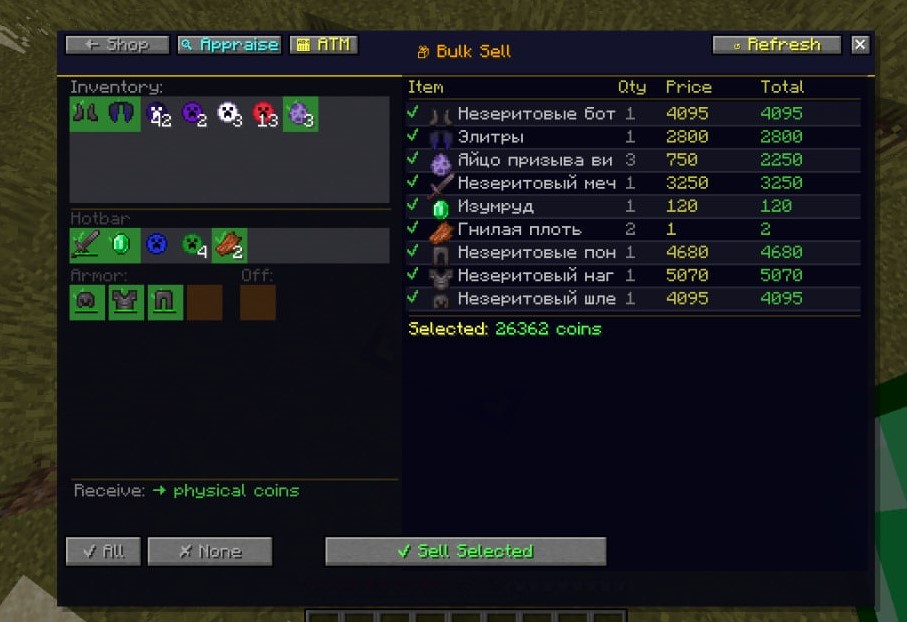
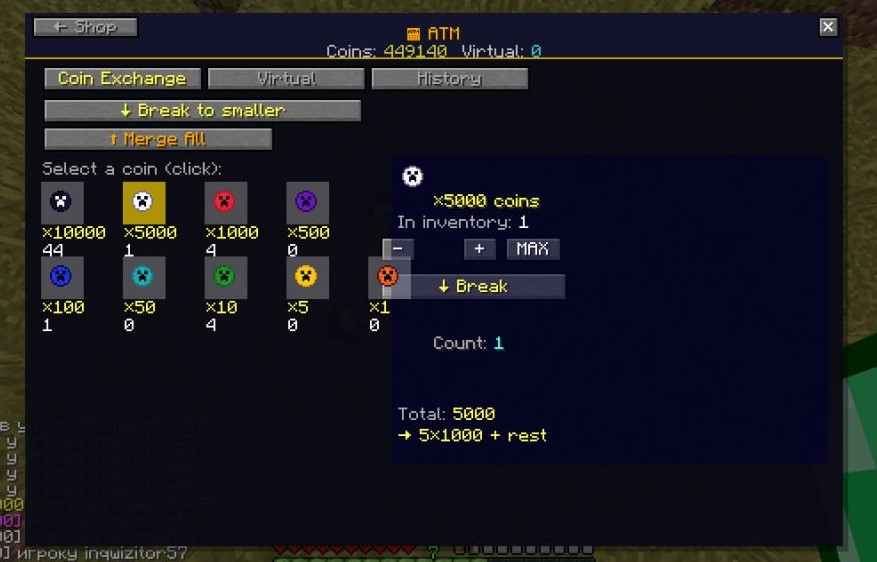
The Bulk Buy menu allows you to select the slots you want to sell, and on the side, you'll see detailed information about how much each item will cost (and, of course, a "Sell" button). The ATM menu allows you to exchange coins for larger or smaller ones, as well as deposit or withdraw funds from your virtual balance. Additionally, typing "v2000" in chat will add 2000 coins to your virtual balance. Typing "s2000" in chat will withdraw funds from your virtual account.
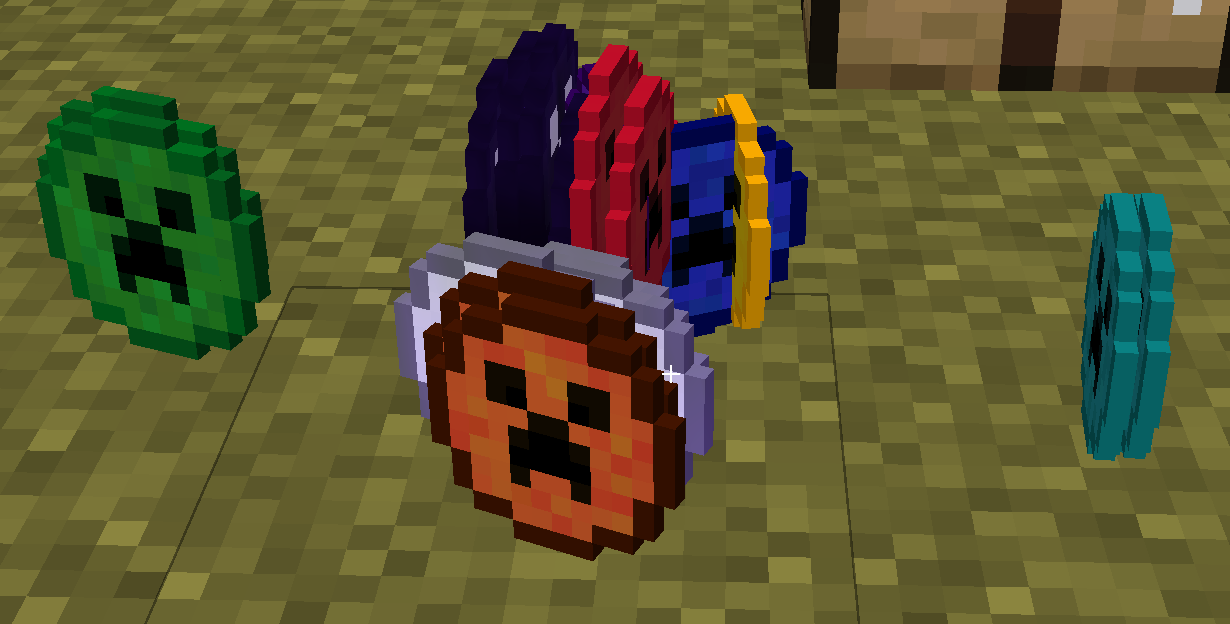
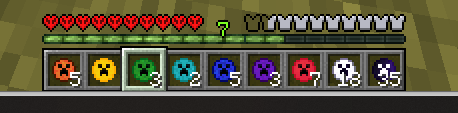
Coins are essentially standard items, simply with custom names and textures. To other players without this mod, they will appear as normal items: Coin 1 - Brick Coin 5 - Rabbit's Foot Coin 10 - Prismarine Coin 50 - Honeycomb Coin 100 - Record Fragment Coin 500 - Heart of the Sea Coin 1000 - Echo Shard Coin 5000 - Enchanted Golden Apple Coin 10000 - Nether Star
The mod includes 3 modes (you can Select only once at the beginning): Easy - commission approximately 20% (difference between buying and selling) Normal - commission approximately 50% (difference between buying and selling) + some prices are adjusted to prevent abuse Hardcore - commission approximately 50% (difference between buying and selling) + dynamic prices (item price changes depending on the number of purchases or sales) + daily limit (Minecraft-like) for selling commission is always at least 1 coin, commission is always rounded up
The mod is still in the Beta testing and development stage, so there may be bugs in the GUI.
Screenshots
Gallery
Versions
Files
Relations
Project Relations
More like this
Similar Mods
Suggestions use data such as tags, dependencies, dependents, descriptions, titles, and more to rank how much they overlap with this mod.
On ModDex
Community snapshot
By the numbers
Statistics

Want to reach Minecraft players?
We're looking for a server hosting partner to feature here and other parts of the site. Interested? Send us a message!
Get in touchGet it on
Available Platforms
On ModDex
Community snapshot
By the numbers
Statistics
Resources