
Community listing page, reviews here may not be monitored by the author.
Caribou

No reviews yet
Cariboumod is a full RPG overhaul: a player-driven economy, a skill tree, rarity-tiered gear, and a brutal "Maudit" difficulty mode—plus perks like flying wings, death chests, player teleport, placeable house plans, a central hub, and X-Ray tool.
Community voices
Reviews
No reviews yet. Be the first to review this project!
Get it on
Available Platforms
About
Project Details
For authors
Embed Badge
If you're the author of this project, you can embed a live badge anywhere that supports HTML or Markdown. It updates automatically whenever ratings change.
Use HTML for any page that supports it, or Markdown for README files and Markdown-based descriptions.
Identifiers
Platform IDs
Resources
External Links
About
Description
Cariboumod — Feature Overview
A custom Forge 1.20.1 mod adding an RPG difficulty overhaul, an economy, admin tools, and a fully-featured cat companion system.
Language note: the mod's text is written in French by default, but it is fully translated and playable in English — just switch your Minecraft language setting to English and every menu, button, and message will follow.
Access & Permissions
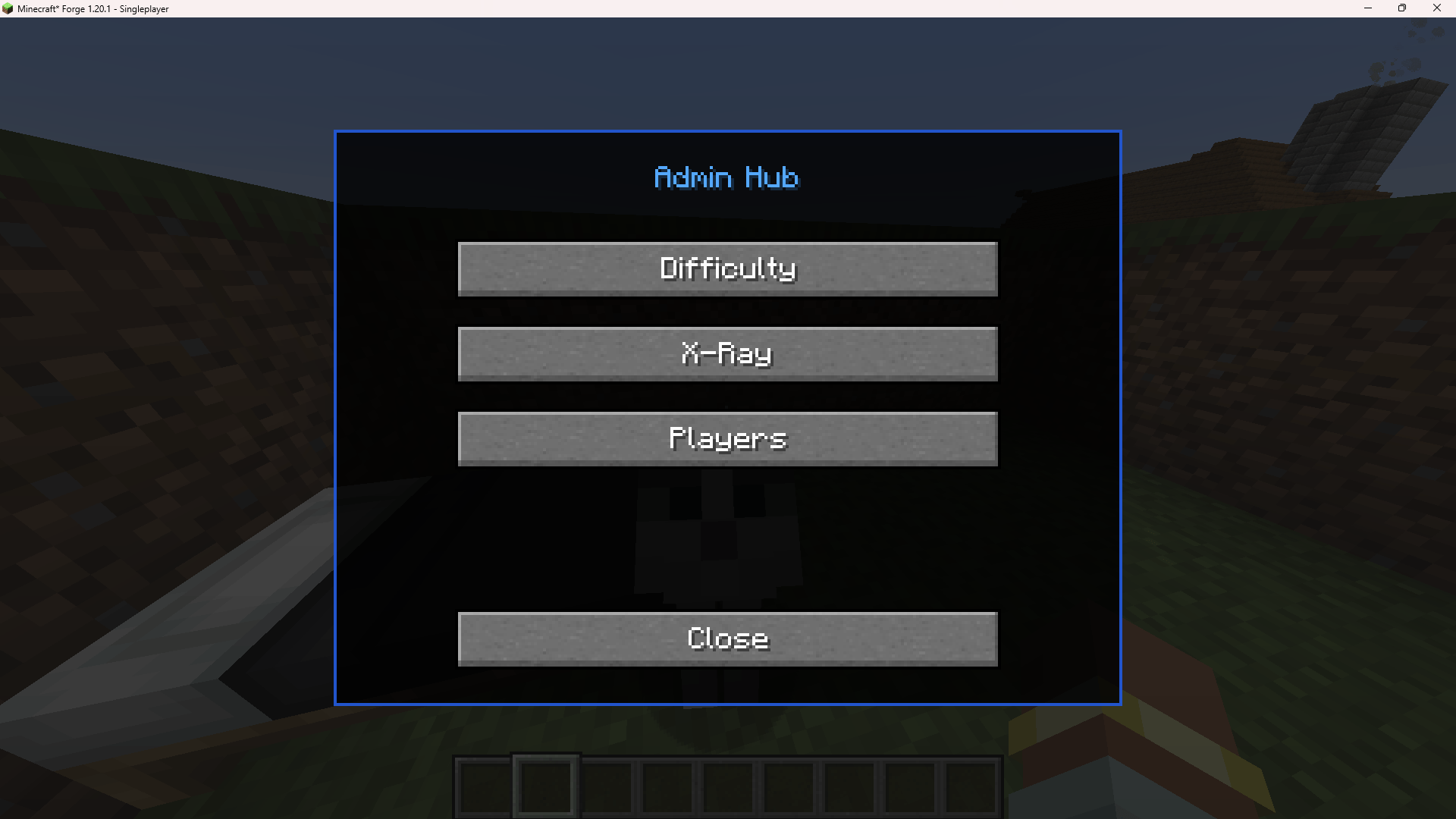
The Admin Hub (opened with /Lecaribou74) is currently restricted to the player "Lecaribou74" only. Even server operators won't see this menu unless their username matches. This is intentional and temporary: the Hub is still being tested and has a few small bugs left to iron out, so it isn't open to the public yet. Everything else described below (the cat companion, the market, the RPG skills, death chests, etc.) works normally for every player regardless of this restriction — it only affects the admin control panel itself.
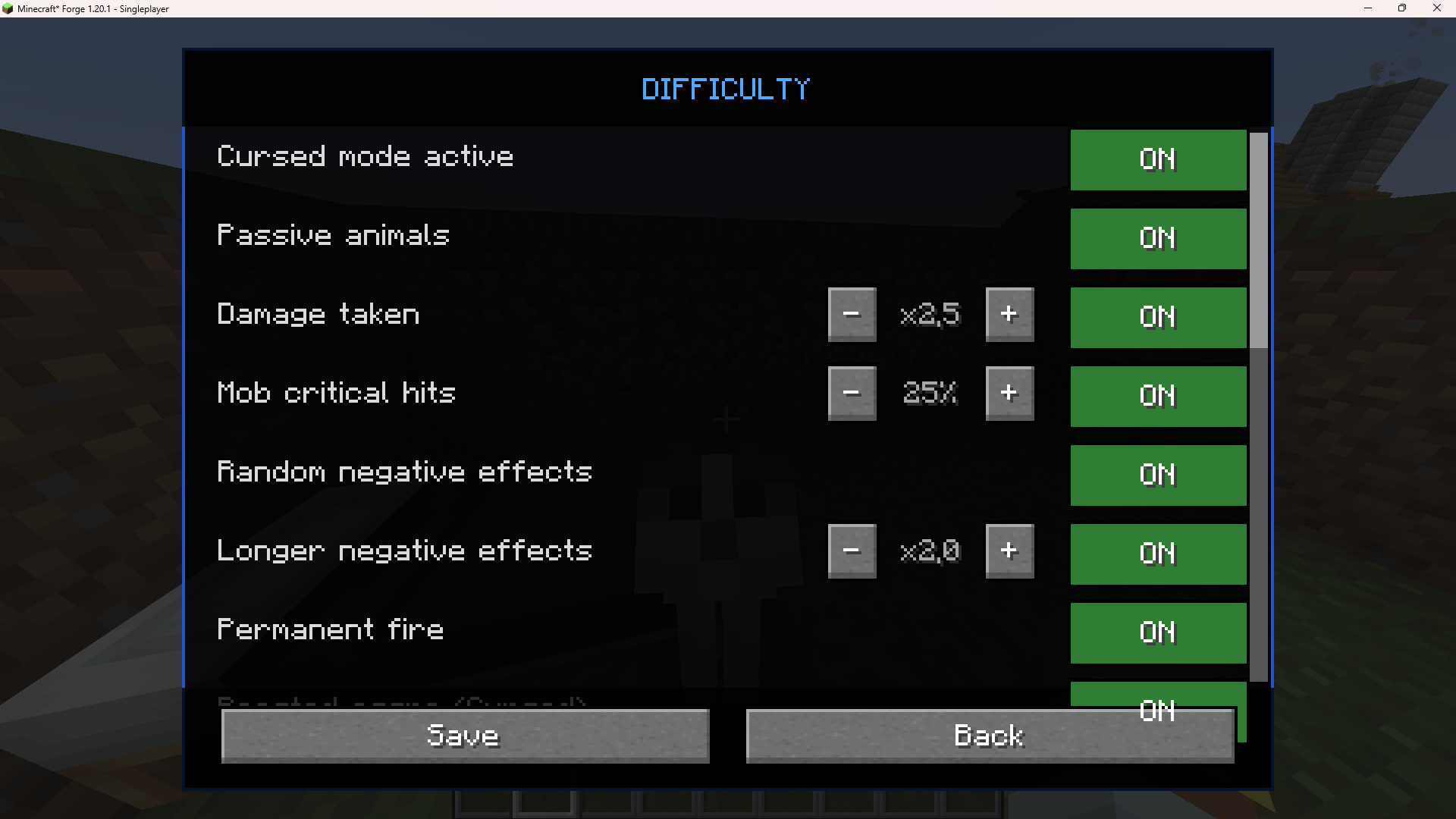
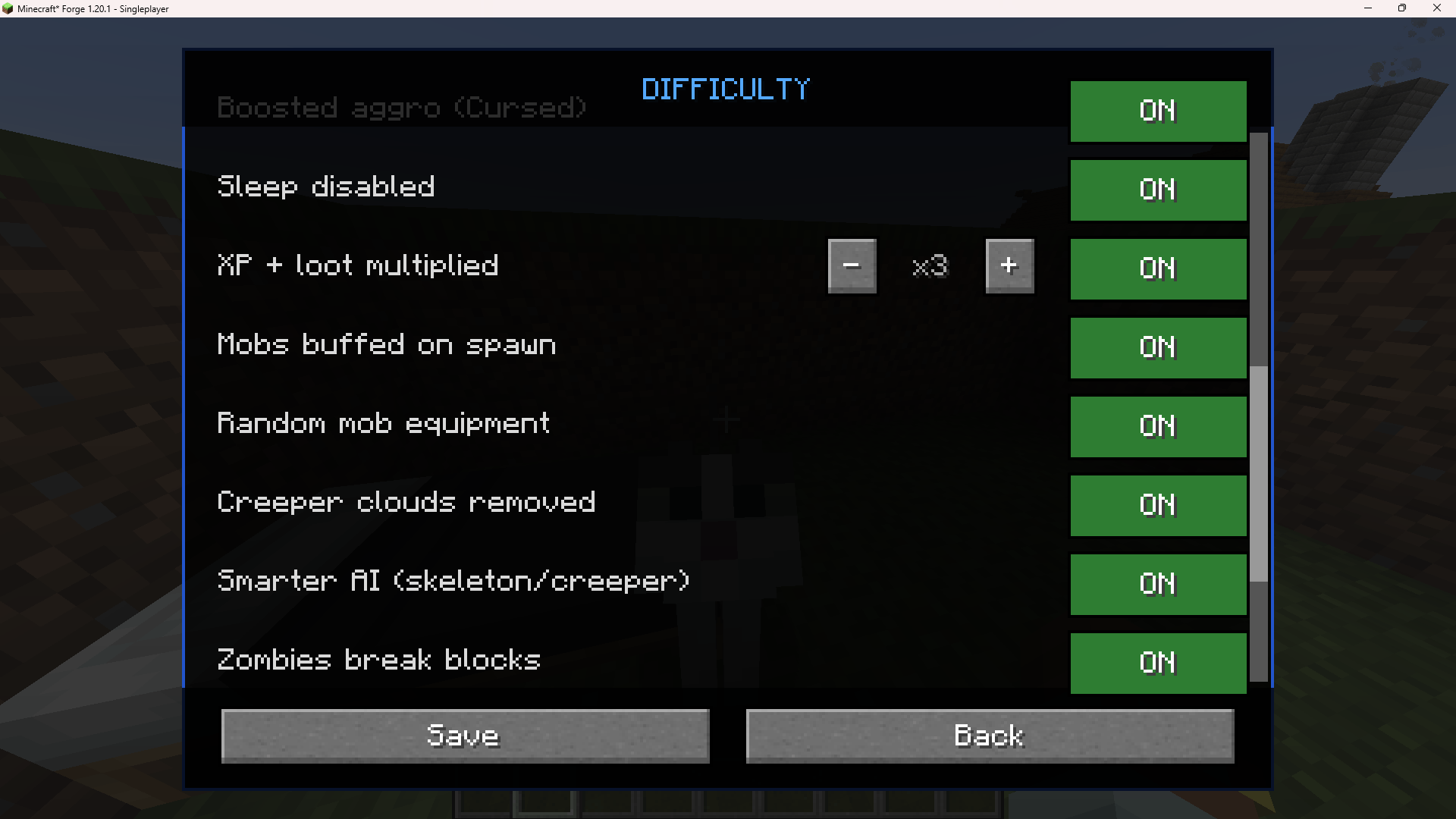
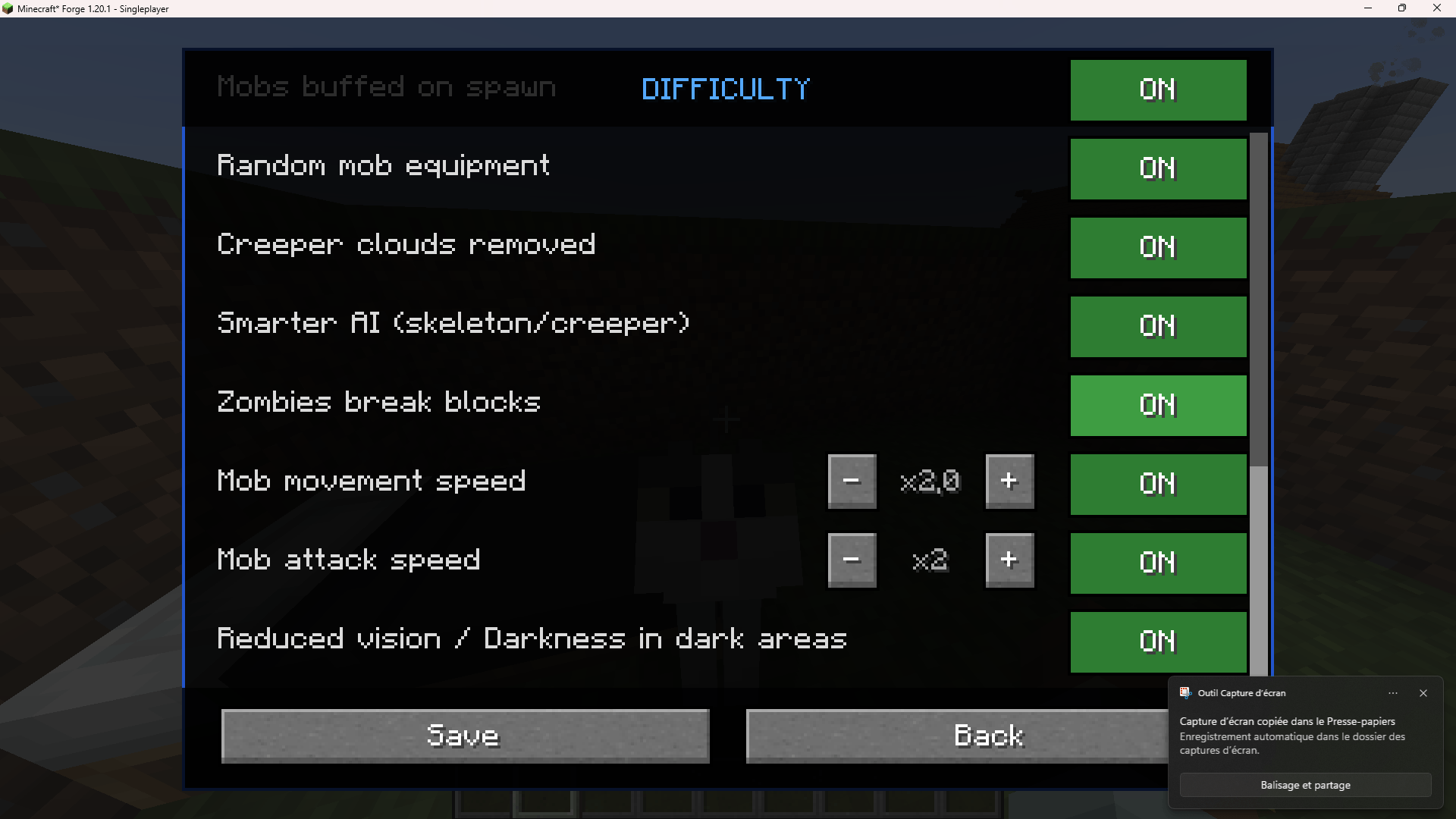
The Difficulty System ("Cursed" / Maudit mode)
Opened from the Admin Hub → Difficulty. A single master toggle ("Cursed mode active") turns the whole system on or off; every other option below only applies while it's active:
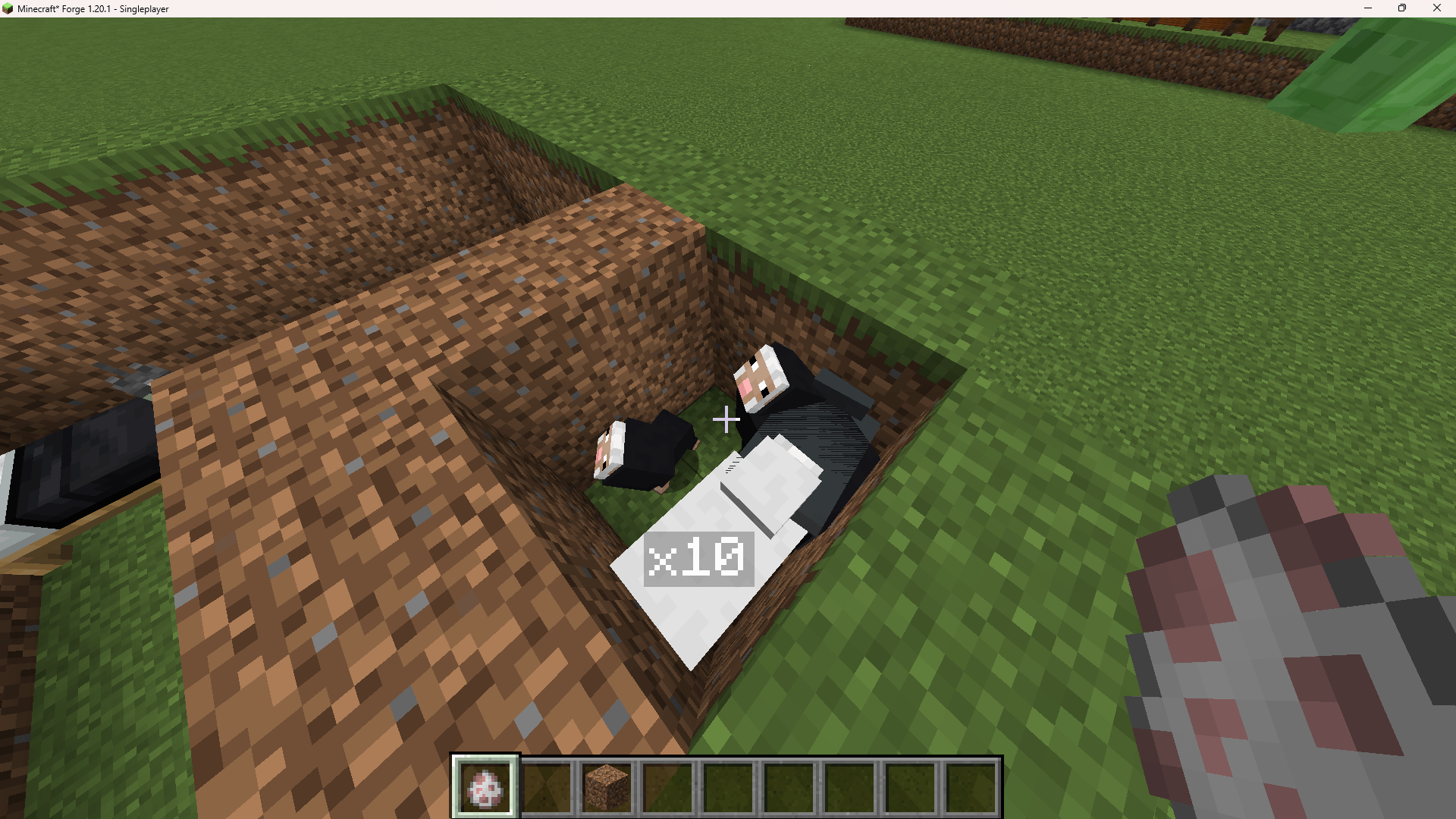
- Passive animals hostile — turns normally-passive mobs aggressive
- Damage taken — multiplier on damage the player receives (adjustable, e.g. x2.5)
- Mob critical hits — chance for mobs to land a critical hit (adjustable %)
- Random negative effects — mobs can inflict random debuffs on hit
- Longer negative effects — multiplies the duration of those debuffs
- Permanent fire — fire damage doesn't extinguish normally
- Boosted aggro (Cursed) — mobs notice and chase the player from farther away
- Sleep disabled — beds can't be used to skip the night
- XP + loot multiplied — adjustable multiplier on XP and drops
- Mobs buffed on spawn / Random mob equipment — hostile mobs can spawn stronger and armed
- Creeper clouds removed — creepers no longer leave a lingering effect cloud when they explode (on by default in Cursed mode)
- Smarter AI (skeleton/creeper) — improved targeting/behavior for these mobs
- Zombies break blocks — zombies can break through weak blocks to reach players
- Mob movement speed / Mob attack speed — adjustable multipliers
- Reduced vision / Darkness in dark areas — players get the Darkness effect in unlit areas
All settings are saved per world and can be changed at any time from the same menu.
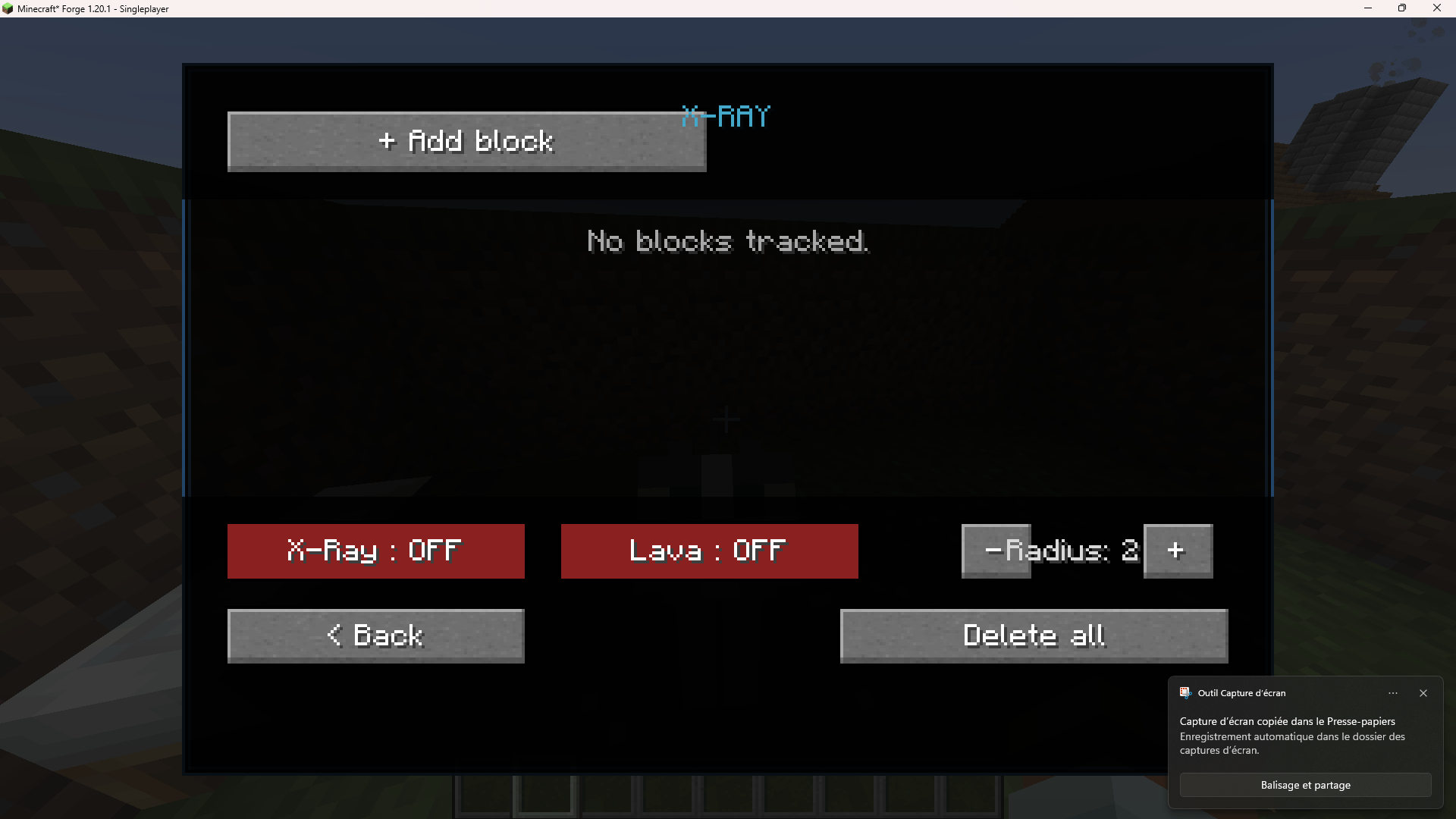
X-Ray (admin utility)
A simple ore/block highlighter for troubleshooting or building purposes:
- + Add block — track any block type
- X-Ray toggle — highlight tracked blocks through terrain
- Lava toggle — see through lava as well
- Radius — adjustable detection range
- Delete all — clears the tracked block list
Players Tracker
Lists every online player with their current dimension, coordinates, and HP, for quick admin oversight. A Hub button returns to the main Admin Hub.
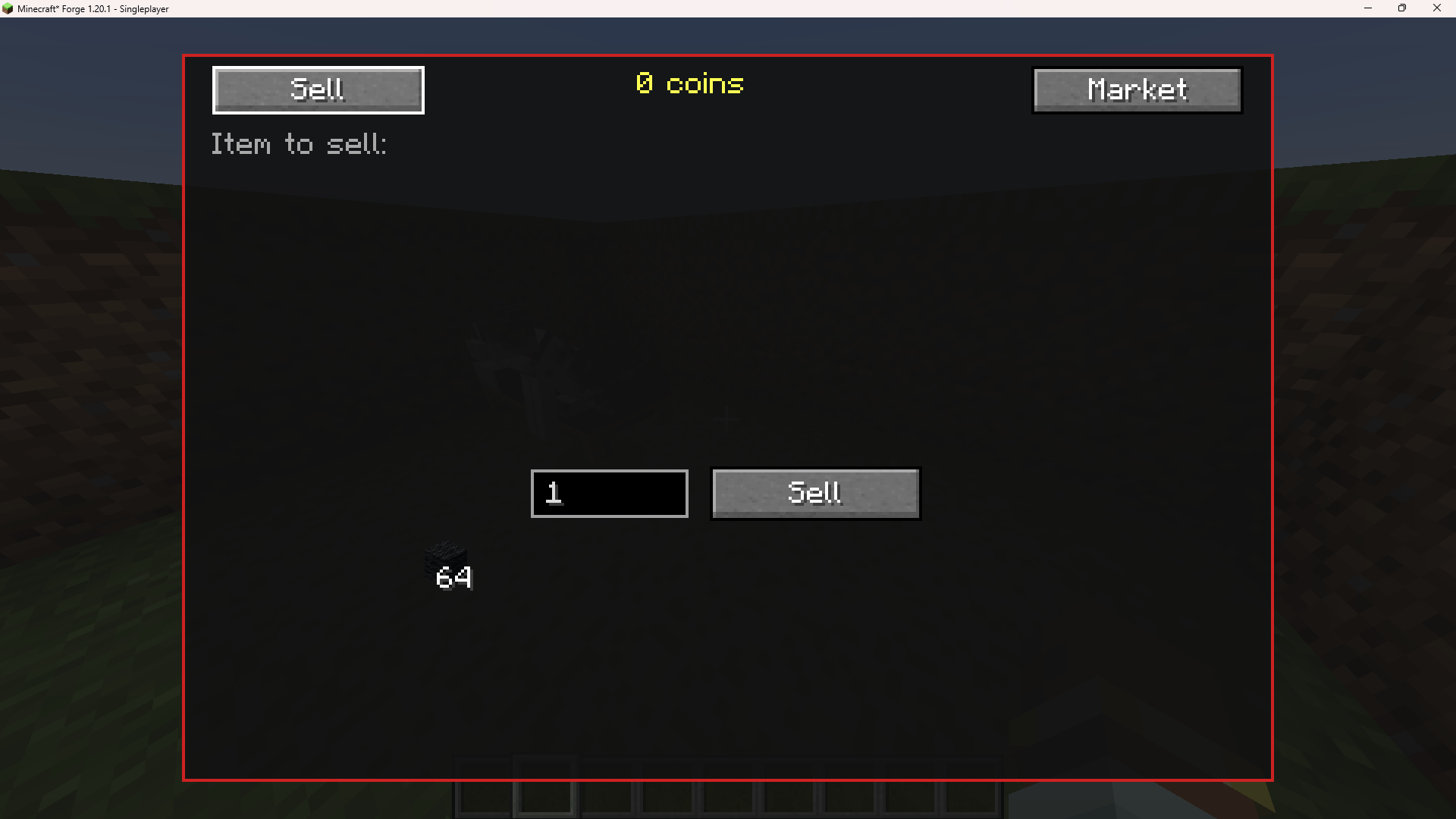
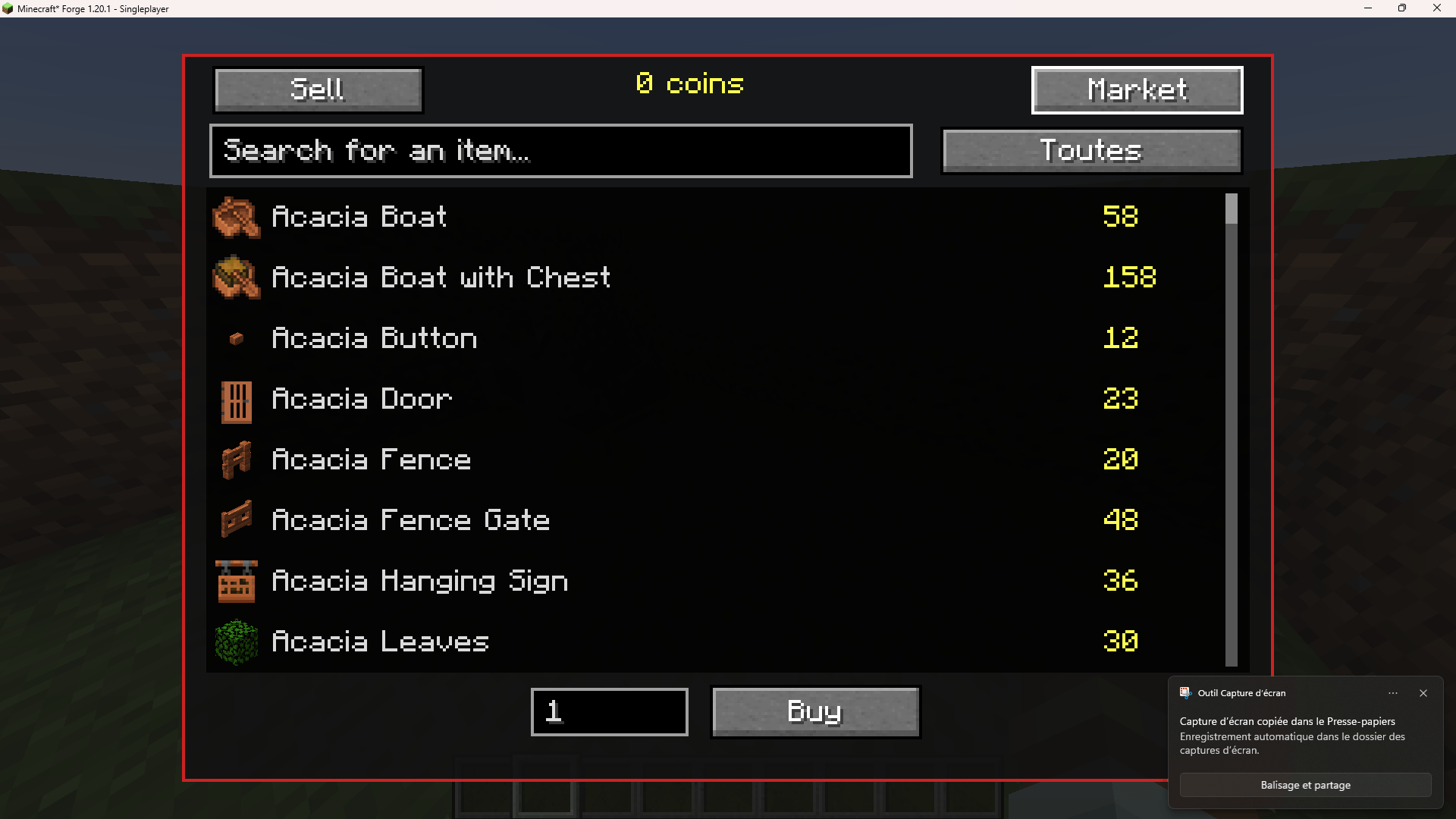
Economy / Market
A full in-game economy separate from vanilla:
- Sell tab: put an item in the slot, pick a quantity, sell for coins
- Market tab: searchable, categorized catalog of purchasable items with live prices; pick a quantity and Buy
- Coin balance is shown at the top at all times
Player RPG Skill System
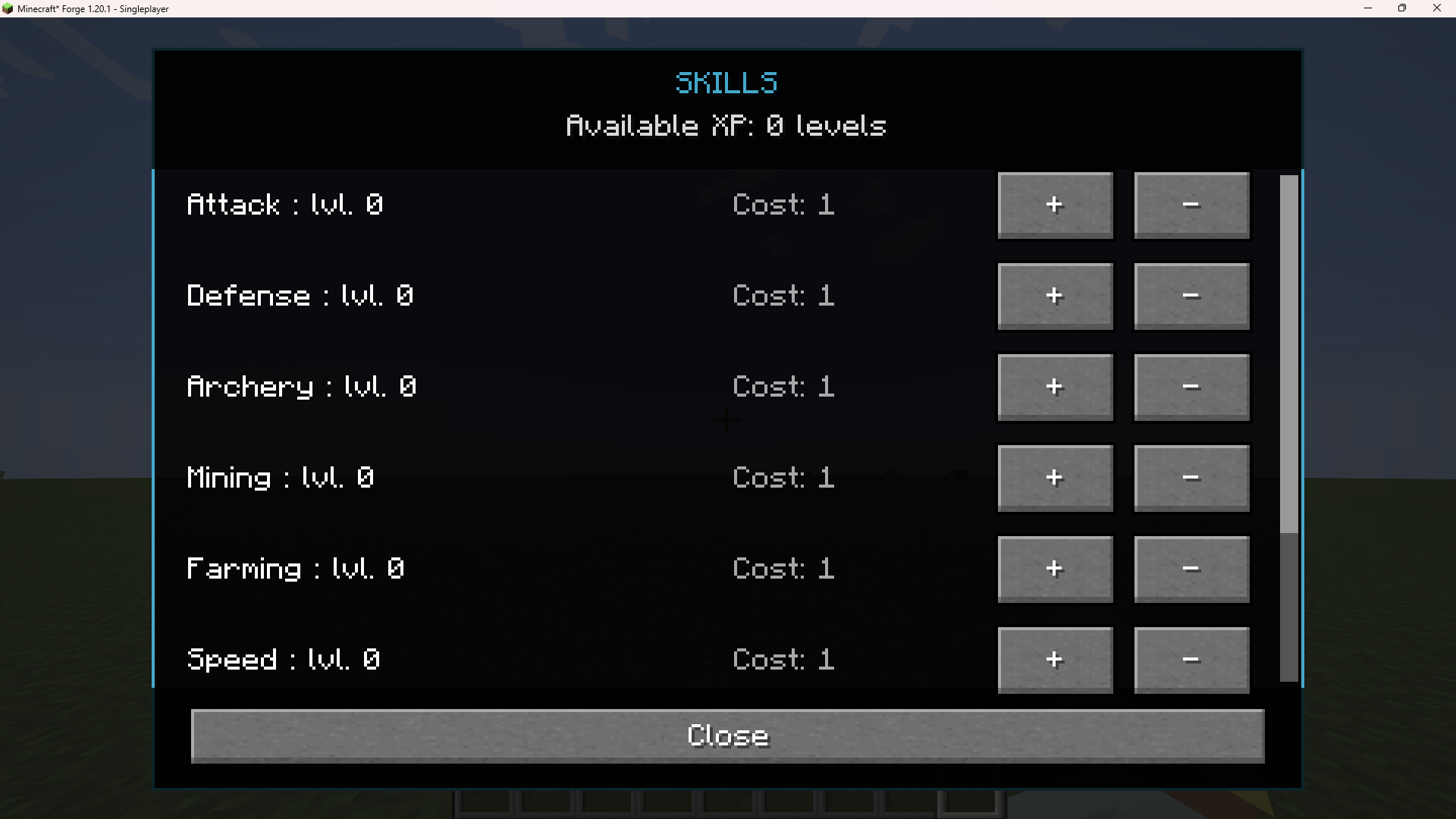
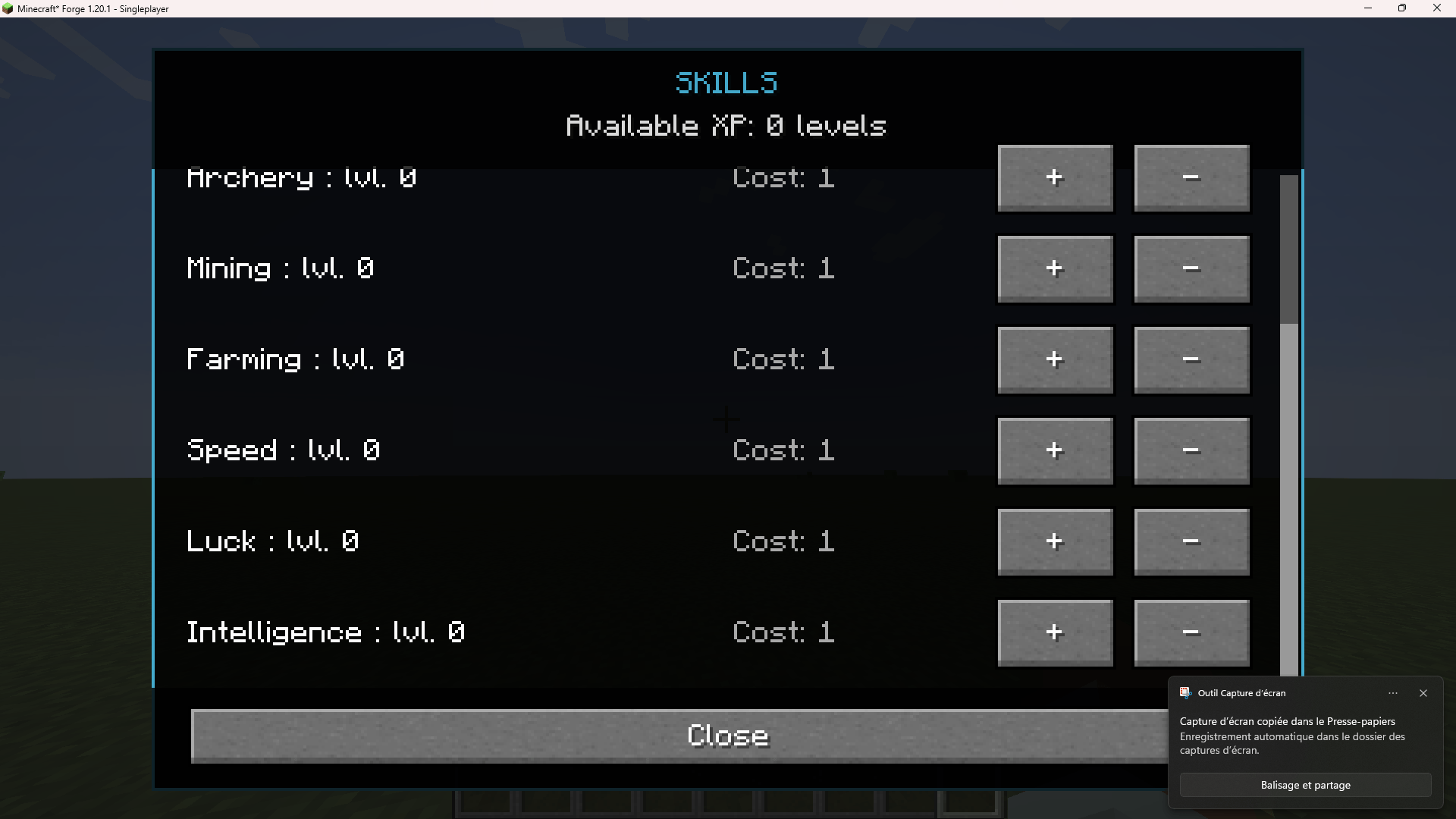
Eight skills, each upgraded by spending your vanilla XP levels (the same levels used at an enchanting table):
- Attack, Defense, Archery, Mining, Farming, Speed, Luck, Intelligence
Each level costs progressively more XP levels, and points can be refunded. Certain weapon/armor/bow tiers are gated behind Attack, Defense, and Archery skill levels — if your level is too low, the action is blocked (or the armor piece is automatically unequipped and dropped) until you level up enough.
Star Rating System
Select gear can carry a "star tier," giving it bonus attack damage, attack speed, armor, and toughness (shown directly in the item's tooltip), plus extra durability "lives" — a starred item that would normally break instead reforges itself at full durability, up to its number of lives, before finally breaking for good.
House Placement
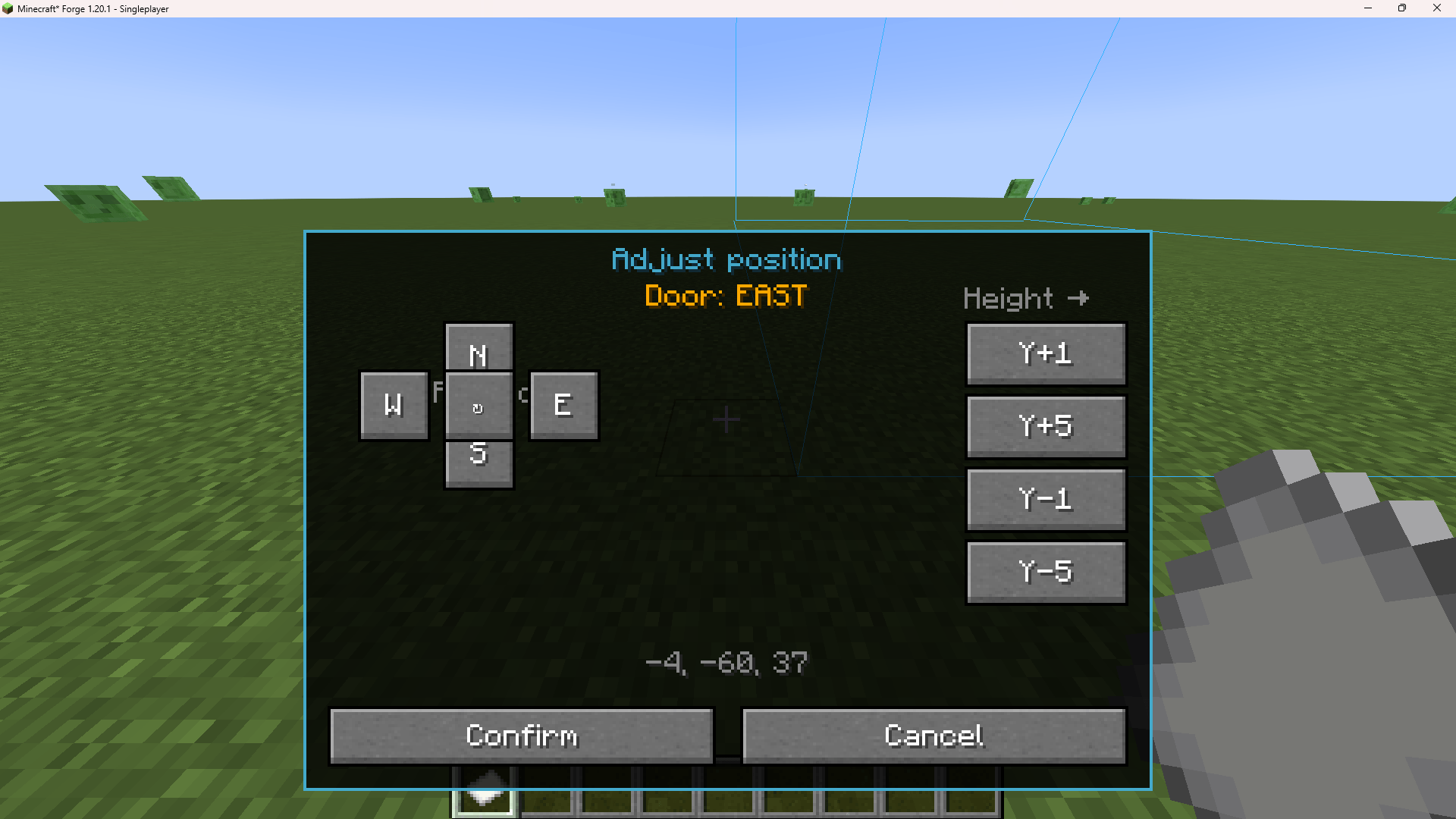
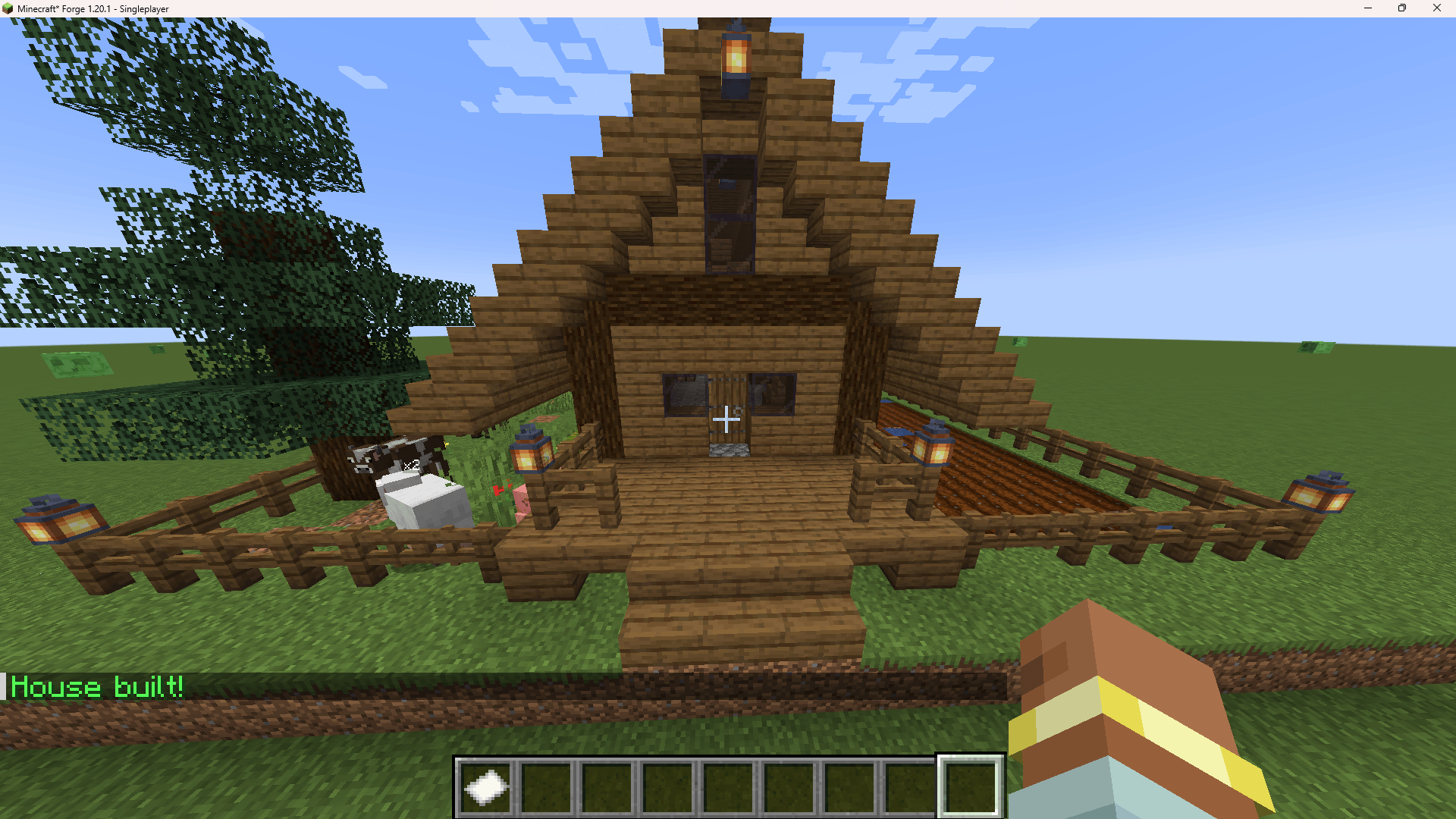
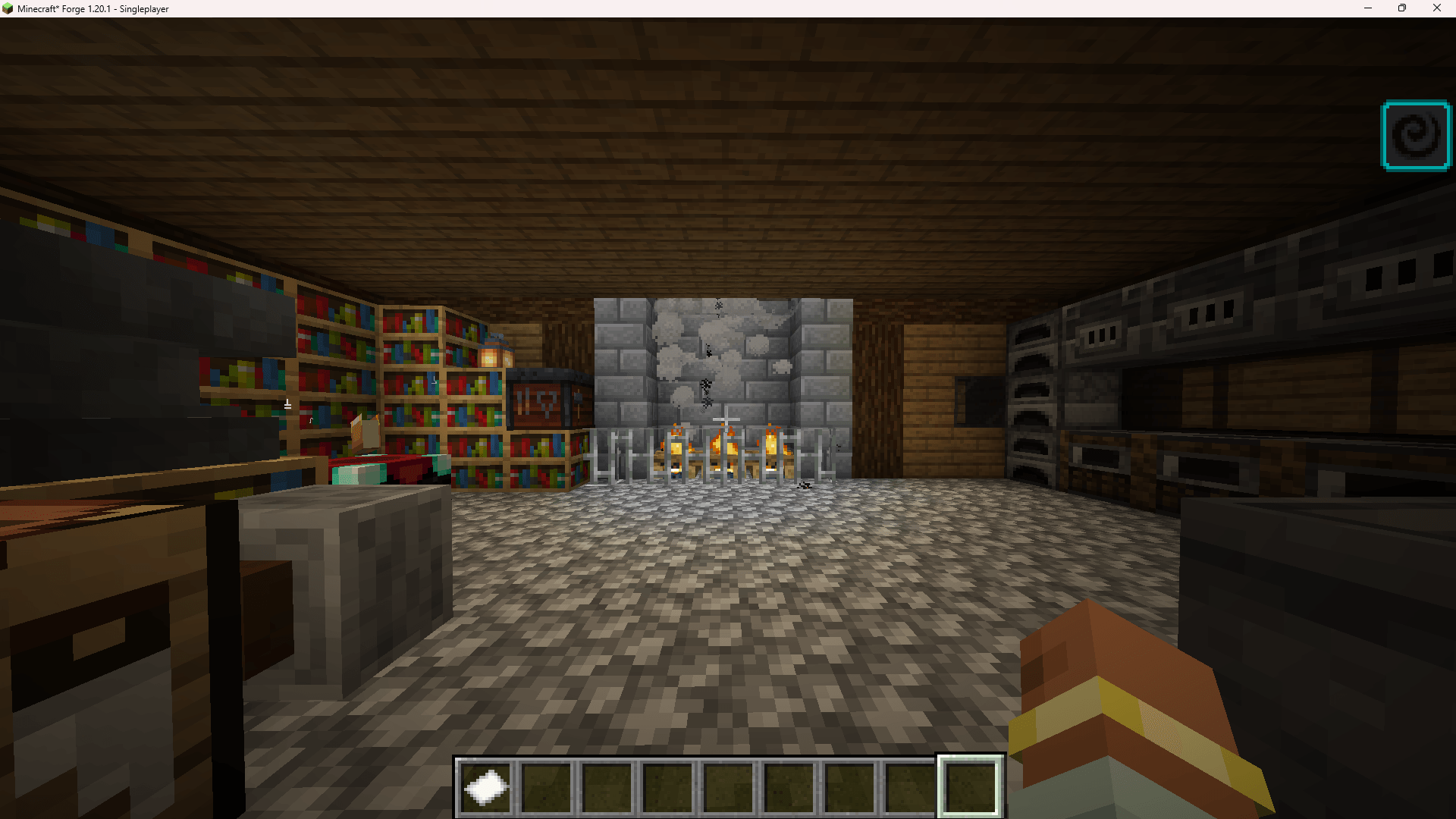
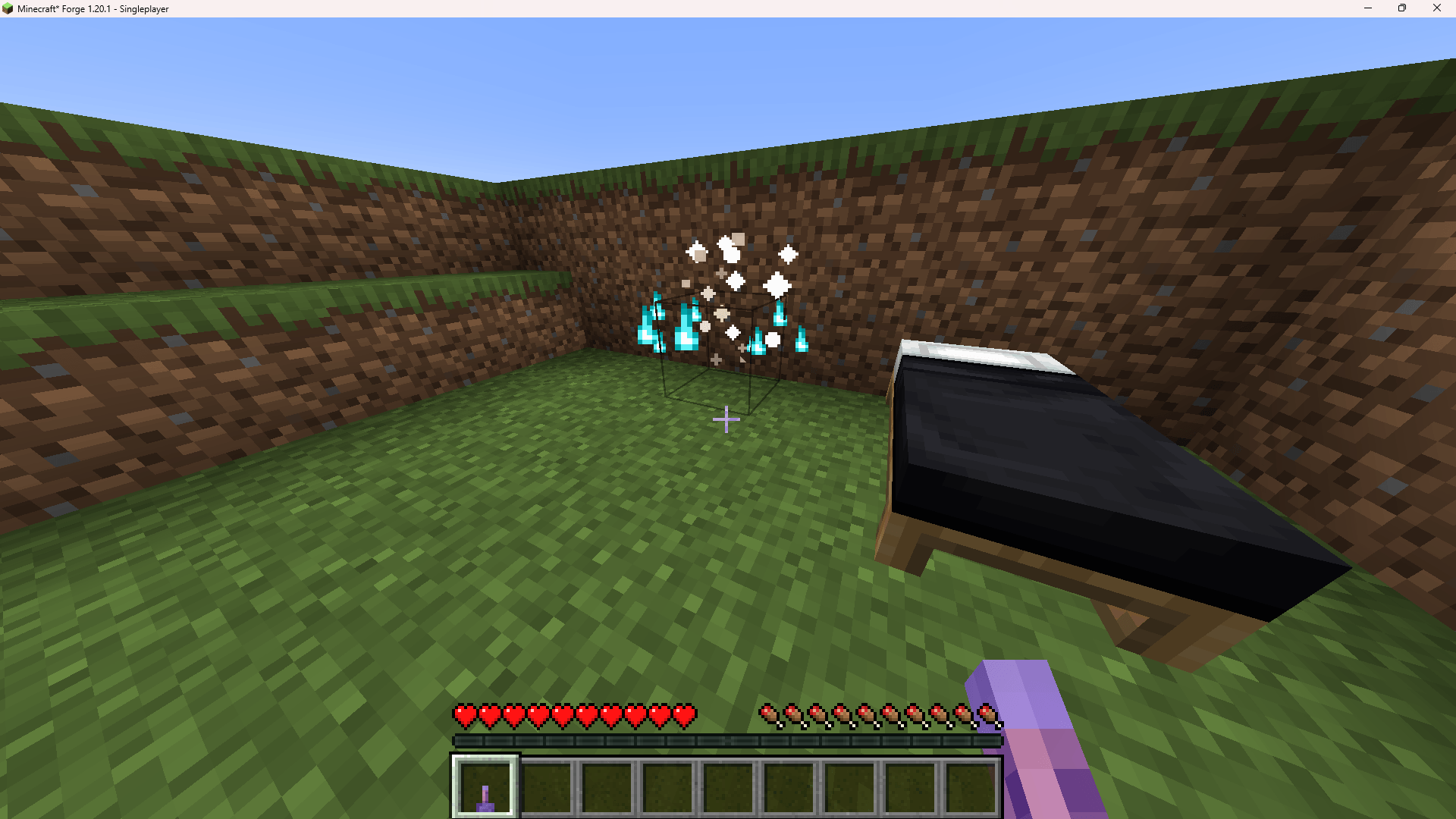
Place a full pre-built house instantly using a dedicated item: preview the structure with a wireframe outline, rotate it (N/S/E/W) and adjust its height before confirming. A "House built!" message confirms success.
Death Chest System
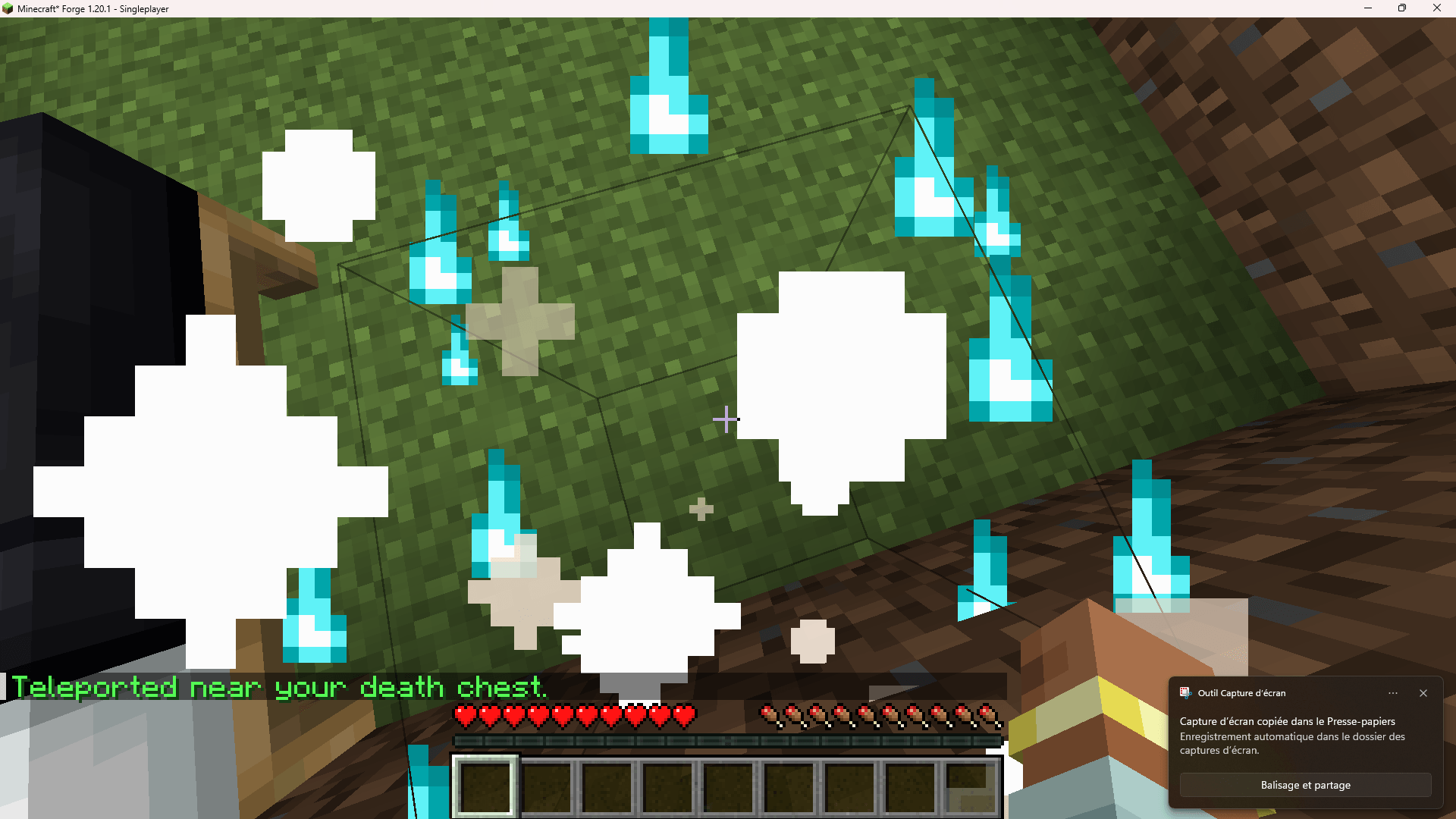
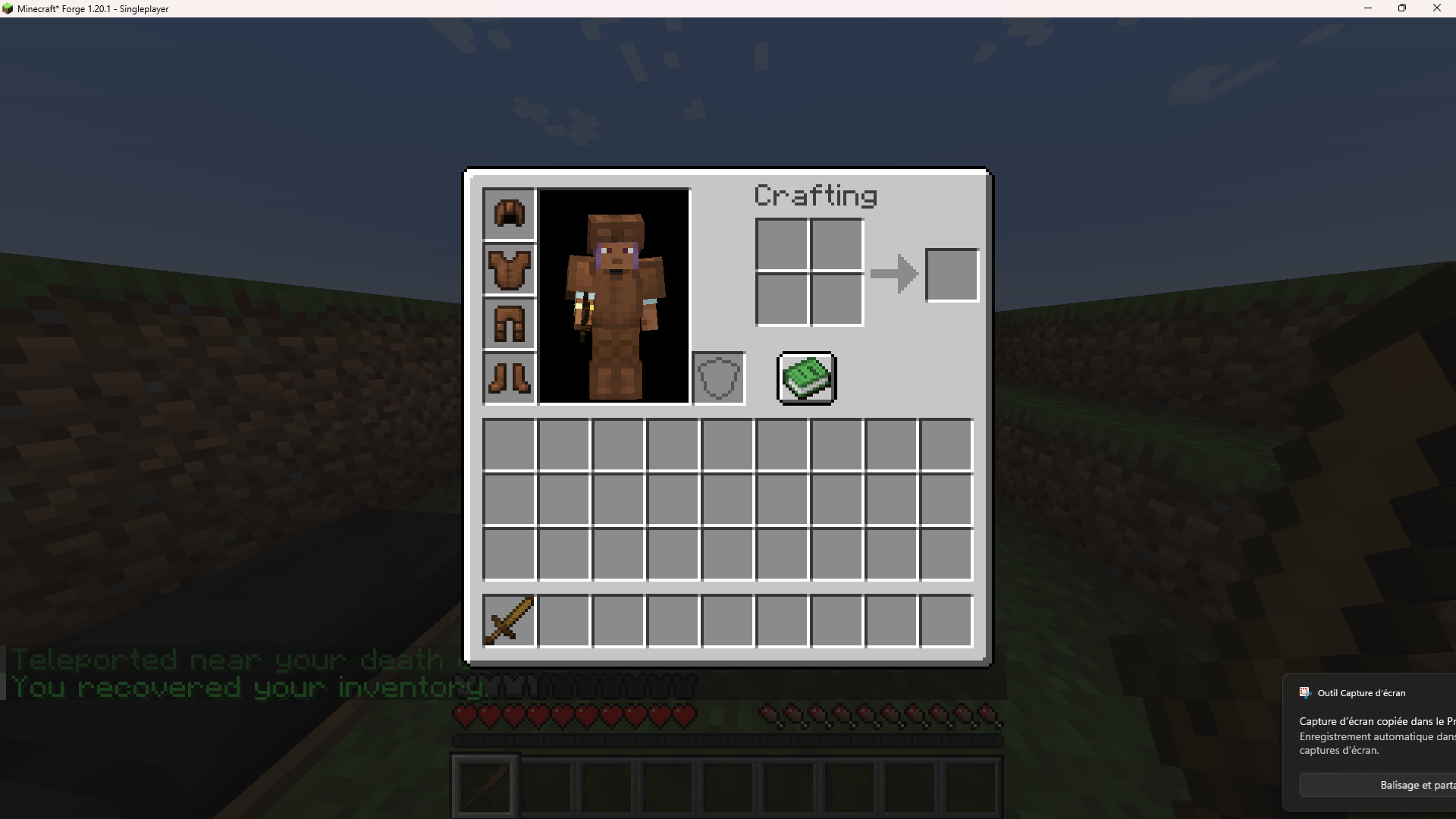
On death, your full inventory is safely stored in a dedicated chest at your death location instead of scattering on the ground. Interacting with the recovery item teleports you near your most recent death chest ("Teleported near your death chest") and lets you retrieve everything ("You recovered your inventory").
Cat Companion System
The mod's biggest feature: turn a normal tamed cat into a fully functional, controllable companion.
Getting started
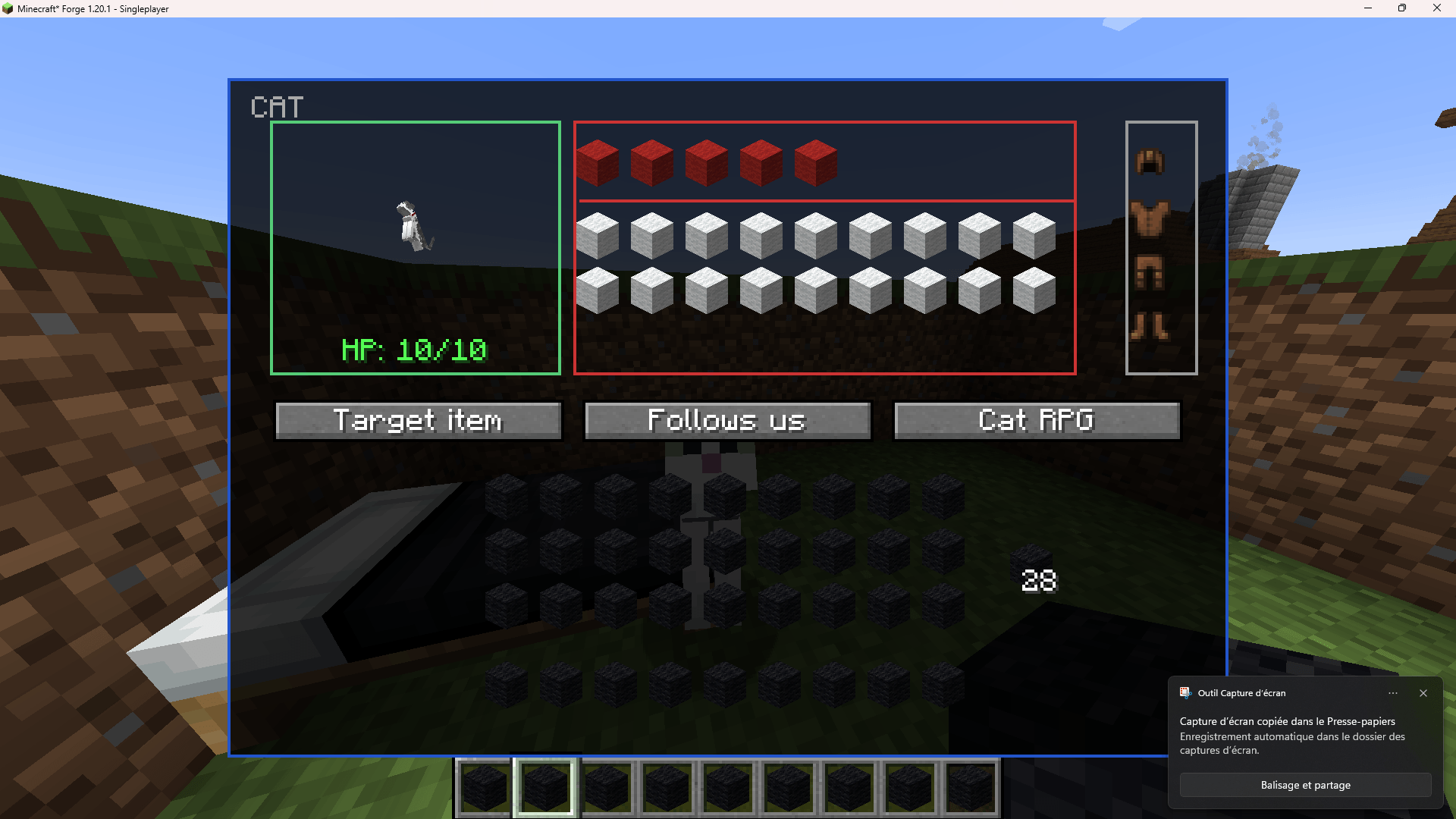
Tame a cat the normal vanilla way (raw fish), then Shift + Right-click it to open its dedicated interface.
The interface
- Top-left panel: a live render of the cat itself
- Top-right (red) panel: the cat's own inventory — a 5-slot hotbar (its "active items") plus 18 slots of extra storage below
- Armor column: 4 slots (helmet/chestplate/leggings/boots), restricted by armor type
- HP and equipped-tool durability are displayed live under the cat's render
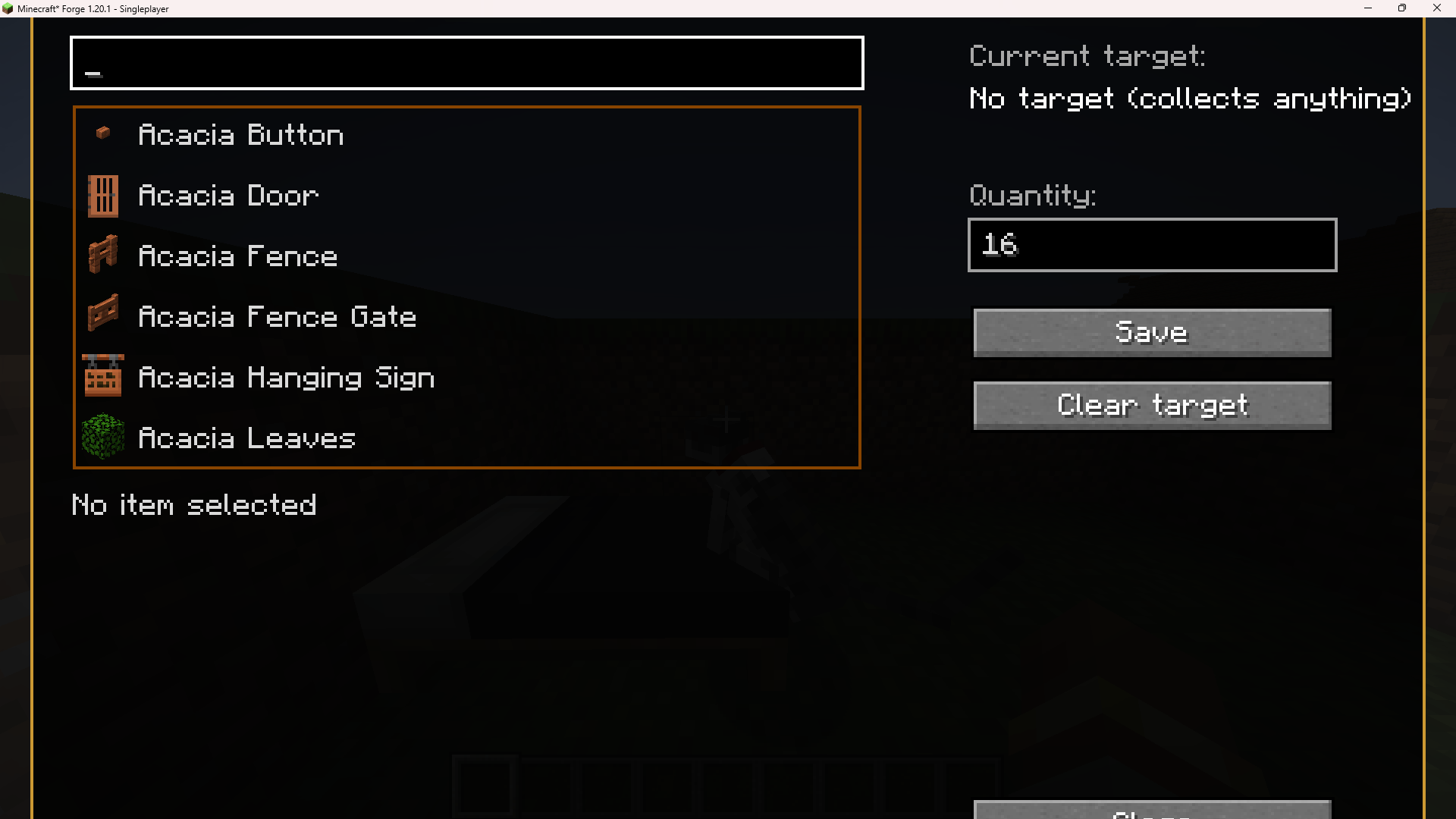
- Target item button — pick any block in the game (a searchable list covering vanilla and every installed mod's blocks, with recognized variants like ore tiers or color families automatically grouped together) and a quantity; the cat will then only ever go after that specific target while in a gathering mode
- Behavior mode button — cycles through the cat's current job
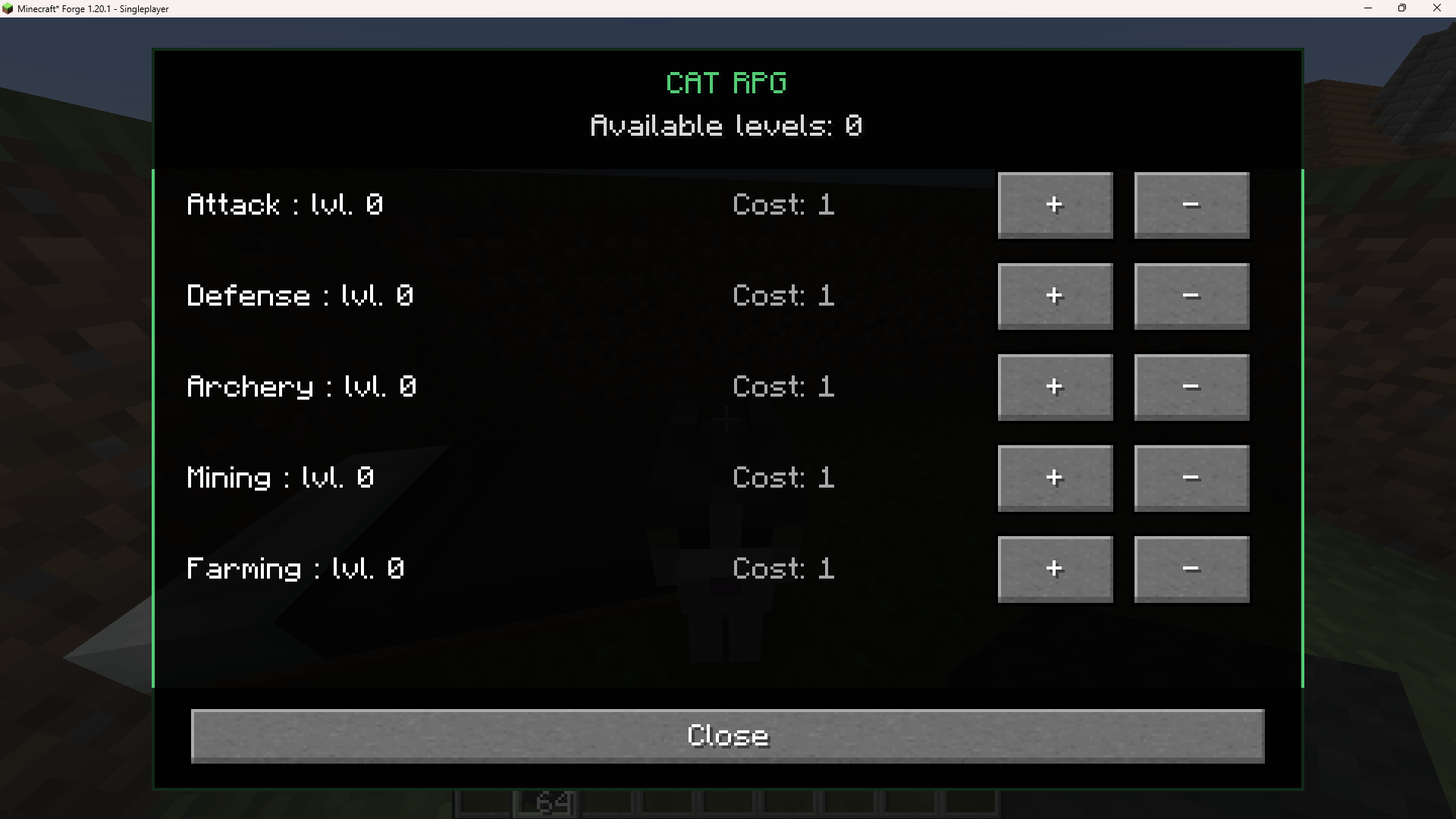
- Cat RPG button — opens the cat's own 5-skill sheet (Attack, Defense, Archery, Mining, Farming), paid for with your own vanilla XP levels, completely separate from your own player skills
Behavior modes
- Follow — simply stays near you, walking (never teleporting) if you move away
- Follow & Defend — also fights: melee with a sword (or bare-handed) if you're attacked or you attack something, or switches automatically to ranged combat if it's holding a bow/crossbow
- Mine — breaks blocks with whatever pickaxe, shovel, or axe it's holding (covers ore, stone, dirt/sand/gravel, and logs alike), tunnels through an unrelated block in the way if the chosen target is hidden behind it, and returns to following you once nothing is left to do
- Harvest — with a hoe equipped, harvests fully-grown crops (wheat, carrots, potatoes, beetroot) and automatically replants them, plus melons and pumpkins
- Fish — with a fishing rod equipped, positions itself near water and catches fish periodically
- Stay — sits in place and won't move
Important hotbar behavior
The cat automatically equips whichever tool in its 5-slot hotbar matches its current mode (a pickaxe while mining, a hoe while harvesting, and so on) — it can be in any of the 5 hotbar slots, not just the first one. Items placed in the 18-slot storage area are never auto-equipped — that space is purely for carrying extra loot. If a tool/weapon/armor piece is above the cat's current skill level, it gets ejected on the spot rather than silently failing.
Self-sufficiency
- Killing a mob sends its loot straight into the cat's inventory instead of dropping on the ground
- If hurt, the cat will automatically eat any food item from its own inventory to heal — unlike the player, it isn't restricted to golden apples/carrots, any food works
- If it can't do its current job (missing the right tool, quota already met, or nothing matching found nearby), it automatically falls back to following you rather than idling uselessly
Commands
| Command | Description |
|---|---|
/Lecaribou74 |
Opens the Admin Hub (Difficulty, X-Ray, Players) — restricted to the player "Lecaribou74" for now |
/market |
Opens the Market menu (browse and buy items with coins) |
/coin |
Opens the Sell menu (sell items for coins) |
/sellall |
Sells every matching item in your inventory at once |
/rpg |
Opens your player RPG skill sheet (Attack, Defense, Archery, Mining, Farming, Speed, Luck, Intelligence) |
/star |
Star rating system command (see Star Rating System above) |
/catlist |
Lists every companion cat known in the current world (owner, mode, level, last known position) — admin only |
/mauditforce |
Forces Cursed-mode difficulty settings — admin only |
/tpa <player> |
Sends a teleport request to another player |
/tpaccept |
Accepts a pending teleport request |
/tpdeny |
Declines a pending teleport request |
Quick summary for new players
- The mod works out of the box — Cursed-mode difficulty, the market, RPG skills, death chests, and the cat companion are all active by default.
- To fully control a companion cat: tame it, then Shift + Right-click it.
- The Admin Hub (
/Lecaribou74) is currently owner-only while it's being finished up — nothing else on this list is affected by that. - Everything is playable in English or French depending on your client's language setting.
Screenshots
Gallery
-
 Capture d'écran 2026-07-29 114521.png Capture d'écran 2026-07-29 114521.png
 -
 Capture d'écran 2026-07-29 114533.png Capture d'écran 2026-07-29 114533.png
 -
 Capture d'écran 2026-07-29 114543.png Capture d'écran 2026-07-29 114543.png
 -
 Capture d'écran 2026-07-29 114552.png Capture d'écran 2026-07-29 114552.png
 -
 Capture d'écran 2026-07-29 114810.png Capture d'écran 2026-07-29 114810.png
 -
 Capture d'écran 2026-07-29 114815.png Capture d'écran 2026-07-29 114815.png
 -
 Capture d'écran 2026-07-29 114823.png Capture d'écran 2026-07-29 114823.png
 -
 Capture d'écran 2026-07-29 115348.png Capture d'écran 2026-07-29 115348.png
 -
 Capture d'écran 2026-07-29 114608.png Capture d'écran 2026-07-29 114608.png
 -
 Capture d'écran 2026-07-29 114611.png Capture d'écran 2026-07-29 114611.png
 -
 Capture d'écran 2026-07-29 115258.png Capture d'écran 2026-07-29 115258.png
 -
 Capture d'écran 2026-07-29 115301.png Capture d'écran 2026-07-29 115301.png
 -
 Capture d'écran 2026-07-29 115011.png Capture d'écran 2026-07-29 115011.png
 -
 Capture d'écran 2026-07-29 115148.png Capture d'écran 2026-07-29 115148.png
 -
 Capture d'écran 2026-07-29 122620.png Capture d'écran 2026-07-29 122620.png
 -
 Capture d'écran 2026-07-29 115203.png Capture d'écran 2026-07-29 115203.png
 -
 Capture d'écran 2026-07-29 115210.png Capture d'écran 2026-07-29 115210.png
 -
 Capture d'écran 2026-07-29 115218.png Capture d'écran 2026-07-29 115218.png
 -
 Capture d'écran 2026-07-29 115221.png Capture d'écran 2026-07-29 115221.png
 -
 Capture d'écran 2026-07-29 115226.png Capture d'écran 2026-07-29 115226.png
Versions
Files
Relations
Project Relations
More like this
Similar Mods
Suggestions use data such as tags, dependencies, dependents, descriptions, titles, and more to rank how much they overlap with this mod.
On ModDex
Community snapshot
By the numbers
Statistics
Want to reach Minecraft players?
We're looking for a server hosting partner to feature here and other parts of the site. Interested? Send us a message!
Get in touchGet it on
Available Platforms
On ModDex
Community snapshot
By the numbers
Statistics
Resources