Community listing page, reviews here may not be monitored by the author.
Castia Inventory Tools


No reviews yet
This mod will adds some new features for your Castia experience
Community voices
Reviews
No reviews yet. Be the first to review this project!
Get it on
Available Platforms
Compatibility
Supported Environments
Runs entirely on the client. Works on vanilla servers.
About
Project Details
For authors
Embed Badge
If you're the author of this project, you can embed a live badge anywhere that supports HTML or Markdown. It updates automatically whenever ratings change.
Use HTML for any page that supports it, or Markdown for README files and Markdown-based descriptions.
Identifiers
Platform IDs
Resources
External Links
About
Description
A companion mod for CastiaMC players. Enhances your gameplay with inventory shortcuts, item tier highlighting, job earnings tracking, and more. Works on Forge, Fabric, and NeoForge.
▎ This mod is designed exclusively for the https://castiamc.com server. Features activate automatically when you connect.
Features
Item Tier Highlighting
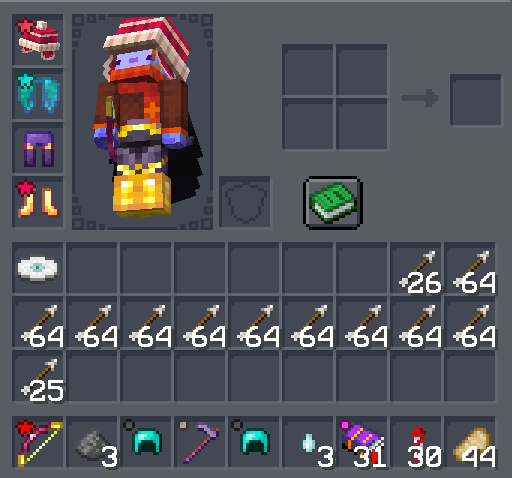
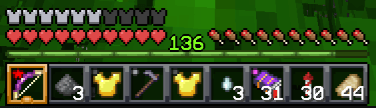
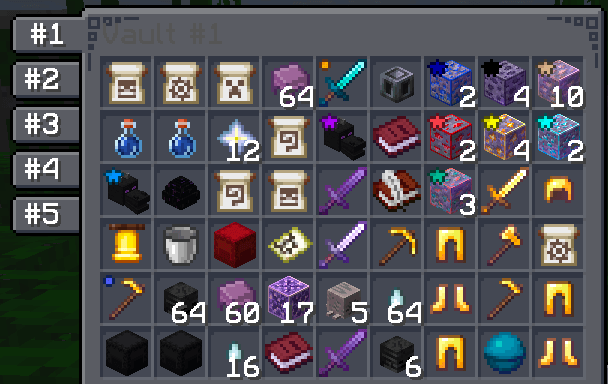
See item rarity at a glance! Colored tier icons appear on items in your hotbar, inventory, and containers — including inside InventoryHUD+ if you have it installed.
Each tier can be individually toggled on or off.
Quick Container Navigation
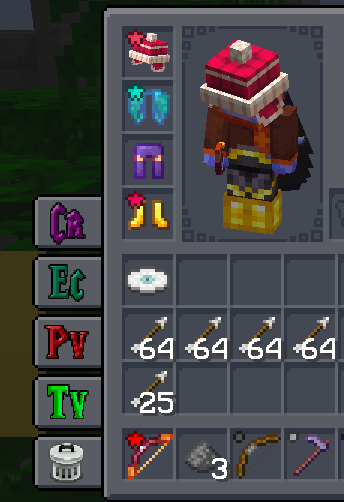
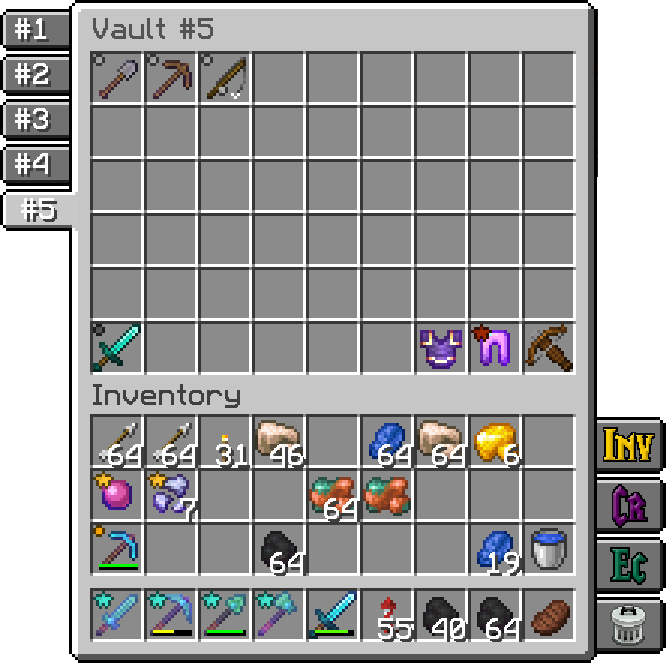
Access your most-used containers with one click. Buttons appear on the side of your inventory and container screens:
- Inventory · Crafting Table · Ender Chest · Trash
- Player Vaults — browse up to 6 vaults with paginated numbered buttons
- Town Vaults — same paginated navigation for town storage
Each button can be toggled individually. Choose whether buttons appear only on your inventory, on all container screens, or hidden entirely.
Homes GUI
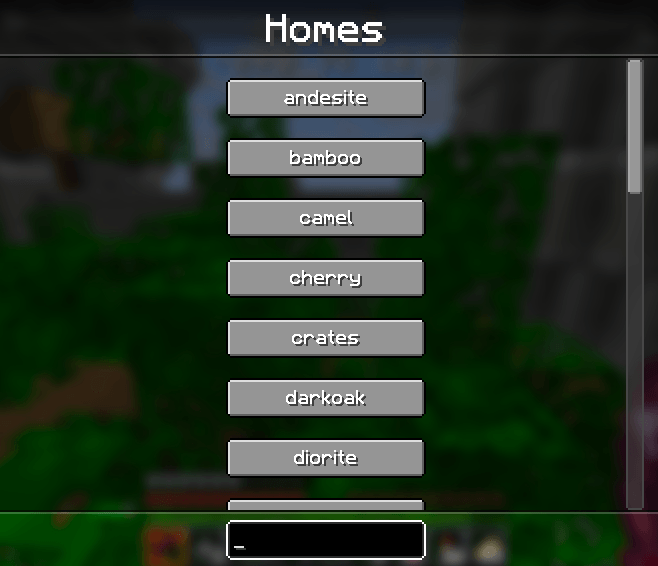
Press Y to open a searchable list of all your homes. Click any home to teleport instantly. Start typing to filter — press Enter to jump to the first match. Results are cached so reopening is instant.
Job Earnings Tracker
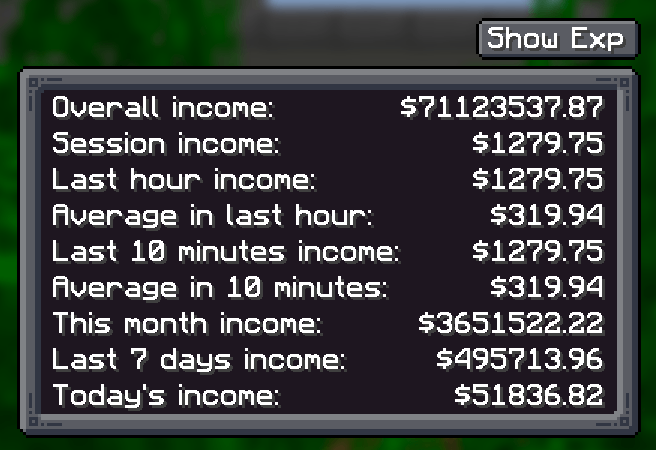
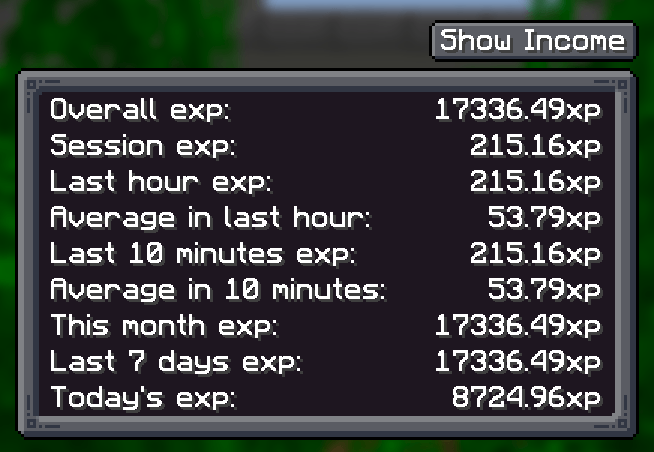
Press J to see how much you've earned. Tracks both money and experience across multiple time windows:
- Last hour · Last N minutes (configurable) · Session · Daily · Weekly · Monthly · Overall
Income message display is configurable — show in chat, action bar, or hide completely.
Emoji Buttons
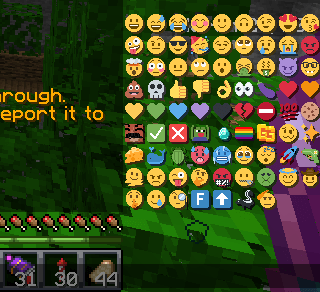
A compact grid of 48+ server emojis appears in the chat screen. Click to insert into your message, Shift+click to send immediately. Toggle on/off in settings.
Sound Controls
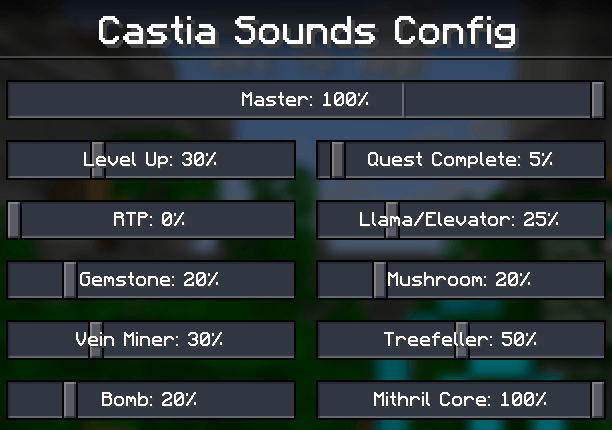
Fine-tune the volume of individual server sounds — Level Up, Quest Complete, RTP, Vein Miner, Treefeller, Gemstone, Bomb, Mithril Core, and more. Each has its own slider, plus a master volume control.
Command Keybindings
Quick keys for common server commands:
C- /craftR- /ec (ender chest)H- /h homeB- /backJ- Job Earnings sreenY- Homes GUIX- Toggle scoreboard sidebar[- Open config screenNumpad 0- Last opened Player VaultNumpad .- Last opened Town Vault(unbound)- /trash, /condense
All keybindings are fully rebindable in Minecraft's controls menu.
InventoryHUD+ Integration
If you use InventoryHUD+ mod, tier icons are rendered directly on its HUD display — supporting vertical, horizontal, and mini layouts.
Configuration
Press [ to open the config screen where you can customize:
- Which container buttons are visible
- Tier icon visibility (per tier)
- Emoji buttons on/off
- Job tracking time window and message routing
- Vault counts
- Server sound volumes
- Button placement mode
Made for the Castia community.
A companion mod for CastiaMC players. Enhances your gameplay with inventory shortcuts, item tier highlighting, job earnings tracking, and more. Works on Forge, Fabric, and NeoForge.
This mod is designed exclusively for the https://castiamc.com server. Features activate automatically when you connect.
Features
Item Tier Highlighting
See item rarity at a glance! Colored tier icons appear on items in your hotbar, inventory, and containers — including inside InventoryHUD+ if you have it installed.
Each tier can be individually toggled on or off.


Quick Container Navigation
Access your most-used containers with one click. Buttons appear on the side of your inventory and container screens:
- Inventory · Crafting Table · Ender Chest · Trash
- Player Vaults — browse up to 6 vaults with paginated numbered buttons
- Town Vaults — same paginated navigation for town storage
Each button can be toggled individually. Choose whether buttons appear only on your inventory, on all container screens, or hidden entirely.


Homes GUI
Press Y to open a searchable list of all your homes. Click any home to teleport instantly. Start typing to filter — press Enter to jump to the first match. Results are cached so reopening is instant.

Job Earnings Tracker
Press J to see how much you've earned. Tracks both money and experience across multiple time windows:
- Last hour · Last N minutes (configurable) · Session · Daily · Weekly · Monthly · Overall
Income message display is configurable — show in chat, action bar, or hide completely.


Emoji Buttons
A compact grid of 48+ server emojis appears in the chat screen. Click to insert into your message, Shift+click to send immediately. Toggle on/off in settings.

Sound Controls
Fine-tune the volume of individual server sounds — Level Up, Quest Complete, RTP, Vein Miner, Treefeller, Gemstone, Bomb, Mithril Core, and more. Each has its own slider, plus a master volume control.

Command Keybindings
Quick keys for common server commands:
C- /craftR- /ec (ender chest)H- /h homeB- /backJ- Job Earnings sreenY- Homes GUIX- Toggle scoreboard sidebar[- Open config screenNumpad 0- Last opened Player VaultNumpad .- Last opened Town Vault(unbound)- /trash, /condense
All keybindings are fully rebindable in Minecraft's controls menu.
InventoryHUD+ Integration
If you use InventoryHUD+ mod, tier icons are rendered directly on its HUD display — supporting vertical, horizontal, and mini layouts.
Configuration
undefinedPress [ to open the config screen where you can customize:
- Which container buttons are visible
- Tier icon visibility (per tier)
- Emoji buttons on/off
- Job tracking time window and message routing
- Vault counts
- Server sound volumes
- Button placement mode
Made for the Castia community.
Screenshots
Gallery
-
 preview
-
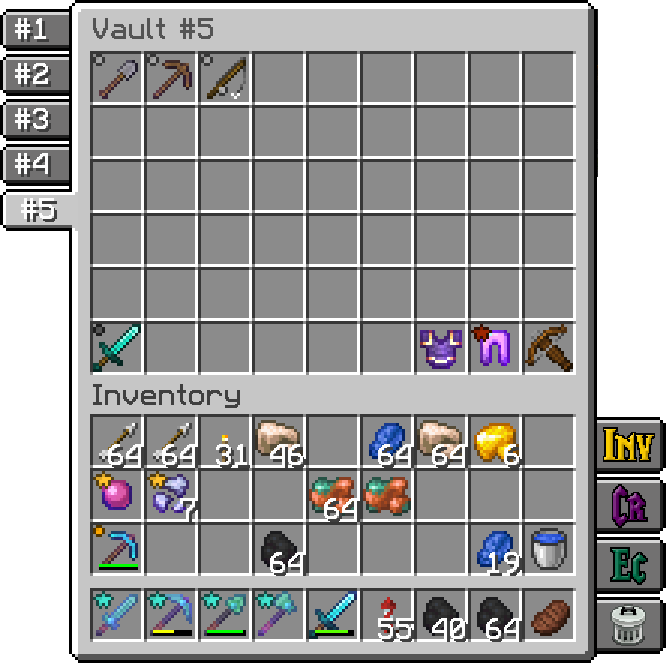 Mod preview most of mod features
Versions
Files
Relations
Project Relations
More like this
Similar Mods
Suggestions use data such as tags, dependencies, dependents, descriptions, titles, and more to rank how much they overlap with this mod.
On ModDex
Community snapshot
By the numbers
Statistics
Want to reach Minecraft players?
We're looking for a server hosting partner to feature here and other parts of the site. Interested? Send us a message!
Get in touchGet it on
Available Platforms
On ModDex
Community snapshot
By the numbers
Statistics
Resources