
Catify
No reviews yet
A client-side mod that changes your player model to a cat! Purely visual.
Fabric is a mod loader for versions 1.14+ of Minecraft, particularly popular for client side and optimization mods.
Community voices
Reviews
Click once to include, again to exclude, again to clear
No reviews yet. Be the first to review this project!
Get it on
Available Platforms
 Modrinth
Compatibility
Supported Environments
About
Project Details
For authors
Embed Badge
If you're the author of this project, you can embed a live badge anywhere that supports HTML or Markdown. It updates automatically whenever ratings change.
Use HTML for any page that supports it, or Markdown for README files and Markdown-based descriptions.
Identifiers
Platform IDs
About
Description
Catify Mod
This is a purely client-side mod that turns your player model into a cat!
It only changes your model visually and doesn't affect any interactions or physics.

Cat Variant
You can choose any cat skin. That's 11 vanila skins + any amount of custom skins.
Just run /catvariant <name> to change the cat skin!

Custom Skins Supported!
To add an own skin, go to your minecraft folder, then data/catify_custom/custom_cat_skins, put a texture there and it will now automatically appear in the list!
You can find example textutes in an example folder nearby.

Cat Hand
You can make it so your hand in 1st person has a cat hand skin!
This is togglable with /cathand <optional on/of>

Custom skins can have a custom cat hand too!
For that, place the required player skin texture in
data/catify_custom/custom_cat_hands and name it the exact same name as the custom cat skin earlier (custom cat hand requires a custom cat skin, but you can take both from the example folder nearby.
Invisibility Behavior
Because YOU CAN'T see ARMOR on the cat, it can be disorienting in 3rd person, when your player is invisible.
You have 3 options to chose from what you want it to behave like:
/catinvisibility <never/vanilla/charged>:

Never- your cat model will never go invisibleVanilla- your cat gets invisible if the player does soCharged- you see an effect similar to charged creeper's glow instead of the cat to indicate where it is technically invisible
Also, since you don't see your armor, it's recommended to use some "armor hud" mod with this for better competitive experience.
Damage Indication
You can toggle whether to show the damage on the cat with this command:
/catdamage <optional on/of>
Cat Mode Switch
You can always fully disable the mod's functionality with one single command:
/catmode <optional on/of>, so you can quickly fully disable the cat mode if needed.

This will toggle the cat hand too, so it's a completely global switch.
Configuring Affected Menus
You can use a keybind to whitelist or unwhitelist a menu (screen) you have opened right now to either replace the player with a cat there or not.

Usage on Servers
This mod is completely fine for using on a server.
This mod does NOTHING that can change the physics or interactions: you're still always 2 blocks tall and your eye position is normal.

The cat technically doesn't exist in the world, it is only manually stored in memory and is just rendered instead of the player.
There should be no chance a server anticheat can notice a difference, so it's completely fine to use. It's purely cosmetic.
Notes
- All settings that you change with commands are saved between sessions, including cat skin, cat hand, cat mode.
Known Incompatibilities
- FreshAnimations resource pack (no solution found)
Versions
Fabric:
- 1.21.2 - 1.21.11
Actively supported versions currently are: 1.21.6 - 1.21.11
Version Differences:
- Versions from range 1.21.2 - 1.21.4 are way less tested than usual
- Released marked as "V1.0.0" don't have damage indication
- "Charge" invisibility mode doesn't show up in the inventory in 1.21.6 - 1.21.8, only in 3rd person.
- Menu Whitelists and fire being displayed are only in V1.0.2+
Screenshots
Gallery
-
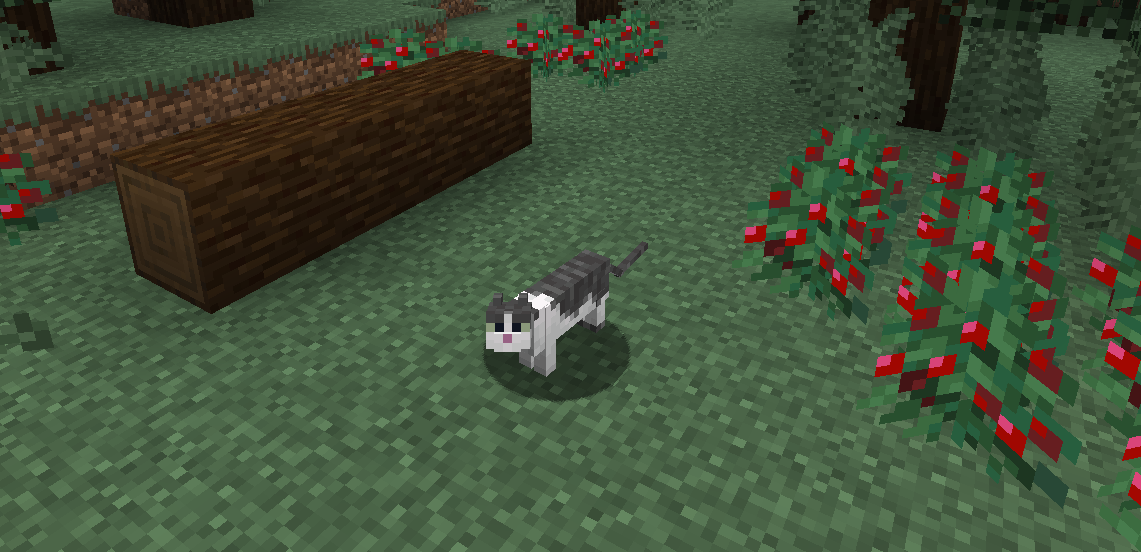 Be a Cat! Replace your player model with a cat! You can choose any skin you want.
 -
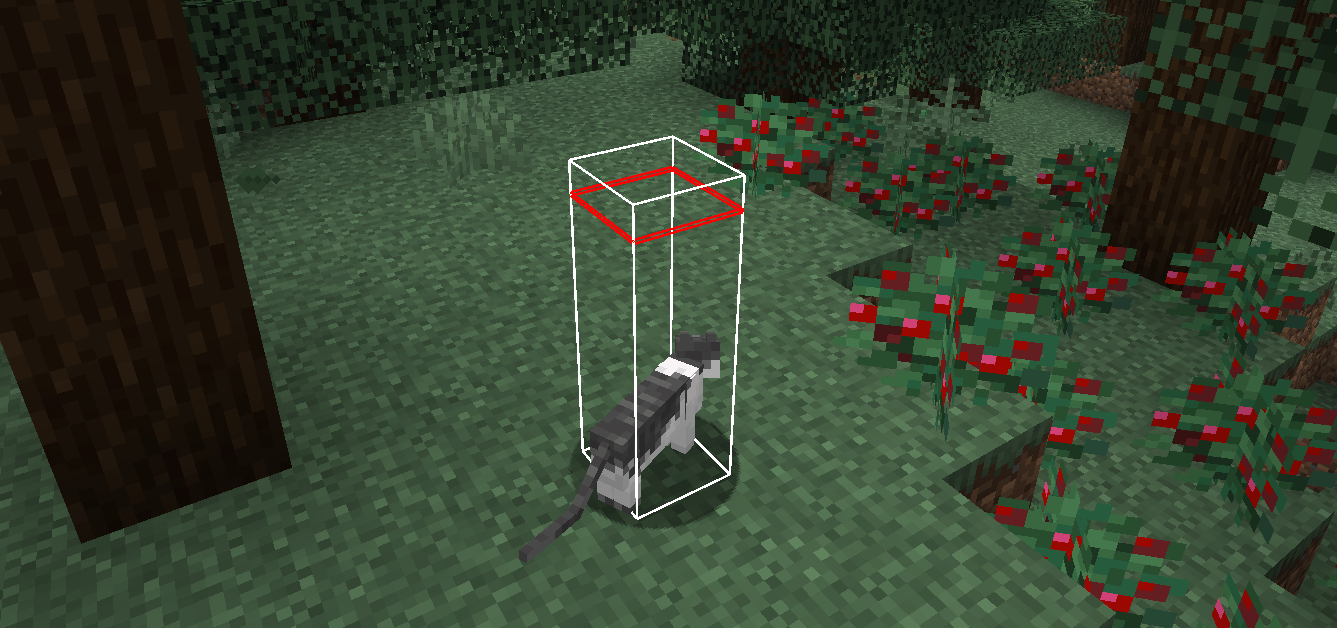 You have the same hitbox, PURELY VISUAL changes
 -
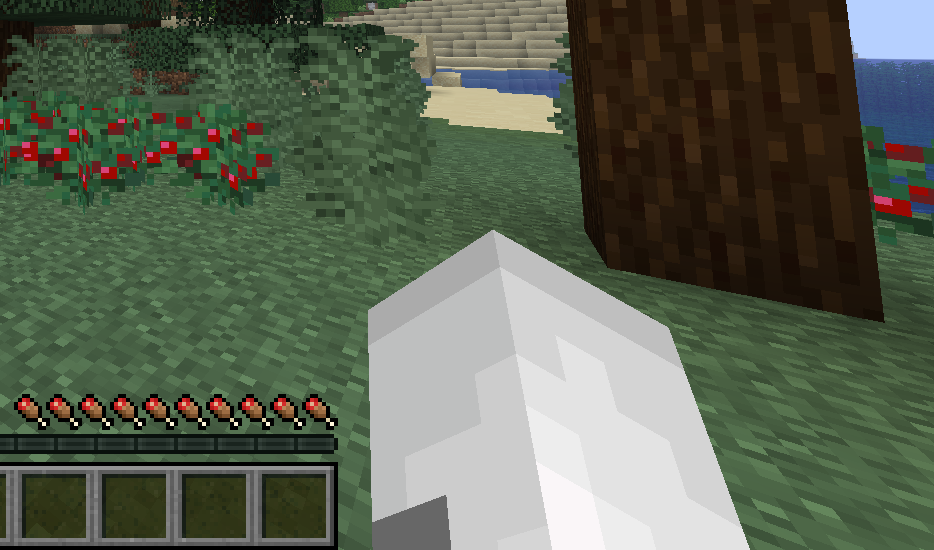 Cat Hand! :D You can make your hand look like a selected cat's hand!
 -
 Skin Selection Select any default or custom cat skin!
 -
 Custom Skin Selection The mod automatically detects custom skins in your /data/catify folder
 -
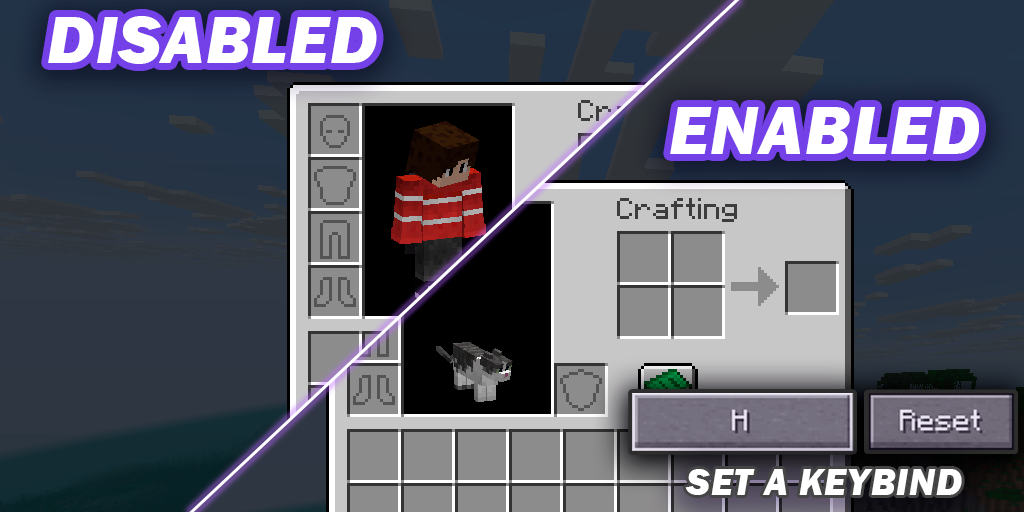 Toggle Menus Toggle Specific Menus with a Keybind
Versions
Files
Relations
Project Relations
More like this
Similar Mods
Suggestions use data such as tags, dependencies, dependents, descriptions, titles, and more to rank how much they overlap with this mod.
On ModDex
Community snapshot
By the numbers
Statistics

Want to reach Minecraft players?
We're looking for a server hosting partner to feature here and other parts of the site. Interested? Send us a message!
Get in touchGet it on
Available Platforms
On ModDex
Community snapshot
By the numbers