
Community listing page, reviews here may not be monitored by the author.
Caverooms

No reviews yet
This project adds the Backrooms to Minecraft rd-132211 and rd-132328.
Community voices
Reviews
No reviews yet. Be the first to review this project!
Get it on
Available Platforms
Compatibility
Supported Environments
Runs entirely on the client. Works on vanilla servers.
About
Project Details
For authors
Embed Badge
If you're the author of this project, you can embed a live badge anywhere that supports HTML or Markdown. It updates automatically whenever ratings change.
Use HTML for any page that supports it, or Markdown for README files and Markdown-based descriptions.
Identifiers
Platform IDs
Resources
External Links
About
Description
The Caverooms
About
This mod adds the Backrooms to ancient Minecraft versions. You can enter the Backrooms by digging down, at some point, you'll fall right into them.
Compatibility
This mod was originally created for rd-132211, but it also works on rd-132328.
Installion
The mod is distributed as a ZIP file. To install it using Betacraft:
- Install Betacraft,
- Launch either: rd-132211 (pc-132011) rd-132328 (pc-132128)
- Open your Betacraft versions folder: Documents/.betacraft/versions or AppData/Roaming/.betacraft/versions
- Locate the version's .jar file and open it as a ZIP archive (rename it to .zip from .jar if you have file extensions enabled and open via windows file explorer or use WinRar)
- Delete the META-INF folder
- Copy all files from caverooms.zip into the archive and overwrite
- When re-zipping, make sure you don’t zip the folder itself. Instead, open the extracted folder and select the contents inside it (com/ and terrain.png), then compress those files directly into a ZIP.
- Once done, launch the game.
To install it using Prism Launcher:
- Install Prism
- Create a new instance and select the rd-132211 game version,
- Go and edit the instance and under version, click 'Add to minecraft.jar', select the zip file
- And launch the game.
Community
If you want to discuss the mod, report issues, or suggest ideas, you can join my discord.
Screenshots
Gallery
-
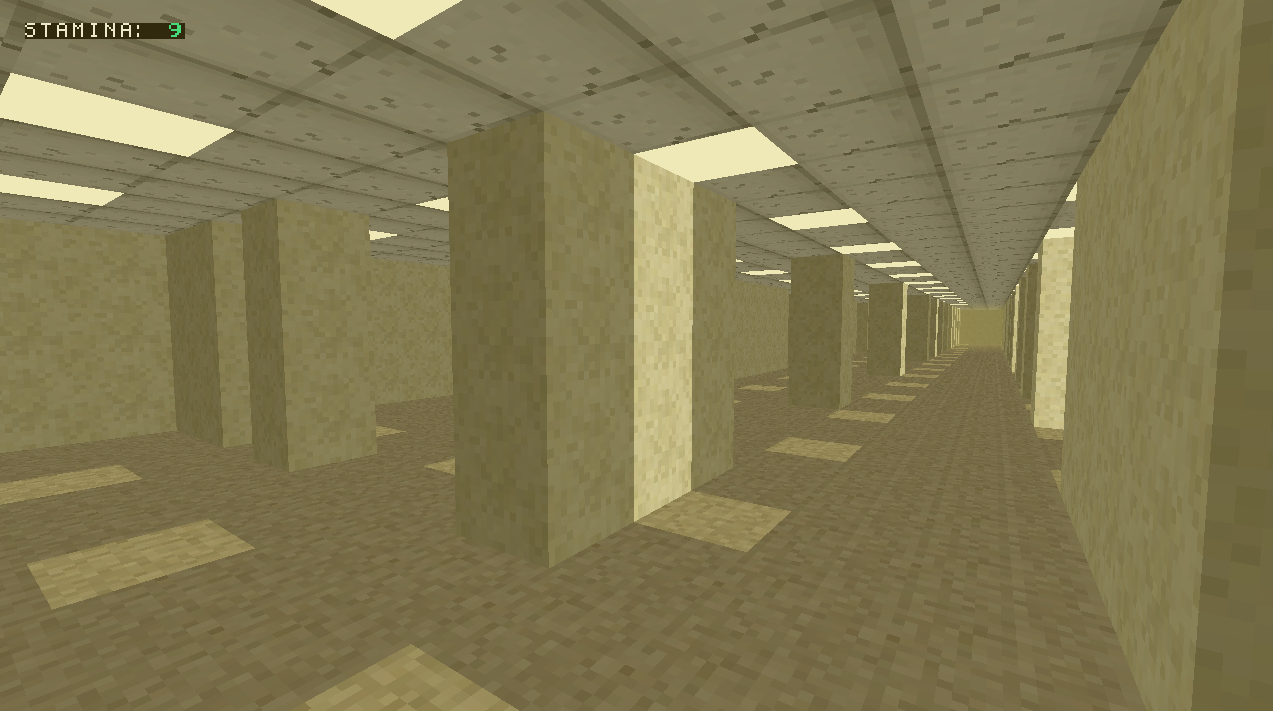 Beta 2 example
 -
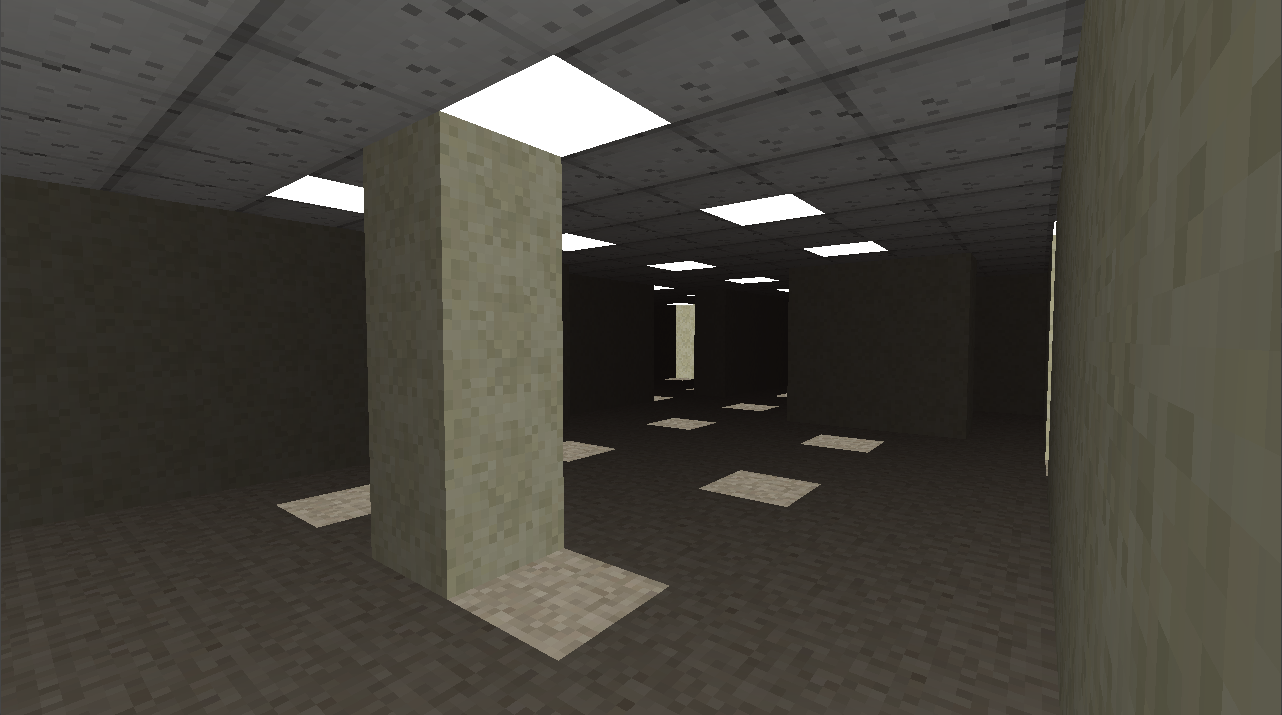 Backrooms but it's rd-132211
Versions
Files
Relations
Project Relations
More like this
Similar Mods
Suggestions use data such as tags, dependencies, dependents, descriptions, titles, and more to rank how much they overlap with this mod.
On ModDex
Community snapshot
By the numbers
Statistics

Want to reach Minecraft players?
We're looking for a server hosting partner to feature here and other parts of the site. Interested? Send us a message!
Get in touchGet it on
Available Platforms
On ModDex
Community snapshot
By the numbers
Statistics
Resources