Community listing page, reviews here may not be monitored by the author.
CB Toolkit

No reviews yet
Toolkit for command blocks : Notes, Tags, Coordinates converter, overlay and more.

Community voices
Reviews
No reviews yet. Be the first to review this project!
Get it on
Available Platforms
Compatibility
Supported Environments
Runs entirely on the client. Works on vanilla servers.
About
Project Details
For authors
Embed Badge
If you're the author of this project, you can embed a live badge anywhere that supports HTML or Markdown. It updates automatically whenever ratings change.
Use HTML for any page that supports it, or Markdown for README files and Markdown-based descriptions.
Identifiers
Platform IDs
Resources
External Links
About
Description
 A client-side toolbox built for command block users. Annotate, tag, and navigate your command block builds without endless right-clicking through the vanilla edit screen.
Features
Radial Menu
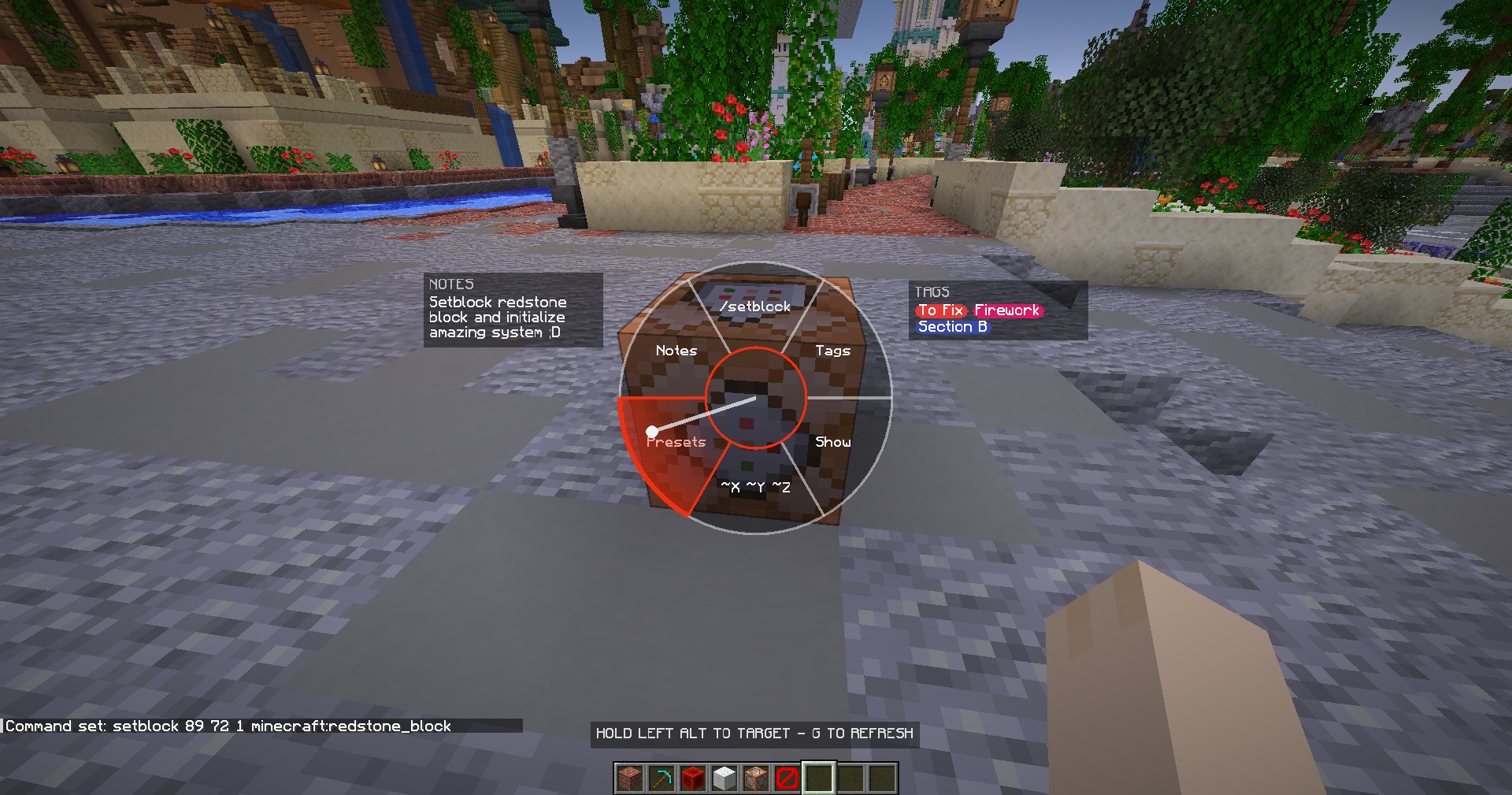
Hold a key on a command block to open a compact pie menu. No clicks, no complex screens, no interruption to your build flow.
Notes
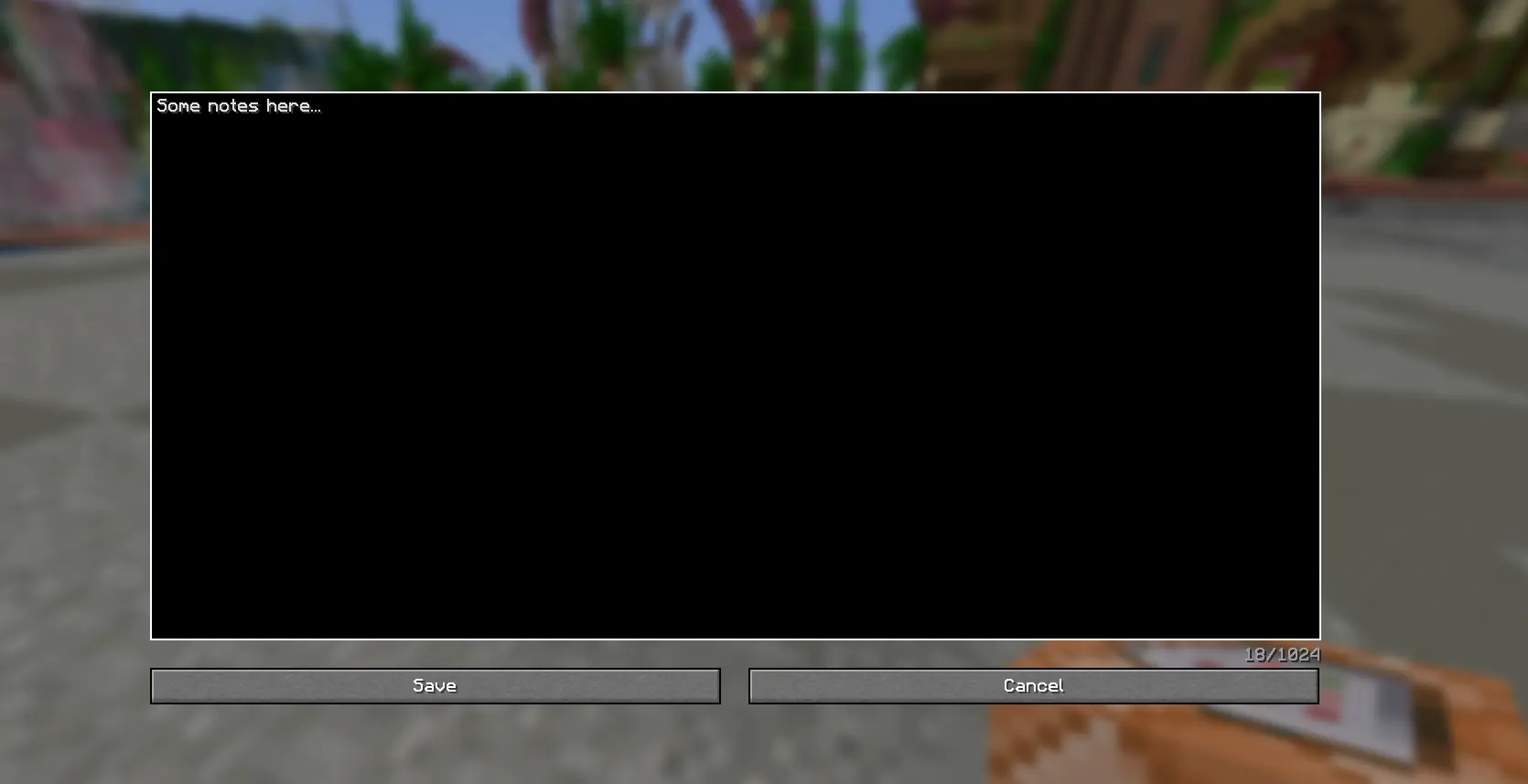
Attach a persistent note to any command block, straight from the radial menu. A quick preview shows on the wheel itself; open it for the full text. Notes are saved per world/server and survive restarts.
Tags
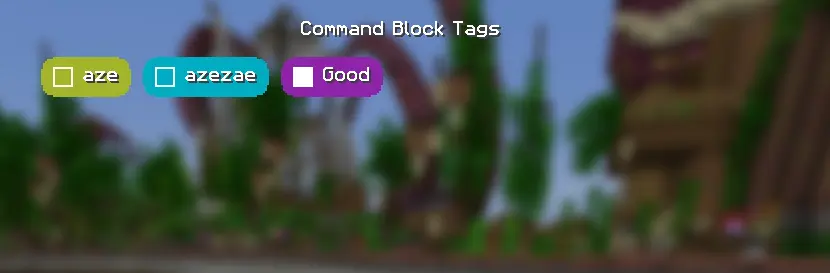
Assign tags to command blocks to organize large builds:
- Add and remove your tags list from a dedicated screen.
/cbtag show <name>highlights every command block carrying that tag — find every block with a given role at a glance./cbtag hideclears it./cbtag apply <name> <x1> <y1> <z1> <x2> <y2> <z2>//cbtag removebulk-tag or untag an entire region in one command, instead of tagging each block by hand.
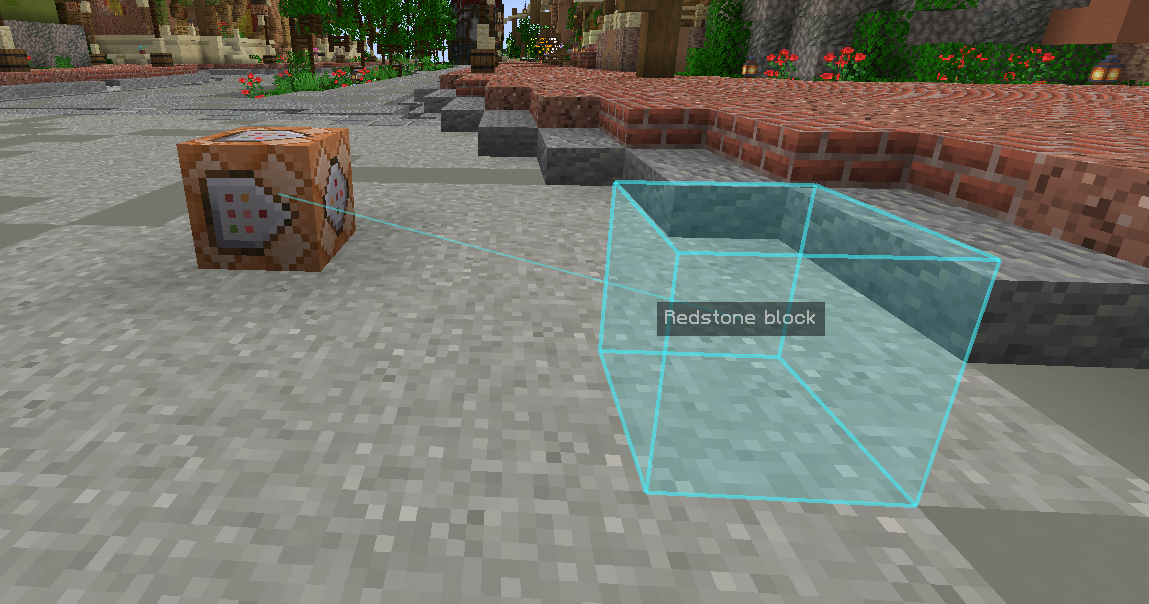
Highlight Destination
Toggle a hologram box on whatever block a command block's command actually targets (resolves both absolute and ~ relative coordinates). Trace where a chain of command blocks points without teleporting around or guessing.
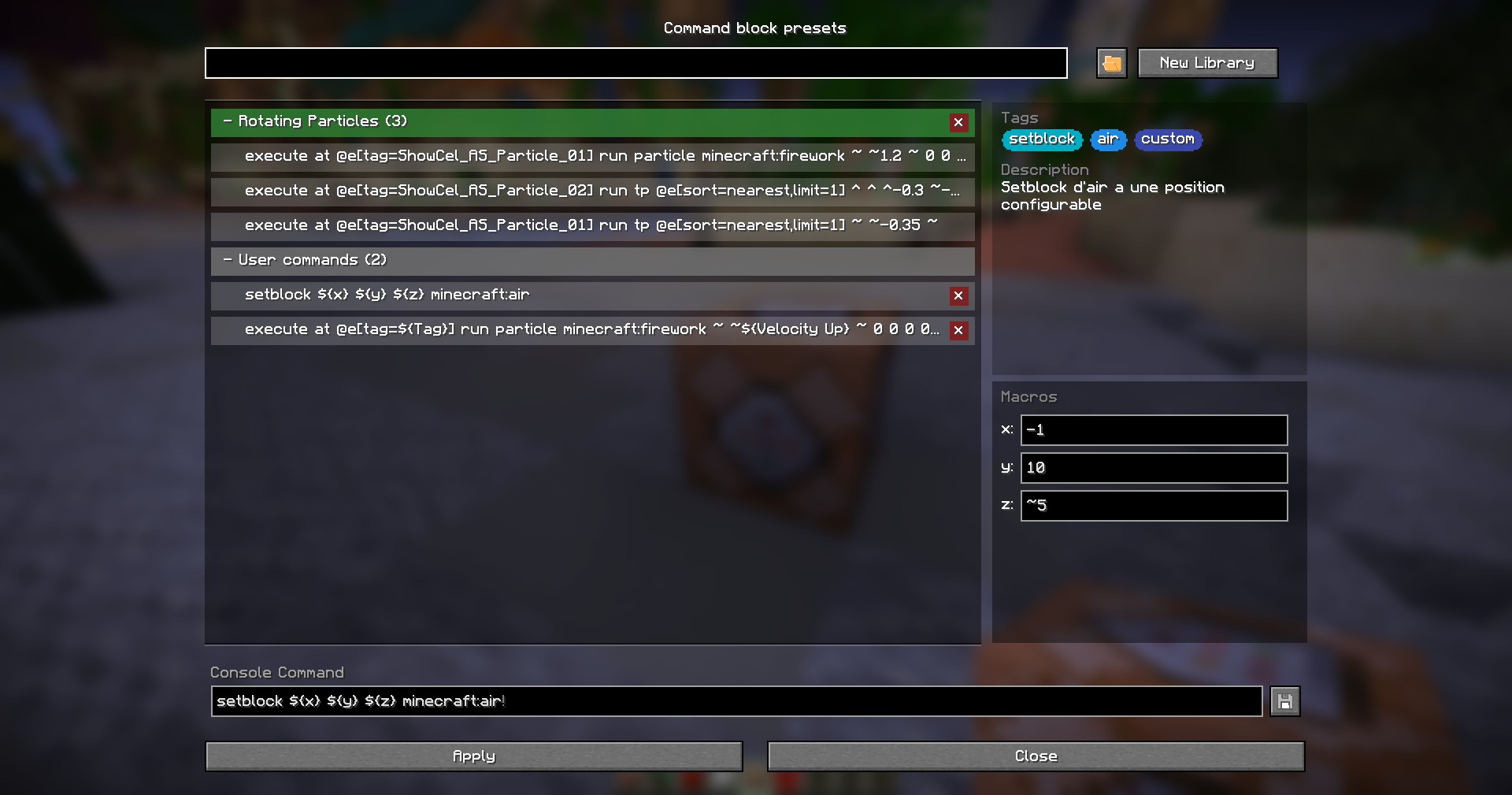
Presets and Macro commands
Save, store, organize, share and edit libraries of commands and make them dynamic with macros
And More ...
-
Coordinate Convert Flip a command block's target coordinates between absolute (
X Y Z) and block-relative (~X ~Y ~Z) notation in one click from the radial menu — handy when copy-pasting builds or making a contraption position-independent. -
Fast Copy See the initial command instantly on the pie menu and copy instantly the command without entering the editor
-
Commmand blocks duplication compatibility Ctrl+middle-click ("pick block with data") a tagged or annotated command block, and its Tags/Note travel with the item
Screenshots
Gallery
-
 Menu Pie Main Menu Pie displaying quick information about the command block
 -
 Destination coordinates hologram Commands with unique coordinates can enable and hologram to display the final position
 -
 Note Editor Notes can be edited with a simple note multiline editor
 -
 Tags finder Command /cbtag <show/hide> <tag> highlight all the command blocks around the player with the corresponding tag
 -
 Tags list Command block can store an infinite amount of tags Enable / disable them in Command Block Tags UI
 -
 Tags Manager Tags can be removed and added in Tags Manager UI
 -
 Hologram / Highlighter Highlight can be seen through walls
 -
 Presets & Macro Commands Preset section with Macro command
Versions
Files
Relations
Project Relations
More like this
Similar Mods
Suggestions use data such as tags, dependencies, dependents, descriptions, titles, and more to rank how much they overlap with this mod.
On ModDex
Community snapshot
By the numbers
Statistics

 (opens in a new tab)
Get it on
Available Platforms
On ModDex
Community snapshot
By the numbers
Statistics
Resources