
Community listing page, reviews here may not be monitored by the author.

Community voices
Reviews
No reviews yet. Be the first to review this project!
Get it on
Available Platforms
Compatibility
Supported Environments
Runs entirely on the client. Works on vanilla servers.
About
Project Details
For authors
Embed Badge
If you're the author of this project, you can embed a live badge anywhere that supports HTML or Markdown. It updates automatically whenever ratings change.
Use HTML for any page that supports it, or Markdown for README files and Markdown-based descriptions.
Identifiers
Platform IDs
Resources
External Links
About
Description
CBSK


Cassetu's Better Sticky Keys (CBSK) is a client-side Fabric mod for Minecraft 1.21.11 that lets you lock inputs in their pressed state so you can mine, sprint, or interact hands-free — including when the Minecraft window is minimized or unfocused.
Sticky Keys
Press K (rebindable) while holding any combination of movement or action keys. Those keys get locked in their pressed state until you press K again, open a screen, or hit Escape. A cooldown (default 800ms, configurable) prevents accidental re-activation immediately after deactivating. The feature works even when the game window loses focus — it uses Mixin hooks into the engine's input system rather than polling GLFW directly, so the game keeps running as if you were holding the keys.
Auto Tool Switch
When sticky attack is active and you're mining, the mod automatically selects the best tool in your hotbar for the block you're looking at. Two modes: MINIMUM picks the lowest tier that can actually mine the block (conserves diamond/netherite), BEST_ENCHANT picks whichever tool scores highest on Efficiency, Fortune, Silk Touch, and Unbreaking levels. If a tool hits the durability threshold (default 5 remaining uses), the mod tries to pull a matching tool from your main inventory before moving on. If your crosshair moves to a block you have no valid tool for, mining is paused (attack input suppressed, periodic warning sound every 2 seconds) and resumes automatically once you look at something you can mine — it never fully deactivates sticky keys over this.
Sticky Sprint
A separate toggle key (default V) locks sprinting on independently of sticky keys. Every tick it forces setSprinting(true) on the player, keeping you sprinting even through damage flinches, inventory moments, or other interruptions. Can be used with or without sticky keys active.
Auto Eat
When your hunger drops below a configurable threshold (default 16/20), the mod selects and uses the best food in your hotbar or main inventory automatically. "Best" means highest saturation if the prefer-saturation option is on, otherwise highest nutrition. After eating it restores your previously selected slot. Works passively in the background and does not require sticky keys to be active.
HUD Overlay
A small text overlay (position configurable as a fraction of screen size) shows: sticky keys status and which keys are locked, sprint lock state, current tool name and remaining durability (red if below threshold), hunger level (red if below threshold), a "Mining: PAUSED" notice when auto tool can't find a valid tool, and an "Eating…" indicator during auto eat. Respects the vanilla F1 HUD-hidden toggle.
Config Screen
Opened with [ (rebindable). Toggle buttons for every feature, cycle buttons for tool mode, durability threshold (1–20), hunger threshold (2–20), and cooldown (200ms–2000ms in steps). All settings persist to config/cbsk.json via Gson and are read/written at runtime with no restart required.
Key bindings (all rebindable in Controls): Toggle Sticky Keys (K), Toggle Sprint Lock (V), Open Config ([).
Screenshots
Gallery
-
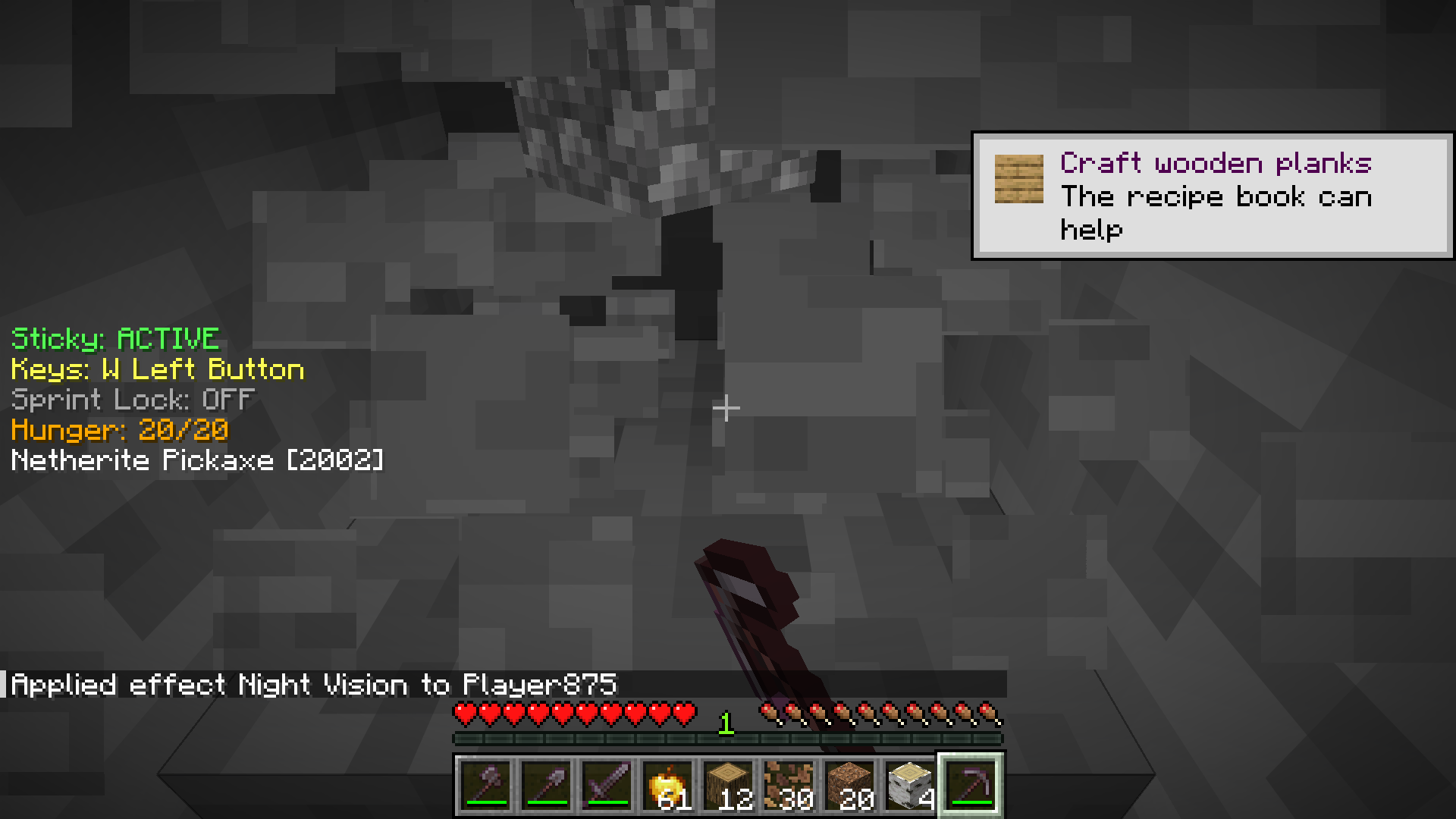 On Screen GUI (Toggleable)
 -
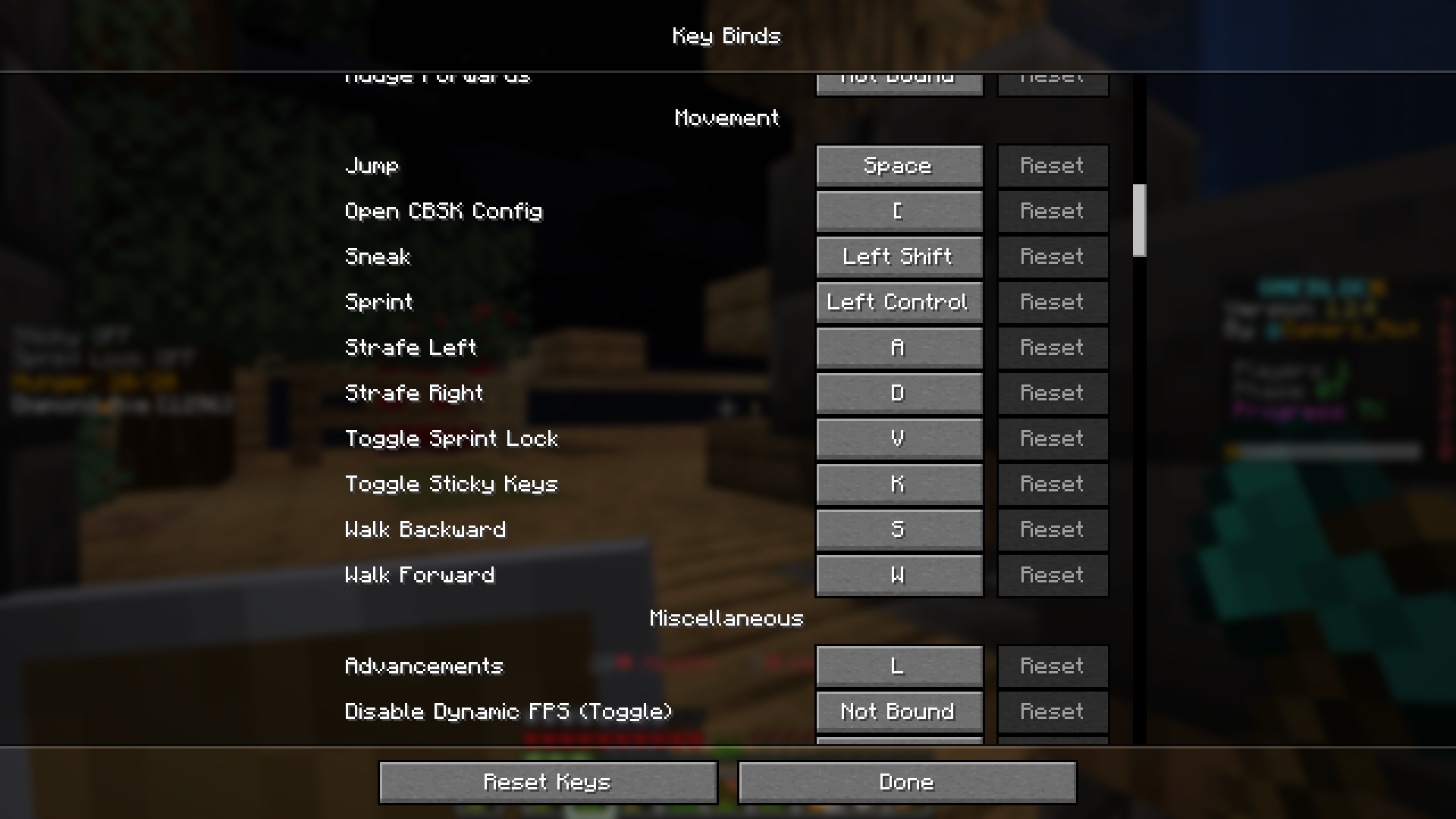 Controls All the controls you can reconfigure.
 -
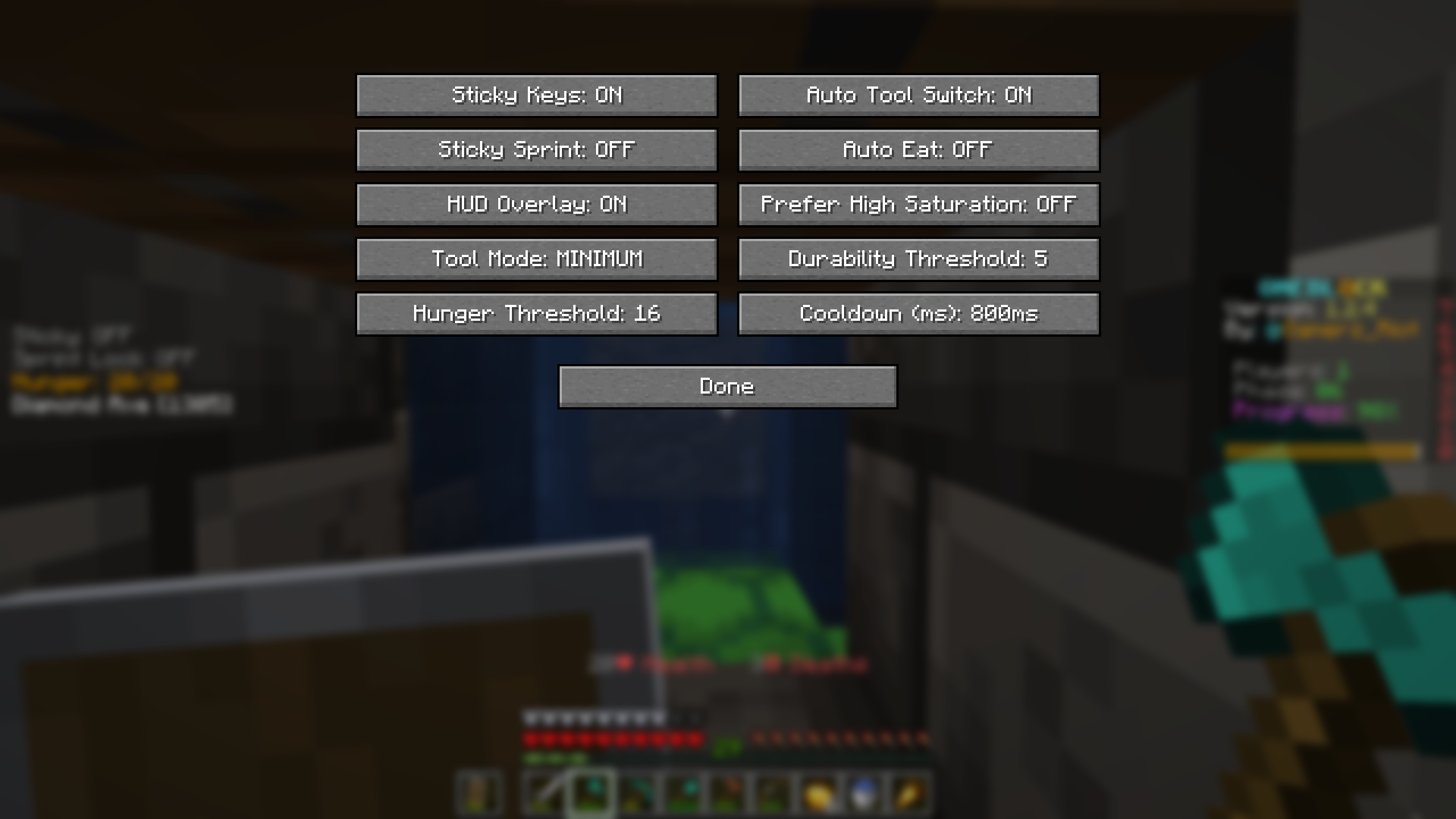 Config Screen All toggleable configs.
Versions
Files
Relations
Project Relations
More like this
Similar Mods
Suggestions use data such as tags, dependencies, dependents, descriptions, titles, and more to rank how much they overlap with this mod.
On ModDex
Community snapshot
By the numbers
Statistics

Want to reach Minecraft players?
We're looking for a server hosting partner to feature here and other parts of the site. Interested? Send us a message!
Get in touchGet it on
Available Platforms
On ModDex
Community snapshot
By the numbers
Statistics
Resources