Community listing page, reviews here may not be monitored by the author.


Community voices
Reviews
No reviews yet. Be the first to review this project!
Get it on
Available Platforms
About
Project Details
For authors
Embed Badge
If you're the author of this project, you can embed a live badge anywhere that supports HTML or Markdown. It updates automatically whenever ratings change.
Use HTML for any page that supports it, or Markdown for README files and Markdown-based descriptions.
Identifiers
Platform IDs
Resources
External Links
About
Description
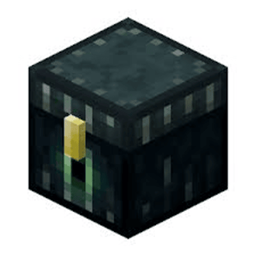
A Minecraft Forge mod for Minecraft 1.8.9 that tracks and displays collection chest data on-screen. Perfect for SkyBlock and similar gamemodes where Ender Chests display item counts in their titles. (Specifically made for SaiCoPvP)
---
Features
Ender Chest Highlights
Color-coded outlines around Ender Chests based on fill percentage:
Red - Below 50% filled
Orange - 50-80% filled
Green - Above 80% filled
- Highlights only chests within 64 blocks for performance.
- Highlights persist across sessions using saved data.
On-Screen Display
Message bar centered on-screen showing chest data (e.g. `[1,234 / 1,500] - 82.3% filled`).
- Appears when you look at a tracked chest or after opening one.
- Automatically hides after a few seconds when not looking at a chest.
Left-Click Data Collection
- Left-click an Ender Chest to silently read its data without opening the GUI.
- Prevents accidental mining - Left-clicks are intercepted to read data instead of breaking the block.
- Works even when the chest GUI is blocked or would normally open.
Data Persistence
- Chest data is saved to `config/cctracker/chest_data.json`.
- Data is stored per dimension and persists across restarts.
- Stored counts support K, M, and B suffixes (e.g. 1.5M, 2K).
---
Commands
| Command | Description |
|-----------|-------------|
| `/togglecc` | Toggle all CCTracker features on/off. When **off**, Ender Chests can be mined normally. |
| `/clearcc` | Clear all stored chest data and remove highlights. |
---
Requirements
- Minecraft 1.8.9
- Minecraft Forge (1.8.9-11.15.1.2318 or compatible)
---
Installation
1. Install Minecraft Forge for 1.8.9.
2. Download the CCTracker `.jar` file.
3. Place the `.jar` in your `mods` folder.
4. Launch the game.
---
Data Format
CCTracker parses chest titles in the format `[current / max]` (e.g. `Cobblestone [1,234/1,500]`). The mod extracts the count and percentage for display and highlighting.
Screenshots
Gallery
Versions
Files
Relations
Project Relations
More like this
Similar Mods
Suggestions use data such as tags, dependencies, dependents, descriptions, titles, and more to rank how much they overlap with this mod.
- Cracker's Wither Storm - Music
- Cracker's Wither Storm | Elixir And Command Block Recipe
- Command Tool Expansion (Cracker's Wither Storm Mod Addon)
- Magic Cracker Factory
- Deer Cracker Mod
- Explosive Block [Cracker's Wither Storm Mod and Enderite Mod]
- Explosive Block [Cracker's Wither Storm Mod]
- Cosmaztic's Swords : Reworked [Cracker's Wither Storm]
- More Command Block Tools
- Netherite Command Block Tools
- CWSM Expansion
- Falcon's Wither Storm Adventure: Core
On ModDex
Community snapshot
By the numbers
Statistics
 (opens in a new tab)
Get it on
Available Platforms
On ModDex
Community snapshot
By the numbers
Statistics
Resources