
Community listing page, reviews here may not be monitored by the author.
Celestmere-QuickMenu

No reviews yet
Quick Menu Module designed specifically for the Celestmere Server. Optimizes in-server click-based interactions and features. Not compatible with other servers.

Community voices
Reviews
No reviews yet. Be the first to review this project!
Get it on
Available Platforms
About
Project Details
For authors
Embed Badge
If you're the author of this project, you can embed a live badge anywhere that supports HTML or Markdown. It updates automatically whenever ratings change.
Use HTML for any page that supports it, or Markdown for README files and Markdown-based descriptions.
Identifiers
Platform IDs
Resources
External Links
About
Description
After opening the inventory, you can quickly click on the Celestmere member features:
Bottom button: One-click quick teleportation.
Please download the corresponding version of FABRIC API before use
V1.0.0 Version Features
Right side Celestmere member quickbutton
Bottom Celestmere member quick button / Housing quick button
Clicking a name will automatically generate /pm ID
V1.1.0 Version Features
Text channel color customizationUI
position/size adjustment function
(left click for position, right click for size)
Temporary backpack page turning function
(default UI is at the top / only displayed when the temporary backpack is opened)
V1.2.0 Version Features
Fix transaction not triggering /pm
In-game mod update notification (option to turn off reminders available)
Equipment and skill set automatic switching function.
UI position settings are separated instead of using proportions.
ex: The UI for large chests and small chests can be set independently.
V1.3.0 Version Features
Equipment logging
Equipment comparison
Equipment log query
Equipment log display (non-rendered)
Equipment log correlation system (EX: Enhancement/Reforging)
V1.3.1 Version Features and Fixes
Fix lag issue caused by too many equipment logs
Add equipment log deletion function
Celestmere-QuickMenu
文靜之潭的快速選單模組 打開背包後,即可快速點選星潭會員功能:
右側按鈕:一鍵開啟 販售 / 強化 / 重鑄 / 交易市場 頁面。 下方按鈕:一鍵快速傳送。
無須再手動點「星潭會員 > 傳送 > 目標位置」,模組會自動幫你點好。 進入家園系統時,按鈕會自動變更為家園常用功能—逛空島時不用一直打字,直接用點的就能開啟對應介面。 此外,聊天室裡點一下玩家名稱,就會自動幫你填好 /pm 對方名字,私訊不用再手打 ID。
注意! 由於此類客戶端輔助模組屬於規則上的灰色地帶,本模組在完成後已先徵得服主同意,確認允許後才開始使用。 備註:本模組開發過程有使用 AI 輔助,並非全數由本人親自撰寫。
by Markus305
版本 Farbic 1.21.9 / 1.21.10 / 1.21.11 使用前請下載對應版本FARBIC API
文靜之潭官網
V1.0.0 版本功能
右側星潭會員快速按鈕
下方星潭會員快速按鈕/家園快速按鈕
點選名子會自動產生/pm ID
V1.1.0 版本功能
文字頻道顏色自訂
UI位置/大小調整功能(左鍵位置 右鍵大小)
臨時包包翻頁功能 (預設UI在上方/僅開啟臨時包包時才會顯示)
V1.2.0 版本功能
修正交易不觸發/pm
遊戲內模組更新通知(可選擇關閉提醒)
裝備與技能組自動切換功能
UI位置設定區隔而非採用比例
ex:大箱子與小箱子的UI可獨立設定
V1.3.0版本功能
裝備記錄
裝備比對
裝備記錄查詢
裝備記錄顯示(非渲染)
裝備記錄關聯系統(EX 強化/重鑄)
V1.3.1 版本功能及修正
修正裝備記錄過多造成卡頓問題
新增刪除裝備記錄刪除功能
Screenshots
Gallery
-
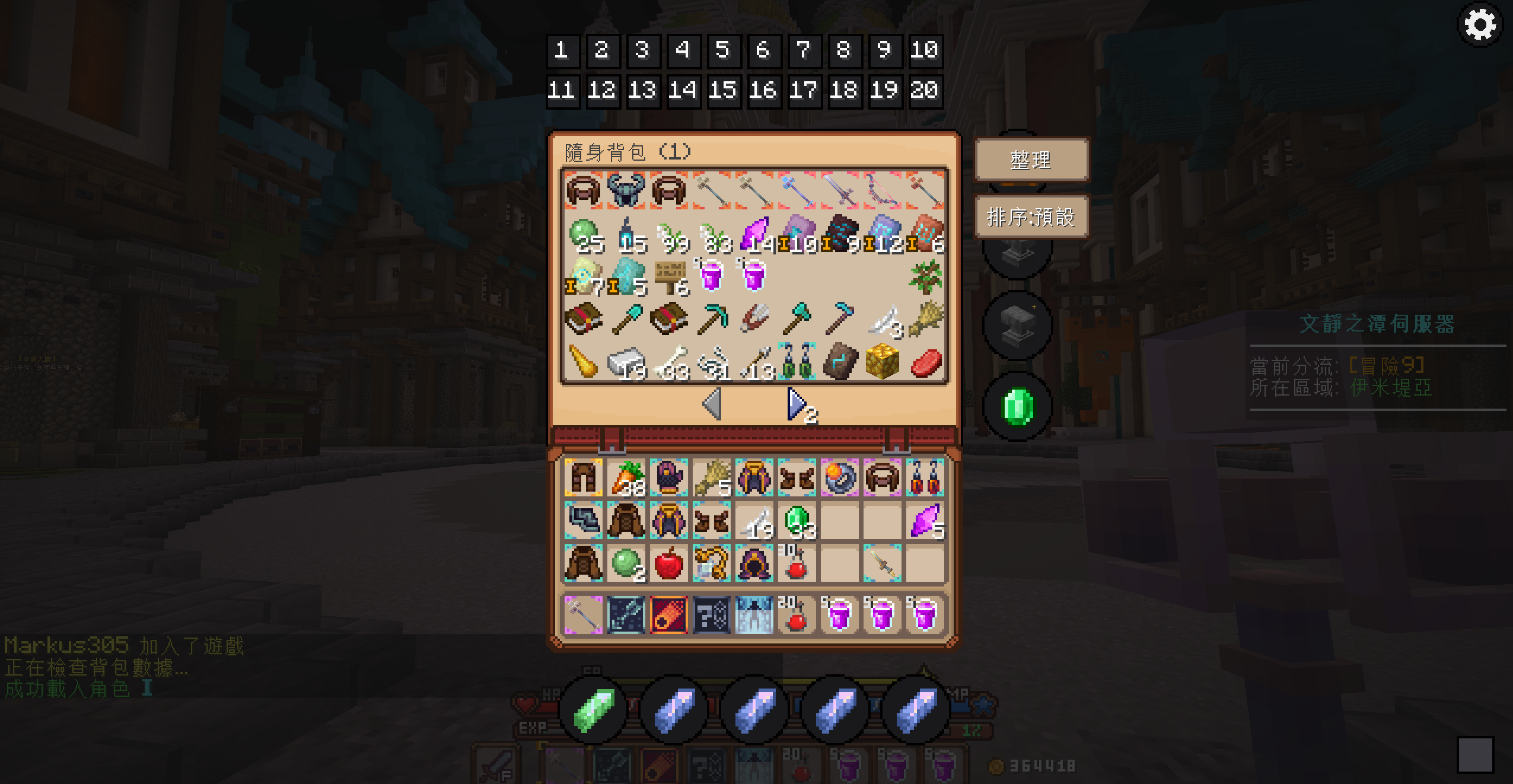 倉庫快速翻頁功能展示
 -
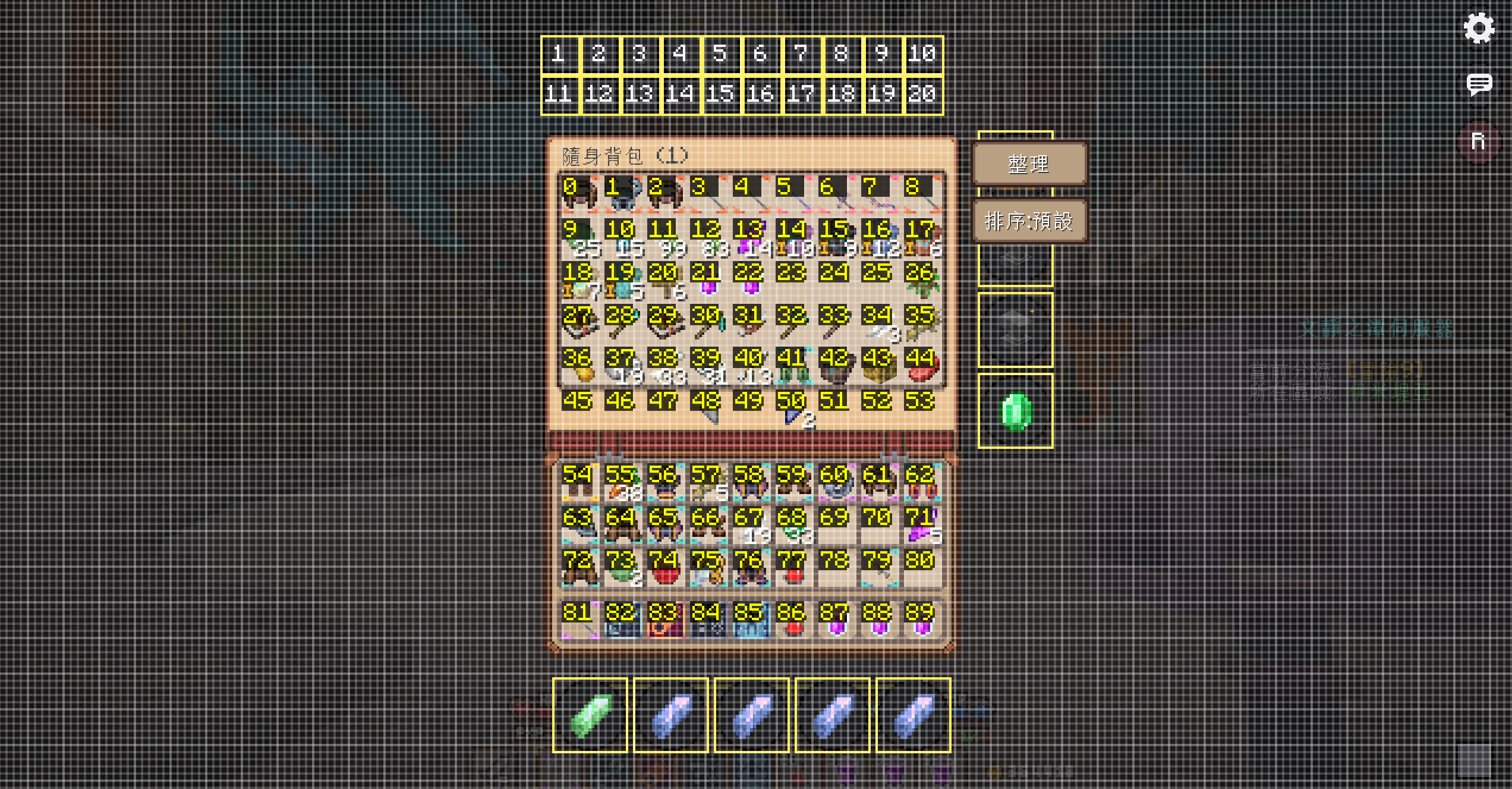 UI編輯功能展示(左鍵拖移 右鍵縮放)
 -
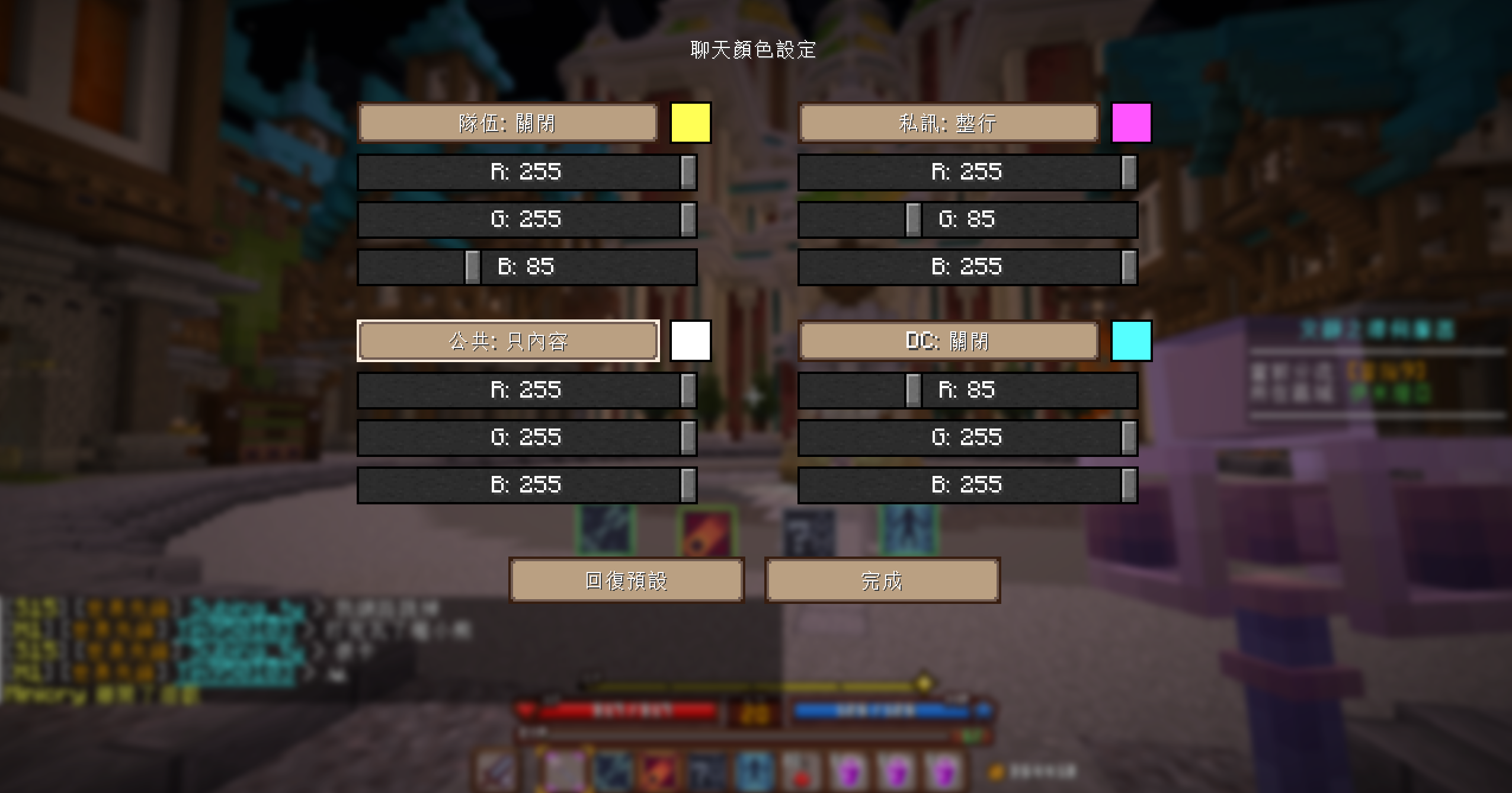 文字顏色修改功能展示
 -
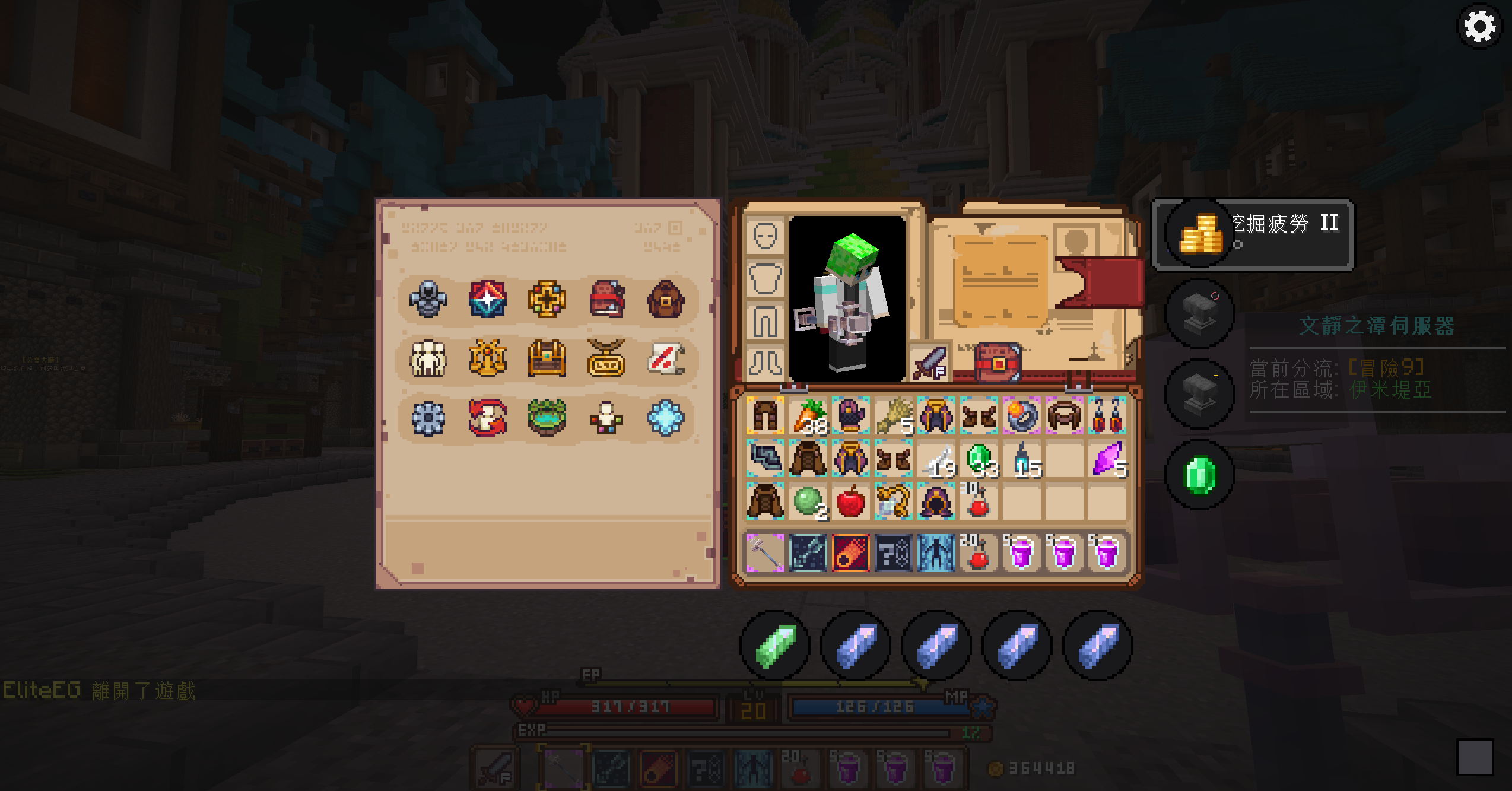 星潭會員功能與傳送功能展示
 -
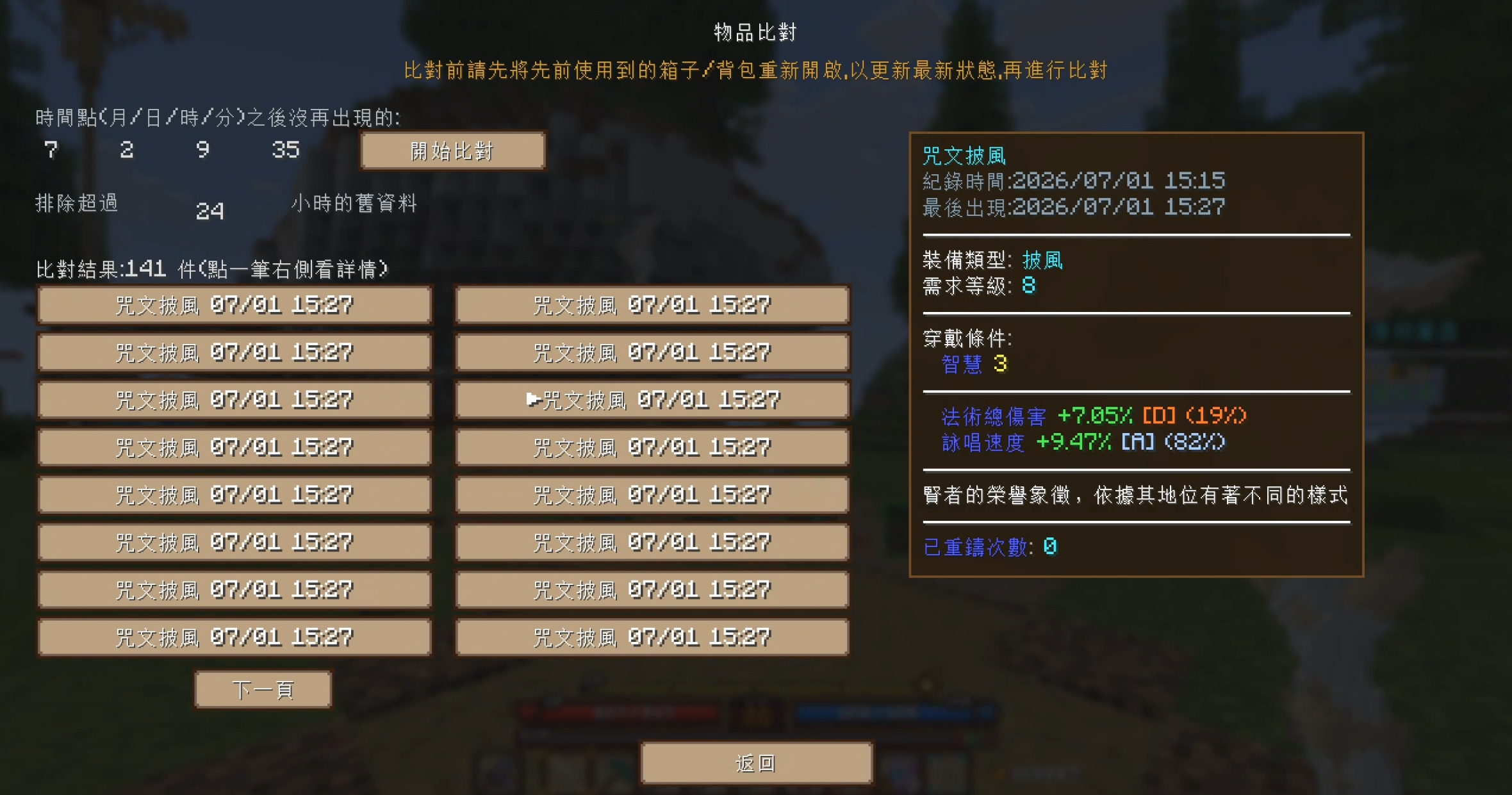 裝備比對功能
 -
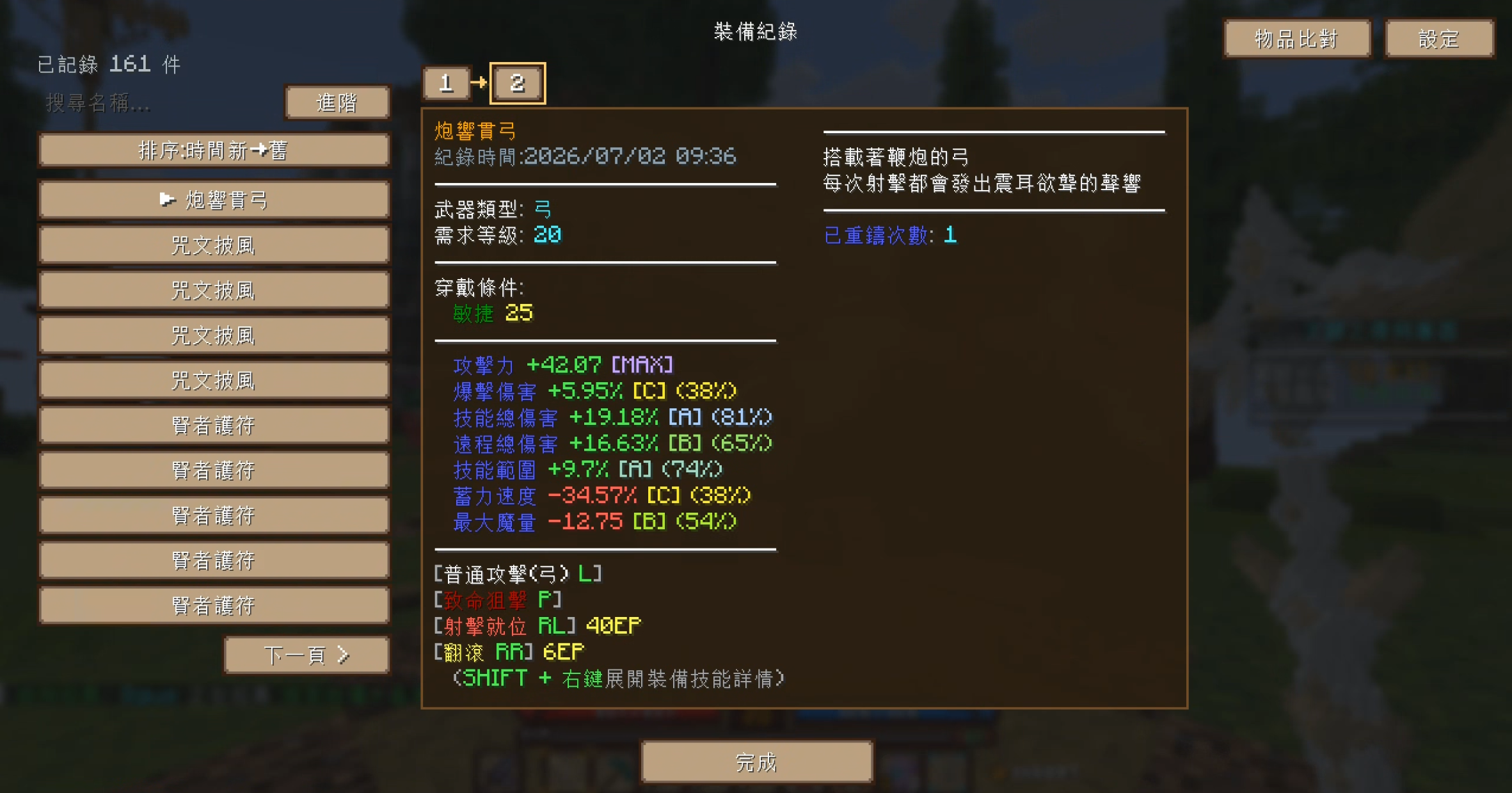 裝備紀錄與裝備關聯功能
 -
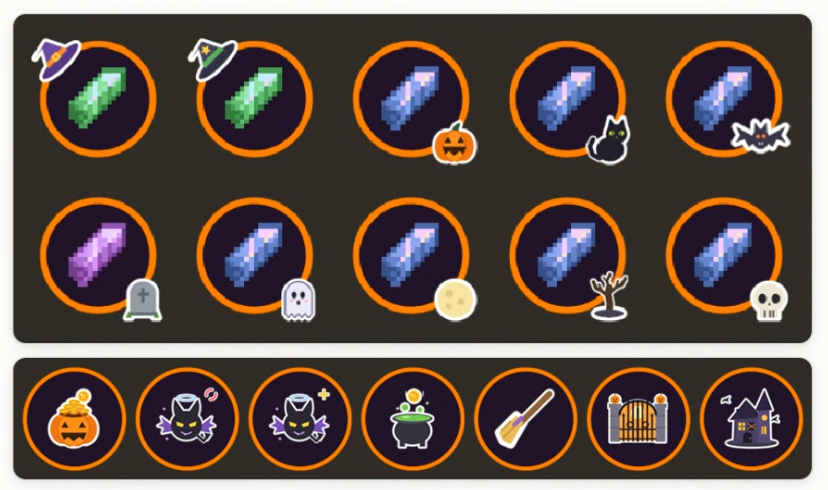 萬聖節UI展示 萬聖節限定至11/01 僅有1.4.2以上版本可套用
Versions
Files
Relations
Project Relations
More like this
Similar Mods
Suggestions use data such as tags, dependencies, dependents, descriptions, titles, and more to rank how much they overlap with this mod.
On ModDex
Community snapshot
By the numbers
Statistics
 (opens in a new tab)
Get it on
Available Platforms
On ModDex
Community snapshot
By the numbers
Statistics
Resources