
Community listing page, reviews here may not be monitored by the author.
CF Box

No reviews yet
Turn any inventory into a configurable trade box with rotating item requests, weighted rewards, and multilingual management tools.
Community voices
Reviews
No reviews yet. Be the first to review this project!
Get it on
Available Platforms
About
Project Details
For authors
Embed Badge
If you're the author of this project, you can embed a live badge anywhere that supports HTML or Markdown. It updates automatically whenever ratings change.
Use HTML for any page that supports it, or Markdown for README files and Markdown-based descriptions.
Identifiers
Platform IDs
Resources
External Links
About
Description
CF Box
CF Box turns existing containers into configurable community trade boxes. Players deposit requested items and receive randomly selected rewards, while administrators control requests, probabilities, reroll intervals and displays through a complete in-game interface.
Main Features
- Turn existing chests, barrels, shulker boxes and compatible modded inventories into CF Boxes.
- Support for NeoForge inventory handlers, including Sophisticated Storage containers.
- Automatically rotating item requests with configurable reroll intervals.
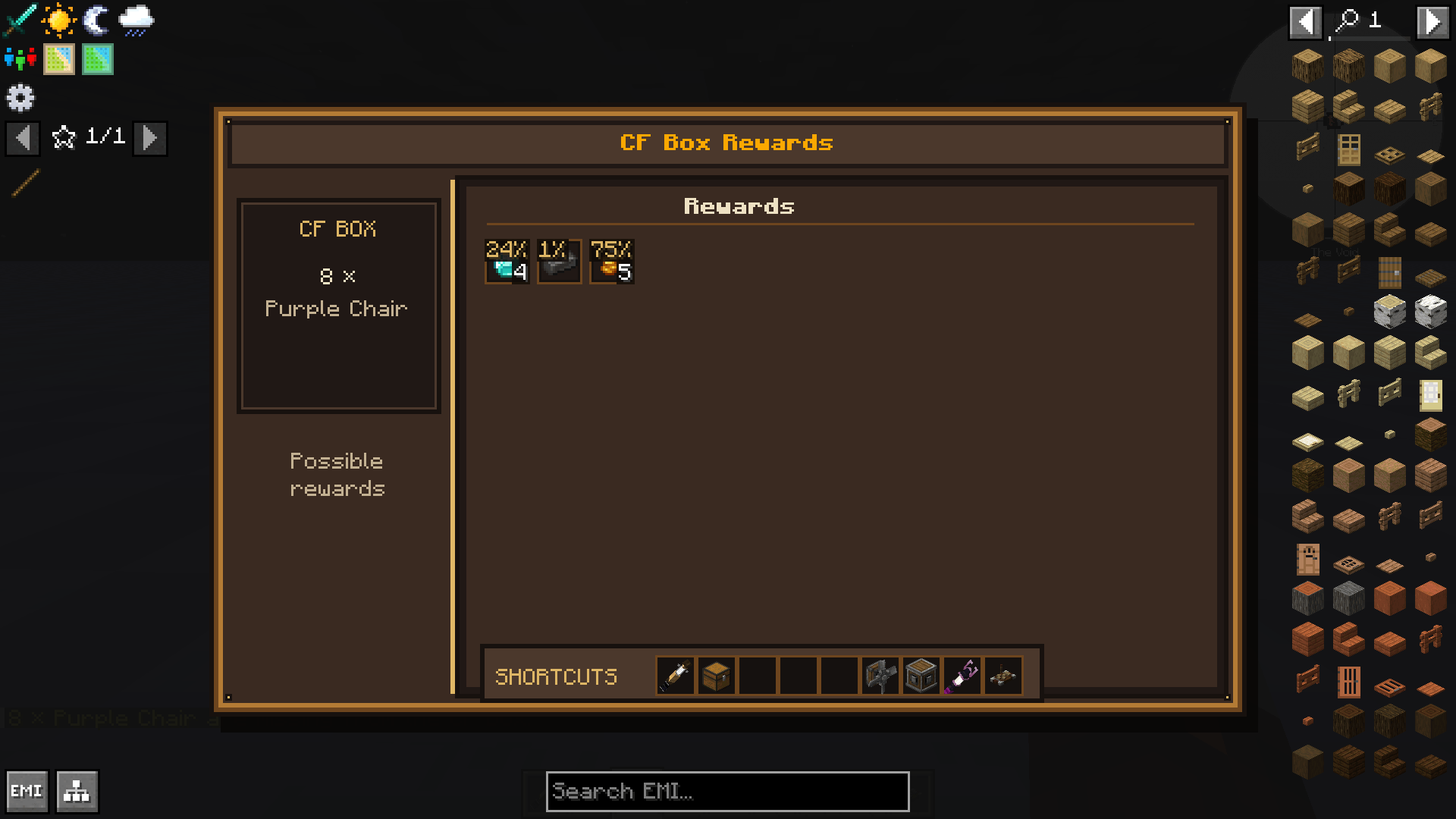
- Weighted random rewards with visible probabilities.
- Multiple CF Boxes can be managed independently in the same world.
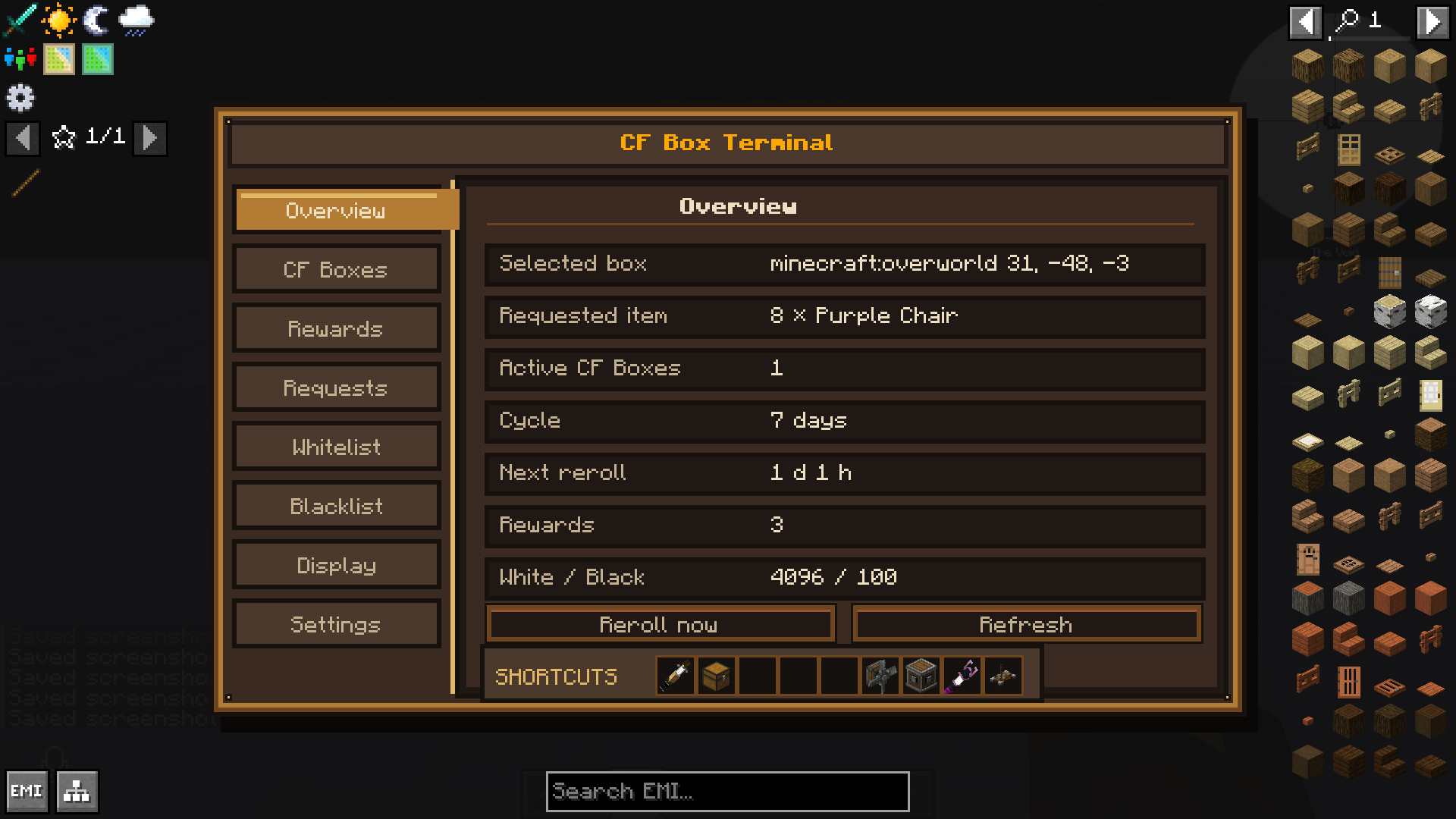
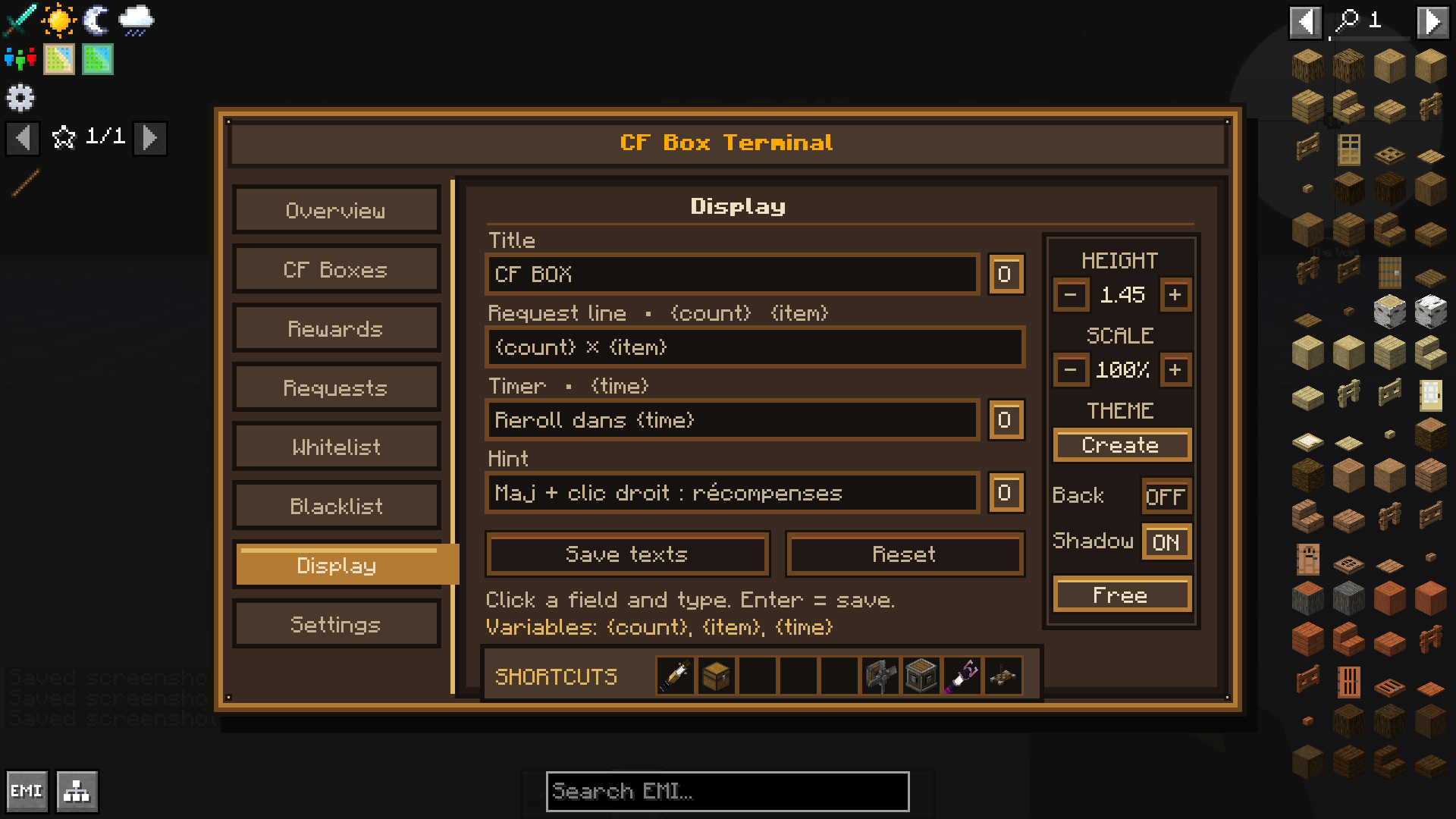
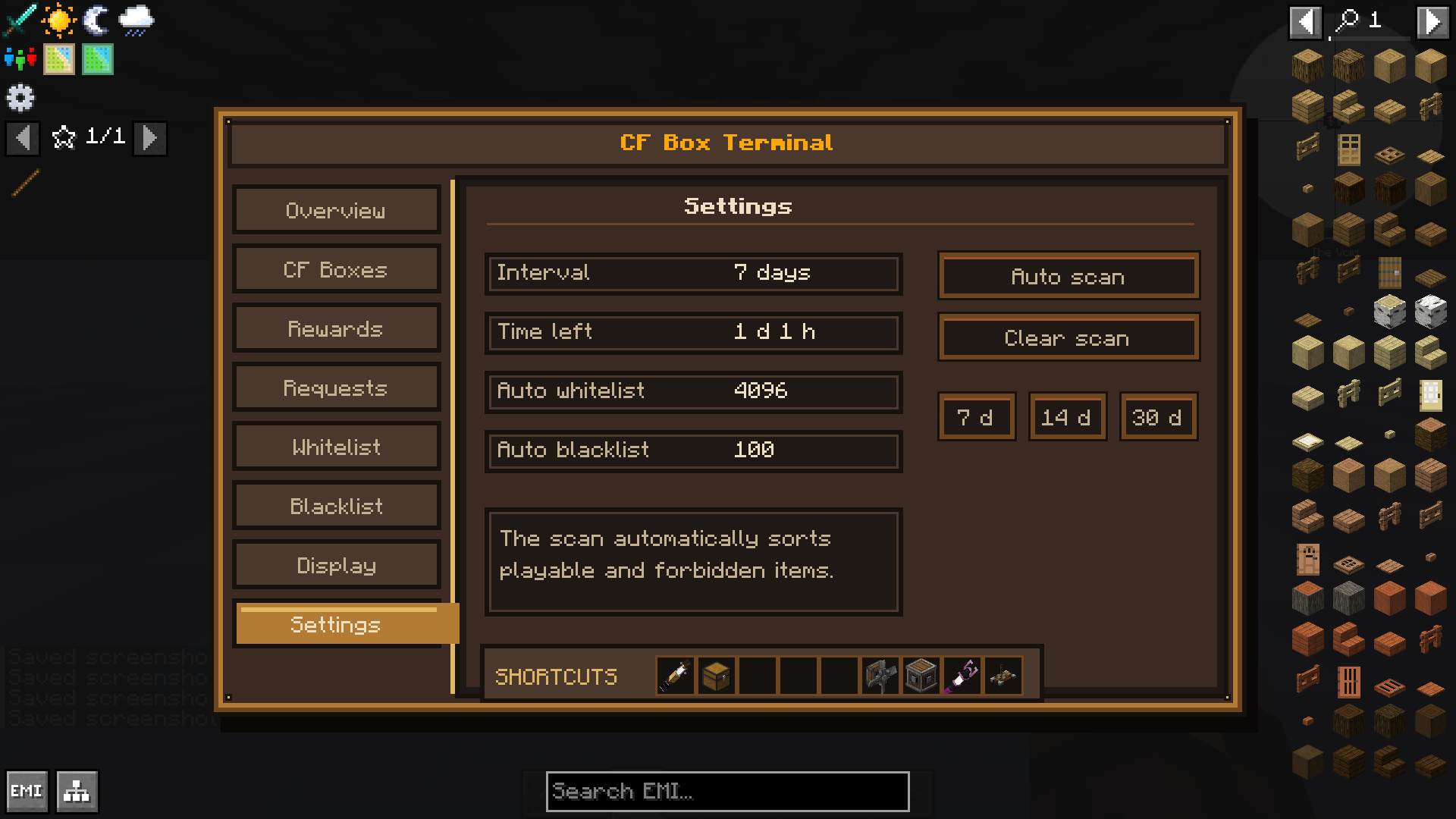
- Complete industrial-themed administration terminal.
- Dedicated tabs for boxes, rewards, requests, whitelist, blacklist, displays and settings.
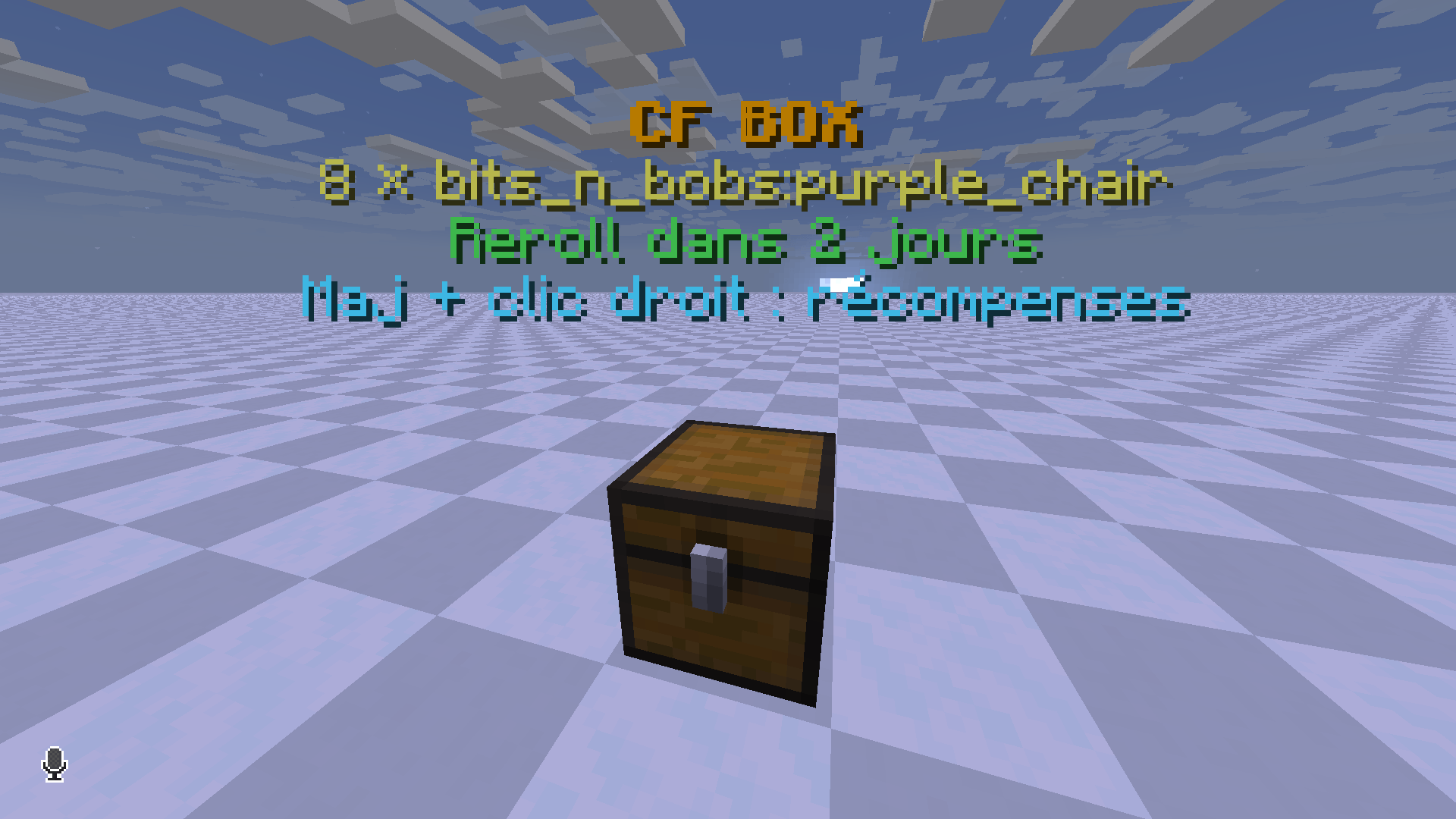
- Customizable floating displays showing the requested item, quantity and remaining time.
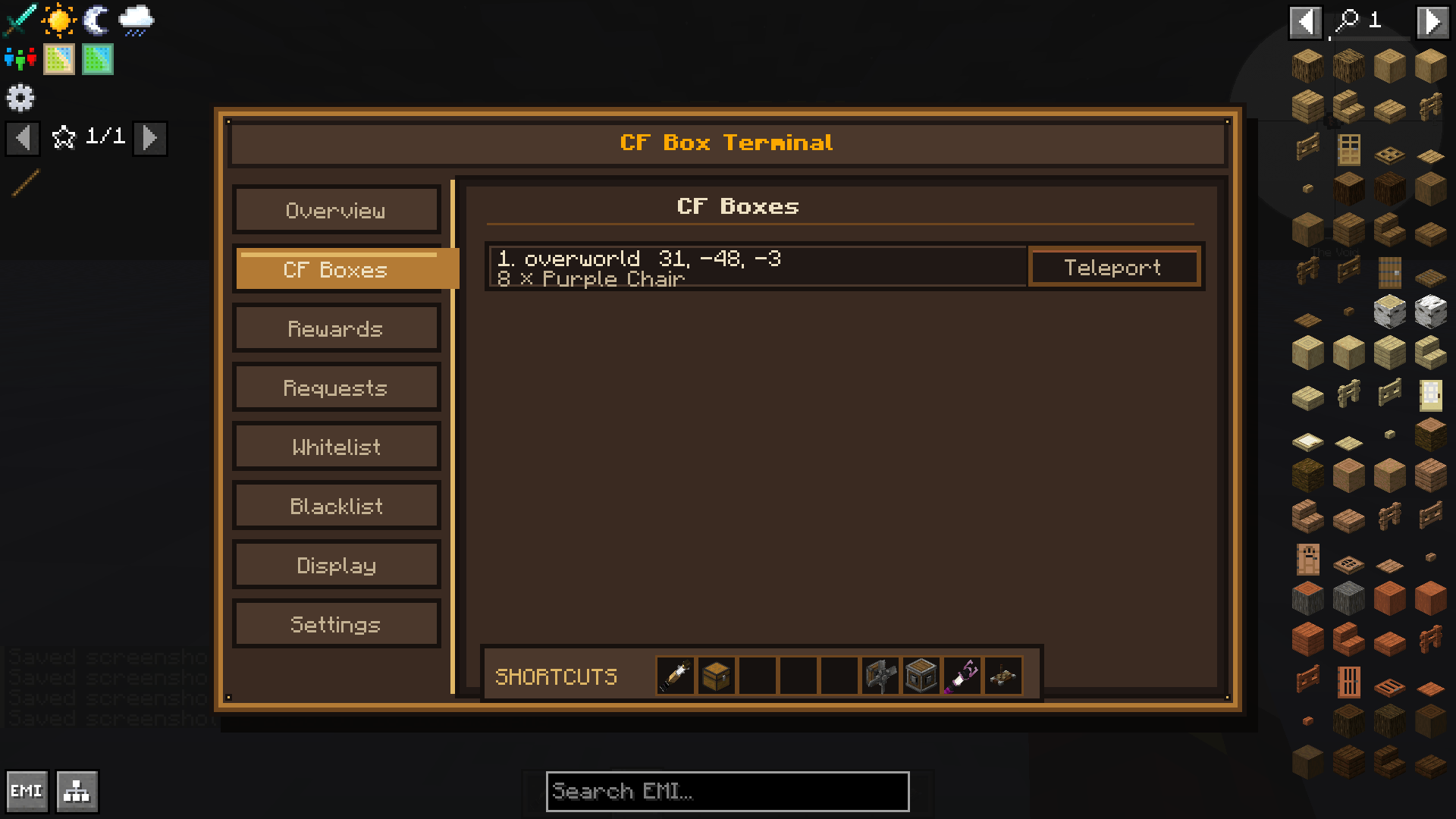
- Teleport directly to a registered CF Box from the administration interface.
- Removing or breaking a registered container automatically removes its CF Box configuration.
- Persistent server-side configuration saved with the world.
- Multilingual interface.
- Optional JEI integration.
How It Works
1. An administrator registers an existing container as a CF Box.
2. The box displays the requested item, quantity and time before the next reroll.
3. Players place the requested items inside the container.
4. Once the required amount is reached, the trade is completed and a weighted random reward is granted.
5. Requests automatically change when the configured reroll timer expires.
Players can use Shift + right-click on a CF Box to view its possible rewards and their probabilities.
Administration Commands
Administrative commands are restricted to operators in Creative Mode.
- `/cf_box help` — Display the command list.
- `/cf_box add` — Register the targeted container as a CF Box.
- `/cf_box del` — Remove the targeted CF Box without destroying its container.
- `/cf_box mod` — Open the complete administration interface.
- `/cf_box mod date <days>` — Change the automatic reroll interval.
- `/cf_box list` — Display all registered CF Boxes and access teleportation options.
Compatibility and Requirements
- Minecraft 1.21.1
- NeoForge 21.1.0 or newer
- Client and server installation required
- The same single JAR file is used on both the client and server
- JEI 19.21.0 or newer is optional
- Sophisticated Storage is supported but is not a required dependency
Supported Languages
- English
- French
- German
- Spanish
- Italian
- Brazilian Portuguese
- Polish
- Russian
- Simplified Chinese
- Japanese
- Korean
Important Information
CF Box does not add the crate pictured in the project logo as a new block. The mod applies its trading system to existing compatible containers.
The project logo is AI-assisted promotional artwork and does not represent an exact in-game block, model or texture.
Français
CF Box permet de transformer des conteneurs existants en boîtes d’échange communautaires configurables. Les joueurs déposent les objets demandés et reçoivent une récompense sélectionnée aléatoirement, tandis que les administrateurs contrôlent les demandes, probabilités, intervalles de renouvellement et affichages depuis une interface complète en jeu.
Fonctionnalités principales
- Transformation des coffres, tonneaux, boîtes de Shulker et inventaires moddés compatibles en CF Boxes.
- Compatibilité avec les gestionnaires d’inventaire NeoForge, notamment Sophisticated Storage.
- Demandes d’objets renouvelées automatiquement selon un intervalle configurable.
- Récompenses aléatoires utilisant un système de poids et de probabilités visibles.
- Gestion indépendante de plusieurs CF Boxes dans un même monde.
- Terminal d’administration complet au style industriel.
- Onglets dédiés aux box, récompenses, demandes, listes blanches, listes noires, affichages et paramètres.
- Affichage personnalisable de l’objet demandé, de la quantité et du temps restant.
- Téléportation directe vers une CF Box depuis l’interface d’administration.
- Suppression automatique de la configuration lorsqu’un conteneur enregistré est détruit.
- Configuration persistante enregistrée avec le monde.
- Interface multilingue.
- Intégration facultative avec JEI.
Fonctionnement
1. Un administrateur enregistre un conteneur existant comme CF Box.
2. La box affiche l’objet demandé, la quantité nécessaire et le temps restant.
3. Les joueurs déposent les objets demandés dans le conteneur.
4. Lorsque la quantité requise est atteinte, l’échange est effectué et une récompense aléatoire pondérée est attribuée.
5. La demande change automatiquement à l’expiration du délai configuré.
Les joueurs peuvent utiliser Maj + clic droit sur une CF Box pour consulter les récompenses possibles et leurs probabilités.
Commandes d’administration
Les commandes d’administration sont réservées aux opérateurs en mode Créatif.
- `/cf_box help` — Afficher la liste des commandes.
- `/cf_box add` — Enregistrer le conteneur ciblé comme CF Box.
- `/cf_box del` — Supprimer la CF Box ciblée sans détruire son conteneur.
- `/cf_box mod` — Ouvrir l’interface complète d’administration.
- `/cf_box mod date <jours>` — Modifier l’intervalle de renouvellement automatique.
- `/cf_box list` — Afficher les CF Boxes enregistrées et les options de téléportation.
Compatibilité et prérequis
- Minecraft 1.21.1
- NeoForge 21.1.0 ou supérieur
- Installation nécessaire sur le client et le serveur
- Le même fichier JAR unique est utilisé des deux côtés
- JEI 19.21.0 ou supérieur est facultatif
- Sophisticated Storage est compatible, mais n’est pas une dépendance obligatoire
Screenshots
Gallery
-
 2026-07-18_18.09.26.png 2026-07-18_18.09.26.png
 -
 2026-07-18_18.12.56.png 2026-07-18_18.12.56.png
 -
 2026-07-18_18.15.49.png 2026-07-18_18.15.49.png
 -
 2026-07-18_18.12.53.png 2026-07-18_18.12.53.png
 -
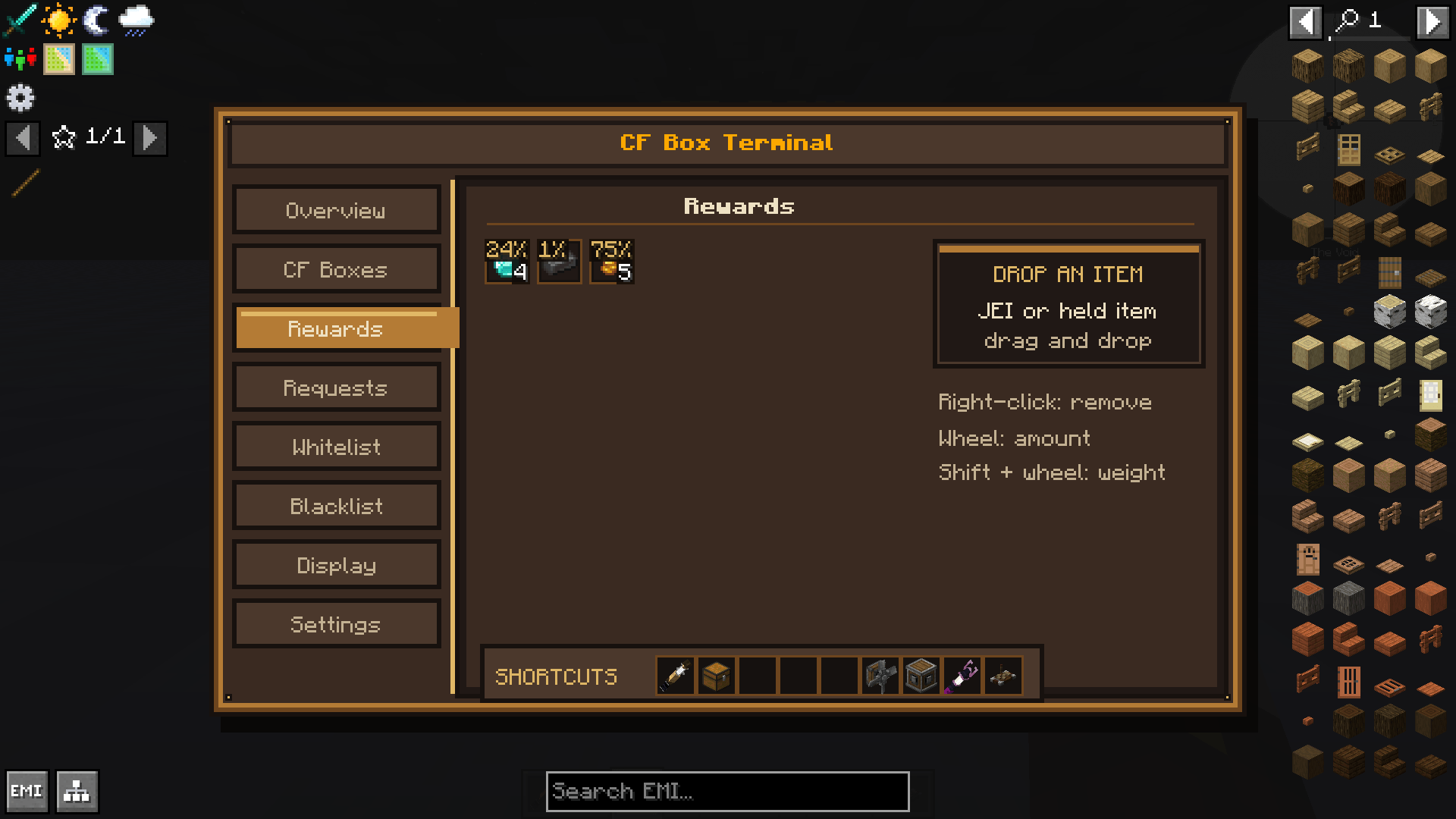 2026-07-18_18.12.43.png 2026-07-18_18.12.43.png
 -
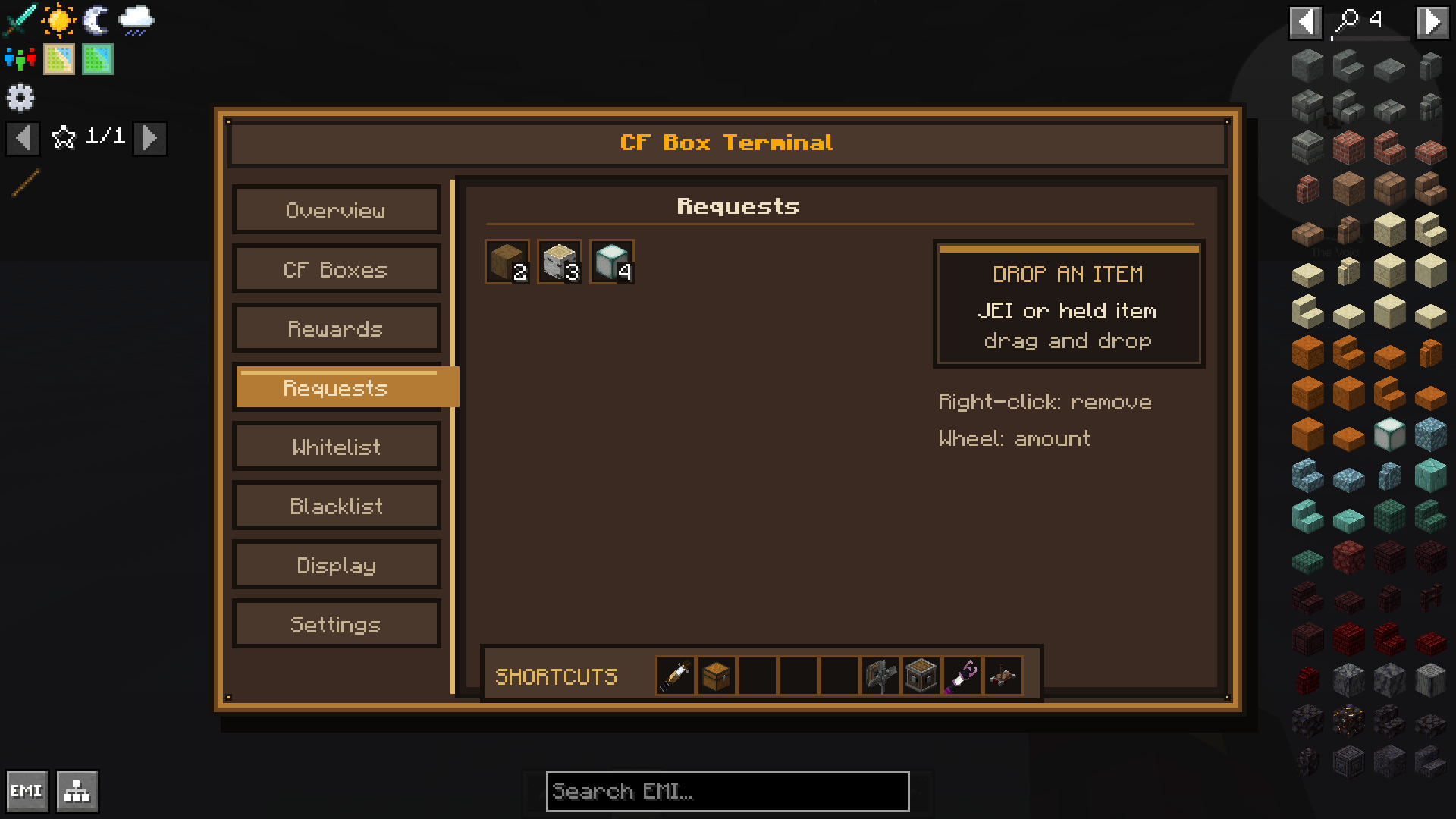 2026-07-18_18.16.17.png 2026-07-18_18.16.17.png
 -
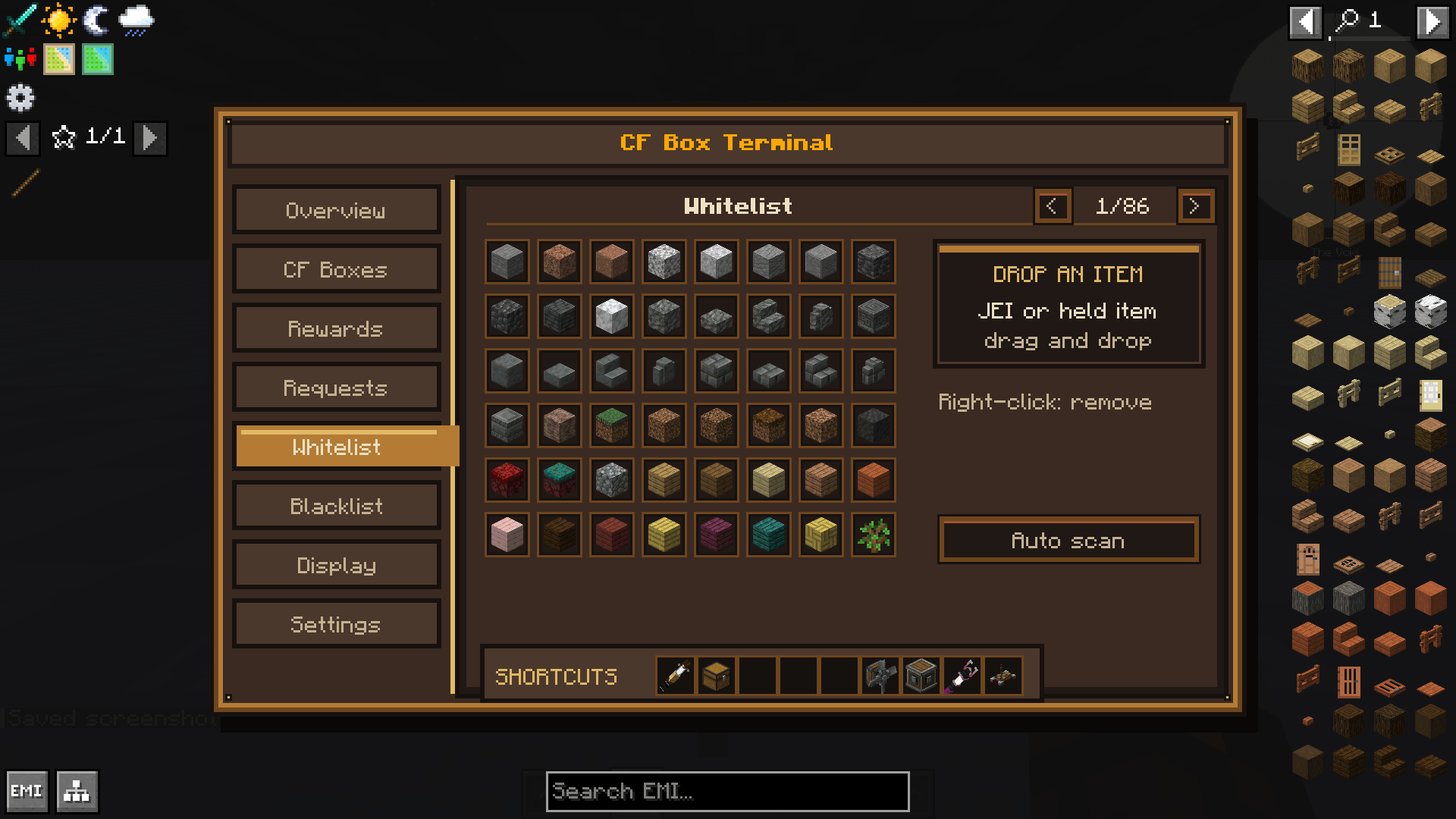 2026-07-18_18.12.47.png 2026-07-18_18.12.47.png
 -
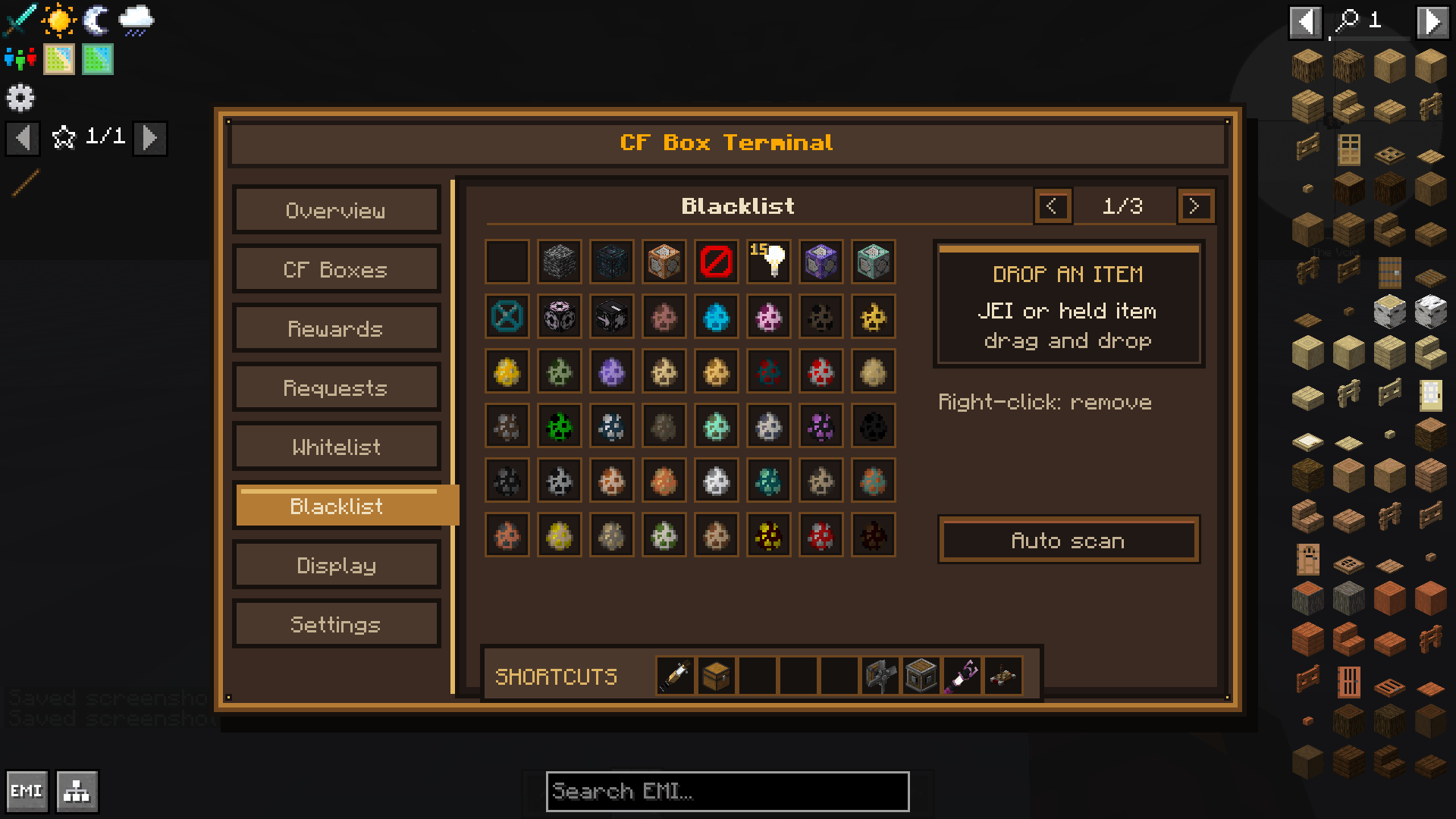 2026-07-18_18.12.48.png 2026-07-18_18.12.48.png
 -
 2026-07-18_18.12.49.png 2026-07-18_18.12.49.png
 -
 2026-07-18_18.12.51.png 2026-07-18_18.12.51.png
Versions
Files
Relations
Project Relations
More like this
Similar Mods
Suggestions use data such as tags, dependencies, dependents, descriptions, titles, and more to rank how much they overlap with this mod.
On ModDex
Community snapshot
By the numbers
Statistics
Want to reach Minecraft players?
We're looking for a server hosting partner to feature here and other parts of the site. Interested? Send us a message!
Get in touchGet it on
Available Platforms
On ModDex
Community snapshot
By the numbers
Statistics
Resources