
Community listing page, reviews here may not be monitored by the author.
ChallengeHelper

No reviews yet
ChallengeHelper is a client side mod for IBR challenge tracks that lets you create custom runs and timetrials of a track for better practice and tracking of your stats.

Community voices
Reviews
No reviews yet. Be the first to review this project!
Get it on
Available Platforms
Compatibility
Supported Environments
Runs entirely on the client. Works on vanilla servers.
About
Project Details
For authors
Embed Badge
If you're the author of this project, you can embed a live badge anywhere that supports HTML or Markdown. It updates automatically whenever ratings change.
Use HTML for any page that supports it, or Markdown for README files and Markdown-based descriptions.
Identifiers
Platform IDs
Resources
External Links
About
Description
ChallengeHelper Mod
A mod designed to help with practicing and tracking data for IBR challenge tracks on Boatlabs
Main Command Usage: /ch
Features
- Create local track profiles for any kind of track
- Track and Region setup system similar to Boatlabs
- Create custom runs/timetrials based on checkpoints (Ex: START-C9, C4-C9)
- Time spent, attempts, personal bests, and run progress are tracked and displayed
- Custom graphs which display Passrate and Progress over time/attempts
- Exporting/Importing track profiles and data
- CSV exporting for graphs
Important
ChallengeHelper is client side only and is designed to work only on Boatlabs
Tutorial video soon
Screenshots
Gallery
-
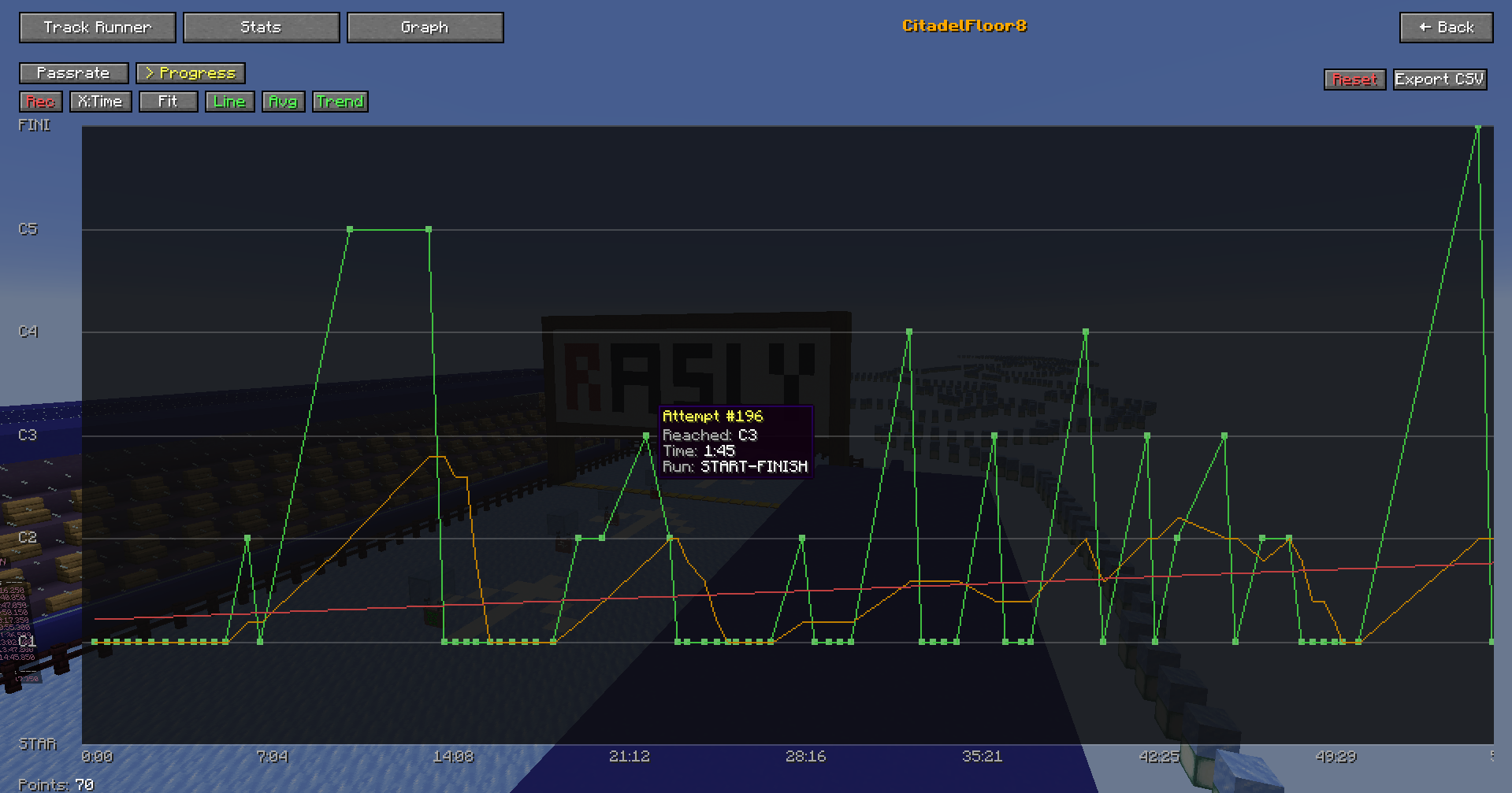 Progress Graph This graph will show your progress over a period of time, displaying what checkpoint you reached and at what time before failing, and will also include different averaging lines, you can stop or resume recording of this graph dynamically
 -
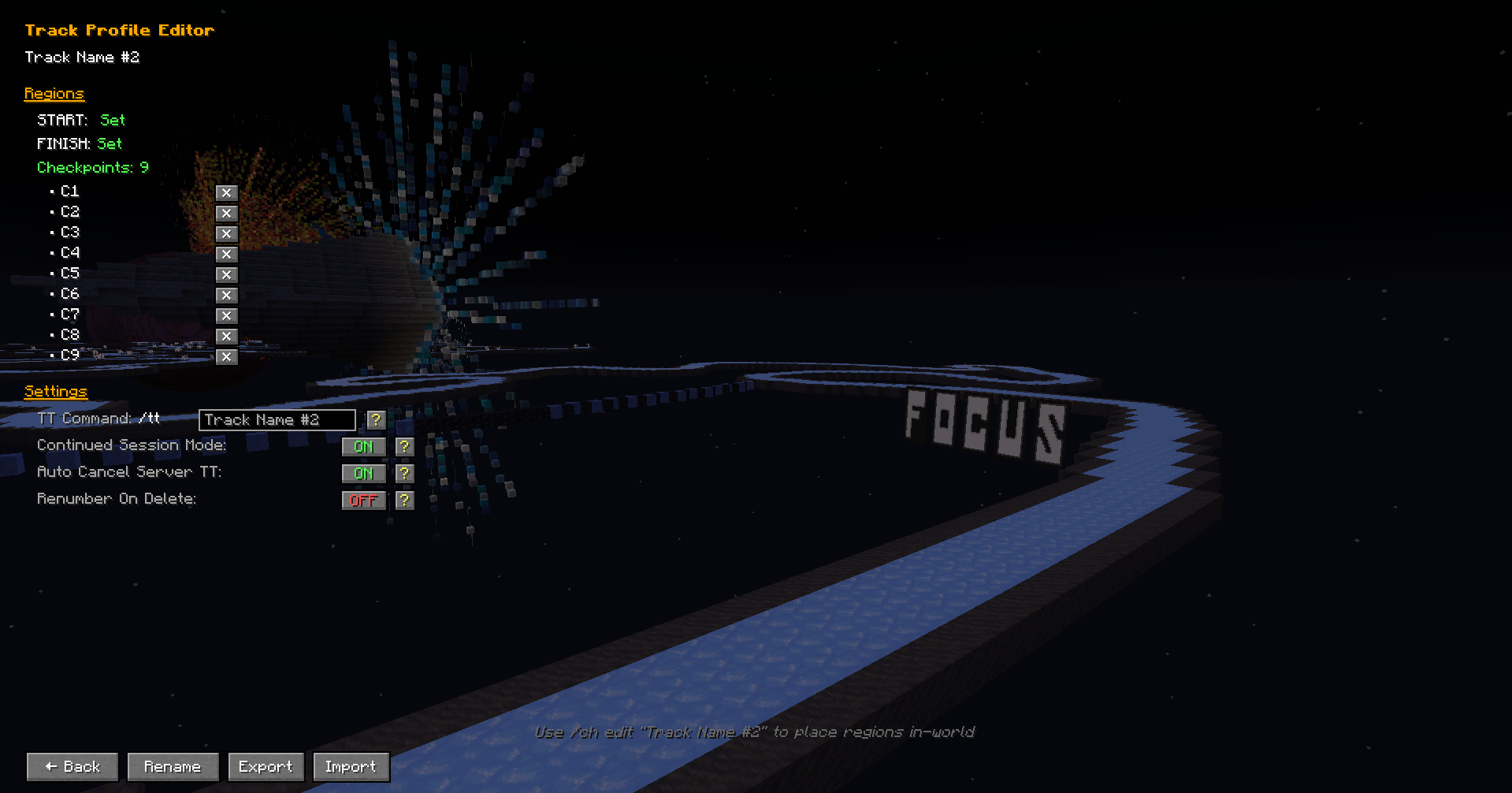 Track Profile Editor Menu When clicking the Edit button on a track profile you will be greeted with this, you can see what regions you have set, settings you can toggle on or off, and options to rename, export, or import data.
 -
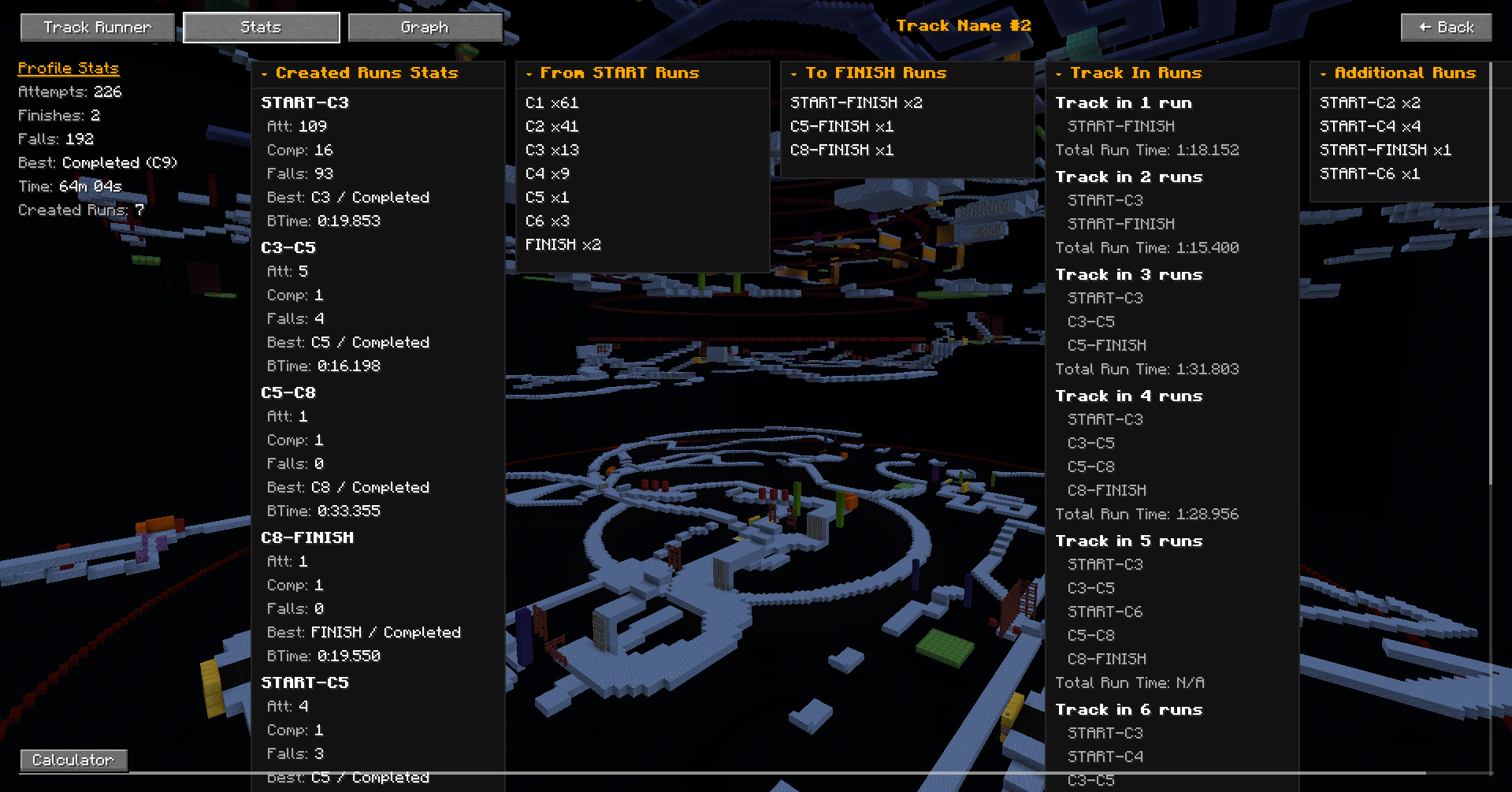 Stats Tab Here all your different data will be displayed like your total data, data on your created runs, progress from start, progress to finish and more!
 -
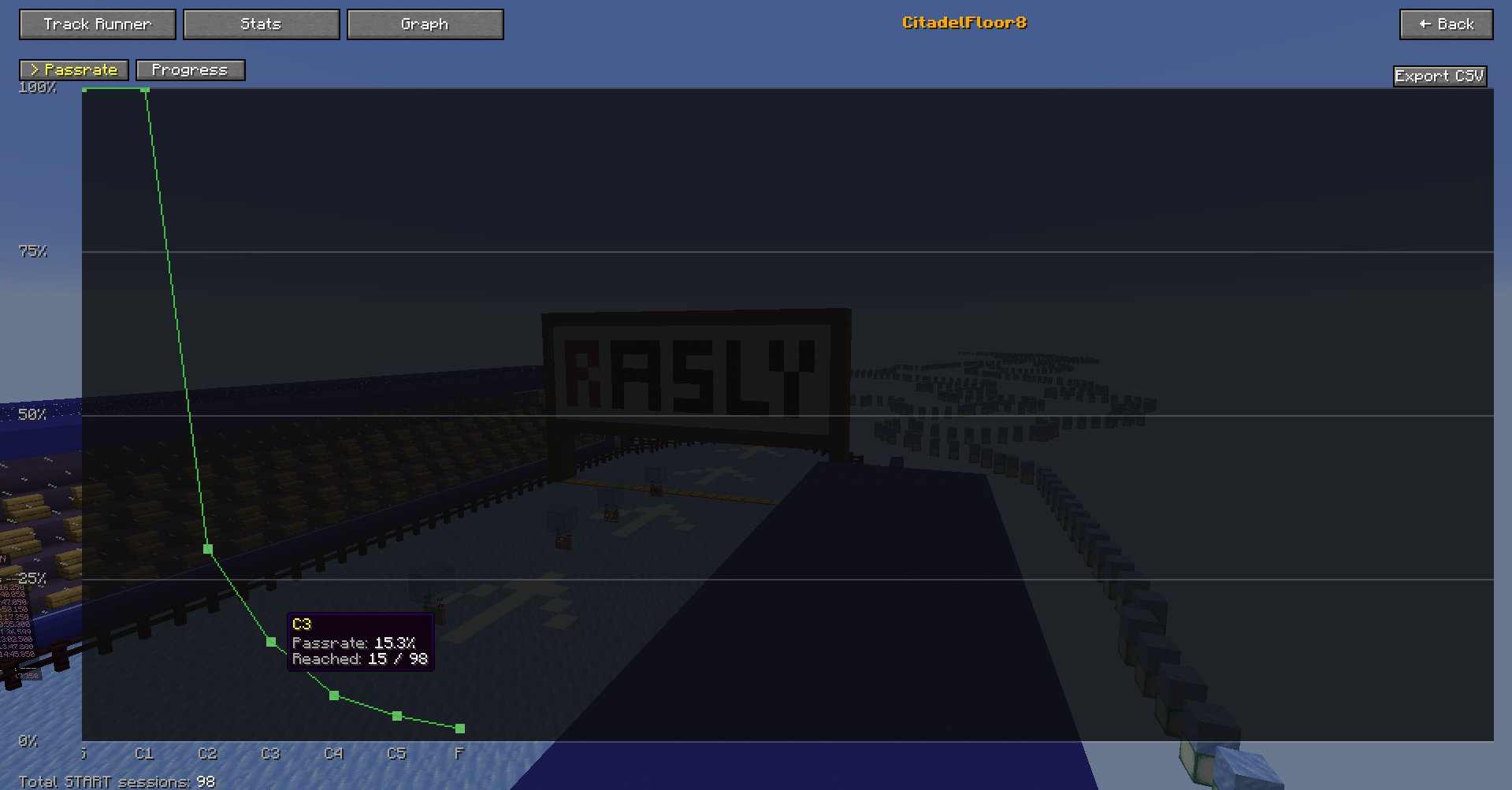 Passrate Graph This graph will display your passrate of each checkpoint when doing run from Start, hovering over each point will show the checkpoint and its passrate info.
 -
 Challenge Helper
 -
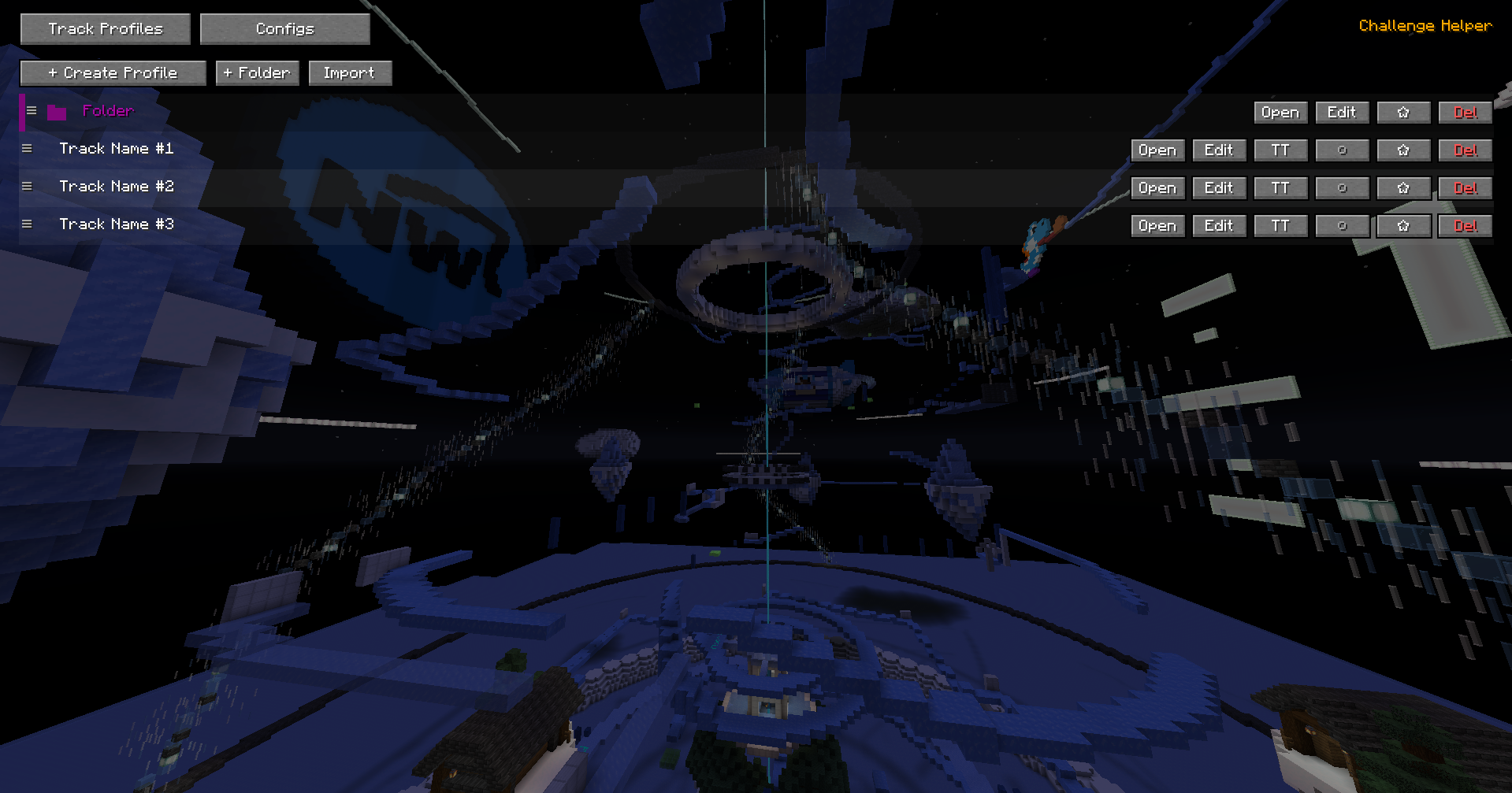 Track Profiles Menu When opening the ChallengeTrack menu this will be what you are greeted with. You can open up the menu with /ch menu or with a hotkey!
 -
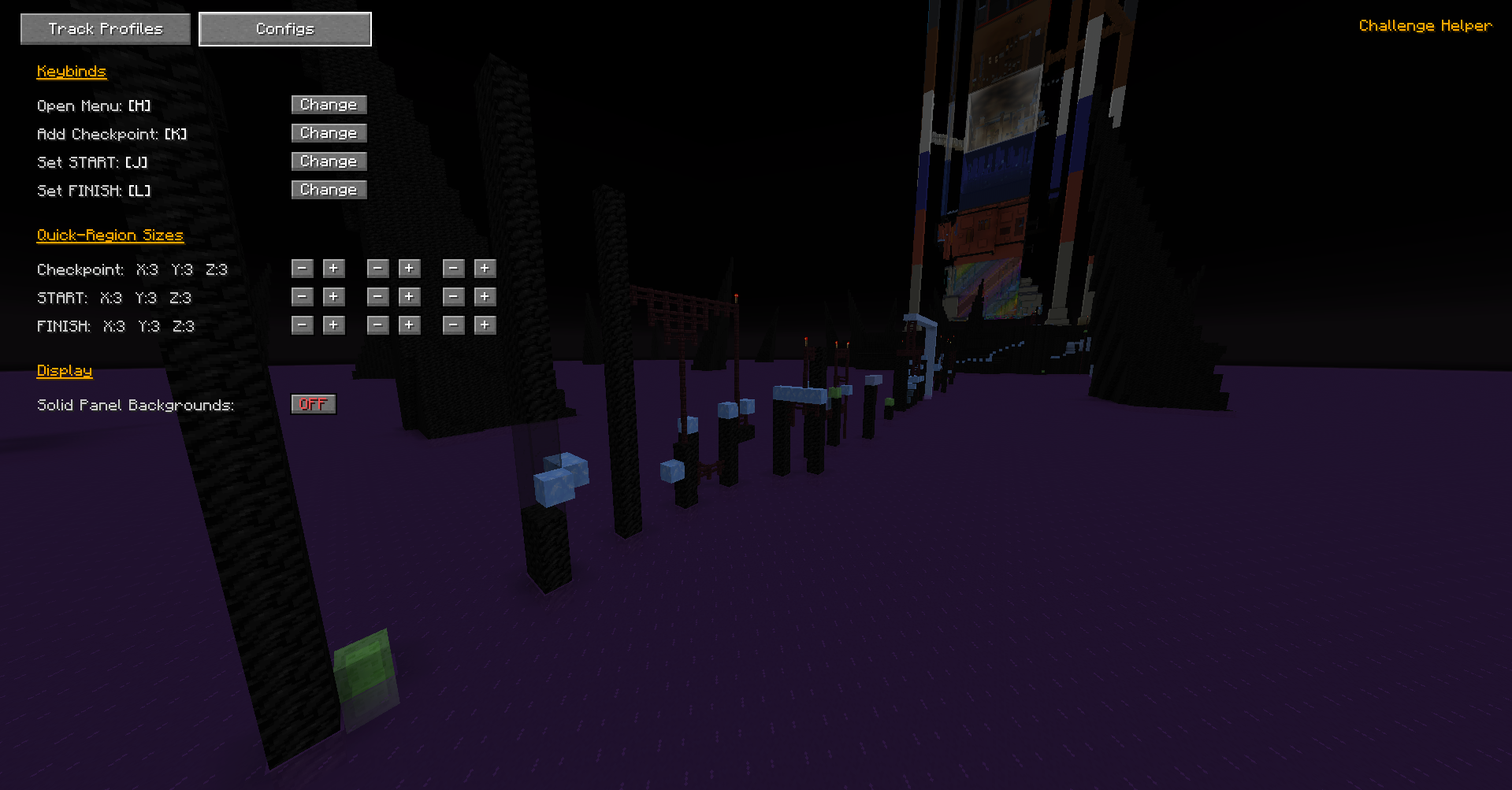 Configs Change keybinds, edit quick region sizes, or display.
 -
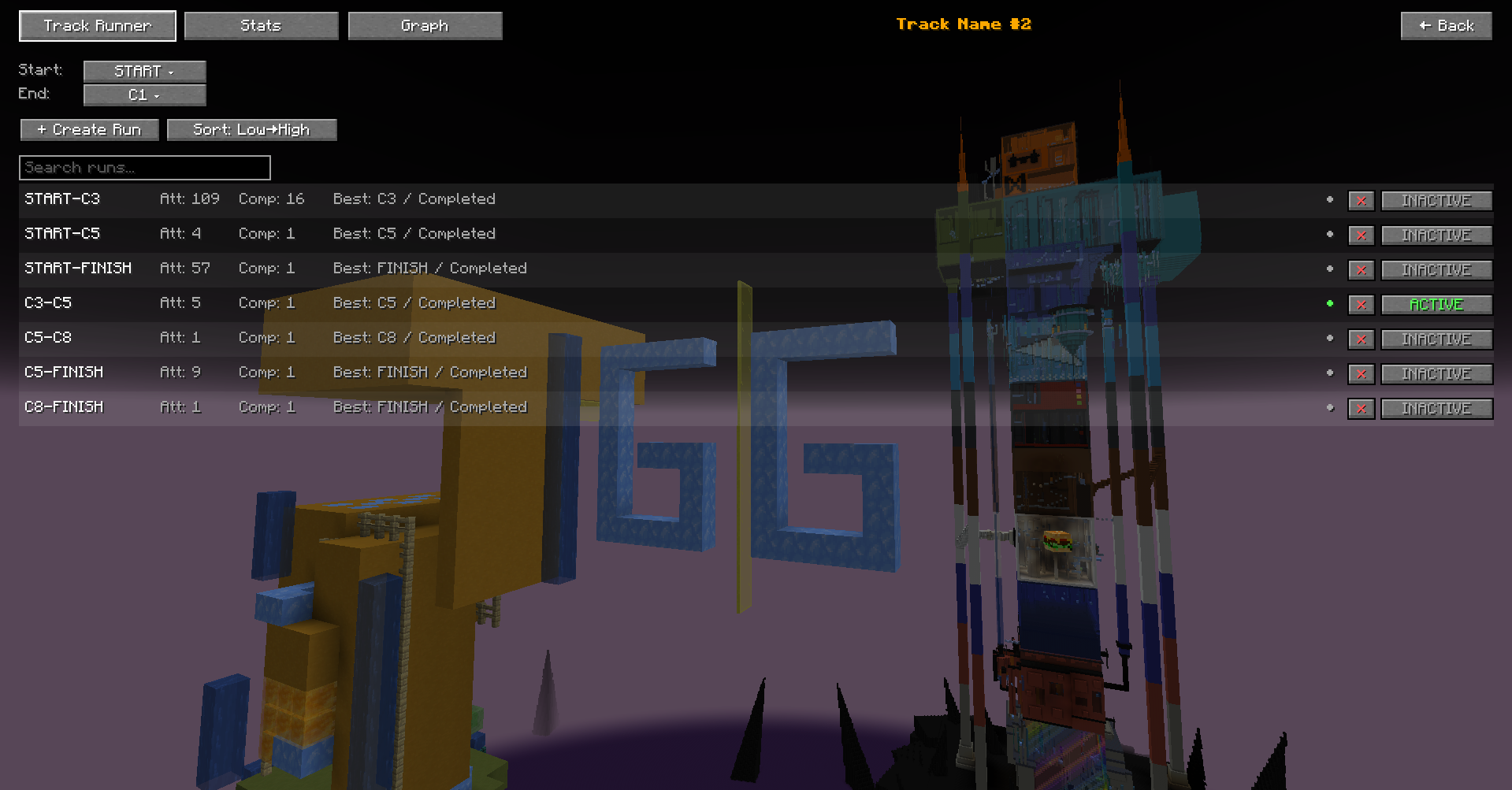 Track Runner Menu Here you can create, activate, or delete your custom runs!
Versions
Files
Relations
Project Relations
More like this
Similar Mods
Suggestions use data such as tags, dependencies, dependents, descriptions, titles, and more to rank how much they overlap with this mod.
On ModDex
Community snapshot
By the numbers
Statistics

 (opens in a new tab)
Get it on
Available Platforms
On ModDex
Community snapshot
By the numbers
Statistics
Resources