
Community listing page, reviews here may not be monitored by the author.
challengetimer


No reviews yet
An advanced Minecraft Timer Mod for Challenges etc with countdowns, stopwatches, gradients and more
Community voices
Reviews
No reviews yet. Be the first to review this project!
Get it on
Available Platforms
Compatibility
Supported Environments
Runs entirely on the server. Also works in singleplayer.
About
Project Details
For authors
Embed Badge
If you're the author of this project, you can embed a live badge anywhere that supports HTML or Markdown. It updates automatically whenever ratings change.
Use HTML for any page that supports it, or Markdown for README files and Markdown-based descriptions.
Identifiers
Platform IDs
About
Description
# Challenge Timer
An advanced Minecraft Timer Mod for Challenges etc.
Tutorial: https://youtu.be/aHcGYtDmxuk
## Features
- Countdown
- Countup (Stopwatch)
- multiple Timers supported
- Colors (names + hex-codes)
- Color Gradients (static & animated)
- customize animationtime + direction
- advanced Time Indication
- set Pre- & Suffix
- retime
- retype (count up/down)
- customize finished text (shown when the timer is over)
- format text (bold,underlined,..)
- pause timers
## Upcoming:
- more advanced formatting options
- assign timers to players
- more colors in gradients possible
## Usage
How to add Countdown
```
/timer add Countdown <time></time>
<time> given like "2d6h20m13s"</time>
Keywords:
'd' : days
'h' : hours
'm' : minutes
's' : seconds
```
How to add Stoppwatch
```
/timer add Countup <time> Countup
```</time>
How to start the Timer
```
/timer start
```
How to reset the Timer
```
/timer reset
```
How to remove Timer
```
/timer remove
```
How to change the shown Timer
```
/timer set
```
How to set Timer Color
```
/timer set color
```
How to use an animated Gradient
```
/timer set color gradient animated
```
How to set Timer Time
```
/timer set time <time>
```</time>
How to set Pre/Suffix
```
/timer settings prefix/suffix
! the pre/suffix color is the default_color
```
How to set default Timer Color
```
/timer settings default_color
```
How to set finished-text (text shown after timer over)
```
/timer settings finished_text
Keywords:
{name} = name of current timer
```
How to pause/unpause
```
/timer pause
```
How to en/disable timers
```
/timer en/disable
```
## System Infos
**Minecraft Verion:** Minecraft Java Fabric 1.21.5
**Fabric Loader:** 0.16.14 (usually preset)
## 🔗 Links
[](https://www.aaircrafter.online/linktree)
[](https://www.aaircrafter.online/discord)
[](https://www.youtube.com/@AAirCrafter)
[](https://www.tiktok.com/@aaircrafter)
[](https://modrinth.com/user/AAirCrafter)
[](https://www.planetminecraft.com/member/aaircrafter/)
## Authors
- [@AAirCrafter](https://github.com/AAirCrafter)
## License
[AAirCrafter's License](https://www.aaircrafter.online/license)
Challenge Timer
An advanced Minecraft Timer Mod for Challenges etc.
Tutorial: https://youtu.be/aHcGYtDmxuk
Features
- Countdown
- Countup (Stopwatch)
- multiple Timers supported
- Colors (names + hex-codes)
- Color Gradients (static & animated)
- customize animationtime + direction
- advanced Time Indication
- set Pre- & Suffix
- retime
- retype (count up/down)
- customize finished text (shown when the timer is over)
- format text (bold,underlined,..)
- pause timers
- customize pause text
Upcoming:
- more advanced formatting options
- assign timers to players
- more colors in gradients possible
Usage
How to add Countdown
  /timer add Countdown <Timername> <time>

  <time> given like "2d6h20m13s"

  Keywords:
  'd' : days
  'h' : hours
  'm' : minutes
  's' : seconds
How to add Stoppwatch
/timer add Countup <name> <time> Countup
How to start the Timer
/timer start <name>
How to reset the Timer
/timer reset <name>
How to remove Timer
/timer remove <name>
How to change the shown Timer
/timer set <name>
How to set Timer Color
/timer set <name> color <color(name or hex)>
How to use an animated Gradient
/timer set <name> color gradient <hex> <hex> animated
How to set Timer Time
/timer set <name> time <time>
How to set Pre/Suffix
  /timer settings prefix/suffix <prefix/suffix>

  ! the pre/suffix color is the default_color
How to set default Timer Color
/timer settings default_color <color(name or hex)>
How to let Pre/Suffix inherit from Timer Formattings
  /timer settings defaultColor useTimerFormattings

  ! fe gradients and formattings like bold/underlined
How to set finished-text (text shown after timer over)
  /timer settings finishedText <text>

  Keywords:
  {name} = name of current timer
How to pause/unpause
/timer pause
How to set paused-text (text shown after timer over)
  /timer settings pausedText <text>

  Keywords:
  {name} = name of current timer
  {time} = time of current timer
How to en/disable timers
/timer en/disable
System Infos
Minecraft Verion: Minecraft Java Fabric 1.21.5
Fabric Loader: 0.16.14 (usually preset)
🔗 Links


Authors
License
Screenshots
Gallery
-
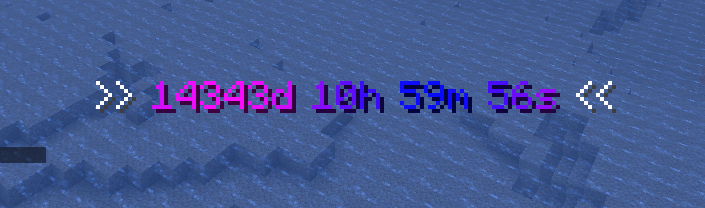 timer with pre/suffix and higher animtime
 -
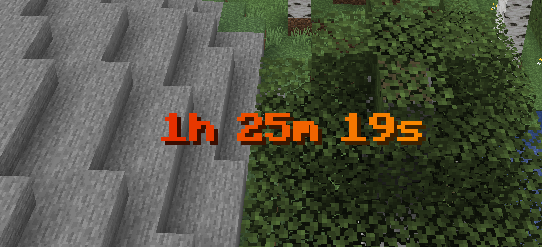 red/orange timer
 -
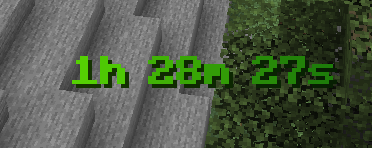 green timer with formattings /timer set challenge gradient "#E41500" "#FF9900" animated
 -
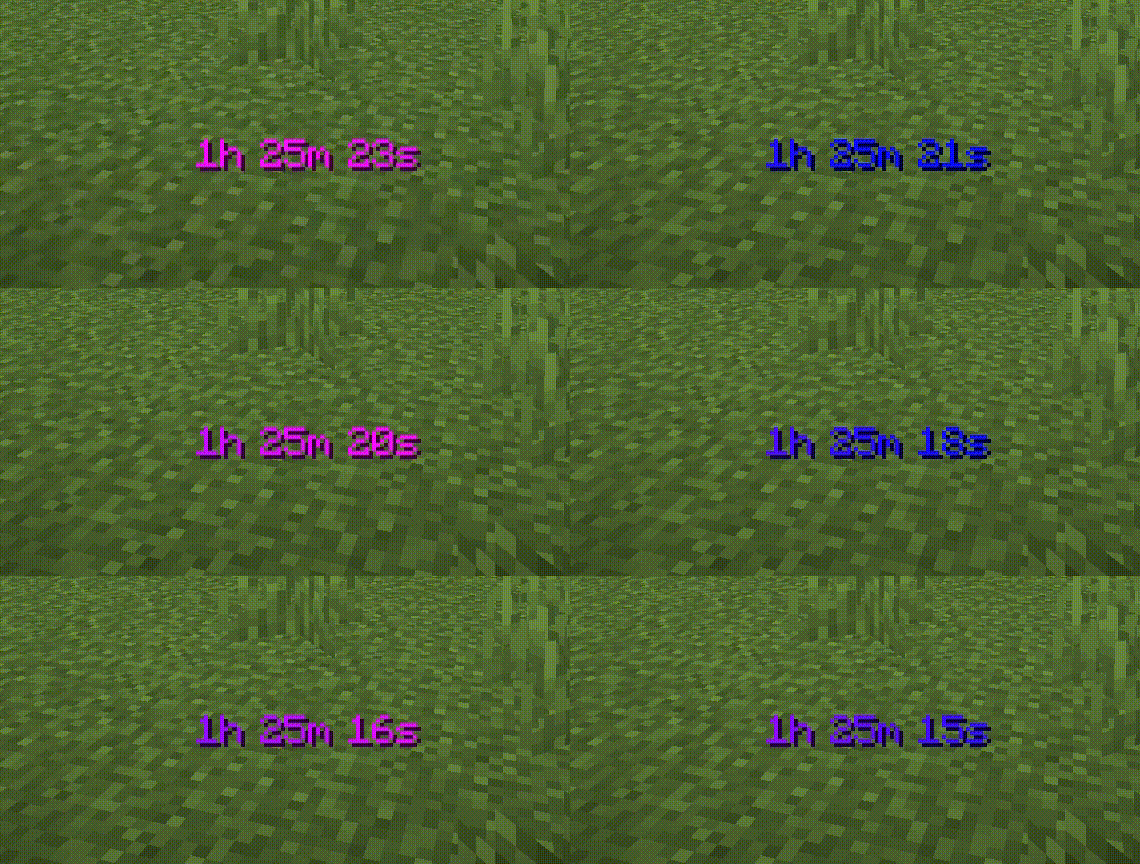 animated timer example /timer set challenge gradient "#080CFF" "#FF0CFF" animated
-
 animated timer example /timer set challenge gradient "#080CFF" "#FF0CFF" animated
 -
 green timer with formattings /timer set challenge gradient "#037800" "#03FF00" animated
 -
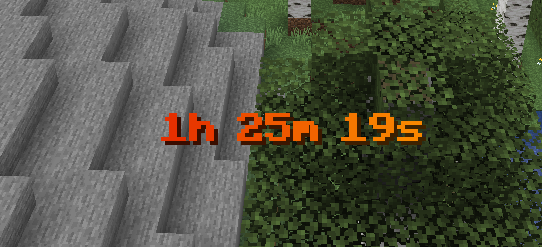 red/orange timer /timer set challenge gradient "#D90015" "#FF9500" animated
 -
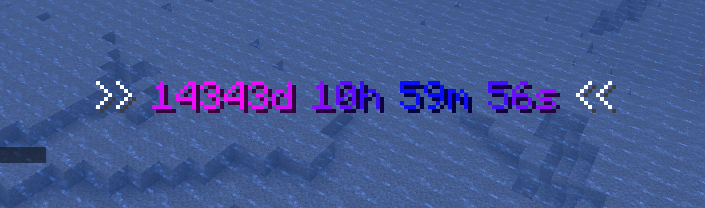 timer with pre/suffix and higher animtime
 -
 add timer /timer add challenge Countdown 1h30m
 -
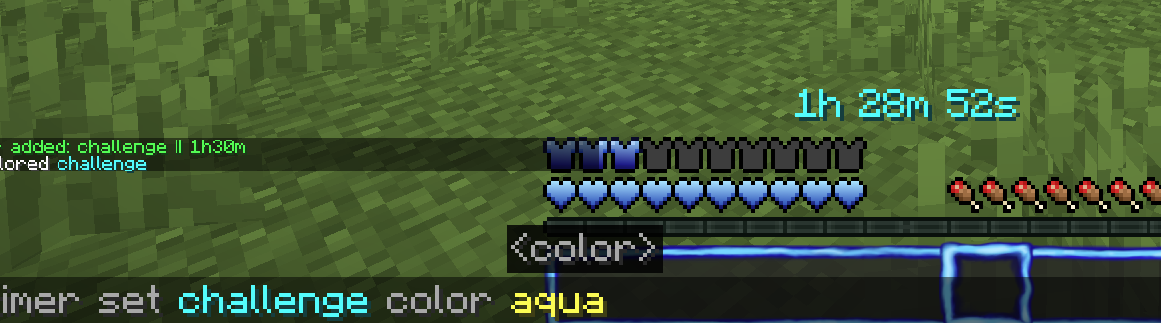 change color
 -
 change color to static gradient /timer set challenge color gradient "#080CFF" "#FF0CFF" static
Versions
Files
Relations
Project Relations
More like this
Similar Mods
Suggestions use data such as tags, dependencies, dependents, descriptions, titles, and more to rank how much they overlap with this mod.
On ModDex
Community snapshot
By the numbers
Statistics
Want to reach Minecraft players?
We're looking for a server hosting partner to feature here and other parts of the site. Interested? Send us a message!
Get in touchGet it on
Available Platforms
On ModDex
Community snapshot
By the numbers