
Community listing page, reviews here may not be monitored by the author.
Chameleon Dock


No reviews yet
macOS Dock icon change (previous, Fix MC-248936)
Community voices
Reviews
No reviews yet. Be the first to review this project!
Get it on
Available Platforms
Compatibility
Supported Environments
Runs entirely on the client. Works on vanilla servers.
About
Project Details
For authors
Embed Badge
If you're the author of this project, you can embed a live badge anywhere that supports HTML or Markdown. It updates automatically whenever ratings change.
Use HTML for any page that supports it, or Markdown for README files and Markdown-based descriptions.
Identifiers
Platform IDs
About
Description
Introduction (3.0.0~)
- This mod allows you to change the Dock icon in macOS on Minecraft 1.19 and later clients. (Starting from version 3.2.0, Windows OS is also unstable but supports it.)
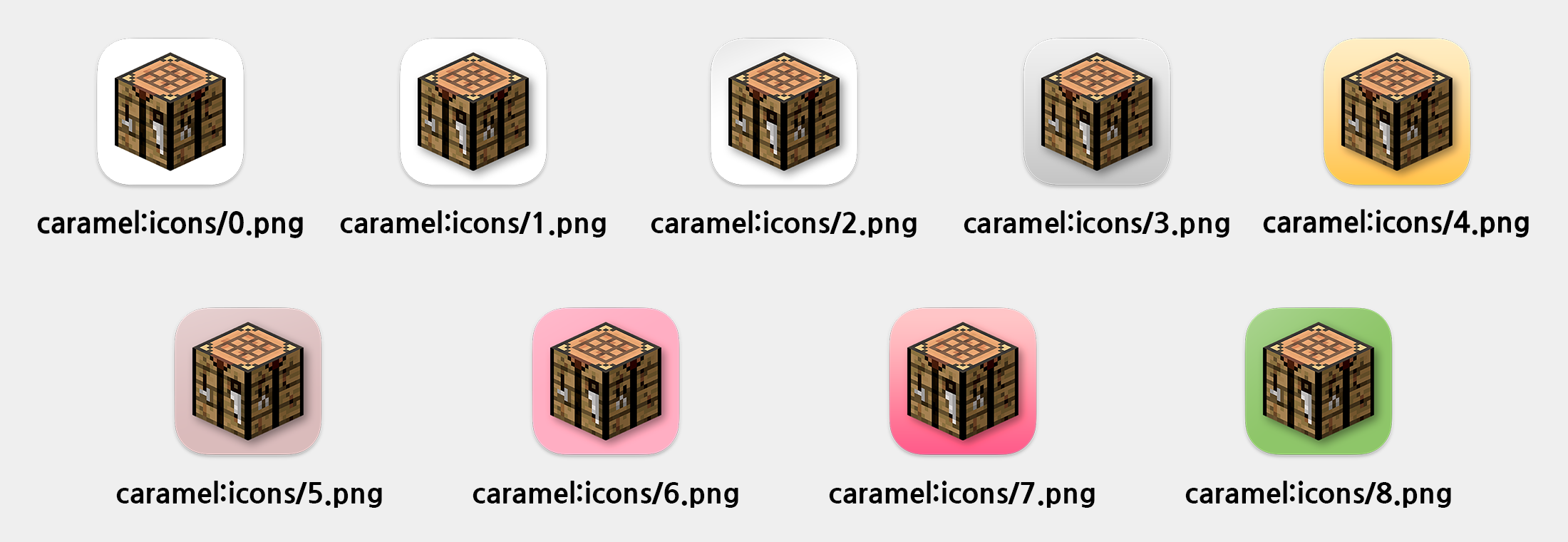
- This mod provides icon pack containing 9 icons for players who run on macOS Big Sur or above.

- You can change Dock icon using client command
/chameleon (icon name)or using Mod Menu. And add icon using Custom Resource Pack, if you want.
Introduction (~2.0.X)
- This mod fixes the issue that Minecraft icon does not appear while running in macOS Dock on Minecraft 1.13 client or above.
- Also, this mod fixes the
GLFW error 65548: Cocoa: Regular windows do not have icons on macOSerror when you run Minecraft 1.17.1 client or lower on Apple Silicon devices. - This mod provides icon pack containing 9 icons for players who run on macOS Big Sur or above.
- You can change Dock icon using client command
/changeicon (icon name)or add icon using Custom Resource Pack, if you want.
Caution!
- fabric-api is required.
- This mod is only available on Java 17(3.0.0~) or above.
Chameleon
Read in other languages: English, 한국어, 日本語.
Read the description of Fix MC-248936, the old name of this project: English, 한국어, 日本語
Introduction
- This mod allows you to change the Dock icon in macOS on Minecraft 1.19 and later clients. (Starting from version 3.2.0, Windows OS is also unstable but supports it.)
- This mod provides icon pack containing 9 icons for players who run on macOS Big Sur or above.
- You can change Dock icon using the client command
/chameleon <icon name>or through Mod Menu. You can also add the icon using a Custom Resource Pack if you want.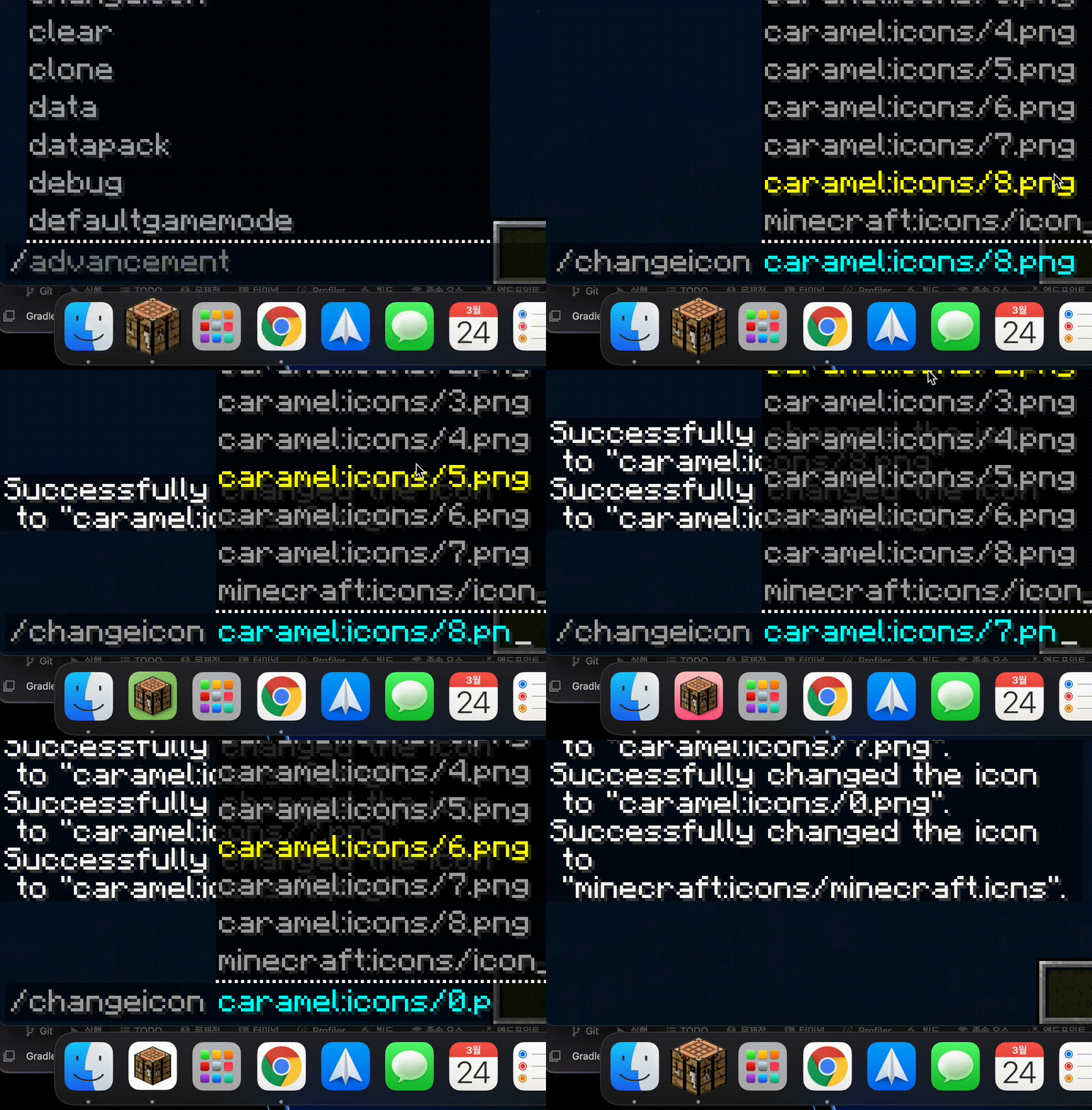
Caution!
- fabric-api is required.
- This mod is only available on Java 17 or above.
Screenshots
Gallery
-
Bundled Icons Bundle icon included in this mod
-
Usage
Versions
Files
Relations
Project Relations
More like this
Similar Mods
Suggestions use data such as tags, dependencies, dependents, descriptions, titles, and more to rank how much they overlap with this mod.
On ModDex
Community snapshot
By the numbers
Statistics
Want to reach Minecraft players?
We're looking for a server hosting partner to feature here and other parts of the site. Interested? Send us a message!
Get in touchGet it on
Available Platforms
On ModDex
Community snapshot
By the numbers