Community listing page, reviews here may not be monitored by the author.
Change Name

No reviews yet
Roleplay-friendly player nicknames shown above players, in chat, and in the tab list without changing real Minecraft account identities.
Community voices
Reviews
No reviews yet. Be the first to review this project!
Get it on
Available Platforms
Compatibility
Supported Environments
Runs entirely on the client. Works on vanilla servers.
About
Project Details
For authors
Embed Badge
If you're the author of this project, you can embed a live badge anywhere that supports HTML or Markdown. It updates automatically whenever ratings change.
Use HTML for any page that supports it, or Markdown for README files and Markdown-based descriptions.
Identifiers
Platform IDs
Resources
External Links
About
Description
Name Changer
Name Changer adds simple, immersive player nicknames designed especially for roleplay servers.
Let players use their character names instead of their real Minecraft account names. This helps preserve immersion, keeps conversations in character, and prevents real usernames from disrupting the roleplay experience.
Nicknames are stored persistently and synchronized across overhead name tags, the player list, and chat—without modifying the player's actual GameProfile identity.
✨ Features
- Players can set their own character name
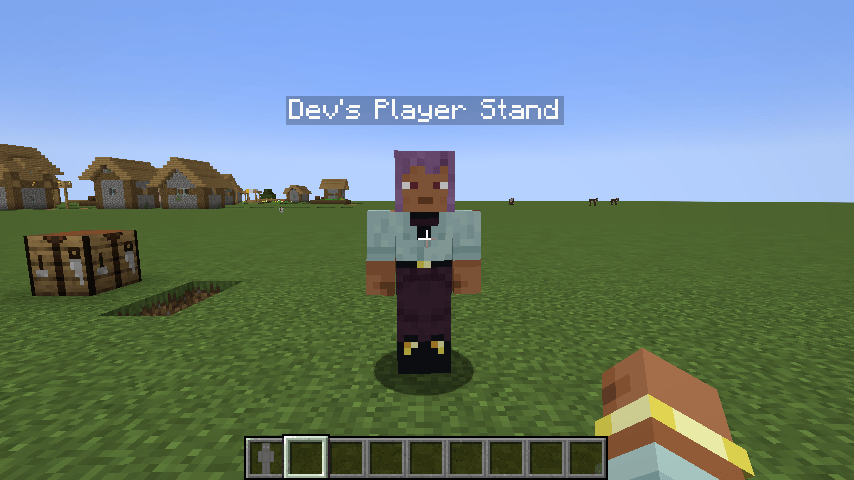
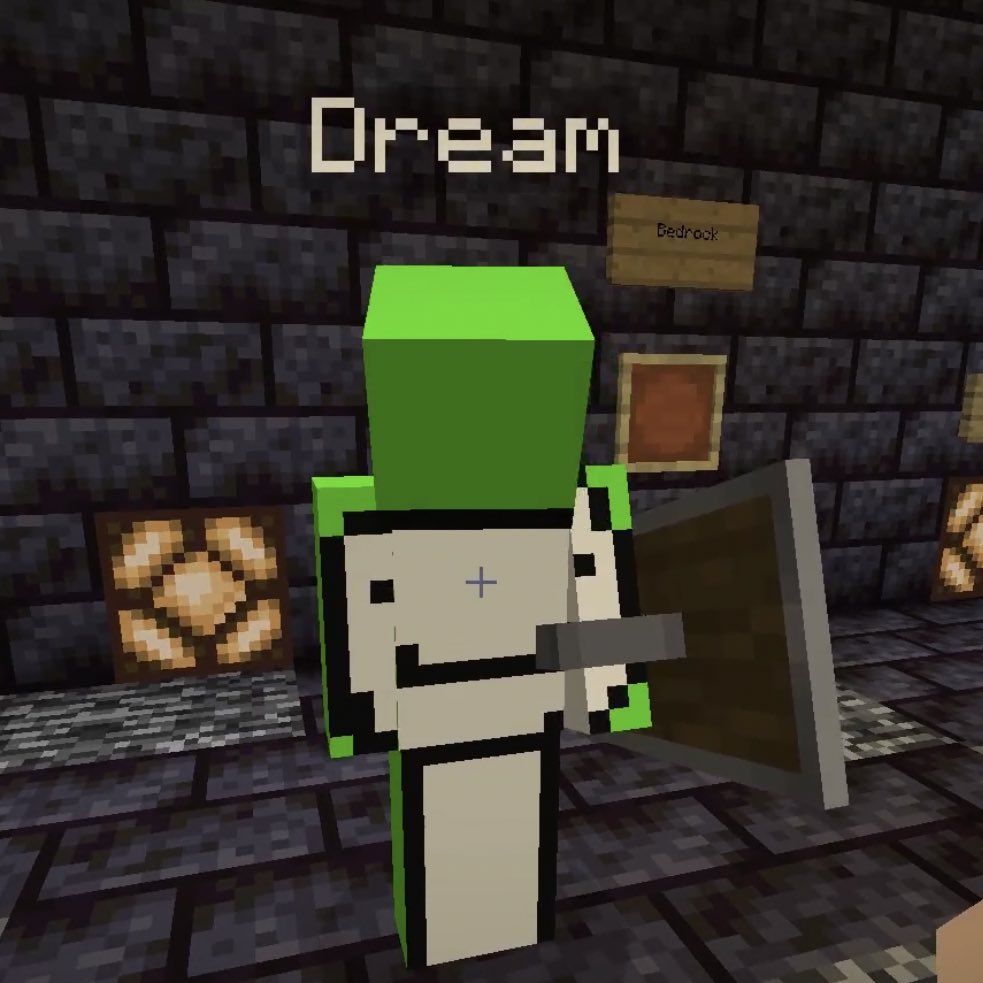
- Nicknames appear above players, in chat, and in the player list
- Players can return to their real account name at any time
- Operators can hide all floating player names server-wide
- Hold U to temporarily reveal real names while hide mode is active
- Nicknames persist after restarting the server
- Maximum nickname length of 32 characters
⌨️ Commands
| Command | Description | Permission |
|---|---|---|
/nick <name> |
Set your nickname | Everyone |
/nick name <name> |
Set your nickname | Everyone |
/nick reset |
Reset your nickname to your real name | Everyone |
/nick hide on |
Hide all floating player names | Operator only |
/nick hide off |
Show floating player names again | Operator only |
If a nickname is empty or longer than 32 characters, it will not be applied and the player will receive a warning.
📥 Installation
Name Changer must be installed on both the server and every connecting client.
Fabric
- Install Fabric Loader.
- Install Fabric API.
- Install Architectury API.
- Place the matching
name-changer-...-fabric-...jarfile in themodsfolder.
NeoForge
- Install NeoForge for the supported Minecraft version.
- Install Architectury API.
- Place the matching
name-changer-...-neoforge-...jarfile in themodsfolder.
For Minecraft 26.2, the current NeoForge build targets NeoForge
26.2.0.1-betabecause newer beta builds are not yet compatible with Architectury API 21.0.5.
ℹ️ Notes
- Hide mode removes floating player labels completely.
- While hide mode is enabled, hold U to reveal real names temporarily.
- Name Changer does not modify GameProfiles, authentication identities, skins, or permission-system usernames.
- Minecraft 26.1.x and 26.2 require Java 25.
📜 Credits and license
This is a Minecraft 26.x port of the original CatLab Design Name Changer. The project is licensed under GPL-3.0-or-later.
Screenshots
Gallery
-
-
-
 Dream?
Versions
Files
Relations
Project Relations
More like this
Similar Mods
Suggestions use data such as tags, dependencies, dependents, descriptions, titles, and more to rank how much they overlap with this mod.
On ModDex
Community snapshot
By the numbers
Statistics

Want to reach Minecraft players?
We're looking for a server hosting partner to feature here and other parts of the site. Interested? Send us a message!
Get in touchGet it on
Available Platforms
On ModDex
Community snapshot
By the numbers
Statistics
Resources