
Community listing page, reviews may not be monitored by the author.
Chaos Ranks

No reviews yet
Custom pixel-art rank badges for chat, tab list and nametags, with an in-game editor and live preview.

Community voices
Reviews
No reviews yet. Be the first to review this project!
Get it on
Available Platforms
About
Project Details
For authors
Embed Badge
If you're the author of this project, you can embed a live badge anywhere that supports HTML or Markdown. It updates automatically whenever ratings change.
Use HTML for any page that supports it, or Markdown for README files and Markdown-based descriptions.
Identifiers
Platform IDs
Resources
External Links
About
Description

Show who's who, in pixel-art style.
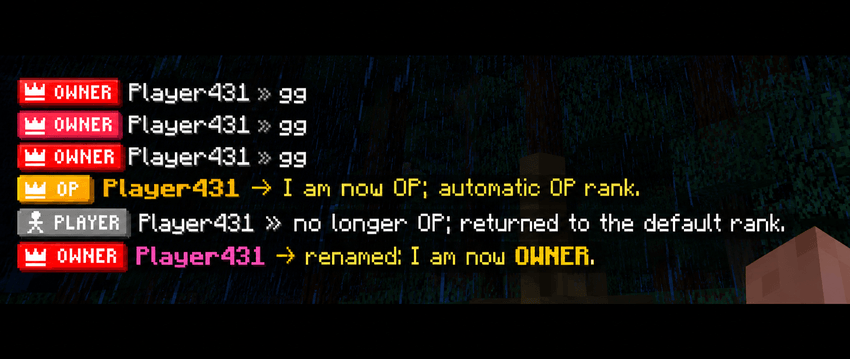
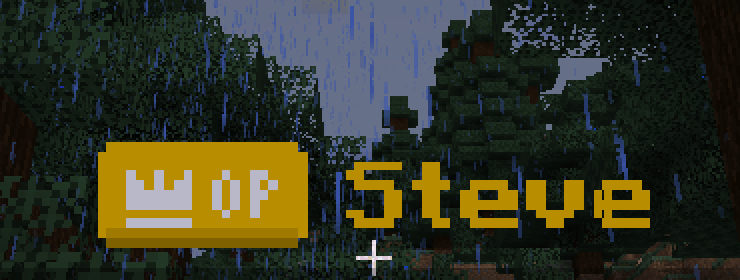
Chaos Ranks adds custom pixel-art rank badges next to player names: in chat, in the tab list and above their heads. Design every badge in-game from a custom menu with a live preview: no config files, no resource packs to send around, no restarts.
OWNER, ADMIN, VIP+, YOUTUBE, BUILDER… whatever ranks your server needs, with your own colors, frames and icons. Built for Fabric 1.21.1.
✨ Features
🏷️ Badges everywhere a name shows up
- Chat:
\[BADGE\] Name » message. The vanilla<>brackets are gone. - Tab list: a compact version of the badge that fits the row perfectly, sorted by rank priority.
- Nametags: the same badge floats above the player's head.
- Badges are crisp pixel art at any GUI scale, with a subtle 3D shading and drop shadow.

🎨 A real in-game editor
Type
/rankand a custom menu opens (not a chest!). On the left is the list of ranks, at the top a big live preview of the badge and how it looks in chat, and below it four tabs:
- Badge: text, bold, priority, and whether it's the default rank or the OP rank.
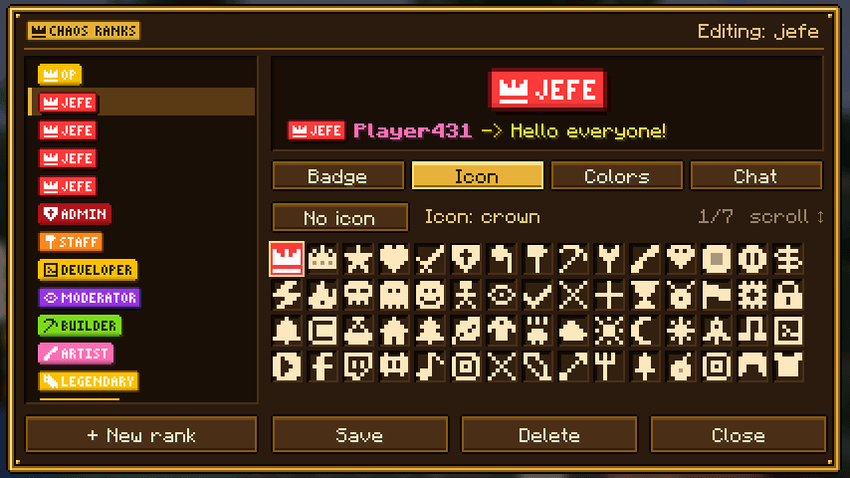
- Icon: pick from 144 hand-made pixel icons.
- Colors: background, text, icon and frame (or no frame). Pick from the palette or type any hex color.
- Chat: the player's name color (any RGB color, not just the 16 vanilla ones), bold name, message color, and a custom separator (
»,->,|…) with its own color.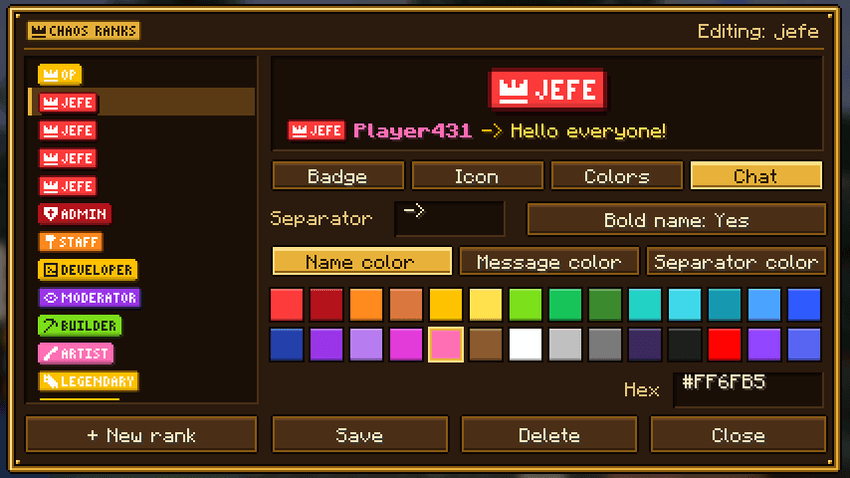
🖼️ 144 pixel icons
Crowns, swords, shields, hammers, gems, diamonds, emeralds, creepers, TNT, dragons, hearts, stars, skulls, wizards, ninjas, robots… plus social icons for YouTube, Twitch, Discord, TikTok, Instagram, Twitter/X, Kick, Spotify, GitHub and Reddit. They're all drawn for the badge size, so they stay sharp.
💬 Chat format per rank
Every rank has its own chat style. Make your owners shine with a bold gold name and yellow text, and keep regular players clean and simple. Colors you choose for the name also apply to the tab list and the nametag.
⚙️ Works out of the box
- Comes with two ranks ready to go: PLAYER, the default for everyone (including new players on their first join), and OP.
- Automatic OP rank:
/op playergives them the OP badge instantly, and/deopputs them back to their previous rank. - Any rank can be marked as default or for OPs from the editor.
- Rename a rank and everybody who had it follows the change automatically.
- Ranks are saved per world in simple JSON files (
<world>/chaosranks/). - English and Spanish translations.
📜 Commands
All commands require operator permissions (level 2).
| Command | What it does |
|---|---|
/rank |
Opens the rank editor |
/rank give <players> <rank> |
Gives a rank (overrides the default and OP rank) |
/rank remove <players> |
Removes the manual rank, so the player falls back to the OP or default rank |
/rank delete <rank> |
Deletes a rank |
Which rank a player shows: rank given with /rank give → OP rank (if they're an operator) → default rank.
Screenshots
Gallery
-
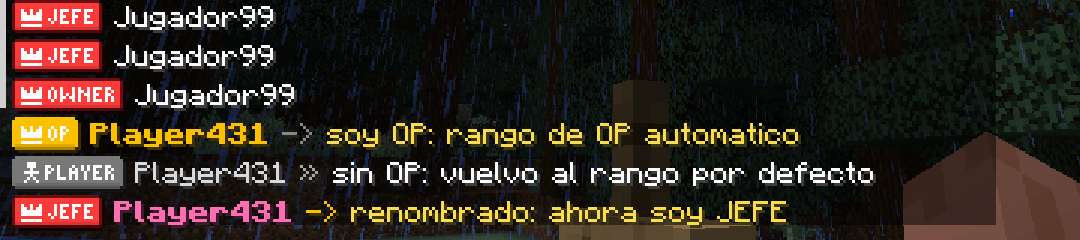 chat.png chat.png
 -
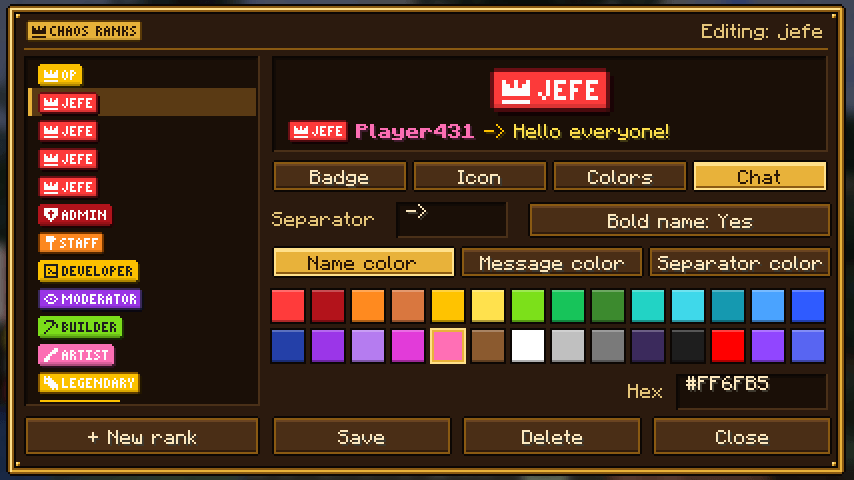 menu_chat.png menu_chat.png
 -
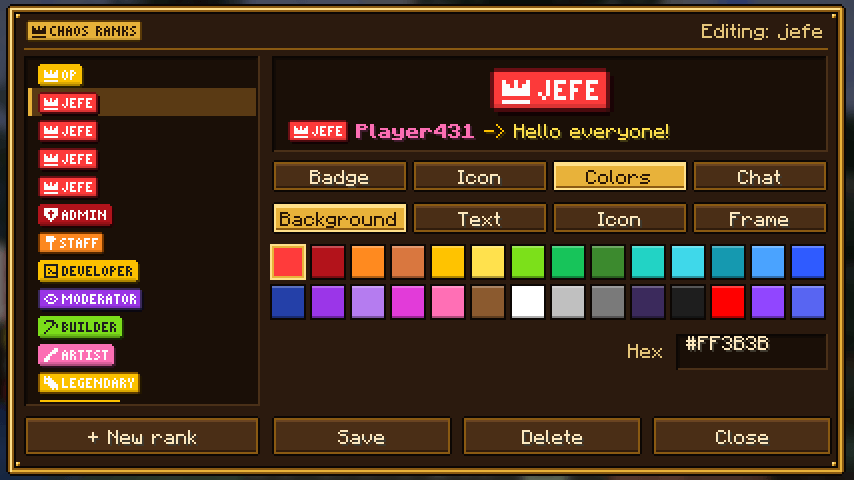 menu_colors.png menu_colors.png
 -
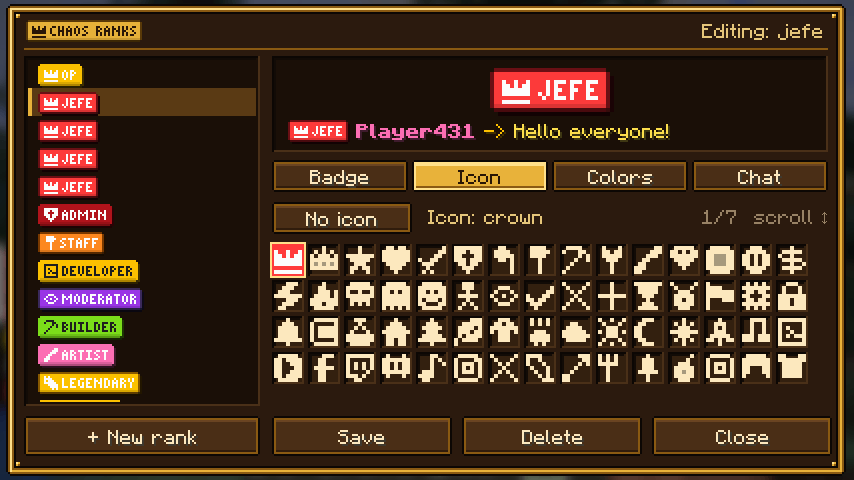 menu_icon.png menu_icon.png
 -
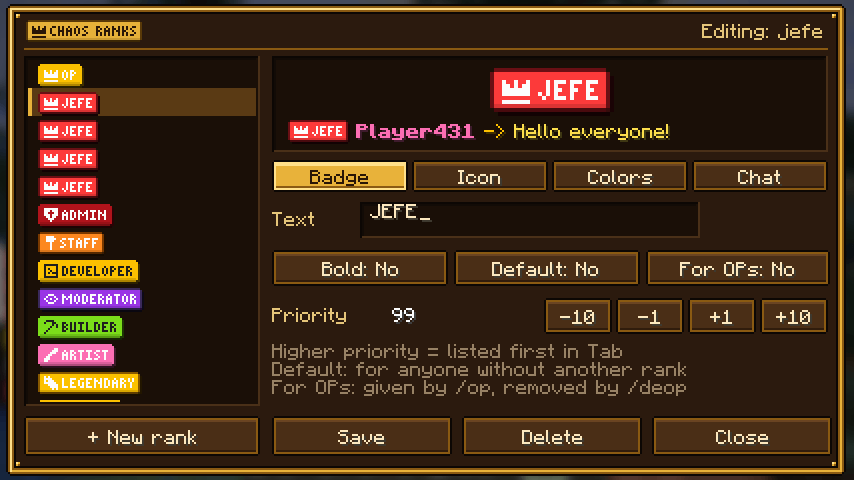 menu_label.png menu_label.png
 -
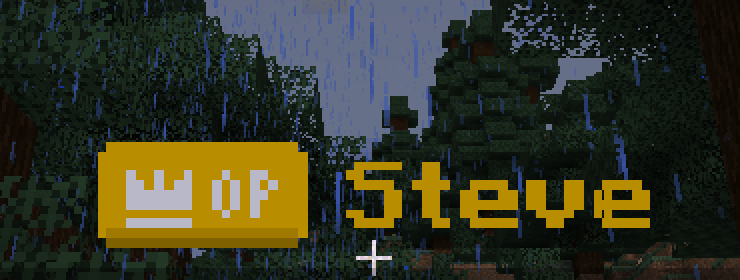 nametag.png nametag.png
 -
 tab.png tab.png
Versions
Files
Relations
Project Relations
More like this
Similar Mods
Suggestions use data such as tags, dependencies, dependents, descriptions, titles, and more to rank how much they overlap with this mod.
On ModDex
Community snapshot
By the numbers
Statistics

Get it on
Available Platforms
On ModDex
Community snapshot
By the numbers
Statistics
Resources