
Chat Magic
No reviews yet
Better display WorldEdit / other build tools' command line. With block/item view and charts for complex materials and more!
Enhances game performance and optimizes resource usage.
Fabric is a mod loader for versions 1.14+ of Minecraft, particularly popular for client side and optimization mods.
Community voices
Reviews
Click once to include, again to exclude, again to clear
No reviews yet. Be the first to review this project!
Get it on
Available Platforms
 Modrinth
Compatibility
Supported Environments
About
Project Details
For authors
Embed Badge
If you're the author of this project, you can embed a live badge anywhere that supports HTML or Markdown. It updates automatically whenever ratings change.
Use HTML for any page that supports it, or Markdown for README files and Markdown-based descriptions.
Identifiers
Platform IDs
About
Description
What is Chat Magic
Do you hate the not human friendly view of WorldEdit's materials in the commands? This is a graphic displayer for you architects!
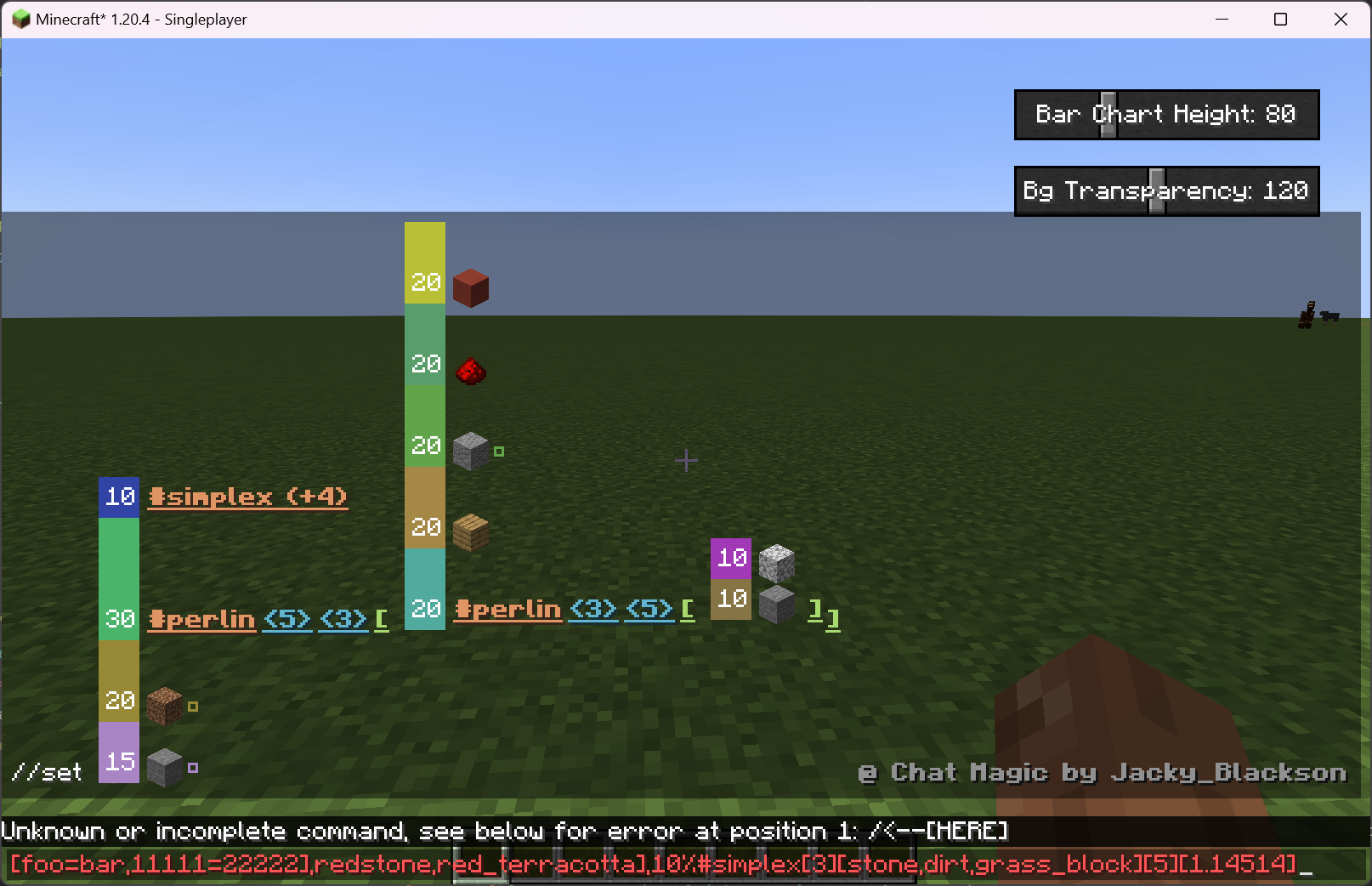
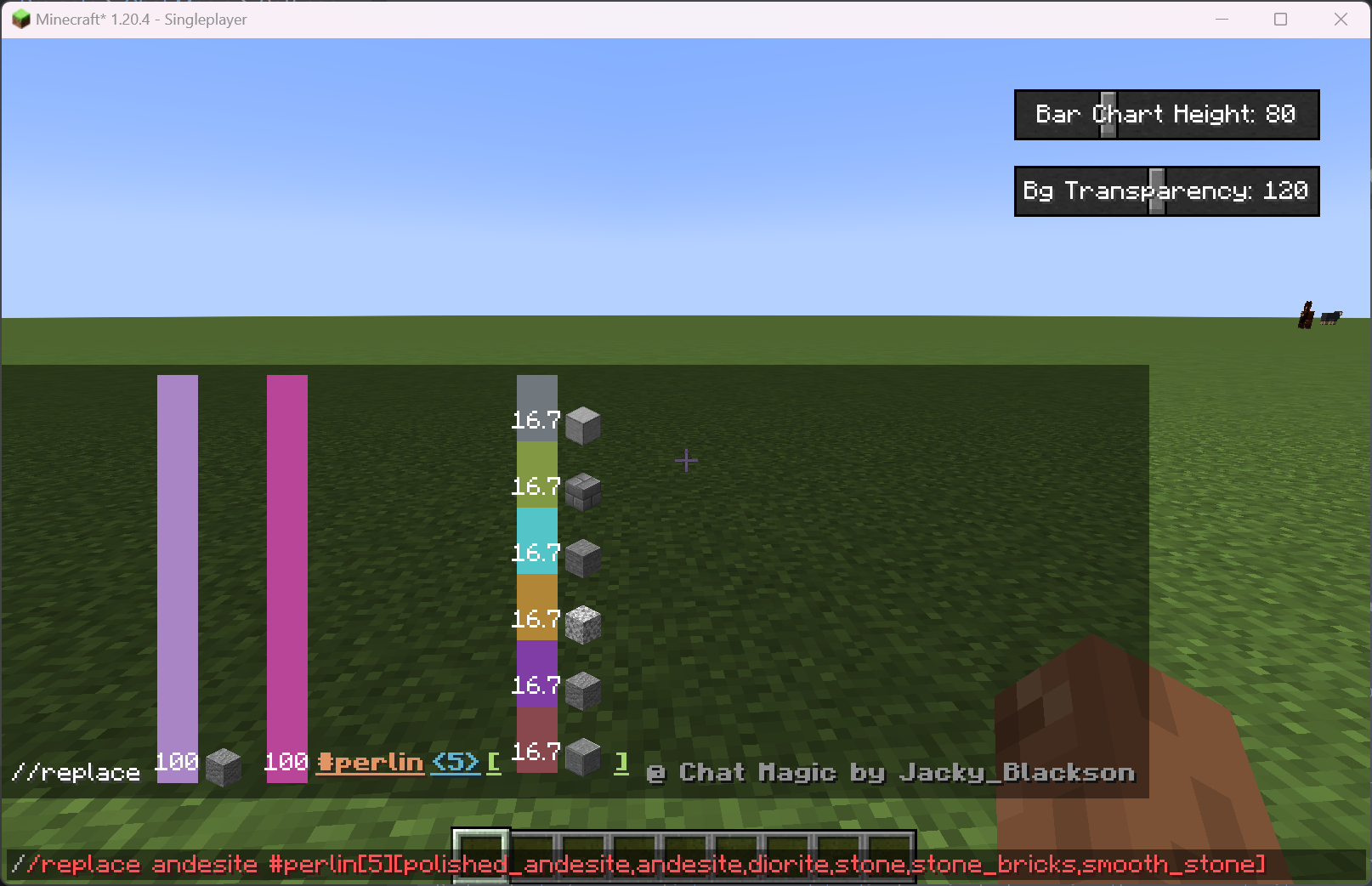
This mod will display the content of the command you entered above the input widget, making it beautiful and meaningful.
The source is on github LINK, please leave a star if this mod is of some help.
Currently Supported Features
-
Parse, render and display items when mentions
Identifierin chat. Supports bothnameandnamespace:name. -
When input
WorldEditrandom materials, such as30%stone,70%grassetc, will display a bar chart to indicate the portions of each single material. -
Supports materials with custom blockstate such as
stone_stairs[top=true,face=west], will display in the tooptip when you put your mouse on the item. -
Complex worldedit materials, including selector start with
#and recursive material expressions. Each selector's param list can expand to display simply by moving the mouse on to it.- For example:
//set 15%stone[foo=1,bar=2],20%dirt[foo=[1,2,3],bar={4}],30%#perlin[5][3][#perlin[3][5][10%stone,10%diorite],oak_planks,andesite[foo=bar,11111=22222],redstone,red_terracotta],10%#simplex[3][stone,dirt,grass_block][5][1.14514]will look like this:
-
Better display system with fixs on positionings and font and style.
-
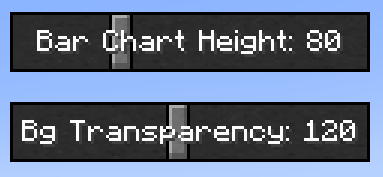
Making adjustments to charts' height and background transparency possible by adding 2 slide bars to the chat screen:
- For example:
Future Plans
- Add support to complex WE mask expressions
- Improve chart and text positioning
- Add support to multi-langrage and translations
- Add support to config files and screens
Screenshots
Gallery
-
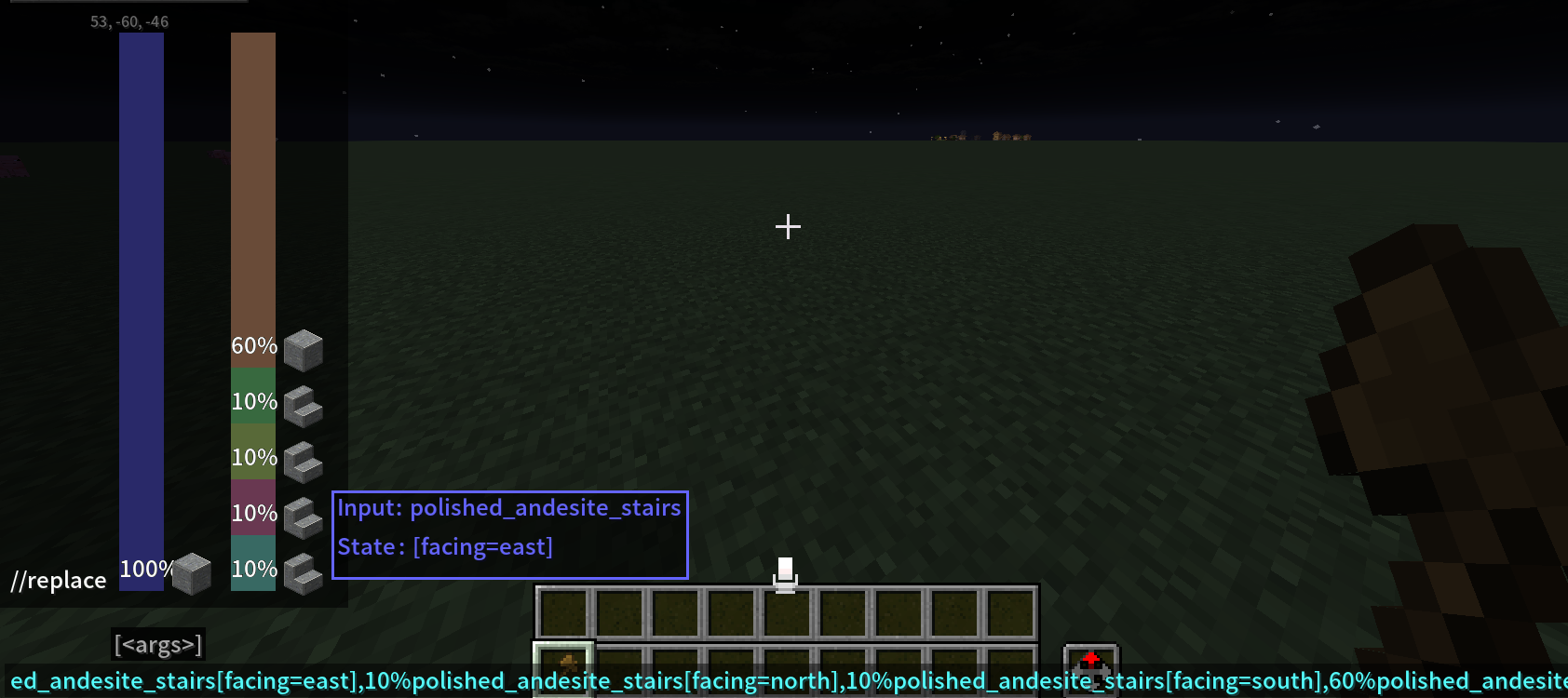 Chart display and more discrptions in tooltips.
Versions
Files
Relations
Project Relations
More like this
Similar Mods
Suggestions use data such as tags, dependencies, dependents, descriptions, titles, and more to rank how much they overlap with this mod.
On ModDex
Community snapshot
By the numbers
Statistics

Want to reach Minecraft players?
We're looking for a server hosting partner to feature here and other parts of the site. Interested? Send us a message!
Get in touchGet it on
Available Platforms
On ModDex
Community snapshot
By the numbers