
Community listing page, reviews here may not be monitored by the author.
Chat Remastered

No reviews yet
Transform your Minecraft chat into a Discord-like experience — share images, animated GIFs, reply to messages, adjust chat height, and let server admins control.
Community voices
Reviews
No reviews yet. Be the first to review this project!
Get it on
Available Platforms
Compatibility
Supported Environments
Must be installed on both the client and the server.
About
Project Details
For authors
Embed Badge
If you're the author of this project, you can embed a live badge anywhere that supports HTML or Markdown. It updates automatically whenever ratings change.
Use HTML for any page that supports it, or Markdown for README files and Markdown-based descriptions.
Identifiers
Platform IDs
About
Description

Chat Remastered is a rewritten Minecraft chat system with support for images, GIFs, replies, context menus, item and entity renders, and a configurable chat interface.


⚡ Features
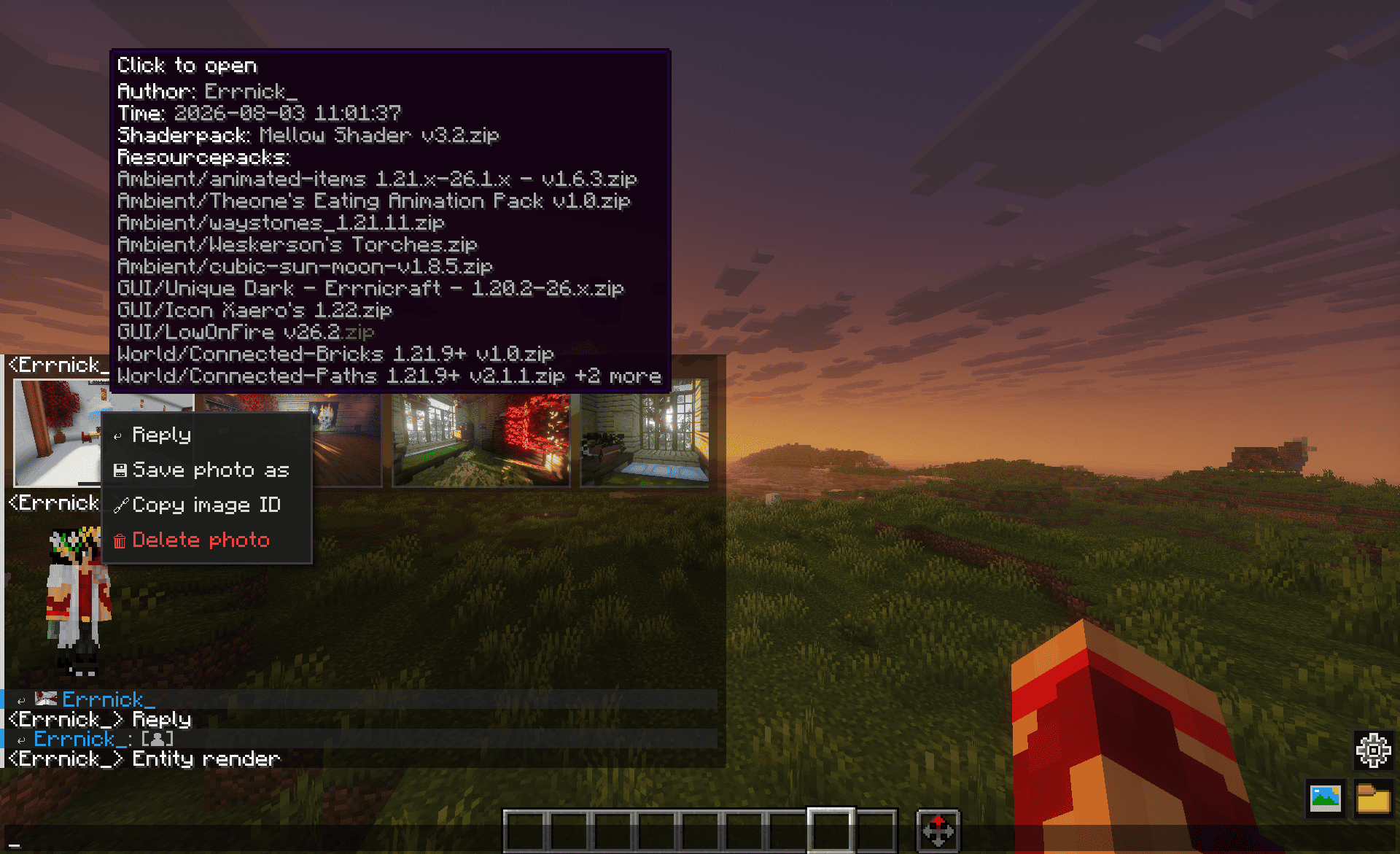
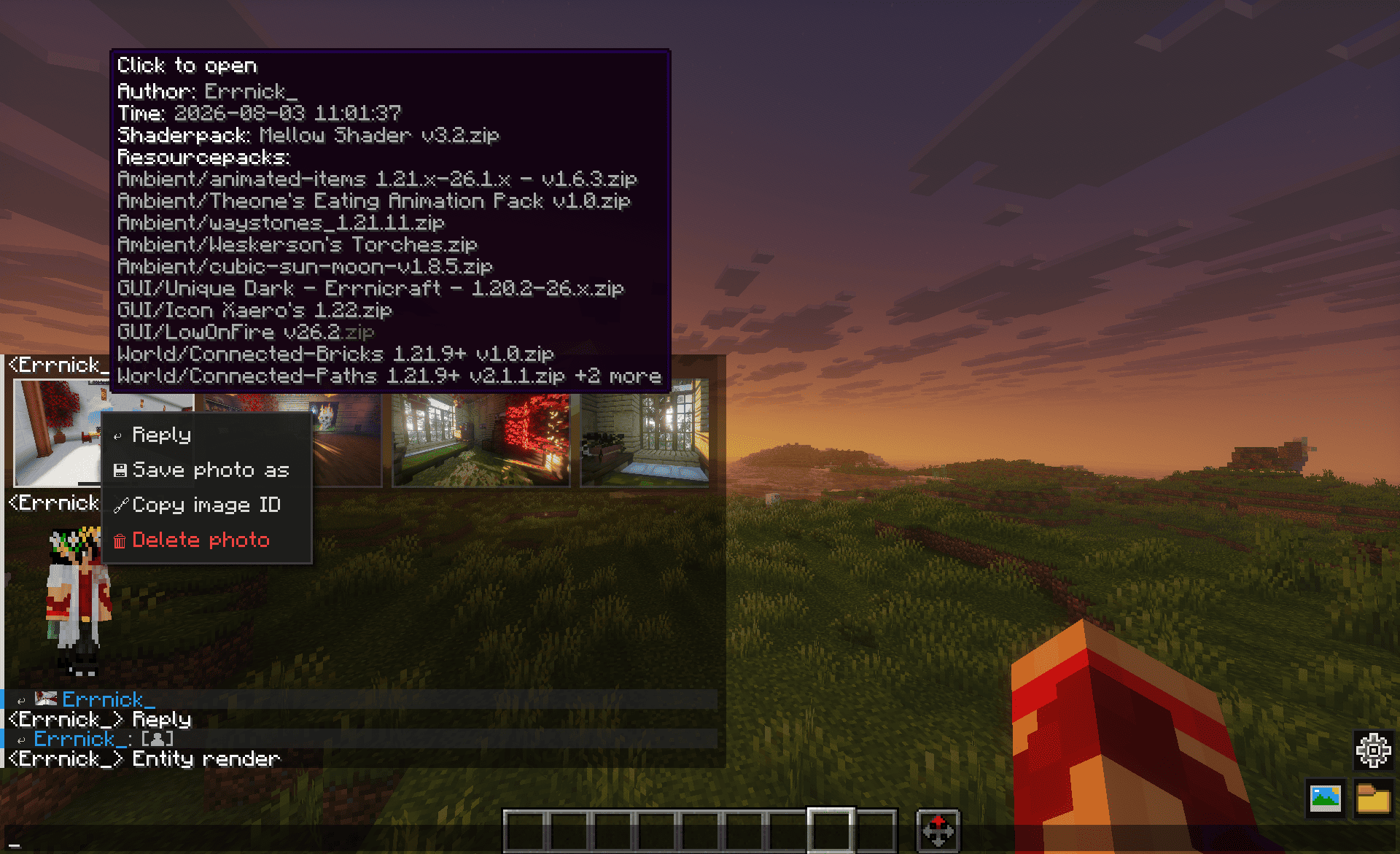
- Inline Media — images and animated GIFs are rendered directly in chat.
- Multiple Attachments — send up to 15 photos in a single message, depending on the server configuration.
- Image Formats — PNG, JPEG, WebP, BMP, TIFF and animated GIF.
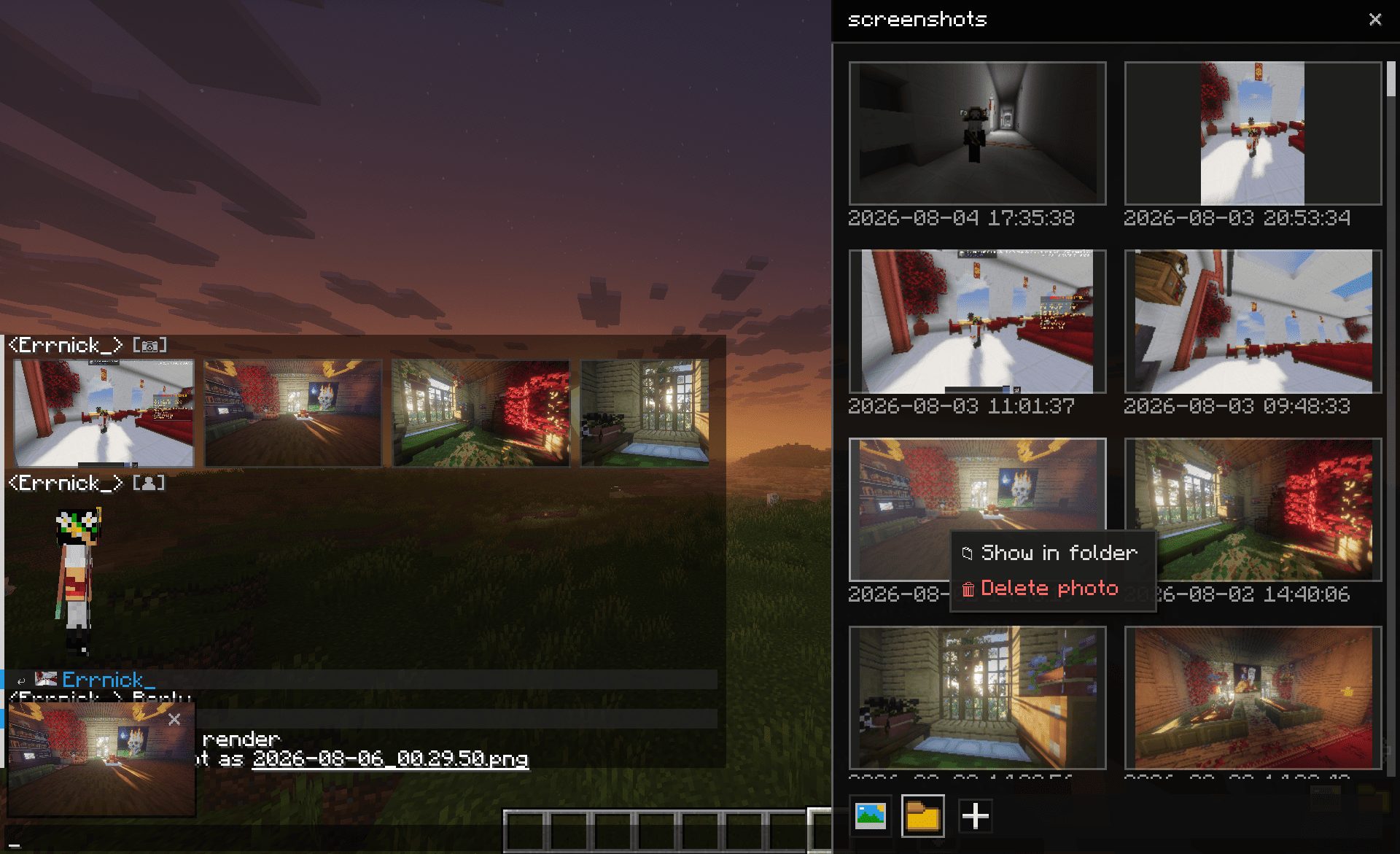
- Screenshot Panel — open your local screenshots directly from the chat input and select them without browsing through folders.
- Item & Entity Rendering — render items, entities, mobs and players directly in chat using special chat tags.
- Replies & Threads — reply to text messages and photos with a visual connection between the original message and the reply.
- Context Menu — right-click messages to reply, copy text and access message actions.
- Text Selection — select and copy specific text directly from the chat window.
- In-game Settings — change image scaling from 50% to 200%, chat height and the number of lines shown when chat is closed.
- Fullscreen Viewer — click an image to open it at a larger size.
- Animated Chat Cards — messages and media cards animate when they appear and when they are removed.
- Cooldown System — limit how frequently players can upload media.
- Server Moderation — block photo uploads or replies, delete media globally and integrate with server mute systems.
- Asynchronous TCP Transfer — media is transferred through a separate TCP connection on port
5050instead of the normal game connection.
📷 Sending Media
You can attach media in several ways:
- 🖱 Drag and drop files directly into the chat window
- 📁 Click the attachment button to open the file picker
- 📋 Paste an image from the clipboard with
Ctrl + V - 🖼 Open the screenshots panel from the chat input
- 📦 Attach multiple images to the same message
The server controls the maximum number of attachments allowed per message.
🛠 Installation
Client
- Install Fabric Loader.
- Place Fabric API into your
modsfolder. - Place Cloth Config API into your
modsfolder. - Place
chat-remastered.jarinto.minecraft/mods/. - Start Minecraft.
Server
- Place Chat Remastered and its dependencies into the server's
modsfolder. - Open TCP port
5050for media transfer, or change the port in the server configuration. - Configure the mod using
config/chat-remastered-server.json. - Start the server.
⚠️ The server must have Chat Remastered installed for players to send or receive media.
🔌 Supported Mods & Plugins
Chat Remastered detects supported integrations automatically. No additional configuration is required.
| Mod/Plugin | Integration |
|---|---|
| 🔨 BanHammer | Players muted by BanHammer are blocked from sending images, GIFs and other media attachments. |
| ✈️ vanutp's Telegram Bridge - Minecraft Plugin | Links replies between Minecraft and Telegram. In-game replies can be sent as Telegram replies and vice versa. Photos and grouped photos can also be mirrored between the two platforms. Deleting an image in Minecraft removes the corresponding Telegram message. |
⚙️ Server Configuration
| Option | Default | Description |
|---|---|---|
resolution |
720 |
Maximum media resolution. Available values: 360, 480, 720, HD, 2K. |
imagePort |
5050 |
TCP port used for media transfer. |
photoCooldownSeconds |
5 |
Cooldown between uploads from the same player, in seconds. |
gifEnabled |
true |
Allow players to send animated GIFs. |
gifMaxDim |
480 |
Maximum GIF dimension. Range: 240–1920. |
maxPhotosPerMessage |
5 |
Maximum number of photos a player can attach to one message. The server can allow up to 15. |
mutedMessage |
(custom text) | Message shown to a muted player when they try to send text, photos or replies. |
🔧 Commands
Click to expand full command list
🖥 Server Commands (/chat-remastered-admin)
Operator or console access is required.
| Command | Description |
|---|---|
/chat-remastered-admin block-photo <player> |
Block a player from sending photos. |
/chat-remastered-admin unblock-photo <player> |
Allow a player to send photos again without requiring a reconnect. |
/chat-remastered-admin mute <player> |
Block a player from sending photos and replies. |
/chat-remastered-admin unmute <player> |
Remove the photo and reply restriction. |
/chat-remastered-admin delete <imageId> |
Delete an image for all players. |
/chat-remastered-admin test <player> |
Check mod status, ban status and upload token for a player. |
/chat-remastered |
Show mod version and protocol information. |
💻 Client Commands (/chat-remastered)
| Command | Description |
|---|---|
/chat-remastered clearcache |
Clear the image disk cache. The RAM cache is not cleared. |
/chat-remastered delete <imageId> |
Forward an image deletion request to the server. |
/chat-remastered |
Show mod version and protocol information. |
🎨 Rich Chat Tags
Enter these tags directly into the chat input to render items, entities or players instead of plain text. Optional caption text can be placed after the closing >.
| Tag | Renders |
|---|---|
<item>your text |
The item currently held in your main hand. |
<entity>your text |
The entity currently under your crosshair. |
<player:PlayerName>your text |
A preview of the specified player. |
<chat_remastered:item:namespace:path>your text |
A specific item by ID, for example <chat_remastered:item:minecraft:diamond_sword>. |
<chat_remastered:item:namespace:path{nbt}>your text |
A specific item with NBT/component data. |
<chat_remastered:entity:namespace:path:tocursor>your text |
A specific entity positioned toward your cursor. |
<chat_remastered:entity:namespace:path:rotate>your text |
A specific entity that rotates automatically. |
<chat_remastered:entity:namespace:path{nbt}:rotate:offsetX:offsetY:size>your text |
An entity with NBT, custom offset and render size. |
<chat_remastered:player:PlayerName:tocursor>your text |
A player render positioned toward your cursor. |
<chat_remastered:player:PlayerName:rotate>your text |
A player render that rotates automatically. |
<uuid-here>your text |
A player render using their UUID. |
Players without Chat Remastered installed see a plain-text fallback instead of the rendered preview.
For example:
<chat_remastered:item:minecraft:diamond_sword>Diamond Sword
🛠 Debug Commands (/chatremastereddebug)
These commands are intended for development and testing.
| Command | Description |
|---|---|
/chatremastereddebug placeholder [ratio] |
Show an image placeholder with the selected aspect ratio. |
/chatremastereddebug placeholder custom <width> <height> |
Show a placeholder with a custom size. |
/chatremastereddebug placeholder_deleted [ratio] |
Show a deleted-image placeholder. |
/chatremastereddebug placeholder_error [ratio] |
Show an error-image placeholder. |
/chatremastereddebug test |
Test the connection to the media server. |
Available aspect ratios:
1_1, 4_3, 3_2, 16_9, 16_10, 21_9, 9_16, 3_4, 2_3
Tip: Right-click a media item or message to quickly copy its ID for deletion or management.
📅 Roadmap
| Platform | Status | Next |
|---|---|---|
| Fabric | 26.1.2-1.21.6 ✔ Available |
1.21.5–1.21 📅 Planned |
| NeoForge | — | 1.21.11–26.x 🔜 In progress |
| Forge | — | 1.20.1 📅 Planned |
| Quilt | — | 📅 Planned |
| Paper / Spigot (Server plugin) | 26.1.2-1.21.6 ✔ Available |
26.2 📅 Planned |
Screenshots
Gallery
-
 Media & Replies
 -
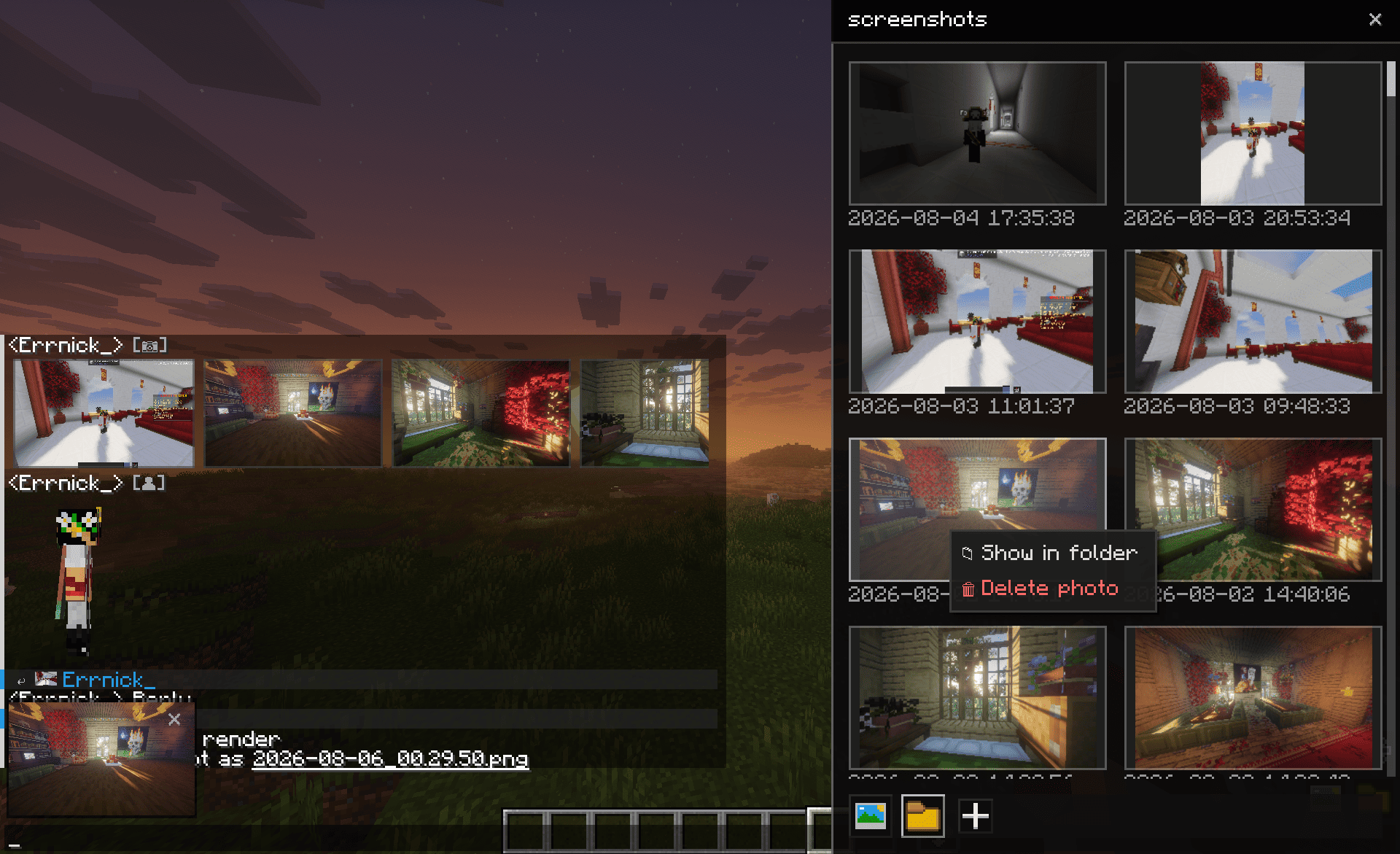 Photo sender
 -
 Viev photo
Versions
Files
Relations
Project Relations
More like this
Similar Mods
Suggestions use data such as tags, dependencies, dependents, descriptions, titles, and more to rank how much they overlap with this mod.
On ModDex
Community snapshot
By the numbers
Statistics

Want to reach Minecraft players?
We're looking for a server hosting partner to feature here and other parts of the site. Interested? Send us a message!
Get in touchGet it on
Available Platforms
On ModDex
Community snapshot
By the numbers