
Community listing page, reviews may not be monitored by the author.
Chat Selects

No reviews yet
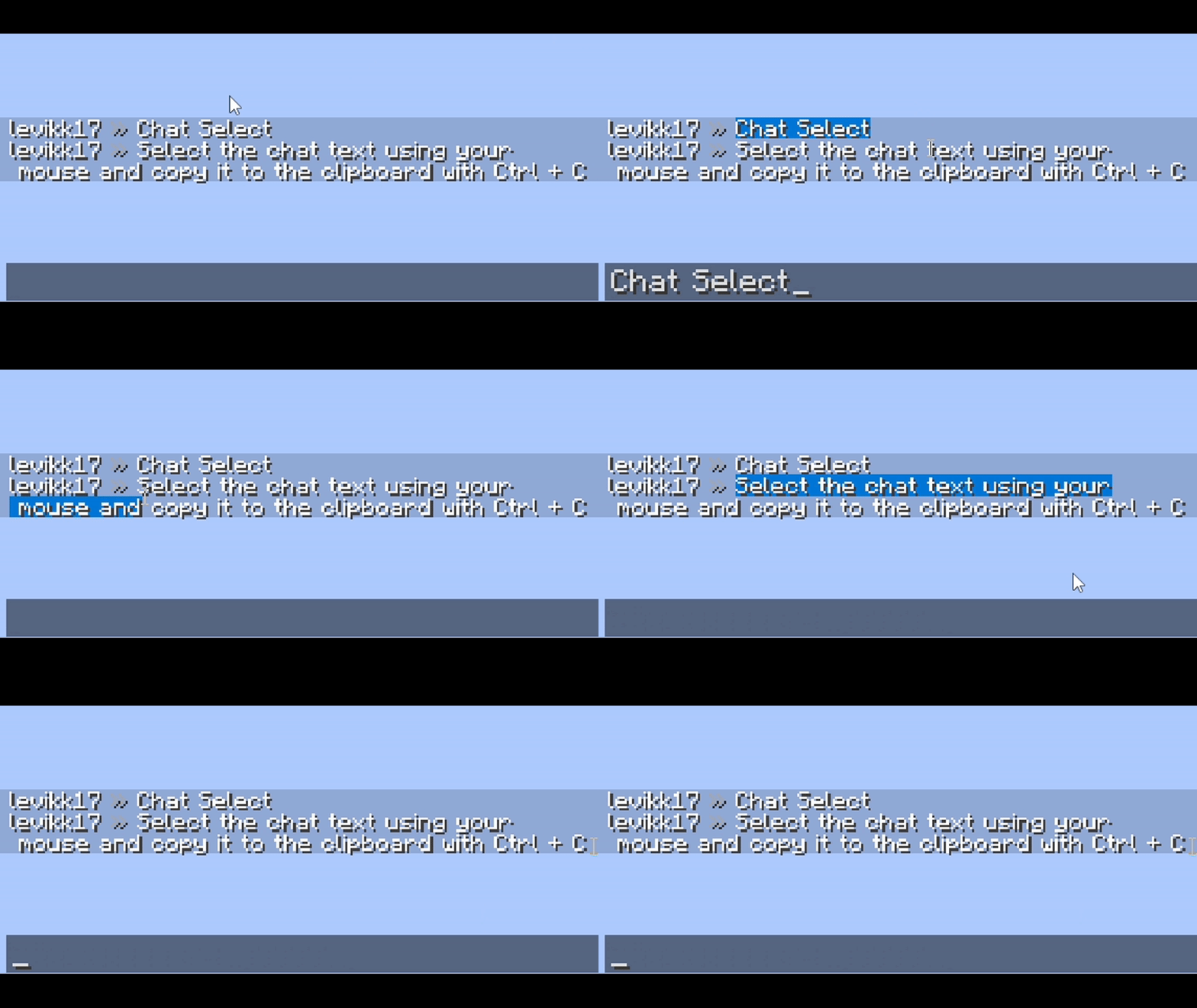
Select the chat text using your mouse and copy it to the clipboard with Ctrl + C

Community voices
Reviews
No reviews yet. Be the first to review this project!
Get it on
Available Platforms
About
Project Details
For authors
Embed Badge
If you're the author of this project, you can embed a live badge anywhere that supports HTML or Markdown. It updates automatically whenever ratings change.
Use HTML for any page that supports it, or Markdown for README files and Markdown-based descriptions.
Identifiers
Platform IDs
Resources
External Links
About
Description
Chat Selects by levikk
EN
Select messages in the chat by clicking and dragging the cursor, then press Ctrl+C to copy them. Double-click to select a word. The selected text is highlighted in blue; this color can also be customized in the configuration file.
Config
The configuration file is located at:
.minecraft\config\chatselect.json
It is created automatically on the first launch and looks like this:
{
  "selectionColor": "#FF0078D7"
}
RU
Выделяйте сообщения в чате, зажав левую кнопку мыши и перетаскивая курсор, затем нажмите Ctrl+C, чтобы скопировать их. Двойной щелчок позволяет выделить слово. Выделенный текст подсвечивается синим; этот цвет можно изменить в файле конфигурации.
Конфигурация
Файл конфигурации находится здесь:
.minecraft\config\chatselect.json
Он создаётся автоматически при первом запуске и выглядит так:
{
  "selectionColor": "#FF0078D7"
}
Screenshots
Gallery
-
 main
Versions
Files
Relations
Project Relations
More like this
Similar Mods
Suggestions use data such as tags, dependencies, dependents, descriptions, titles, and more to rank how much they overlap with this mod.
On ModDex
Community snapshot
By the numbers
Statistics

Get it on
Available Platforms
On ModDex
Community snapshot
By the numbers
Statistics
Resources