
ChatFormatter
No reviews yet
✔️ Beautify your chat with hover text, clickable messages and more!
Paper is a fork of Spigot that adds its own plugin API on top of the Bukkit API. All Spigot plugins are compatible with paper, not all paper plugins are compatible with Spigot.
Spigot is a popular software for running dedicated servers that can load Plugins created with the Bukkit API.
Community voices
Reviews
Click once to include, again to exclude, again to clear
No reviews yet. Be the first to review this project!
Get it on
Available Platforms
 Modrinth
Compatibility
Supported Environments
About
Project Details
For authors
Embed Badge
If you're the author of this project, you can embed a live badge anywhere that supports HTML or Markdown. It updates automatically whenever ratings change.
Use HTML for any page that supports it, or Markdown for README files and Markdown-based descriptions.
Identifiers
Platform IDs
About
Description






⚠ This plugin requires PlaceholderAPI and Vault to run!
🌌 Preview:
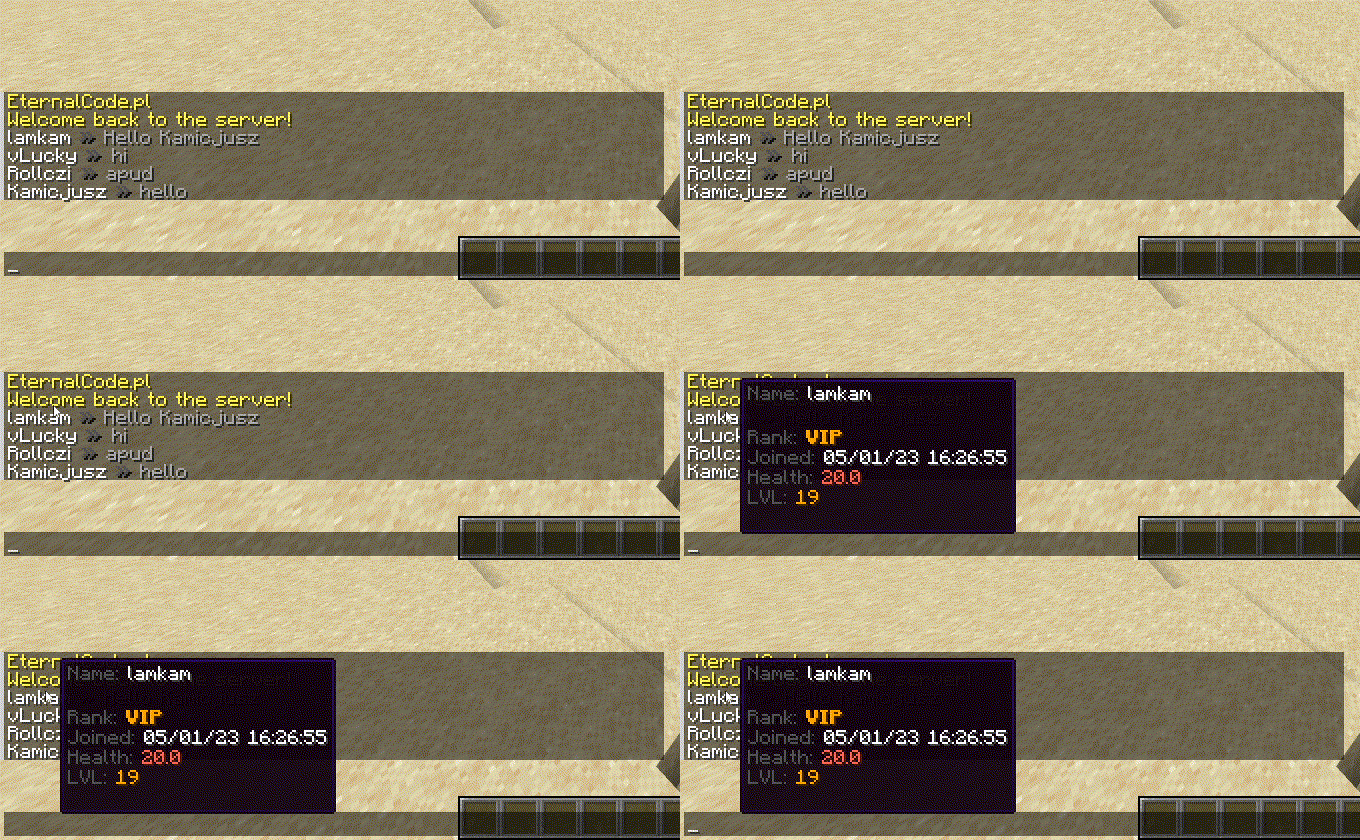
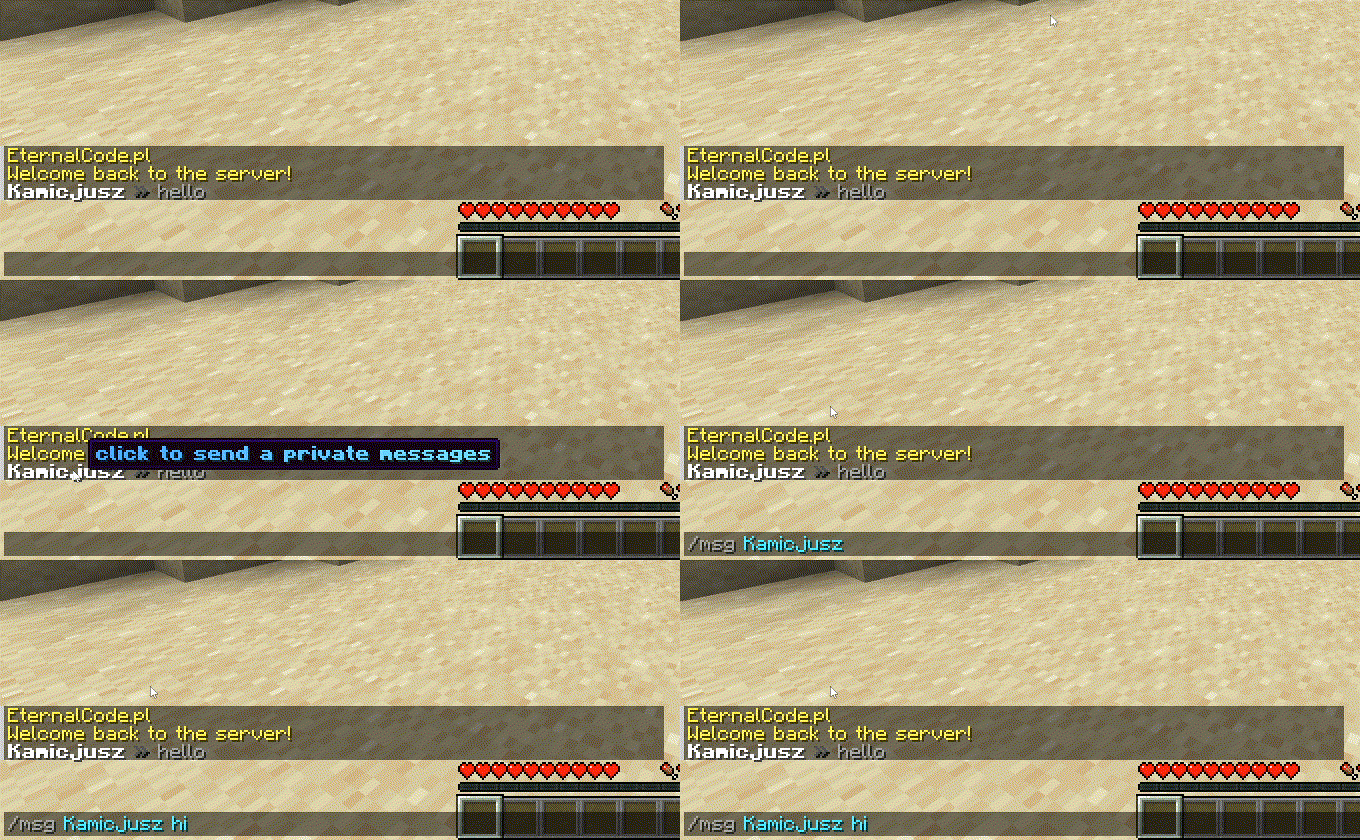
✨ Features:
- PlaceholderAPI Support
- MiniMessages Support with Legacy Colors Support!
- Template System
- Custom Placeholders System
- Per-permission miniMessages Tags (see permissions below)
🔗 Useful links:
🔑 Permissions:
Note: Each color and decoration permission (e.g.,
chatformatter.color.white,chatformatter.reset,chatformatter.decorations.bold) grants access to both the legacy code (e.g.,&f,&r,&l) and the MiniMessage tag (e.g.,<white>,<reset>,<bold>).
| Permission | Access |
|---|---|
chatformatter.decorations.* |
<bold>, <italic>, <underlined>, <strikethrough>, <obfuscated>, &l, &o, &n, &m, &k |
chatformatter.decorations.bold |
<bold>, <b>, &l |
chatformatter.decorations.italic |
<italic>, <i>, <em>, &o |
chatformatter.decorations.underlined |
<underlined>, &n |
chatformatter.decorations.strikethrough |
<strikethrough>, <st>, &m |
chatformatter.decorations.obfuscated |
<obfuscated>, <obf>, &k |
chatformatter.reset |
<reset>, &r |
chatformatter.newline |
<newline>, <br> |
chatformatter.shadow |
<shadow>, |
chatformatter.gradient |
<gradient> |
chatformatter.rainbow |
<rainbow> |
chatformatter.pride |
<pride> |
chatformatter.transition |
<transition> |
chatformatter.hover |
<hover> |
chatformatter.click |
<click> |
chatformatter.insertion |
<insertion> |
chatformatter.color.* |
All color codes: <red>, <blue>, <#a568a9>, &c, &#a568a9, etc. |
chatformatter.color.black |
<black>, &0 |
chatformatter.color.dark_blue |
<dark_blue>, &1 |
chatformatter.color.dark_green |
<dark_green>, &2 |
chatformatter.color.dark_aqua |
<dark_aqua>, &3 |
chatformatter.color.dark_red |
<dark_red>, &4 |
chatformatter.color.dark_purple |
<dark_purple>, &5 |
chatformatter.color.gold |
<gold>, &6 |
chatformatter.color.gray |
<gray>, &7 |
chatformatter.color.dark_gray |
<dark_gray>, &8 |
chatformatter.color.blue |
<blue>, &9 |
chatformatter.color.green |
<green>, &a |
chatformatter.color.aqua |
<aqua>, &b |
chatformatter.color.red |
<red>, &c |
chatformatter.color.light_purple |
<light_purple>, &d |
chatformatter.color.yellow |
<yellow>, &e |
chatformatter.color.white |
<white>, &f |
chatformatter.score |
<score> |
chatformatter.selector |
<selector> |
chatformatter.font |
<font> |
chatformatter.translatable |
<lang> |
chatformatter.keybind |
<key> |
chatformatter.nbt |
<nbt> |
chatformatter.reload |
/chatformatter reload |
chatformatter.receiveupdates |
receive update announcements for this plugin |
config.yml
#    ____ _           _   _____      ChatFormatter       _   _
#   / ___| |__   __ _| |_|  ___|__  _ __ _ __ ___   __ _| |_| |_ ___ _ __
#  | |   | '_ \ / _` | __| |_ / _ \| '__| '_ ` _ \ / _` | __| __/ _ \ '__|
#  | |___| | | | (_| | |_|  _| (_) | |  | | | | | | (_| | |_| ||  __/ |
#   \____|_| |_|\__,_|\__|_|  \___/|_|  |_| |_| |_|\__,_|\__|\__\___|_|


# Do you want to receive updates about new versions of ChatFormatter?
receiveUpdates: true

# Chat format for ranks (Vault) Support mini-messages and legacy colors

# We're recommending to use webui for mini-messages: https://webui.adventure.kyori.net/

# documentation is here: https://docs.adventure.kyori.net/minimessage/format.html

# You can check LuckPerms setup and placeholders here: https://luckperms.net/wiki/Placeholders
#
# Example usages:
#
# Hover message:
# One line: <hover:show_text:'<red>test'>TEST
# Multiple lines: <hover:show_text:'<red>test'>Test<newline>Test2</hover>
#
# Click message:
# Open URL: <click:open_url:'https://webui.adventure.kyori.net'>TEST</click>
# Run command: <click:run_command:/say hello>Click</click> to say hello
# Suggest command: <click:suggest_command:'/msg {displayname}'></click>
#
# RGB and gradient message usage:
# <color:#ff00ee>Example message</color>
# <gradient:#ff00ee:#f79459>Example message</gradient>
#
# You can use three more internal placeholders: <displayname> <name> <message>
#
defaultFormat: "{displayname} » {message}"

# Here you can set different formats for each rank.
# Remember! Rank name must be exactly the same as in you permission plugin configuration.
# If player have more than one rank remember to correctly setup rank weight configuration
format:
  default: "{member} &7$hoverName({displayname}) &8» <gradient:#d4d4d4:white>{message} "
  vip: "{vip} &f$hoverName({displayname}) <dark_gray>» <gradient:#ffd270:white>{message}"
  mod: "{mod} &f$hoverName({displayname}) <dark_gray>» <gradient:#a3ff9e:white>{message}"
  admin: "{admin} &f$hoverName({displayname}) <dark_gray>» <gradient:#bac8ff:white><b>{message}"
  owner: "{owner} &f$hoverName({displayname}) <dark_gray>» <gradient:#ff9195:white><b>{message}"

# Placeholders, it allows you to make a shorter text, you can use some prefixes, characters etc.
# You can use here PAPI placeholders.
placeholders:
  {displayname}: "<displayname>"
  {name}: "<name>"
  {message}: "<message>"
  {member}: "<#6e6764>Member"
  {vip}: "<gold>VIP"
  {mod}: "<b><#00c900>Mod</b>"
  {admin}: "<b><#6e86ff>Admin</b>"
  {owner}: "<b><gradient:#c40000:#e04b4b>Owner</b>"
  {rankDescription}: "<dark_gray>Rank: <white>%vault_group%"
  {joinDate}: "<dark_gray>Joined: <white>%player_first_join_date%"
  {health}: "<dark_gray>Health: <red>%player_health%"
  {lvl}: "<dark_gray>LVL: <gold>%player_level%"
  {privateMessage}: "<gradient:#36ff39:#75ff75><i>Click to send private message</i></gradient>"

# This section is made for experienced users
# It is used to shorten the text even more and keep the clean file!
templates:
  - "$hoverName($name) -> '<hover:show_text:'<dark_gray>Name: <white>$name<br><br>{rankDescription}<br>{joinDate}<br>{health}<br>{lvl}<br><br>{privateMessage}'><click:suggest_command:'/msg {displayname} '>{displayname}</click></hover>'"
Screenshots
Gallery
Versions
Files
Relations
Project Relations
More like this
Similar Mods
Suggestions use data such as tags, dependencies, dependents, descriptions, titles, and more to rank how much they overlap with this mod.
On ModDex
Community snapshot
By the numbers
Statistics

Want to reach Minecraft players?
We're looking for a server hosting partner to feature here and other parts of the site. Interested? Send us a message!
Get in touchGet it on
Available Platforms
On ModDex
Community snapshot
By the numbers