ChatSocket
No reviews yet
Game minimized, chat maximized! Lets send Minecraft chat messages via WebSockets.
Fabric is a mod loader for versions 1.14+ of Minecraft, particularly popular for client side and optimization mods.
Community voices
Reviews
Click once to include, again to exclude, again to clear
No reviews yet. Be the first to review this project!
Get it on
Available Platforms
 Modrinth
Compatibility
Supported Environments
About
Project Details
For authors
Embed Badge
If you're the author of this project, you can embed a live badge anywhere that supports HTML or Markdown. It updates automatically whenever ratings change.
Use HTML for any page that supports it, or Markdown for README files and Markdown-based descriptions.
Identifiers
Platform IDs
About
Description
ChatSocket
A simple mod providing a web socket connection for sending and receiving chat messages / commands. Made for lazy people having Minecraft in the background while playing other games or developing.
Config
Ingame Config is available via owo-config (also accessible via mod-menu). There you can configure
- port (default: 8080)
- host: (default: 127.0.0.1)
- enabled: (default: true)
- communication type: (default: PLAIN_TEXT)
- PLAIN_TEXT
- JSON
Usage
For testing purposes, I recommend using a browser extension like Weasel Websocket. Once you connected
to the websocket (ws://127.0.0.1:8080), you will already receive messages and be able to send some.
For different purposes, there are currently two modes: PLAIN_TEXT and JSON.
PLAIN_TEXT Mode
In this mode, messages are being sent and received in full plain text. No json whatsoever. This is intended for IntelliJ websocket plugins or other tools that are not able to parse JSON.
Mind that the communicationType update event is still being sent as a json object.
JSON Mode
To provide more flexibility, the JSON mode is available. In this mode, messages are being sent and received as JSON objects. The following JSON objects are being sent:
Incoming messages
Chat Message
{
  "type": "chat",
  "messageString": "Hello World",
  "gameProfile": {
    "uuid": "8661e1be-bbf5-4cd6-86ba-60cc35f8f7e0",
    "name": "AriVanHouten"
  },
  "timestamp": "2011-12-03T10:15:30Z"
}
Game Message
// most of the time these are being sent by the server
{
  "type": "game",
  "messageString": "Hello World",
  "overlay": false,
}
CommunicationType Change
// Will be sent regardless of the mode
{
  "type": "communicationType",
  "communicationType": "PLAIN_TEXT" // or "JSON"
}
Error
// Will be sent regardless of the mode
{
  type: "error",
  "error": "Error message"
}
Outgoing messages
Sending a chat message
{
  "type": "chat", // Alternatively: 'command' => will only prepend a slash to the message
  "message": "Hello World",
}
Screenshots
Gallery
-
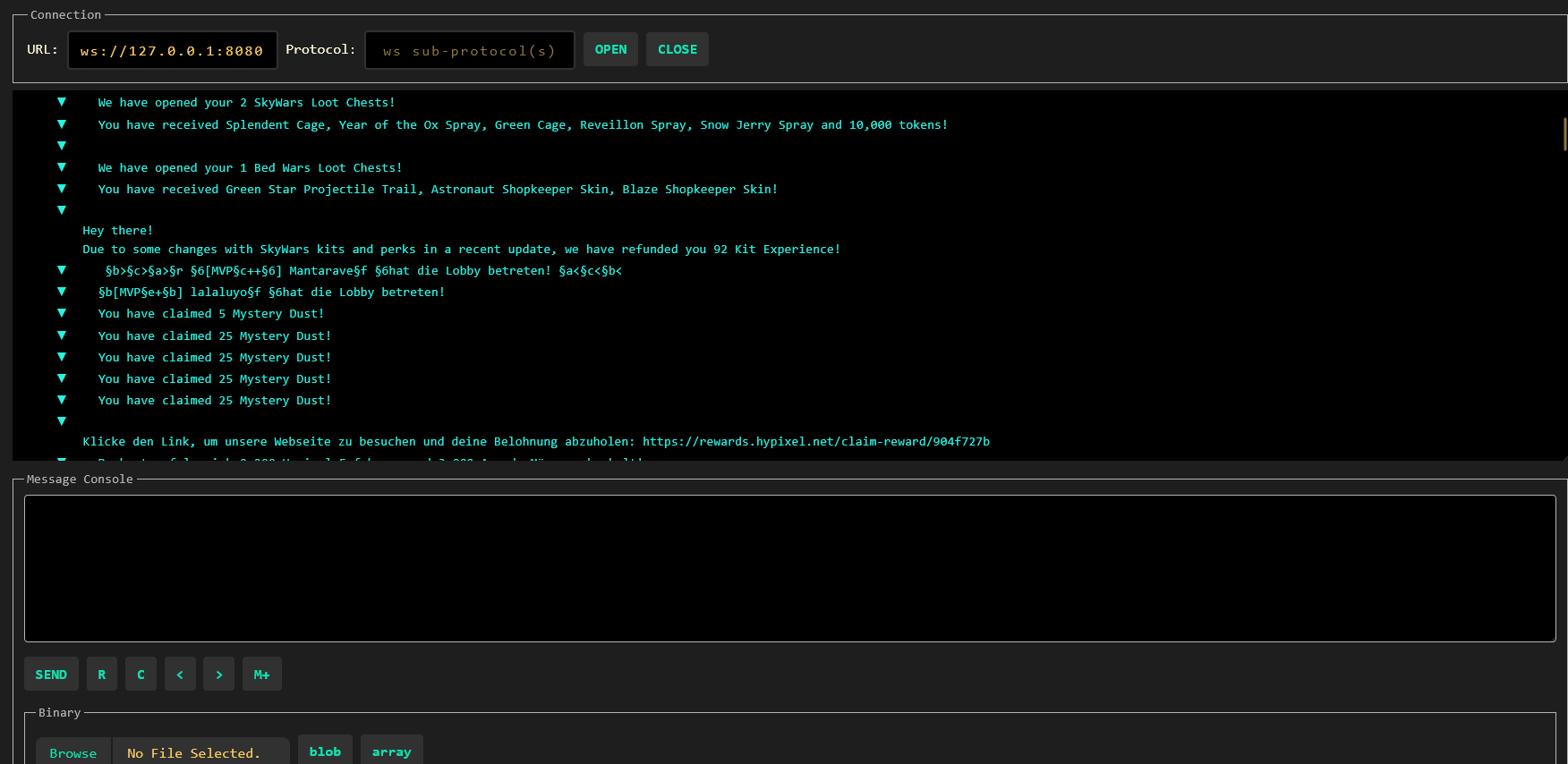 Text Mode In text mode, chat messages will be streamed purely as text
 -
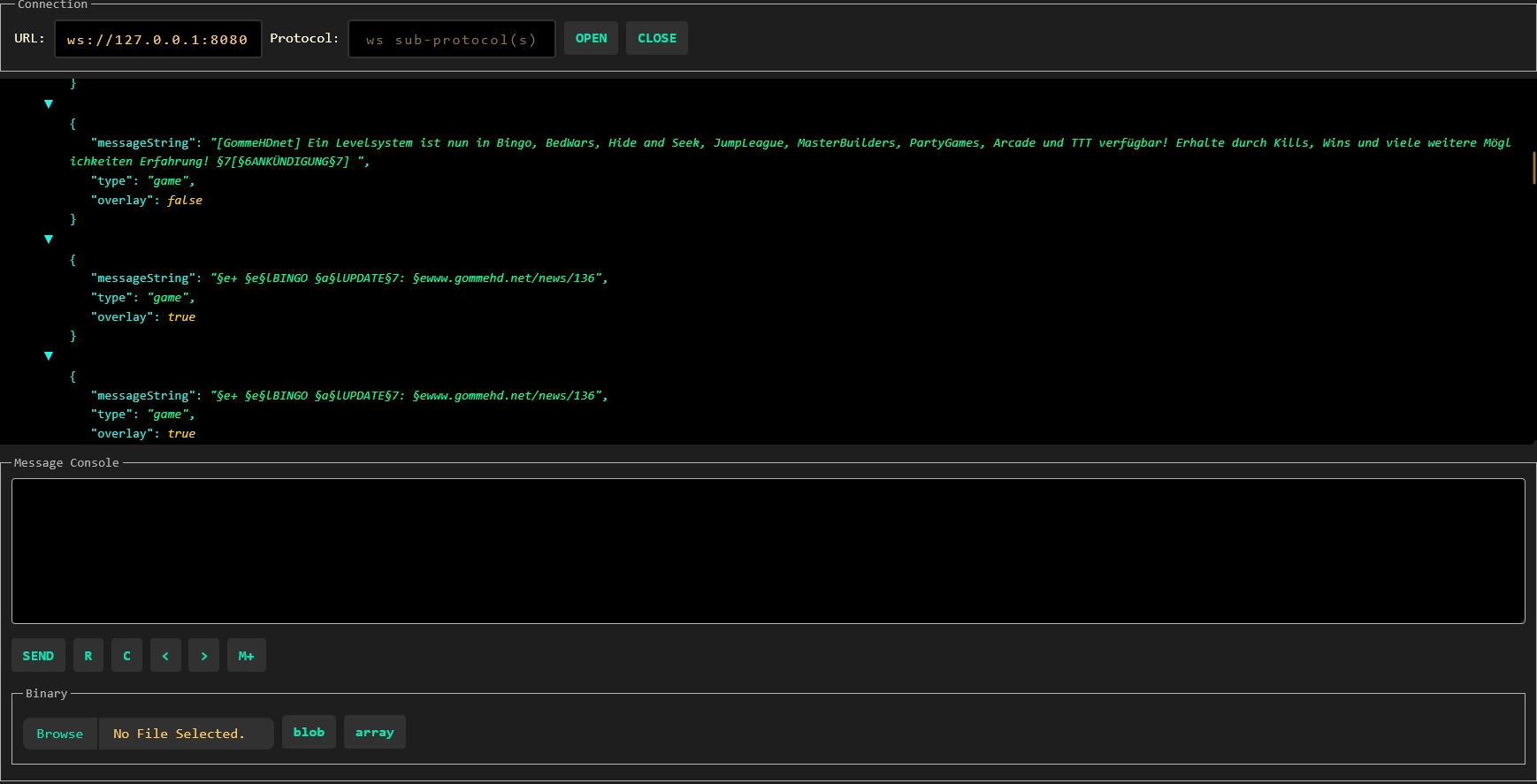 JSON Mode JSON Mode offers a bit more variety when it comes to additional data (e.g. GameProfile)
Versions
Files
Relations
Project Relations
More like this
Similar Mods
Suggestions use data such as tags, dependencies, dependents, descriptions, titles, and more to rank how much they overlap with this mod.
On ModDex
Community snapshot
By the numbers
Statistics

Want to reach Minecraft players?
We're looking for a server hosting partner to feature here and other parts of the site. Interested? Send us a message!
Get in touchGet it on
Available Platforms
On ModDex
Community snapshot
By the numbers