Community listing page, reviews here may not be monitored by the author.
Chatter Chat

No reviews yet
A forge chat modification that allows you to change the color of messages sent by players with nickname support.
Community voices
Reviews
No reviews yet. Be the first to review this project!
Get it on
Available Platforms
About
Project Details
For authors
Embed Badge
If you're the author of this project, you can embed a live badge anywhere that supports HTML or Markdown. It updates automatically whenever ratings change.
Use HTML for any page that supports it, or Markdown for README files and Markdown-based descriptions.
Identifiers
Platform IDs
Resources
External Links
About
Description
 Chatter is a forge-based chat mod that adds several features related to chat. There is a built-in admin user interface to control what players can change. You can also set the game rules directly for the world to do the same thing from the server console. Chatter gives players full control over how their chat messages should look, everything can be edited.
This project was made with MCreator you can find the MCreator page here.
Discontinued
This mod has broken as of 1.19.2 due to Mojang not listening to their community and going forward with the chat reporting system. It caused major issues with this mod that I can't work around without third-party software which may end up violating the EULA or terms of service later down the road so I simply am discontinuing the mod. If the situation changes I will continue working on the modification. The only way this would be possible is if Mojang allowed people to disable the reporting system which seems unlikely to happen.

Supported Minecraft Versions
Versions below are the recommended versions for the modification. The Latest versions can still get updates for that game version.
- Chatter [1.5.0 for 1.19.4] Forge - Latest - MCR and CurseForge
- Chatter [1.4.0 for 1.19.2] Forge - Release - MCR and CurseForge
- Chatter [1.1.0 for 1.18.2] Forge - Release - MCR and CurseForge
- Chatter [1.0.0 for 1.17.1] Forge - Release - CurseForge
Planned Features
- More Emojis / Reactions
Basic Features
- Admin menu can control every permission and maximum proximity distance.
- Built-in reaction support
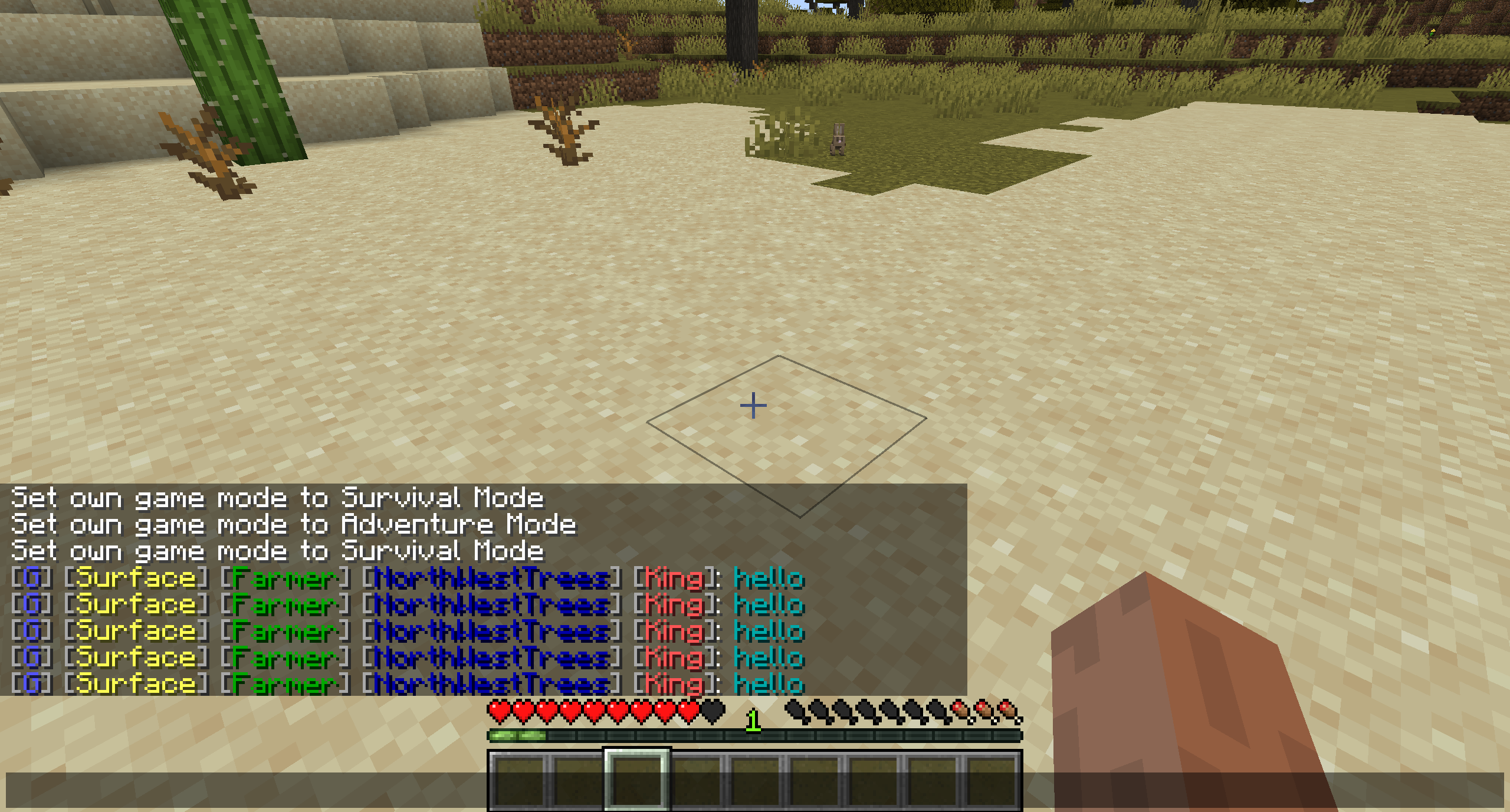
- Can edit and style (brackets, channel, message, nicknames, prefixes, player status, suffixes, and worlds names)
- Channels offer to send messages to specific players based on the three channels (proximity, global, and world channels)
- Custom world name support using entity NBT strings.
- Permission support for server admins to edit what can be edited.
- Players can promote in-game shop locations.
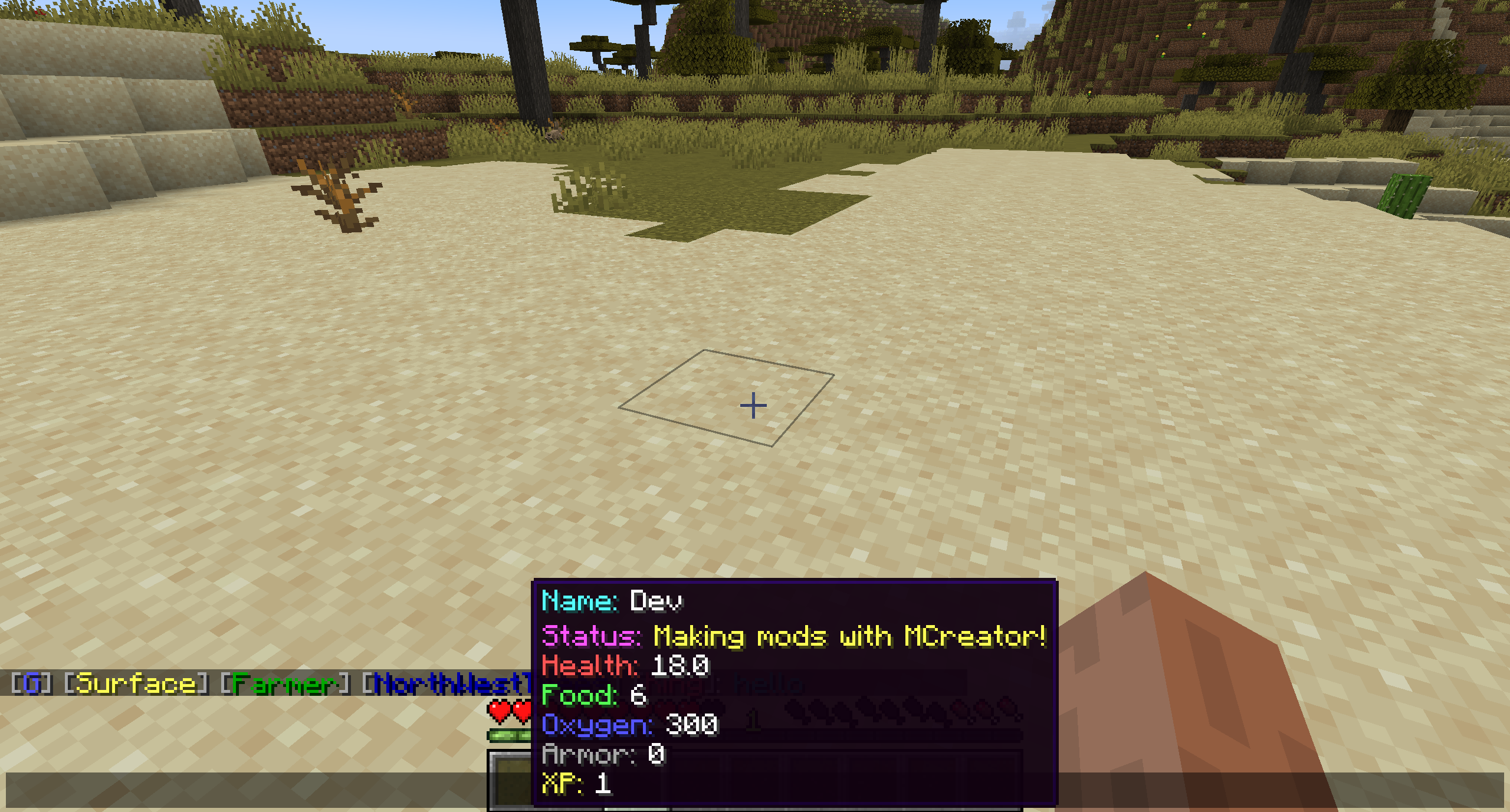
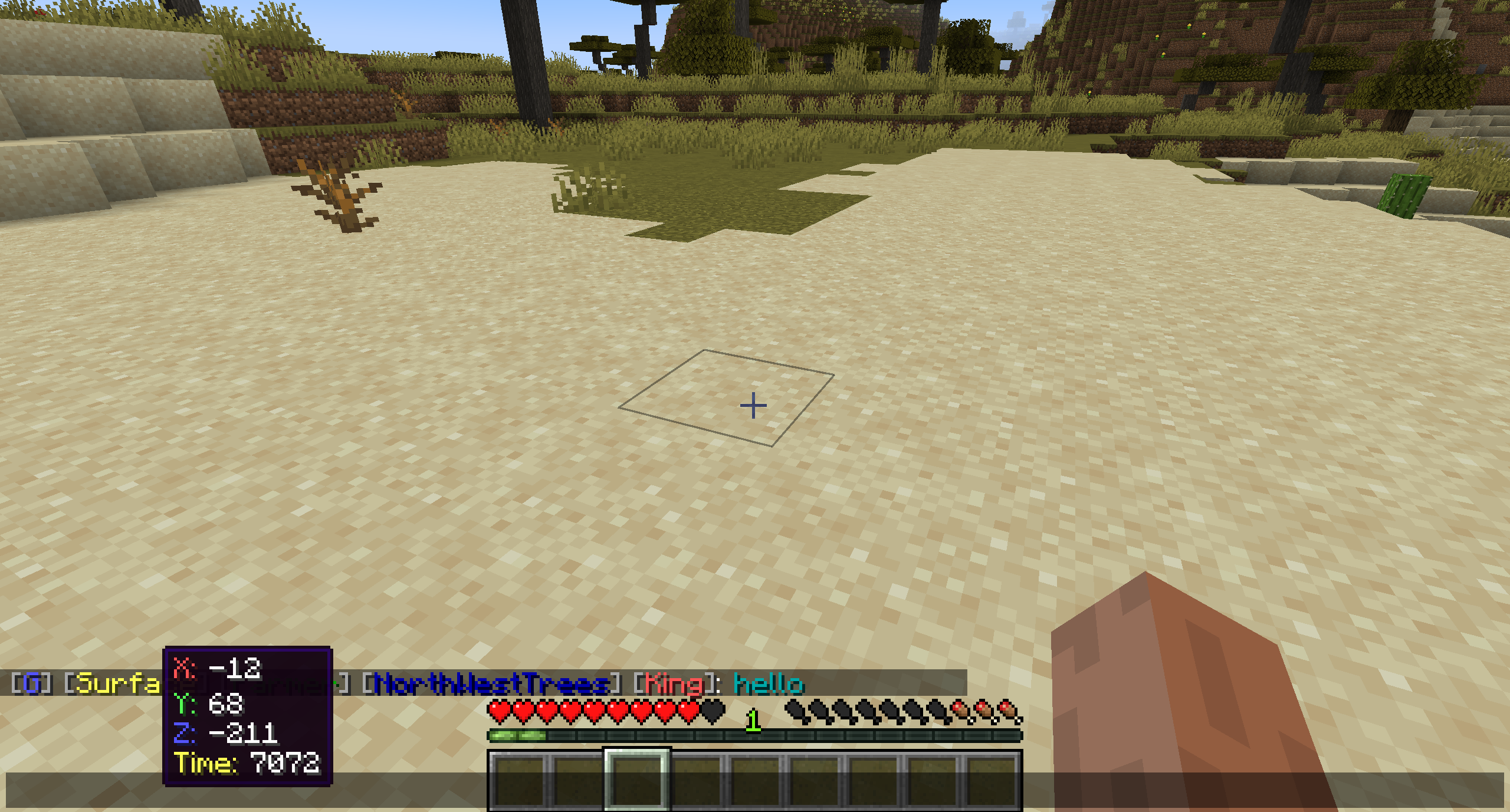
- Player information tabs when hovering over the player's name or the world they are in.
- Player stats when hovering over the world name and player name.
- Player statuses (A neat way for leaving notes)
- Using the Global channel can send messages to all players.
- Using the Proximity (local) channel will only send messages to players at a specific distance set by the server or player.
- Using the World channel will only send messages to players in the same world.
- Everything has colour support!
Player Status
- Shows the health of the player
- Shows armour for the player
- Shows XP levels for the player
- Shows food levels for the player
- Shows the real name of the player
- Shows the oxygen level of the player
- Shows the player's position.
- Shows the time of the world the player is in.
Reactions
Reactions are limited at the moment but I plan to add more soon.
- Blush
- Cool
- Happy
- Love
- Angry
- Nerd
- Rich
- Sad
- Shocked
- Sick
- Sleepy
- Stars
- Tongue Out
- Unamused
- Wink
- Crazy (New)
- Pleading (New)
- Smirk (New)
- Sweating (New)
- Upside-Down (New)

More information and older commands can be found on the Public GitHub Repository wiki pages.
Channel Commands
/chatter channel local
/chatter channel global
/chatter channel world
/chatter channel help
Editor Commands
/chatter editor prefix
/chatter editor suffix
/chatter editor name
/chatter editor brackets
/chatter editor status
/chatter editor message
/chatter editor world
/chatter editor distance <size>
/chatter editor help
Admin Commands
/chatter admin
Other Commands
/chatter ignore [add | remove] <player>
/chatter react
/chatter shop
/chatter shop <x> <y> <z>
/chatter help

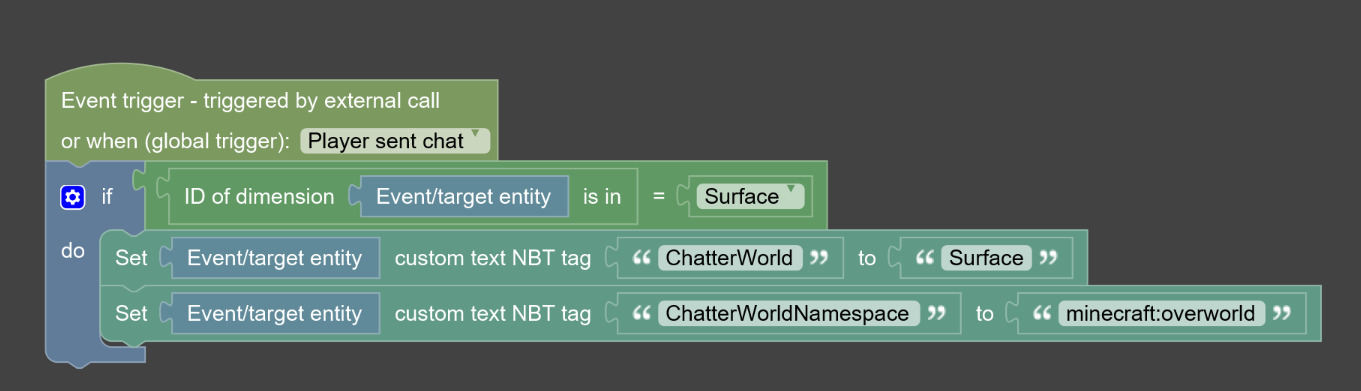
Set the block that says "Surface" to your custom dimension so that it tests for what world the entity is located in. Next set an entity NBT tag called "ChatterWorld" and then set the value where "Narnia" is located to your custom world display name. The custom name of the world must be 16 characters long, anything over will be shortened to 16 characters exactly. This is mainly to preserve space for chat messages.

Notes
- This modification requires both client and servers to have the modification installed.
Screenshots
Gallery
Versions
Files
Relations
Project Relations
More like this
Similar Mods
Suggestions use data such as tags, dependencies, dependents, descriptions, titles, and more to rank how much they overlap with this mod.
On ModDex
Community snapshot
By the numbers
Statistics
Want to reach Minecraft players?
We're looking for a server hosting partner to feature here and other parts of the site. Interested? Send us a message!
Get in touchGet it on
Available Platforms
On ModDex
Community snapshot
By the numbers
Statistics
Resources