
Community listing page, reviews here may not be monitored by the author.
ChatUtility


No reviews yet
This mod is extremely lightweight, yet it makes chatting more convenient and offers a wealth of features.
Community voices
Reviews
No reviews yet. Be the first to review this project!
Get it on
Available Platforms
Compatibility
Supported Environments
Runs entirely on the client. Works on vanilla servers.
About
Project Details
For authors
Embed Badge
If you're the author of this project, you can embed a live badge anywhere that supports HTML or Markdown. It updates automatically whenever ratings change.
Use HTML for any page that supports it, or Markdown for README files and Markdown-based descriptions.
Identifiers
Platform IDs
Resources
External Links
About
Description
ChatUtility
This lightweight mod makes chatting more convenient and offers a broad set of chat features.
Features
- Convenient chat controls
- Lightweight client-side operation
- Configurable chat behavior
- Improved chat usability
ChatUtility
ChatUtility is a utility MOD that enhances the chat experience, allowing for more convenient and organized communication.
Key Features
1. Tabbed Chat Display
Chat messages are automatically categorized and can be toggled through tabs.
- All: Displays all messages.
- Player: Displays only messages from players.
- Team: Displays only team chat (using the /team command).
- Whisper: Displays only private messages (DMs) between players.
- System: Displays server notifications and system messages.
- Command: Displays only command execution results.
- Whitelist: Displays only messages from players added to the whitelist.
- Pin: Displays messages that have been pinned.
2. Context Menu
By right-clicking a message in the chat screen, you can perform the following actions:
- Copy Text: Copies the message content to the clipboard.
- Add/Remove Whitelist: Manages the player's whitelist status.
- Add/Remove Pin: Pins or unpins a specific message.
3. Timestamp Display
Displays the time each message was received. This can be toggled on or off in the settings.
4. Marker Words
Register specific words to visually highlight messages containing them. This helps ensure you don't miss important messages directed at you or containing key information.
Configuration
If you have ModMenu installed, you can open the settings screen from the mod list. The following items are customizable:
- Enable/Disable Tab functionality.
- Timestamp display settings.
- Default Chat HUD style settings.
- Register, edit, and delete Marker Words.
License
© 2026 MichiJP. All Rights Reserved.
Screenshots
Gallery
-
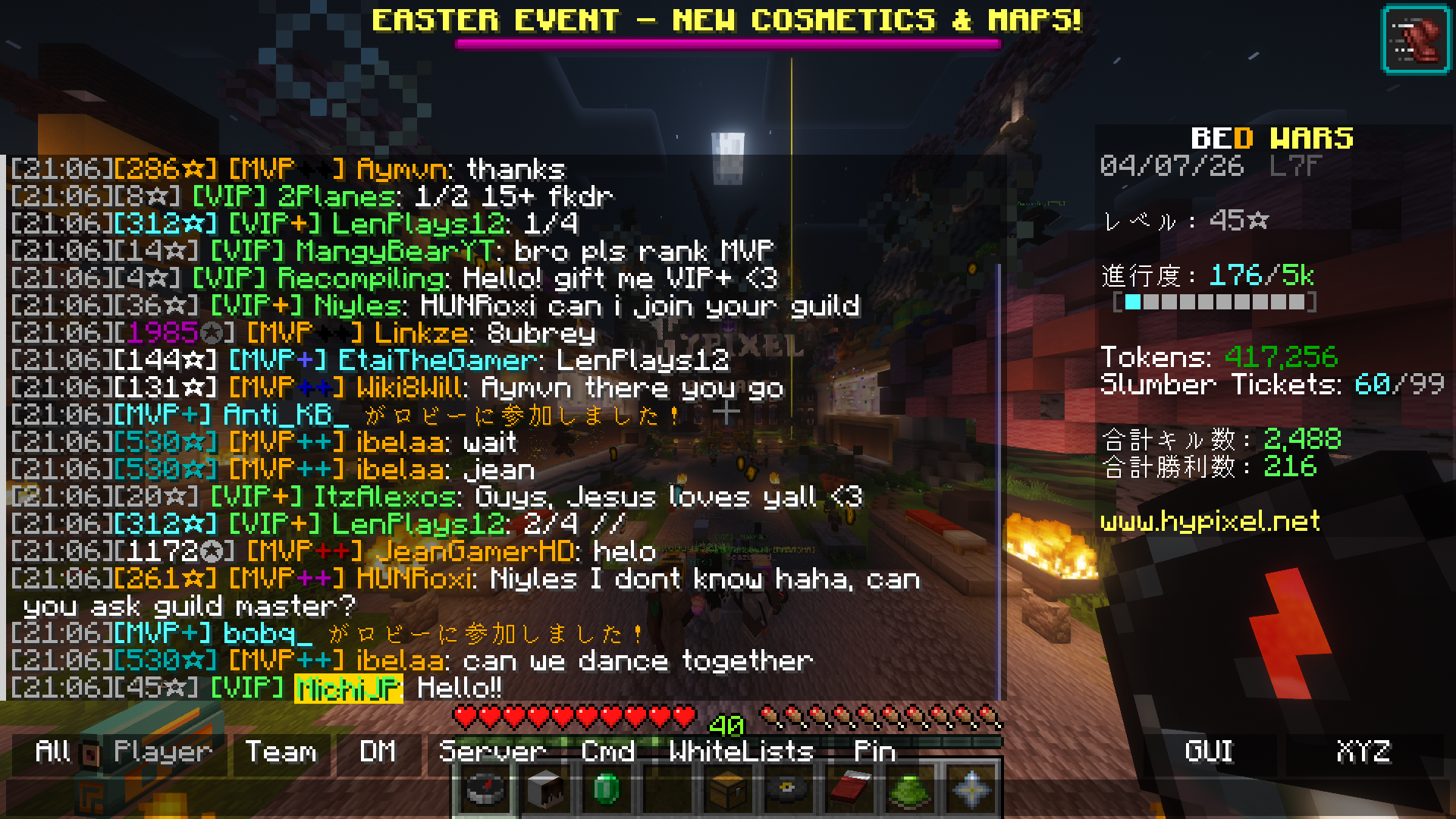 ChatUtility
 -
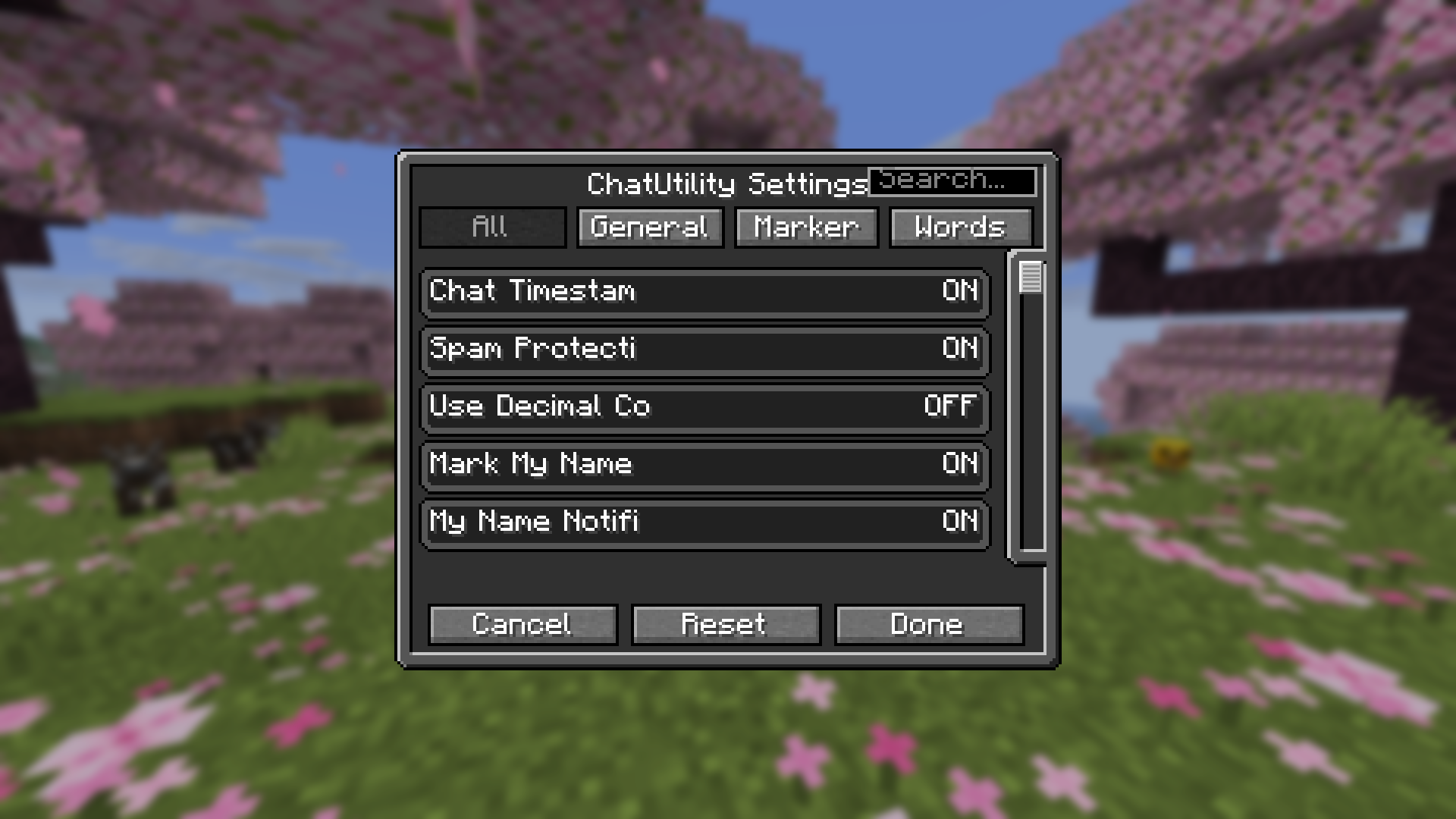 ChatUtility Settings
Versions
Files
Relations
Project Relations
More like this
Similar Mods
Suggestions use data such as tags, dependencies, dependents, descriptions, titles, and more to rank how much they overlap with this mod.
On ModDex
Community snapshot
By the numbers
Statistics
Want to reach Minecraft players?
We're looking for a server hosting partner to feature here and other parts of the site. Interested? Send us a message!
Get in touchGet it on
Available Platforms
On ModDex
Community snapshot
By the numbers
Statistics
Resources