Community listing page, reviews may not be monitored by the author.
Check Engine

No reviews yet
Your modpack's check engine light. Crash, missing mod, broken recipe or "Invalid player data" kick? It tells you what broke and how to fix it, in plain English. Undo bad updates, find the faulty mod, back up and rescue your worlds. Never touches gameplay.

Community voices
Reviews
No reviews yet. Be the first to review this project!
Get it on
Available Platforms
About
Project Details
For authors
Embed Badge
If you're the author of this project, you can embed a live badge anywhere that supports HTML or Markdown. It updates automatically whenever ratings change.
Use HTML for any page that supports it, or Markdown for README files and Markdown-based descriptions.
Identifiers
Platform IDs
Resources
External Links
About
Description




Your modpack broke? Check Engine tells you why, in plain English, and how to fix it.
One jar in your mods folder. No config. Never changes gameplay. Never goes online.
New in 0.18: "Invalid player data" explained · a Fixed! popup when a problem is gone · a backup offer when a mod goes back a version

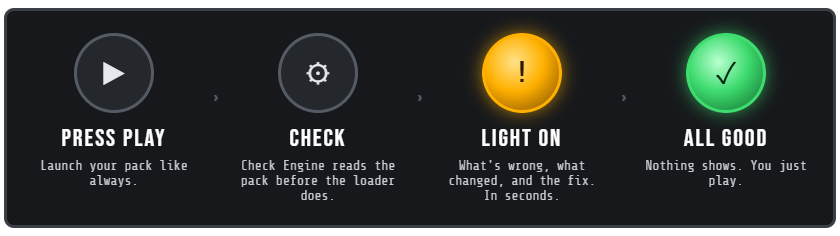

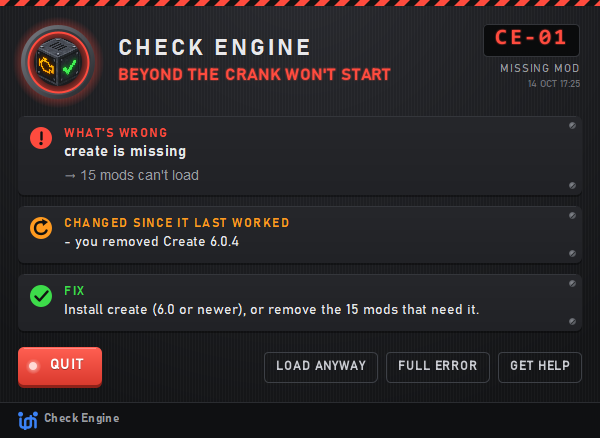
Right after you press Play, before the 5-minute load: what's wrong, what changed, and the fix.

 |
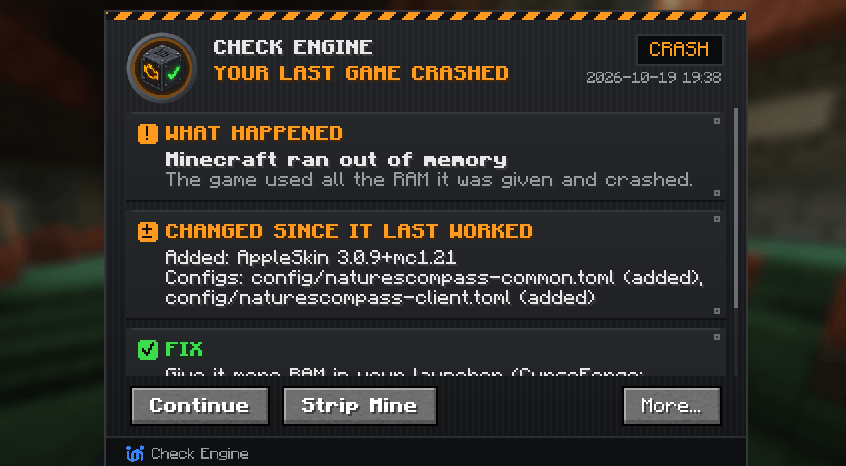 |
Game crashed? The next launch says what happened and the fix, even for crashes with no crash report.
Crashes other players already solved come with their fix.
A broken mob or machine crashing your world? Rescue world backs it up and removes just that one.


The crash doesn't say which mod? Strip Mine finds it, one launch per round. Mods you changed lately go first,
so it's often 2 or 3 launches. Nothing is deleted, and every mod goes back on at the end. Works for configs too.

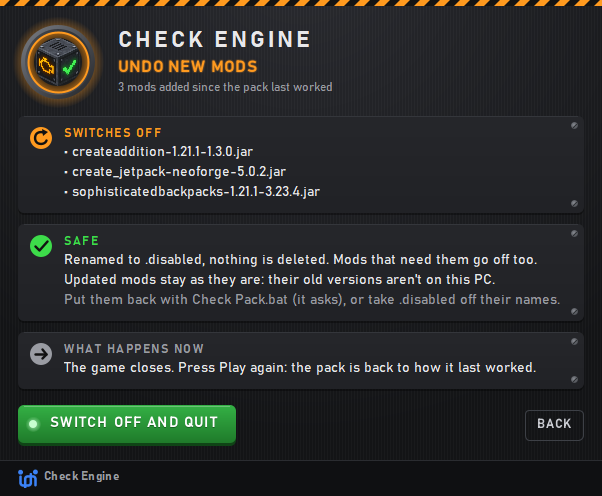
It worked yesterday? Undo new mods and Undo config changes put the pack back to how it last started.
One click, nothing deleted, and you can put everything back. Fixed it? A Fixed! popup says so on the next launch.

 |
 |
After a pack update, one screen says what's new, updated and removed.
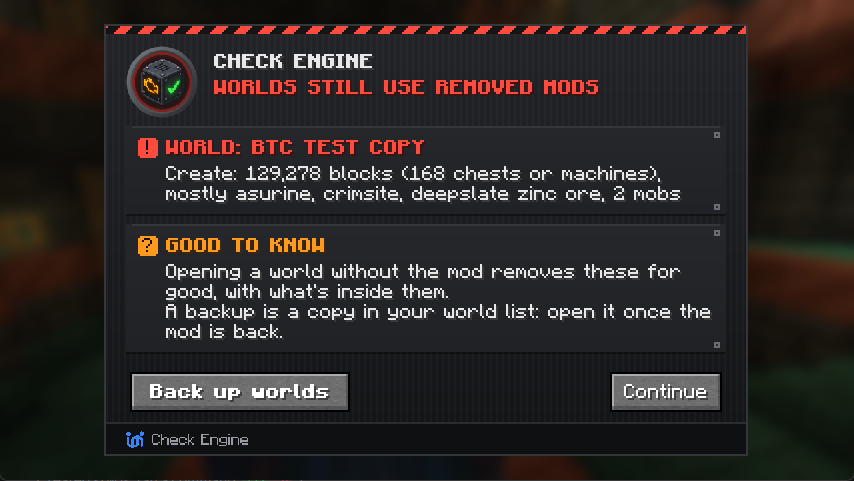
A mod your world uses is gone, or went back to an older version? Check Engine warns you before you open the world, and backs it up in one click.
An update reset a mod's settings? It lists what changed and keeps your old settings file.

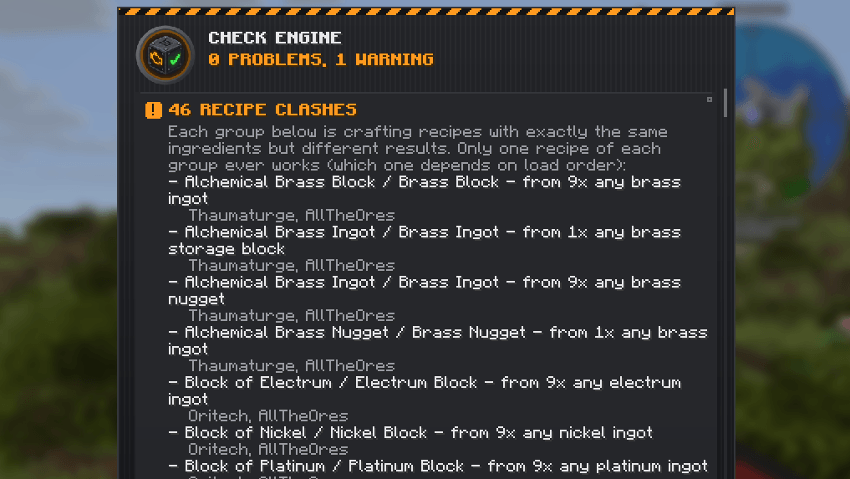
Type /checkengine scan to find recipes that clash, recipes nobody can craft and quest items nothing gives.
Click [Open report] in chat to read it in game, grouped by item, with the mods behind each one. Sees KubeJS and CraftTweaker changes too.

 |
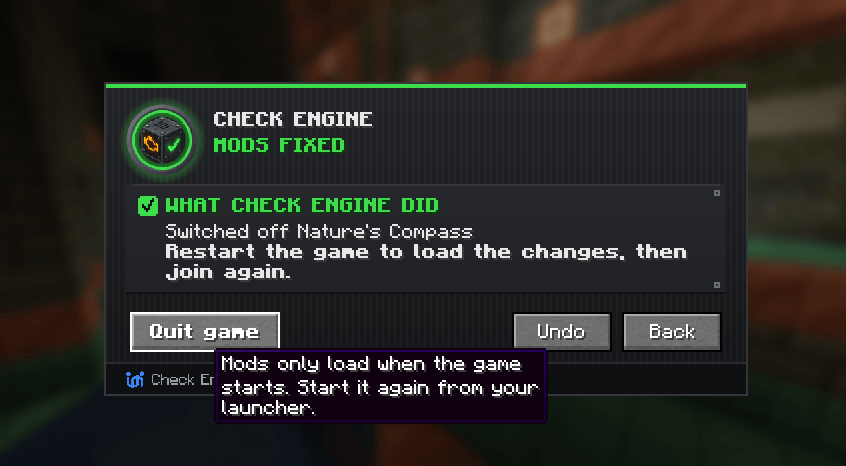 |
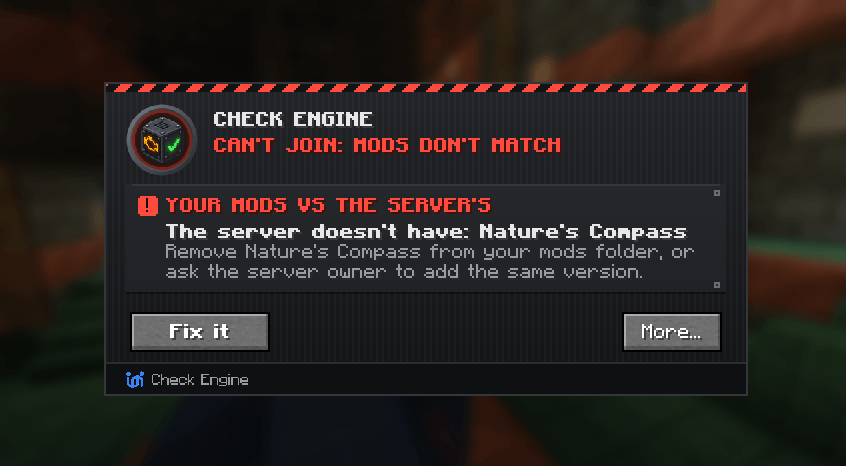
Kicked because your mods don't match the server? Check Engine says which ones.
Press Fix it to switch off the extras and open the pages of the ones you need. Undo puts it all back.
New: kicked with "Invalid player data"? Check Engine names the mod that broke the join and the fix,
right on the kick screen. Server owners: /checkengine join explains the last kick.

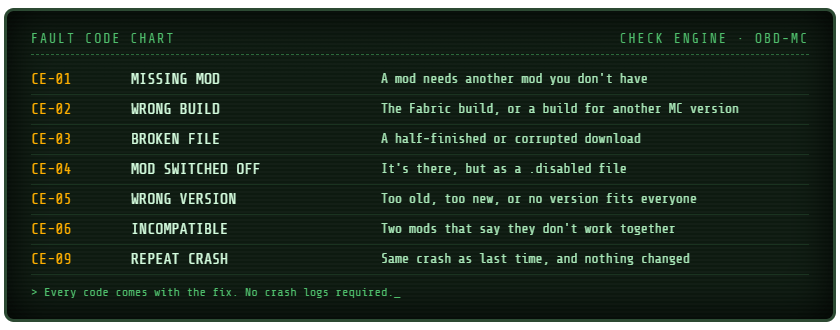
Plus duplicates, two mods doing one job, mods known not to get along, mods that went back a version,
mods made for a newer Java, client-only mods on servers, and too little RAM, caught before it crashes.


Your pack's name and help link on every screen · a journal of every change · update notes ready to paste
mods flooding the log, config typos, missing textures · duplicate ores · an export check before you upload
quiet mode for warnings your players don't need · a Works with Check Engine badge for your page
Make your pack Check Engine ready in 2 minutes

| Minecraft | Loader | Java |
|---|---|---|
| 26.1.2 - 26.2 | NeoForge | 25 |
| 1.21.1 | NeoForge | 21 |
| 1.20.1 | Forge | 17 |
Client, server or both. Commands: /checkengine scan · join · startup · export (a help file to share).
Pack won't start at all? Check Pack.bat checks it without the game.
26.1.0 and 26.1.1 aren't supported: use 26.1.2 or newer.

Can it break a working pack? No. It only says "won't start" when the loader is about to refuse anyway.
Does it change my pack? Only when you press a button (Undo, Strip Mine, Rescue world, Fix it, a backup).
Nothing is ever deleted: mods are renamed to .disabled and files are kept in a checkengine folder.
Does it go online? Never. Everything is checked on your PC.
Can I put it in my modpack? Yes, please! MIT licensed.

False alarm, missed crash or an idea? Leave a comment or open an issue with your help file.
Free and open source: github.com/Uanme37/CheckEngine
Screenshots
Gallery
Versions
Files
Relations
Project Relations
More like this
Similar Mods
Suggestions use data such as tags, dependencies, dependents, descriptions, titles, and more to rank how much they overlap with this mod.
On ModDex
Community snapshot
By the numbers
Statistics

Get it on
Available Platforms
On ModDex
Community snapshot
By the numbers
Statistics
Resources